5.    Visual feedback message definitions:
      Valid Programming: one long beeps and lights green.
      Invalid Programming: one long beeps and lights red.
      Lock error: three long beeps and lights red flash.
Low battery warning:
Beeps and lights red flash 5 seconds. Please replace with good quality alkaline batteries.
Note: Please re-enter Year-Month-Date-Hour-Minute after batteries are complete dead.
     Federal Communications Commission Statement
This equipment has been tested and found to comply with the limits for a Class B digital device,
pursuant to Part 15 of the FCC Rules. These limits are designed to provide reasonable protection
against harmful interference in a residential installation. This equipment generates, uses and can
radiate radio frequency energy and, if not installed and used in accordance with the instruction, may
cause harmful interference to radio communications. However, there is no guarantee that
interference will not occur in a particular installation. If this equipment does cause harmful
interference to radio or television reception, which can be determined by turning the equipment off
and on, the user is encouraged to try and correct the interferene by one of the following measures:

Reorient or relocate the receiving antenna,
Increase the separation between the equipment and receiver,
Consult the dealer or an experienced radio/TV technician for help.

This device complies with Part 15 of the FCC Rules. Operation is subject to the following two
conditions: (1) this device may not cause harmful interference, and (2) this device must accept any
interference received, including interference that may cause undersired operation.                               Operation Manual
FCC Caution: Any changes or modifications not expressly approved by the party responsible for
compliance could void the user’s authority to operate this equipment.

     Limited Warranty
Vision Guarantees that every wireless deadbolt door lock is free from physical defects in material and
workmanship under normal use for one year from the date of purchase. If the product proves
defective during this one-year warranty period, Vision will replace it free of charge. Vision does not                 ZM 1701 EU
issue any refunds. This warranty is extended to the original end user purchase only and is not
transferable. This warranty does not apply to : (1) damage to units caused by accident, dropping or                    ZM 1701 US
abuse in handling, or any negligent use; (2) units which have been subject to unauthorized repair,
taken apart, or otherwise modified; (3) units not used in accordance with instruction; (4) damages                     ZM 1701 AU
exceeding the cost of the product; (5) transit damage, initial installation costs, removal cost, or
reinstallation cost.

For information on addional devices, plesae visit us at www.visionsecurity.com.tw

                                                                                                         Wireless Electronic Deadbolt Door Lock
                                                                                                                   (Real Time Version)


                                                               ZM1701     V0    1010410    6B1Z-17001


                                                 -3-
Introduction                                                                              installation guide of Z-WaveTM Interface Controller before installing ZM 1701.
Thanks for choosing the Vision’s wireless deadbolt door lock of the home security device.   1.   Remove battery cover and observe the correct polarity before insert the batteries.
This deadbolt lock is a Z-WaveTM enabled device (interoperable, two-way RF mesh             2.   For “Inclusion” in (adding to) a network: Put the Z-WaveTM Interface Controller into
networking technology) and is fully compatible with any Z-WaveTM enabled network.                “inclusion” mode, and following its instruction to add the ZM 1701 into your controller.
Every main powered Z-WaveTM enabled device acts as a signal repeater and multiple                To get in the “Inclusion” mode, the distance between ZM1701 and controller is
devices result in more possible transmission routes which helps eliminate “RF                    suggested to be in one meter. Press Keypads © 8 8 8 manually turn
dead-sport”.                                                                                     the Turn Piece from inside to be included. User shall hear one long beep sound and
Z-WaveTM enabled devices displaying the Z-WaveTM logo can also be used with it                   controller shall indicate device is successfully inclusion into network. Inclusion will
regardless of the manufacturer, and ours can also be used in other manufacturer’s                take approximately 2 minutes, please wait the Inclusion finished before doing next
Z-waveTM enabled networks. This deadbolt lock monitors who and when the door is                  step.
opened and closed and send Z-WaveTM signal to the controller. User can also control              For “Exclusion” from (removing from) a network: Set up the Z-WaveTM Interface
which user code can only unlock the door at certain period of time. It is Security Enable        Controller into “exclusion” mode, and following its instruction to delete the ZM 1701
Z-WaveTM deadbolt lock and a Security Enabled Z-Wave Controller must be used to fully
                                                                                                 from your controller. Press Keypads © 8 8 8 manually turn the Turn
utilize the product.
                                                                                                 Piece from inside to be excluded.
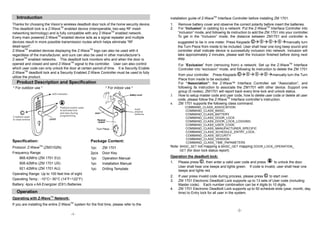
  Product Description and Specification                                                          For “Association”: the Z-Wave™ Interface Controller set “Association”, and
* For outdoor use *                                             * For indoor use *               following its instruction to associate the ZM1701 with other device. Support one
                                                                                                 group (5 nodes). ZM1701 will report back every time lock and unlock status.
                                                                                            3.   How to setup master code and user code, how to delete user code or delete all user
                                                                                                 code, please follow the Z-WaveTM Interface controller’s instruction.
                                                                                            4.   ZM 1701 supports the following class command:
                                                                                                    COMMAND_CLASS_ASSOCIATION
                                                                                                     COMMAND_CLASS_BASIC,
                                                                                                     COMMAND_CLASS_BATTERY,
                                                                                                     COMMAND_CLASS_DOOR_LOCK
                                                                                                     COMMAND_CLASS_DOOR_LOCK_LOGGING
                                                                                                     COMMAND_CLASS_USER_CODE,
                                                         Turn Piece                                  COMMAND_CLASS_MANUFACTURER_SPECIFIC
                                                                                                     COMMAND_CLASS_SCHEDULE_ENTRY_LOCK,
                                                                                                     COMMAND_CLASS_SECURITY
                                                                                                     COMMAND_CLASS_VERSION
Specification:                                       Package Content:                                COMMAND_CLASS_TIME_PAPAMETERS
Protocol: Z-WaveTM (ZM3102N)                         1pc     ZM 1701                        Note: BASIC_SET not mapping & BASIC_GET mapping DOOR_LOCK_OPERATION_
                                                                                                  GET (for door lock status report)
Frequency Range:                                     2pcs    Door Key
    868.42MHz (ZM 1701 EU)                                                                  Operation the deadbolt lock:
                                                     1pc     Operation Manual
    908.42MHz (ZM 1701 US)                           1pc     Installation Manual            1.   Please press ©, then enter a valid user code and press        to unlock the door.
                                                                                                 User shall hear one beeps and lights green. If code is invalid, user shall hear one
    921.42MHz (ZM 1701 AU)                           1pc     Drilling Template
                                                                                                 beeps and lights red.
Operating Range: Up to 100 feet line of sight
                                                                                            2.   If user press invalid code during process, please press © to start over.
Operating Temp.: -10°C~ 50°C (14°F~122°F)                                                   3.   ZM 1701 Electronic Deadbolt Lock supports up to 13 sets of User code (including
Battery: 4pcs x AA Energizer (E91) Batteries                                                     Master code). Each number combination can be 4 digits to 10 digits.
                                                                                            4.   ZM 1701 Electronic Deadbolt Lock supports up to 50 schedule slots (year, month, day,
  Operation                                                                                      time) to Entry lock for all user in the system.
Operating with Z-WaveTM Network:
If you are installing the entire Z-WaveTM system for the first time, please refer to the
                                                                                                                                         -2-
                                        -1-

Vision ZM1701 Manual

  • 1.
    5. Visual feedback message definitions: Valid Programming: one long beeps and lights green. Invalid Programming: one long beeps and lights red. Lock error: three long beeps and lights red flash. Low battery warning: Beeps and lights red flash 5 seconds. Please replace with good quality alkaline batteries. Note: Please re-enter Year-Month-Date-Hour-Minute after batteries are complete dead. Federal Communications Commission Statement This equipment has been tested and found to comply with the limits for a Class B digital device, pursuant to Part 15 of the FCC Rules. These limits are designed to provide reasonable protection against harmful interference in a residential installation. This equipment generates, uses and can radiate radio frequency energy and, if not installed and used in accordance with the instruction, may cause harmful interference to radio communications. However, there is no guarantee that interference will not occur in a particular installation. If this equipment does cause harmful interference to radio or television reception, which can be determined by turning the equipment off and on, the user is encouraged to try and correct the interferene by one of the following measures: Reorient or relocate the receiving antenna, Increase the separation between the equipment and receiver, Consult the dealer or an experienced radio/TV technician for help. This device complies with Part 15 of the FCC Rules. Operation is subject to the following two conditions: (1) this device may not cause harmful interference, and (2) this device must accept any interference received, including interference that may cause undersired operation. Operation Manual FCC Caution: Any changes or modifications not expressly approved by the party responsible for compliance could void the user’s authority to operate this equipment. Limited Warranty Vision Guarantees that every wireless deadbolt door lock is free from physical defects in material and workmanship under normal use for one year from the date of purchase. If the product proves defective during this one-year warranty period, Vision will replace it free of charge. Vision does not ZM 1701 EU issue any refunds. This warranty is extended to the original end user purchase only and is not transferable. This warranty does not apply to : (1) damage to units caused by accident, dropping or ZM 1701 US abuse in handling, or any negligent use; (2) units which have been subject to unauthorized repair, taken apart, or otherwise modified; (3) units not used in accordance with instruction; (4) damages ZM 1701 AU exceeding the cost of the product; (5) transit damage, initial installation costs, removal cost, or reinstallation cost. For information on addional devices, plesae visit us at www.visionsecurity.com.tw Wireless Electronic Deadbolt Door Lock (Real Time Version) ZM1701 V0 1010410 6B1Z-17001 -3-
  • 2.
    Introduction installation guide of Z-WaveTM Interface Controller before installing ZM 1701. Thanks for choosing the Vision’s wireless deadbolt door lock of the home security device. 1. Remove battery cover and observe the correct polarity before insert the batteries. This deadbolt lock is a Z-WaveTM enabled device (interoperable, two-way RF mesh 2. For “Inclusion” in (adding to) a network: Put the Z-WaveTM Interface Controller into networking technology) and is fully compatible with any Z-WaveTM enabled network. “inclusion” mode, and following its instruction to add the ZM 1701 into your controller. Every main powered Z-WaveTM enabled device acts as a signal repeater and multiple To get in the “Inclusion” mode, the distance between ZM1701 and controller is devices result in more possible transmission routes which helps eliminate “RF suggested to be in one meter. Press Keypads © 8 8 8 manually turn dead-sport”. the Turn Piece from inside to be included. User shall hear one long beep sound and Z-WaveTM enabled devices displaying the Z-WaveTM logo can also be used with it controller shall indicate device is successfully inclusion into network. Inclusion will regardless of the manufacturer, and ours can also be used in other manufacturer’s take approximately 2 minutes, please wait the Inclusion finished before doing next Z-waveTM enabled networks. This deadbolt lock monitors who and when the door is step. opened and closed and send Z-WaveTM signal to the controller. User can also control For “Exclusion” from (removing from) a network: Set up the Z-WaveTM Interface which user code can only unlock the door at certain period of time. It is Security Enable Controller into “exclusion” mode, and following its instruction to delete the ZM 1701 Z-WaveTM deadbolt lock and a Security Enabled Z-Wave Controller must be used to fully from your controller. Press Keypads © 8 8 8 manually turn the Turn utilize the product. Piece from inside to be excluded. Product Description and Specification For “Association”: the Z-Wave™ Interface Controller set “Association”, and * For outdoor use * * For indoor use * following its instruction to associate the ZM1701 with other device. Support one group (5 nodes). ZM1701 will report back every time lock and unlock status. 3. How to setup master code and user code, how to delete user code or delete all user code, please follow the Z-WaveTM Interface controller’s instruction. 4. ZM 1701 supports the following class command: COMMAND_CLASS_ASSOCIATION COMMAND_CLASS_BASIC, COMMAND_CLASS_BATTERY, COMMAND_CLASS_DOOR_LOCK COMMAND_CLASS_DOOR_LOCK_LOGGING COMMAND_CLASS_USER_CODE, Turn Piece COMMAND_CLASS_MANUFACTURER_SPECIFIC COMMAND_CLASS_SCHEDULE_ENTRY_LOCK, COMMAND_CLASS_SECURITY COMMAND_CLASS_VERSION Specification: Package Content: COMMAND_CLASS_TIME_PAPAMETERS Protocol: Z-WaveTM (ZM3102N) 1pc ZM 1701 Note: BASIC_SET not mapping & BASIC_GET mapping DOOR_LOCK_OPERATION_ GET (for door lock status report) Frequency Range: 2pcs Door Key 868.42MHz (ZM 1701 EU) Operation the deadbolt lock: 1pc Operation Manual 908.42MHz (ZM 1701 US) 1pc Installation Manual 1. Please press ©, then enter a valid user code and press to unlock the door. User shall hear one beeps and lights green. If code is invalid, user shall hear one 921.42MHz (ZM 1701 AU) 1pc Drilling Template beeps and lights red. Operating Range: Up to 100 feet line of sight 2. If user press invalid code during process, please press © to start over. Operating Temp.: -10°C~ 50°C (14°F~122°F) 3. ZM 1701 Electronic Deadbolt Lock supports up to 13 sets of User code (including Battery: 4pcs x AA Energizer (E91) Batteries Master code). Each number combination can be 4 digits to 10 digits. 4. ZM 1701 Electronic Deadbolt Lock supports up to 50 schedule slots (year, month, day, Operation time) to Entry lock for all user in the system. Operating with Z-WaveTM Network: If you are installing the entire Z-WaveTM system for the first time, please refer to the -2- -1-