Using WordPress as a Web
Application Platform
Joe Querin @joequerin
www.joequerin.com joecue
joecue
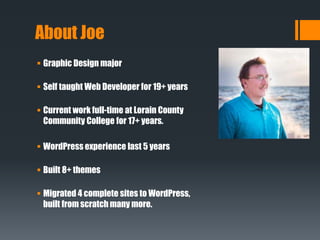
About Joe
 Graphic Design major
 Self taught Web Developer for 19+ years
 Current work full-time at Lorain County
Community College for 17+ years.
 WordPress experience last 5 years
 Built 8+ themes
 Migrated 4 complete sites to WordPress,
built from scratch many more.
What is an application platform?
 What is an application?
 What is an application platform?
What we will cover
 Common Application Requirements
 Why use an application platform?
 What should an application platform provide?
Common Application
Requirements
 Content Management
 Adding New
 Editing Existing
 Deleting
 Archiving
 Sorting
 User Management
 Adding|Editing / Registration
 Profile Management
 Roles
 Password Management
 Media Management
 Adding New
 Editing Existing
 Deleting
 ???
Why use an Application
Framework?
 Don’t reinvent the wheel!
 Faster prototyping.
 Don’t always have to be a Developer to create something.
 Security updates are handled for you.
 Ability to easily add others to the development process.
How Does WordPress Fit In?
 Easy Install.
 Intuitive Admin Interface.
 Custom Post Types.
 Open Source.
 Tremendous Assortment of Plugins Available.
 Huge Community.
 Even non-developers can build an app in WordPress
Example Apps
 Custom content display (Realty sites, Recipes, etc).
 Receive feedback from users.
 Content Distribution.
A Few Plugins to Consider
 WP REST API – v2.wp-api.org | WordPress.org Plugin Repo
 Gravity Forms – www.gravityforms.com
 Advanced Custom Fields – www.advancedcustomfields.com
 PODS Framework – www.pods.io
How I Am Leveraging WordPress
 A “News Site” to feed via RSS Feeds to our Mobile App.
 In-Development: News and Events aggregator site to feed various
parts of our new website via WP REST API
Displaying Data from WP REST API
 Include jQuery library in your HTML
http://bit.ly/Display-WP-REST-Data
<script>
jQuery(document).ready(function($) {
$.getJSON("http://mysite.dev/wp-json/wp/v2/posts/?filter[category_name]=catname", function (data) {
$.each(data, function( index ){
var div = $('<div class="post"/>');
div.append( $('<h2 class="announce"
/>').append(document.createTextNode(data[index].title.rendered)) );
div.append( $(data[index].content.rendered));
$(div).attr('id', data[index].id);
$('#announcement-container').append(div);
})
});
});
</script>
Questions?
Joe Querin
www.joequerin.com
@joequerin
joecue
joecue

Using WordPress as a web application platform

  • 1.
    Using WordPress asa Web Application Platform Joe Querin @joequerin www.joequerin.com joecue joecue
  • 2.
    About Joe  GraphicDesign major  Self taught Web Developer for 19+ years  Current work full-time at Lorain County Community College for 17+ years.  WordPress experience last 5 years  Built 8+ themes  Migrated 4 complete sites to WordPress, built from scratch many more.
  • 3.
    What is anapplication platform?  What is an application?  What is an application platform? What we will cover  Common Application Requirements  Why use an application platform?  What should an application platform provide?
  • 4.
    Common Application Requirements  ContentManagement  Adding New  Editing Existing  Deleting  Archiving  Sorting  User Management  Adding|Editing / Registration  Profile Management  Roles  Password Management  Media Management  Adding New  Editing Existing  Deleting  ???
  • 5.
    Why use anApplication Framework?  Don’t reinvent the wheel!  Faster prototyping.  Don’t always have to be a Developer to create something.  Security updates are handled for you.  Ability to easily add others to the development process.
  • 6.
    How Does WordPressFit In?  Easy Install.  Intuitive Admin Interface.  Custom Post Types.  Open Source.  Tremendous Assortment of Plugins Available.  Huge Community.  Even non-developers can build an app in WordPress
  • 7.
    Example Apps  Customcontent display (Realty sites, Recipes, etc).  Receive feedback from users.  Content Distribution.
  • 8.
    A Few Pluginsto Consider  WP REST API – v2.wp-api.org | WordPress.org Plugin Repo  Gravity Forms – www.gravityforms.com  Advanced Custom Fields – www.advancedcustomfields.com  PODS Framework – www.pods.io
  • 9.
    How I AmLeveraging WordPress  A “News Site” to feed via RSS Feeds to our Mobile App.  In-Development: News and Events aggregator site to feed various parts of our new website via WP REST API
  • 10.
    Displaying Data fromWP REST API  Include jQuery library in your HTML http://bit.ly/Display-WP-REST-Data <script> jQuery(document).ready(function($) { $.getJSON("http://mysite.dev/wp-json/wp/v2/posts/?filter[category_name]=catname", function (data) { $.each(data, function( index ){ var div = $('<div class="post"/>'); div.append( $('<h2 class="announce" />').append(document.createTextNode(data[index].title.rendered)) ); div.append( $(data[index].content.rendered)); $(div).attr('id', data[index].id); $('#announcement-container').append(div); }) }); }); </script>
  • 11.