Django-ElasticBeanstalk
What and Why ElasticBeanstalk?
1. PAAS
2. Easy to use
3. Load Balancing
4. AutoScaling
5. Maintain Different versions of an application
6. No cost except for resources being used
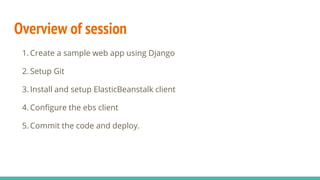
Overview of session
1. Create a sample web app using Django
2. Setup Git
3. Install and setup ElasticBeanstalk client
4. Configure the ebs client
5. Commit the code and deploy.
Setup Django App
#mkdir /home/ebs_tut
#cd /home/ebs_tut
#virtualenv et_env
#. et_env/bin/activate
#pip install django
#django-admin startproject ebs_tut
#python manage.py migrate
#pip freeze > requirements.txt
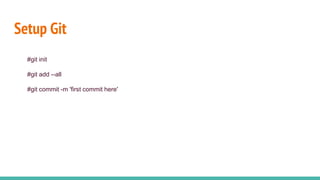
Setup Git
#git init
#git add --all
#git commit -m 'first commit here'
Setup ElasticBeanstalk
#pip install awsebcli
#mkdir .ebextensions
#ebs_config="option_settings:
aws:elasticbeanstalk:container:python:
WSGIPath: ebs_tut/wsgi.py"
#echo "$ebs_config" > .ebextensions/django.config
#eb init
#eb create django-environment

Django elastic beanstalk

  • 1.
  • 2.
    What and WhyElasticBeanstalk? 1. PAAS 2. Easy to use 3. Load Balancing 4. AutoScaling 5. Maintain Different versions of an application 6. No cost except for resources being used
  • 3.
    Overview of session 1.Create a sample web app using Django 2. Setup Git 3. Install and setup ElasticBeanstalk client 4. Configure the ebs client 5. Commit the code and deploy.
  • 4.
    Setup Django App #mkdir/home/ebs_tut #cd /home/ebs_tut #virtualenv et_env #. et_env/bin/activate #pip install django #django-admin startproject ebs_tut #python manage.py migrate #pip freeze > requirements.txt
  • 5.
    Setup Git #git init #gitadd --all #git commit -m 'first commit here'
  • 6.
    Setup ElasticBeanstalk #pip installawsebcli #mkdir .ebextensions #ebs_config="option_settings: aws:elasticbeanstalk:container:python: WSGIPath: ebs_tut/wsgi.py" #echo "$ebs_config" > .ebextensions/django.config #eb init #eb create django-environment