USING AMAZON EC2
TO SCALE YOUR WEB APPLICATION
          Ravi Pratap M
           July 9, 2011
About Me


•   Open source hacker

    •   GNOME, Mono, libcurl

•   Budding entrepreneur

    •   Early employee, Hillcrest
        Labs, Washington, D.C.

    •   Co-founder & CTO,
        MobStac
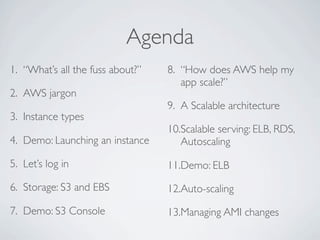
Agenda
1. “What’s all the fuss about?”   8. “How does AWS help my
                                     app scale?”
2. AWS jargon
                                  9. A Scalable architecture
3. Instance types
                                  10.Scalable serving: ELB, RDS,
4. Demo: Launching an instance       Autoscaling

5. Let’s log in                   11.Demo: ELB
6. Storage: S3 and EBS            12.Auto-scaling

7. Demo: S3 Console               13.Managing AMI changes
“What’s All The Fuss About?”

On-demand, self-service provisioning of computing resources -
no human intervention

Full control over the entire stack - no abstraction

Pay by the hour
AWS Jargon

An instance is a virtual server

An instance boots up from a disk image known as an AMI
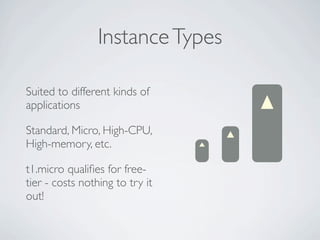
Instance Types

Suited to different kinds of
applications

Standard, Micro, High-CPU,
High-memory, etc.

t1.micro qualifies for free-
tier - costs nothing to try it
out!
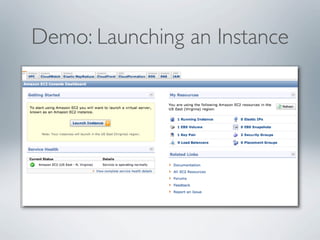
Demo: Launching an Instance
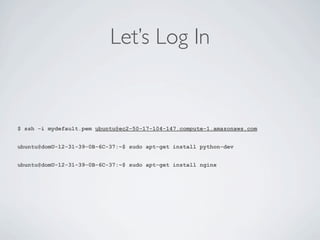
Let’s Log In


$ ssh -i mydefault.pem ubuntu@ec2-50-17-104-147.compute-1.amazonaws.com


ubuntu@domU-12-31-39-0B-6C-37:~$ sudo apt-get install python-dev


ubuntu@domU-12-31-39-0B-6C-37:~$ sudo apt-get install nginx
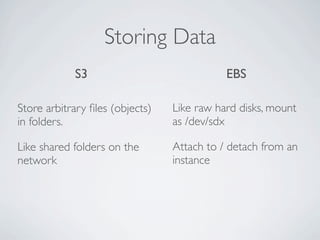
Storing Data
            S3                              EBS

Store arbitrary files (objects)   Like raw hard disks, mount
in folders.                      as /dev/sdx

Like shared folders on the       Attach to / detach from an
network                          instance
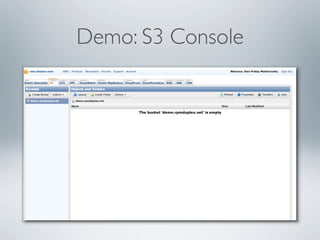
Demo: S3 Console
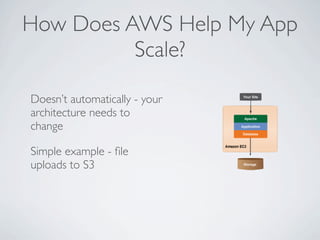
How Does AWS Help My App
          Scale?

Doesn’t automatically - your
architecture needs to
change

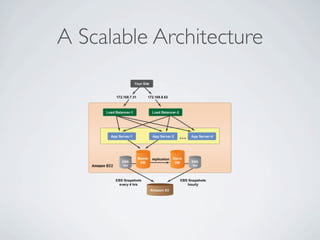
Simple example - file
uploads to S3
A Scalable Architecture
Scalable Serving:
    ELB, RDS, and Auto Scaling
Elastic Load        Relational          Auto Scaling:
Balancing:          Database Service:   Automatically
Automatically       Run a MySQL         scale capacity out
distribute traffic   database in the     or down based
between a bunch     cloud, with         on load patterns:
of instances        automatic           no wastage of
running your        backups and         resources
application         replication
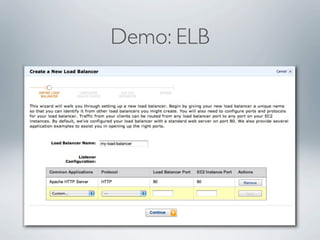
Demo: ELB
Auto Scaling

Automatically increase or decrease the number of running
instances by tracking a metric, like average CPU utilization


AMI must auto-configure on boot

Automatically pull code from repo

Be ready to serve requests
THAT’S ALL FOLKS!


    twitter: @ravipratap
     ravi@mobstac.com
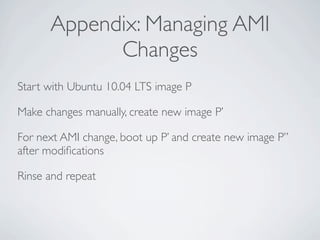
Appendix: Managing AMI
            Changes
Start with Ubuntu 10.04 LTS image P

Make changes manually, create new image P’

For next AMI change, boot up P’ and create new image P’’
after modifications

Rinse and repeat
Appendix: Other Services Of
            Interest
CloudFront - CDN service

Route 53 - Scalable & highly available DNS service

Using Amazon EC2 to Scale Your Web Application

  • 1.
    USING AMAZON EC2 TOSCALE YOUR WEB APPLICATION Ravi Pratap M July 9, 2011
  • 2.
    About Me • Open source hacker • GNOME, Mono, libcurl • Budding entrepreneur • Early employee, Hillcrest Labs, Washington, D.C. • Co-founder & CTO, MobStac
  • 3.
    Agenda 1. “What’s allthe fuss about?” 8. “How does AWS help my app scale?” 2. AWS jargon 9. A Scalable architecture 3. Instance types 10.Scalable serving: ELB, RDS, 4. Demo: Launching an instance Autoscaling 5. Let’s log in 11.Demo: ELB 6. Storage: S3 and EBS 12.Auto-scaling 7. Demo: S3 Console 13.Managing AMI changes
  • 4.
    “What’s All TheFuss About?” On-demand, self-service provisioning of computing resources - no human intervention Full control over the entire stack - no abstraction Pay by the hour
  • 5.
    AWS Jargon An instanceis a virtual server An instance boots up from a disk image known as an AMI
  • 6.
    Instance Types Suited todifferent kinds of applications Standard, Micro, High-CPU, High-memory, etc. t1.micro qualifies for free- tier - costs nothing to try it out!
  • 7.
  • 8.
    Let’s Log In $ssh -i mydefault.pem ubuntu@ec2-50-17-104-147.compute-1.amazonaws.com ubuntu@domU-12-31-39-0B-6C-37:~$ sudo apt-get install python-dev ubuntu@domU-12-31-39-0B-6C-37:~$ sudo apt-get install nginx
  • 9.
    Storing Data S3 EBS Store arbitrary files (objects) Like raw hard disks, mount in folders. as /dev/sdx Like shared folders on the Attach to / detach from an network instance
  • 10.
  • 11.
    How Does AWSHelp My App Scale? Doesn’t automatically - your architecture needs to change Simple example - file uploads to S3
  • 12.
  • 13.
    Scalable Serving: ELB, RDS, and Auto Scaling Elastic Load Relational Auto Scaling: Balancing: Database Service: Automatically Automatically Run a MySQL scale capacity out distribute traffic database in the or down based between a bunch cloud, with on load patterns: of instances automatic no wastage of running your backups and resources application replication
  • 14.
  • 15.
    Auto Scaling Automatically increaseor decrease the number of running instances by tracking a metric, like average CPU utilization AMI must auto-configure on boot Automatically pull code from repo Be ready to serve requests
  • 16.
    THAT’S ALL FOLKS! twitter: @ravipratap ravi@mobstac.com
  • 17.
    Appendix: Managing AMI Changes Start with Ubuntu 10.04 LTS image P Make changes manually, create new image P’ For next AMI change, boot up P’ and create new image P’’ after modifications Rinse and repeat
  • 18.
    Appendix: Other ServicesOf Interest CloudFront - CDN service Route 53 - Scalable & highly available DNS service