Projects scaling with
Amazon Web Services
Alexander Torosh
Demio Inc.
Alexander Torosh
https://github.com/alexander-torosh
Director Of Engineering

Demio Inc.
Projects scaling with

Amazon Web Services
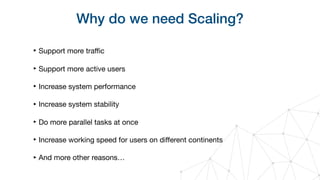
Why do we need Scaling?
‣ Support more traffic

‣ Support more active users

‣ Increase system performance

‣ Increase system stability

‣ Do more parallel tasks at once

‣ Increase working speed for users on different continents

‣ And more other reasons…
How we can be sure that

our application is scalable?
How we can be sure that

our application is scalable?
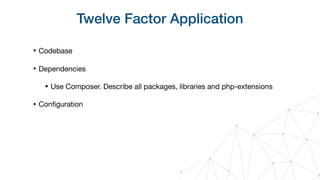
Twelve Factor Application
‣ Codebase

‣ Dependencies

• Use Composer. Describe all packages, libraries and php-extensions

‣ Configuration
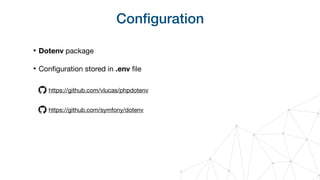
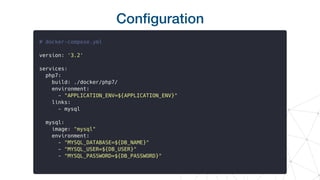
Configuration
‣ Dotenv package

‣ Configuration stored in .env file
https://github.com/vlucas/phpdotenv
https://github.com/symfony/dotenv
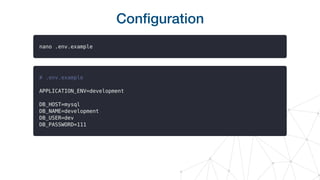
Configuration
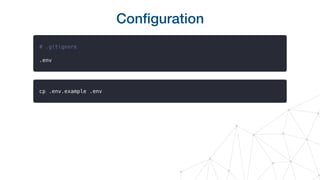
Configuration
Configuration
Twelve Factor Application
‣ Codebase

‣ Dependencies

• Use Composer. Describe all packages, libraries and php-extensions

‣ Configuration

‣ Stateless

‣ Backing Services
Backing Services
«A backing service is any service the app consumes

over the network as part of its normal operation»

«Treat backing services as attached resources»
Backing Services Examples
‣ Databases

‣ Caching systems

‣ Messaging/Queueing systems

‣ File storages

‣ Email/SMTP services

‣ And others…
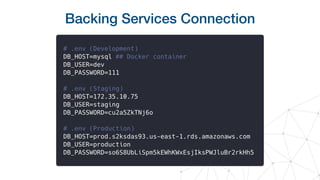
Backing Services Connection
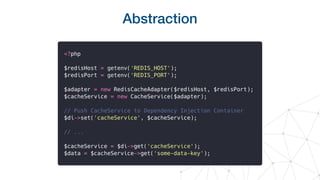
Backing Services Abstraction
‣ Use adapters

‣ Use wrappers

‣ Use service classes
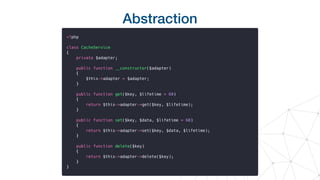
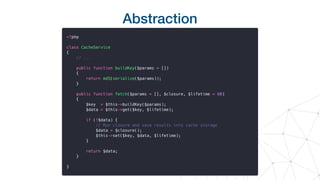
Abstraction
Abstraction
Abstraction
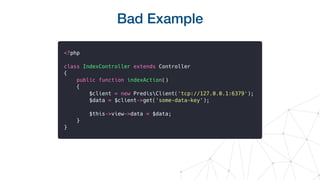
Bad Example
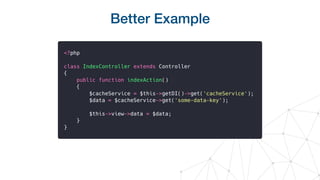
Better Example
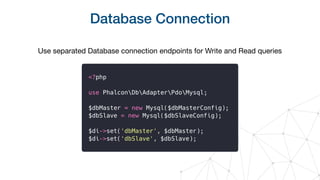
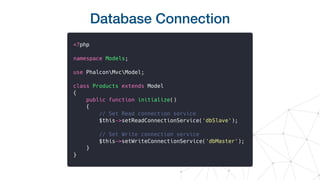
Database Connection
Use separated Database connection endpoints for Write and Read queries
Database Connection
File Storage
‣ Create associated entries in database with your files on disk

‣ Save the main file properties to the DB: path, extension, size

‣ Define importance and possible access frequency
‣ Define access rules: public/private
‣ https://min.io/ - Open Source S3 Compatible Object Storage
Few more advices
‣ Try to imagine your architecture stack in the future

‣ Check information about the scalability of used backing services
Hosting
‣ Bare-metal physical servers

‣ VPS/VDS

‣ Cloud Hosting

‣ Hybrid Hosting
Cloud hosting pros
‣ Almost infinite potential for scaling

‣ Easy to manage

‣ Multiple built-in services for load-balancing, traffic security, etc.

‣ Much easier server administration compared to bare-metal servers

‣ Better failover during possible outages

‣ Tools, API, SDK for better apps integration
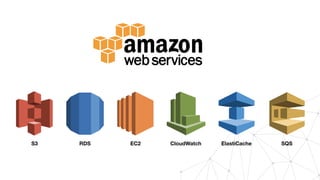
EC2RDSS3 CloudWatch ElastiCache SQS
Amazon Web Services
‣ 18 regions

• USA - 4

• Europe - 5

• Asia - 6

‣ Availability Zones

‣ 170 services and sub-services in 23 categories
Amazon Web Services
Short review of:

• EC2

• S3

• RDS

• ElastiCache
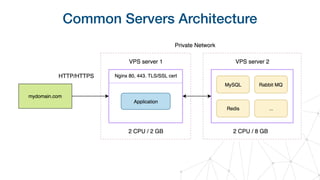
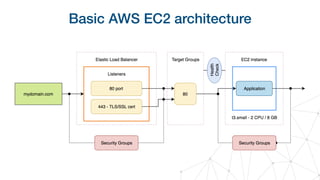
Common Servers Architecture
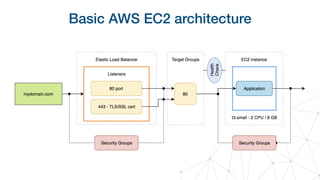
Basic AWS EC2 architecture
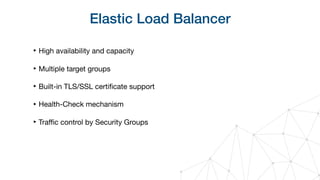
Elastic Load Balancer
‣ High availability and capacity

‣ Multiple target groups

‣ Built-in TLS/SSL certificate support

‣ Health-Check mechanism

‣ Traffic control by Security Groups
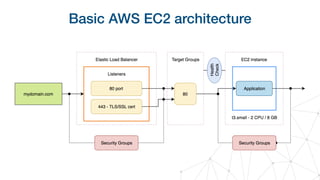
Basic AWS EC2 architecture
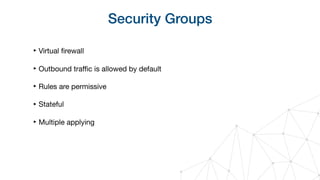
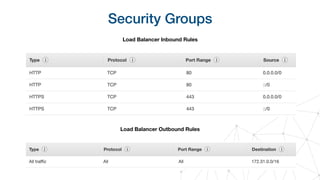
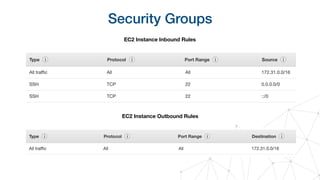
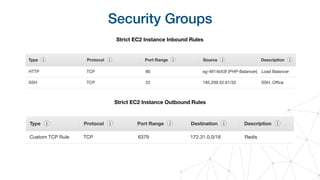
Security Groups
‣ Virtual firewall

‣ Outbound traffic is allowed by default

‣ Rules are permissive

‣ Stateful

‣ Multiple applying
Security Groups
Load Balancer Inbound Rules
Load Balancer Outbound Rules
Security Groups
EC2 Instance Inbound Rules
EC2 Instance Outbound Rules
Security Groups
Strict EC2 Instance Inbound Rules
Strict EC2 Instance Outbound Rules
Basic AWS EC2 architecture
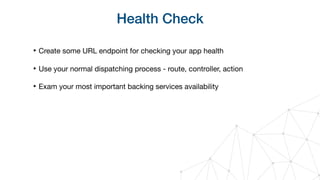
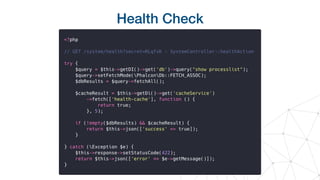
Health Check
‣ Create some URL endpoint for checking your app health

‣ Use your normal dispatching process - route, controller, action

‣ Exam your most important backing services availability
Health Check
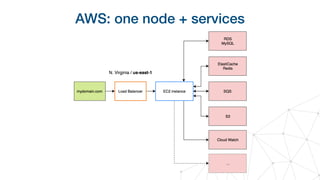
AWS: one node + services
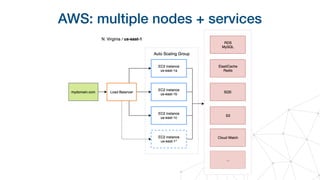
AWS: multiple nodes + services
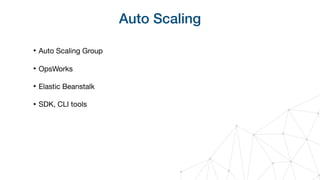
Auto Scaling
‣ Auto Scaling Group

‣ OpsWorks

‣ Elastic Beanstalk

‣ SDK, CLI tools
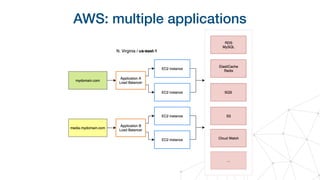
AWS: multiple applications
S3 - Simple Storage Service
‣ Storage Classes:

• Standard

• Intelligent Tiering

• Glacier

‣ Permissions

‣ Lifecycles
S3 - Simple Storage Service
‣ Care about your buckets regions

‣ Use a reasonable amount of buckets only!

‣ Use different Storage Classes for reducing cost

‣ Use Permissions for better Objects access security

‣ Use Lifecycles for cleaning up and reducing cost
RDS - Relational Database Service
‣ Relational database cluster out of the box

‣ Supports:

• MySQL

• MariaDB

• PostgreSQL

• Microsoft SQL

• Amazon Aurora
RDS - Relational Database Service
‣ Supports Master-Slave replication

‣ Storage encryption

‣ Automatic snapshots/backups

‣ Automated maintenances

‣ Multi A-Z failover (expensive)

‣ Monitoring

‣ S3 integration
ElastiCache
‣ Managed in-memory data store

‣ Supports:

• Redis

• Memcached

‣ Scaling out of the box. Supports Shards and Replicas

‣ Storage encryption

‣ Multi A-Z failover
Instance Types
‣ https://aws.amazon.com/ec2/instance-types/

‣ General Purpose

‣ Compute Optimized

‣ Accelerated Computing

‣ Storage Optimized
Instance Types
‣ Always use the latest instance type generation, it’s cheaper

‣ Start with small Burstable Performance Instances - T3 family

‣ Care about the network bandwidth of chosen instance type

‣ Run load tests. Analyze received instances metrics

‣ Increase their size or change the instance type

‣ Try to predict your cost https://calculator.s3.amazonaws.com/index.html
Reserved Instances
‣ If you plan to use defined instances for a long period of time - reserve it!

‣ 1 and 3 years reservation

‣ Full / Half / No-Upfront offering types

‣ Applies automatically
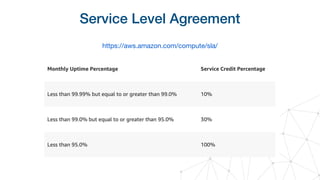
Service Level Agreement
https://aws.amazon.com/compute/sla/
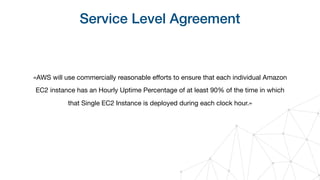
Service Level Agreement
«AWS will use commercially reasonable efforts to ensure that each individual Amazon
EC2 instance has an Hourly Uptime Percentage of at least 90% of the time in which
that Single EC2 Instance is deployed during each clock hour.»
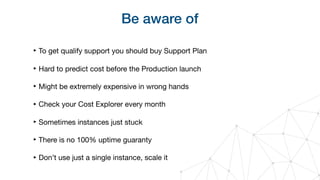
Be aware of
‣ To get qualify support you should buy Support Plan

‣ Hard to predict cost before the Production launch

‣ Might be extremely expensive in wrong hands

‣ Check your Cost Explorer every month

‣ Sometimes instances just stuck

‣ There is no 100% uptime guaranty

‣ Don’t use just a single instance, scale it
Summary
‣ Use Twelve Factor Application methodology

‣ Take care about Backing Services integration

‣ Amazon Web Services is a really great Cloud Hosting with varied services

‣ It might be really expensive due to wrong usage and configuration

‣ AWS is not a silver bullet

‣ Always use horizontal scaling
Thank you for attention
https://github.com/alexander-torosh

Alexander Torosh "Projects scaling with Amazon Web Services"