User Needs and Project Plans for Library-Managed Media Assets Jon Dunn, Director of Library Technologies and Digital Libraries, Indiana University Mark Notess, Development Manager in the Digital Library Program, Indiana University
Outline Project background User needs Accomplishments and current activities Invitation, feedback, discussion 12th Sakai Conference – Los Angeles, California – June 14-16
Project Background Part 1 12th Sakai Conference – Los Angeles, California – June 14-16
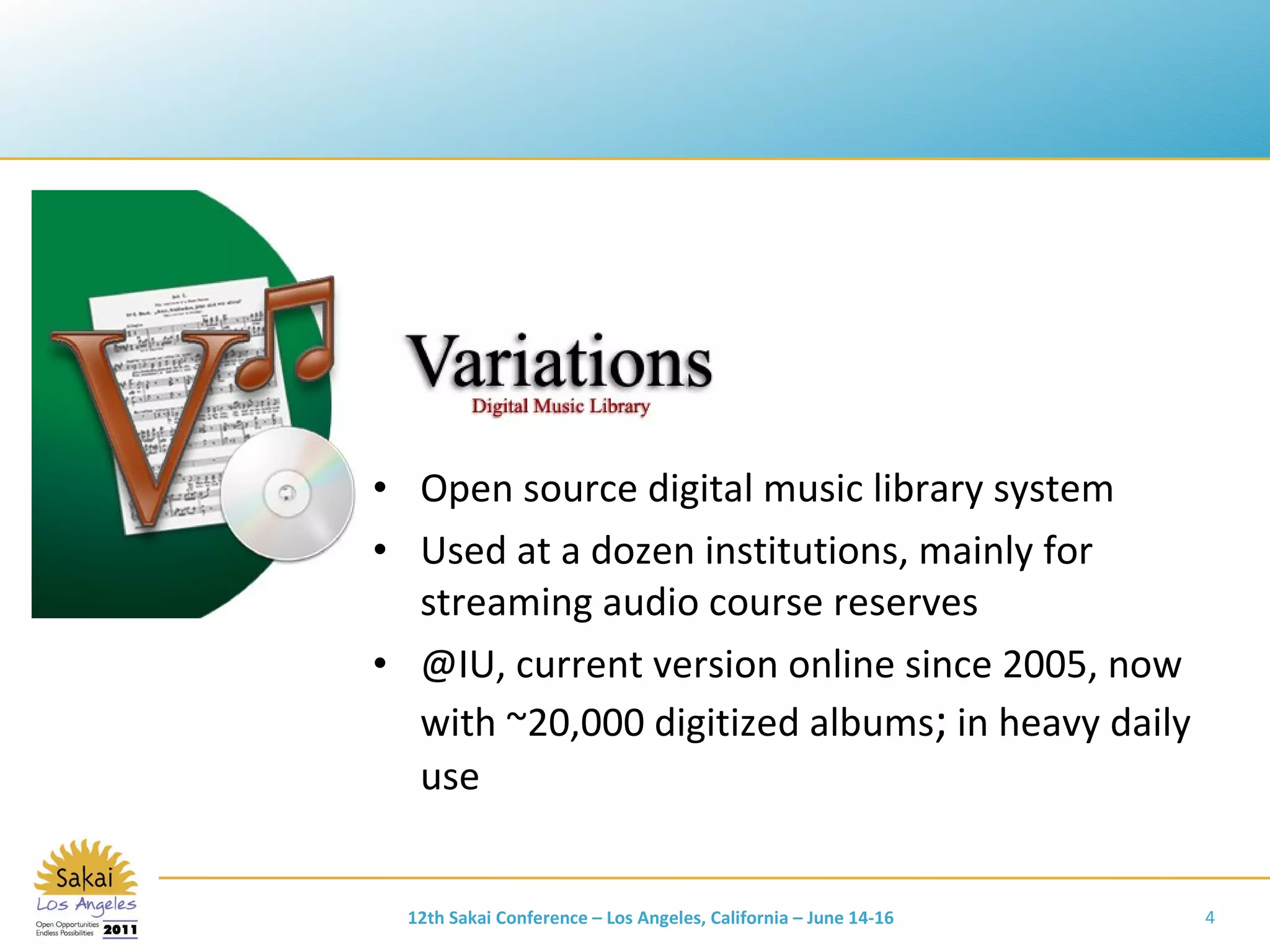
Open source digital music library system Used at a dozen institutions, mainly for streaming audio course reserves @IU, current version online since 2005, now with ~20,000 digitized albums ;  in heavy daily use 12th Sakai Conference – Los Angeles, California – June 14-16
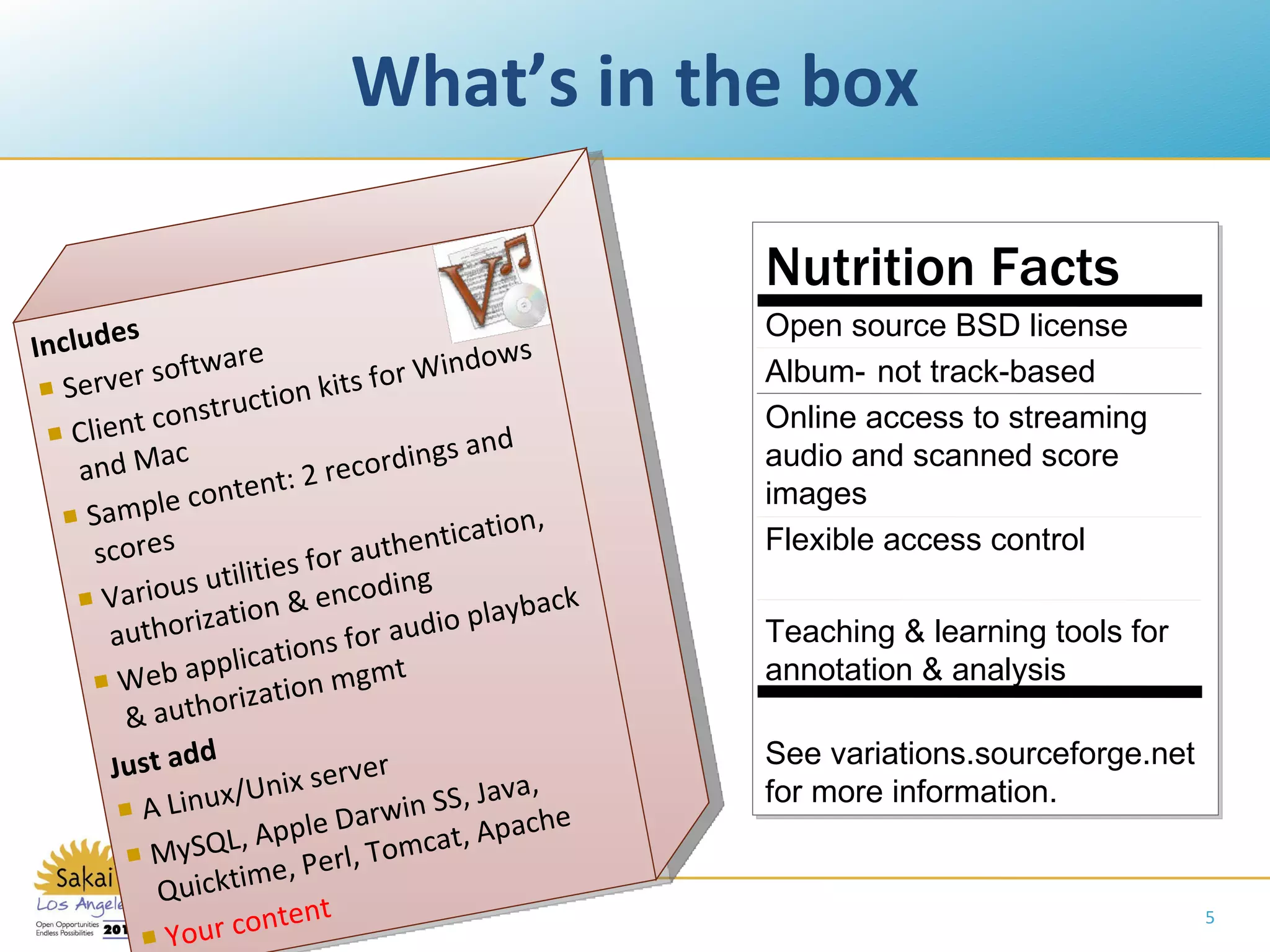
What’s in the box Includes Server software Client construction kits for Windows and Mac Sample content: 2 recordings and scores Various utilities for authentication, authorization & encoding Web applications for audio playback & authorization mgmt Just add A Linux/Unix server MySQL, Apple Darwin SS, Java, Quicktime, Perl, Tomcat, Apache Your content Nutrition Facts Open source BSD license Album-   not track-based Online access to streaming audio and scanned score images Flexible access control Teaching & learning tools for annotation & analysis See variations.sourceforge.net for more information.
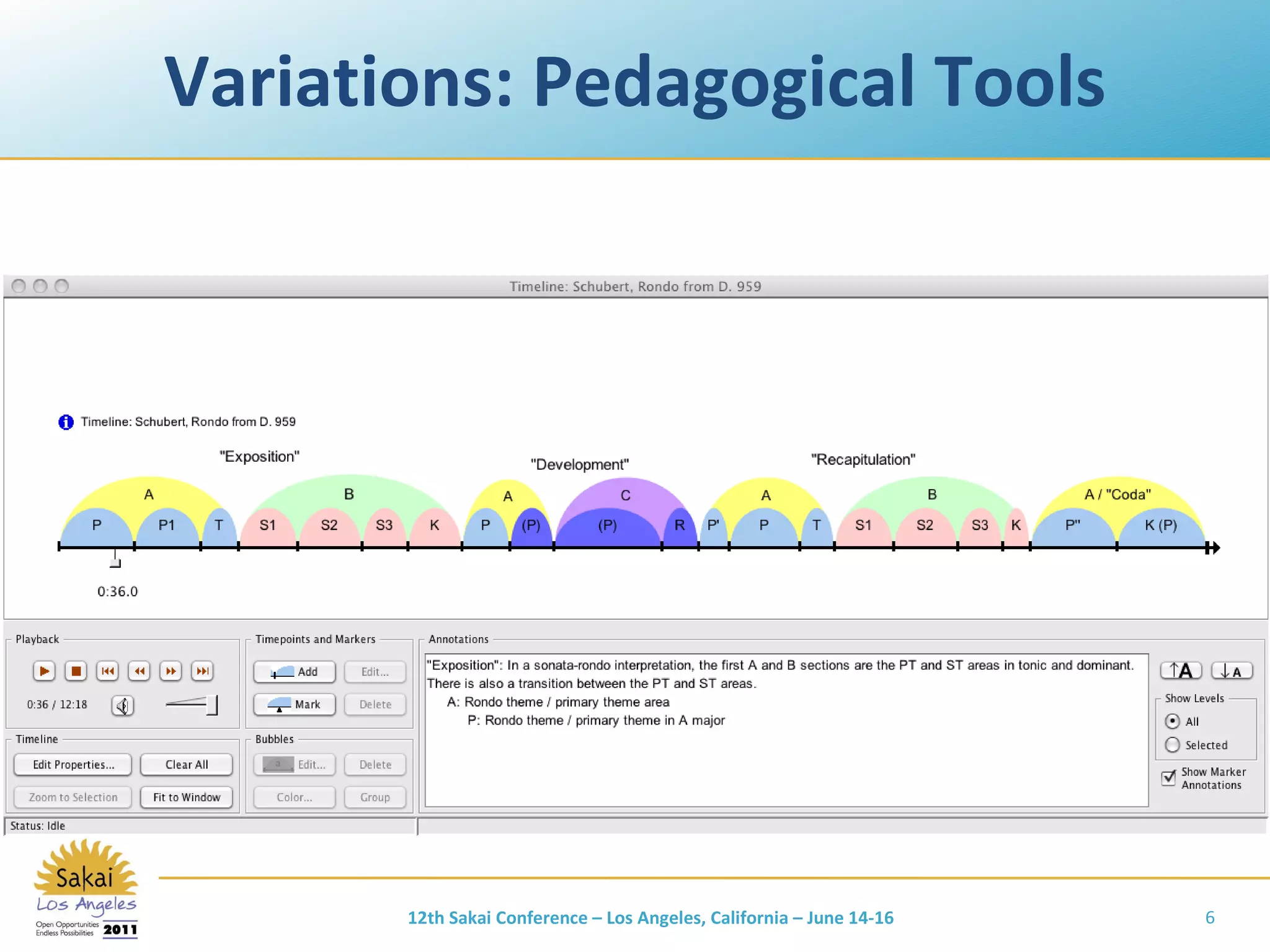
Variations: Pedagogical Tools 12th Sakai Conference – Los Angeles, California – June 14-16
Variations on Video Initial planning grant, Aug 2010 – Jan 2011 from the Institute of Museum and Library Services IU & Northwestern are lead institutions Multi-institutional collaboration on functional and technical requirements Full implementation grant proposal submitted to IMLS in Feb 2011 Add online video access capabilities to Variations, providing equivalent access, annotation, and analysis tools to support teaching and learning. 12th Sakai Conference – Los Angeles, California – June 14-16
Motivators for Variations on Video Demand from Variations implementers Increased audio/video demand for teaching, learning, and research IU Media Preservation Initiative IU IT strategic plan:  Empowering People History of involvement in open and community source software Desire to create a sustainable foundation for Variations development and maintenance 12th Sakai Conference – Los Angeles, California – June 14-16
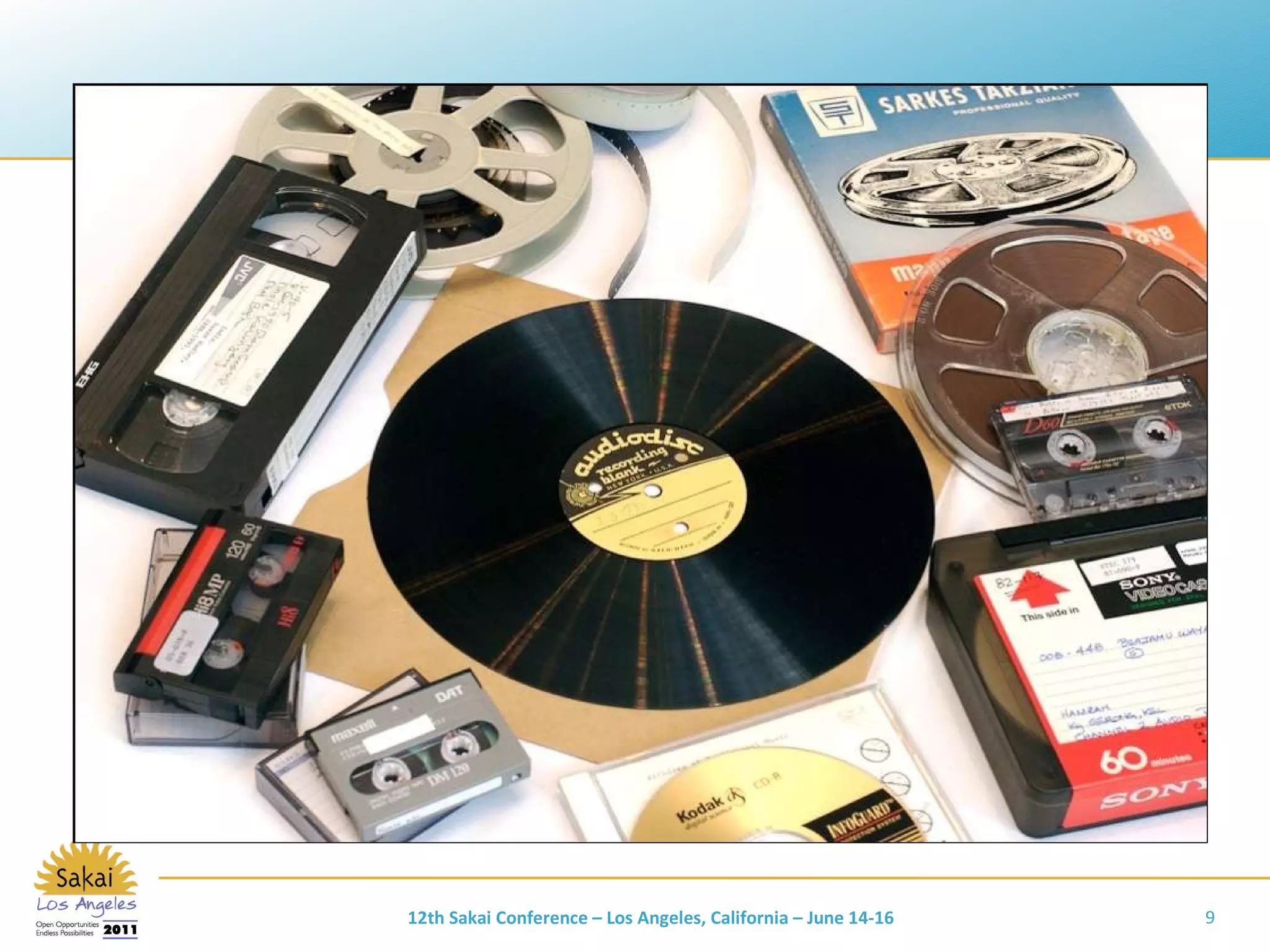
12th Sakai Conference – Los Angeles, California – June 14-16
Variations on Video: Scope Access to managed collections Video, audio Focus on libraries, archives, [museums] Research, teaching, and learning use Variety of access control requirements Integration with preservation repository services Ad-hoc faculty/student uploads   Classroom capture   Live streaming   Working digital assets – media production   12th Sakai Conference – Los Angeles, California – June 14-16
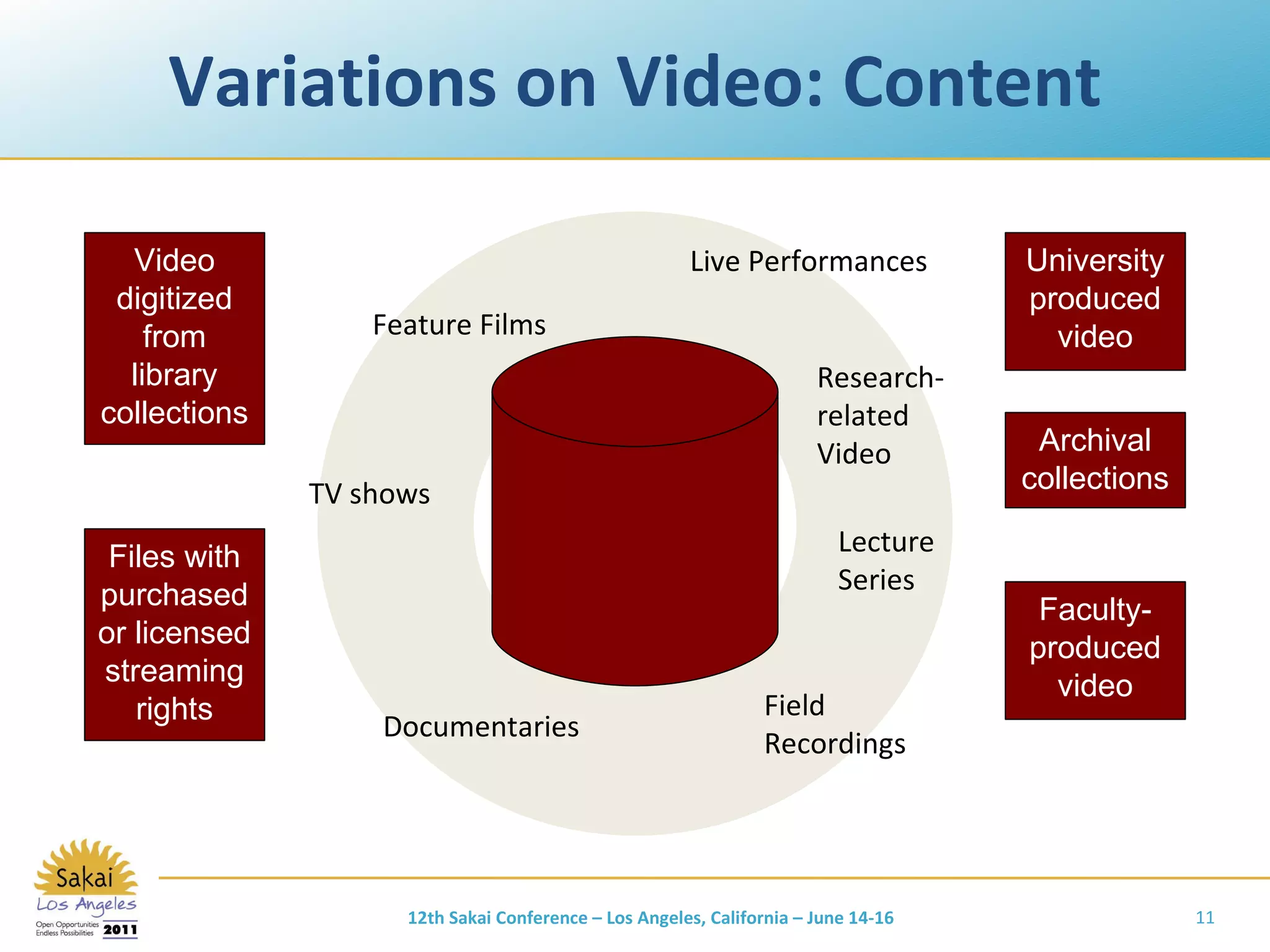
Variations on Video: Content Video digitized from library collections Files with purchased or licensed streaming rights University produced video Archival collections Faculty-produced video Feature Films Documentaries TV shows Live Performances Lecture Series Field Recordings Research- related Video 12th Sakai Conference – Los Angeles, California – June 14-16
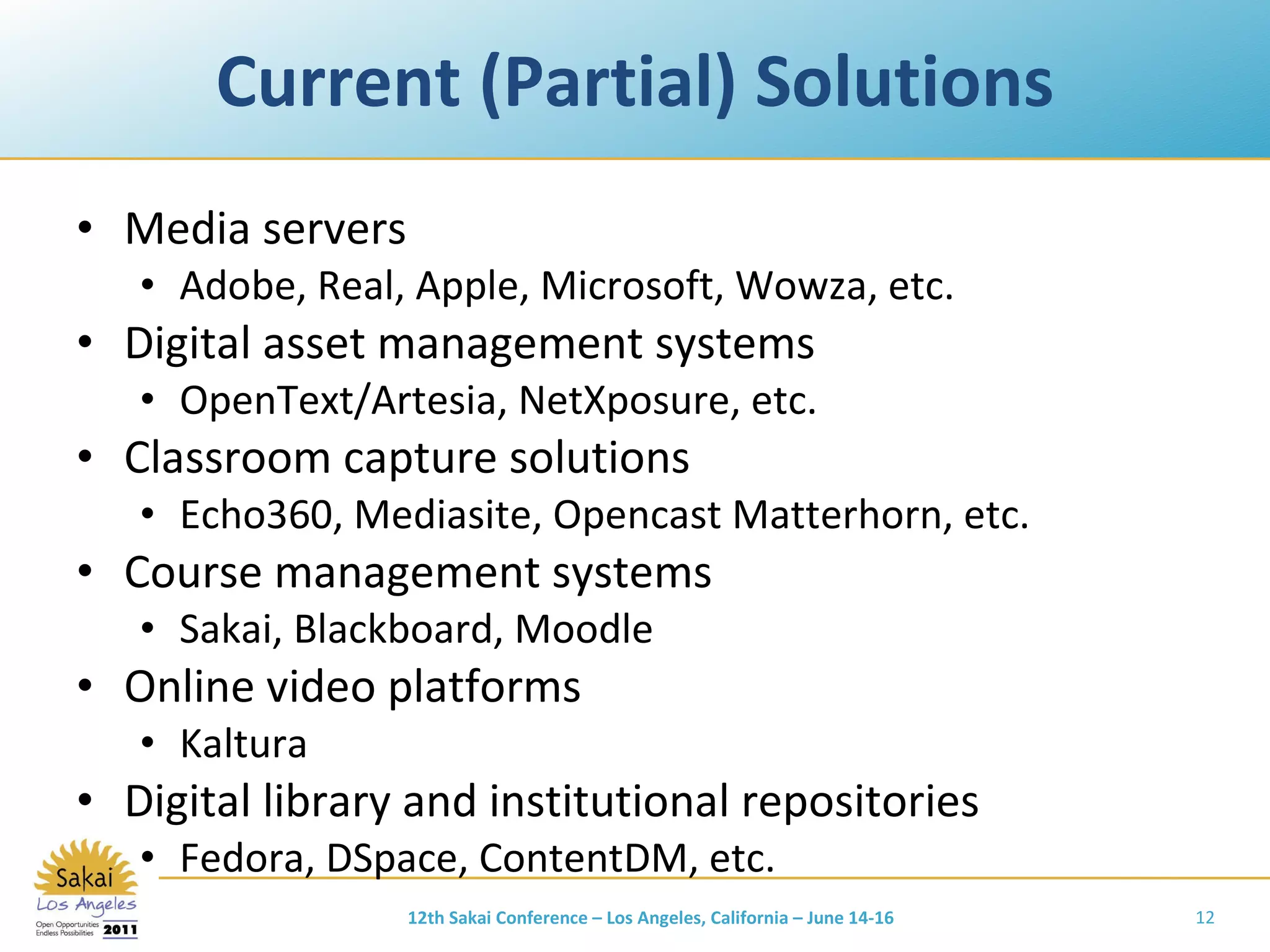
Current (Partial) Solutions Media servers Adobe, Real, Apple, Microsoft, Wowza, etc. Digital asset management systems OpenText/Artesia, NetXposure, etc. Classroom capture solutions Echo360, Mediasite, Opencast Matterhorn, etc. Course management systems Sakai, Blackboard, Moodle Online video platforms Kaltura Digital library and institutional repositories Fedora, DSpace, ContentDM, etc. 12th Sakai Conference – Los Angeles, California – June 14-16
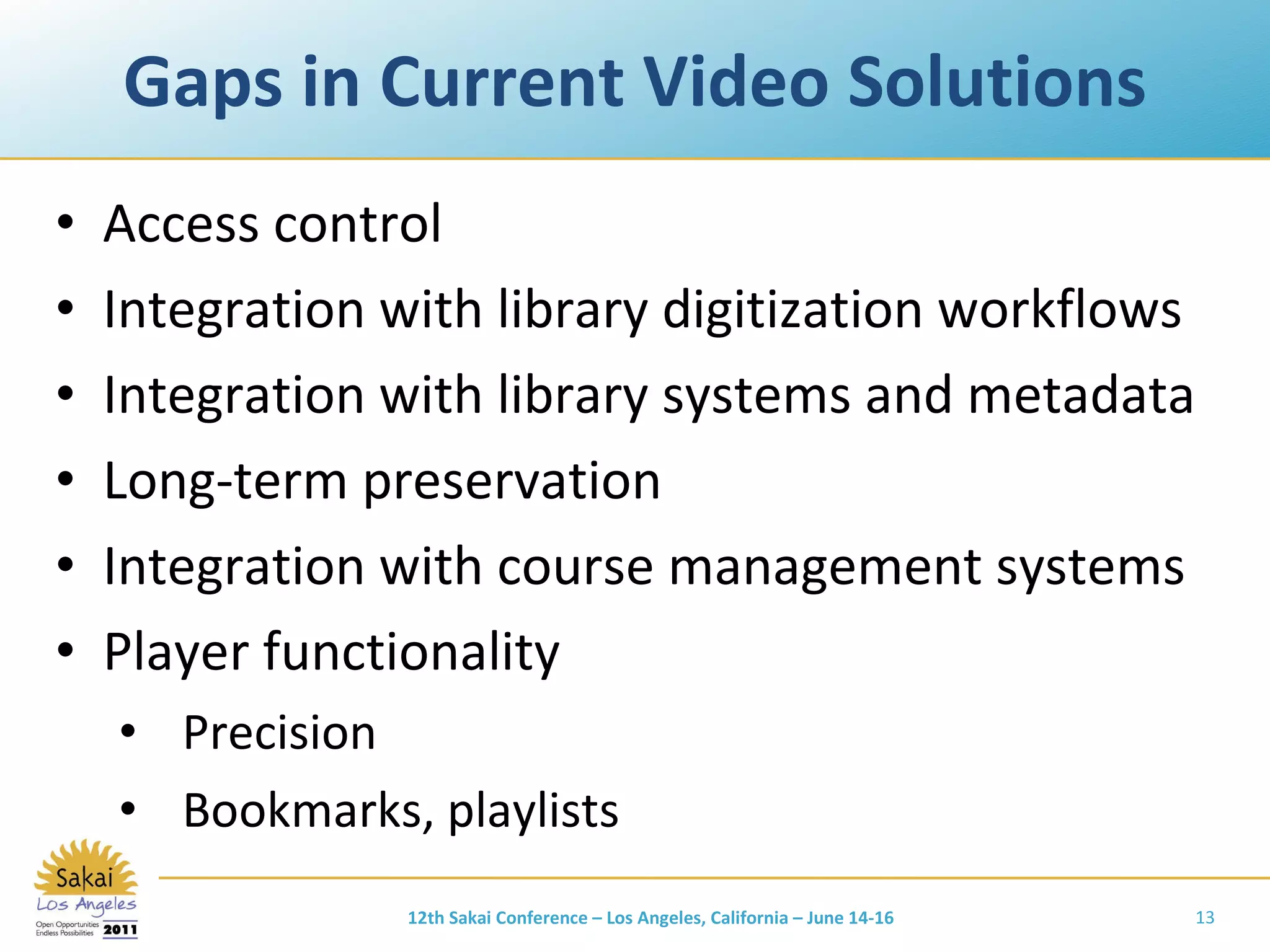
Gaps in Current Video Solutions Access control Integration with library digitization workflows Integration with library systems and metadata Long-term preservation Integration with course management systems Player functionality Precision Bookmarks, playlists 12th Sakai Conference – Los Angeles, California – June 14-16
User Needs Part 2 12th Sakai Conference – Los Angeles, California – June 14-16
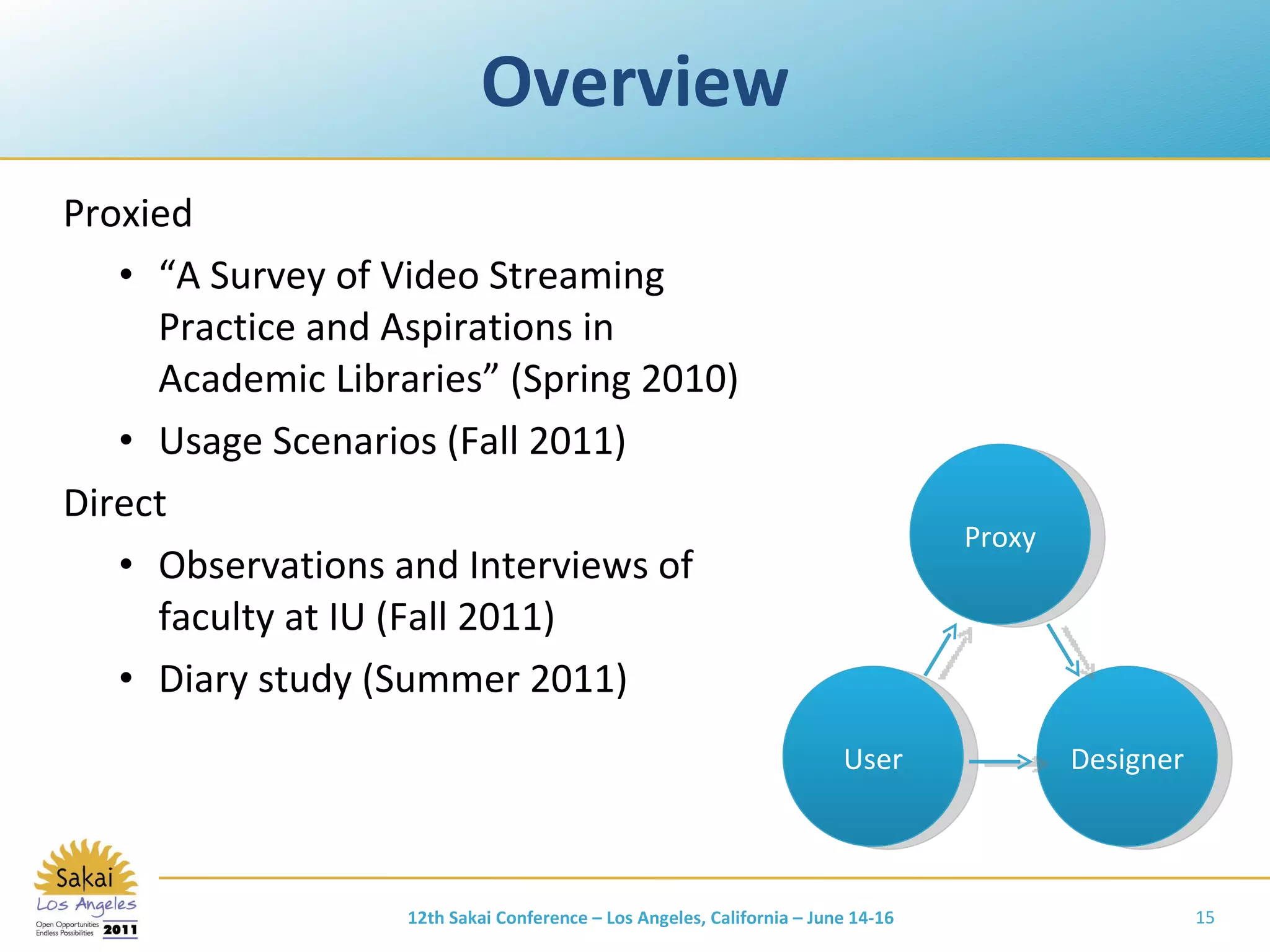
Overview Proxied “ A Survey of Video Streaming Practice and Aspirations in Academic Libraries ”  (Spring 2010) Usage Scenarios (Fall 2011) Direct Observations and Interviews of faculty at IU (Fall 2011) Diary study (Summer 2011) 12th Sakai Conference – Los Angeles, California – June 14-16 User Designer Proxy
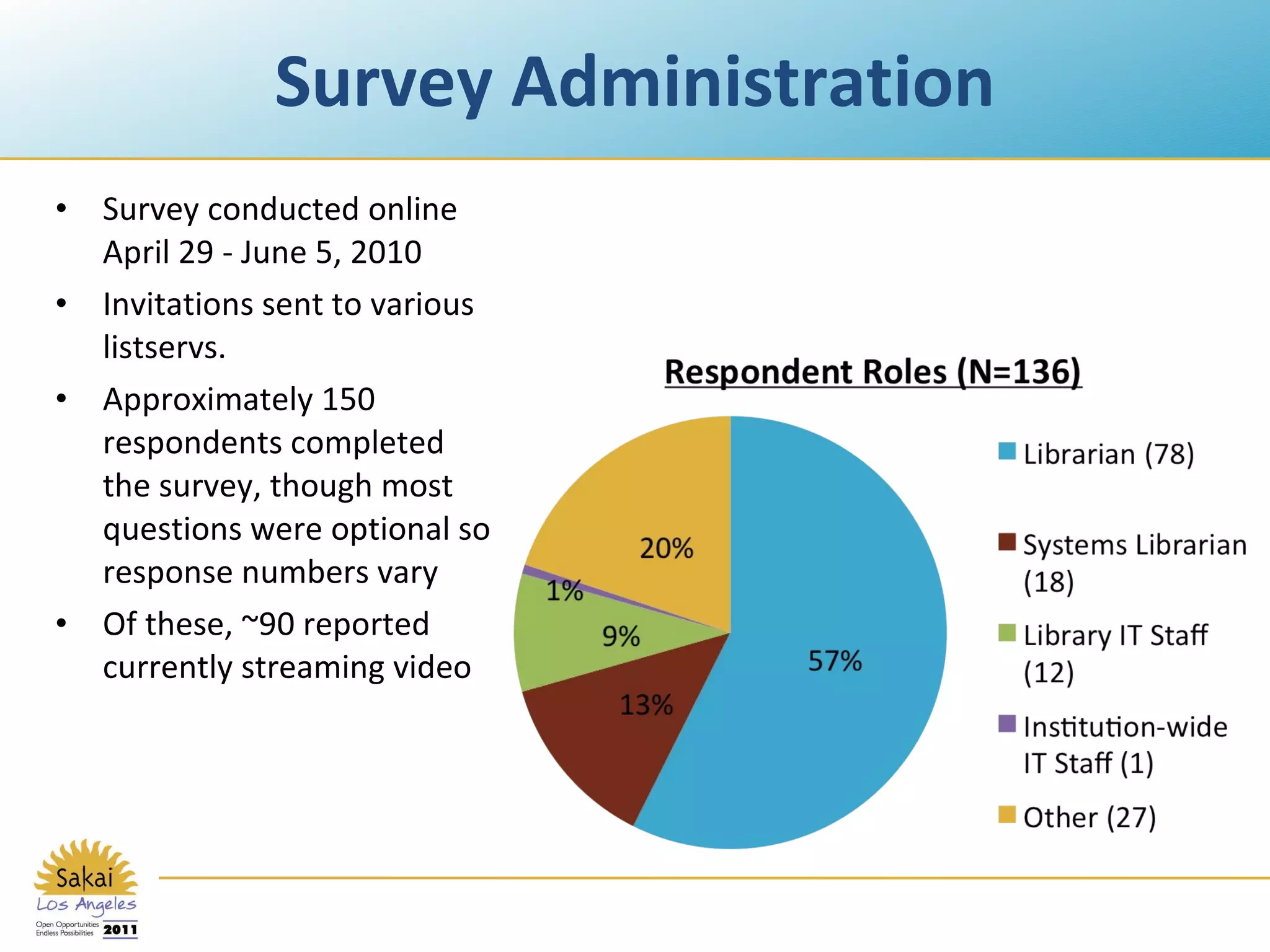
Survey Administration Survey conducted online April 29 - June 5, 2010 Invitations sent to various listservs. Approximately 150 respondents completed the survey, though most questions were optional so response numbers vary Of these, ~90 reported currently streaming video
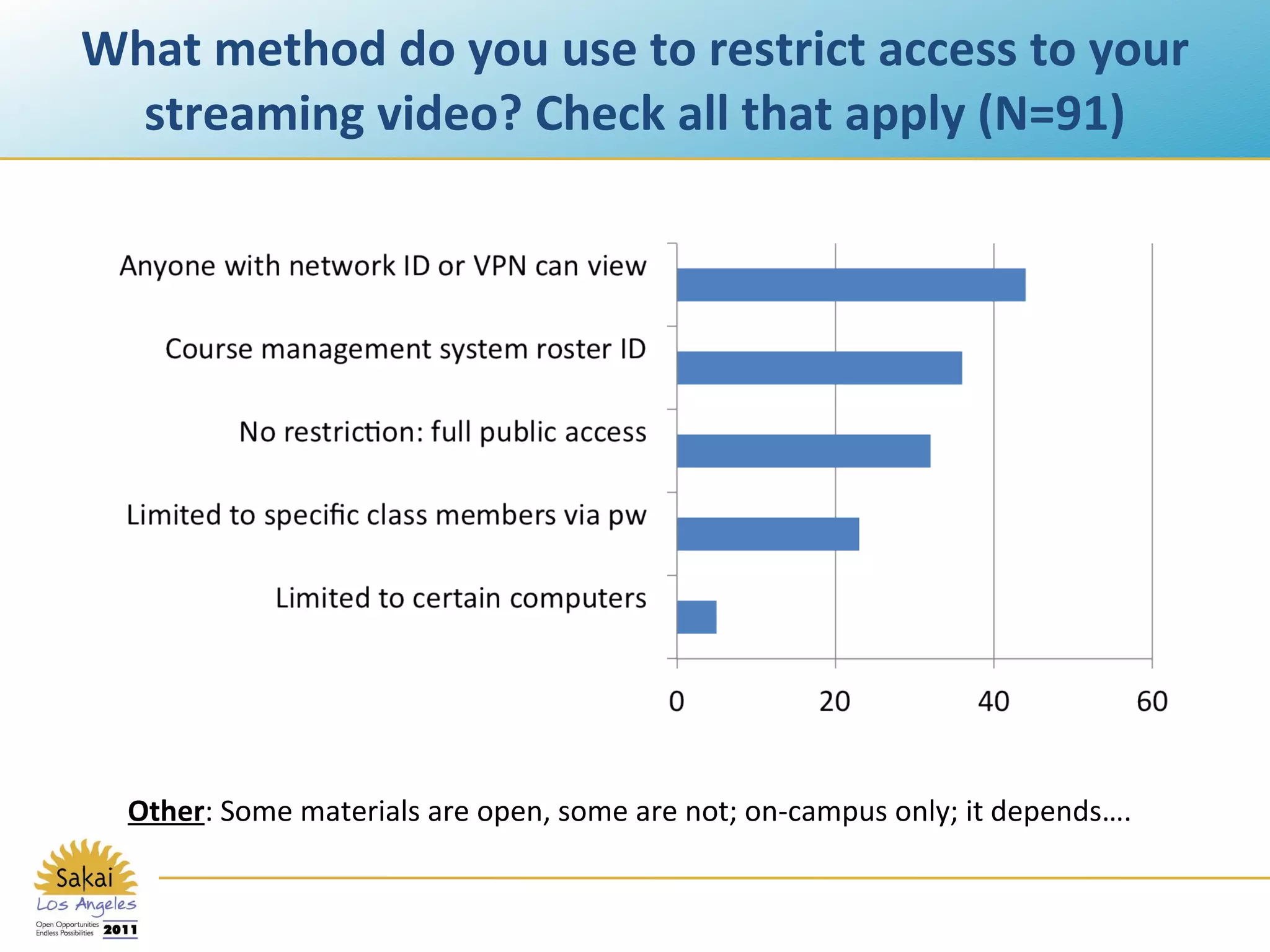
What method do you use to restrict access to your streaming video? Check all that apply (N=91) Other : Some materials are open, some are not; on-campus only; it depends….
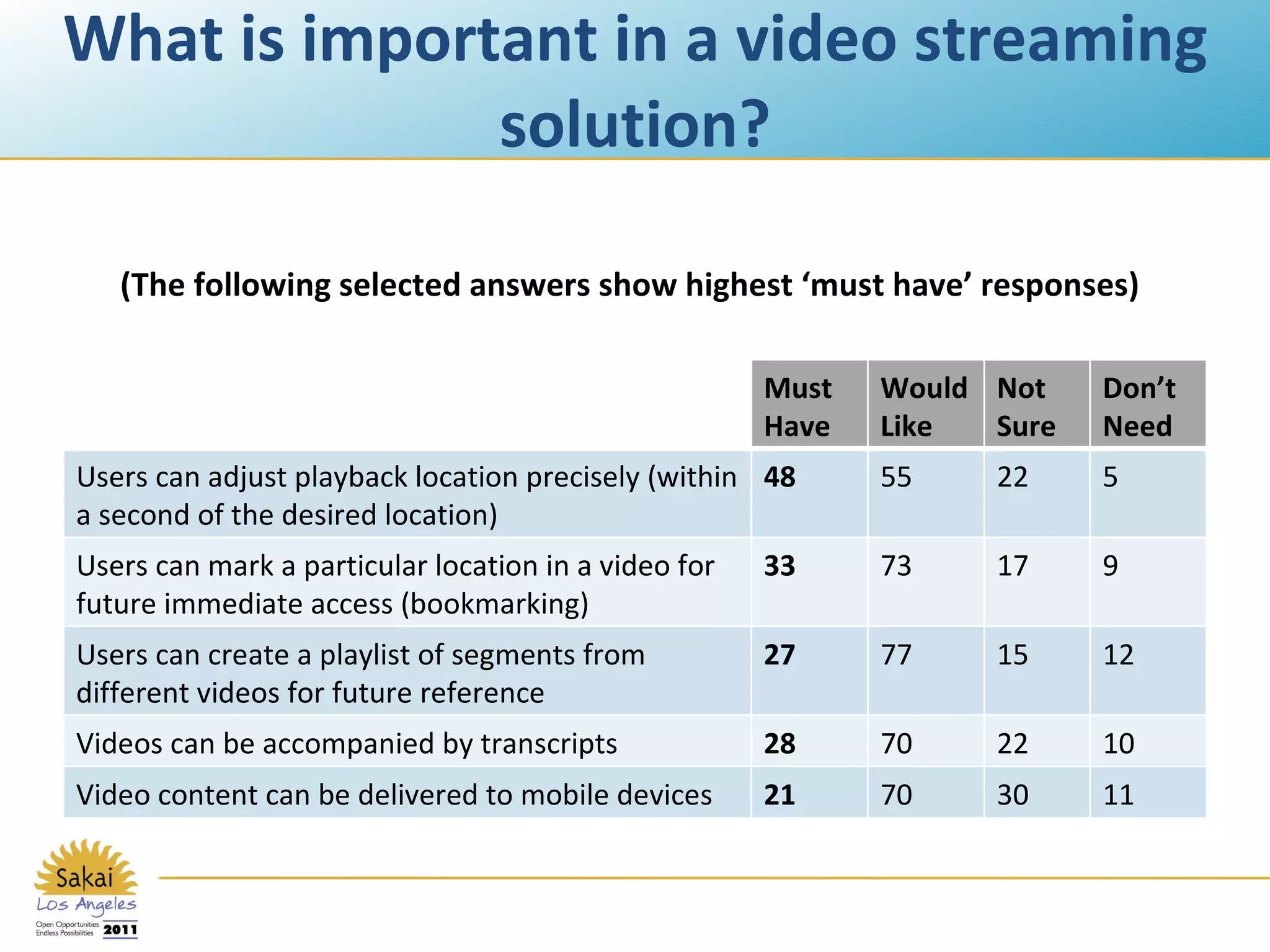
What is important in a video streaming solution? (The following selected answers show highest ‘must have’ responses) Must  Have Would Like Not Sure Don’t Need Users can adjust playback location precisely (within a second of the desired location) 48 55 22 5 Users can mark a particular location in a video for future immediate access (bookmarking)  33 73 17 9 Users can create a playlist of segments from different videos for future reference 27 77 15 12 Videos can be accompanied by transcripts 28 70 22 10 Video content can be delivered to mobile devices 21 70 30 11
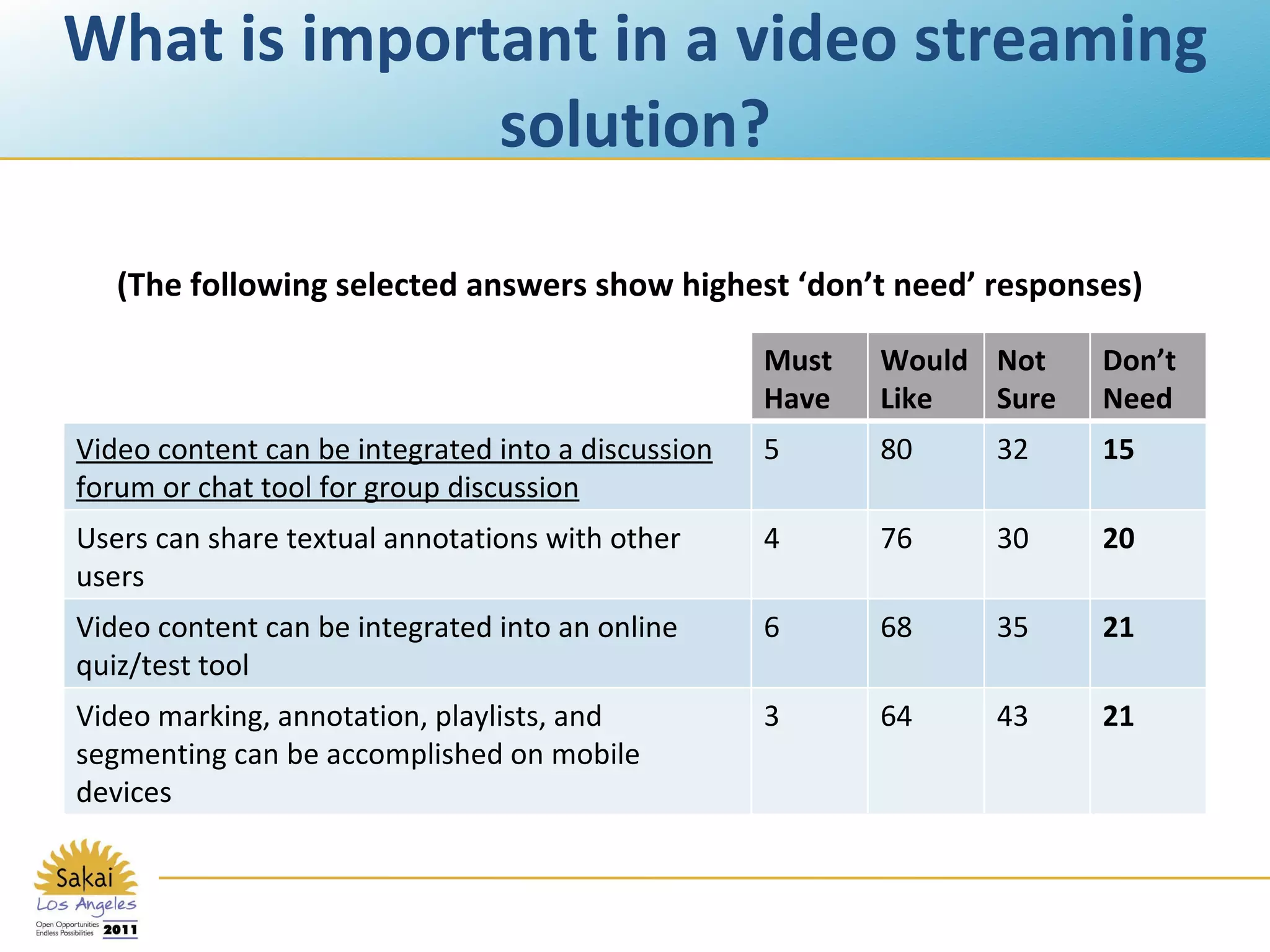
What is important in a video streaming solution? (The following selected answers show highest ‘don’t need’ responses) Must  Have Would Like Not Sure Don’t Need Video content can be integrated into a discussion forum or chat tool for group discussion 5 80 32 15 Users can share textual annotations with other users 4 76 30 20 Video content can be integrated into an online quiz/test tool 6 68 35 21 Video marking, annotation, playlists, and segmenting can be accomplished on mobile devices 3 64 43 21
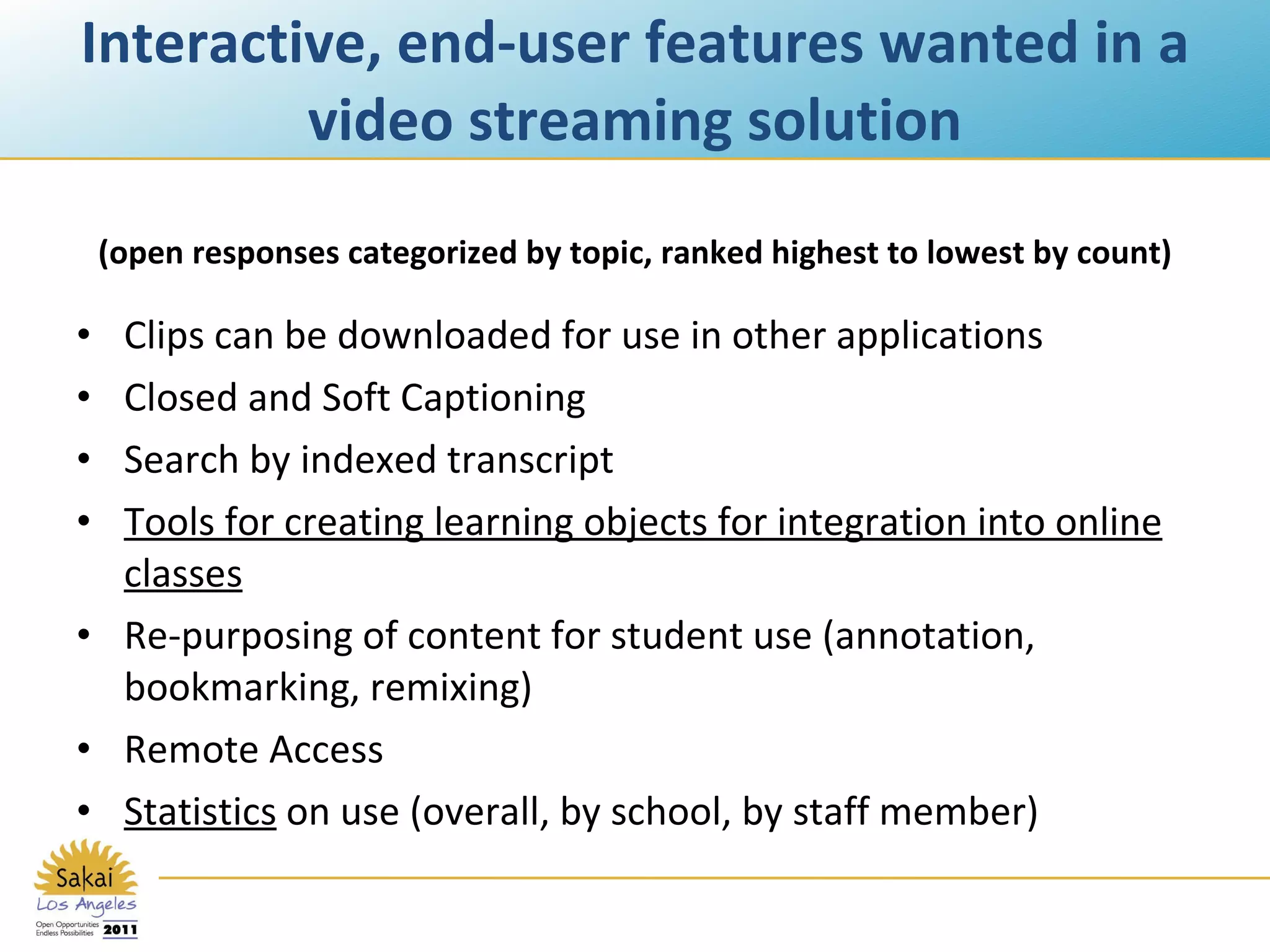
Interactive, end-user features wanted in a video streaming solution Clips can be downloaded for use in other applications Closed and Soft Captioning Search by indexed transcript Tools for creating learning objects for integration into online classes Re-purposing of content for student use (annotation, bookmarking, remixing) Remote Access  Statistics  on use (overall, by school, by staff member) (open responses categorized by topic, ranked highest to lowest by count)
Usage Scenarios 16 scenarios from 7 institutions Scenario generation library-led Scenarios presented & discussed at initial Variations on Video project participant meeting Scenarios formed the basis for the product concept 12th Sakai Conference – Los Angeles, California – June 14-16
Usage Scenario Example Variations on Video Usage Scenario :  Faculty using short clips from DVDs in course lecture Source : Scott Britton and Hong Ma, University of Miami Summary:  A Film Studies instructor teaches using video clips from library-owned DVDs.  The library Reserves department captures the clips into a standard format, applies metadata or imports it from the DVD, MARC record or reliable websites, creates high and low resolution versions, and places them in a course “video library” for use by the faculty member and students enrolled in the course.  Each video clip can be searched using the metadata created by the library or added for the course by the instructor. A thumbnail of each clip in the course library makes browsing easier.  Students access the course library using their university account information (CAS authentication). The system also can be a building block integrated with Learning Environment like Blackboard or Sakai. [Detailed role descriptions follow] 12th Sakai Conference – Los Angeles, California – June 14-16
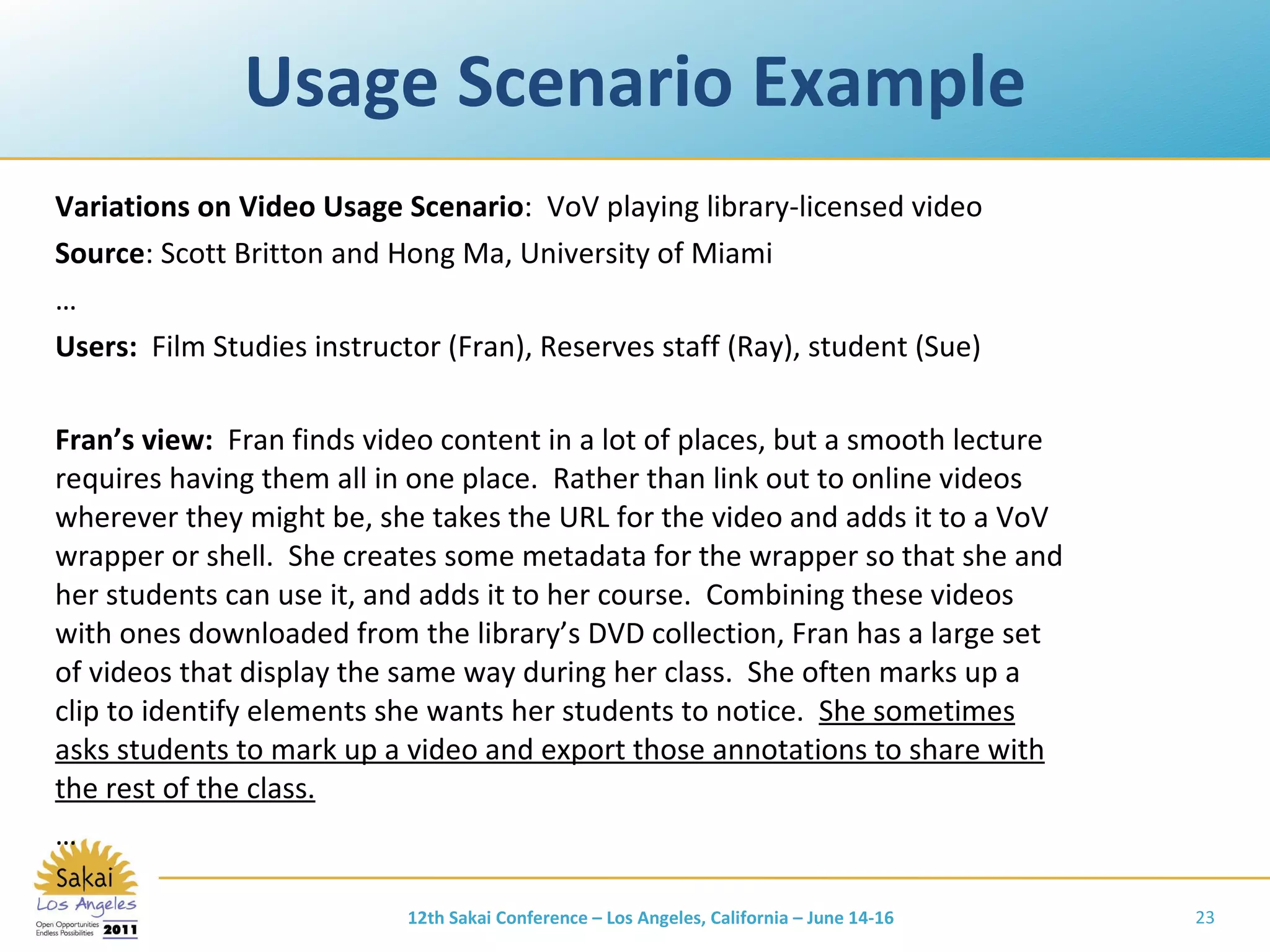
Usage Scenario Example Variations on Video Usage Scenario :  VoV playing library-licensed video Source : Scott Britton and Hong Ma, University of Miami … Users:  Film Studies   instructor (Fran), Reserves staff (Ray), student (Sue) Fran’s view:  Fran finds video content in a lot of places, but a smooth lecture requires having them all in one place.  Rather than link out to online videos wherever they might be, she takes the URL for the video and adds it to a VoV wrapper or shell.  She creates some metadata for the wrapper so that she and her students can use it, and adds it to her course.  Combining these videos with ones downloaded from the library’s DVD collection, Fran has a large set of videos that display the same way during her class.  She often marks up a clip to identify elements she wants her students to notice.  She sometimes asks students to mark up a video and export those annotations to share with the rest of the class. … 12th Sakai Conference – Los Angeles, California – June 14-16
Usage Scenario Example Variations on Video Usage Scenario :  Music Conducting Styles Source : Scott Britton and Hong Ma, University of Miami Summary:   The School of Music records students conducting so they can review themselves.  Students often view other students’ tapes for comparison.  Some videos are shown in class for general discussion.  Students and faculty can watch two videos side-by-side, add comments and comment on other’s comments. Sam’s view (student):  Sam records himself conducting … He goes to his video and sees that Ira provided some private comments.  A few days later, he gets a VoV email saying that someone has commented on his video. … He adds a response to one of the comments, which includes a thumbnail and link to another video that is compared with his.  He opens both his video and the other student’s video and watches them together, pausing and replaying both at the same time using linked controls, and sometimes just controlling just one video or the other.  Sam adds a new comment on the other video, and responds to some comments already posted there. 12th Sakai Conference – Los Angeles, California – June 14-16
Other CMS Mentions in Scenarios Faculty-defined playlist of streaming clips can be shared w/students and annotated by them. Faculty-requested film digitizations automatically show up for students in CMS when ingest is completed. 12th Sakai Conference – Los Angeles, California – June 14-16
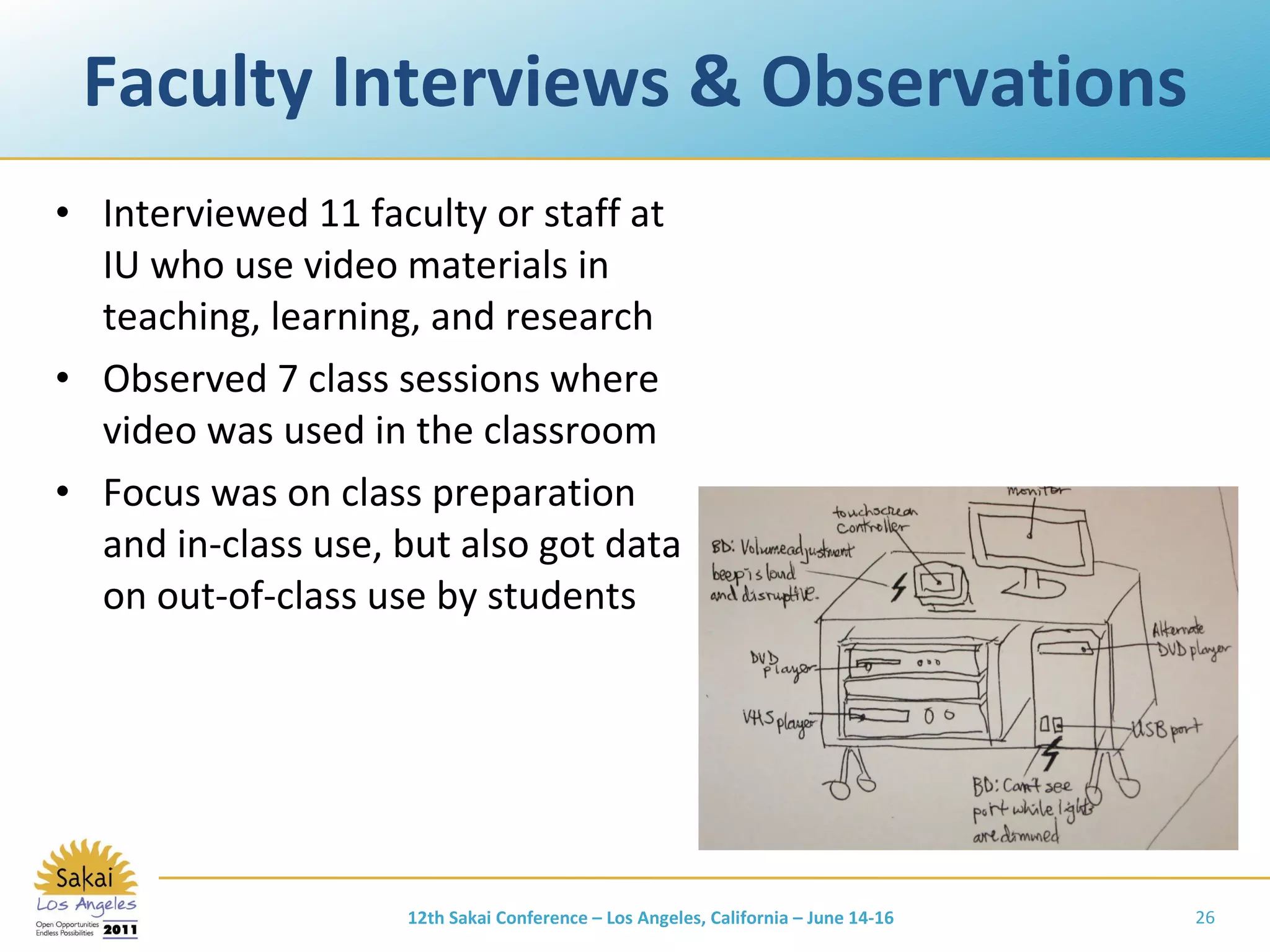
Faculty Interviews & Observations Interviewed 11 faculty or staff at IU who use video materials in teaching, learning, and research Observed 7 class sessions where video was used in the classroom Focus was on class preparation and in-class use, but also got data on out-of-class use by students 12th Sakai Conference – Los Angeles, California – June 14-16
Digression Question To what extent does Sakai want to help instructors  in the classroom ? with preparation of materials? with delivery of materials? with between & within navigation? with display of annotations and callouts during presentation? If Sakai is not interested in this space, who is, and how does Sakai integrate? Integration benefits: fewer places to look; reduced file-schlepping; integration with participation metrics, discussion forum, chat, quiz, assignments, syllabus, etc. 12th Sakai Conference – Los Angeles, California – June 14-16
Some Sakai-Related Needs from Faculty Make all clips/videos available through course management system Leverage authentication & authorization Copies of full resources available in CMS allows instructor to show shorter clips in class because students can reference the longer resources outside of class; this leaves more time for in-class discussion as well Single point of access May 26, 2011 Scott D. Bacon
More Sakai-Related Needs from Faculty Students need to see videos online, add comments in a forum-type area, add excerpt examples of their own, add their input and expertise to the course In forums, students open up more if talking to peers rather than to professor CMS supports tailoring of instructions and assignments by level (graduate vs. undergraduate) through assignment to groups Would like a way to add metadata and annotations Tracking clips viewed (which, how many, what portions) Clips hosted on Oncourse for pre-determined amount of time so students can have access until they are quizzed or tested on that resource May 26, 2011 Scott D. Bacon
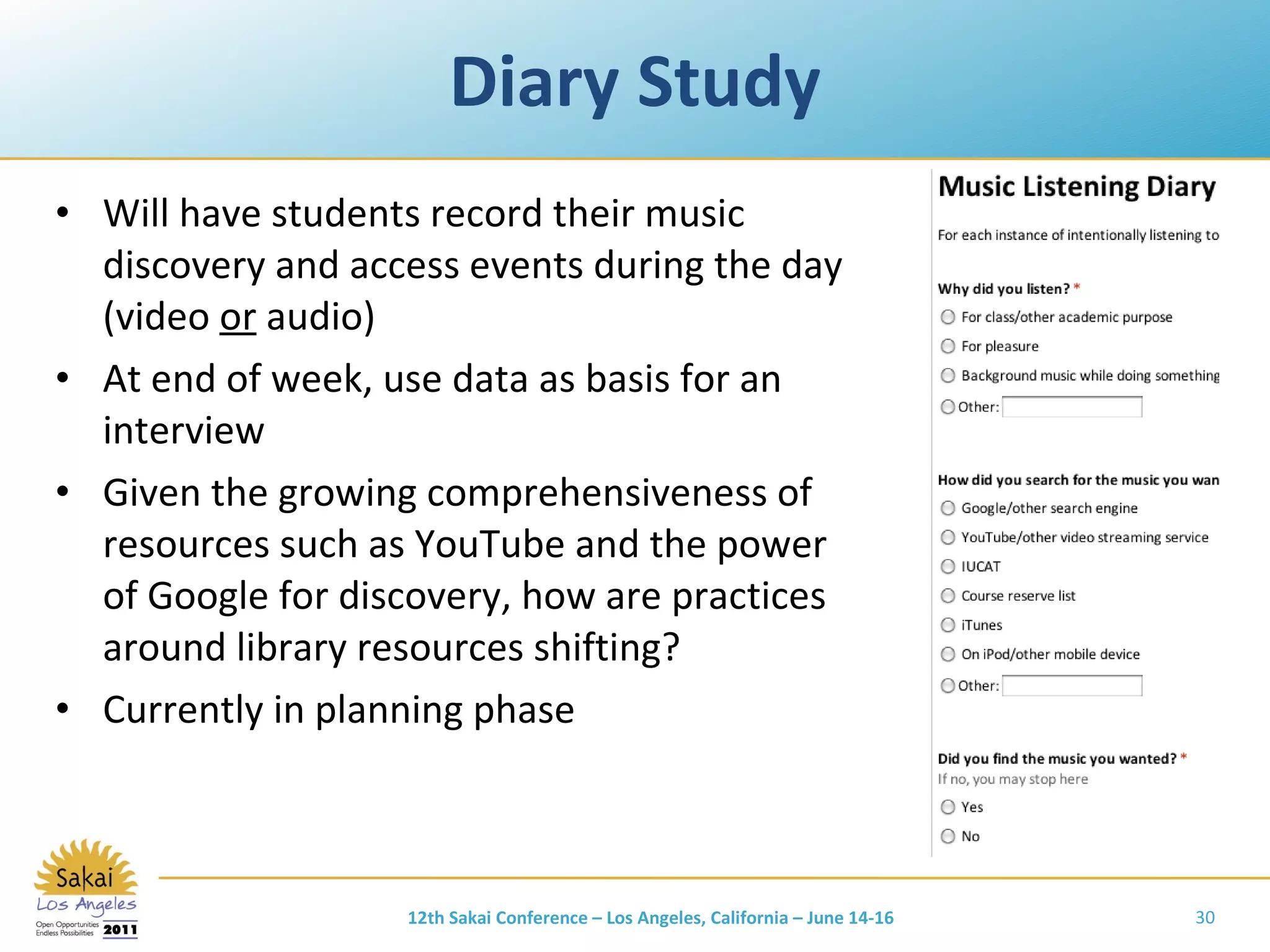
Diary Study Will have students record their music discovery and access events during the day (video  or  audio) At end of week, use data as basis for an interview Given the growing comprehensiveness of resources such as YouTube and the power of Google for discovery, how are practices around library resources shifting? Currently in planning phase 12th Sakai Conference – Los Angeles, California – June 14-16
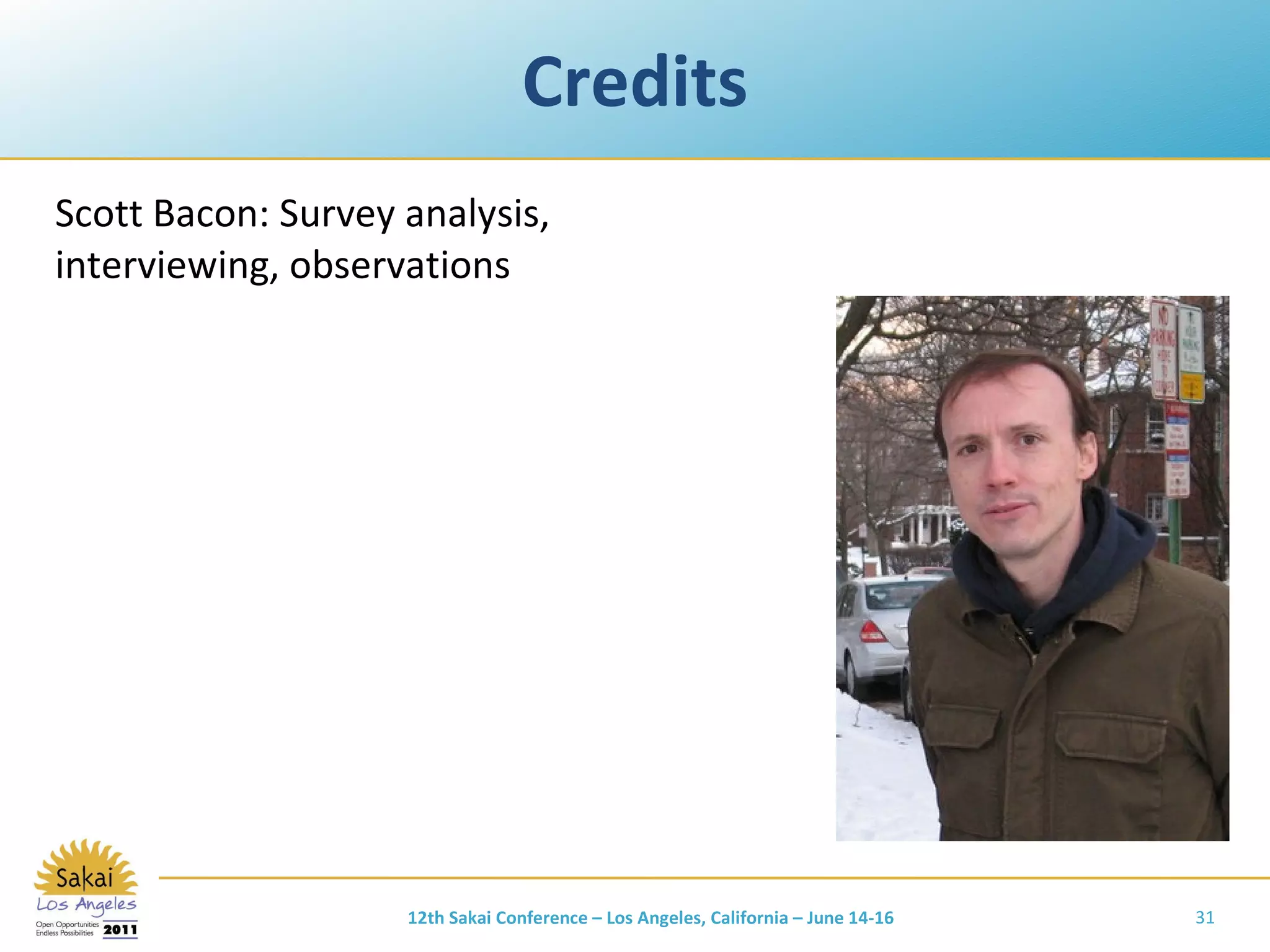
Credits Scott Bacon: Survey analysis, interviewing, observations 12th Sakai Conference – Los Angeles, California – June 14-16
Accomplishments and Current Activities Part 3 12th Sakai Conference – Los Angeles, California – June 14-16
Project Accomplishments Product concept developed and vetted Advisory and test/evaluation partners defined Proposal submitted to IMLS in Feb 2011 Will learn result in September 12th Sakai Conference – Los Angeles, California – June 14-16
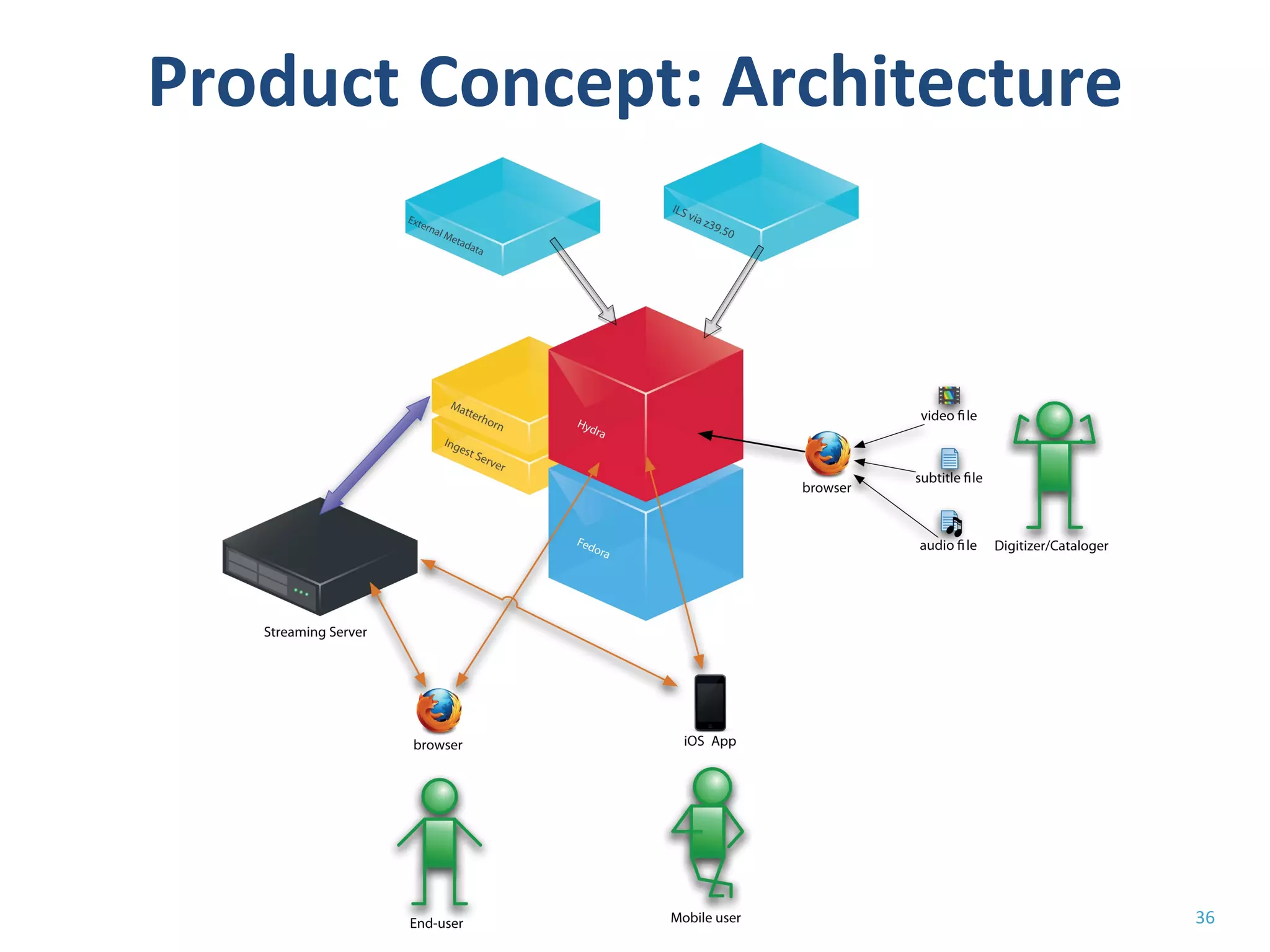
Product Concept: Function Content focus: library-owned/managed video Focus on access: desktop and mobile Flexible access control Accessibility, transcripts, captioning Fine-grained control of media playback Integration with existing metadata sources Search and discovery interface Easy linking and embedding into external systems Integration with pedagogical and annotation tools 12th Sakai Conference – Los Angeles, California – June 14-16
Product Concept: Target Audience Integration with existing institutional systems vs. self-contained plug and play Integration won out Focus on IT-capable libraries/institutions Others via hosting, VM images 12th Sakai Conference – Los Angeles, California – June 14-16
Product Concept: Architecture
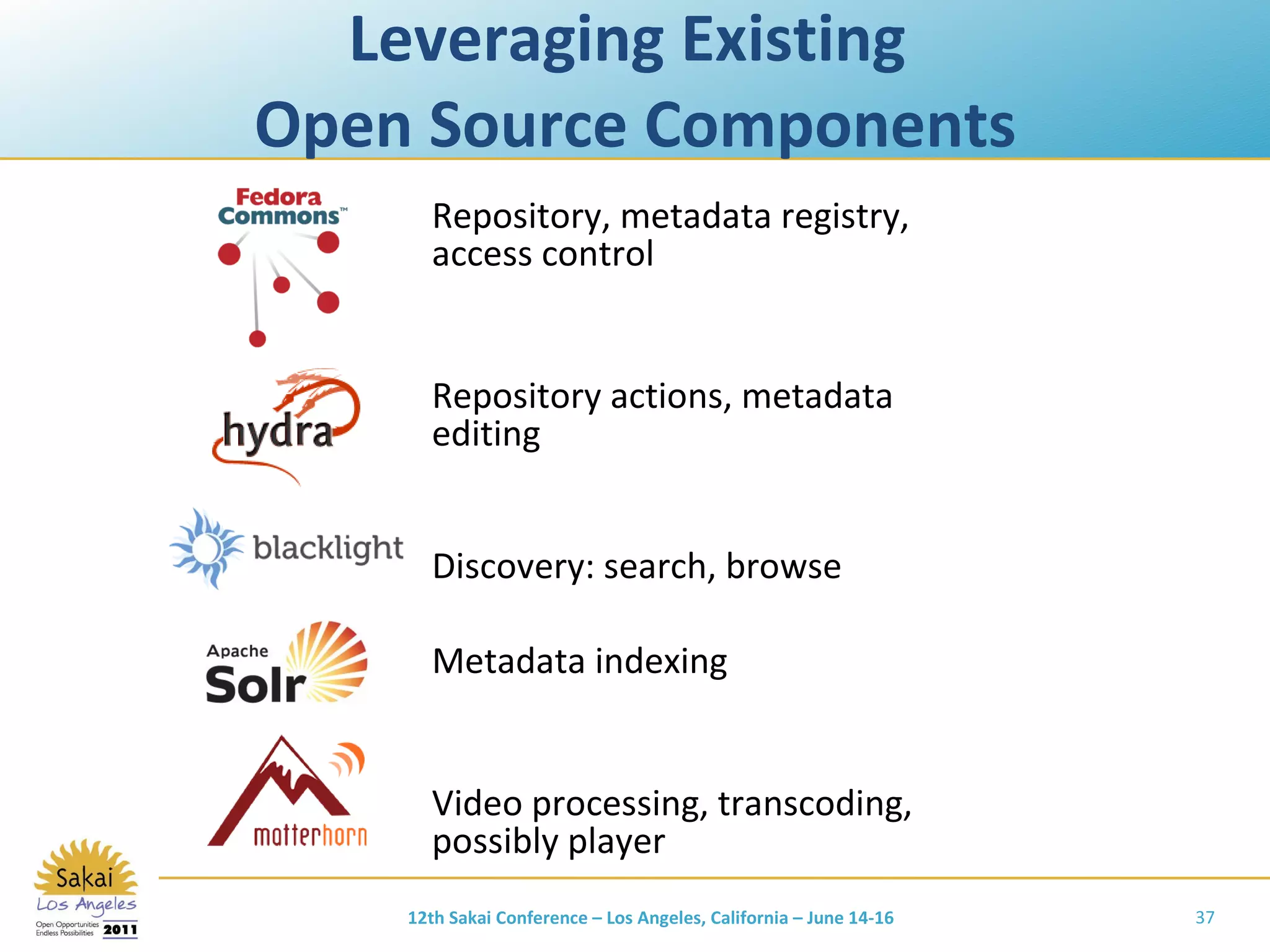
Leveraging Existing  Open Source Components Repository, metadata registry, access control Repository actions, metadata editing Discovery: search, browse Metadata indexing Video processing, transcoding, possibly player 12th Sakai Conference – Los Angeles, California – June 14-16
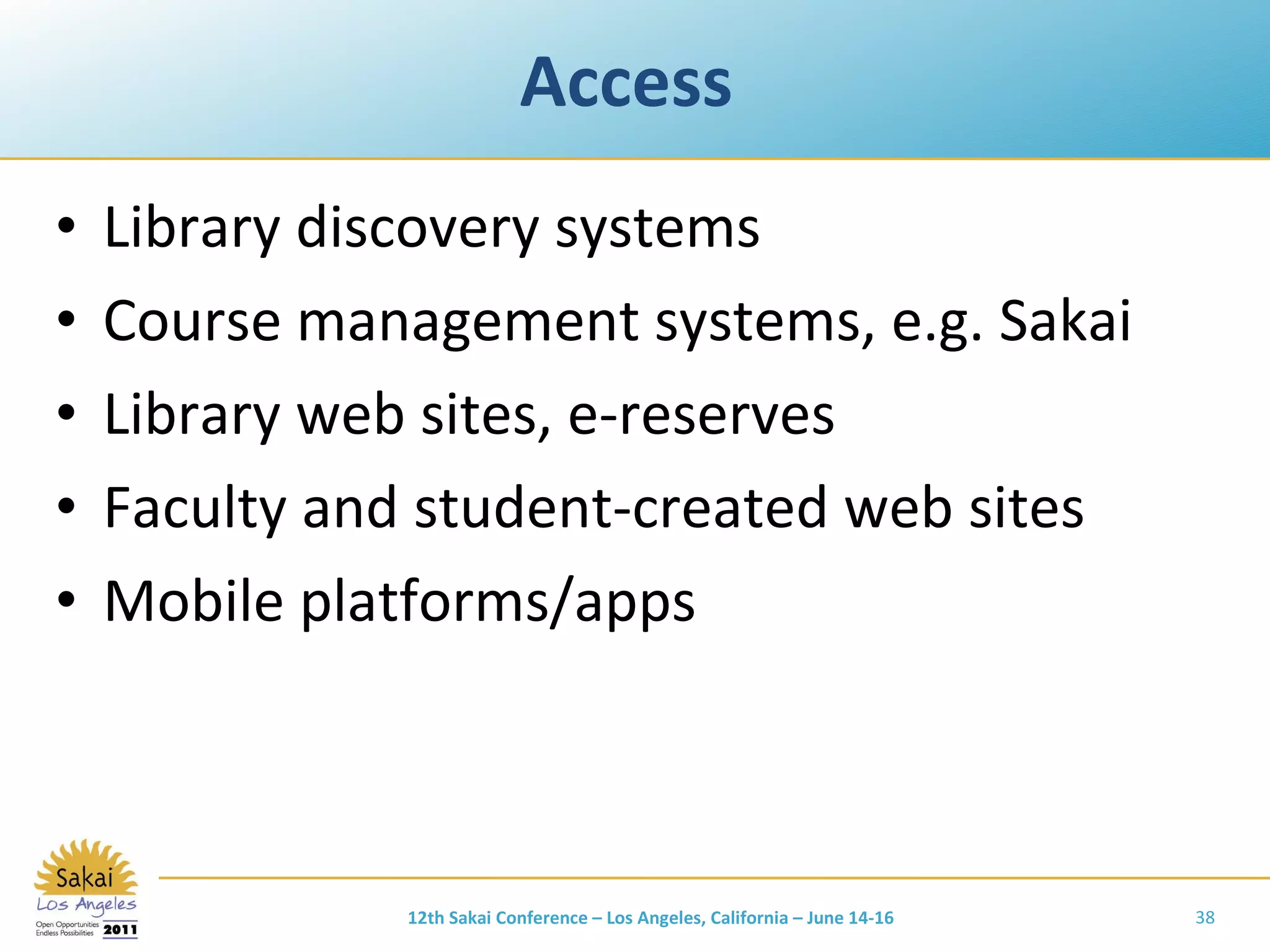
Access  Library discovery systems Course management systems, e.g. Sakai Library web sites, e-reserves Faculty and student-created web sites Mobile platforms/apps 12th Sakai Conference – Los Angeles, California – June 14-16
Project Partners and Collaborators 12th Sakai Conference – Los Angeles, California – June 14-16
Questions? www.dlib.indiana.edu/projects/vov Jon Dunn:  [email_address] Mark Notess:  [email_address] Feedback and additional collaborators welcome! 12th Sakai Conference – Los Angeles, California – June 14-16

User Needs and Project Plans for Library-Managed Media Assets

  • 1.
    User Needs andProject Plans for Library-Managed Media Assets Jon Dunn, Director of Library Technologies and Digital Libraries, Indiana University Mark Notess, Development Manager in the Digital Library Program, Indiana University
  • 2.
    Outline Project backgroundUser needs Accomplishments and current activities Invitation, feedback, discussion 12th Sakai Conference – Los Angeles, California – June 14-16
  • 3.
    Project Background Part1 12th Sakai Conference – Los Angeles, California – June 14-16
  • 4.
    Open source digitalmusic library system Used at a dozen institutions, mainly for streaming audio course reserves @IU, current version online since 2005, now with ~20,000 digitized albums ; in heavy daily use 12th Sakai Conference – Los Angeles, California – June 14-16
  • 5.
    What’s in thebox Includes Server software Client construction kits for Windows and Mac Sample content: 2 recordings and scores Various utilities for authentication, authorization & encoding Web applications for audio playback & authorization mgmt Just add A Linux/Unix server MySQL, Apple Darwin SS, Java, Quicktime, Perl, Tomcat, Apache Your content Nutrition Facts Open source BSD license Album- not track-based Online access to streaming audio and scanned score images Flexible access control Teaching & learning tools for annotation & analysis See variations.sourceforge.net for more information.
  • 6.
    Variations: Pedagogical Tools12th Sakai Conference – Los Angeles, California – June 14-16
  • 7.
    Variations on VideoInitial planning grant, Aug 2010 – Jan 2011 from the Institute of Museum and Library Services IU & Northwestern are lead institutions Multi-institutional collaboration on functional and technical requirements Full implementation grant proposal submitted to IMLS in Feb 2011 Add online video access capabilities to Variations, providing equivalent access, annotation, and analysis tools to support teaching and learning. 12th Sakai Conference – Los Angeles, California – June 14-16
  • 8.
    Motivators for Variationson Video Demand from Variations implementers Increased audio/video demand for teaching, learning, and research IU Media Preservation Initiative IU IT strategic plan: Empowering People History of involvement in open and community source software Desire to create a sustainable foundation for Variations development and maintenance 12th Sakai Conference – Los Angeles, California – June 14-16
  • 9.
    12th Sakai Conference– Los Angeles, California – June 14-16
  • 10.
    Variations on Video:Scope Access to managed collections Video, audio Focus on libraries, archives, [museums] Research, teaching, and learning use Variety of access control requirements Integration with preservation repository services Ad-hoc faculty/student uploads  Classroom capture  Live streaming  Working digital assets – media production  12th Sakai Conference – Los Angeles, California – June 14-16
  • 11.
    Variations on Video:Content Video digitized from library collections Files with purchased or licensed streaming rights University produced video Archival collections Faculty-produced video Feature Films Documentaries TV shows Live Performances Lecture Series Field Recordings Research- related Video 12th Sakai Conference – Los Angeles, California – June 14-16
  • 12.
    Current (Partial) SolutionsMedia servers Adobe, Real, Apple, Microsoft, Wowza, etc. Digital asset management systems OpenText/Artesia, NetXposure, etc. Classroom capture solutions Echo360, Mediasite, Opencast Matterhorn, etc. Course management systems Sakai, Blackboard, Moodle Online video platforms Kaltura Digital library and institutional repositories Fedora, DSpace, ContentDM, etc. 12th Sakai Conference – Los Angeles, California – June 14-16
  • 13.
    Gaps in CurrentVideo Solutions Access control Integration with library digitization workflows Integration with library systems and metadata Long-term preservation Integration with course management systems Player functionality Precision Bookmarks, playlists 12th Sakai Conference – Los Angeles, California – June 14-16
  • 14.
    User Needs Part2 12th Sakai Conference – Los Angeles, California – June 14-16
  • 15.
    Overview Proxied “A Survey of Video Streaming Practice and Aspirations in Academic Libraries ” (Spring 2010) Usage Scenarios (Fall 2011) Direct Observations and Interviews of faculty at IU (Fall 2011) Diary study (Summer 2011) 12th Sakai Conference – Los Angeles, California – June 14-16 User Designer Proxy
  • 16.
    Survey Administration Surveyconducted online April 29 - June 5, 2010 Invitations sent to various listservs. Approximately 150 respondents completed the survey, though most questions were optional so response numbers vary Of these, ~90 reported currently streaming video
  • 17.
    What method doyou use to restrict access to your streaming video? Check all that apply (N=91) Other : Some materials are open, some are not; on-campus only; it depends….
  • 18.
    What is importantin a video streaming solution? (The following selected answers show highest ‘must have’ responses) Must Have Would Like Not Sure Don’t Need Users can adjust playback location precisely (within a second of the desired location) 48 55 22 5 Users can mark a particular location in a video for future immediate access (bookmarking) 33 73 17 9 Users can create a playlist of segments from different videos for future reference 27 77 15 12 Videos can be accompanied by transcripts 28 70 22 10 Video content can be delivered to mobile devices 21 70 30 11
  • 19.
    What is importantin a video streaming solution? (The following selected answers show highest ‘don’t need’ responses) Must Have Would Like Not Sure Don’t Need Video content can be integrated into a discussion forum or chat tool for group discussion 5 80 32 15 Users can share textual annotations with other users 4 76 30 20 Video content can be integrated into an online quiz/test tool 6 68 35 21 Video marking, annotation, playlists, and segmenting can be accomplished on mobile devices 3 64 43 21
  • 20.
    Interactive, end-user featureswanted in a video streaming solution Clips can be downloaded for use in other applications Closed and Soft Captioning Search by indexed transcript Tools for creating learning objects for integration into online classes Re-purposing of content for student use (annotation, bookmarking, remixing) Remote Access Statistics on use (overall, by school, by staff member) (open responses categorized by topic, ranked highest to lowest by count)
  • 21.
    Usage Scenarios 16scenarios from 7 institutions Scenario generation library-led Scenarios presented & discussed at initial Variations on Video project participant meeting Scenarios formed the basis for the product concept 12th Sakai Conference – Los Angeles, California – June 14-16
  • 22.
    Usage Scenario ExampleVariations on Video Usage Scenario : Faculty using short clips from DVDs in course lecture Source : Scott Britton and Hong Ma, University of Miami Summary: A Film Studies instructor teaches using video clips from library-owned DVDs. The library Reserves department captures the clips into a standard format, applies metadata or imports it from the DVD, MARC record or reliable websites, creates high and low resolution versions, and places them in a course “video library” for use by the faculty member and students enrolled in the course. Each video clip can be searched using the metadata created by the library or added for the course by the instructor. A thumbnail of each clip in the course library makes browsing easier. Students access the course library using their university account information (CAS authentication). The system also can be a building block integrated with Learning Environment like Blackboard or Sakai. [Detailed role descriptions follow] 12th Sakai Conference – Los Angeles, California – June 14-16
  • 23.
    Usage Scenario ExampleVariations on Video Usage Scenario : VoV playing library-licensed video Source : Scott Britton and Hong Ma, University of Miami … Users: Film Studies instructor (Fran), Reserves staff (Ray), student (Sue) Fran’s view: Fran finds video content in a lot of places, but a smooth lecture requires having them all in one place. Rather than link out to online videos wherever they might be, she takes the URL for the video and adds it to a VoV wrapper or shell. She creates some metadata for the wrapper so that she and her students can use it, and adds it to her course. Combining these videos with ones downloaded from the library’s DVD collection, Fran has a large set of videos that display the same way during her class. She often marks up a clip to identify elements she wants her students to notice. She sometimes asks students to mark up a video and export those annotations to share with the rest of the class. … 12th Sakai Conference – Los Angeles, California – June 14-16
  • 24.
    Usage Scenario ExampleVariations on Video Usage Scenario : Music Conducting Styles Source : Scott Britton and Hong Ma, University of Miami Summary: The School of Music records students conducting so they can review themselves. Students often view other students’ tapes for comparison. Some videos are shown in class for general discussion. Students and faculty can watch two videos side-by-side, add comments and comment on other’s comments. Sam’s view (student): Sam records himself conducting … He goes to his video and sees that Ira provided some private comments. A few days later, he gets a VoV email saying that someone has commented on his video. … He adds a response to one of the comments, which includes a thumbnail and link to another video that is compared with his. He opens both his video and the other student’s video and watches them together, pausing and replaying both at the same time using linked controls, and sometimes just controlling just one video or the other. Sam adds a new comment on the other video, and responds to some comments already posted there. 12th Sakai Conference – Los Angeles, California – June 14-16
  • 25.
    Other CMS Mentionsin Scenarios Faculty-defined playlist of streaming clips can be shared w/students and annotated by them. Faculty-requested film digitizations automatically show up for students in CMS when ingest is completed. 12th Sakai Conference – Los Angeles, California – June 14-16
  • 26.
    Faculty Interviews &Observations Interviewed 11 faculty or staff at IU who use video materials in teaching, learning, and research Observed 7 class sessions where video was used in the classroom Focus was on class preparation and in-class use, but also got data on out-of-class use by students 12th Sakai Conference – Los Angeles, California – June 14-16
  • 27.
    Digression Question Towhat extent does Sakai want to help instructors in the classroom ? with preparation of materials? with delivery of materials? with between & within navigation? with display of annotations and callouts during presentation? If Sakai is not interested in this space, who is, and how does Sakai integrate? Integration benefits: fewer places to look; reduced file-schlepping; integration with participation metrics, discussion forum, chat, quiz, assignments, syllabus, etc. 12th Sakai Conference – Los Angeles, California – June 14-16
  • 28.
    Some Sakai-Related Needsfrom Faculty Make all clips/videos available through course management system Leverage authentication & authorization Copies of full resources available in CMS allows instructor to show shorter clips in class because students can reference the longer resources outside of class; this leaves more time for in-class discussion as well Single point of access May 26, 2011 Scott D. Bacon
  • 29.
    More Sakai-Related Needsfrom Faculty Students need to see videos online, add comments in a forum-type area, add excerpt examples of their own, add their input and expertise to the course In forums, students open up more if talking to peers rather than to professor CMS supports tailoring of instructions and assignments by level (graduate vs. undergraduate) through assignment to groups Would like a way to add metadata and annotations Tracking clips viewed (which, how many, what portions) Clips hosted on Oncourse for pre-determined amount of time so students can have access until they are quizzed or tested on that resource May 26, 2011 Scott D. Bacon
  • 30.
    Diary Study Willhave students record their music discovery and access events during the day (video or audio) At end of week, use data as basis for an interview Given the growing comprehensiveness of resources such as YouTube and the power of Google for discovery, how are practices around library resources shifting? Currently in planning phase 12th Sakai Conference – Los Angeles, California – June 14-16
  • 31.
    Credits Scott Bacon:Survey analysis, interviewing, observations 12th Sakai Conference – Los Angeles, California – June 14-16
  • 32.
    Accomplishments and CurrentActivities Part 3 12th Sakai Conference – Los Angeles, California – June 14-16
  • 33.
    Project Accomplishments Productconcept developed and vetted Advisory and test/evaluation partners defined Proposal submitted to IMLS in Feb 2011 Will learn result in September 12th Sakai Conference – Los Angeles, California – June 14-16
  • 34.
    Product Concept: FunctionContent focus: library-owned/managed video Focus on access: desktop and mobile Flexible access control Accessibility, transcripts, captioning Fine-grained control of media playback Integration with existing metadata sources Search and discovery interface Easy linking and embedding into external systems Integration with pedagogical and annotation tools 12th Sakai Conference – Los Angeles, California – June 14-16
  • 35.
    Product Concept: TargetAudience Integration with existing institutional systems vs. self-contained plug and play Integration won out Focus on IT-capable libraries/institutions Others via hosting, VM images 12th Sakai Conference – Los Angeles, California – June 14-16
  • 36.
  • 37.
    Leveraging Existing Open Source Components Repository, metadata registry, access control Repository actions, metadata editing Discovery: search, browse Metadata indexing Video processing, transcoding, possibly player 12th Sakai Conference – Los Angeles, California – June 14-16
  • 38.
    Access Librarydiscovery systems Course management systems, e.g. Sakai Library web sites, e-reserves Faculty and student-created web sites Mobile platforms/apps 12th Sakai Conference – Los Angeles, California – June 14-16
  • 39.
    Project Partners andCollaborators 12th Sakai Conference – Los Angeles, California – June 14-16
  • 40.
    Questions? www.dlib.indiana.edu/projects/vov JonDunn: [email_address] Mark Notess: [email_address] Feedback and additional collaborators welcome! 12th Sakai Conference – Los Angeles, California – June 14-16

Editor's Notes