Usability:What’s Hot, What’s NotDr. Lynn Silipigni ConnawaySenior Research Scientistconnawal@oclc.orgUsability Programme MeetingLondon, UK1 June 2011
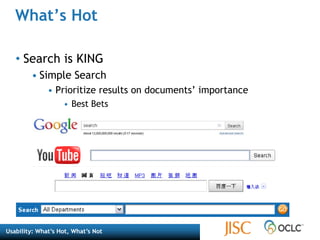
What’s HotSearch is KINGSimple SearchPrioritize results on documents’ importanceBest Bets
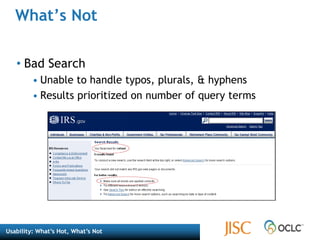
What’s NotBad SearchUnable to handle typos, plurals, & hyphensResults prioritized on number of query terms
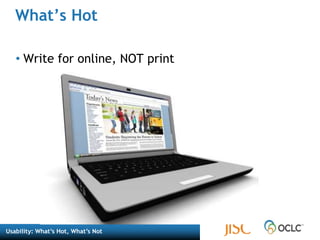
What’s HotWrite for online, NOT print
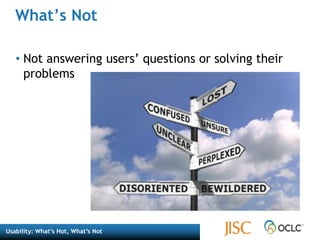
What’s NotNot answering users’ questions or solving their problems
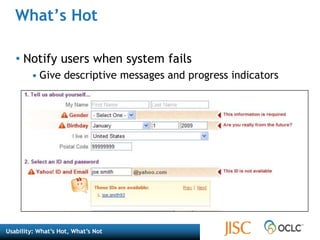
What’s HotNotify users when system failsGive descriptive messages and progress indicators
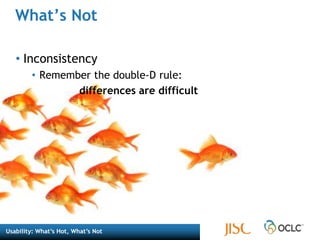
What’s NotInconsistencyRemember the double-D rule: 			differences are difficult
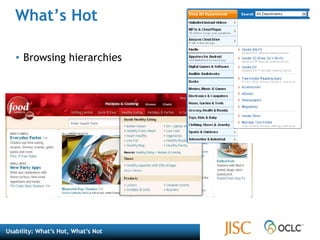
What’s HotBrowsing hierarchies
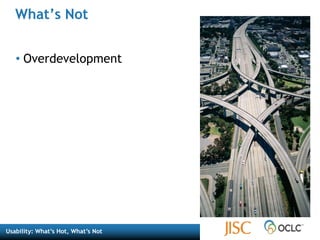
What’s NotOverdevelopment
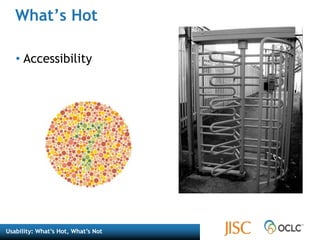
What’s HotAccessibility
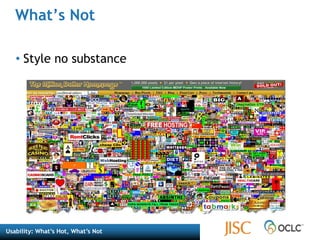
What’sNotStyle no substance
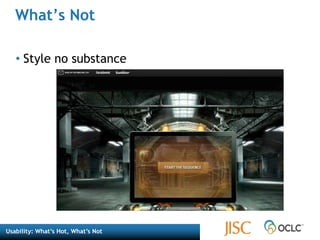
What’s NotStyle no substance
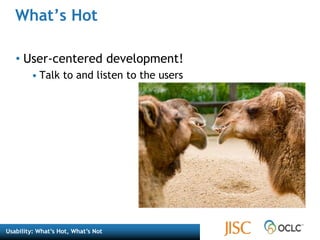
What’s HotUser-centered development!Talk to and listen to the users
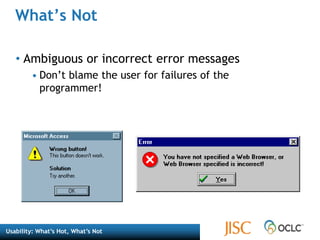
What’s NotAmbiguous or incorrect error messages Don’t blame the user for failures of the programmer!
Selected Readings“Interface Hall of Shame.” Isys Information Architects. http://homepage.mac.com/bradster/iarchitect/shame.htm (accessed May 24, 2011). Krug, Steve. Don’t Make Me Think: A Common Sense Approach to Web Usability. Berkeley, CA: New Riders, 2006.  Lazaris, Louis. “Best Practices for 6 Common User Interface Elements.” Webdesigner Depot (November 5, 2009), http://www.webdesignerdepot.com/2009/11/best-practices-for-6-common-user-interface-elements/.
Selected ReadingsNielsen, Jakob. “Top-10 Application-Design Mistakes.” Alertbox (February 19, 2008), http://www.useit.com/alertbox/application-mistakes.html.Nielsen, Jakob. “Top 10 Mistakes in Web Design.” Alertbox (2011), http://www.useit.com/alertbox/9605.html.Nielsen, Jakob. “Usability in the Movies—Top 10 Bloopers.” Alertbox (December 18, 2006), http://www.useit.com/alertbox/film-ui-bloopers.html.“User Interface Design.” Usernomics: A Division of Interface Analysis Associates. http://www.usernomics.com/user-interface-design.html (accessed May 24, 2011).
Image CreditsWhat’s Not: Bad Search: http://www.irs.gov/What’s Hot: Search is King: http://www.google.com, http://www.youtube.com, http://www.baidu.com, http://www.amazon.comWhat’s Not: Notify users when systems fail: http://quince.infragistics.com/Patterns/Inline%20Validation.aspx?lang=enWhat’s Hot: Browsing hierarchies: http://www.foodnetwork.com, http://www.amazon.comWhat’s Not: Style no substance: http://www.milliondollarhomepage.com/What’s Not: Style no substance: : http://www.start-the-change.org/What’s Hot: Accessibility: http://colorvisiontesting.com/, CC insert_user_name: http://www.flickr.com/photos/30890318@N06/3031865704/What’s Not: Ambiguous or incorrect error messages: http://homepage.mac.com/bradster/iarchitect/errormsg.htmWhat’s Hot: User Centered Development: CC Peter Nijenhuis: http://www.flickr.com/photos/peternijenhuis/199686509/

Usability: what's hot what's not

  • 1.
    Usability:What’s Hot, What’sNotDr. Lynn Silipigni ConnawaySenior Research Scientistconnawal@oclc.orgUsability Programme MeetingLondon, UK1 June 2011
  • 2.
    What’s HotSearch isKINGSimple SearchPrioritize results on documents’ importanceBest Bets
  • 3.
    What’s NotBad SearchUnableto handle typos, plurals, & hyphensResults prioritized on number of query terms
  • 4.
    What’s HotWrite foronline, NOT print
  • 5.
    What’s NotNot answeringusers’ questions or solving their problems
  • 6.
    What’s HotNotify userswhen system failsGive descriptive messages and progress indicators
  • 7.
    What’s NotInconsistencyRemember thedouble-D rule: differences are difficult
  • 8.
  • 9.
  • 10.
  • 11.
  • 12.
  • 13.
  • 14.
  • 15.
    What’s NotAmbiguous orincorrect error messages Don’t blame the user for failures of the programmer!
  • 16.
    Selected Readings“Interface Hallof Shame.” Isys Information Architects. http://homepage.mac.com/bradster/iarchitect/shame.htm (accessed May 24, 2011). Krug, Steve. Don’t Make Me Think: A Common Sense Approach to Web Usability. Berkeley, CA: New Riders, 2006. Lazaris, Louis. “Best Practices for 6 Common User Interface Elements.” Webdesigner Depot (November 5, 2009), http://www.webdesignerdepot.com/2009/11/best-practices-for-6-common-user-interface-elements/.
  • 17.
    Selected ReadingsNielsen, Jakob.“Top-10 Application-Design Mistakes.” Alertbox (February 19, 2008), http://www.useit.com/alertbox/application-mistakes.html.Nielsen, Jakob. “Top 10 Mistakes in Web Design.” Alertbox (2011), http://www.useit.com/alertbox/9605.html.Nielsen, Jakob. “Usability in the Movies—Top 10 Bloopers.” Alertbox (December 18, 2006), http://www.useit.com/alertbox/film-ui-bloopers.html.“User Interface Design.” Usernomics: A Division of Interface Analysis Associates. http://www.usernomics.com/user-interface-design.html (accessed May 24, 2011).
  • 18.
    Image CreditsWhat’s Not:Bad Search: http://www.irs.gov/What’s Hot: Search is King: http://www.google.com, http://www.youtube.com, http://www.baidu.com, http://www.amazon.comWhat’s Not: Notify users when systems fail: http://quince.infragistics.com/Patterns/Inline%20Validation.aspx?lang=enWhat’s Hot: Browsing hierarchies: http://www.foodnetwork.com, http://www.amazon.comWhat’s Not: Style no substance: http://www.milliondollarhomepage.com/What’s Not: Style no substance: : http://www.start-the-change.org/What’s Hot: Accessibility: http://colorvisiontesting.com/, CC insert_user_name: http://www.flickr.com/photos/30890318@N06/3031865704/What’s Not: Ambiguous or incorrect error messages: http://homepage.mac.com/bradster/iarchitect/errormsg.htmWhat’s Hot: User Centered Development: CC Peter Nijenhuis: http://www.flickr.com/photos/peternijenhuis/199686509/

Editor's Notes

  • #3 Ensure that the search box on your website is easy to see. Dark backgrounds and fancy graphics will impair usability, so keeping it white or light gray is best. Also, make sure the search box is large enough relative to other important elements on the page, thus maintaining its position in the visual hierarchy.Image Notes: Google, YouTube, baidu.com (top Chinese search engine), Amazon.
  • #4 Image Notes:You would think the IRS would be able to handle the misspelling of refund.. It has to be one of their top search terms.
  • #6 What visitors care about is solving their problems. Now. Most people visit a website to solve one or more of these four problems:They want/need informationThey want/need to make a purchase / donation.They want/need to be entertained.They want/need to be part of a community.
  • #7 A variant on lack of feedback is when a system fails to notify users that it's taking a long time to complete an action. Users often think that the application is broken, or they start clicking on new actions. From: http://quince.infragistics.com/Patterns/Inline%20Validation.aspx?lang=en Yahoo sign up form;consistent across the form in how and where they indicate problems, surrounding problem fields with red, turning the label red, adding a warning icon, and augmenting this will the error message to the right, which points at the field it refers to. You can’t get much more explicit and effective with your validation problem messages than this.
  • #8 Using the same name for the same thing in the same place makes things easy.
  • #9 Avoid lists of links – users don’t want to scroll through them.Image Notes:Images from: http://www.foodnetwork.com/Large, overall hierarchy across top… select one.. Additional menus are broken down by product types.http://www.amazon.com/ - everyone is familiar with Amazon’s hierarchy and menuing…
  • #11 Don’t embed in PDFColor coding is not relevant for those who are color blindPeople don’t understand images without explanationThe turnstile photo is from Flickr - http://www.flickr.com/photos/30890318@N06/3031865704/Note the CCFlickr user name is actually insert_user_name
  • #12 Flashing objects, videos – distractions; cannot find what you may be looking for; takes long to downloadImage: this page lots of Flash, not substance or any idea what its for, or what the boxes do… http://www.joneschijoff.com/.Really, really strange. Page does absolutely nothing – bottom corner is owners name and address I guess.
  • #13 Flashing objects, videos – distractions; cannot find what you may be looking for; takes long to downloadImage: this page has no style or substance, but it’s awesome -http://www.milliondollarhomepage.com/
  • #14 Flashing objects, videos – distractions; cannot find what you may be looking for; takes long to downloadImage: this page is: http://www.start-the-change.org/It loads this lovely Flash movie, lots of voice over… but nowhere on the page itself does talk about the product, or what they are selling.
  • #15 Camels - http://www.flickr.com/photos/peternijenhuis/199686509/sizes/m/in/photostream/
  • #16 Image is from: http://homepage.mac.com/bradster/iarchitect/errormsg.htm (not sure how you want attribute these)