Unlocking the Power of
Computer Applications: A
Beginner's Guide
Harness the potential of computer applications to enhance productivity.
Learn how to navigate the world of software as a beginner.
Agenda
Overview of Computer Applications
Discover the vast landscape of computer
applications and their impact on our daily
lives.
Importance for Beginners
Understand why learning computer
applications is crucial for beginners in today's
digital world.
Common Types of Computer
Applications
Explore different types of computer
applications, from productivity tools to
creative software.
Getting Started with Computer
Applications
Learn how to begin your journey into
computer applications, including
recommended learning resources.
Tips for Success
Get valuable advice on how to maximize your
learning and make the most out of computer
applications.
Q&A
Engage in a question and answer session to
address any queries or concerns you may
have.
Overview of Computer
Applications
Dive into the world of computer applications and discover their impact on
various industries. From automating mundane tasks to enabling cutting-
edge innovation, computer applications play a central role in driving
progress.
Importance for Beginners
As a beginner, learning computer applications opens up a world of
opportunities. It empowers you to be more efficient, creative, and
adaptable in an increasingly digital society. Embrace this fundamental skill
to thrive in the modern world.
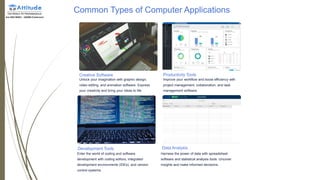
Common Types of Computer Applications
Creative Software
Unlock your imagination with graphic design,
video editing, and animation software. Express
your creativity and bring your ideas to life.
Productivity Tools
Improve your workflow and boost efficiency with
project management, collaboration, and task
management software.
Development Tools
Enter the world of coding and software
development with coding editors, integrated
development environments (IDEs), and version
control systems.
Data Analysis
Harness the power of data with spreadsheet
software and statistical analysis tools. Uncover
insights and make informed decisions.
Getting Started with
Computer Applications
1 Identify your Goals
Define what you want to
achieve with computer
applications to focus your
learning and set clear
objectives.
2 Find Learning
Resources
Explore online tutorials,
courses, and communities
that provide guidance and
support for beginners.
3 Practice and Experiment
Apply your knowledge by actively using computer applications.
Experimentation helps deepen your understanding and builds
confidence.
Tips for Success
1 Start Small
Begin with simple applications and
gradually progress to more complex
ones. Build a strong foundation before
tackling advanced features.
2
Ask for Help
Don't hesitate to seek assistance from
online communities, forums, and
experts. Collaboration and mentorship
can accelerate your learning. 3 Stay Curious
Embrace curiosity and continuously
explore new features and updates.
Keep up with industry trends to stay
ahead of the curve.
Conclusion
Congratulations! You've learned the basics of computer applications. Remember to start small, ask for
help when needed, and stay curious. With these tips, you'll continue to unlock the power of computer
applications and achieve success in your digital journey. Keep exploring and never stop learning!

Unlocking-the-Power-of-Computer-Applications-A-Beginners-Guide.pptx

  • 1.
    Unlocking the Powerof Computer Applications: A Beginner's Guide Harness the potential of computer applications to enhance productivity. Learn how to navigate the world of software as a beginner.
  • 2.
    Agenda Overview of ComputerApplications Discover the vast landscape of computer applications and their impact on our daily lives. Importance for Beginners Understand why learning computer applications is crucial for beginners in today's digital world. Common Types of Computer Applications Explore different types of computer applications, from productivity tools to creative software. Getting Started with Computer Applications Learn how to begin your journey into computer applications, including recommended learning resources. Tips for Success Get valuable advice on how to maximize your learning and make the most out of computer applications. Q&A Engage in a question and answer session to address any queries or concerns you may have.
  • 3.
    Overview of Computer Applications Diveinto the world of computer applications and discover their impact on various industries. From automating mundane tasks to enabling cutting- edge innovation, computer applications play a central role in driving progress.
  • 4.
    Importance for Beginners Asa beginner, learning computer applications opens up a world of opportunities. It empowers you to be more efficient, creative, and adaptable in an increasingly digital society. Embrace this fundamental skill to thrive in the modern world.
  • 5.
    Common Types ofComputer Applications Creative Software Unlock your imagination with graphic design, video editing, and animation software. Express your creativity and bring your ideas to life. Productivity Tools Improve your workflow and boost efficiency with project management, collaboration, and task management software. Development Tools Enter the world of coding and software development with coding editors, integrated development environments (IDEs), and version control systems. Data Analysis Harness the power of data with spreadsheet software and statistical analysis tools. Uncover insights and make informed decisions.
  • 6.
    Getting Started with ComputerApplications 1 Identify your Goals Define what you want to achieve with computer applications to focus your learning and set clear objectives. 2 Find Learning Resources Explore online tutorials, courses, and communities that provide guidance and support for beginners. 3 Practice and Experiment Apply your knowledge by actively using computer applications. Experimentation helps deepen your understanding and builds confidence.
  • 7.
    Tips for Success 1Start Small Begin with simple applications and gradually progress to more complex ones. Build a strong foundation before tackling advanced features. 2 Ask for Help Don't hesitate to seek assistance from online communities, forums, and experts. Collaboration and mentorship can accelerate your learning. 3 Stay Curious Embrace curiosity and continuously explore new features and updates. Keep up with industry trends to stay ahead of the curve.
  • 8.
    Conclusion Congratulations! You've learnedthe basics of computer applications. Remember to start small, ask for help when needed, and stay curious. With these tips, you'll continue to unlock the power of computer applications and achieve success in your digital journey. Keep exploring and never stop learning!