Constructors & Destructors
What is a constructor?
• It is a member function which initializes a
class.
• A constructor has:
(i) the same name as the class itself
(ii) no return type
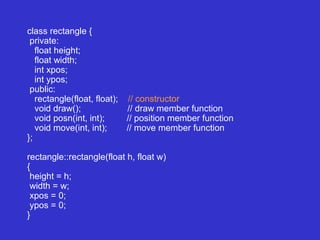
class rectangle {
private:
float height;
float width;
int xpos;
int ypos;
public:
rectangle(float, float); // constructor
void draw(); // draw member function
void posn(int, int); // position member function
void move(int, int); // move member function
};
rectangle::rectangle(float h, float w)
{
height = h;
width = w;
xpos = 0;
ypos = 0;
}
Comments on constructors
• A constructor is called automatically whenever a
new instance of a class is created.
• You must supply the arguments to the constructor
when a new instance is created.
• If you do not specify a constructor, the compiler
generates a default constructor for you (expects no
parameters and has an empty body).
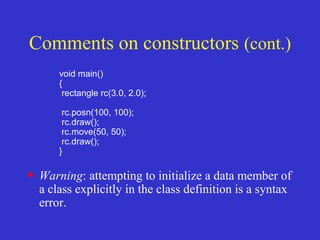
void main()
{
rectangle rc(3.0, 2.0);
rc.posn(100, 100);
rc.draw();
rc.move(50, 50);
rc.draw();
}
• Warning: attempting to initialize a data member of
a class explicitly in the class definition is a syntax
error.
Comments on constructors (cont.)
Overloading constructors
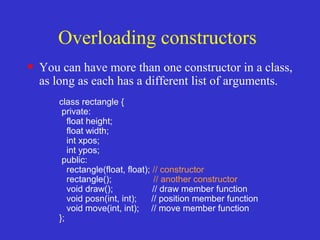
• You can have more than one constructor in a class,
as long as each has a different list of arguments.
class rectangle {
private:
float height;
float width;
int xpos;
int ypos;
public:
rectangle(float, float); // constructor
rectangle(); // another constructor
void draw(); // draw member function
void posn(int, int); // position member function
void move(int, int); // move member function
};
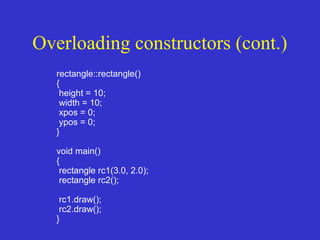
Overloading constructors (cont.)
rectangle::rectangle()
{
height = 10;
width = 10;
xpos = 0;
ypos = 0;
}
void main()
{
rectangle rc1(3.0, 2.0);
rectangle rc2();
rc1.draw();
rc2.draw();
}
Composition: objects as
members of classes
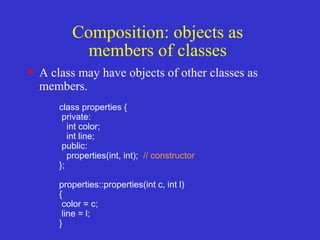
• A class may have objects of other classes as
members.
class properties {
private:
int color;
int line;
public:
properties(int, int); // constructor
};
properties::properties(int c, int l)
{
color = c;
line = l;
}
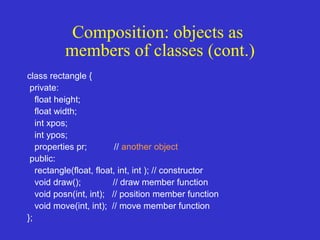
class rectangle {
private:
float height;
float width;
int xpos;
int ypos;
properties pr; // another object
public:
rectangle(float, float, int, int ); // constructor
void draw(); // draw member function
void posn(int, int); // position member function
void move(int, int); // move member function
};
Composition: objects as
members of classes (cont.)
Overloaded Assignment Ops
• Overloading Assigment ( = ) Operators work
almost exactly like Copy Constructors, with a few
subtle differences
– They need to check for self assignment
– They return a reference to *this
– Depending on your code, they may be different
(more optimized) than your copy constructor
Operator Overloading
• They need to avoid self assigment – Self Assigment is
stuff like
Object A;
A=A;
• Now, normally this would never happen.. but,
depending on how pointers are cast, or whatever, it
can. So you have to be careful.
Operator Overloading =
const Employee &Employee::operator=(const Employee
&rhs)
{
if ( this == &rhs ) return *this;
id = rhs.getId();
name = new char[strlen(rhs.getName()) + 1];
strcpy(name,rhs.name);
return *this;
}
Rule of 3
• Rule of 3 – Remember if you class needs
either a destructor, overloaded assignment
operator or copy constructor, it generally
needs ALL 3.
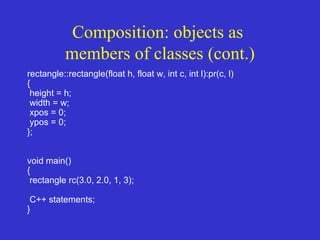
Composition: objects as
members of classes (cont.)
rectangle::rectangle(float h, float w, int c, int l):pr(c, l)
{
height = h;
width = w;
xpos = 0;
ypos = 0;
};
void main()
{
rectangle rc(3.0, 2.0, 1, 3);
C++ statements;
}
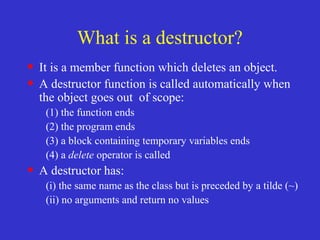
What is a destructor?
• It is a member function which deletes an object.
• A destructor function is called automatically when
the object goes out of scope:
(1) the function ends
(2) the program ends
(3) a block containing temporary variables ends
(4) a delete operator is called
• A destructor has:
(i) the same name as the class but is preceded by a tilde (~)
(ii) no arguments and return no values
class string {
private:
char *s;
int size;
public:
string(char *); // constructor
~string(); // destructor
};
string::string(char *c)
{
size = strlen(c);
s = new char[size+1];
strcpy(s,c);
}
string::~string()
{
delete []s;
}
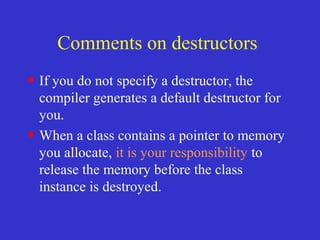
Comments on destructors
• If you do not specify a destructor, the
compiler generates a default destructor for
you.
• When a class contains a pointer to memory
you allocate, it is your responsibility to
release the memory before the class
instance is destroyed.
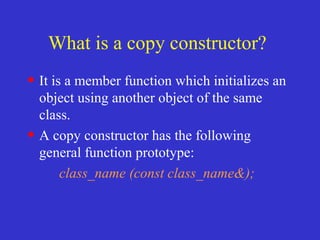
What is a copy constructor?
• It is a member function which initializes an
object using another object of the same
class.
• A copy constructor has the following
general function prototype:
class_name (const class_name&);
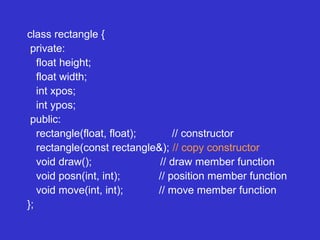
class rectangle {
private:
float height;
float width;
int xpos;
int ypos;
public:
rectangle(float, float); // constructor
rectangle(const rectangle&); // copy constructor
void draw(); // draw member function
void posn(int, int); // position member function
void move(int, int); // move member function
};
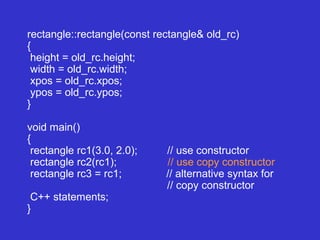
rectangle::rectangle(const rectangle& old_rc)
{
height = old_rc.height;
width = old_rc.width;
xpos = old_rc.xpos;
ypos = old_rc.ypos;
}
void main()
{
rectangle rc1(3.0, 2.0); // use constructor
rectangle rc2(rc1); // use copy constructor
rectangle rc3 = rc1; // alternative syntax for
// copy constructor
C++ statements;
}
Defining copy constructors is
very important
• In the absence of a copy constructor, the C+
+ compiler builds a default copy
constructor for each class which is doing a
memberwise copy between objects.
• Default copy constructors work fine unless
the class contains pointer data members ...
why???
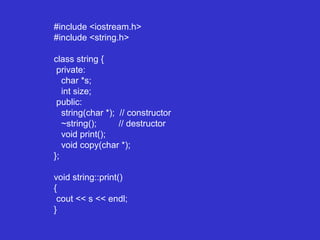
#include <iostream.h>
#include <string.h>
class string {
private:
char *s;
int size;
public:
string(char *); // constructor
~string(); // destructor
void print();
void copy(char *);
};
void string::print()
{
cout << s << endl;
}
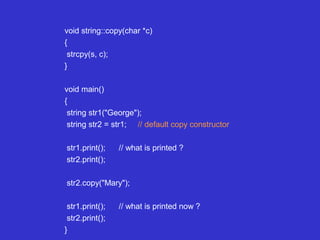
void string::copy(char *c)
{
strcpy(s, c);
}
void main()
{
string str1("George");
string str2 = str1; // default copy constructor
str1.print(); // what is printed ?
str2.print();
str2.copy("Mary");
str1.print(); // what is printed now ?
str2.print();
}
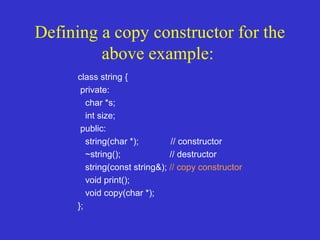
Defining a copy constructor for the
above example:
class string {
private:
char *s;
int size;
public:
string(char *); // constructor
~string(); // destructor
string(const string&); // copy constructor
void print();
void copy(char *);
};
8.2 Fundamentals of Operator
Overloading
• Types
– Built in (int, char) or user-defined
– Can use existing operators with user-defined
types
• Cannot create new operators
• Overloading operators
– Create a function for the class
– Name function operator followed by symbol
•Operator+ for the addition operator +
8.2 Fundamentals of Operator
Overloading
• Using operators on a class object
– It must be overloaded for that class
• Exceptions:
• Assignment operator, =
– Memberwise assignment between objects
• Address operator, &
– Returns address of object
• Both can be overloaded
• Overloading provides concise notation
– object2 = object1.add(object2);
–
8.3 Restrictions on Operator
Overloading
• Cannot change
– How operators act on built-in data types
• I.e., cannot change integer addition
– Precedence of operator (order of evaluation)
• Use parentheses to force order-of-operations
– Associativity (left-to-right or right-to-left)
– Number of operands
•& is unitary, only acts on one operand
• Cannot create new operators
8.3 Restrictions on Operator
Overloading
Operators that cannot be overloaded
. .* :: ?: sizeof
Operators that can be overloaded
+ - * / % ^ & |
~ ! = < > += -= *=
/= %= ^= &= |= << >> >>=
<<= == != <= >= && || ++
-- ->* , -> [] () new delete
new[] delete[]
Overloaded Assignment Ops
• Overloading Assigment ( = ) Operators work
almost exactly like Copy Constructors, with a few
subtle differences
– They need to check for self assignment
– They return a reference to *this
– Depending on your code, they may be different
(more optimized) than your copy constructor
Operator Overloading
• They need to avoid self assigment – Self Assigment is
stuff like
Object A;
A=A;
• Now, normally this would never happen.. but,
depending on how pointers are cast, or whatever, it
can. So you have to be careful.
Operator Overloading =
const Employee &Employee::operator=(const Employee
&rhs)
{
if ( this == &rhs ) return *this;
id = rhs.getId();
name = new char[strlen(rhs.getName()) + 1];
strcpy(name,rhs.name);
return *this;
}
Rule of 3
• Rule of 3 – Remember if you class needs
either a destructor, overloaded assignment
operator or copy constructor, it generally
needs ALL 3.
8.4 Operator Functions As Class
Members Vs. As Friend
Functions
• Operator functions
– Member functions
• Use this keyword to implicitly get argument
• Gets left operand for binary operators (like +)
• Leftmost object must be of same class as operator
– Non member functions
• Need parameters for both operands
• Can have object of different class than operator
• Must be a friend to access private or
protected data
8.4 Operator Functions As Class
Members Vs. As Friend
Functions
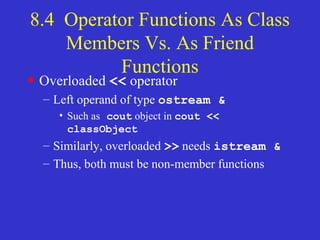
• Overloaded << operator
– Left operand of type ostream &
• Such as cout object in cout <<
classObject
– Similarly, overloaded >> needs istream &
– Thus, both must be non-member functions
8.4 Operator Functions As Class
Members Vs. As Friend
Functions
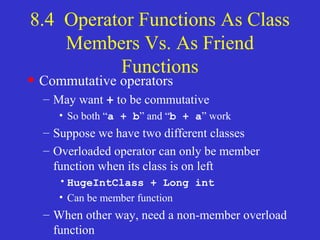
• Commutative operators
– May want + to be commutative
• So both “a + b” and “b + a” work
– Suppose we have two different classes
– Overloaded operator can only be member
function when its class is on left
•HugeIntClass + Long int
• Can be member function
– When other way, need a non-member overload
function
8.5 Overloading Stream-
Insertion and Stream-Extraction
Operators
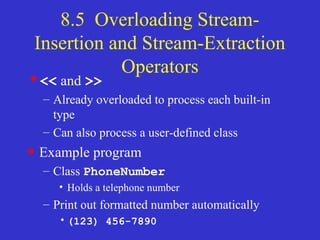
•<< and >>
– Already overloaded to process each built-in
type
– Can also process a user-defined class
• Example program
– Class PhoneNumber
• Holds a telephone number
– Print out formatted number automatically
•(123) 456-7890
fig08_03.cpp
(1 of 3)
1 // Fig. 8.3: fig08_03.cpp
2 // Overloading the stream-insertion and
3 // stream-extraction operators.
4 #include <iostream>
5 using std::cout;
7 using std::cin;
8 using std::endl;
9 using std::ostream;
10 using std::istream;
11
12 #include <iomanip>
13
14 using std::setw;
15
16 // PhoneNumber class definition
17 class PhoneNumber {
18 friend ostream &operator<<( ostream&, const PhoneNumber & );
19 friend istream &operator>>( istream&, PhoneNumber & );
20
21 private:
22 char areaCode[ 4 ]; // 3-digit area code and null
23 char exchange[ 4 ]; // 3-digit exchange and null
24 char line[ 5 ]; // 4-digit line and null
Notice function prototypes for
overloaded operators >> and <<
They must be non-member friend
functions, since the object of class
Phonenumber appears on the right of
the operator.
cin << object
cout >> object
fig08_03.cpp
(2 of 3)
27
28 // overloaded stream-insertion operator; cannot be
29 // a member function if we would like to invoke it with
30 // cout << somePhoneNumber;
31 ostream &operator<<( ostream &output, const PhoneNumber &num )
32 {
33 output << "(" << num.areaCode << ") "
34 << num.exchange << "-" << num.line;
35
36 return output; // enables cout << a << b << c;
37
38 } // end function operator<<
39
40 // overloaded stream-extraction operator; cannot be
41 // a member function if we would like to invoke it with
42 // cin >> somePhoneNumber;
43 istream &operator>>( istream &input, PhoneNumber &num )
44 {
45 input.ignore(); // skip (
46 input >> setw( 4 ) >> num.areaCode; // input area code
47 input.ignore( 2 ); // skip ) and space
48 input >> setw( 4 ) >> num.exchange; // input exchange
49 input.ignore(); // skip dash (-)
50 input >> setw( 5 ) >> num.line; // input line
51
52 return input; // enables cin >> a >> b >> c;
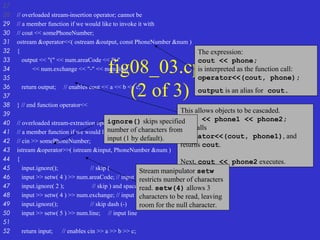
The expression:
cout << phone;
is interpreted as the function call:
operator<<(cout, phone);
output is an alias for cout.
This allows objects to be cascaded.
cout << phone1 << phone2;
first calls
operator<<(cout, phone1), and
returns cout.
Next, cout << phone2 executes.
ignore() skips specified
number of characters from
input (1 by default).
Stream manipulator setw
restricts number of characters
read. setw(4) allows 3
characters to be read, leaving
room for the null character.
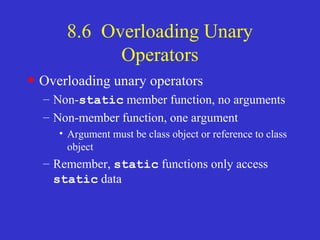
8.6 Overloading Unary
Operators
• Overloading unary operators
– Non-static member function, no arguments
– Non-member function, one argument
• Argument must be class object or reference to class
object
– Remember, static functions only access
static data
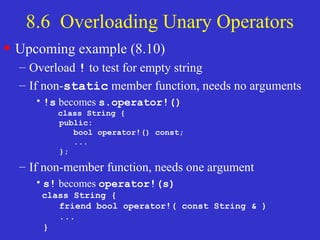
8.6 Overloading Unary Operators
• Upcoming example (8.10)
– Overload ! to test for empty string
– If non-static member function, needs no arguments
•!s becomes s.operator!()
class String {
public:
bool operator!() const;
...
};
– If non-member function, needs one argument
•s! becomes operator!(s)
class String {
friend bool operator!( const String & )
...
}
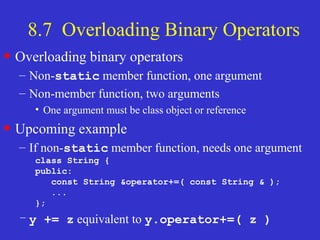
8.7 Overloading Binary Operators
• Overloading binary operators
– Non-static member function, one argument
– Non-member function, two arguments
• One argument must be class object or reference
• Upcoming example
– If non-static member function, needs one argument
class String {
public:
const String &operator+=( const String & );
...
};
– y += z equivalent to y.operator+=( z )
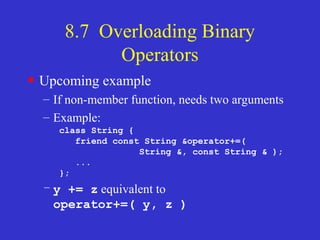
8.7 Overloading Binary
Operators
• Upcoming example
– If non-member function, needs two arguments
– Example:
class String {
friend const String &operator+=(
String &, const String & );
...
};
– y += z equivalent to
operator+=( y, z )
8.9 Converting between Types
• Casting
– Traditionally, cast integers to floats, etc.
– May need to convert between user-defined types
• Cast operator (conversion operator)
– Convert from
• One class to another
• Class to built-in type (int, char, etc.)
– Must be non-static member function
• Cannot be friend
– Do not specify return type
• Implicitly returns type to which you are converting
8.9 Converting between Types
• Example
– Prototype
A::operator char *() const;
• Casts class A to a temporary char *
•(char *)s calls s.operator char*()
– Also
•A::operator int() const;
•A::operator OtherClass() const;
8.9 Converting between Types
• Casting can prevent need for overloading
– Suppose class String can be cast to char *
– cout << s; // s is a String
• Compiler implicitly converts s to char *
• Do not have to overload <<
– Compiler can only do 1 cast
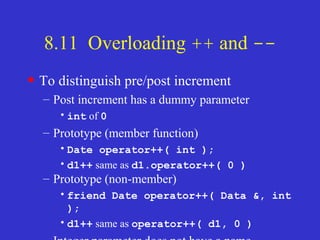
8.11 Overloading ++ and --
• Increment/decrement operators can be
overloaded
– Add 1 to a Date object, d1
– Prototype (member function)
•Date &operator++();
•++d1 same as d1.operator++()
– Prototype (non-member)
•Friend Date &operator++( Date &);
•++d1 same as operator++( d1 )
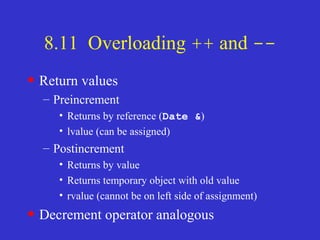
8.11 Overloading ++ and --
• To distinguish pre/post increment
– Post increment has a dummy parameter
•int of 0
– Prototype (member function)
•Date operator++( int );
•d1++ same as d1.operator++( 0 )
– Prototype (non-member)
•friend Date operator++( Data &, int
);
•d1++ same as operator++( d1, 0 )
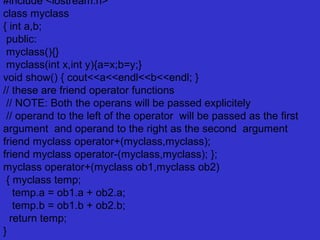
8.11 Overloading ++ and --
• Return values
– Preincrement
• Returns by reference (Date &)
• lvalue (can be assigned)
– Postincrement
• Returns by value
• Returns temporary object with old value
• rvalue (cannot be on left side of assignment)
• Decrement operator analogous
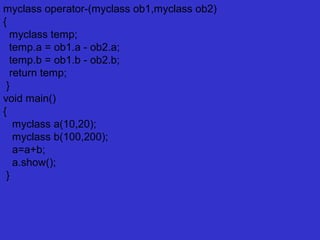
#include <iostream.h>
class myclass
{ int a,b;
public:
myclass(){}
myclass(int x,int y){a=x;b=y;}
void show() { cout<<a<<endl<<b<<endl; }
// these are friend operator functions
// NOTE: Both the operans will be passed explicitely
// operand to the left of the operator will be passed as the first
argument and operand to the right as the second argument
friend myclass operator+(myclass,myclass);
friend myclass operator-(myclass,myclass); };
myclass operator+(myclass ob1,myclass ob2)
{ myclass temp;
temp.a = ob1.a + ob2.a;
temp.b = ob1.b + ob2.b;
return temp;
}
myclass operator-(myclass ob1,myclass ob2)
{
myclass temp;
temp.a = ob1.a - ob2.a;
temp.b = ob1.b - ob2.b;
return temp;
}
void main()
{
myclass a(10,20);
myclass b(100,200);
a=a+b;
a.show();
}

Unit ii

  • 1.
  • 2.
    What is aconstructor? • It is a member function which initializes a class. • A constructor has: (i) the same name as the class itself (ii) no return type
  • 3.
    class rectangle { private: floatheight; float width; int xpos; int ypos; public: rectangle(float, float); // constructor void draw(); // draw member function void posn(int, int); // position member function void move(int, int); // move member function }; rectangle::rectangle(float h, float w) { height = h; width = w; xpos = 0; ypos = 0; }
  • 4.
    Comments on constructors •A constructor is called automatically whenever a new instance of a class is created. • You must supply the arguments to the constructor when a new instance is created. • If you do not specify a constructor, the compiler generates a default constructor for you (expects no parameters and has an empty body).
  • 5.
    void main() { rectangle rc(3.0,2.0); rc.posn(100, 100); rc.draw(); rc.move(50, 50); rc.draw(); } • Warning: attempting to initialize a data member of a class explicitly in the class definition is a syntax error. Comments on constructors (cont.)
  • 6.
    Overloading constructors • Youcan have more than one constructor in a class, as long as each has a different list of arguments. class rectangle { private: float height; float width; int xpos; int ypos; public: rectangle(float, float); // constructor rectangle(); // another constructor void draw(); // draw member function void posn(int, int); // position member function void move(int, int); // move member function };
  • 7.
    Overloading constructors (cont.) rectangle::rectangle() { height= 10; width = 10; xpos = 0; ypos = 0; } void main() { rectangle rc1(3.0, 2.0); rectangle rc2(); rc1.draw(); rc2.draw(); }
  • 8.
    Composition: objects as membersof classes • A class may have objects of other classes as members. class properties { private: int color; int line; public: properties(int, int); // constructor }; properties::properties(int c, int l) { color = c; line = l; }
  • 9.
    class rectangle { private: floatheight; float width; int xpos; int ypos; properties pr; // another object public: rectangle(float, float, int, int ); // constructor void draw(); // draw member function void posn(int, int); // position member function void move(int, int); // move member function }; Composition: objects as members of classes (cont.)
  • 10.
    Overloaded Assignment Ops •Overloading Assigment ( = ) Operators work almost exactly like Copy Constructors, with a few subtle differences – They need to check for self assignment – They return a reference to *this – Depending on your code, they may be different (more optimized) than your copy constructor
  • 11.
    Operator Overloading • Theyneed to avoid self assigment – Self Assigment is stuff like Object A; A=A; • Now, normally this would never happen.. but, depending on how pointers are cast, or whatever, it can. So you have to be careful.
  • 12.
    Operator Overloading = constEmployee &Employee::operator=(const Employee &rhs) { if ( this == &rhs ) return *this; id = rhs.getId(); name = new char[strlen(rhs.getName()) + 1]; strcpy(name,rhs.name); return *this; }
  • 13.
    Rule of 3 •Rule of 3 – Remember if you class needs either a destructor, overloaded assignment operator or copy constructor, it generally needs ALL 3.
  • 14.
    Composition: objects as membersof classes (cont.) rectangle::rectangle(float h, float w, int c, int l):pr(c, l) { height = h; width = w; xpos = 0; ypos = 0; }; void main() { rectangle rc(3.0, 2.0, 1, 3); C++ statements; }
  • 15.
    What is adestructor? • It is a member function which deletes an object. • A destructor function is called automatically when the object goes out of scope: (1) the function ends (2) the program ends (3) a block containing temporary variables ends (4) a delete operator is called • A destructor has: (i) the same name as the class but is preceded by a tilde (~) (ii) no arguments and return no values
  • 16.
    class string { private: char*s; int size; public: string(char *); // constructor ~string(); // destructor }; string::string(char *c) { size = strlen(c); s = new char[size+1]; strcpy(s,c); } string::~string() { delete []s; }
  • 17.
    Comments on destructors •If you do not specify a destructor, the compiler generates a default destructor for you. • When a class contains a pointer to memory you allocate, it is your responsibility to release the memory before the class instance is destroyed.
  • 18.
    What is acopy constructor? • It is a member function which initializes an object using another object of the same class. • A copy constructor has the following general function prototype: class_name (const class_name&);
  • 19.
    class rectangle { private: floatheight; float width; int xpos; int ypos; public: rectangle(float, float); // constructor rectangle(const rectangle&); // copy constructor void draw(); // draw member function void posn(int, int); // position member function void move(int, int); // move member function };
  • 20.
    rectangle::rectangle(const rectangle& old_rc) { height= old_rc.height; width = old_rc.width; xpos = old_rc.xpos; ypos = old_rc.ypos; } void main() { rectangle rc1(3.0, 2.0); // use constructor rectangle rc2(rc1); // use copy constructor rectangle rc3 = rc1; // alternative syntax for // copy constructor C++ statements; }
  • 21.
    Defining copy constructorsis very important • In the absence of a copy constructor, the C+ + compiler builds a default copy constructor for each class which is doing a memberwise copy between objects. • Default copy constructors work fine unless the class contains pointer data members ... why???
  • 22.
    #include <iostream.h> #include <string.h> classstring { private: char *s; int size; public: string(char *); // constructor ~string(); // destructor void print(); void copy(char *); }; void string::print() { cout << s << endl; }
  • 23.
    void string::copy(char *c) { strcpy(s,c); } void main() { string str1("George"); string str2 = str1; // default copy constructor str1.print(); // what is printed ? str2.print(); str2.copy("Mary"); str1.print(); // what is printed now ? str2.print(); }
  • 24.
    Defining a copyconstructor for the above example: class string { private: char *s; int size; public: string(char *); // constructor ~string(); // destructor string(const string&); // copy constructor void print(); void copy(char *); };
  • 25.
    8.2 Fundamentals ofOperator Overloading • Types – Built in (int, char) or user-defined – Can use existing operators with user-defined types • Cannot create new operators • Overloading operators – Create a function for the class – Name function operator followed by symbol •Operator+ for the addition operator +
  • 26.
    8.2 Fundamentals ofOperator Overloading • Using operators on a class object – It must be overloaded for that class • Exceptions: • Assignment operator, = – Memberwise assignment between objects • Address operator, & – Returns address of object • Both can be overloaded • Overloading provides concise notation – object2 = object1.add(object2); –
  • 27.
    8.3 Restrictions onOperator Overloading • Cannot change – How operators act on built-in data types • I.e., cannot change integer addition – Precedence of operator (order of evaluation) • Use parentheses to force order-of-operations – Associativity (left-to-right or right-to-left) – Number of operands •& is unitary, only acts on one operand • Cannot create new operators
  • 28.
    8.3 Restrictions onOperator Overloading Operators that cannot be overloaded . .* :: ?: sizeof Operators that can be overloaded + - * / % ^ & | ~ ! = < > += -= *= /= %= ^= &= |= << >> >>= <<= == != <= >= && || ++ -- ->* , -> [] () new delete new[] delete[]
  • 29.
    Overloaded Assignment Ops •Overloading Assigment ( = ) Operators work almost exactly like Copy Constructors, with a few subtle differences – They need to check for self assignment – They return a reference to *this – Depending on your code, they may be different (more optimized) than your copy constructor
  • 30.
    Operator Overloading • Theyneed to avoid self assigment – Self Assigment is stuff like Object A; A=A; • Now, normally this would never happen.. but, depending on how pointers are cast, or whatever, it can. So you have to be careful.
  • 31.
    Operator Overloading = constEmployee &Employee::operator=(const Employee &rhs) { if ( this == &rhs ) return *this; id = rhs.getId(); name = new char[strlen(rhs.getName()) + 1]; strcpy(name,rhs.name); return *this; }
  • 32.
    Rule of 3 •Rule of 3 – Remember if you class needs either a destructor, overloaded assignment operator or copy constructor, it generally needs ALL 3.
  • 33.
    8.4 Operator FunctionsAs Class Members Vs. As Friend Functions • Operator functions – Member functions • Use this keyword to implicitly get argument • Gets left operand for binary operators (like +) • Leftmost object must be of same class as operator – Non member functions • Need parameters for both operands • Can have object of different class than operator • Must be a friend to access private or protected data
  • 34.
    8.4 Operator FunctionsAs Class Members Vs. As Friend Functions • Overloaded << operator – Left operand of type ostream & • Such as cout object in cout << classObject – Similarly, overloaded >> needs istream & – Thus, both must be non-member functions
  • 35.
    8.4 Operator FunctionsAs Class Members Vs. As Friend Functions • Commutative operators – May want + to be commutative • So both “a + b” and “b + a” work – Suppose we have two different classes – Overloaded operator can only be member function when its class is on left •HugeIntClass + Long int • Can be member function – When other way, need a non-member overload function
  • 36.
    8.5 Overloading Stream- Insertionand Stream-Extraction Operators •<< and >> – Already overloaded to process each built-in type – Can also process a user-defined class • Example program – Class PhoneNumber • Holds a telephone number – Print out formatted number automatically •(123) 456-7890
  • 37.
    fig08_03.cpp (1 of 3) 1// Fig. 8.3: fig08_03.cpp 2 // Overloading the stream-insertion and 3 // stream-extraction operators. 4 #include <iostream> 5 using std::cout; 7 using std::cin; 8 using std::endl; 9 using std::ostream; 10 using std::istream; 11 12 #include <iomanip> 13 14 using std::setw; 15 16 // PhoneNumber class definition 17 class PhoneNumber { 18 friend ostream &operator<<( ostream&, const PhoneNumber & ); 19 friend istream &operator>>( istream&, PhoneNumber & ); 20 21 private: 22 char areaCode[ 4 ]; // 3-digit area code and null 23 char exchange[ 4 ]; // 3-digit exchange and null 24 char line[ 5 ]; // 4-digit line and null Notice function prototypes for overloaded operators >> and << They must be non-member friend functions, since the object of class Phonenumber appears on the right of the operator. cin << object cout >> object
  • 38.
    fig08_03.cpp (2 of 3) 27 28// overloaded stream-insertion operator; cannot be 29 // a member function if we would like to invoke it with 30 // cout << somePhoneNumber; 31 ostream &operator<<( ostream &output, const PhoneNumber &num ) 32 { 33 output << "(" << num.areaCode << ") " 34 << num.exchange << "-" << num.line; 35 36 return output; // enables cout << a << b << c; 37 38 } // end function operator<< 39 40 // overloaded stream-extraction operator; cannot be 41 // a member function if we would like to invoke it with 42 // cin >> somePhoneNumber; 43 istream &operator>>( istream &input, PhoneNumber &num ) 44 { 45 input.ignore(); // skip ( 46 input >> setw( 4 ) >> num.areaCode; // input area code 47 input.ignore( 2 ); // skip ) and space 48 input >> setw( 4 ) >> num.exchange; // input exchange 49 input.ignore(); // skip dash (-) 50 input >> setw( 5 ) >> num.line; // input line 51 52 return input; // enables cin >> a >> b >> c; The expression: cout << phone; is interpreted as the function call: operator<<(cout, phone); output is an alias for cout. This allows objects to be cascaded. cout << phone1 << phone2; first calls operator<<(cout, phone1), and returns cout. Next, cout << phone2 executes. ignore() skips specified number of characters from input (1 by default). Stream manipulator setw restricts number of characters read. setw(4) allows 3 characters to be read, leaving room for the null character.
  • 39.
    8.6 Overloading Unary Operators •Overloading unary operators – Non-static member function, no arguments – Non-member function, one argument • Argument must be class object or reference to class object – Remember, static functions only access static data
  • 40.
    8.6 Overloading UnaryOperators • Upcoming example (8.10) – Overload ! to test for empty string – If non-static member function, needs no arguments •!s becomes s.operator!() class String { public: bool operator!() const; ... }; – If non-member function, needs one argument •s! becomes operator!(s) class String { friend bool operator!( const String & ) ... }
  • 41.
    8.7 Overloading BinaryOperators • Overloading binary operators – Non-static member function, one argument – Non-member function, two arguments • One argument must be class object or reference • Upcoming example – If non-static member function, needs one argument class String { public: const String &operator+=( const String & ); ... }; – y += z equivalent to y.operator+=( z )
  • 42.
    8.7 Overloading Binary Operators •Upcoming example – If non-member function, needs two arguments – Example: class String { friend const String &operator+=( String &, const String & ); ... }; – y += z equivalent to operator+=( y, z )
  • 43.
    8.9 Converting betweenTypes • Casting – Traditionally, cast integers to floats, etc. – May need to convert between user-defined types • Cast operator (conversion operator) – Convert from • One class to another • Class to built-in type (int, char, etc.) – Must be non-static member function • Cannot be friend – Do not specify return type • Implicitly returns type to which you are converting
  • 44.
    8.9 Converting betweenTypes • Example – Prototype A::operator char *() const; • Casts class A to a temporary char * •(char *)s calls s.operator char*() – Also •A::operator int() const; •A::operator OtherClass() const;
  • 45.
    8.9 Converting betweenTypes • Casting can prevent need for overloading – Suppose class String can be cast to char * – cout << s; // s is a String • Compiler implicitly converts s to char * • Do not have to overload << – Compiler can only do 1 cast
  • 46.
    8.11 Overloading ++and -- • Increment/decrement operators can be overloaded – Add 1 to a Date object, d1 – Prototype (member function) •Date &operator++(); •++d1 same as d1.operator++() – Prototype (non-member) •Friend Date &operator++( Date &); •++d1 same as operator++( d1 )
  • 47.
    8.11 Overloading ++and -- • To distinguish pre/post increment – Post increment has a dummy parameter •int of 0 – Prototype (member function) •Date operator++( int ); •d1++ same as d1.operator++( 0 ) – Prototype (non-member) •friend Date operator++( Data &, int ); •d1++ same as operator++( d1, 0 )
  • 48.
    8.11 Overloading ++and -- • Return values – Preincrement • Returns by reference (Date &) • lvalue (can be assigned) – Postincrement • Returns by value • Returns temporary object with old value • rvalue (cannot be on left side of assignment) • Decrement operator analogous
  • 49.
    #include <iostream.h> class myclass {int a,b; public: myclass(){} myclass(int x,int y){a=x;b=y;} void show() { cout<<a<<endl<<b<<endl; } // these are friend operator functions // NOTE: Both the operans will be passed explicitely // operand to the left of the operator will be passed as the first argument and operand to the right as the second argument friend myclass operator+(myclass,myclass); friend myclass operator-(myclass,myclass); }; myclass operator+(myclass ob1,myclass ob2) { myclass temp; temp.a = ob1.a + ob2.a; temp.b = ob1.b + ob2.b; return temp; }
  • 50.
    myclass operator-(myclass ob1,myclassob2) { myclass temp; temp.a = ob1.a - ob2.a; temp.b = ob1.b - ob2.b; return temp; } void main() { myclass a(10,20); myclass b(100,200); a=a+b; a.show(); }