By James Colwell
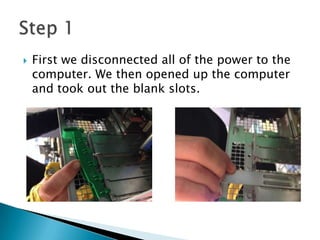
 First we disconnected all of the power to the
computer. We then opened up the computer
and took out the blank slots.
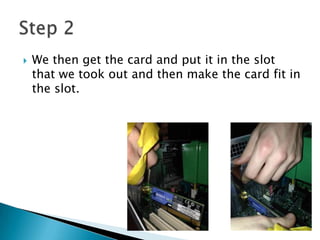
 We then get the card and put it in the slot
that we took out and then make the card fit in
the slot.
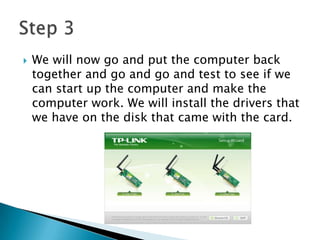
 We will now go and put the computer back
together and go and go and test to see if we
can start up the computer and make the
computer work. We will install the drivers that
we have on the disk that came with the card.
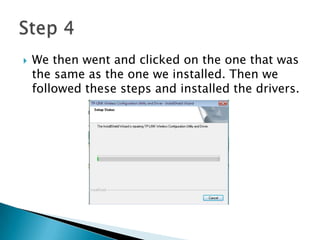
 We then went and clicked on the one that was
the same as the one we installed. Then we
followed these steps and installed the drivers.
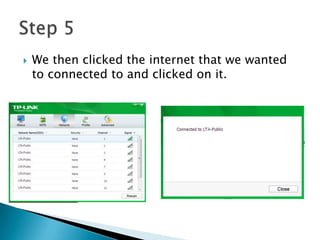
 We then clicked the internet that we wanted
to connected to and clicked on it.
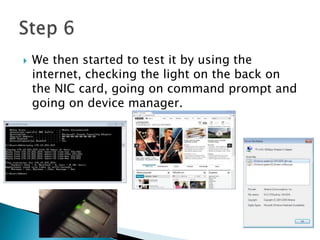
 We then started to test it by using the
internet, checking the light on the back on
the NIC card, going on command prompt and
going on device manager.

Unit 7 - P5

  • 1.
  • 2.
     First wedisconnected all of the power to the computer. We then opened up the computer and took out the blank slots.
  • 3.
     We thenget the card and put it in the slot that we took out and then make the card fit in the slot.
  • 4.
     We willnow go and put the computer back together and go and go and test to see if we can start up the computer and make the computer work. We will install the drivers that we have on the disk that came with the card.
  • 5.
     We thenwent and clicked on the one that was the same as the one we installed. Then we followed these steps and installed the drivers.
  • 6.
     We thenclicked the internet that we wanted to connected to and clicked on it.
  • 7.
     We thenstarted to test it by using the internet, checking the light on the back on the NIC card, going on command prompt and going on device manager.