EXPERTISE AND EXCELLENCE 1
Mission
Ensuring innovative academic ambience, to
create visionary and patriotic professionals with
outstanding academic scholarship upholding
noble life principles
Core Values
• Faith in God
• Universal Integrity
• Responsive Ethical Behaviour
• Social Concern
• Integrated Personality
Vision
Envisages integral growth of an individual with
professional excellence, academic brilliance, and
moral rectitude by offering excellent academic
expertise which would equip them to remain
competent in the global village.
Unit- II
Web Hosting
WEB CONTENT MANAGEMENT SYSTEM , VI SEM BCA,
Dr.Vijayalakshmi .V ,Dept of CS,
1
EXPERTISE AND EXCELLENCE 2
Web Hosting
• Web Hosting is a service that allows hosting/post-web-server applications( website or
web page ) on a computer system through which web-browser clients can have easy
access to electronic content on the Internet.
• Web Server or Web Host is a computer system that provide web hosting.
• When Internet user’s want to view your website, all they need to do is type your
website address or domain into their browser.
• The user’s computer will then connect to your server and your web pages will be
delivered to them through the browser
WEB CONTENT MANAGEMENT SYSTEM , VI SEM BCA,
Dr.Vijayalakshmi .V ,Dept of CS,
2
EXPERTISE AND EXCELLENCE 3
• Basically, the web hosts allow the customers to place documents, such as
HTML pages, graphics, and other multimedia files, etc. onto a special type
of computer called a web server.
• It provides a constant and high-speed connection to the backbone of the
Internet.
• Different types of Web hosting services are listed below:
 Free Hosting
 Virtual or Shared Hosting
 Dedicated Hosting
 Co-location Hosting
WEB CONTENT MANAGEMENT SYSTEM , VI SEM BCA,
Dr.Vijayalakshmi .V ,Dept of CS,
3
EXPERTISE AND EXCELLENCE 4
Free Hosting:
• This is a free non-paid web hosting service. This type of
hosting is available with many prominent sites that offer
to host some web pages for no cost, like Hostinger.
• Advantages :
• Free of cost
 Use websites to place advertisements. banners and other forms of advertising media
• Disadvantages:
 Customer support is missing
 Low bandwidth and lesser data transfer
 No control over your website
WEB CONTENT MANAGEMENT SYSTEM , VI SEM BCA,
Dr.Vijayalakshmi .V ,Dept of CS,
4
EXPERTISE AND EXCELLENCE 5
Shared/Virtual Hosting:
• It’s a web hosting service where many websites reside on one web server connected to the internet.
• This type of hosting is provided under one’s own domain name, www.yourname.com.
• With a hosting plan with the web hosting company, one can present oneself as a fully independent
identity to his/her web audience, like Lindo.
• Advantages:
 Easy and affordable
 Secured by hosting provider
 24/7 Technical support
• Disadvantages:
 Shared resources can slow down the whole server
 Less flexible than dedicated hosting
WEB CONTENT MANAGEMENT SYSTEM , VI SEM BCA,
Dr.Vijayalakshmi .V ,Dept of CS,
5
EXPERTISE AND EXCELLENCE 6
Dedicated Hosting:
• Hosted on a dedicated server, this type of hosting is best suited for large websites with high
traffic.
• In this, the company wishing to go online rents an entire web server from a hosting company.
• This is suitable for companies hosting larger websites, maintaining others’ sites or managing
a big online mall, etc like Google Cloud.
• Advantages:
 Ideal for large business
 Strong database support
 Unlimited software support
 Powerful e-mail solutions
 Complete root access to your servers
WEB CONTENT MANAGEMENT SYSTEM , VI SEM BCA,
Dr.Vijayalakshmi .V ,Dept of CS,
6
EXPERTISE AND EXCELLENCE 7
• Disadvantages:
 Its very expensive
 Requires superior skill sets
WEB CONTENT MANAGEMENT SYSTEM , VI SEM BCA,
Dr.Vijayalakshmi .V ,Dept of CS,
7
EXPERTISE AND EXCELLENCE 8
Co-located Hosting:
• This hosting lets you place your own web server on the premises of a service provider.
• It is similar to that of dedicated hosting except for the fact that the server is now
provided by the user-company itself and its physical needs are met by the hosting
company like AWS.
WEB CONTENT MANAGEMENT SYSTEM , VI SEM BCA,
Dr.Vijayalakshmi .V ,Dept of CS,
8
EXPERTISE AND EXCELLENCE 9
• Advantages:
 Greater Bandwidth High Up-Time
 Unlimited Software Options
 High Security
• Disadvantages:
 Difficult to configure and debug
 Its expensive
 Require high skills
WEB CONTENT MANAGEMENT SYSTEM , VI SEM BCA,
Dr.Vijayalakshmi .V ,Dept of CS,
9
EXPERTISE AND EXCELLENCE 10
• It’s simple to find a reliable web hosting platform on which to host your website or launch a
company.
• There are many solutions available on the market, including shared hosting, VPS hosting,
and cloud hosting, to assist you to establish your online presence.
•
WEB CONTENT MANAGEMENT SYSTEM , VI SEM BCA,
Dr.Vijayalakshmi .V ,Dept of CS,
10
EXPERTISE AND EXCELLENCE 11
Mission
Ensuring innovative academic ambience, to
create visionary and patriotic professionals with
outstanding academic scholarship upholding
noble life principles
Core Values
• Faith in God
• Universal Integrity
• Responsive Ethical Behaviour
• Social Concern
• Integrated Personality
Vision
Envisages integral growth of an individual with
professional excellence, academic brilliance, and
moral rectitude by offering excellent academic
expertise which would equip them to remain
competent in the global village.
How To Manage Your Multimedia Data
Effectively
WEB CONTENT MANAGEMENT SYSTEM
, VI SEM BCA, Dr.Vijayalakshmi .V ,Dept
of CS,
11
EXPERTISE AND EXCELLENCE 12
How To Manage Your Multimedia Data Effectively
• Multimedia data in an organization combines text, audio, video, and images,
which allows for more engaging and interactive forms of communication with
the team and the clients.
• In business, managing multimedia data effectively is essential to guarantee a
smooth and organized workflow.
• This is especially true when dealing with diverse types of content is
commonplace.
WEB CONTENT MANAGEMENT SYSTEM
12
EXPERTISE AND EXCELLENCE 13
• A proper multimedia management system can help you handle multimedia data in a more
efficient manner.
• It also allows for better collaboration and sharing of content and provides more control over
the security and access to this information.
• On that note, here are some ways to manage your multimedia data effectively.
WEB CONTENT MANAGEMENT SYSTEM
13
EXPERTISE AND EXCELLENCE 14
1.Leverage Appropriate Data Management Technology
• To manage multimedia data effectively, it’s important that you use the right tools for the
suitable media.
• Suppose you are dealing with a lot of text-based content.
• In that case, it may be more beneficial to your business to use an application like a
document viewer that allows for easy editing, sharing, and viewing of these documents.
• If you’re dealing with visual data, you may want to use a media player to view and share
this content in different ways. Regarding audio files, consider using data management
software that can convert them into other formats for easier sharing and editing.
• Whatever the multimedia data in your business, leverage the appropriate technology to
manage it more effectively.
WEB CONTENT MANAGEMENT SYSTEM
14
EXPERTISE AND EXCELLENCE 15
2. Organize Your Files
• A proven old-fashioned way to manage your multimedia data effectively is to
organize your files.
• You should organize your multimedia data to make it easy for you and your
customers to find what you need when you need it.
• This could mean storing your files in one place or organizing them into folders
based on type and purpose.
• Organizing your files makes accessing the necessary information easier for
your team and allows for a more streamlined workflow.
WEB CONTENT MANAGEMENT SYSTEM
15
EXPERTISE AND EXCELLENCE 16
3. Use A Dedicated Multimedia Service For Video Data
3
• A dedicated multimedia management platform is an effective management tool, especially
when it comes to video content.
• For starters, reliable multimedia management can use video playback tools to review video
content and ensure it meets quality standards before publication.
• Also, the dedicated manager can test and optimize video and other content for different
platforms by testing different video resolutions, aspect ratios, and file formats to ensure that
the video plays smoothly across all devices.
WEB CONTENT MANAGEMENT SYSTEM
16
EXPERTISE AND EXCELLENCE 17
4. .Optimize Your Files
• To effectively manage multimedia data, you need to optimize your files.
• A common way to optimize your files is by compressing large ones to save storage
space without compromising quality.
• To do this, you can use technologies that guarantee lossless compression, which
ensures that you don’t lose any quality when compressing your files.
• Compressions manages multimedia data by saving you space and speeding up slow
websites.
• Optimizing your files can help manage multimedia data effectively by reducing their
size, making them easier to manage and share across networks.
WEB CONTENT MANAGEMENT SYSTEM
17
EXPERTISE AND EXCELLENCE 18
5. 5.Sync And Backup Your Multimedia Data Across Devices
• Leveraging cloud services to sync your multimedia files across multiple devices can
help you manage your data more effectively.
• With cloud services, you and your team can access your files anytime, anywhere.
• Also, it makes it easier to share with your prospective customers or any other
persons with access.
• Syncing your multimedia data also helps you avoid the hassle of manually
transferring your files from one device to another.
• In the same way, regularly back up your multimedia files to a cloud storage service
to protect against data loss.
WEB CONTENT MANAGEMENT SYSTEM
18
EXPERTISE AND EXCELLENCE 19
6. Implement Version Control
• Version control enables you to track changes and maintain different versions of your
multimedia files in case of accidental deletion or modification of essential data.
• Some of the ways version control contributes to managing multimedia data effectively are:
WEB CONTENT MANAGEMENT SYSTEM
19
EXPERTISE AND EXCELLENCE 20
 Version control maintains different versions of files, making it easy for you to revert to a
previous version if needed.
 This way, you and your team can avoid accidental overwrites or modifications of multimedia
data.
 It allows for multiple team members to work on a project simultaneously without conflicting
changes. Version control thus helps to improve team efficiency while reducing errors.
 Version control keeps an easy-to-track record of modifications, making it easier to track
changes, identify issues, and understand how a project has evolved.
 It helps with data backup and recovery as having multiple versions of a file provides a level
of data redundancy, helping to recover from accidental data loss or corruption.
WEB CONTENT MANAGEMENT SYSTEM
20
EXPERTISE AND EXCELLENCE 21
Benefits of Managing Your Multimedia Data Effectively
• Managing multimedia data effectively can provide several benefits to your business.
• Here are some of the key benefits:
 Your team can quickly find and use the content they need, saving time and effort.
 Your businesses can analyze data points like user behavior, engagement, and preference
to make informed decisions about your content strategy and marketing campaigns.
 Your businesses can create and publish high-quality content that resonates with their
target audience. This will help to drive engagement and build brand awareness.
 Your business can reduce the costs associated with content production.
 Also, using cloud storage and other cloud-based solutions to manage multimedia data can
save you equipment costs as you only pay for the storage and computing resources you
use.
•
WEB CONTENT MANAGEMENT SYSTEM
21
EXPERTISE AND EXCELLENCE 22
Mission
Ensuring innovative academic ambience, to
create visionary and patriotic professionals with
outstanding academic scholarship upholding
noble life principles
Core Values
• Faith in God
• Universal Integrity
• Responsive Ethical Behaviour
• Social Concern
• Integrated Personality
Vision
Envisages integral growth of an individual with
professional excellence, academic brilliance, and
moral rectitude by offering excellent academic
expertise which would equip them to remain
competent in the global village.
Creating and Maintaining a Wiki Site.
WEB CONTENT MANAGEMENT SYSTEM , VI SEM BCA,
22
EXPERTISE AND EXCELLENCE 23
What is a wiki?
• A wiki is an application that allows users to quickly and easily share
information.
• It's a collection of web pages that use simple language and hyperlinks to
navigate from one topic to another easily.
• Wikis are typically used for internal collaborations but can also be used
externally for public-facing purposes.
• Wikis are highly versatile and can be used for a variety of tasks.
• Picture it as a go-to place where anyone can look up companywide
details.
• It is like a universal filing system containing all the necessary content that
employees should share
WEB CONTENT MANAGEMENT SYSTEM , VI SEM BCA,
23
EXPERTISE AND EXCELLENCE 24
Internal vs. External Wikis
• Internal wikis are used by businesses to store and share
sensitive information within their organization.
• On the other hand, external wikis are used for public-facing
purposes and can be accessible by anyone.
• Internal wikis are great for collaboration among team members,
sharing customer feedback, updating business documents, and
more.
• They provide a secure environment where all content can be
organized in one central location
WEB CONTENT MANAGEMENT SYSTEM , VI SEM BCA,
24
EXPERTISE AND EXCELLENCE 25
Internal vs. External Wikis
• External wikis are perfect for providing information to the public, such as product specifications or
support information.
• They are also ideal for open-source projects and large customer communities.
WEB CONTENT MANAGEMENT SYSTEM , VI SEM BCA,
25
EXPERTISE AND EXCELLENCE 26
What can you store in a wiki?
 Technical documentation (How-to guides, tutorials, etc.)
 Meeting notes & minutes
 Company policies & guidelines
 Project plans & timelines
 Reports & analysis
 Customer service resources (e.g. FAQs)
 Team contact information & organizational charts News & updates
 Best practices & procedures
 Employee handbooks
 Help desk resources
WEB CONTENT MANAGEMENT SYSTEM , VI SEM BCA,
26
EXPERTISE AND EXCELLENCE 27
How to create a wiki?
1.Choose what type of wiki you want to create (internal or
external).
2.Pick the platform you're going to use.
3.Set security protocols and community guidelines.
4.Start adding content - make sure to use simple language,
visuals, and hyperlinks.
5.Assign roles and permissions for editing access.
WEB CONTENT MANAGEMENT SYSTEM , VI SEM BCA,
27
EXPERTISE AND EXCELLENCE 28
1. Choose what type of wiki you want to create (internal or external).
• If your goal is to share sensitive, internal information within your
organization, an internal wiki is what you should go with.
• But if you want to create a public-facing wiki that anyone can access, an
external wiki is what you need.
WEB CONTENT MANAGEMENT SYSTEM , VI SEM BCA,
28
EXPERTISE AND EXCELLENCE 29
2. Pick the platform you're going to use.
• There are many software's available for creating a wiki online.
• To make your choice, consider whether you want an open-
source or hosted solution and what functionality you need.
• If you’re a large, global company looking for open-source
software, then you might opt for MediaWiki, the collaboration
and documentation platform powering Wikipedia.
• But if you’re a smaller business or simply need less bells and
whistles, then you might prefer more basic software like
DokuWiki, WikiWikiWeb, or Google Sites.
WEB CONTENT MANAGEMENT SYSTEM , VI SEM BCA,
29
EXPERTISE AND EXCELLENCE 30
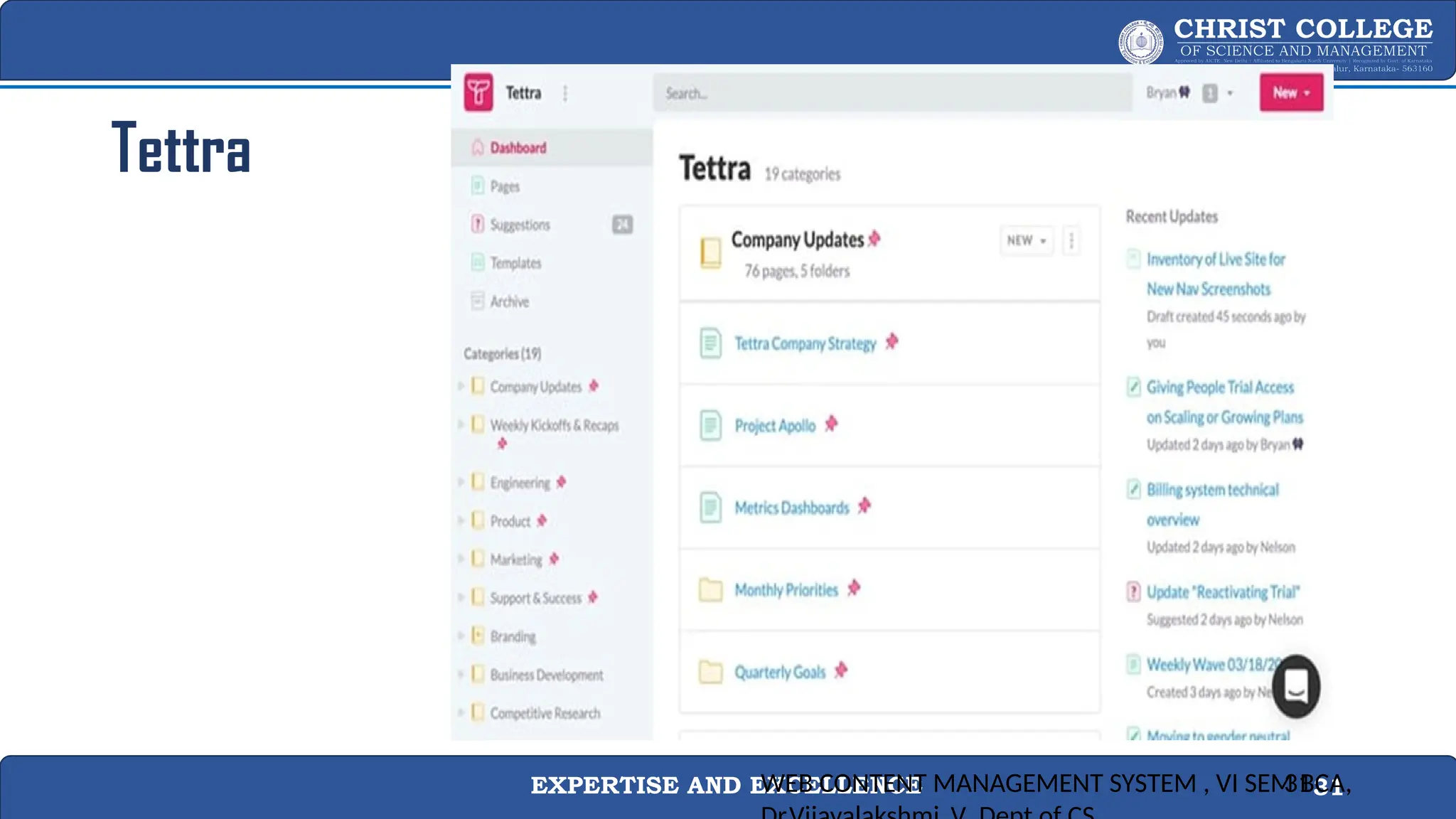
Tettra
• If you’re looking for software that’s easy to use and manage, then you
might opt for a premium software like Tettra.
• With Tetra, you can connect other work management tools like Slack, put
users in charge of particular sections of the wiki, and get enhanced search
and analytics tools — all without coding.
• Even those just getting started with website development can use this
tool to set up a wiki in no time.
WEB CONTENT MANAGEMENT SYSTEM , VI SEM BCA,
30
EXPERTISE AND EXCELLENCE 31
Tettra
WEB CONTENT MANAGEMENT SYSTEM , VI SEM BCA,
31
EXPERTISE AND EXCELLENCE 32
Mission
Ensuring innovative academic ambience, to
create visionary and patriotic professionals with
outstanding academic scholarship upholding
noble life principles
Core Values
• Faith in God
• Universal Integrity
• Responsive Ethical Behaviour
• Social Concern
• Integrated Personality
Vision
Envisages integral growth of an individual with
professional excellence, academic brilliance, and
moral rectitude by offering excellent academic
expertise which would equip them to remain
competent in the global village.
CREATING WIKI CONITUTATION
WEB CONTENT MANAGEMENT SYSTEM , VI SEM BCA,
Dr.Vijayalakshmi .V ,Dept of CS,
32
EXPERTISE AND EXCELLENCE 33
3.Set security protocols and community guidelines.
• There are two major things to consider when starting a wiki: security and community.
• To ensure your wiki is secure, it’s recommended that you work with your IT department to ensure
that the content you post complies with company policies and national laws.
• The second step is setting up community guidelines.
• Since wikis could quickly devolve into irrelevant or incorrect information or editing wars, you should
also lay down some ground rules.
• Are their certain style guidelines you want wiki authors to follow?
• What’s the process for editing other people’s posts?
• Appointing curators can help ensure that the right content is in the right place in front of the right
people.
WEB CONTENT MANAGEMENT SYSTEM , VI SEM BCA,
Dr.Vijayalakshmi .V ,Dept of CS,
33
EXPERTISE AND EXCELLENCE 34
4. Start adding content - use simple language, visuals, and hyperlinks.
• Like any website, you want to structure your wiki in a way that’s easy for users to
understand and navigate. You can do so using categories, tags, and internal links.
• To start, make a list of the broadest topics your wiki will cover. Say your list is training,
culture, and product.
• Then each of these topics will be a category.
• You can also use department names, like marketing, sales, product, and HR, as
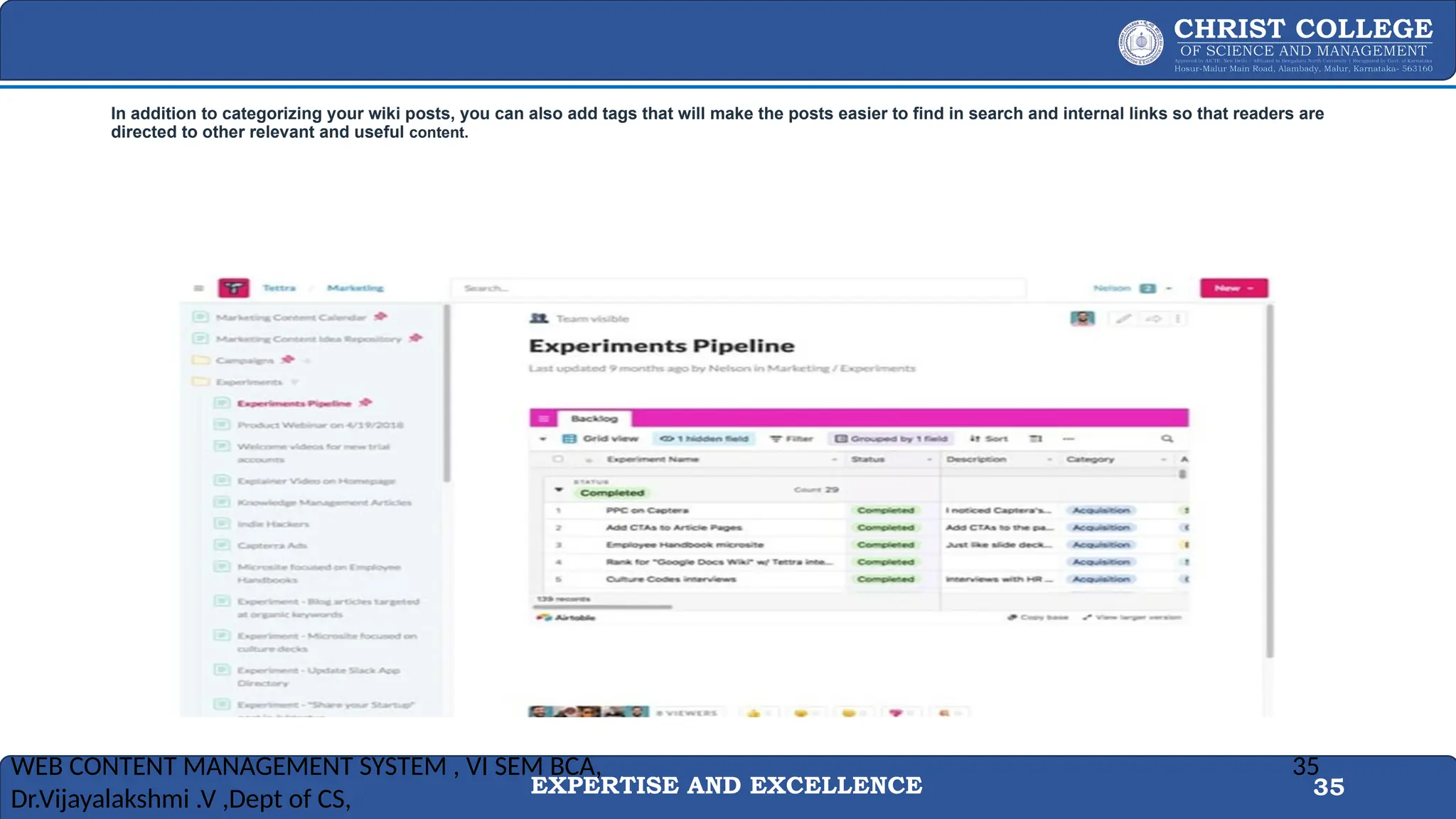
categories. In the example below, the wiki post is found under Marketing > Experiments.
WEB CONTENT MANAGEMENT SYSTEM , VI SEM BCA,
Dr.Vijayalakshmi .V ,Dept of CS,
34
EXPERTISE AND EXCELLENCE 35
In addition to categorizing your wiki posts, you can also add tags that will make the posts easier to find in search and internal links so that readers are
directed to other relevant and useful content.
WEB CONTENT MANAGEMENT SYSTEM , VI SEM BCA,
Dr.Vijayalakshmi .V ,Dept of CS,
35
EXPERTISE AND EXCELLENCE 36
5. Assign roles and permissions for editing access.
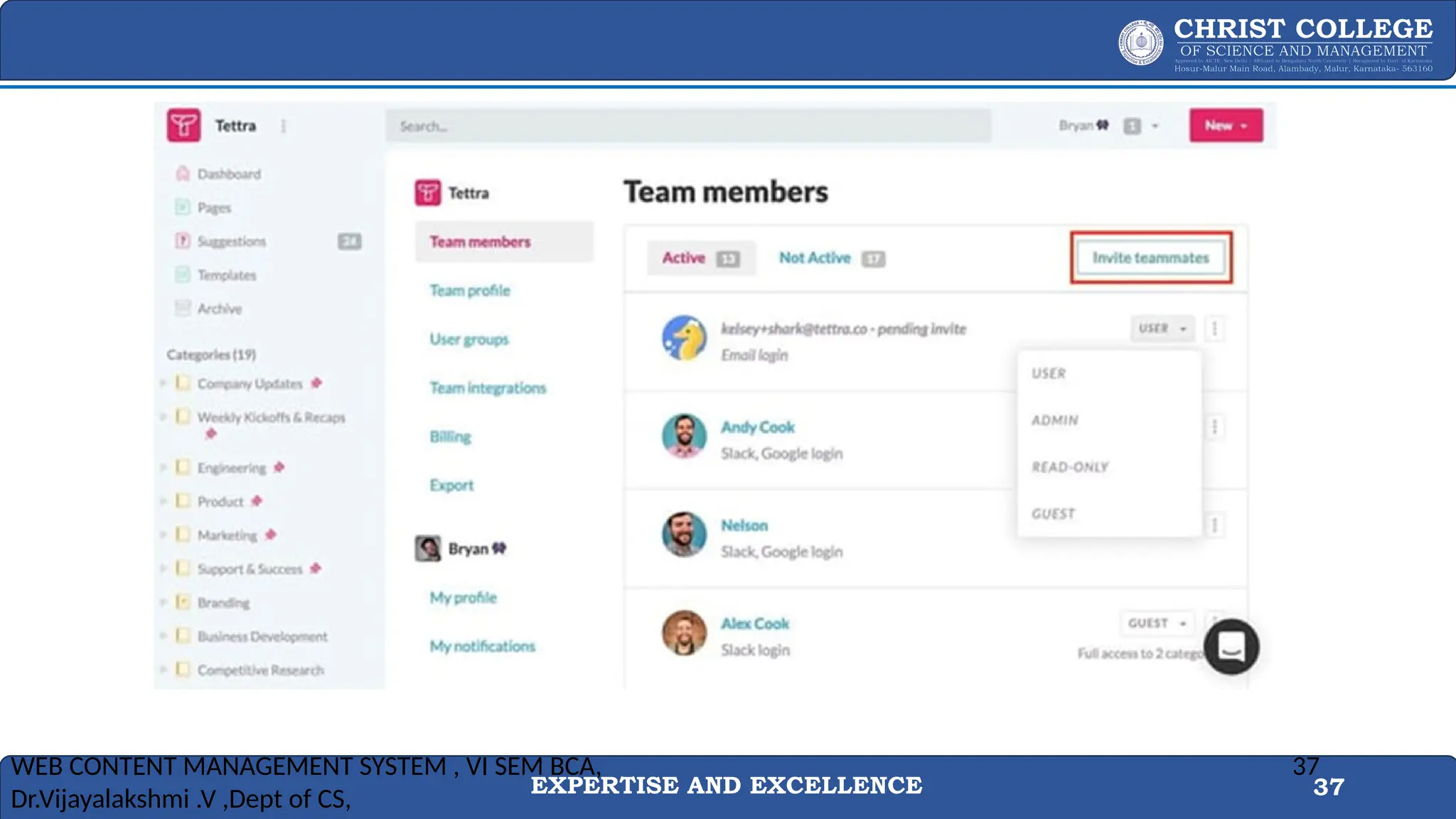
• Now that you’ve established rules of use and basic architecture, you can start inviting people to add
content to the wiki.
• To ensure that people don’t edit content they shouldn’t be editing, you should assign roles and
access levels.
• For example, if you have a customer service department, customer service reps can be given
access to relevant pages only and people in the marketing team might get more access.
• Once you’ve identified what type of roles and access each person needs, you can assign them
accordingly in the software.
WEB CONTENT MANAGEMENT SYSTEM , VI SEM BCA,
Dr.Vijayalakshmi .V ,Dept of CS,
36
EXPERTISE AND EXCELLENCE 37
WEB CONTENT MANAGEMENT SYSTEM , VI SEM BCA,
Dr.Vijayalakshmi .V ,Dept of CS,
37
EXPERTISE AND EXCELLENCE 38
• Creating a wiki doesn’t have to be complicated, it just takes a bit of planning and
diligence.
• With the right software, security measures, community guidelines, and regular
maintenance, you can have a successful wiki in no time.
• Ideally, creating a wiki will be a gradual, iterative process: you publish the most essential
and accurate information and get some feedback.
• Once you feel comfortable with the information and structure, you can share the wiki with
the company.
WEB CONTENT MANAGEMENT SYSTEM , VI SEM BCA,
Dr.Vijayalakshmi .V ,Dept of CS,
38
EXPERTISE AND EXCELLENCE 39
Maintaining a Wiki Site:
1.Content Creation:
1. Start by creating the core content of your wiki. Organize it logically with a clear structure using categories, pages, and links.
2. User Contributions:
1. Encourage users to contribute by allowing them to create and edit content. Set guidelines and rules for contributing to maintain quality.
3. Version Control:
1. Most wiki platforms offer version control, allowing you to track changes and revisions made by users. This helps in case you need to revert to a
previous version.
4. Content Moderation:
1. Implement content moderation if necessary to prevent spam, vandalism, or inappropriate edits. Some platforms have built-in moderation tools.
5. Regular Updates:
1. Keep the content updated and accurate. Set up a schedule or assign responsible users to review and update pages as needed.
6. Backup and Recovery:
1. Regularly back up your wiki site to prevent data loss. Have a recovery plan in place in case of technical issues or data corruption.
7. User Support:
1. Provide support to users who have questions or need assistance with editing or using the wiki. Maintain clear documentation and FAQs.
EXPERTISE AND EXCELLENCE 40
8.SEO and Searchability:
1. Optimize your wiki for search engines by using relevant keywords and structuring content for searchability.
9.Community Building:
1. Foster a community around your wiki by engaging with users, encouraging discussions, and acknowledging valuable contributions.
10.Performance and Scalability:
1. As your wiki grows, monitor performance and consider scaling your hosting resources if needed to handle increased traffic and content.
11.Security:
1. Implement security measures to protect your wiki from vulnerabilities, unauthorized access, and spam. Regularly update your wiki software and
plugins for security patches.
12.Analytics:
1. Use analytics tools to track user behavior, traffic patterns, and popular content to make informed decisions for improvements.
Remember that creating and maintaining a wiki is an ongoing process that requires dedication and collaboration. Providing valuable content and
a user-friendly experience will help your wiki site thrive and serve its intended purpose effectively.
EXPERTISE AND EXCELLENCE 41
Mission
Ensuring innovative academic ambience, to
create visionary and patriotic professionals with
outstanding academic scholarship upholding
noble life principles
Core Values
• Faith in God
• Universal Integrity
• Responsive Ethical Behaviour
• Social Concern
• Integrated Personality
Vision
Envisages integral growth of an individual with
professional excellence, academic brilliance, and
moral rectitude by offering excellent academic
expertise which would equip them to remain
competent in the global village.
Presentation software
WEB CONTENT MANAGEMENT SYSTEM , VI SEM
BCA, Dr.Vijayalakshmi .V ,Dept of CS,
41
EXPERTISE AND EXCELLENCE 42
Web Content Management System
 Presentation Software Part 1
Overview: In the first part of presentation software, you would typically cover the basics of creating and delivering effective presentations.
This involves understanding the software tools available for creating presentations and learning how to structure and design your slides.
1.Introduction to Presentation Software:
1. Overview of popular presentation software (e.g., Microsoft PowerPoint, Google Slides, Keynote).
2. Understanding the user interface and basic features.
2.Slide Design and Layout:
1. Best practices for slide design, including the effective use of text, images, and other multimedia elements.
2. Creating visually appealing and engaging slides.
3.Content Organization:
1. Structuring presentations with a clear introduction, main content, and conclusion.
2. Using slides, sections, and transitions to enhance flow.
4.Adding Multimedia:
1. Incorporating images, videos, charts, and graphs into presentations.
2. Ensuring multimedia elements enhance the message without overwhelming the audience.
5.Delivery Techniques:
1. Tips for effective presentation delivery, including speaking confidently, managing time, and engaging the audience.
2. Practice and rehearsal strategies.
EXPERTISE AND EXCELLENCE 43
Web Content Management System
 Presentation Software Part 2
Overview: The second part of the presentation software module can delve into more advanced features, interactivity, and strategies for creating
memorable and impactful presentations.
Key Topics:
1.Advanced Features:
1. Exploring advanced features of the chosen presentation software.
2. Mastering features like animations, transitions, and slide master for a polished presentation.
2.Interactivity and Engagement:
1. Creating interactive elements such as hyperlinks, buttons, and quizzes.
2. Encouraging audience participation through polls and Q&A sessions.
3. Collaboration and Sharing:
1. Collaborative features within presentation software for team projects.
2. Sharing and distributing presentations online, considering privacy and sharing settings.
4. Accessibility Considerations:
1. Designing presentations with accessibility in mind (e.g., screen reader compatibility, text descriptions for images).
2. Ensuring inclusivity for all audience members.
5. Integration with Other Tools:
1. Integrating presentations with other tools and platforms (e.g., embedding in websites, sharing on social media).
2. Exporting and importing presentations between different software.
EXPERTISE AND EXCELLENCE 44
Presentation software
• Presentation software is a powerful tool used to create visual aids for
presentations.
• Whether you're delivering a sales pitch, presenting research findings,
or teaching a class, presentation software helps you communicate
your message effectively.
• Some popular presentation software includes Microsoft PowerPoint,
Apple Keynote, Google Slides, Prezi, and Canva.
WEB CONTENT MANAGEMENT SYSTEM , VI SEM BCA,
Dr.Vijayalakshmi .V ,Dept of CS,
44
EXPERTISE AND EXCELLENCE 45
Here Are Some Key Features And Considerations When Using Presentation Software:
1. Slide Creation :
• Presentation software allows you to create individual slides
containing text, images, videos, charts, graphs, and other multimedia
elements.
• This flexibility enables you to tailor each slide to convey your message
concisely and engagingly.
WEB CONTENT MANAGEMENT SYSTEM , VI SEM BCA,
Dr.Vijayalakshmi .V ,Dept of CS,
45
EXPERTISE AND EXCELLENCE 46
2. Templates and Themes :
• Most presentation software offers a variety of templates and themes to choose from.
• These pre-designed layouts can help you create professional-looking presentations quickly.
• You can also customize these templates to match your branding or personal style.
WEB CONTENT MANAGEMENT SYSTEM , VI SEM BCA,
Dr.Vijayalakshmi .V ,Dept of CS,
46
EXPERTISE AND EXCELLENCE 47
3. Slide Transitions and Animations :
• Adding transitions between slides and animations to specific elements
can enhance the flow and visual appeal of your presentation.
• However, it's essential to use these features sparingly and
purposefully to avoid distracting your audience.
WEB CONTENT MANAGEMENT SYSTEM , VI SEM BCA,
Dr.Vijayalakshmi .V ,Dept of CS,
47
EXPERTISE AND EXCELLENCE 48
4. Collaboration :
• Many presentation software platforms support real-time
collaboration, allowing multiple users to work on the same
presentation simultaneously.
• This feature is especially useful for teams working remotely or for
gathering input from various stakeholders.
•
WEB CONTENT MANAGEMENT SYSTEM , VI SEM BCA,
Dr.Vijayalakshmi .V ,Dept of CS,
48
EXPERTISE AND EXCELLENCE 49
5. Integration :
• Presentation software often integrates with other tools and platforms,
such as cloud storage services (e.g., Google Drive, OneDrive), design
software (e.g., Adobe Creative Cloud), and project management tools
(e.g., Trello, Asana).
• This integration streamlines your workflow and facilitates seamless
sharing and collaboration.
WEB CONTENT MANAGEMENT SYSTEM , VI SEM BCA,
Dr.Vijayalakshmi .V ,Dept of CS,
49
EXPERTISE AND EXCELLENCE 50
6. Accessibility :
• Accessibility features, such as screen reader compatibility and keyboard
shortcuts, are essential for ensuring that your presentation is inclusive and
accessible to all audience members, including those with disabilities.
WEB CONTENT MANAGEMENT SYSTEM , VI SEM BCA,
Dr.Vijayalakshmi .V ,Dept of CS,
50
EXPERTISE AND EXCELLENCE 51
7. Exporting and Sharing :
• Presentation software allows you to export your slides in various
formats, such as PowerPoint files, PDFs, or video files.
• You can then share your presentation via email, social media, or
embedding it on a website.
•
WEB CONTENT MANAGEMENT SYSTEM , VI SEM BCA,
Dr.Vijayalakshmi .V ,Dept of CS,
51
EXPERTISE AND EXCELLENCE 52
WEB CONTENT MANAGEMENT SYSTEM , VI SEM BCA,
Dr.Vijayalakshmi .V ,Dept of CS,
52
EXPERTISE AND EXCELLENCE 53
Mission
Ensuring innovative academic ambience, to
create visionary and patriotic professionals with
outstanding academic scholarship upholding
noble life principles
Core Values
• Faith in God
• Universal Integrity
• Responsive Ethical Behaviour
• Social Concern
• Integrated Personality
Vision
Envisages integral growth of an individual with
professional excellence, academic brilliance, and
moral rectitude by offering excellent academic
expertise which would equip them to remain
competent in the global village.
Tips for Creating Effective Presentations:
WEB CONTENT MANAGEMENT SYSTEM , VI SEM BCA,
Dr.Vijayalakshmi .V ,Dept of CS,
53
EXPERTISE AND EXCELLENCE 54
• 1. Know Your Audience :
• Understand who will be attending your presentation and tailor
your content accordingly.
• Consider their interests, knowledge level, and expectations.
• 2. Keep It Simple :
• Avoid overcrowding your slides with too much text or too
many graphics.
• Use concise bullet points and high-quality visuals to convey
your message effectively.
WEB CONTENT MANAGEMENT SYSTEM , VI SEM BCA,
Dr.Vijayalakshmi .V ,Dept of CS,
54
EXPERTISE AND EXCELLENCE 55
• 3. Tell a Story :
• Structure your presentation like a story, with a clear beginning, middle, and end.
• Engage your audience by presenting information in a narrative format that flows logically
from one point to the next.
•
• 4. Visual Consistency :
• Maintain a consistent visual style throughout your presentation by using the same font,
color scheme, and formatting for all slides.
• This helps create a cohesive and professional-looking presentation.
WEB CONTENT MANAGEMENT SYSTEM , VI SEM BCA,
Dr.Vijayalakshmi .V ,Dept of CS,
55
EXPERTISE AND EXCELLENCE 56
• 5. Practice, Practice, Practice :
• Rehearse your presentation multiple times to ensure smooth delivery and familiarity with the
content.
• Pay attention to your pacing, tone of voice, and body language.
•
• 6. Use Multimedia Wisely :
• Incorporate multimedia elements such as images, videos, and audio clips to enhance your
presentation.
• However, make sure they are relevant and support your key points.
•
WEB CONTENT MANAGEMENT SYSTEM , VI SEM BCA,
Dr.Vijayalakshmi .V ,Dept of CS,
56
EXPERTISE AND EXCELLENCE 57
• 7. Engage Your Audience :
• Encourage interaction by asking questions, conducting polls, or
inviting participation through activities or discussions.
• Engaging your audience helps keep their attention and makes the
presentation more memorable.
WEB CONTENT MANAGEMENT SYSTEM , VI SEM BCA,
Dr.Vijayalakshmi .V ,Dept of CS,
57
EXPERTISE AND EXCELLENCE 58
Best Practices for Delivering Presentations:
• 1. Maintain Eye Contact :
• Establish rapport with your audience by making eye contact and
engaging with individuals throughout your presentation.
• This helps create a connection and keeps attendees focused on your
message.
WEB CONTENT MANAGEMENT SYSTEM , VI SEM BCA,
Dr.Vijayalakshmi .V ,Dept of CS,
58
EXPERTISE AND EXCELLENCE 59
2. Speak Clearly and Confidently :
• Project your voice, speak at a moderate pace, and enunciate your words clearly.
• Confidence in your delivery will instill trust and credibility in your audience.
•
3. Use Gestures and Body Language :
• Incorporate gestures and body language to emphasize key points and add energy to your
presentation.
• Stand tall, use hand gestures purposefully, and move around the stage or speaking area to
command attention.
•
WEB CONTENT MANAGEMENT SYSTEM , VI SEM BCA,
Dr.Vijayalakshmi .V ,Dept of CS,
59
EXPERTISE AND EXCELLENCE 60
• 4. Manage Q&A Sessions :
• Be prepared to answer questions from the audience effectively.
• Repeat each question before answering it, maintain professionalism
and composure, and if you don't know the answer, offer to follow up
later.
• 5. Stay Flexible :
• Be prepared to adapt to unexpected situations or technical
difficulties that may arise during your presentation.
• Stay calm, maintain your focus, and be flexible in adjusting your
delivery as needed.
WEB CONTENT MANAGEMENT SYSTEM , VI SEM BCA,
Dr.Vijayalakshmi .V ,Dept of CS,
60
EXPERTISE AND EXCELLENCE 61
Advanced Features of Presentation Software:
• 1. Interactive Presentations :
• Some presentation software allows you to create interactive elements such as
clickable buttons, hyperlinks, or quizzes, making your presentation more
engaging and dynamic.
• 2. Data Visualization Tools :
• Advanced presentation software often includes built-in tools for creating
dynamic charts, graphs, and infographics to help visualize complex data and
statistics.
WEB CONTENT MANAGEMENT SYSTEM , VI SEM BCA,
Dr.Vijayalakshmi .V ,Dept of CS,
61
EXPERTISE AND EXCELLENCE 62
• 3. Remote Presenting :
• With the rise of remote work, many presentation software platforms offer features for
hosting virtual presentations, including live streaming, screen sharing, and audience
interaction tools.
•
• 4. Artificial Intelligence (AI) Integration :
• Some presentation software leverages AI technology to offer features such as speech
recognition, language translation, and content suggestions, helping users create more
polished and professional presentations.
•
WEB CONTENT MANAGEMENT SYSTEM , VI SEM BCA,
Dr.Vijayalakshmi .V ,Dept of CS,
62
EXPERTISE AND EXCELLENCE 63
• 5. Cloud Collaboration :
• Cloud-based presentation software allows multiple users to
collaborate on the same presentation in real-time, enabling seamless
teamwork and version control.
WEB CONTENT MANAGEMENT SYSTEM , VI SEM BCA,
Dr.Vijayalakshmi .V ,Dept of CS,
63
EXPERTISE AND EXCELLENCE 64
WEB CONTENT MANAGEMENT SYSTEM , VI SEM BCA,
Dr.Vijayalakshmi .V ,Dept of CS,
64
EXPERTISE AND EXCELLENCE 65
Mission
Ensuring innovative academic ambience, to
create visionary and patriotic professionals with
outstanding academic scholarship upholding
noble life principles
Core Values
• Faith in God
• Universal Integrity
• Responsive Ethical Behaviour
• Social Concern
• Integrated Personality
Vision
Envisages integral growth of an individual with
professional excellence, academic brilliance, and
moral rectitude by offering excellent academic
expertise which would equip them to remain
competent in the global village.
PRESENTATION SOFTWARE - I
WEB CONTENT MANAGEMENT SYSTEM , VI SEM BCA,
Dr.Vijayalakshmi .V ,Dept of CS,
65
EXPERTISE AND EXCELLENCE 66
What is presentation software?
• Presentation software is a popular tool in the business, marketing,
and education sectors.
• It's important for organizations to share practices, ideas, and goals
with their employees.
• Sharing information through presentation software can also help
visual learners comprehend complex subjects.
• These applications enable users to display information in a visual
format, including text, graphics, multimedia files, videos, and audio
files.
WEB CONTENT MANAGEMENT SYSTEM , VI SEM BCA,
Dr.Vijayalakshmi .V ,Dept of CS,
66
EXPERTISE AND EXCELLENCE 67
Choosing the right presentation software
 Does the application fit within your budget?
 Who's the program directed towards?
 What types of templates does the software include?
 Can you add multimedia visuals, like GIFs and videos?
 Are the graphics high quality?
 What are the options for text and font?
 Is it easy to navigate the interface?
 Can you embed photos onto the slide decks?
 Are the built-in graphic tools extensive?
WEB CONTENT MANAGEMENT SYSTEM , VI SEM BCA,
Dr.Vijayalakshmi .V ,Dept of CS,
67
EXPERTISE AND EXCELLENCE 68
 Does it include a brand kit feature?
 How can you share and upload the presentation after creating it?
 Does it include analytics?
 Can you view the presentation online and offline?
 Is it possible to animate elements within the presentation?
 Can you create collaborative presentations with other team members?
 Can you share it on various social media platforms?
 What are the security elements?
WEB CONTENT MANAGEMENT SYSTEM , VI SEM BCA,
Dr.Vijayalakshmi .V ,Dept of CS,
68
EXPERTISE AND EXCELLENCE 69
Popular presentation software programs
• There are many presentation software programs available for users
to choose from, and many provide high-quality and easy-to-use
tools and elements.
• Here's a list of popular presentation software programs you can
compare to help you find one best suited to your goals:
WEB CONTENT MANAGEMENT SYSTEM , VI SEM BCA,
Dr.Vijayalakshmi .V ,Dept of CS,
69
EXPERTISE AND EXCELLENCE 70
Microsoft PowerPoint
• This program is the original slideshow presentation application.
• Its familiar and easy-to-use interface makes it many people's favourite software program for
presentations.
• It offers several unique templates and tools to embed multimedia graphics.
• PowerPoint is within the Microsoft Office Suite, which includes the desktop version for free on
most Microsoft devices.
WEB CONTENT MANAGEMENT SYSTEM , VI SEM BCA,
Dr.Vijayalakshmi .V ,Dept of CS,
70
EXPERTISE AND EXCELLENCE 71
Apple Keynote
• Keynote is a creative platform on which users can develop stylish presentations.
• It's a great option for Apple users because it comes preloaded for free on Apple products
within Apple iWork.
• It's a user-friendly application and offers many template layouts.
WEB CONTENT MANAGEMENT SYSTEM , VI SEM BCA,
Dr.Vijayalakshmi .V ,Dept of CS,
71
EXPERTISE AND EXCELLENCE 72
Google Slides
• This program is in the Google workspace apps within the Google web
browser, and it offers a traditional style of presenting information.
• Similar to PowerPoint, users can choose a theme and insert their content
on standard slide layouts.
• Google Slides is a great application for collaboration purposes, as users can
share a link with others so that multiple people can edit the slides at the
same time.
• This feature allows you to see the changes as they're made within each
slide, and it automatically saves the changes.
WEB CONTENT MANAGEMENT SYSTEM , VI SEM BCA,
Dr.Vijayalakshmi .V ,Dept of CS,
72
EXPERTISE AND EXCELLENCE 73
Beautiful.ai
• This application incorporates artificial intelligence to help design the layout of the
presentation.
• This editor differs from other presentation software because it automatically adapts to the
choices users make in the app.
• Beautiful.ai provides users with a balance between customization and automation.
WEB CONTENT MANAGEMENT SYSTEM , VI SEM BCA,
Dr.Vijayalakshmi .V ,Dept of CS,
73
EXPERTISE AND EXCELLENCE 74
SlideDog
• This program allows users to combine various media types to create an engaging
presentation.
• With the ability to combine PDF files, web pages, movie clips, and graphics, users can
customize their presentation into playlists.
• SlideDog enables users to control the presentation remotely and share slides in real time.
WEB CONTENT MANAGEMENT SYSTEM , VI SEM BCA,
Dr.Vijayalakshmi .V ,Dept of CS,
74
EXPERTISE AND EXCELLENCE 75
Mission
Ensuring innovative academic ambience, to
create visionary and patriotic professionals with
outstanding academic scholarship upholding
noble life principles
Core Values
• Faith in God
• Universal Integrity
• Responsive Ethical Behaviour
• Social Concern
• Integrated Personality
Vision
Envisages integral growth of an individual with
professional excellence, academic brilliance, and
moral rectitude by offering excellent academic
expertise which would equip them to remain
competent in the global village.
WEB CONTENT MANAGEMENT SYSTEM , VI SEM
75
Presentation
Softwares
EXPERTISE AND EXCELLENCE 76
Presentation Softwares - Prezi
• This application is useful for presenting non-linear and conversational information.
• The editor in Prezi allows users to structure their content by zooming in and out of
the key points to emphasize the importance of each topic.
• This interactive feature can help an audience visualize the relationship between the
ideas in the presentation.
• Prezi offers a free 14-day trial and a free plan that includes up to five visual projects.
WEB CONTENT MANAGEMENT SYSTEM , VI SEM
76
EXPERTISE AND EXCELLENCE 77
Canva
• This program offers extensive template options.
• While some require in-app purchases, the majority are free.
• Canva has an editor interface that allows users to access pre-set animations easily.
• It also includes a library of audio and video files ready for users to add to their
presentations.
• Canva has an option to invite audience members via Canva Live to the presentation
so they can submit questions about the topic.
WEB CONTENT MANAGEMENT SYSTEM , VI SEM
77
EXPERTISE AND EXCELLENCE 78
CustomShow
• CustomShow is a great business presentation software that allows users to brand
their presentations.
• This can help companies add their own logo and font to promote themselves.
• It allows users to create presentations that reflect the business and the products or
services they offer.
• customShow comes with analytics to help businesses create successful
presentations and reach their sales goals.
WEB CONTENT MANAGEMENT SYSTEM , VI SEM
78
EXPERTISE AND EXCELLENCE 79
Ludus
• Ludus is a creative presentation software for users who prefer their presentations to include
artistic features.
• Many graphic designers and UX designers choose to use Ludus for presentations because it
offers the ability to edit SVG files and upload personal files from Adobe Illustrator and Sketch.
• Ludus provides a guided tutorial to introduce some of the more complex features.
WEB CONTENT MANAGEMENT SYSTEM , VI SEM
79
EXPERTISE AND EXCELLENCE 80
Powtoon
• This application is a good choice for video and visual communication presentations.
• It allows users to create engaging videos with the orienting feature.
• Powtoon presentations look like animated explainer videos because when you hit
play, a video plays through the slide deck.
• This program offers the ability to create entertaining characters and voiceovers in a
professional quality.
WEB CONTENT MANAGEMENT SYSTEM , VI SEM
80
EXPERTISE AND EXCELLENCE 81
Haiku Deck
• Haiku Deck allows users to customize their themes and slides.
• It offers an extensive selection of themes, filters, and layouts that are tailored to various
personal needs and specifications.
• The customization options come categorized based on the type of use and industry.
WEB CONTENT MANAGEMENT SYSTEM , VI SEM
81
EXPERTISE AND EXCELLENCE 82
ClearSlide
• This program is a great tool for marketing and sales industries.
• ClearSlide directs its features towards organizations that are hoping to improve their sales
metrics and generate successful marketing campaigns.
• It includes customizable tools specifically for marketing and sales teams that reflect the
company's vision and mission.
WEB CONTENT MANAGEMENT SYSTEM , VI SEM
82
EXPERTISE AND EXCELLENCE 83
Visme
• Visme is a highly configurable program that allows users to choose from a range of fonts,
backgrounds, templates, layouts, and icons.
• It's a suitable application for data visualization because users can add animated infographics
and charts.
• The Visme interface allows users to easily click and drag professional style graphics into
presentation slide decks.
WEB CONTENT MANAGEMENT SYSTEM , VI SEM
83
EXPERTISE AND EXCELLENCE 84
Zoho Show
• This application is a web-based software that allows users to create and broadcast their
presentations.
• It's ideal for businesses to do collaborative work because users can share links internally with
their colleagues or externally to the public so they can download the presentation online.
• Zoho Show also offers a free personal plan.
•
WEB CONTENT MANAGEMENT SYSTEM , VI SEM
84
EXPERTISE AND EXCELLENCE 85
Mission
Ensuring innovative academic ambience, to
create visionary and patriotic professionals with
outstanding academic scholarship upholding
noble life principles
Core Values
• Faith in God
• Universal Integrity
• Responsive Ethical Behaviour
• Social Concern
• Integrated Personality
Vision
Envisages integral growth of an individual with
professional excellence, academic brilliance, and
moral rectitude by offering excellent academic
expertise which would equip them to remain
competent in the global village.
SCREENCASTING
WEB CONTENT MANAGEMENT SYSTEM , VI SEM BCA,
85
EXPERTISE AND EXCELLENCE 86
What is screencasting?
•
A screencast is a digital video recording of actions you carry out on your
computer screen;
• it usually includes audio narration and explanation.
• Such a video may also be referred to as a ‘screen recording’ or a ‘screen capture’.
• Depending on the tool used, a region of the screen and/or the whole screen may
be recorded.
WEB CONTENT MANAGEMENT SYSTEM , VI SEM BCA,
86
EXPERTISE AND EXCELLENCE 87
SCREENCAST
• A screencast is a good way to demonstrate or explain something, for
example, presenting a ‘mini lecture’ in the form of a narrated
slideshow;
• demonstrating how to use a piece of software or carry out a practical
task in subjects like medicine, maths or computer science.
• You could provide feedback to students on an assignment by
recording a screencast of your actions in annotating a piece of student
work, with a voice commentary.
• The Canvas Speedgrader tool can also be used to provide video and
audio feedback to students.
WEB CONTENT MANAGEMENT SYSTEM , VI SEM BCA,
87
EXPERTISE AND EXCELLENCE 88
Screen Casting Tools:
• 1. Camtasia :
• Camtasia is a popular screen recording and video editing software that offers a wide range of features for
creating professional-quality screen casts.
• It allows you to capture your screen, add annotations, effects, and animations, and edit your video footage
seamlessly.
•
• 2. ScreenFlow :
• ScreenFlow is a screen casting and video editing tool designed specifically for Mac users.
• It offers intuitive screen recording capabilities along with advanced editing features such as multi-track
editing, animations, and built-in stock media.
WEB CONTENT MANAGEMENT SYSTEM , VI SEM BCA,
88
EXPERTISE AND EXCELLENCE 89
Screen Casting Tools:
• 3. OBS Studio :
• OBS Studio (Open Broadcaster Software) is a free and open-source screen casting tool that is
widely used for live streaming and recording.
• It offers customizable settings for capturing your screen, webcam, and audio sources, making it
highly versatile.
•
• 4. Snagit :
• Snagit is a simple yet powerful screen capture and screen casting tool that offers features for
capturing screenshots, recording screen casts, and adding annotations.
• It's known for its user-friendly interface and quick editing capabilities.
WEB CONTENT MANAGEMENT SYSTEM , VI SEM BCA,
89
EXPERTISE AND EXCELLENCE 90
Screen Casting Tools:
• 5. Loom :
• Loom is a cloud-based screen casting tool that allows you to record your screen, webcam, or both
simultaneously.
• It offers features for easy sharing and collaboration, making it ideal for remote teams and online education.
•
• 6. QuickTime Player (Mac) :
• QuickTime Player, which comes pre-installed on Mac computers, offers basic screen recording capabilities.
• While it lacks advanced editing features, it's a convenient option for simple screen casts.
WEB CONTENT MANAGEMENT SYSTEM , VI SEM BCA,
90
EXPERTISE AND EXCELLENCE 91
Screen Casting Techniques:
• 1. Plan Your Content :
• Before you start recording, outline the key points you want to cover in your
screen cast and create a script or storyboard to guide your narration.
•
• 2. Choose the Right Recording Settings :
• Adjust the recording settings, including resolution, frame rate, and audio
input, based on your needs and the intended use of your screen cast.
WEB CONTENT MANAGEMENT SYSTEM , VI SEM BCA,
91
EXPERTISE AND EXCELLENCE 92
Screen Casting Techniques:
• 3. Minimize Distractions :
• Close any unnecessary windows, notifications, or background applications
to ensure a clean and distraction-free recording environment.
•
• 4. Use Visual Aids :
• Incorporate visual aids such as arrows, highlights, and text annotations to
draw attention to important elements on your screen and clarify your
instructions.
WEB CONTENT MANAGEMENT SYSTEM , VI SEM BCA,
92
EXPERTISE AND EXCELLENCE 93
Screen Casting Techniques:
• 5. Practice and Rehearse :
• Familiarize yourself with the screen casting software and practice your delivery before recording.
• This will help you feel more confident and fluent during the recording process.
•
• 6. Engage Your Audience :
• Speak clearly and enthusiastically, and maintain a conversational tone throughout your screen cast to keep
your audience engaged and interested.
WEB CONTENT MANAGEMENT SYSTEM , VI SEM BCA,
93
EXPERTISE AND EXCELLENCE 94
Screen Casting Techniques:
• 7. Edit and Enhance :
• After recording, review your footage and make any necessary edits to
improve clarity, pacing, and visual appeal.
• Add captions, transitions, and other effects as needed to enhance the
overall quality of your screen cast.
WEB CONTENT MANAGEMENT SYSTEM , VI SEM BCA,
94
EXPERTISE AND EXCELLENCE 95
Mission
Ensuring innovative academic ambience, to
create visionary and patriotic professionals with
outstanding academic scholarship upholding
noble life principles
Core Values
• Faith in God
• Universal Integrity
• Responsive Ethical Behaviour
• Social Concern
• Integrated Personality
Vision
Envisages integral growth of an individual with
professional excellence, academic brilliance, and
moral rectitude by offering excellent academic
expertise which would equip them to remain
competent in the global village.
multilingual content development
WEB CONTENT MANAGEMENT SYSTEM , VI SEM
BCA, Dr.Vijayalakshmi .V ,Dept of CS,
95
EXPERTISE AND EXCELLENCE 96
What is a Multi-Language Website?
• A multi-language website has content in two or more languages to enable effective communication
with visitors.
• If your business ecosystem serves an audience in different geographies and speaks different
languages, investing in a multilingual site is recommended.
• For effective communication with the target audience, don’t just invest in a multi-language website
alone
• It also look at multilingual content creation for all your digital assets, including blogs, brochures, and
any other marketing collateral.
WEB CONTENT MANAGEMENT SYSTEM , VI SEM
BCA, Dr.Vijayalakshmi .V ,Dept of CS,
96
EXPERTISE AND EXCELLENCE 97
10 Reasons to Create Multilingual Content for your Business
1. Grow business
• . The more audience you can cater to (in their native language), the higher
the chances of conversions.
• This will directly impact your revenues and the overall profitability of your
business.
• Amazon, Netflix, and WordPress are classic examples of companies using
multilingual sites to grow their business.
WEB CONTENT MANAGEMENT SYSTEM , VI SEM
BCA, Dr.Vijayalakshmi .V ,Dept of CS,
97
EXPERTISE AND EXCELLENCE 98
2. Enter new markets
• Expanding into other geographies is a good idea to mitigate(to make something
less serious) the risk of losses due to a slump (to fall suddenly) in the local
economy.
• Building a multilingual site is the first step towards this expansion. It can also help
test the waters before you actually expand.
WEB CONTENT MANAGEMENT SYSTEM , VI SEM
BCA, Dr.Vijayalakshmi .V ,Dept of CS,
98
EXPERTISE AND EXCELLENCE 99
3. Build brand awareness, trust, and credibility
• By adopting a multilingual site, you will attract a positive response from the
audience and build a great brand image in their minds.
• Localized content makes the content more relatable to the audience, thus helping
build trust about your brand.
WEB CONTENT MANAGEMENT SYSTEM , VI SEM
BCA, Dr.Vijayalakshmi .V ,Dept of CS,
99
EXPERTISE AND EXCELLENCE 100
4. Drive qualified traffic to your website
• By building a multi-language website, you increase the chances of getting featured in multiple
search engine results.
• This not only contributes to your SEO but also helps generate additional organic traffic to your
site.
• Once here, your content can do the rest to convert a visitor into a customer.
WEB CONTENT MANAGEMENT SYSTEM , VI SEM
BCA, Dr.Vijayalakshmi .V ,Dept of CS,
100
EXPERTISE AND EXCELLENCE 101
5. Increase conversions
• By communicating with a customer in the language they are most comfortable in, you are already offering
them a certain level of relief.
• This helps build a direct connection with the customer and trust in your brand. With this increased level of
trust, the chances of converting a customer online increase.
WEB CONTENT MANAGEMENT SYSTEM , VI SEM
BCA, Dr.Vijayalakshmi .V ,Dept of CS,
101
EXPERTISE AND EXCELLENCE 102
6. Be customer-centric
• As per 2021 survey, a very large 68% of respondents prefer to speak with brands
in their local language.
• Show your customer-centric side by helping customers interact with your brand
in their preferred language.
• This will not only lead to a better brand image but also greater trust, leading to
better conversions.
WEB CONTENT MANAGEMENT SYSTEM , VI SEM
BCA, Dr.Vijayalakshmi .V ,Dept of CS,
102
EXPERTISE AND EXCELLENCE 103
7. Meet regional regulations
• Certain countries have a statutory requirement for you to publish content in a
certain manner and in the regional language used there.
• By adopting multilingual content creation for your content strategy, you are also
preparing yourself for statutory (decided by law) compliance.
WEB CONTENT MANAGEMENT SYSTEM , VI SEM
BCA, Dr.Vijayalakshmi .V ,Dept of CS,
103
EXPERTISE AND EXCELLENCE 104
8. Find an excuse for media coverage
• It is not easy for businesses to find unique reasons to communicate
with their customers or speak to the media about their brand.
• Building multilingual content can also help you with this essential
marketing and branding exercise.
• Plus, it helps bring freshness to the communication you share with
your audience.
WEB CONTENT MANAGEMENT SYSTEM , VI SEM
BCA, Dr.Vijayalakshmi .V ,Dept of CS,
104
EXPERTISE AND EXCELLENCE 105
9. Regulate your advertising cost
• With stiff competition all around, you can either burn your cash to
stay in the game in your existing market or adopt multilingual content
creation and diversify into emerging markets.
• Not only will you cut costs in your advertising expenses, but you
might also enjoy an early starter’s advantage in the new market.
WEB CONTENT MANAGEMENT SYSTEM , VI SEM
BCA, Dr.Vijayalakshmi .V ,Dept of CS,
105
EXPERTISE AND EXCELLENCE 106
10. Just do things differently
• People love companies that think and do things out of the box.
• Apple, Slack, HP, etc., are all great examples of companies loved by people for
going a step ahead
• . By adopting a multilingual strategy, you not only set yourself apart from your
competition but also establish yourself as a forward-thinking brand.
•
WEB CONTENT MANAGEMENT SYSTEM , VI SEM
BCA, Dr.Vijayalakshmi .V ,Dept of CS,
106
EXPERTISE AND EXCELLENCE 107
Benefits of Building a Multilingual Website
• It helps in potential market expansion
• It helps in building trust in your brand
• Multilingual sites automatically open to more audiences
• Multilingual content helps with traffic and SEO
• It impacts your bottom-line too
WEB CONTENT MANAGEMENT SYSTEM , VI SEM
BCA, Dr.Vijayalakshmi .V ,Dept of CS,
107
unit-2 full ppt wcms.pptx web content management

  • 1.
    EXPERTISE AND EXCELLENCE1 Mission Ensuring innovative academic ambience, to create visionary and patriotic professionals with outstanding academic scholarship upholding noble life principles Core Values • Faith in God • Universal Integrity • Responsive Ethical Behaviour • Social Concern • Integrated Personality Vision Envisages integral growth of an individual with professional excellence, academic brilliance, and moral rectitude by offering excellent academic expertise which would equip them to remain competent in the global village. Unit- II Web Hosting WEB CONTENT MANAGEMENT SYSTEM , VI SEM BCA, Dr.Vijayalakshmi .V ,Dept of CS, 1
  • 2.
    EXPERTISE AND EXCELLENCE2 Web Hosting • Web Hosting is a service that allows hosting/post-web-server applications( website or web page ) on a computer system through which web-browser clients can have easy access to electronic content on the Internet. • Web Server or Web Host is a computer system that provide web hosting. • When Internet user’s want to view your website, all they need to do is type your website address or domain into their browser. • The user’s computer will then connect to your server and your web pages will be delivered to them through the browser WEB CONTENT MANAGEMENT SYSTEM , VI SEM BCA, Dr.Vijayalakshmi .V ,Dept of CS, 2
  • 3.
    EXPERTISE AND EXCELLENCE3 • Basically, the web hosts allow the customers to place documents, such as HTML pages, graphics, and other multimedia files, etc. onto a special type of computer called a web server. • It provides a constant and high-speed connection to the backbone of the Internet. • Different types of Web hosting services are listed below:  Free Hosting  Virtual or Shared Hosting  Dedicated Hosting  Co-location Hosting WEB CONTENT MANAGEMENT SYSTEM , VI SEM BCA, Dr.Vijayalakshmi .V ,Dept of CS, 3
  • 4.
    EXPERTISE AND EXCELLENCE4 Free Hosting: • This is a free non-paid web hosting service. This type of hosting is available with many prominent sites that offer to host some web pages for no cost, like Hostinger. • Advantages : • Free of cost  Use websites to place advertisements. banners and other forms of advertising media • Disadvantages:  Customer support is missing  Low bandwidth and lesser data transfer  No control over your website WEB CONTENT MANAGEMENT SYSTEM , VI SEM BCA, Dr.Vijayalakshmi .V ,Dept of CS, 4
  • 5.
    EXPERTISE AND EXCELLENCE5 Shared/Virtual Hosting: • It’s a web hosting service where many websites reside on one web server connected to the internet. • This type of hosting is provided under one’s own domain name, www.yourname.com. • With a hosting plan with the web hosting company, one can present oneself as a fully independent identity to his/her web audience, like Lindo. • Advantages:  Easy and affordable  Secured by hosting provider  24/7 Technical support • Disadvantages:  Shared resources can slow down the whole server  Less flexible than dedicated hosting WEB CONTENT MANAGEMENT SYSTEM , VI SEM BCA, Dr.Vijayalakshmi .V ,Dept of CS, 5
  • 6.
    EXPERTISE AND EXCELLENCE6 Dedicated Hosting: • Hosted on a dedicated server, this type of hosting is best suited for large websites with high traffic. • In this, the company wishing to go online rents an entire web server from a hosting company. • This is suitable for companies hosting larger websites, maintaining others’ sites or managing a big online mall, etc like Google Cloud. • Advantages:  Ideal for large business  Strong database support  Unlimited software support  Powerful e-mail solutions  Complete root access to your servers WEB CONTENT MANAGEMENT SYSTEM , VI SEM BCA, Dr.Vijayalakshmi .V ,Dept of CS, 6
  • 7.
    EXPERTISE AND EXCELLENCE7 • Disadvantages:  Its very expensive  Requires superior skill sets WEB CONTENT MANAGEMENT SYSTEM , VI SEM BCA, Dr.Vijayalakshmi .V ,Dept of CS, 7
  • 8.
    EXPERTISE AND EXCELLENCE8 Co-located Hosting: • This hosting lets you place your own web server on the premises of a service provider. • It is similar to that of dedicated hosting except for the fact that the server is now provided by the user-company itself and its physical needs are met by the hosting company like AWS. WEB CONTENT MANAGEMENT SYSTEM , VI SEM BCA, Dr.Vijayalakshmi .V ,Dept of CS, 8
  • 9.
    EXPERTISE AND EXCELLENCE9 • Advantages:  Greater Bandwidth High Up-Time  Unlimited Software Options  High Security • Disadvantages:  Difficult to configure and debug  Its expensive  Require high skills WEB CONTENT MANAGEMENT SYSTEM , VI SEM BCA, Dr.Vijayalakshmi .V ,Dept of CS, 9
  • 10.
    EXPERTISE AND EXCELLENCE10 • It’s simple to find a reliable web hosting platform on which to host your website or launch a company. • There are many solutions available on the market, including shared hosting, VPS hosting, and cloud hosting, to assist you to establish your online presence. • WEB CONTENT MANAGEMENT SYSTEM , VI SEM BCA, Dr.Vijayalakshmi .V ,Dept of CS, 10
  • 11.
    EXPERTISE AND EXCELLENCE11 Mission Ensuring innovative academic ambience, to create visionary and patriotic professionals with outstanding academic scholarship upholding noble life principles Core Values • Faith in God • Universal Integrity • Responsive Ethical Behaviour • Social Concern • Integrated Personality Vision Envisages integral growth of an individual with professional excellence, academic brilliance, and moral rectitude by offering excellent academic expertise which would equip them to remain competent in the global village. How To Manage Your Multimedia Data Effectively WEB CONTENT MANAGEMENT SYSTEM , VI SEM BCA, Dr.Vijayalakshmi .V ,Dept of CS, 11
  • 12.
    EXPERTISE AND EXCELLENCE12 How To Manage Your Multimedia Data Effectively • Multimedia data in an organization combines text, audio, video, and images, which allows for more engaging and interactive forms of communication with the team and the clients. • In business, managing multimedia data effectively is essential to guarantee a smooth and organized workflow. • This is especially true when dealing with diverse types of content is commonplace. WEB CONTENT MANAGEMENT SYSTEM 12
  • 13.
    EXPERTISE AND EXCELLENCE13 • A proper multimedia management system can help you handle multimedia data in a more efficient manner. • It also allows for better collaboration and sharing of content and provides more control over the security and access to this information. • On that note, here are some ways to manage your multimedia data effectively. WEB CONTENT MANAGEMENT SYSTEM 13
  • 14.
    EXPERTISE AND EXCELLENCE14 1.Leverage Appropriate Data Management Technology • To manage multimedia data effectively, it’s important that you use the right tools for the suitable media. • Suppose you are dealing with a lot of text-based content. • In that case, it may be more beneficial to your business to use an application like a document viewer that allows for easy editing, sharing, and viewing of these documents. • If you’re dealing with visual data, you may want to use a media player to view and share this content in different ways. Regarding audio files, consider using data management software that can convert them into other formats for easier sharing and editing. • Whatever the multimedia data in your business, leverage the appropriate technology to manage it more effectively. WEB CONTENT MANAGEMENT SYSTEM 14
  • 15.
    EXPERTISE AND EXCELLENCE15 2. Organize Your Files • A proven old-fashioned way to manage your multimedia data effectively is to organize your files. • You should organize your multimedia data to make it easy for you and your customers to find what you need when you need it. • This could mean storing your files in one place or organizing them into folders based on type and purpose. • Organizing your files makes accessing the necessary information easier for your team and allows for a more streamlined workflow. WEB CONTENT MANAGEMENT SYSTEM 15
  • 16.
    EXPERTISE AND EXCELLENCE16 3. Use A Dedicated Multimedia Service For Video Data 3 • A dedicated multimedia management platform is an effective management tool, especially when it comes to video content. • For starters, reliable multimedia management can use video playback tools to review video content and ensure it meets quality standards before publication. • Also, the dedicated manager can test and optimize video and other content for different platforms by testing different video resolutions, aspect ratios, and file formats to ensure that the video plays smoothly across all devices. WEB CONTENT MANAGEMENT SYSTEM 16
  • 17.
    EXPERTISE AND EXCELLENCE17 4. .Optimize Your Files • To effectively manage multimedia data, you need to optimize your files. • A common way to optimize your files is by compressing large ones to save storage space without compromising quality. • To do this, you can use technologies that guarantee lossless compression, which ensures that you don’t lose any quality when compressing your files. • Compressions manages multimedia data by saving you space and speeding up slow websites. • Optimizing your files can help manage multimedia data effectively by reducing their size, making them easier to manage and share across networks. WEB CONTENT MANAGEMENT SYSTEM 17
  • 18.
    EXPERTISE AND EXCELLENCE18 5. 5.Sync And Backup Your Multimedia Data Across Devices • Leveraging cloud services to sync your multimedia files across multiple devices can help you manage your data more effectively. • With cloud services, you and your team can access your files anytime, anywhere. • Also, it makes it easier to share with your prospective customers or any other persons with access. • Syncing your multimedia data also helps you avoid the hassle of manually transferring your files from one device to another. • In the same way, regularly back up your multimedia files to a cloud storage service to protect against data loss. WEB CONTENT MANAGEMENT SYSTEM 18
  • 19.
    EXPERTISE AND EXCELLENCE19 6. Implement Version Control • Version control enables you to track changes and maintain different versions of your multimedia files in case of accidental deletion or modification of essential data. • Some of the ways version control contributes to managing multimedia data effectively are: WEB CONTENT MANAGEMENT SYSTEM 19
  • 20.
    EXPERTISE AND EXCELLENCE20  Version control maintains different versions of files, making it easy for you to revert to a previous version if needed.  This way, you and your team can avoid accidental overwrites or modifications of multimedia data.  It allows for multiple team members to work on a project simultaneously without conflicting changes. Version control thus helps to improve team efficiency while reducing errors.  Version control keeps an easy-to-track record of modifications, making it easier to track changes, identify issues, and understand how a project has evolved.  It helps with data backup and recovery as having multiple versions of a file provides a level of data redundancy, helping to recover from accidental data loss or corruption. WEB CONTENT MANAGEMENT SYSTEM 20
  • 21.
    EXPERTISE AND EXCELLENCE21 Benefits of Managing Your Multimedia Data Effectively • Managing multimedia data effectively can provide several benefits to your business. • Here are some of the key benefits:  Your team can quickly find and use the content they need, saving time and effort.  Your businesses can analyze data points like user behavior, engagement, and preference to make informed decisions about your content strategy and marketing campaigns.  Your businesses can create and publish high-quality content that resonates with their target audience. This will help to drive engagement and build brand awareness.  Your business can reduce the costs associated with content production.  Also, using cloud storage and other cloud-based solutions to manage multimedia data can save you equipment costs as you only pay for the storage and computing resources you use. • WEB CONTENT MANAGEMENT SYSTEM 21
  • 22.
    EXPERTISE AND EXCELLENCE22 Mission Ensuring innovative academic ambience, to create visionary and patriotic professionals with outstanding academic scholarship upholding noble life principles Core Values • Faith in God • Universal Integrity • Responsive Ethical Behaviour • Social Concern • Integrated Personality Vision Envisages integral growth of an individual with professional excellence, academic brilliance, and moral rectitude by offering excellent academic expertise which would equip them to remain competent in the global village. Creating and Maintaining a Wiki Site. WEB CONTENT MANAGEMENT SYSTEM , VI SEM BCA, 22
  • 23.
    EXPERTISE AND EXCELLENCE23 What is a wiki? • A wiki is an application that allows users to quickly and easily share information. • It's a collection of web pages that use simple language and hyperlinks to navigate from one topic to another easily. • Wikis are typically used for internal collaborations but can also be used externally for public-facing purposes. • Wikis are highly versatile and can be used for a variety of tasks. • Picture it as a go-to place where anyone can look up companywide details. • It is like a universal filing system containing all the necessary content that employees should share WEB CONTENT MANAGEMENT SYSTEM , VI SEM BCA, 23
  • 24.
    EXPERTISE AND EXCELLENCE24 Internal vs. External Wikis • Internal wikis are used by businesses to store and share sensitive information within their organization. • On the other hand, external wikis are used for public-facing purposes and can be accessible by anyone. • Internal wikis are great for collaboration among team members, sharing customer feedback, updating business documents, and more. • They provide a secure environment where all content can be organized in one central location WEB CONTENT MANAGEMENT SYSTEM , VI SEM BCA, 24
  • 25.
    EXPERTISE AND EXCELLENCE25 Internal vs. External Wikis • External wikis are perfect for providing information to the public, such as product specifications or support information. • They are also ideal for open-source projects and large customer communities. WEB CONTENT MANAGEMENT SYSTEM , VI SEM BCA, 25
  • 26.
    EXPERTISE AND EXCELLENCE26 What can you store in a wiki?  Technical documentation (How-to guides, tutorials, etc.)  Meeting notes & minutes  Company policies & guidelines  Project plans & timelines  Reports & analysis  Customer service resources (e.g. FAQs)  Team contact information & organizational charts News & updates  Best practices & procedures  Employee handbooks  Help desk resources WEB CONTENT MANAGEMENT SYSTEM , VI SEM BCA, 26
  • 27.
    EXPERTISE AND EXCELLENCE27 How to create a wiki? 1.Choose what type of wiki you want to create (internal or external). 2.Pick the platform you're going to use. 3.Set security protocols and community guidelines. 4.Start adding content - make sure to use simple language, visuals, and hyperlinks. 5.Assign roles and permissions for editing access. WEB CONTENT MANAGEMENT SYSTEM , VI SEM BCA, 27
  • 28.
    EXPERTISE AND EXCELLENCE28 1. Choose what type of wiki you want to create (internal or external). • If your goal is to share sensitive, internal information within your organization, an internal wiki is what you should go with. • But if you want to create a public-facing wiki that anyone can access, an external wiki is what you need. WEB CONTENT MANAGEMENT SYSTEM , VI SEM BCA, 28
  • 29.
    EXPERTISE AND EXCELLENCE29 2. Pick the platform you're going to use. • There are many software's available for creating a wiki online. • To make your choice, consider whether you want an open- source or hosted solution and what functionality you need. • If you’re a large, global company looking for open-source software, then you might opt for MediaWiki, the collaboration and documentation platform powering Wikipedia. • But if you’re a smaller business or simply need less bells and whistles, then you might prefer more basic software like DokuWiki, WikiWikiWeb, or Google Sites. WEB CONTENT MANAGEMENT SYSTEM , VI SEM BCA, 29
  • 30.
    EXPERTISE AND EXCELLENCE30 Tettra • If you’re looking for software that’s easy to use and manage, then you might opt for a premium software like Tettra. • With Tetra, you can connect other work management tools like Slack, put users in charge of particular sections of the wiki, and get enhanced search and analytics tools — all without coding. • Even those just getting started with website development can use this tool to set up a wiki in no time. WEB CONTENT MANAGEMENT SYSTEM , VI SEM BCA, 30
  • 31.
    EXPERTISE AND EXCELLENCE31 Tettra WEB CONTENT MANAGEMENT SYSTEM , VI SEM BCA, 31
  • 32.
    EXPERTISE AND EXCELLENCE32 Mission Ensuring innovative academic ambience, to create visionary and patriotic professionals with outstanding academic scholarship upholding noble life principles Core Values • Faith in God • Universal Integrity • Responsive Ethical Behaviour • Social Concern • Integrated Personality Vision Envisages integral growth of an individual with professional excellence, academic brilliance, and moral rectitude by offering excellent academic expertise which would equip them to remain competent in the global village. CREATING WIKI CONITUTATION WEB CONTENT MANAGEMENT SYSTEM , VI SEM BCA, Dr.Vijayalakshmi .V ,Dept of CS, 32
  • 33.
    EXPERTISE AND EXCELLENCE33 3.Set security protocols and community guidelines. • There are two major things to consider when starting a wiki: security and community. • To ensure your wiki is secure, it’s recommended that you work with your IT department to ensure that the content you post complies with company policies and national laws. • The second step is setting up community guidelines. • Since wikis could quickly devolve into irrelevant or incorrect information or editing wars, you should also lay down some ground rules. • Are their certain style guidelines you want wiki authors to follow? • What’s the process for editing other people’s posts? • Appointing curators can help ensure that the right content is in the right place in front of the right people. WEB CONTENT MANAGEMENT SYSTEM , VI SEM BCA, Dr.Vijayalakshmi .V ,Dept of CS, 33
  • 34.
    EXPERTISE AND EXCELLENCE34 4. Start adding content - use simple language, visuals, and hyperlinks. • Like any website, you want to structure your wiki in a way that’s easy for users to understand and navigate. You can do so using categories, tags, and internal links. • To start, make a list of the broadest topics your wiki will cover. Say your list is training, culture, and product. • Then each of these topics will be a category. • You can also use department names, like marketing, sales, product, and HR, as categories. In the example below, the wiki post is found under Marketing > Experiments. WEB CONTENT MANAGEMENT SYSTEM , VI SEM BCA, Dr.Vijayalakshmi .V ,Dept of CS, 34
  • 35.
    EXPERTISE AND EXCELLENCE35 In addition to categorizing your wiki posts, you can also add tags that will make the posts easier to find in search and internal links so that readers are directed to other relevant and useful content. WEB CONTENT MANAGEMENT SYSTEM , VI SEM BCA, Dr.Vijayalakshmi .V ,Dept of CS, 35
  • 36.
    EXPERTISE AND EXCELLENCE36 5. Assign roles and permissions for editing access. • Now that you’ve established rules of use and basic architecture, you can start inviting people to add content to the wiki. • To ensure that people don’t edit content they shouldn’t be editing, you should assign roles and access levels. • For example, if you have a customer service department, customer service reps can be given access to relevant pages only and people in the marketing team might get more access. • Once you’ve identified what type of roles and access each person needs, you can assign them accordingly in the software. WEB CONTENT MANAGEMENT SYSTEM , VI SEM BCA, Dr.Vijayalakshmi .V ,Dept of CS, 36
  • 37.
    EXPERTISE AND EXCELLENCE37 WEB CONTENT MANAGEMENT SYSTEM , VI SEM BCA, Dr.Vijayalakshmi .V ,Dept of CS, 37
  • 38.
    EXPERTISE AND EXCELLENCE38 • Creating a wiki doesn’t have to be complicated, it just takes a bit of planning and diligence. • With the right software, security measures, community guidelines, and regular maintenance, you can have a successful wiki in no time. • Ideally, creating a wiki will be a gradual, iterative process: you publish the most essential and accurate information and get some feedback. • Once you feel comfortable with the information and structure, you can share the wiki with the company. WEB CONTENT MANAGEMENT SYSTEM , VI SEM BCA, Dr.Vijayalakshmi .V ,Dept of CS, 38
  • 39.
    EXPERTISE AND EXCELLENCE39 Maintaining a Wiki Site: 1.Content Creation: 1. Start by creating the core content of your wiki. Organize it logically with a clear structure using categories, pages, and links. 2. User Contributions: 1. Encourage users to contribute by allowing them to create and edit content. Set guidelines and rules for contributing to maintain quality. 3. Version Control: 1. Most wiki platforms offer version control, allowing you to track changes and revisions made by users. This helps in case you need to revert to a previous version. 4. Content Moderation: 1. Implement content moderation if necessary to prevent spam, vandalism, or inappropriate edits. Some platforms have built-in moderation tools. 5. Regular Updates: 1. Keep the content updated and accurate. Set up a schedule or assign responsible users to review and update pages as needed. 6. Backup and Recovery: 1. Regularly back up your wiki site to prevent data loss. Have a recovery plan in place in case of technical issues or data corruption. 7. User Support: 1. Provide support to users who have questions or need assistance with editing or using the wiki. Maintain clear documentation and FAQs.
  • 40.
    EXPERTISE AND EXCELLENCE40 8.SEO and Searchability: 1. Optimize your wiki for search engines by using relevant keywords and structuring content for searchability. 9.Community Building: 1. Foster a community around your wiki by engaging with users, encouraging discussions, and acknowledging valuable contributions. 10.Performance and Scalability: 1. As your wiki grows, monitor performance and consider scaling your hosting resources if needed to handle increased traffic and content. 11.Security: 1. Implement security measures to protect your wiki from vulnerabilities, unauthorized access, and spam. Regularly update your wiki software and plugins for security patches. 12.Analytics: 1. Use analytics tools to track user behavior, traffic patterns, and popular content to make informed decisions for improvements. Remember that creating and maintaining a wiki is an ongoing process that requires dedication and collaboration. Providing valuable content and a user-friendly experience will help your wiki site thrive and serve its intended purpose effectively.
  • 41.
    EXPERTISE AND EXCELLENCE41 Mission Ensuring innovative academic ambience, to create visionary and patriotic professionals with outstanding academic scholarship upholding noble life principles Core Values • Faith in God • Universal Integrity • Responsive Ethical Behaviour • Social Concern • Integrated Personality Vision Envisages integral growth of an individual with professional excellence, academic brilliance, and moral rectitude by offering excellent academic expertise which would equip them to remain competent in the global village. Presentation software WEB CONTENT MANAGEMENT SYSTEM , VI SEM BCA, Dr.Vijayalakshmi .V ,Dept of CS, 41
  • 42.
    EXPERTISE AND EXCELLENCE42 Web Content Management System  Presentation Software Part 1 Overview: In the first part of presentation software, you would typically cover the basics of creating and delivering effective presentations. This involves understanding the software tools available for creating presentations and learning how to structure and design your slides. 1.Introduction to Presentation Software: 1. Overview of popular presentation software (e.g., Microsoft PowerPoint, Google Slides, Keynote). 2. Understanding the user interface and basic features. 2.Slide Design and Layout: 1. Best practices for slide design, including the effective use of text, images, and other multimedia elements. 2. Creating visually appealing and engaging slides. 3.Content Organization: 1. Structuring presentations with a clear introduction, main content, and conclusion. 2. Using slides, sections, and transitions to enhance flow. 4.Adding Multimedia: 1. Incorporating images, videos, charts, and graphs into presentations. 2. Ensuring multimedia elements enhance the message without overwhelming the audience. 5.Delivery Techniques: 1. Tips for effective presentation delivery, including speaking confidently, managing time, and engaging the audience. 2. Practice and rehearsal strategies.
  • 43.
    EXPERTISE AND EXCELLENCE43 Web Content Management System  Presentation Software Part 2 Overview: The second part of the presentation software module can delve into more advanced features, interactivity, and strategies for creating memorable and impactful presentations. Key Topics: 1.Advanced Features: 1. Exploring advanced features of the chosen presentation software. 2. Mastering features like animations, transitions, and slide master for a polished presentation. 2.Interactivity and Engagement: 1. Creating interactive elements such as hyperlinks, buttons, and quizzes. 2. Encouraging audience participation through polls and Q&A sessions. 3. Collaboration and Sharing: 1. Collaborative features within presentation software for team projects. 2. Sharing and distributing presentations online, considering privacy and sharing settings. 4. Accessibility Considerations: 1. Designing presentations with accessibility in mind (e.g., screen reader compatibility, text descriptions for images). 2. Ensuring inclusivity for all audience members. 5. Integration with Other Tools: 1. Integrating presentations with other tools and platforms (e.g., embedding in websites, sharing on social media). 2. Exporting and importing presentations between different software.
  • 44.
    EXPERTISE AND EXCELLENCE44 Presentation software • Presentation software is a powerful tool used to create visual aids for presentations. • Whether you're delivering a sales pitch, presenting research findings, or teaching a class, presentation software helps you communicate your message effectively. • Some popular presentation software includes Microsoft PowerPoint, Apple Keynote, Google Slides, Prezi, and Canva. WEB CONTENT MANAGEMENT SYSTEM , VI SEM BCA, Dr.Vijayalakshmi .V ,Dept of CS, 44
  • 45.
    EXPERTISE AND EXCELLENCE45 Here Are Some Key Features And Considerations When Using Presentation Software: 1. Slide Creation : • Presentation software allows you to create individual slides containing text, images, videos, charts, graphs, and other multimedia elements. • This flexibility enables you to tailor each slide to convey your message concisely and engagingly. WEB CONTENT MANAGEMENT SYSTEM , VI SEM BCA, Dr.Vijayalakshmi .V ,Dept of CS, 45
  • 46.
    EXPERTISE AND EXCELLENCE46 2. Templates and Themes : • Most presentation software offers a variety of templates and themes to choose from. • These pre-designed layouts can help you create professional-looking presentations quickly. • You can also customize these templates to match your branding or personal style. WEB CONTENT MANAGEMENT SYSTEM , VI SEM BCA, Dr.Vijayalakshmi .V ,Dept of CS, 46
  • 47.
    EXPERTISE AND EXCELLENCE47 3. Slide Transitions and Animations : • Adding transitions between slides and animations to specific elements can enhance the flow and visual appeal of your presentation. • However, it's essential to use these features sparingly and purposefully to avoid distracting your audience. WEB CONTENT MANAGEMENT SYSTEM , VI SEM BCA, Dr.Vijayalakshmi .V ,Dept of CS, 47
  • 48.
    EXPERTISE AND EXCELLENCE48 4. Collaboration : • Many presentation software platforms support real-time collaboration, allowing multiple users to work on the same presentation simultaneously. • This feature is especially useful for teams working remotely or for gathering input from various stakeholders. • WEB CONTENT MANAGEMENT SYSTEM , VI SEM BCA, Dr.Vijayalakshmi .V ,Dept of CS, 48
  • 49.
    EXPERTISE AND EXCELLENCE49 5. Integration : • Presentation software often integrates with other tools and platforms, such as cloud storage services (e.g., Google Drive, OneDrive), design software (e.g., Adobe Creative Cloud), and project management tools (e.g., Trello, Asana). • This integration streamlines your workflow and facilitates seamless sharing and collaboration. WEB CONTENT MANAGEMENT SYSTEM , VI SEM BCA, Dr.Vijayalakshmi .V ,Dept of CS, 49
  • 50.
    EXPERTISE AND EXCELLENCE50 6. Accessibility : • Accessibility features, such as screen reader compatibility and keyboard shortcuts, are essential for ensuring that your presentation is inclusive and accessible to all audience members, including those with disabilities. WEB CONTENT MANAGEMENT SYSTEM , VI SEM BCA, Dr.Vijayalakshmi .V ,Dept of CS, 50
  • 51.
    EXPERTISE AND EXCELLENCE51 7. Exporting and Sharing : • Presentation software allows you to export your slides in various formats, such as PowerPoint files, PDFs, or video files. • You can then share your presentation via email, social media, or embedding it on a website. • WEB CONTENT MANAGEMENT SYSTEM , VI SEM BCA, Dr.Vijayalakshmi .V ,Dept of CS, 51
  • 52.
    EXPERTISE AND EXCELLENCE52 WEB CONTENT MANAGEMENT SYSTEM , VI SEM BCA, Dr.Vijayalakshmi .V ,Dept of CS, 52
  • 53.
    EXPERTISE AND EXCELLENCE53 Mission Ensuring innovative academic ambience, to create visionary and patriotic professionals with outstanding academic scholarship upholding noble life principles Core Values • Faith in God • Universal Integrity • Responsive Ethical Behaviour • Social Concern • Integrated Personality Vision Envisages integral growth of an individual with professional excellence, academic brilliance, and moral rectitude by offering excellent academic expertise which would equip them to remain competent in the global village. Tips for Creating Effective Presentations: WEB CONTENT MANAGEMENT SYSTEM , VI SEM BCA, Dr.Vijayalakshmi .V ,Dept of CS, 53
  • 54.
    EXPERTISE AND EXCELLENCE54 • 1. Know Your Audience : • Understand who will be attending your presentation and tailor your content accordingly. • Consider their interests, knowledge level, and expectations. • 2. Keep It Simple : • Avoid overcrowding your slides with too much text or too many graphics. • Use concise bullet points and high-quality visuals to convey your message effectively. WEB CONTENT MANAGEMENT SYSTEM , VI SEM BCA, Dr.Vijayalakshmi .V ,Dept of CS, 54
  • 55.
    EXPERTISE AND EXCELLENCE55 • 3. Tell a Story : • Structure your presentation like a story, with a clear beginning, middle, and end. • Engage your audience by presenting information in a narrative format that flows logically from one point to the next. • • 4. Visual Consistency : • Maintain a consistent visual style throughout your presentation by using the same font, color scheme, and formatting for all slides. • This helps create a cohesive and professional-looking presentation. WEB CONTENT MANAGEMENT SYSTEM , VI SEM BCA, Dr.Vijayalakshmi .V ,Dept of CS, 55
  • 56.
    EXPERTISE AND EXCELLENCE56 • 5. Practice, Practice, Practice : • Rehearse your presentation multiple times to ensure smooth delivery and familiarity with the content. • Pay attention to your pacing, tone of voice, and body language. • • 6. Use Multimedia Wisely : • Incorporate multimedia elements such as images, videos, and audio clips to enhance your presentation. • However, make sure they are relevant and support your key points. • WEB CONTENT MANAGEMENT SYSTEM , VI SEM BCA, Dr.Vijayalakshmi .V ,Dept of CS, 56
  • 57.
    EXPERTISE AND EXCELLENCE57 • 7. Engage Your Audience : • Encourage interaction by asking questions, conducting polls, or inviting participation through activities or discussions. • Engaging your audience helps keep their attention and makes the presentation more memorable. WEB CONTENT MANAGEMENT SYSTEM , VI SEM BCA, Dr.Vijayalakshmi .V ,Dept of CS, 57
  • 58.
    EXPERTISE AND EXCELLENCE58 Best Practices for Delivering Presentations: • 1. Maintain Eye Contact : • Establish rapport with your audience by making eye contact and engaging with individuals throughout your presentation. • This helps create a connection and keeps attendees focused on your message. WEB CONTENT MANAGEMENT SYSTEM , VI SEM BCA, Dr.Vijayalakshmi .V ,Dept of CS, 58
  • 59.
    EXPERTISE AND EXCELLENCE59 2. Speak Clearly and Confidently : • Project your voice, speak at a moderate pace, and enunciate your words clearly. • Confidence in your delivery will instill trust and credibility in your audience. • 3. Use Gestures and Body Language : • Incorporate gestures and body language to emphasize key points and add energy to your presentation. • Stand tall, use hand gestures purposefully, and move around the stage or speaking area to command attention. • WEB CONTENT MANAGEMENT SYSTEM , VI SEM BCA, Dr.Vijayalakshmi .V ,Dept of CS, 59
  • 60.
    EXPERTISE AND EXCELLENCE60 • 4. Manage Q&A Sessions : • Be prepared to answer questions from the audience effectively. • Repeat each question before answering it, maintain professionalism and composure, and if you don't know the answer, offer to follow up later. • 5. Stay Flexible : • Be prepared to adapt to unexpected situations or technical difficulties that may arise during your presentation. • Stay calm, maintain your focus, and be flexible in adjusting your delivery as needed. WEB CONTENT MANAGEMENT SYSTEM , VI SEM BCA, Dr.Vijayalakshmi .V ,Dept of CS, 60
  • 61.
    EXPERTISE AND EXCELLENCE61 Advanced Features of Presentation Software: • 1. Interactive Presentations : • Some presentation software allows you to create interactive elements such as clickable buttons, hyperlinks, or quizzes, making your presentation more engaging and dynamic. • 2. Data Visualization Tools : • Advanced presentation software often includes built-in tools for creating dynamic charts, graphs, and infographics to help visualize complex data and statistics. WEB CONTENT MANAGEMENT SYSTEM , VI SEM BCA, Dr.Vijayalakshmi .V ,Dept of CS, 61
  • 62.
    EXPERTISE AND EXCELLENCE62 • 3. Remote Presenting : • With the rise of remote work, many presentation software platforms offer features for hosting virtual presentations, including live streaming, screen sharing, and audience interaction tools. • • 4. Artificial Intelligence (AI) Integration : • Some presentation software leverages AI technology to offer features such as speech recognition, language translation, and content suggestions, helping users create more polished and professional presentations. • WEB CONTENT MANAGEMENT SYSTEM , VI SEM BCA, Dr.Vijayalakshmi .V ,Dept of CS, 62
  • 63.
    EXPERTISE AND EXCELLENCE63 • 5. Cloud Collaboration : • Cloud-based presentation software allows multiple users to collaborate on the same presentation in real-time, enabling seamless teamwork and version control. WEB CONTENT MANAGEMENT SYSTEM , VI SEM BCA, Dr.Vijayalakshmi .V ,Dept of CS, 63
  • 64.
    EXPERTISE AND EXCELLENCE64 WEB CONTENT MANAGEMENT SYSTEM , VI SEM BCA, Dr.Vijayalakshmi .V ,Dept of CS, 64
  • 65.
    EXPERTISE AND EXCELLENCE65 Mission Ensuring innovative academic ambience, to create visionary and patriotic professionals with outstanding academic scholarship upholding noble life principles Core Values • Faith in God • Universal Integrity • Responsive Ethical Behaviour • Social Concern • Integrated Personality Vision Envisages integral growth of an individual with professional excellence, academic brilliance, and moral rectitude by offering excellent academic expertise which would equip them to remain competent in the global village. PRESENTATION SOFTWARE - I WEB CONTENT MANAGEMENT SYSTEM , VI SEM BCA, Dr.Vijayalakshmi .V ,Dept of CS, 65
  • 66.
    EXPERTISE AND EXCELLENCE66 What is presentation software? • Presentation software is a popular tool in the business, marketing, and education sectors. • It's important for organizations to share practices, ideas, and goals with their employees. • Sharing information through presentation software can also help visual learners comprehend complex subjects. • These applications enable users to display information in a visual format, including text, graphics, multimedia files, videos, and audio files. WEB CONTENT MANAGEMENT SYSTEM , VI SEM BCA, Dr.Vijayalakshmi .V ,Dept of CS, 66
  • 67.
    EXPERTISE AND EXCELLENCE67 Choosing the right presentation software  Does the application fit within your budget?  Who's the program directed towards?  What types of templates does the software include?  Can you add multimedia visuals, like GIFs and videos?  Are the graphics high quality?  What are the options for text and font?  Is it easy to navigate the interface?  Can you embed photos onto the slide decks?  Are the built-in graphic tools extensive? WEB CONTENT MANAGEMENT SYSTEM , VI SEM BCA, Dr.Vijayalakshmi .V ,Dept of CS, 67
  • 68.
    EXPERTISE AND EXCELLENCE68  Does it include a brand kit feature?  How can you share and upload the presentation after creating it?  Does it include analytics?  Can you view the presentation online and offline?  Is it possible to animate elements within the presentation?  Can you create collaborative presentations with other team members?  Can you share it on various social media platforms?  What are the security elements? WEB CONTENT MANAGEMENT SYSTEM , VI SEM BCA, Dr.Vijayalakshmi .V ,Dept of CS, 68
  • 69.
    EXPERTISE AND EXCELLENCE69 Popular presentation software programs • There are many presentation software programs available for users to choose from, and many provide high-quality and easy-to-use tools and elements. • Here's a list of popular presentation software programs you can compare to help you find one best suited to your goals: WEB CONTENT MANAGEMENT SYSTEM , VI SEM BCA, Dr.Vijayalakshmi .V ,Dept of CS, 69
  • 70.
    EXPERTISE AND EXCELLENCE70 Microsoft PowerPoint • This program is the original slideshow presentation application. • Its familiar and easy-to-use interface makes it many people's favourite software program for presentations. • It offers several unique templates and tools to embed multimedia graphics. • PowerPoint is within the Microsoft Office Suite, which includes the desktop version for free on most Microsoft devices. WEB CONTENT MANAGEMENT SYSTEM , VI SEM BCA, Dr.Vijayalakshmi .V ,Dept of CS, 70
  • 71.
    EXPERTISE AND EXCELLENCE71 Apple Keynote • Keynote is a creative platform on which users can develop stylish presentations. • It's a great option for Apple users because it comes preloaded for free on Apple products within Apple iWork. • It's a user-friendly application and offers many template layouts. WEB CONTENT MANAGEMENT SYSTEM , VI SEM BCA, Dr.Vijayalakshmi .V ,Dept of CS, 71
  • 72.
    EXPERTISE AND EXCELLENCE72 Google Slides • This program is in the Google workspace apps within the Google web browser, and it offers a traditional style of presenting information. • Similar to PowerPoint, users can choose a theme and insert their content on standard slide layouts. • Google Slides is a great application for collaboration purposes, as users can share a link with others so that multiple people can edit the slides at the same time. • This feature allows you to see the changes as they're made within each slide, and it automatically saves the changes. WEB CONTENT MANAGEMENT SYSTEM , VI SEM BCA, Dr.Vijayalakshmi .V ,Dept of CS, 72
  • 73.
    EXPERTISE AND EXCELLENCE73 Beautiful.ai • This application incorporates artificial intelligence to help design the layout of the presentation. • This editor differs from other presentation software because it automatically adapts to the choices users make in the app. • Beautiful.ai provides users with a balance between customization and automation. WEB CONTENT MANAGEMENT SYSTEM , VI SEM BCA, Dr.Vijayalakshmi .V ,Dept of CS, 73
  • 74.
    EXPERTISE AND EXCELLENCE74 SlideDog • This program allows users to combine various media types to create an engaging presentation. • With the ability to combine PDF files, web pages, movie clips, and graphics, users can customize their presentation into playlists. • SlideDog enables users to control the presentation remotely and share slides in real time. WEB CONTENT MANAGEMENT SYSTEM , VI SEM BCA, Dr.Vijayalakshmi .V ,Dept of CS, 74
  • 75.
    EXPERTISE AND EXCELLENCE75 Mission Ensuring innovative academic ambience, to create visionary and patriotic professionals with outstanding academic scholarship upholding noble life principles Core Values • Faith in God • Universal Integrity • Responsive Ethical Behaviour • Social Concern • Integrated Personality Vision Envisages integral growth of an individual with professional excellence, academic brilliance, and moral rectitude by offering excellent academic expertise which would equip them to remain competent in the global village. WEB CONTENT MANAGEMENT SYSTEM , VI SEM 75 Presentation Softwares
  • 76.
    EXPERTISE AND EXCELLENCE76 Presentation Softwares - Prezi • This application is useful for presenting non-linear and conversational information. • The editor in Prezi allows users to structure their content by zooming in and out of the key points to emphasize the importance of each topic. • This interactive feature can help an audience visualize the relationship between the ideas in the presentation. • Prezi offers a free 14-day trial and a free plan that includes up to five visual projects. WEB CONTENT MANAGEMENT SYSTEM , VI SEM 76
  • 77.
    EXPERTISE AND EXCELLENCE77 Canva • This program offers extensive template options. • While some require in-app purchases, the majority are free. • Canva has an editor interface that allows users to access pre-set animations easily. • It also includes a library of audio and video files ready for users to add to their presentations. • Canva has an option to invite audience members via Canva Live to the presentation so they can submit questions about the topic. WEB CONTENT MANAGEMENT SYSTEM , VI SEM 77
  • 78.
    EXPERTISE AND EXCELLENCE78 CustomShow • CustomShow is a great business presentation software that allows users to brand their presentations. • This can help companies add their own logo and font to promote themselves. • It allows users to create presentations that reflect the business and the products or services they offer. • customShow comes with analytics to help businesses create successful presentations and reach their sales goals. WEB CONTENT MANAGEMENT SYSTEM , VI SEM 78
  • 79.
    EXPERTISE AND EXCELLENCE79 Ludus • Ludus is a creative presentation software for users who prefer their presentations to include artistic features. • Many graphic designers and UX designers choose to use Ludus for presentations because it offers the ability to edit SVG files and upload personal files from Adobe Illustrator and Sketch. • Ludus provides a guided tutorial to introduce some of the more complex features. WEB CONTENT MANAGEMENT SYSTEM , VI SEM 79
  • 80.
    EXPERTISE AND EXCELLENCE80 Powtoon • This application is a good choice for video and visual communication presentations. • It allows users to create engaging videos with the orienting feature. • Powtoon presentations look like animated explainer videos because when you hit play, a video plays through the slide deck. • This program offers the ability to create entertaining characters and voiceovers in a professional quality. WEB CONTENT MANAGEMENT SYSTEM , VI SEM 80
  • 81.
    EXPERTISE AND EXCELLENCE81 Haiku Deck • Haiku Deck allows users to customize their themes and slides. • It offers an extensive selection of themes, filters, and layouts that are tailored to various personal needs and specifications. • The customization options come categorized based on the type of use and industry. WEB CONTENT MANAGEMENT SYSTEM , VI SEM 81
  • 82.
    EXPERTISE AND EXCELLENCE82 ClearSlide • This program is a great tool for marketing and sales industries. • ClearSlide directs its features towards organizations that are hoping to improve their sales metrics and generate successful marketing campaigns. • It includes customizable tools specifically for marketing and sales teams that reflect the company's vision and mission. WEB CONTENT MANAGEMENT SYSTEM , VI SEM 82
  • 83.
    EXPERTISE AND EXCELLENCE83 Visme • Visme is a highly configurable program that allows users to choose from a range of fonts, backgrounds, templates, layouts, and icons. • It's a suitable application for data visualization because users can add animated infographics and charts. • The Visme interface allows users to easily click and drag professional style graphics into presentation slide decks. WEB CONTENT MANAGEMENT SYSTEM , VI SEM 83
  • 84.
    EXPERTISE AND EXCELLENCE84 Zoho Show • This application is a web-based software that allows users to create and broadcast their presentations. • It's ideal for businesses to do collaborative work because users can share links internally with their colleagues or externally to the public so they can download the presentation online. • Zoho Show also offers a free personal plan. • WEB CONTENT MANAGEMENT SYSTEM , VI SEM 84
  • 85.
    EXPERTISE AND EXCELLENCE85 Mission Ensuring innovative academic ambience, to create visionary and patriotic professionals with outstanding academic scholarship upholding noble life principles Core Values • Faith in God • Universal Integrity • Responsive Ethical Behaviour • Social Concern • Integrated Personality Vision Envisages integral growth of an individual with professional excellence, academic brilliance, and moral rectitude by offering excellent academic expertise which would equip them to remain competent in the global village. SCREENCASTING WEB CONTENT MANAGEMENT SYSTEM , VI SEM BCA, 85
  • 86.
    EXPERTISE AND EXCELLENCE86 What is screencasting? • A screencast is a digital video recording of actions you carry out on your computer screen; • it usually includes audio narration and explanation. • Such a video may also be referred to as a ‘screen recording’ or a ‘screen capture’. • Depending on the tool used, a region of the screen and/or the whole screen may be recorded. WEB CONTENT MANAGEMENT SYSTEM , VI SEM BCA, 86
  • 87.
    EXPERTISE AND EXCELLENCE87 SCREENCAST • A screencast is a good way to demonstrate or explain something, for example, presenting a ‘mini lecture’ in the form of a narrated slideshow; • demonstrating how to use a piece of software or carry out a practical task in subjects like medicine, maths or computer science. • You could provide feedback to students on an assignment by recording a screencast of your actions in annotating a piece of student work, with a voice commentary. • The Canvas Speedgrader tool can also be used to provide video and audio feedback to students. WEB CONTENT MANAGEMENT SYSTEM , VI SEM BCA, 87
  • 88.
    EXPERTISE AND EXCELLENCE88 Screen Casting Tools: • 1. Camtasia : • Camtasia is a popular screen recording and video editing software that offers a wide range of features for creating professional-quality screen casts. • It allows you to capture your screen, add annotations, effects, and animations, and edit your video footage seamlessly. • • 2. ScreenFlow : • ScreenFlow is a screen casting and video editing tool designed specifically for Mac users. • It offers intuitive screen recording capabilities along with advanced editing features such as multi-track editing, animations, and built-in stock media. WEB CONTENT MANAGEMENT SYSTEM , VI SEM BCA, 88
  • 89.
    EXPERTISE AND EXCELLENCE89 Screen Casting Tools: • 3. OBS Studio : • OBS Studio (Open Broadcaster Software) is a free and open-source screen casting tool that is widely used for live streaming and recording. • It offers customizable settings for capturing your screen, webcam, and audio sources, making it highly versatile. • • 4. Snagit : • Snagit is a simple yet powerful screen capture and screen casting tool that offers features for capturing screenshots, recording screen casts, and adding annotations. • It's known for its user-friendly interface and quick editing capabilities. WEB CONTENT MANAGEMENT SYSTEM , VI SEM BCA, 89
  • 90.
    EXPERTISE AND EXCELLENCE90 Screen Casting Tools: • 5. Loom : • Loom is a cloud-based screen casting tool that allows you to record your screen, webcam, or both simultaneously. • It offers features for easy sharing and collaboration, making it ideal for remote teams and online education. • • 6. QuickTime Player (Mac) : • QuickTime Player, which comes pre-installed on Mac computers, offers basic screen recording capabilities. • While it lacks advanced editing features, it's a convenient option for simple screen casts. WEB CONTENT MANAGEMENT SYSTEM , VI SEM BCA, 90
  • 91.
    EXPERTISE AND EXCELLENCE91 Screen Casting Techniques: • 1. Plan Your Content : • Before you start recording, outline the key points you want to cover in your screen cast and create a script or storyboard to guide your narration. • • 2. Choose the Right Recording Settings : • Adjust the recording settings, including resolution, frame rate, and audio input, based on your needs and the intended use of your screen cast. WEB CONTENT MANAGEMENT SYSTEM , VI SEM BCA, 91
  • 92.
    EXPERTISE AND EXCELLENCE92 Screen Casting Techniques: • 3. Minimize Distractions : • Close any unnecessary windows, notifications, or background applications to ensure a clean and distraction-free recording environment. • • 4. Use Visual Aids : • Incorporate visual aids such as arrows, highlights, and text annotations to draw attention to important elements on your screen and clarify your instructions. WEB CONTENT MANAGEMENT SYSTEM , VI SEM BCA, 92
  • 93.
    EXPERTISE AND EXCELLENCE93 Screen Casting Techniques: • 5. Practice and Rehearse : • Familiarize yourself with the screen casting software and practice your delivery before recording. • This will help you feel more confident and fluent during the recording process. • • 6. Engage Your Audience : • Speak clearly and enthusiastically, and maintain a conversational tone throughout your screen cast to keep your audience engaged and interested. WEB CONTENT MANAGEMENT SYSTEM , VI SEM BCA, 93
  • 94.
    EXPERTISE AND EXCELLENCE94 Screen Casting Techniques: • 7. Edit and Enhance : • After recording, review your footage and make any necessary edits to improve clarity, pacing, and visual appeal. • Add captions, transitions, and other effects as needed to enhance the overall quality of your screen cast. WEB CONTENT MANAGEMENT SYSTEM , VI SEM BCA, 94
  • 95.
    EXPERTISE AND EXCELLENCE95 Mission Ensuring innovative academic ambience, to create visionary and patriotic professionals with outstanding academic scholarship upholding noble life principles Core Values • Faith in God • Universal Integrity • Responsive Ethical Behaviour • Social Concern • Integrated Personality Vision Envisages integral growth of an individual with professional excellence, academic brilliance, and moral rectitude by offering excellent academic expertise which would equip them to remain competent in the global village. multilingual content development WEB CONTENT MANAGEMENT SYSTEM , VI SEM BCA, Dr.Vijayalakshmi .V ,Dept of CS, 95
  • 96.
    EXPERTISE AND EXCELLENCE96 What is a Multi-Language Website? • A multi-language website has content in two or more languages to enable effective communication with visitors. • If your business ecosystem serves an audience in different geographies and speaks different languages, investing in a multilingual site is recommended. • For effective communication with the target audience, don’t just invest in a multi-language website alone • It also look at multilingual content creation for all your digital assets, including blogs, brochures, and any other marketing collateral. WEB CONTENT MANAGEMENT SYSTEM , VI SEM BCA, Dr.Vijayalakshmi .V ,Dept of CS, 96
  • 97.
    EXPERTISE AND EXCELLENCE97 10 Reasons to Create Multilingual Content for your Business 1. Grow business • . The more audience you can cater to (in their native language), the higher the chances of conversions. • This will directly impact your revenues and the overall profitability of your business. • Amazon, Netflix, and WordPress are classic examples of companies using multilingual sites to grow their business. WEB CONTENT MANAGEMENT SYSTEM , VI SEM BCA, Dr.Vijayalakshmi .V ,Dept of CS, 97
  • 98.
    EXPERTISE AND EXCELLENCE98 2. Enter new markets • Expanding into other geographies is a good idea to mitigate(to make something less serious) the risk of losses due to a slump (to fall suddenly) in the local economy. • Building a multilingual site is the first step towards this expansion. It can also help test the waters before you actually expand. WEB CONTENT MANAGEMENT SYSTEM , VI SEM BCA, Dr.Vijayalakshmi .V ,Dept of CS, 98
  • 99.
    EXPERTISE AND EXCELLENCE99 3. Build brand awareness, trust, and credibility • By adopting a multilingual site, you will attract a positive response from the audience and build a great brand image in their minds. • Localized content makes the content more relatable to the audience, thus helping build trust about your brand. WEB CONTENT MANAGEMENT SYSTEM , VI SEM BCA, Dr.Vijayalakshmi .V ,Dept of CS, 99
  • 100.
    EXPERTISE AND EXCELLENCE100 4. Drive qualified traffic to your website • By building a multi-language website, you increase the chances of getting featured in multiple search engine results. • This not only contributes to your SEO but also helps generate additional organic traffic to your site. • Once here, your content can do the rest to convert a visitor into a customer. WEB CONTENT MANAGEMENT SYSTEM , VI SEM BCA, Dr.Vijayalakshmi .V ,Dept of CS, 100
  • 101.
    EXPERTISE AND EXCELLENCE101 5. Increase conversions • By communicating with a customer in the language they are most comfortable in, you are already offering them a certain level of relief. • This helps build a direct connection with the customer and trust in your brand. With this increased level of trust, the chances of converting a customer online increase. WEB CONTENT MANAGEMENT SYSTEM , VI SEM BCA, Dr.Vijayalakshmi .V ,Dept of CS, 101
  • 102.
    EXPERTISE AND EXCELLENCE102 6. Be customer-centric • As per 2021 survey, a very large 68% of respondents prefer to speak with brands in their local language. • Show your customer-centric side by helping customers interact with your brand in their preferred language. • This will not only lead to a better brand image but also greater trust, leading to better conversions. WEB CONTENT MANAGEMENT SYSTEM , VI SEM BCA, Dr.Vijayalakshmi .V ,Dept of CS, 102
  • 103.
    EXPERTISE AND EXCELLENCE103 7. Meet regional regulations • Certain countries have a statutory requirement for you to publish content in a certain manner and in the regional language used there. • By adopting multilingual content creation for your content strategy, you are also preparing yourself for statutory (decided by law) compliance. WEB CONTENT MANAGEMENT SYSTEM , VI SEM BCA, Dr.Vijayalakshmi .V ,Dept of CS, 103
  • 104.
    EXPERTISE AND EXCELLENCE104 8. Find an excuse for media coverage • It is not easy for businesses to find unique reasons to communicate with their customers or speak to the media about their brand. • Building multilingual content can also help you with this essential marketing and branding exercise. • Plus, it helps bring freshness to the communication you share with your audience. WEB CONTENT MANAGEMENT SYSTEM , VI SEM BCA, Dr.Vijayalakshmi .V ,Dept of CS, 104
  • 105.
    EXPERTISE AND EXCELLENCE105 9. Regulate your advertising cost • With stiff competition all around, you can either burn your cash to stay in the game in your existing market or adopt multilingual content creation and diversify into emerging markets. • Not only will you cut costs in your advertising expenses, but you might also enjoy an early starter’s advantage in the new market. WEB CONTENT MANAGEMENT SYSTEM , VI SEM BCA, Dr.Vijayalakshmi .V ,Dept of CS, 105
  • 106.
    EXPERTISE AND EXCELLENCE106 10. Just do things differently • People love companies that think and do things out of the box. • Apple, Slack, HP, etc., are all great examples of companies loved by people for going a step ahead • . By adopting a multilingual strategy, you not only set yourself apart from your competition but also establish yourself as a forward-thinking brand. • WEB CONTENT MANAGEMENT SYSTEM , VI SEM BCA, Dr.Vijayalakshmi .V ,Dept of CS, 106
  • 107.
    EXPERTISE AND EXCELLENCE107 Benefits of Building a Multilingual Website • It helps in potential market expansion • It helps in building trust in your brand • Multilingual sites automatically open to more audiences • Multilingual content helps with traffic and SEO • It impacts your bottom-line too WEB CONTENT MANAGEMENT SYSTEM , VI SEM BCA, Dr.Vijayalakshmi .V ,Dept of CS, 107