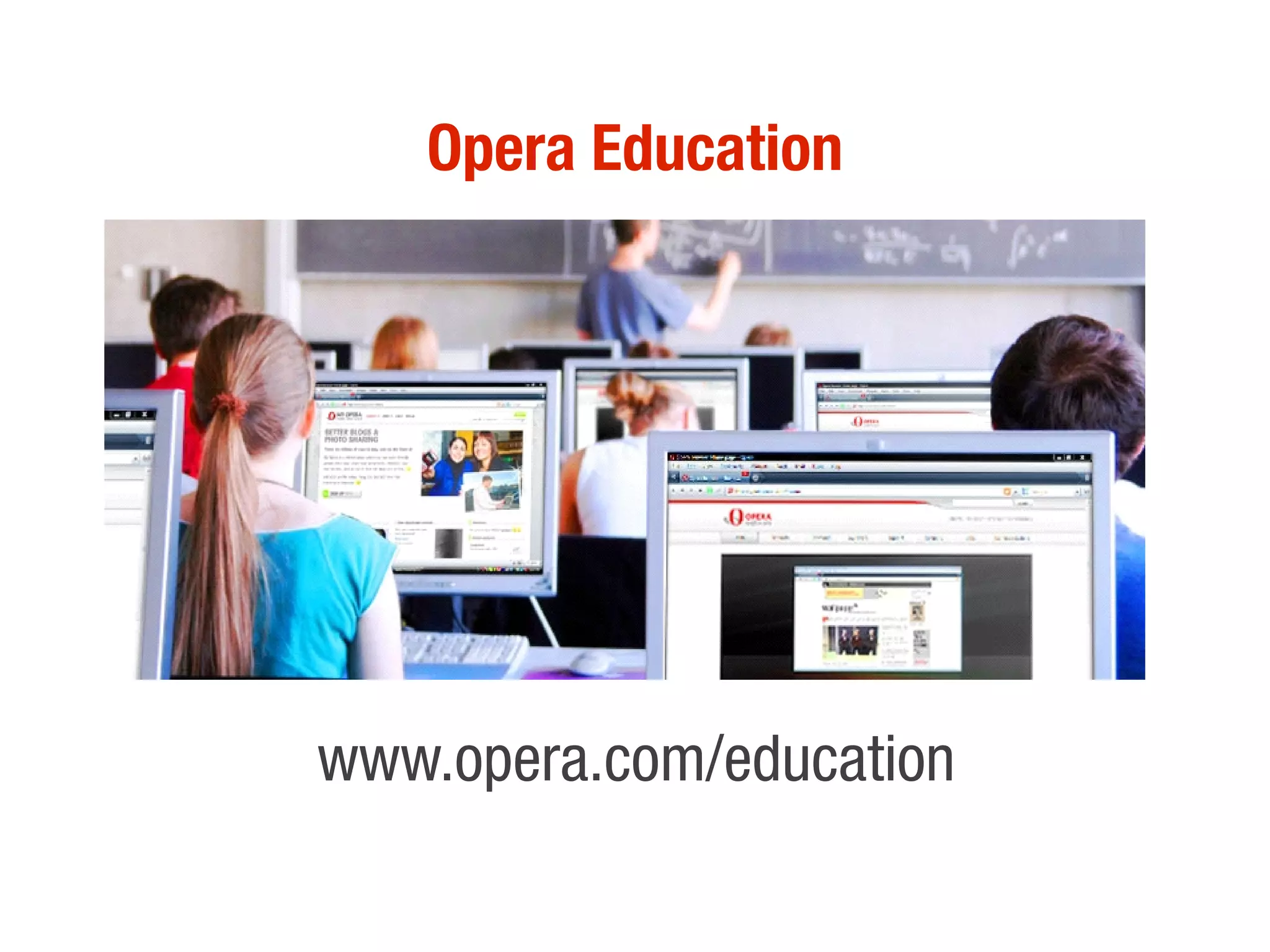
Opera Education


www.opera.com/education
Components
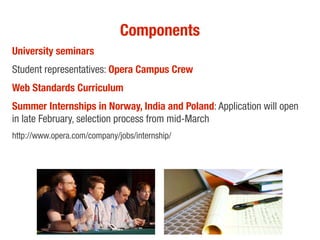
University seminars
Student representatives: Opera Campus Crew
Web Standards Curriculum
Summer Internships in Norway, India and Poland: Application will open
in late February, selection process from mid-March
http://www.opera.com/company/jobs/internship/
Learn more

Email education@opera.com
Check out www.opera.com/education for
internships, student representatives
program and forums
Open standards
EMERGING TECHNOLOGIES FOR DESKTOP, MOBILE, AND CROSS-DEVICE WEB DEVELOPMENT


 Patrick H. Lauke / Opera University Tour / November 2009
web evangelist at Opera
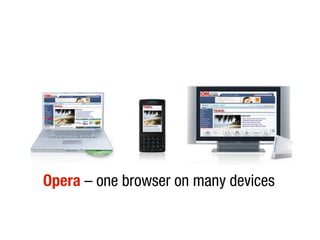
Opera – one browser on many devices
One Web means making, as far as is reasonable, the
same information and services available to users
irrespective of the device they are using. However, it does
not mean that exactly the same information is available in
exactly the same representation across all devices.
W3C Mobile Web Best Practices http://www.w3.org/TR/mobile-bp/#OneWeb
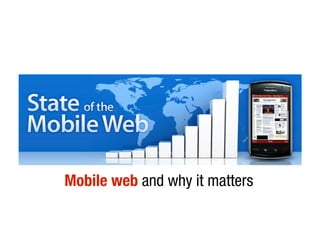
Mobile web and why it matters
what are web standards?
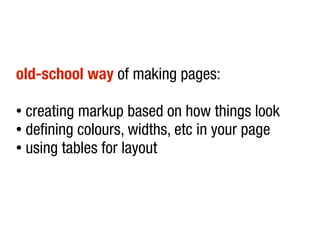
old-school way of making pages:

● creating markup based on how things look
● defining colours, widths, etc in your page

● using tables for layout
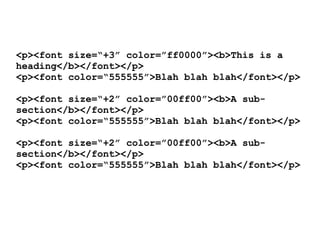
<p><font size=“+3” color=”ff0000”><b>This is a
heading</b></font></p>
<p><font color=“555555”>Blah blah blah</font></p>

<p><font size=“+2” color=”00ff00”><b>A sub-
section</b></font></p>
<p><font color=“555555”>Blah blah blah</font></p>

<p><font size=“+2” color=”00ff00”><b>A sub-
section</b></font></p>
<p><font color=“555555”>Blah blah blah</font></p>
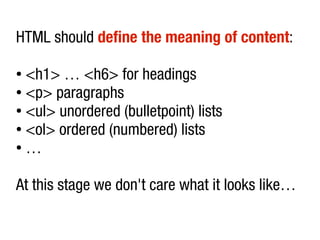
HTML should define the meaning of content:

● <h1> … <h6> for headings
● <p> paragraphs

● <ul> unordered (bulletpoint) lists

● <ol> ordered (numbered) lists

● …


At this stage we don't care what it looks like…
separation of content, presentation, behaviour
        using HTML, CSS, JavaScript
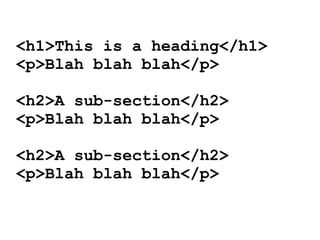
<h1>This is a heading</h1>
<p>Blah blah blah</p>

<h2>A sub-section</h2>
<p>Blah blah blah</p>

<h2>A sub-section</h2>
<p>Blah blah blah</p>
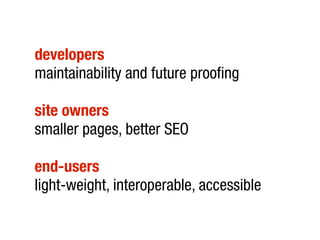
developers
maintainability and future proofing

site owners
smaller pages, better SEO

end-users
light-weight, interoperable, accessible
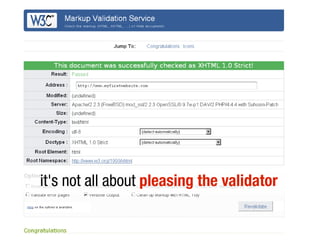
it's not all about pleasing the validator
One Web that works on all browsers, all devices
new technologies you can start using today
HTML5
<!DOCTYPE html>
history of HTML5:

● started at Opera – Web Applications 1.0
● Mozilla and Apple joined

● W3C HTML5

● Microsoft involvement
HTML5 standardises current browser and
         authoring behaviour
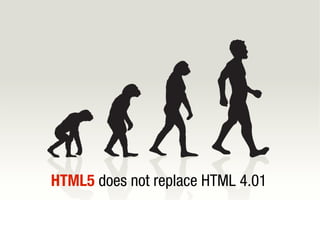
HTML5 does not replace HTML 4.01
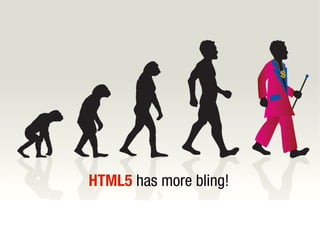
HTML5 has more bling!
“...extending the language to better support Web
applications, since that is one of the directions the Web is
going in and is one of the areas least well served by HTML
so far. This puts HTML in direct competition with other
technologies intended for applications deployed over the
Web, in particular Flash and Silverlight.”

Ian Hickson, Editor of HTML5
http://lists.w3.org/Archives/Public/public-html/2009Jan/0215.html
HTML5 is umbrella term for various
technologies – new markup elements, new
             JavaScript APIs
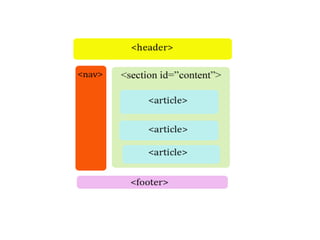
new elements for more accurate semantics
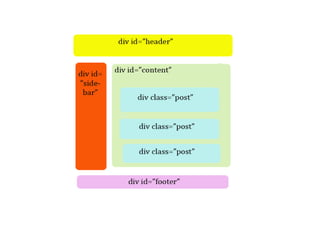
HTML5 elements for a typical blog
HTML5 – unambiguous and machine readable
current and old browsers
“support” these new elements
    (although some need a little extra help)
Webforms – more powerful form elements
standardise commonly-used
rich form elements – without JavaScript
built-in validation
(of course you should still validate on the server)

          Demonstration of webforms
<canvas>
canvas = “scriptable images”
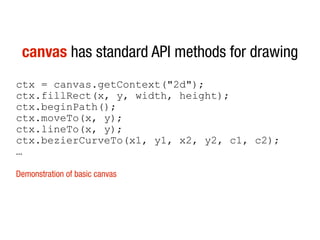
canvas has standard API methods for drawing
ctx = canvas.getContext("2d");
ctx.fillRect(x, y, width, height);
ctx.beginPath();
ctx.moveTo(x, y);
ctx.lineTo(x, y);
ctx.bezierCurveTo(x1, y1, x2, y2, c1, c2);
…

Demonstration of basic canvas
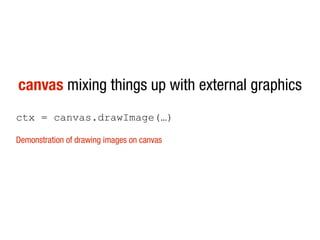
canvas mixing things up with external graphics
ctx = canvas.drawImage(…)

Demonstration of drawing images on canvas
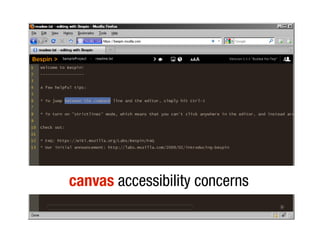
canvas accessibility concerns
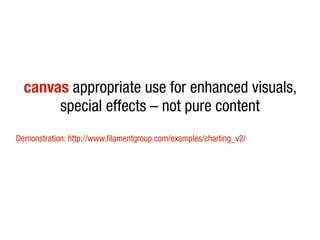
canvas appropriate use for enhanced visuals,
       special effects – not pure content
Demonstration: http://www.filamentgroup.com/examples/charting_v2/
<video>
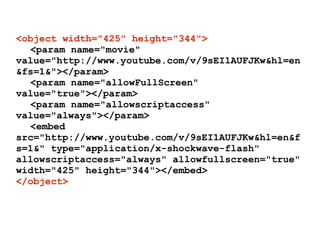
<object width="425" height="344">
  <param name="movie"
value="http://www.youtube.com/v/9sEI1AUFJKw&hl=en
&fs=1&"></param>
  <param name="allowFullScreen"
value="true"></param>
  <param name="allowscriptaccess"
value="always"></param>
  <embed
src="http://www.youtube.com/v/9sEI1AUFJKw&hl=en&f
s=1&" type="application/x-shockwave-flash"
allowscriptaccess="always" allowfullscreen="true"
width="425" height="344"></embed>
</object>
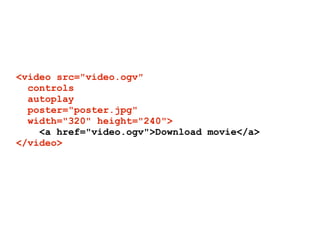
<video src="video.ogv"
  controls
  autoplay
  poster="poster.jpg"
  width="320" height="240">
    <a href="video.ogv">Download movie</a>
</video>
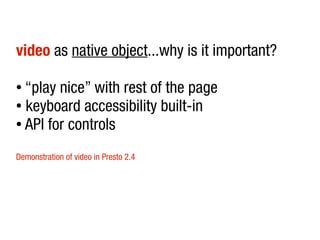
video as native object...why is it important?

● “play nice” with rest of the page
● keyboard accessibility built-in

● API for controls


Demonstration of video in Presto 2.4
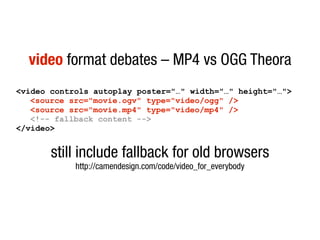
video format debates – MP4 vs OGG Theora
<video controls autoplay poster="…" width="…" height="…">
   <source src="movie.ogv" type="video/ogg" />
   <source src="movie.mp4" type="video/mp4" />
   <!-- fallback content -->
</video>


       still include fallback for old browsers
            http://camendesign.com/code/video_for_everybody
video on any device without plugins?
and many more...
(geolocation, drag and drop, web workers, offline support, storage)
SVG scalable vector graphics
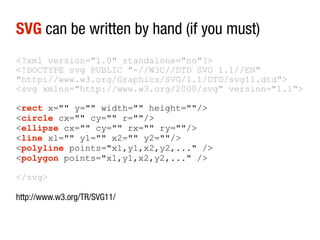
SVG can be written by hand (if you must)
<?xml version="1.0" standalone="no"?>
<!DOCTYPE svg PUBLIC "-//W3C//DTD SVG 1.1//EN"
"http://www.w3.org/Graphics/SVG/1.1/DTD/svg11.dtd">
<svg xmlns="http://www.w3.org/2000/svg" version="1.1">

<rect x="" y="" width="" height=""/>
<circle cx="" cy="" r=""/>
<ellipse cx="" cy="" rx="" ry=""/>
<line x1="" y1="" x2="" y2=""/>
<polyline points="x1,y1,x2,y2,..." />
<polygon points="x1,y1,x2,y2,..." />

</svg>

http://www.w3.org/TR/SVG11/
SVG complex images exportable from vector
graphics apps (InkScape, Adobe Illustrator, ...)
SVG maintains its own DOM and is scriptable
Demonstration of SVG
SVG in OBJECT, CSS and IMG element*
     native inclusion in HTML5?
          *only in Opera at the moment
SVG or canvas?
CSS3 for better design control
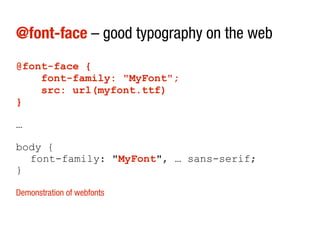
@font-face – good typography on the web
@font-face {
    font-family: "MyFont";
    src: url(myfont.ttf)
}

…

body {
  font-family: "MyFont", … sans-serif;
}

Demonstration of webfonts
@font-face solves issue of making images of
  text, using image replacement, sIFR, …
@font-face still issues with font foundries –
              check licenses
mediaqueries – adaptable designs
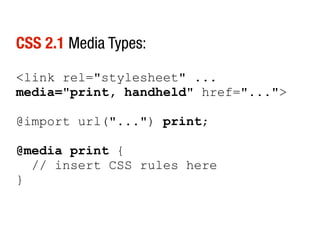
CSS 2.1 Media Types:

<link rel="stylesheet" ...
media="print, handheld" href="...">

@import url("...") print;

@media print {
  // insert CSS rules here
}
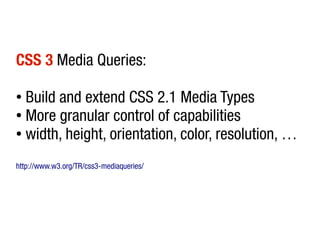
CSS 3 Media Queries:

● Build and extend CSS 2.1 Media Types
● More granular control of capabilities

● width, height, orientation, color, resolution, …


http://www.w3.org/TR/css3-mediaqueries/
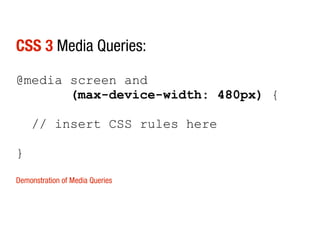
CSS 3 Media Queries:

@media screen and
       (max-device-width: 480px) {

    // insert CSS rules here

}

Demonstration of Media Queries
and many more...
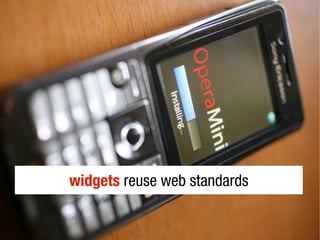
widgets reuse web standards
Widgets – standardised app development filled
       with web standards goodness
Vodafone
For a large catalogue of apps – the browser run-time is perfect...

Then you’re out of writing for Windows Mobile, Android, S60, each of
which require testing...we want to abstract that.

All the cool innovation is happening inside the browser – you don’t
need to write to the native operating system anymore.

             Source: Mobile Entertainment Market (mocoNews), June, 2009
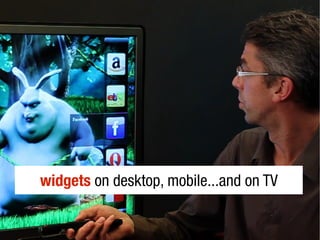
widgets on desktop, mobile...and on TV
Anatomy of a widget
index.html + config.xml
Configuration file
<widget>
  <widgetname>MyFirstWidget</widgetname>
  <description>A demo widget</description>
  <icon>images/widget.png</icon>
  <width>320</width>
  <height>240</height>
</widget>

Demonstration of basic widget
Opera tools to help develop widgets:

Opera Dragonfly
http://www.opera.com/dragonfly/


Widget emulator
http://dev.opera.com/articles/view/widget-emulator/


Opera LABS build
http://dev.opera.com/articles/view/opera-desktop-widgets-evolved/
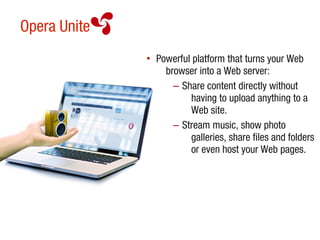
Opera Unite
              • Powerful platform that turns your Web
                  browser into a Web server:
                    – Share content directly without
                        having to upload anything to a
                        Web site.
                    – Stream music, show photo
                        galleries, share files and folders
                        or even host your Web pages.
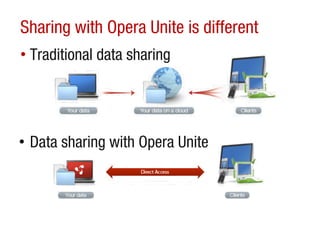
Sharing with Opera Unite is different
• Traditional data sharing


• Data sharing with Opera Unite
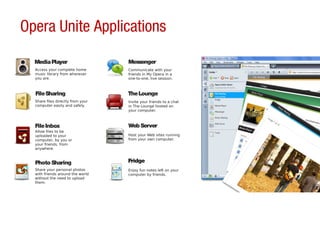
Opera Unite Applications

  Media Player                     Messenger
  Access your complete home        Communicate with your
  music library from wherever      friends in My Opera in a
  you are.                         one-to-one, live session.


  File Sharing                     The Lounge
  Share files directly from your   Invite your friends to a chat
  computer easily and safely.      in The Lounge hosted on
                                   your computer.


  File Inbox                       Web Server
  Allow files to be
  uploaded to your                 Host your Web sites running
  computer, by you or              from your own computer.
  your friends, from
  anywhere.


  Photo Sharing                    Fridge
  Share your personal photos       Enjoy fun notes left on your
  with friends around the world    computer by friends.
  without the need to upload
  them.
Write your own Opera Unite applications
Based on powerful APIs and open Web standards:

• Easy to create and accessible from every Web browsing platform:
       – Reuse your HTML, CSS and JavaScript skills
• Applications can be submitted to Opera’s online catalog
       – http://unite.opera.com/applications/
• Documentation
       – http://unite.opera.com/develop/
Opera Unite challenge!
Are YOU up to the challenge? Opera Software invites you to develop an
Opera Unite application:

• Win mobile phones and Opera gear
• Make a new Unite application or improve upon an existing application
• Submit your application online and email education@opera.com with:
    – Name
   – University
   – Name of your application
   Criteria, rules and resources to get started
   http://unite.opera.com/develop
call to arms action
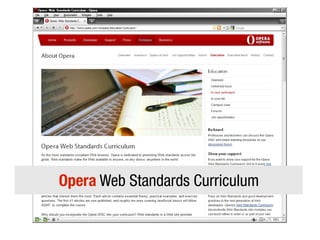
Opera Web Standards Curriculum
Web Standards Curriculum
www.opera.com/wsc

University Tour blog
my.opera.com/universitytours/blog

Developer resources
www.opera.com/developer
   patrick.lauke@opera.com

Uni Tour Germany 11.2009

  • 1.
  • 2.
    Components University seminars Student representatives:Opera Campus Crew Web Standards Curriculum Summer Internships in Norway, India and Poland: Application will open in late February, selection process from mid-March http://www.opera.com/company/jobs/internship/
  • 3.
    Learn more Email education@opera.com Checkout www.opera.com/education for internships, student representatives program and forums
  • 4.
    Open standards EMERGING TECHNOLOGIESFOR DESKTOP, MOBILE, AND CROSS-DEVICE WEB DEVELOPMENT Patrick H. Lauke / Opera University Tour / November 2009
  • 5.
  • 6.
    Opera – onebrowser on many devices
  • 7.
    One Web meansmaking, as far as is reasonable, the same information and services available to users irrespective of the device they are using. However, it does not mean that exactly the same information is available in exactly the same representation across all devices. W3C Mobile Web Best Practices http://www.w3.org/TR/mobile-bp/#OneWeb
  • 8.
    Mobile web andwhy it matters
  • 9.
    what are webstandards?
  • 10.
    old-school way ofmaking pages: ● creating markup based on how things look ● defining colours, widths, etc in your page ● using tables for layout
  • 11.
    <p><font size=“+3” color=”ff0000”><b>Thisis a heading</b></font></p> <p><font color=“555555”>Blah blah blah</font></p> <p><font size=“+2” color=”00ff00”><b>A sub- section</b></font></p> <p><font color=“555555”>Blah blah blah</font></p> <p><font size=“+2” color=”00ff00”><b>A sub- section</b></font></p> <p><font color=“555555”>Blah blah blah</font></p>
  • 12.
    HTML should definethe meaning of content: ● <h1> … <h6> for headings ● <p> paragraphs ● <ul> unordered (bulletpoint) lists ● <ol> ordered (numbered) lists ● … At this stage we don't care what it looks like…
  • 13.
    separation of content,presentation, behaviour using HTML, CSS, JavaScript
  • 14.
    <h1>This is aheading</h1> <p>Blah blah blah</p> <h2>A sub-section</h2> <p>Blah blah blah</p> <h2>A sub-section</h2> <p>Blah blah blah</p>
  • 15.
    developers maintainability and futureproofing site owners smaller pages, better SEO end-users light-weight, interoperable, accessible
  • 16.
    it's not allabout pleasing the validator
  • 17.
    One Web thatworks on all browsers, all devices
  • 18.
    new technologies youcan start using today
  • 19.
  • 20.
    history of HTML5: ●started at Opera – Web Applications 1.0 ● Mozilla and Apple joined ● W3C HTML5 ● Microsoft involvement
  • 21.
    HTML5 standardises currentbrowser and authoring behaviour
  • 22.
    HTML5 does notreplace HTML 4.01
  • 23.
  • 24.
    “...extending the languageto better support Web applications, since that is one of the directions the Web is going in and is one of the areas least well served by HTML so far. This puts HTML in direct competition with other technologies intended for applications deployed over the Web, in particular Flash and Silverlight.” Ian Hickson, Editor of HTML5 http://lists.w3.org/Archives/Public/public-html/2009Jan/0215.html
  • 25.
    HTML5 is umbrellaterm for various technologies – new markup elements, new JavaScript APIs
  • 26.
    new elements formore accurate semantics
  • 27.
    HTML5 elements fora typical blog
  • 30.
    HTML5 – unambiguousand machine readable
  • 31.
    current and oldbrowsers “support” these new elements (although some need a little extra help)
  • 32.
    Webforms – morepowerful form elements
  • 33.
    standardise commonly-used rich formelements – without JavaScript
  • 34.
    built-in validation (of courseyou should still validate on the server) Demonstration of webforms
  • 35.
  • 36.
  • 37.
    canvas has standardAPI methods for drawing ctx = canvas.getContext("2d"); ctx.fillRect(x, y, width, height); ctx.beginPath(); ctx.moveTo(x, y); ctx.lineTo(x, y); ctx.bezierCurveTo(x1, y1, x2, y2, c1, c2); … Demonstration of basic canvas
  • 38.
    canvas mixing thingsup with external graphics ctx = canvas.drawImage(…) Demonstration of drawing images on canvas
  • 39.
  • 40.
    canvas appropriate usefor enhanced visuals, special effects – not pure content Demonstration: http://www.filamentgroup.com/examples/charting_v2/
  • 41.
  • 42.
    <object width="425" height="344"> <param name="movie" value="http://www.youtube.com/v/9sEI1AUFJKw&hl=en &fs=1&"></param> <param name="allowFullScreen" value="true"></param> <param name="allowscriptaccess" value="always"></param> <embed src="http://www.youtube.com/v/9sEI1AUFJKw&hl=en&f s=1&" type="application/x-shockwave-flash" allowscriptaccess="always" allowfullscreen="true" width="425" height="344"></embed> </object>
  • 43.
    <video src="video.ogv" controls autoplay poster="poster.jpg" width="320" height="240"> <a href="video.ogv">Download movie</a> </video>
  • 44.
    video as nativeobject...why is it important? ● “play nice” with rest of the page ● keyboard accessibility built-in ● API for controls Demonstration of video in Presto 2.4
  • 45.
    video format debates– MP4 vs OGG Theora <video controls autoplay poster="…" width="…" height="…"> <source src="movie.ogv" type="video/ogg" /> <source src="movie.mp4" type="video/mp4" /> <!-- fallback content --> </video> still include fallback for old browsers http://camendesign.com/code/video_for_everybody
  • 46.
    video on anydevice without plugins?
  • 47.
    and many more... (geolocation,drag and drop, web workers, offline support, storage)
  • 48.
  • 49.
    SVG can bewritten by hand (if you must) <?xml version="1.0" standalone="no"?> <!DOCTYPE svg PUBLIC "-//W3C//DTD SVG 1.1//EN" "http://www.w3.org/Graphics/SVG/1.1/DTD/svg11.dtd"> <svg xmlns="http://www.w3.org/2000/svg" version="1.1"> <rect x="" y="" width="" height=""/> <circle cx="" cy="" r=""/> <ellipse cx="" cy="" rx="" ry=""/> <line x1="" y1="" x2="" y2=""/> <polyline points="x1,y1,x2,y2,..." /> <polygon points="x1,y1,x2,y2,..." /> </svg> http://www.w3.org/TR/SVG11/
  • 50.
    SVG complex imagesexportable from vector graphics apps (InkScape, Adobe Illustrator, ...)
  • 51.
    SVG maintains itsown DOM and is scriptable Demonstration of SVG
  • 52.
    SVG in OBJECT,CSS and IMG element* native inclusion in HTML5? *only in Opera at the moment
  • 53.
  • 54.
    CSS3 for betterdesign control
  • 55.
    @font-face – goodtypography on the web @font-face { font-family: "MyFont"; src: url(myfont.ttf) } … body { font-family: "MyFont", … sans-serif; } Demonstration of webfonts
  • 56.
    @font-face solves issueof making images of text, using image replacement, sIFR, …
  • 57.
    @font-face still issueswith font foundries – check licenses
  • 58.
  • 59.
    CSS 2.1 MediaTypes: <link rel="stylesheet" ... media="print, handheld" href="..."> @import url("...") print; @media print { // insert CSS rules here }
  • 60.
    CSS 3 MediaQueries: ● Build and extend CSS 2.1 Media Types ● More granular control of capabilities ● width, height, orientation, color, resolution, … http://www.w3.org/TR/css3-mediaqueries/
  • 61.
    CSS 3 MediaQueries: @media screen and (max-device-width: 480px) { // insert CSS rules here } Demonstration of Media Queries
  • 62.
  • 64.
  • 65.
    Widgets – standardisedapp development filled with web standards goodness
  • 66.
    Vodafone For a largecatalogue of apps – the browser run-time is perfect... Then you’re out of writing for Windows Mobile, Android, S60, each of which require testing...we want to abstract that. All the cool innovation is happening inside the browser – you don’t need to write to the native operating system anymore. Source: Mobile Entertainment Market (mocoNews), June, 2009
  • 67.
    widgets on desktop,mobile...and on TV
  • 68.
    Anatomy of awidget index.html + config.xml
  • 69.
    Configuration file <widget> <widgetname>MyFirstWidget</widgetname> <description>A demo widget</description> <icon>images/widget.png</icon> <width>320</width> <height>240</height> </widget> Demonstration of basic widget
  • 70.
    Opera tools tohelp develop widgets: Opera Dragonfly http://www.opera.com/dragonfly/ Widget emulator http://dev.opera.com/articles/view/widget-emulator/ Opera LABS build http://dev.opera.com/articles/view/opera-desktop-widgets-evolved/
  • 71.
    Opera Unite • Powerful platform that turns your Web browser into a Web server: – Share content directly without having to upload anything to a Web site. – Stream music, show photo galleries, share files and folders or even host your Web pages.
  • 72.
    Sharing with OperaUnite is different • Traditional data sharing • Data sharing with Opera Unite
  • 73.
    Opera Unite Applications Media Player Messenger Access your complete home Communicate with your music library from wherever friends in My Opera in a you are. one-to-one, live session. File Sharing The Lounge Share files directly from your Invite your friends to a chat computer easily and safely. in The Lounge hosted on your computer. File Inbox Web Server Allow files to be uploaded to your Host your Web sites running computer, by you or from your own computer. your friends, from anywhere. Photo Sharing Fridge Share your personal photos Enjoy fun notes left on your with friends around the world computer by friends. without the need to upload them.
  • 74.
    Write your ownOpera Unite applications Based on powerful APIs and open Web standards: • Easy to create and accessible from every Web browsing platform: – Reuse your HTML, CSS and JavaScript skills • Applications can be submitted to Opera’s online catalog – http://unite.opera.com/applications/ • Documentation – http://unite.opera.com/develop/
  • 75.
    Opera Unite challenge! AreYOU up to the challenge? Opera Software invites you to develop an Opera Unite application: • Win mobile phones and Opera gear • Make a new Unite application or improve upon an existing application • Submit your application online and email education@opera.com with: – Name – University – Name of your application Criteria, rules and resources to get started http://unite.opera.com/develop
  • 76.
  • 77.
  • 78.
    Web Standards Curriculum www.opera.com/wsc UniversityTour blog my.opera.com/universitytours/blog Developer resources www.opera.com/developer
  • 79.
    www.opera.com/developer patrick.lauke@opera.com