Learning HTML and hosting via
Microsoft Static web Apps
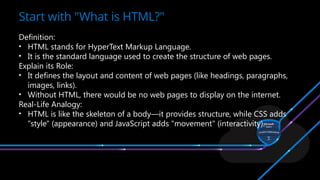
Definition:
• HTML stands for HyperText Markup Language.
• It is the standard language used to create the structure of web pages.
Explain its Role:
• It defines the layout and content of web pages (like headings, paragraphs,
images, links).
• Without HTML, there would be no web pages to display on the internet.
Real-Life Analogy:
• HTML is like the skeleton of a body—it provides structure, while CSS adds
"style" (appearance) and JavaScript adds "movement" (interactivity).
Start with "What is HTML?"
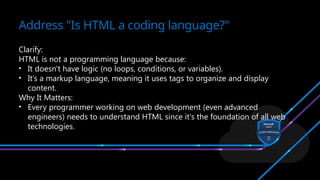
Clarify:
HTML is not a programming language because:
• It doesn't have logic (no loops, conditions, or variables).
• It’s a markup language, meaning it uses tags to organize and display
content.
Why It Matters:
• Every programmer working on web development (even advanced
engineers) needs to understand HTML since it's the foundation of all web
technologies.
Address "Is HTML a coding language?"
Codes enclosed in brackets
Usually paired
<TITLE>My Web Page</TITLE>
Not case sensitive
<TITLE> = <title> = <TITLE>
Tags
<HTML>
<HEAD>
<TITLE> Engineering University</TITLE>
</HEAD>
<BODY>
This is what is displayed.
</BODY>
</HTML>
Creating a Basic Starting Document
 Title of the Page
 Links to Stylesheets
 Meta Tags
 JavaScript Files
 Favicon
 SEO Tags
HEAD
 Headings
 Paragraphs
 Images
 Links
 Lists
 Tables
BODY
 <h1> to <h6>:These tags are used for headings.
 <h1> is the largest and most important heading, typically used for the
main title of the page.
 <h2> to <h6> are progressively smaller and less important subheadings.
Tags
 The <p> tag is used for paragraphs of text.
 It's ideal for writing regular content or blocks of text.
Tags
 <html>
 <head>
 <title>Change Font Size</title>
 </head>
 <body>
 <h1 style="font-size: 50px;">This is a large heading</h1>
 <p style="font-size: 20px;">This is a paragraph with medium-sized text.</p>
 <p style="font-size: 12px;">This is a paragraph with smaller text.</p>
 </body>
 </html>
Change font size
 <html>
 <head>
 <title>Background Image Example</title>
 </head><body style="background-image: url('background.jpg');
background-size: cover;">
 <h1>Welcome to My Page</h1>
 <p>This page has a background image.</p>
 </body>
 </html>
Background Image
 <html>
 <head>
 <title>Change Font Size</title></head>
 <body> <h1 style="font-size: 50px;">This is a large heading</h1>
<p style="font-size: 20px;">This is a paragraph with medium-sized
text.</p>
 <p style="font-size: 12px;">This is a paragraph with smaller text.</p>
 </body>
 </html>
Font Size
 <p style="font-weight: bold;">This is bold text.</p>
 <p style="font-style: italic;">This is italic text.</p>
 <p style="text-decoration: underline;">This is underlined text.</p>
Bold Italic Underline
 <body>
 <h1>Steps to Make Tea</h1>
 <ol>
 <li>Boil water</li>
 <li>Add tea leaves</li>
 <li>Pour water into a cup</li>
 <li>Add sugar and milk</li>
 <li>Stir and enjoy!</li>
 </ol>
 </body>
Ordered List
 <body>
 <h1>Shopping List</h1>
 <ul>
 <li>Apples</li>
 <li>Bread</li>
 <li>Milk</li>
 <li>Eggs</li>
 </ul>
 </body>
Un-Ordered List
 <html>
 <head>
 <title>Subscript Example</title>
 </head>
 <body>
 <p>Water is written as H<sub>2</sub>O.</p>
 </body>
 </html>
Subscript
 <html>
 <head>
 <title>Subscript Example</title>
 </head>
 <body>
 <p>The square of x is written as x<sup>2</sup>.</p></body>
 </html>
Superscript
Hosting via Microsoft Static web Apps
Questions Are Welcomed!

UNDERSTANDING_ MICROSOFT Black template MLSA .pptx

  • 1.
    Learning HTML andhosting via Microsoft Static web Apps
  • 2.
    Definition: • HTML standsfor HyperText Markup Language. • It is the standard language used to create the structure of web pages. Explain its Role: • It defines the layout and content of web pages (like headings, paragraphs, images, links). • Without HTML, there would be no web pages to display on the internet. Real-Life Analogy: • HTML is like the skeleton of a body—it provides structure, while CSS adds "style" (appearance) and JavaScript adds "movement" (interactivity). Start with "What is HTML?"
  • 3.
    Clarify: HTML is nota programming language because: • It doesn't have logic (no loops, conditions, or variables). • It’s a markup language, meaning it uses tags to organize and display content. Why It Matters: • Every programmer working on web development (even advanced engineers) needs to understand HTML since it's the foundation of all web technologies. Address "Is HTML a coding language?"
  • 4.
    Codes enclosed inbrackets Usually paired <TITLE>My Web Page</TITLE> Not case sensitive <TITLE> = <title> = <TITLE> Tags
  • 5.
    <HTML> <HEAD> <TITLE> Engineering University</TITLE> </HEAD> <BODY> Thisis what is displayed. </BODY> </HTML> Creating a Basic Starting Document
  • 6.
     Title ofthe Page  Links to Stylesheets  Meta Tags  JavaScript Files  Favicon  SEO Tags HEAD
  • 7.
     Headings  Paragraphs Images  Links  Lists  Tables BODY
  • 8.
     <h1> to<h6>:These tags are used for headings.  <h1> is the largest and most important heading, typically used for the main title of the page.  <h2> to <h6> are progressively smaller and less important subheadings. Tags
  • 9.
     The <p>tag is used for paragraphs of text.  It's ideal for writing regular content or blocks of text. Tags
  • 10.
     <html>  <head> <title>Change Font Size</title>  </head>  <body>  <h1 style="font-size: 50px;">This is a large heading</h1>  <p style="font-size: 20px;">This is a paragraph with medium-sized text.</p>  <p style="font-size: 12px;">This is a paragraph with smaller text.</p>  </body>  </html> Change font size
  • 11.
     <html>  <head> <title>Background Image Example</title>  </head><body style="background-image: url('background.jpg'); background-size: cover;">  <h1>Welcome to My Page</h1>  <p>This page has a background image.</p>  </body>  </html> Background Image
  • 12.
     <html>  <head> <title>Change Font Size</title></head>  <body> <h1 style="font-size: 50px;">This is a large heading</h1> <p style="font-size: 20px;">This is a paragraph with medium-sized text.</p>  <p style="font-size: 12px;">This is a paragraph with smaller text.</p>  </body>  </html> Font Size
  • 13.
     <p style="font-weight:bold;">This is bold text.</p>  <p style="font-style: italic;">This is italic text.</p>  <p style="text-decoration: underline;">This is underlined text.</p> Bold Italic Underline
  • 14.
     <body>  <h1>Stepsto Make Tea</h1>  <ol>  <li>Boil water</li>  <li>Add tea leaves</li>  <li>Pour water into a cup</li>  <li>Add sugar and milk</li>  <li>Stir and enjoy!</li>  </ol>  </body> Ordered List
  • 15.
     <body>  <h1>ShoppingList</h1>  <ul>  <li>Apples</li>  <li>Bread</li>  <li>Milk</li>  <li>Eggs</li>  </ul>  </body> Un-Ordered List
  • 16.
     <html>  <head> <title>Subscript Example</title>  </head>  <body>  <p>Water is written as H<sub>2</sub>O.</p>  </body>  </html> Subscript
  • 17.
     <html>  <head> <title>Subscript Example</title>  </head>  <body>  <p>The square of x is written as x<sup>2</sup>.</p></body>  </html> Superscript
  • 18.
    Hosting via MicrosoftStatic web Apps
  • 45.

Editor's Notes

  • #5 <link rel="icon" href="ciscologo.png" type="image/png">
  • #6 <link rel="icon" href="ciscologo.png" type="image/png">
  • #7 <link rel="icon" href="ciscologo.png" type="image/png">
  • #8 <link rel="icon" href="ciscologo.png" type="image/png">
  • #9 <link rel="icon" href="ciscologo.png" type="image/png">
  • #10 <link rel="icon" href="ciscologo.png" type="image/png">
  • #11 Cover Contain 100% 100%
  • #12 Cover Contain 100% 100%
  • #13 Cover Contain 100% 100%
  • #14 Cover Contain 100% 100%
  • #15 Cover Contain 100% 100%
  • #16 Cover Contain 100% 100%
  • #17 Cover Contain 100% 100%
  • #19 Cover Contain 100% 100%
  • #20 Cover Contain 100% 100%
  • #21 Cover Contain 100% 100%
  • #22 Cover Contain 100% 100%
  • #23 Cover Contain 100% 100%
  • #24 Cover Contain 100% 100%
  • #25 Cover Contain 100% 100%
  • #26 Cover Contain 100% 100%
  • #27 Cover Contain 100% 100%
  • #28 Cover Contain 100% 100%
  • #29 Cover Contain 100% 100%
  • #30 Cover Contain 100% 100%
  • #31 Cover Contain 100% 100%
  • #32 Cover Contain 100% 100%
  • #33 Cover Contain 100% 100%
  • #34 Cover Contain 100% 100%
  • #35 Cover Contain 100% 100%
  • #36 Cover Contain 100% 100%
  • #37 Cover Contain 100% 100%
  • #38 Cover Contain 100% 100%
  • #39 Cover Contain 100% 100%
  • #40 Cover Contain 100% 100%
  • #41 Cover Contain 100% 100%
  • #42 Cover Contain 100% 100%
  • #43 Cover Contain 100% 100%
  • #44 Cover Contain 100% 100%