Target learner student’s roles Teacher’s roles concerns  Technical and pedagogical  features


This program (Typing Pal Junior 1.0 )  designed to teach student (from 7 to 14 years old) how to type on keyboard using their all fingers.  Target learner
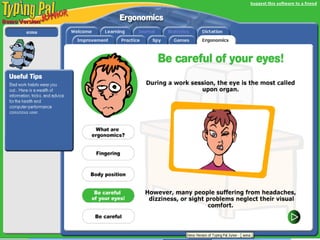
student’s roles 1-the student should know her/his level in typing otherwise the program will force them to start at the beginning. 2-develop good work habits towards off back pain, eye fatigue ect. 3-put their abilities to the test in real typing situation. 4-evaluate their typing performance by using spy (type of electronic monitoring advice that works alongside typing pal. 5-practice their typing as well as their spelling. 6-they should know the scientific study of human work condition especially the interaction between human and machine.
Teacher’s roles 1-monitore the student while using the program (if he or she apply the healthy ways in sitting ect) 2-help the student to identify his/her level in typing. 3-explain the words that the student could not understand.
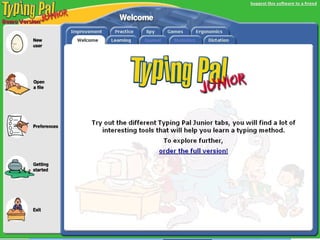
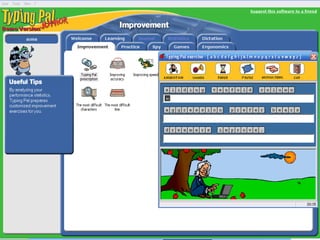
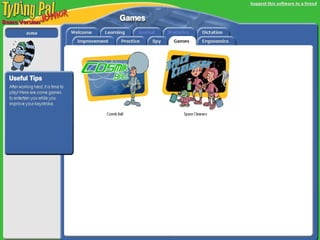
1- Has a "spy" to evaluate your performance when you use other software (word processing, E-mail). 2-The statistics module lets you see your progress at a glance to help you improve on your weaknesses. 3- it mix up the learning process with fun which make the learner completely involved. 4-it is available in many versions and many languages. 5- Encourage students to interact and response to the program.  6- Enhance students’ technical skills. Technical and pedagogical  features
concerns  1-some icons dose not open directly and some of them dose not open at all. 2-although we activate the performance icon which must assess student work, but it some time dose not assess their work.

Typing Pal Junior

  • 1.
    Target learner student’sroles Teacher’s roles concerns Technical and pedagogical features
  • 2.
  • 3.
  • 4.
  • 5.
  • 6.
    This program (TypingPal Junior 1.0 ) designed to teach student (from 7 to 14 years old) how to type on keyboard using their all fingers. Target learner
  • 7.
    student’s roles 1-thestudent should know her/his level in typing otherwise the program will force them to start at the beginning. 2-develop good work habits towards off back pain, eye fatigue ect. 3-put their abilities to the test in real typing situation. 4-evaluate their typing performance by using spy (type of electronic monitoring advice that works alongside typing pal. 5-practice their typing as well as their spelling. 6-they should know the scientific study of human work condition especially the interaction between human and machine.
  • 8.
    Teacher’s roles 1-monitorethe student while using the program (if he or she apply the healthy ways in sitting ect) 2-help the student to identify his/her level in typing. 3-explain the words that the student could not understand.
  • 9.
    1- Has a"spy" to evaluate your performance when you use other software (word processing, E-mail). 2-The statistics module lets you see your progress at a glance to help you improve on your weaknesses. 3- it mix up the learning process with fun which make the learner completely involved. 4-it is available in many versions and many languages. 5- Encourage students to interact and response to the program. 6- Enhance students’ technical skills. Technical and pedagogical features
  • 10.
    concerns 1-someicons dose not open directly and some of them dose not open at all. 2-although we activate the performance icon which must assess student work, but it some time dose not assess their work.