












Buildin’ Apps
   @txjs #2011
FAIR WARNING


If you are sensitive to anything gtfo.
This includes...

• sexuality
• gender
• race
• religion
... and not limited to:

• microframeworks vs uberframeworks
• native vs web
• vim vs emacs

 Basically, any polarizing junk debate.
Nothing is absolute; there
 is no right or wrong.
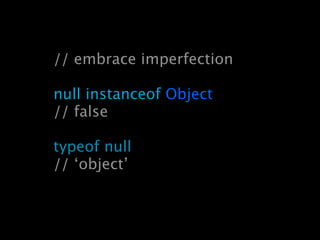
// embrace imperfection

null instanceof Object
// false

typeof null
// ‘object’
# whoami


 @brianleroux
ye ol’ UNIX philosophy

      - mythical collection of koans
      - bottom up and pragmatic
      - ignoring it is irresponsible
Make each program do one thing well. To do a
 new job, build afresh rather than complicate old
       programs by adding new features.


                                         Doug McIlroy
Rule 1. You can’t tell where a program is going to spend its time.
Bottlenecks occur in surprising places, so don’t try to second guess and
put in a speed hack until you’ve proven that’s where the bottleneck is.

Rule 2. Measure. Don’t tune for speed until you’ve measured, and even
then don’t unless one part of the code overwhelms the rest.

Rule 3. Fancy algorithms are slow when n is small, and n is usually
small. Fancy algorithms have big constants. Until you know that n is
frequently going to be big, don’t get fancy. (Even if n does get big, use
Rule 2 first.)

Rule 4. Fancy algorithms are buggier than simple ones, and they’re
much harder to implement. Use simple algorithms as well as simple
data structures.

Rule 5. Data dominates. If you’ve chosen the right data structures and
organized things well, the algorithms will almost always be self-evident.
Data structures, not algorithms, are central to programming.

Rule 6. There is no Rule 6.
                                                                   Rob Pike
When in doubt,
use brute force.


                   Ken Thompson
Eric S. Raymond
Rule of Modularity

Write simple parts connected by
clean interfaces.
Rule of Clarity

Clarity is better than cleverness.
Rule of Composition

Design programs to be
connected to other programs.
Rule of Separation

Separate policy from mechanism;
separate interfaces from engines.
Rule of Simplicity

Design for simplicity; add complexity
only where you must.
Rule of Parsimony

Write a big program only when it is clear
by demonstration that nothing else will do.
Rule of Transparency

Design for visibility to make
inspection and debugging easier.
Rule of Robustness

Robustness is the child of
transparency and simplicity.
Rule of Representation

Fold knowledge into data so program
logic can be stupid and robust.
Rule of Least Surprise

In interface design, always do
the least surprising thing.
Rule of Silence

When a program has nothing surprising
to say, it should say nothing.
Rule of Repair

When you must fail, fail noisily
and as soon as possible.
Rule of Economy

Programmer time is expensive; conserve
it in preference to machine time.
Rule of Generation

Avoid hand-hacking; write programs
to write programs when you can.
Rule of Optimization

Prototype before polishing. Get it
working before you optimize it.
Rule of Diversity

Distrust all claims for “one true way”.
Rule of Extensibility

Design for the future, because it will be
here sooner than you think.
Balance > Purity
Unix Haters Handbook
“...your book is a pudding stuffed with apposite
observations, many well-conceived. Like
excrement, it contains enough undigested
nuggets of nutrition to sustain life for some. But
it is not a tasty pie: it reeks too much of
contempt and of envy.

Bon appetit!
                                      Dennis Ritchie
practice != principle


best practices are temporal
don’t confuse a practice w/ a principle
eg: technology w/ goal (eg. git vs rcs)
great principles

revision control
issue tracking
unit testing
automated builds
principle ... practice

revision control ..... git
issue tracking ......... bugzilla
unit testing ............. qunit
automated builds ... hudson
mobile development

your development operating system(s)
device operating systems
software development kits
IDE dependence
devices themselves
mobile development
is a hostile environment
“It’s a poor craftsman
who blames his tools.”
“Get some new tools.”
programming is hard


failure is likely; if not inevitable
so, what are we waiting for?
http://github.com/brianleroux/cordova
the web as a platform

deep API integration to the host env
first class tooling support
standards


W3C various groups
TC39 *


  * green developer needs modules badly
mobile browser scene

webkits every-fucking-where I look
ie still happens
opera mini / opera mobile
firefox
device apis

sensors
data
outputs
device api browser
       scene
geospatial business everywhere
(literally!)
Capture API now in Android 3.x, Opera
file api partially seen in FF, Android
PhoneGap Platforms

iOS            webOS
Android       Symbian
BlackBerry      Bada
The PhoneGap Web
       Ecosystem


Any JS framework.
Any text editor.


Anything appropriate for web dev.
micro vs uber
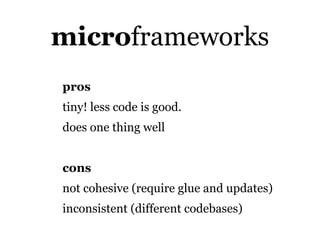
microframeworks
pros
tiny! less code is good.
does one thing well


cons
not cohesive (require glue and updates)
inconsistent (different codebases)
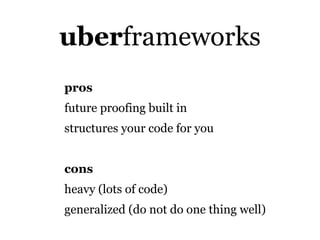
uberframeworks
pros
future proofing built in
structures your code for you


cons
heavy (lots of code)
generalized (do not do one thing well)
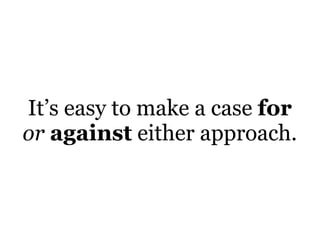
It’s easy to make a case for
or against either approach.
It depends.
Be appropriate.
So, how does
PhoneGap work?
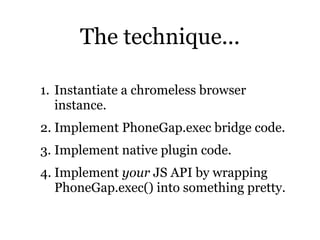
The technique...

1. Instantiate a chromeless browser
   instance.
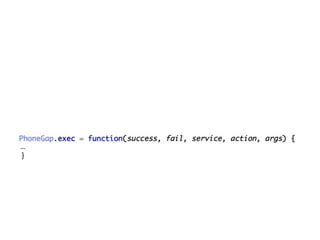
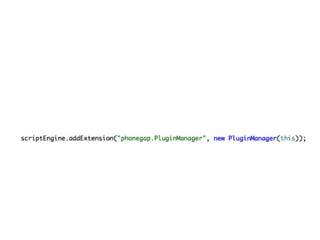
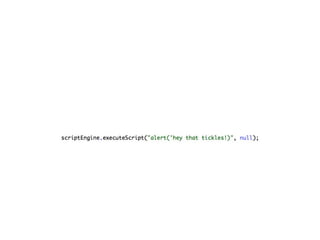
2. Implement PhoneGap.exec bridge code.
3. Implement native plugin code.
4. Implement your JS API by wrapping
   PhoneGap.exec() into something pretty.
...
 }
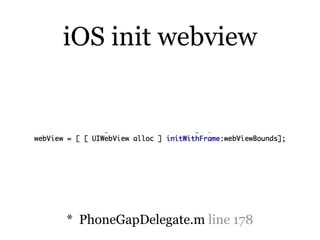
iOS init webview


* PhoneGapDelegate.m line 178
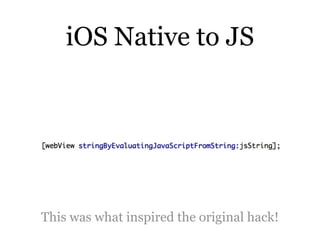
iOS Native to JS


This was what inspired the original hack!
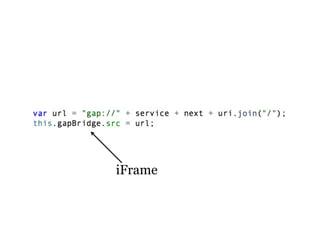
document.location
// I shit you not
iFrame
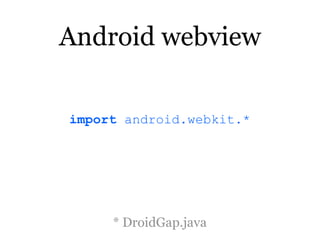
Android webview

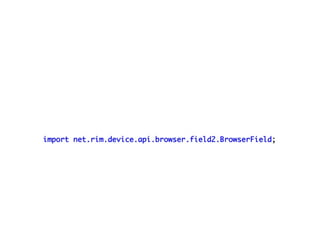
import android.webkit.*


     * DroidGap.java
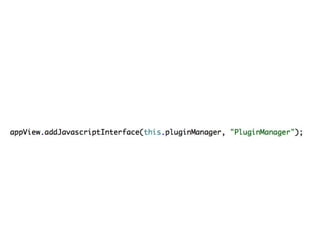
Nasty bug in Android 2.3 emulators
caused addJavaScriptInterface to fail...


      Possibly some devices too.
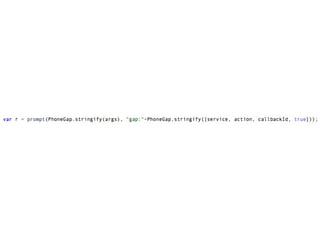
onJsPrompt
// I shit you not
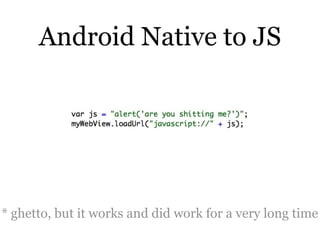
Android Native to JS


* ghetto, but it works and did work for a very long time
com.phonegap.CallBackServer.java
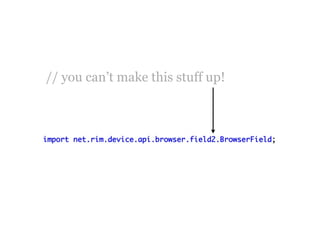
// you can’t make this stuff up!
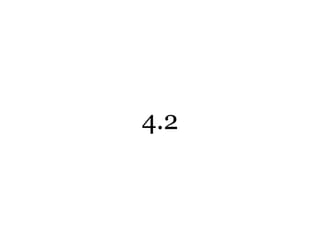
4.2
document.cookie
// I shit you not
Plugins

Any native code can be called by
PhoneGap.
Anything: its always been this way too.
Thats how it works dude.
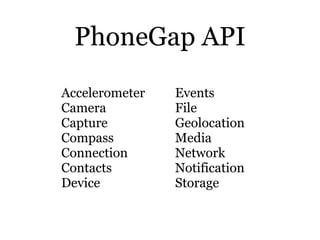
PhoneGap API
Accelerometer   Events
Camera          File
Capture         Geolocation
Compass         Media
Connection      Network
Contacts        Notification
Device          Storage
Closer look at Geo

geolocation
accelerometer
gyroscope
magnometer
Closing concerns

debugging
performance
security
The Future
debugging?

no longer a colossal PITA
chrome building in smarts for remoting
most ide envs have step debug now
until then: pull out your weinre *


    * http://debug.phonegap.com
debuggers are not a substitute
   for unit tests and linting
performance
http://stevesouders.com is the man
latency != init != exec
less code is faster code to write, exec, debug
compile, concat, min, inline, etc
closure compiler advanced mode is promising
DO NOT use css transforms (yet)
AVOID gradients, text-shadow, etc
ZOMG Future!!!

Windows Phone 7
PhoneGap/Qt (Symbian && MeeGo)
http://build.phonegap.com
Futuristic Future!!!1!

Background Services
WebGL
Web Notifications API
<menu>
alternate rendering engines (non-webkit)
mobile is hostile: use build tools to
automate repetitive tasks

read up on those that came before; this
isn’t new stuff

build a mobile web app first

give vanilla javascript a try; its a neat
language!
thx, eh!

TxJS 2011