Two Thumbs User Interface
           For Digital Photo Frame


                        Rajesh Lal
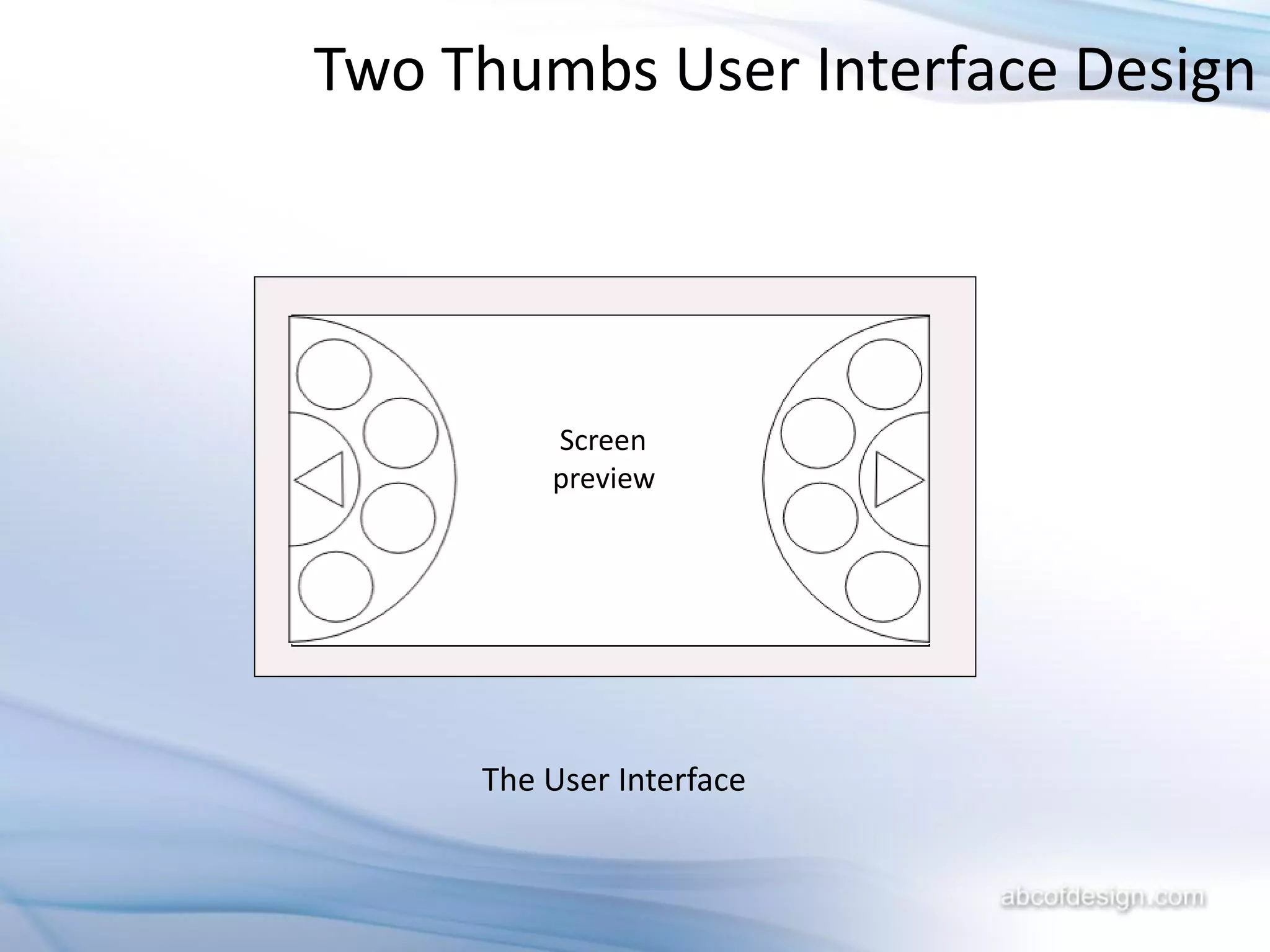
Two Thumbs User Interface Design


         Screen
         preview


     The User Interface
Two Thumbs User Interface Design
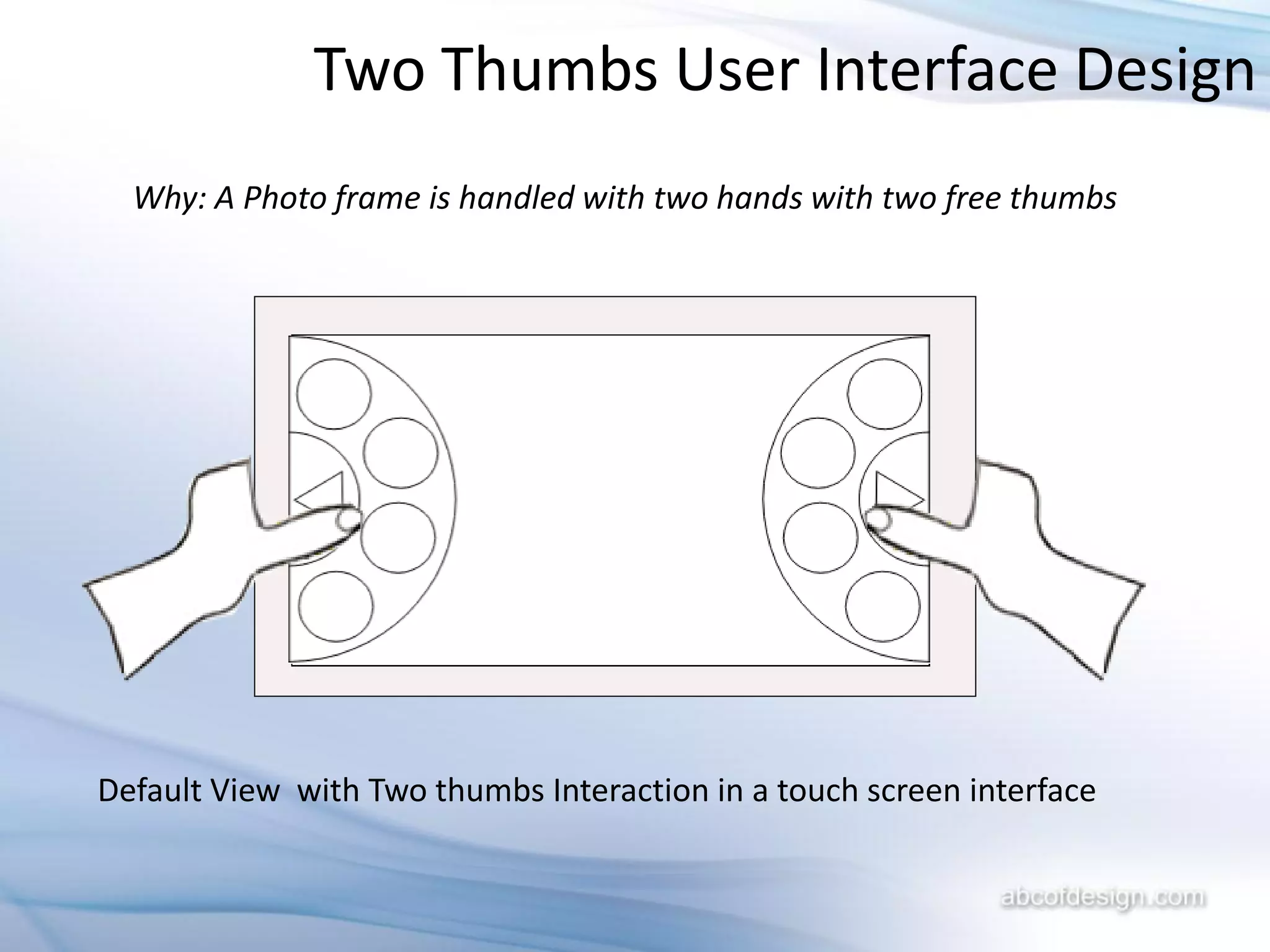
  Why: A Photo frame is handled with two hands with two free thumbs


Default View with Two thumbs Interaction in a touch screen interface
Two Thumbs User Interface Design
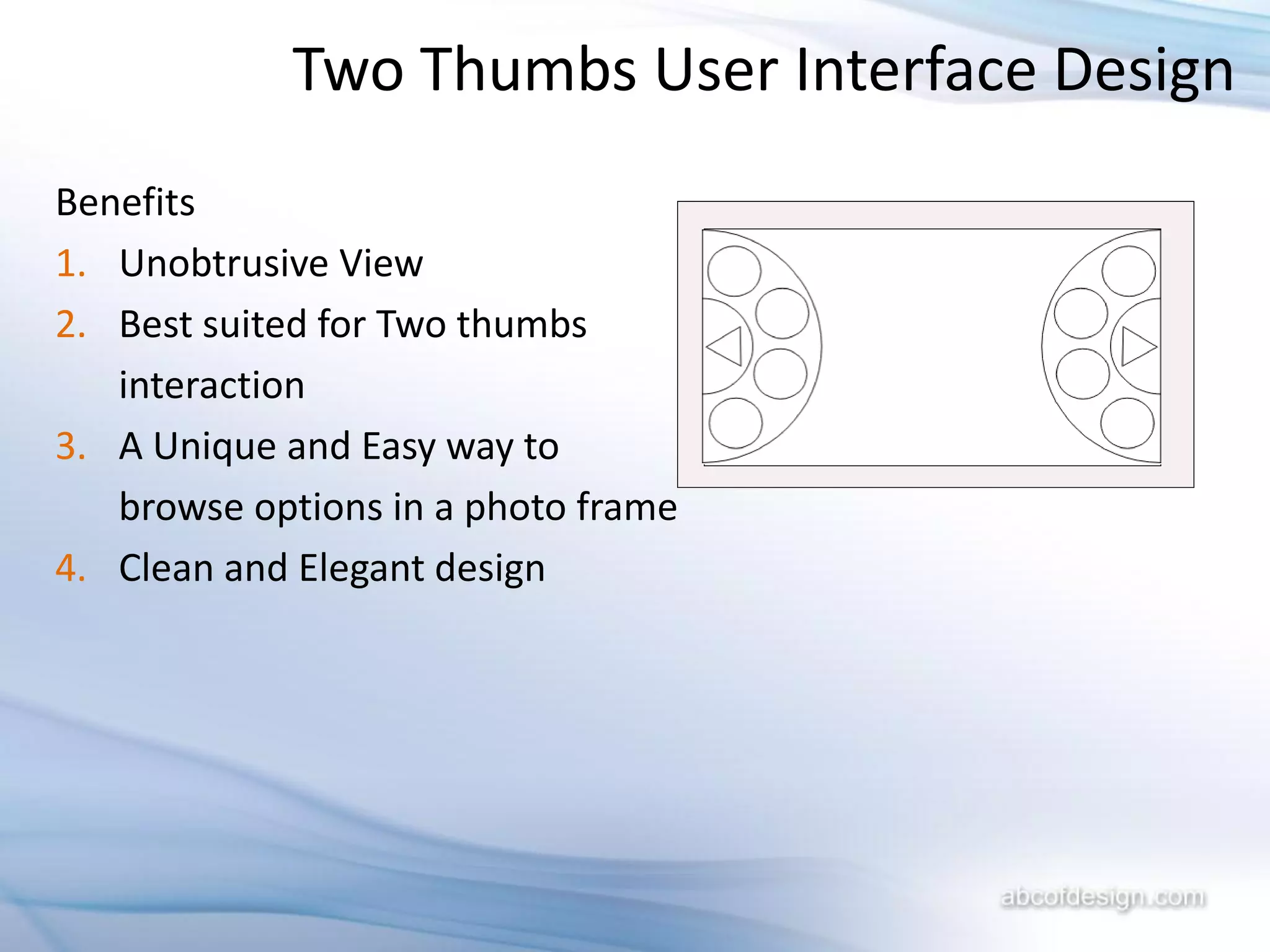
Benefits
1. Unobtrusive View
2. Best suited for Two thumbs
   interaction
3. A Unique and Easy way to
   browse options in a photo frame
4. Clean and Elegant design
Two Thumbs User Interface Design

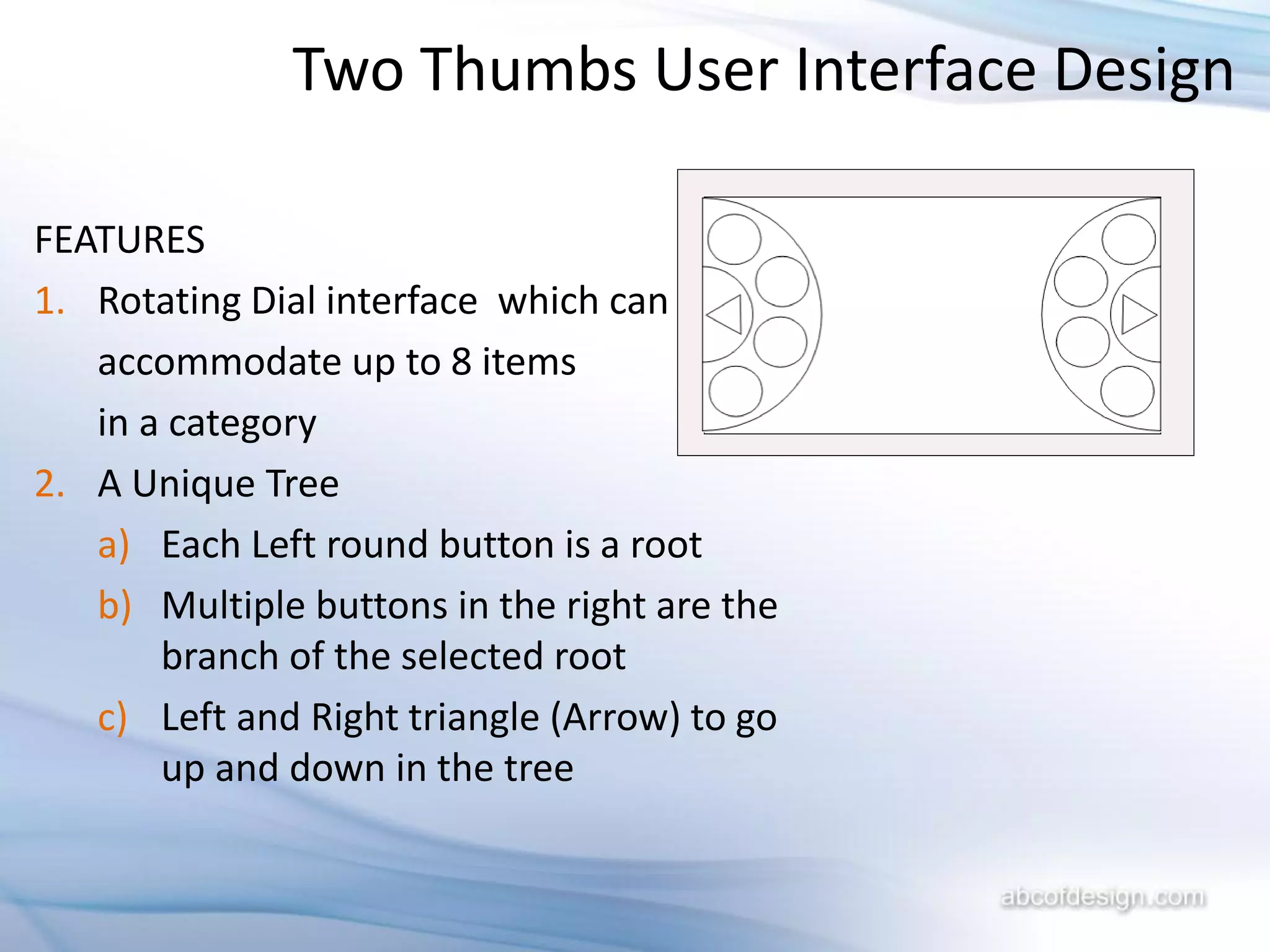
FEATURES
1. Rotating Dial interface which can
   accommodate up to 8 items
   in a category
2. A Unique Tree
   a) Each Left round button is a root
   b) Multiple buttons in the right are the
       branch of the selected root
   c) Left and Right triangle (Arrow) to go
       up and down in the tree
Two Thumbs User Interface Design

            1                                 2a
                2                        2b
                           Screen
                           preview
                3                        2c

            4                                 2d


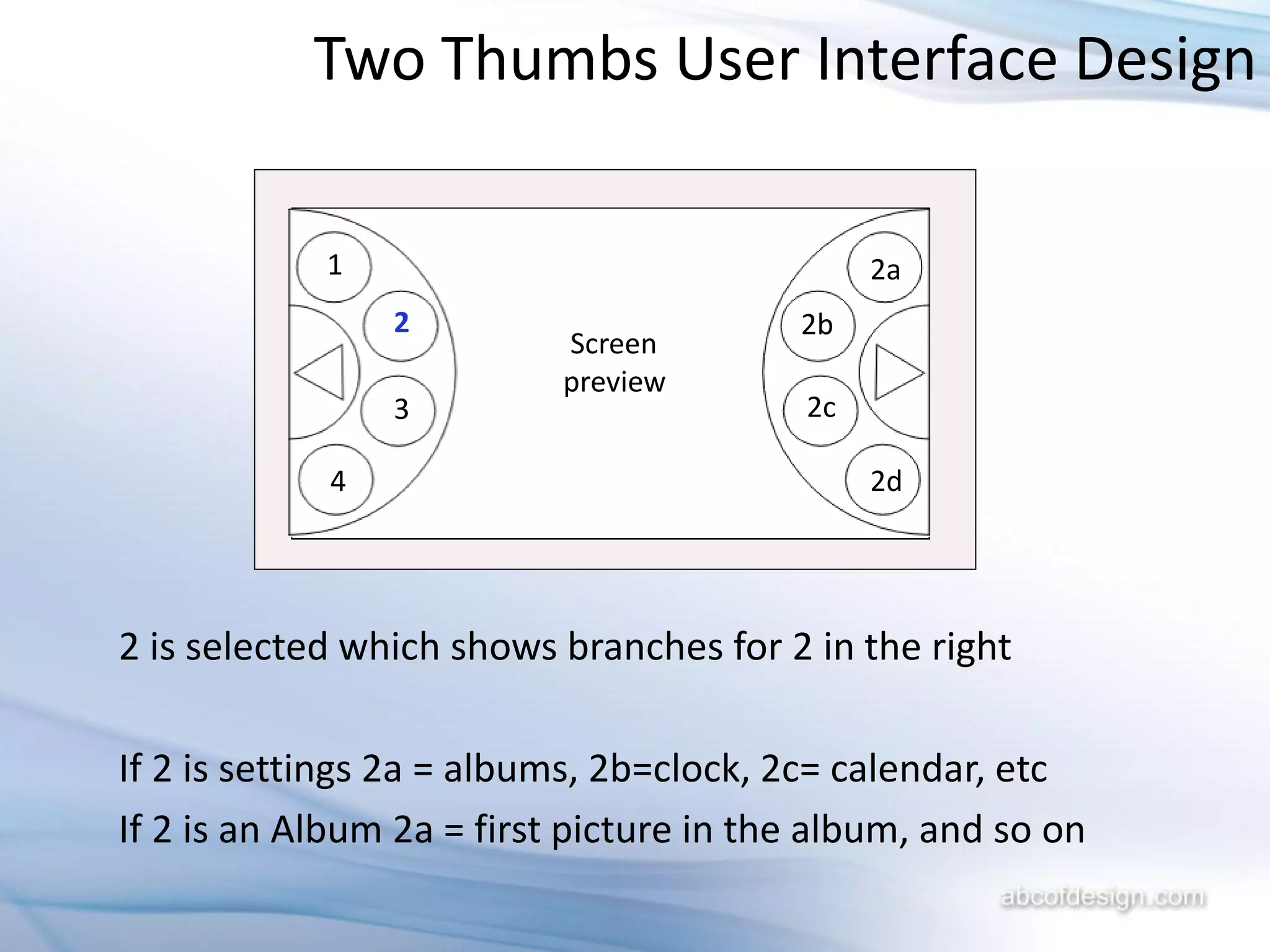
2 is selected which shows branches for 2 in the right

If 2 is settings 2a = albums, 2b=clock, 2c= calendar, etc
If 2 is an Album 2a = first picture in the album, and so on
Two Thumbs User Interface Design
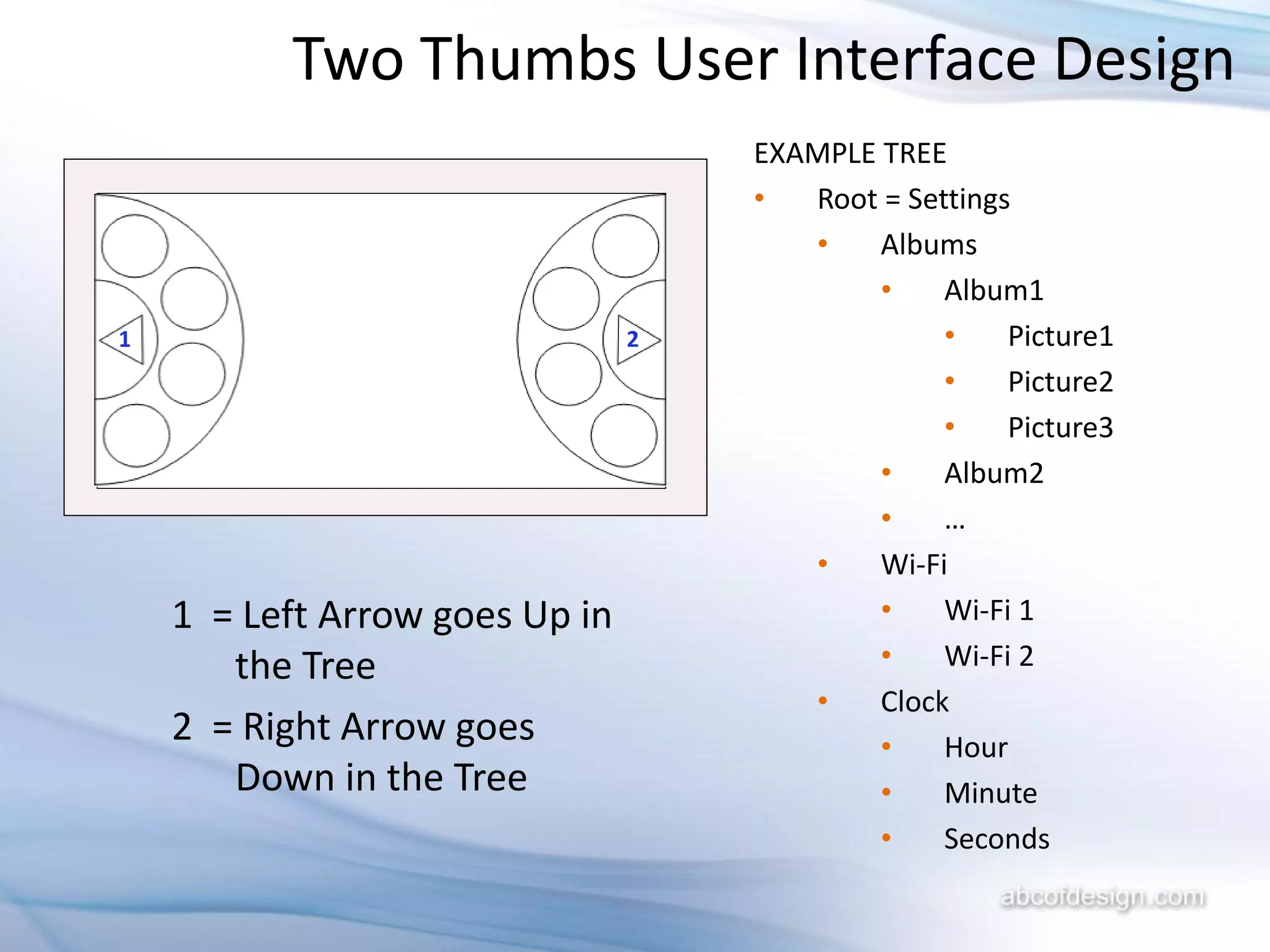
                                    EXAMPLE TREE
                                    •  Root = Settings
                                       •    Albums
                                            •    Album1
1                               2                •    Picture1
                                                 •    Picture2
                                                 •    Picture3
                                            •    Album2
                                            •    …
                                       •    Wi-Fi
    1 = Left Arrow goes Up in               •    Wi-Fi 1
       the Tree                             •    Wi-Fi 2
                                       •    Clock
    2 = Right Arrow goes                    •    Hour
       Down in the Tree                     •    Minute
                                            •    Seconds
Two Thumbs User Interface Design


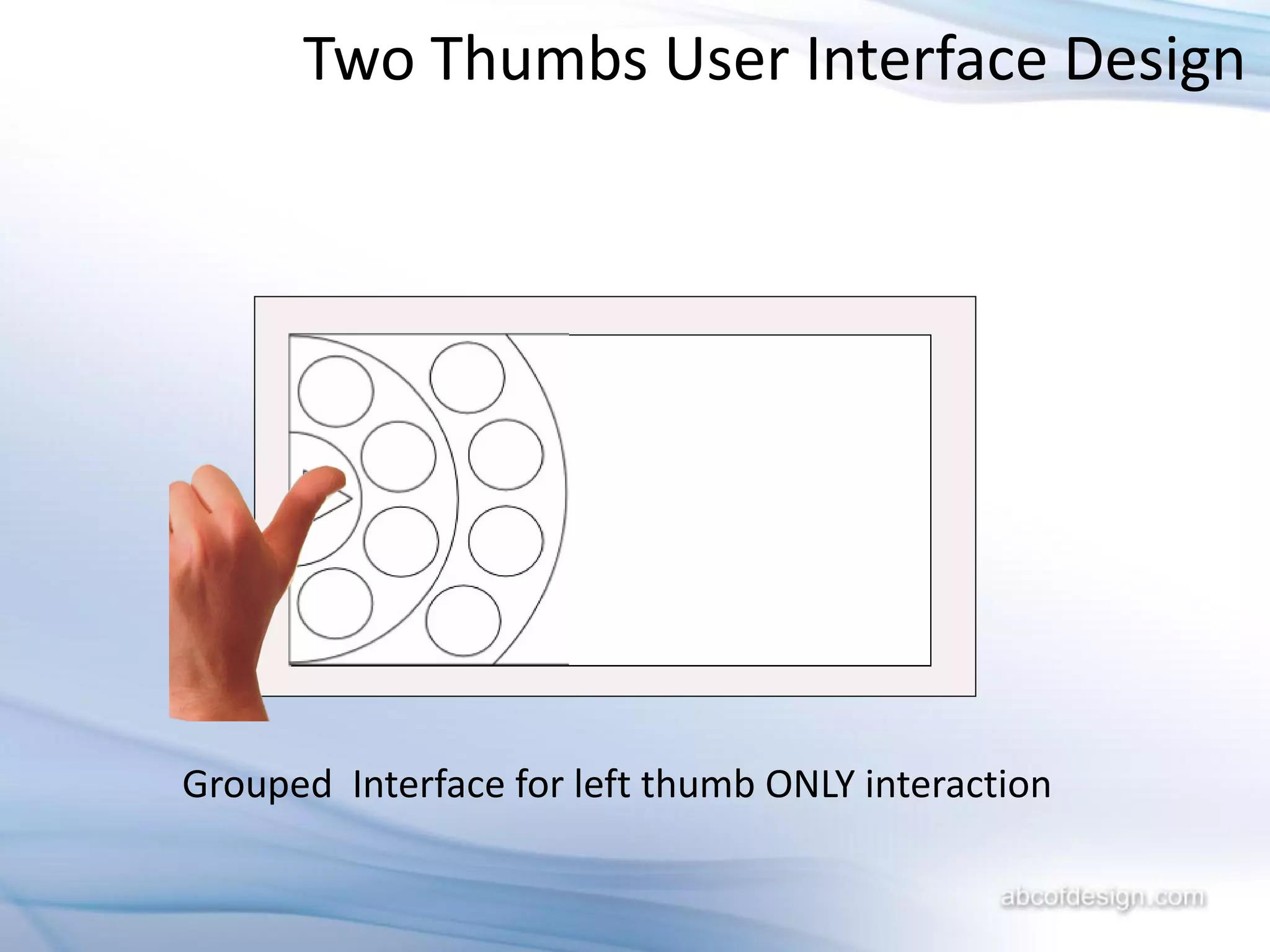
Grouped Interface for left thumb ONLY interaction
Two Thumbs User Interface Design


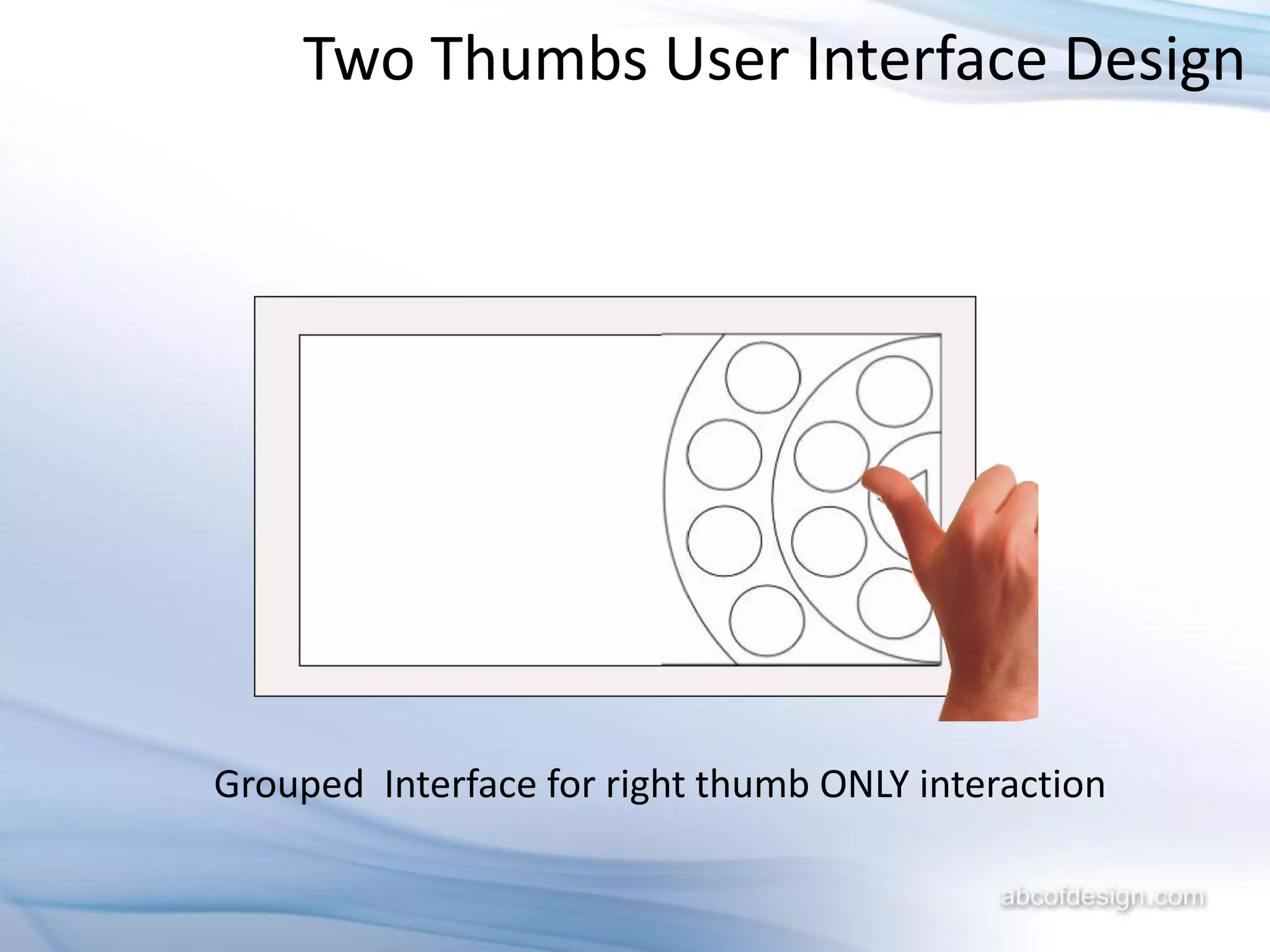
Grouped Interface for right thumb ONLY interaction
Two Thumbs User Interface Design


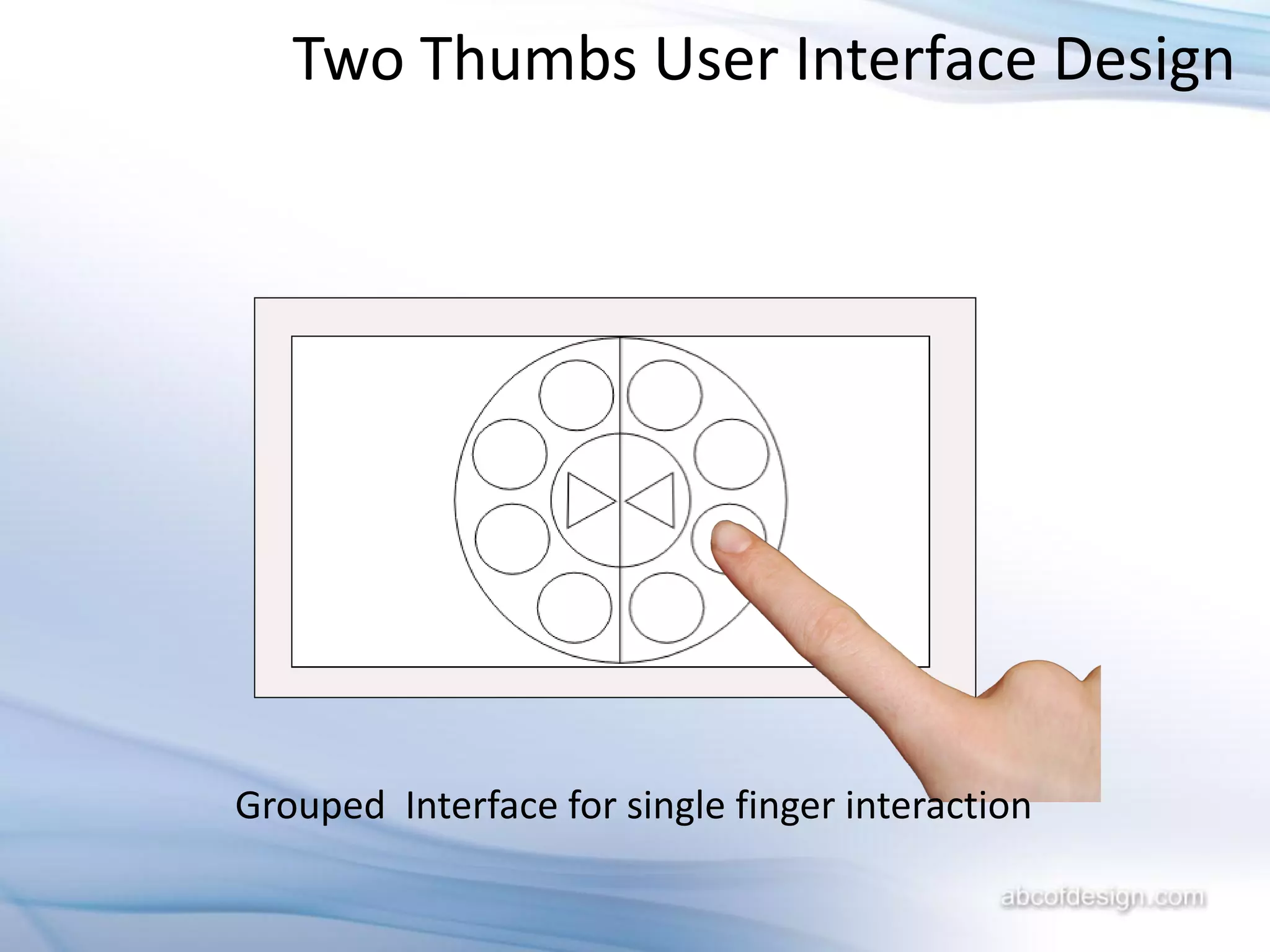
Grouped Interface for single finger interaction
Two Thumbs User Interface Design


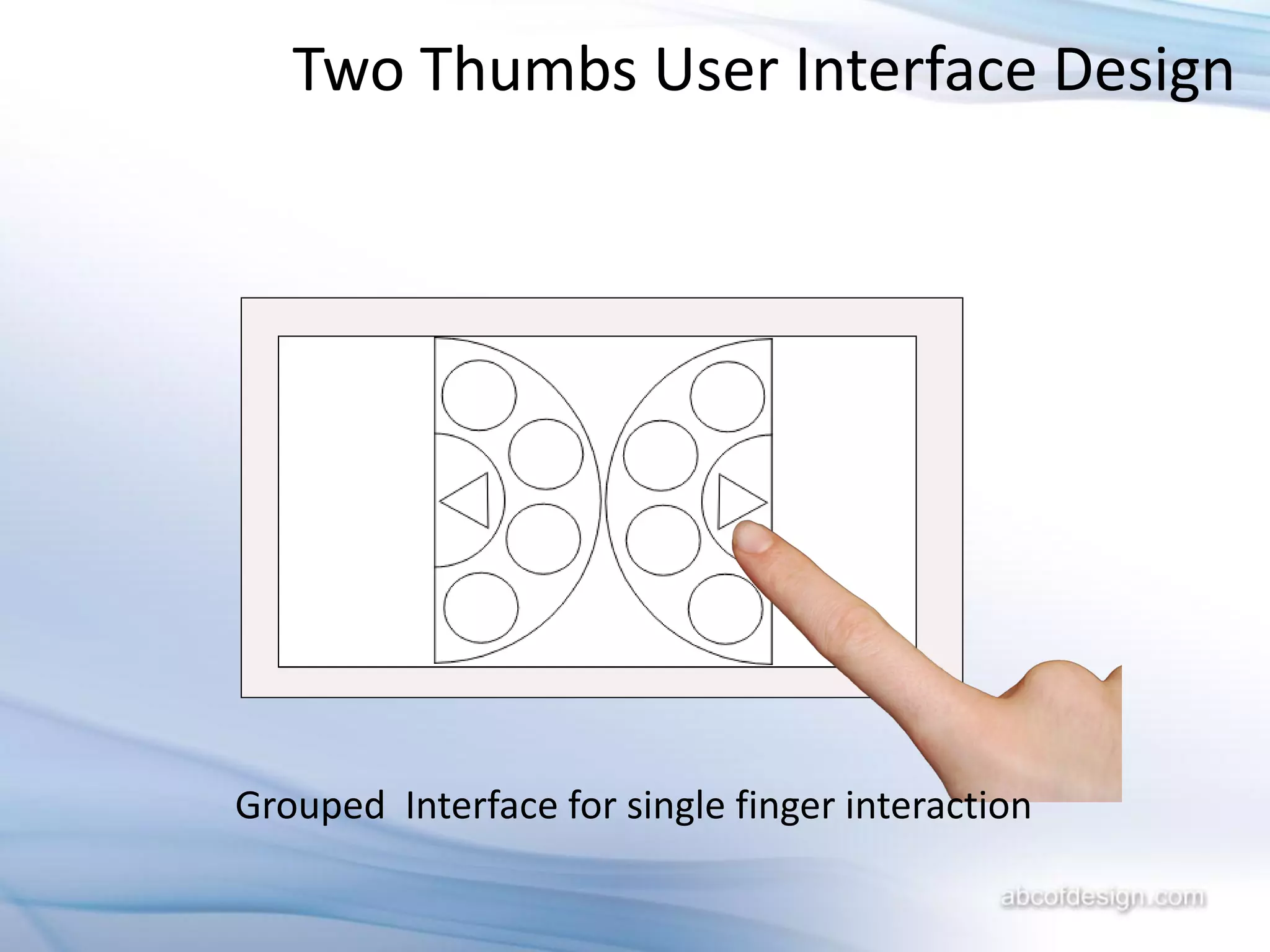
Grouped Interface for single finger interaction
Thank You


            Rajesh Lal
            http://ABCofDesign.com

Two thumbs User Interface @iRajLal

  • 1.
    Two Thumbs UserInterface For Digital Photo Frame Rajesh Lal
  • 2.
    Two Thumbs UserInterface Design Screen preview The User Interface
  • 3.
    Two Thumbs UserInterface Design Why: A Photo frame is handled with two hands with two free thumbs Default View with Two thumbs Interaction in a touch screen interface
  • 4.
    Two Thumbs UserInterface Design Benefits 1. Unobtrusive View 2. Best suited for Two thumbs interaction 3. A Unique and Easy way to browse options in a photo frame 4. Clean and Elegant design
  • 5.
    Two Thumbs UserInterface Design FEATURES 1. Rotating Dial interface which can accommodate up to 8 items in a category 2. A Unique Tree a) Each Left round button is a root b) Multiple buttons in the right are the branch of the selected root c) Left and Right triangle (Arrow) to go up and down in the tree
  • 6.
    Two Thumbs UserInterface Design 1 2a 2 2b Screen preview 3 2c 4 2d 2 is selected which shows branches for 2 in the right If 2 is settings 2a = albums, 2b=clock, 2c= calendar, etc If 2 is an Album 2a = first picture in the album, and so on
  • 7.
    Two Thumbs UserInterface Design EXAMPLE TREE • Root = Settings • Albums • Album1 1 2 • Picture1 • Picture2 • Picture3 • Album2 • … • Wi-Fi 1 = Left Arrow goes Up in • Wi-Fi 1 the Tree • Wi-Fi 2 • Clock 2 = Right Arrow goes • Hour Down in the Tree • Minute • Seconds
  • 8.
    Two Thumbs UserInterface Design Grouped Interface for left thumb ONLY interaction
  • 9.
    Two Thumbs UserInterface Design Grouped Interface for right thumb ONLY interaction
  • 10.
    Two Thumbs UserInterface Design Grouped Interface for single finger interaction
  • 11.
    Two Thumbs UserInterface Design Grouped Interface for single finger interaction
  • 12.
    Thank You Rajesh Lal http://ABCofDesign.com