MIS 175 Spring 2002 Chapter
9MIS 221
1
Transaction Processing
Systems
• Manual or automatic – all businesses
systematically process transactions
• Function: process routine, day-to-day
business activities
• Computerized TPS:
– Batch
– Online (real-time, OLTP)
• The foundation of business systems
MIS 175 Spring 2002 Chapter
9MIS 221
2
Batch TPS
• Originally, the only available option
• Transactions accumulated over period of time
• Time period – day, week, month
• Transaction records accumulated in files
• When batches are processed, what happens?
– Update databases
– Generate reports
– Generate transactions for other systems
MIS 175 Spring 2002 Chapter
9MIS 221
3
Batch Processing Pros and
Cons
• Pros
– Relatively easy to program, install and
maintain
– Batches can be processed during low-activity
periods
• Cons
– Information is delayed
MIS 175 Spring 2002 Chapter
9MIS 221
4
Online TPS (OLTP)
• Transactions are processed in real time
• Required for any “modern” application
where time is critical
• Well supported by client/server computing
model
MIS 175 Spring 2002 Chapter
9MIS 221
5
Hybrid TPS
• OLTP applications can feed transactions to
batch systems
– Examine: GL only updated once per day
• Real time order capture with delayed
processing
MIS 175 Spring 2002 Chapter
9MIS 221
6
TPS Requirements
• Capture, process and store transactions
• Produce reports and information about
transactions
• Produce transactions for other TPS
• Be accurate and timely
• Be efficient – require less labor
• Increase customer service
• Increase competitive advantage
MIS 175 Spring 2002 Chapter
9MIS 221
7
TPS Activity Model
• Data capture
– From online entry or “external” system
• Data validation
– Should be done as close to source as possible
• Processing
– Data manipulation
– Database updating
– Generation of transactions for other systems
• Archive Transaction
• Create documents and reports
MIS 175 Spring 2002 Chapter
9MIS 221
8
Management Issues
• Uptime
– How long can the system be “down” before
significant costs are incurred?
• Processing Delays / Response Times
– How quickly must a transaction be
processed?
– What is the worst online response time that is
acceptable
MIS 175 Spring 2002 Chapter
9MIS 221
9
Management Issues (2)
• Disaster Recovery
– What plans are in place to recover lost
business data?
– What plans are in place to resume business
processing in case of disaster?
• Audit
– Can you verify the integrity of the system?
– How will you know if transactions are not
processed or are processed incorrectly?
MIS 175 Spring 2002 Chapter
9MIS 221
10
TPS By Function
• Order Processing
• Procurement & Inventory Control
• Accounting
MIS 175 Spring 2002 Chapter
9MIS 221
11
Order Processing TPS
• Order capture
– Variety of means
• Configuration
• Shipment planning and inventory
allocation
– Prioritize orders, select shipment locations,
allocate inventory to orders
• Shipping and warehousing
– Picking, packing, invoicing, reporting
MIS 175 Spring 2002 Chapter
9MIS 221
12
Procurement
• Inventory Control
– Raw materials, WIP, FGI, etc
• Purchase Order Processing
– Generating, transmitting, maintaining
purchase orders
• Receiving
• Accounts Payable
– Boundary between procurement and
accounting
MIS 175 Spring 2002 Chapter
9MIS 221
13
Accounting
• Accounts Payable
• Accounts Receivable
• Budget
• Payroll
• General Ledger
• Asset Management
MIS 175 Spring 2002 Chapter
9MIS 221
14
Disadvantages of Functionally
Organized TPS
• Processing inefficiency
• Data redundancy
– Causes integrity problems
– Inefficient
• Temporal integrity problems
– Caused by different times at which processing
occurs
• Lack of information coherence
MIS 175 Spring 2002 Chapter
9MIS 221
15
Enterprise Resource Planning
Systems
• Key word is Enterprise: solution
designed for entire enterprise
• All processes organized around one
enterprise-wide data model
MIS 175 Spring 2002 Chapter
9MIS 221
16
Advantages of ERP
• Elimination of costly legacy systems
– Old systems are expensive to maintain and
reduce business agility
• Improvement of processes
– ERP may have implemented best-in-class
processes
• Improve data access and data integrity
– Provide complete, consistent view of
enterprise data
MIS 175 Spring 2002 Chapter
9MIS 221
17
Disadvantages of ERP
• Implementation cost
– Software and hardware
– Expertise
– Opportunity costs
• Time to implementation
– Lengthy and difficult process
• MOC (management of change) challenges
• System integration difficulties
• Vendor dependence
MIS 175 Spring 2002 Chapter
9MIS 221
18
Current ERP Vendors
• SAP
• Baan
• PeopleSoft
• Oracle
• J. D. Edwards
• Manugistics
MIS 175 Spring 2002 Chapter
9MIS 221
19
R/3 Architecture
• Functionally rich
– More functional options than a business will
ever need
• Logical
– Built around information model
– 10,000 tables
• Control tables
• Application data tables
– Heavily parameterized
MIS 175 Spring 2002 Chapter
9MIS 221
20
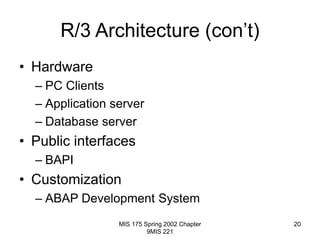
R/3 Architecture (con’t)
• Hardware
– PC Clients
– Application server
– Database server
• Public interfaces
– BAPI
• Customization
– ABAP Development System

transaction.ppt

  • 1.
    MIS 175 Spring2002 Chapter 9MIS 221 1 Transaction Processing Systems • Manual or automatic – all businesses systematically process transactions • Function: process routine, day-to-day business activities • Computerized TPS: – Batch – Online (real-time, OLTP) • The foundation of business systems
  • 2.
    MIS 175 Spring2002 Chapter 9MIS 221 2 Batch TPS • Originally, the only available option • Transactions accumulated over period of time • Time period – day, week, month • Transaction records accumulated in files • When batches are processed, what happens? – Update databases – Generate reports – Generate transactions for other systems
  • 3.
    MIS 175 Spring2002 Chapter 9MIS 221 3 Batch Processing Pros and Cons • Pros – Relatively easy to program, install and maintain – Batches can be processed during low-activity periods • Cons – Information is delayed
  • 4.
    MIS 175 Spring2002 Chapter 9MIS 221 4 Online TPS (OLTP) • Transactions are processed in real time • Required for any “modern” application where time is critical • Well supported by client/server computing model
  • 5.
    MIS 175 Spring2002 Chapter 9MIS 221 5 Hybrid TPS • OLTP applications can feed transactions to batch systems – Examine: GL only updated once per day • Real time order capture with delayed processing
  • 6.
    MIS 175 Spring2002 Chapter 9MIS 221 6 TPS Requirements • Capture, process and store transactions • Produce reports and information about transactions • Produce transactions for other TPS • Be accurate and timely • Be efficient – require less labor • Increase customer service • Increase competitive advantage
  • 7.
    MIS 175 Spring2002 Chapter 9MIS 221 7 TPS Activity Model • Data capture – From online entry or “external” system • Data validation – Should be done as close to source as possible • Processing – Data manipulation – Database updating – Generation of transactions for other systems • Archive Transaction • Create documents and reports
  • 8.
    MIS 175 Spring2002 Chapter 9MIS 221 8 Management Issues • Uptime – How long can the system be “down” before significant costs are incurred? • Processing Delays / Response Times – How quickly must a transaction be processed? – What is the worst online response time that is acceptable
  • 9.
    MIS 175 Spring2002 Chapter 9MIS 221 9 Management Issues (2) • Disaster Recovery – What plans are in place to recover lost business data? – What plans are in place to resume business processing in case of disaster? • Audit – Can you verify the integrity of the system? – How will you know if transactions are not processed or are processed incorrectly?
  • 10.
    MIS 175 Spring2002 Chapter 9MIS 221 10 TPS By Function • Order Processing • Procurement & Inventory Control • Accounting
  • 11.
    MIS 175 Spring2002 Chapter 9MIS 221 11 Order Processing TPS • Order capture – Variety of means • Configuration • Shipment planning and inventory allocation – Prioritize orders, select shipment locations, allocate inventory to orders • Shipping and warehousing – Picking, packing, invoicing, reporting
  • 12.
    MIS 175 Spring2002 Chapter 9MIS 221 12 Procurement • Inventory Control – Raw materials, WIP, FGI, etc • Purchase Order Processing – Generating, transmitting, maintaining purchase orders • Receiving • Accounts Payable – Boundary between procurement and accounting
  • 13.
    MIS 175 Spring2002 Chapter 9MIS 221 13 Accounting • Accounts Payable • Accounts Receivable • Budget • Payroll • General Ledger • Asset Management
  • 14.
    MIS 175 Spring2002 Chapter 9MIS 221 14 Disadvantages of Functionally Organized TPS • Processing inefficiency • Data redundancy – Causes integrity problems – Inefficient • Temporal integrity problems – Caused by different times at which processing occurs • Lack of information coherence
  • 15.
    MIS 175 Spring2002 Chapter 9MIS 221 15 Enterprise Resource Planning Systems • Key word is Enterprise: solution designed for entire enterprise • All processes organized around one enterprise-wide data model
  • 16.
    MIS 175 Spring2002 Chapter 9MIS 221 16 Advantages of ERP • Elimination of costly legacy systems – Old systems are expensive to maintain and reduce business agility • Improvement of processes – ERP may have implemented best-in-class processes • Improve data access and data integrity – Provide complete, consistent view of enterprise data
  • 17.
    MIS 175 Spring2002 Chapter 9MIS 221 17 Disadvantages of ERP • Implementation cost – Software and hardware – Expertise – Opportunity costs • Time to implementation – Lengthy and difficult process • MOC (management of change) challenges • System integration difficulties • Vendor dependence
  • 18.
    MIS 175 Spring2002 Chapter 9MIS 221 18 Current ERP Vendors • SAP • Baan • PeopleSoft • Oracle • J. D. Edwards • Manugistics
  • 19.
    MIS 175 Spring2002 Chapter 9MIS 221 19 R/3 Architecture • Functionally rich – More functional options than a business will ever need • Logical – Built around information model – 10,000 tables • Control tables • Application data tables – Heavily parameterized
  • 20.
    MIS 175 Spring2002 Chapter 9MIS 221 20 R/3 Architecture (con’t) • Hardware – PC Clients – Application server – Database server • Public interfaces – BAPI • Customization – ABAP Development System