Training Record Management
System
What is Training Record
Management System
Training record management System (TRMS), also known as training
management, is an important component of quality management,
compliance, regulatory practices, and even employee safety.
A training record management system enables an organization to effectively
track, train, and ensure policy and procedure compliance.
BIS Safety Software
Training Record Management
BIS Safety Software (BIS) has integrated a cloud-based
training record management system that is centrally
managed into its existing learning management system.
The training record management system allows system
administrators to upload thousands of training records
for employees and track compliance.
Checklist For Choosing the
Best Training Record Management
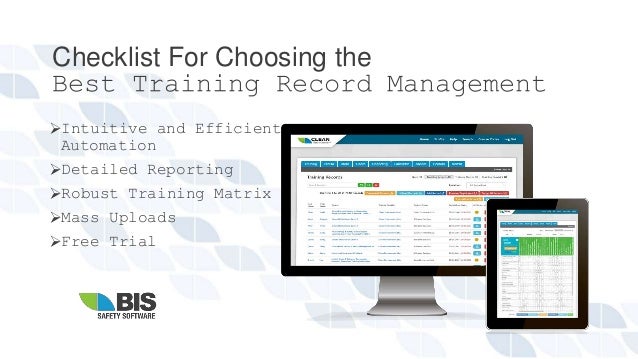
Intuitive and Efficient
Automation
Detailed Reporting
Robust Training Matrix
Mass Uploads
Free Trial
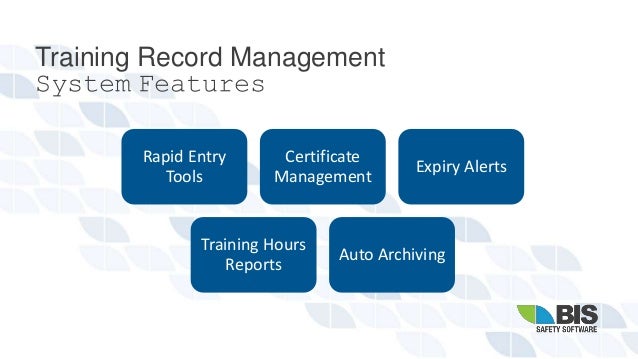
Training Record Management
System Features
Rapid Entry
Tools
Certificate
Management
Expiry Alerts
Training Hours
Reports
Auto Archiving
Training Record Management
System Highlights
1. Auto-Assigned Training
When training records expire, You can use the Training
Matrix to set the automated assignment of online
courses.
2. Scheduled Excel Reports
You can set up automated emails with reports on upcoming
training expirations for users and topics.
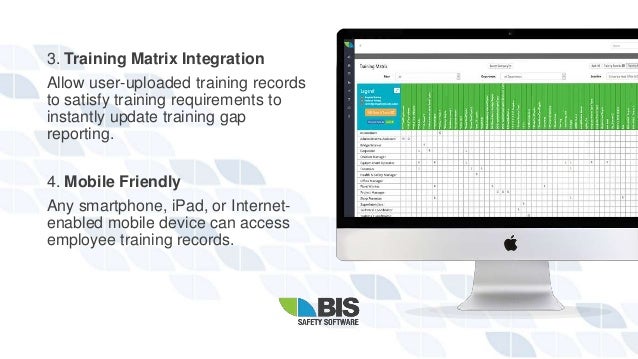
3. Training Matrix Integration
Allow user-uploaded training records
to satisfy training requirements to
instantly update training gap
reporting.
4. Mobile Friendly
Any smartphone, iPad, or Internet-
enabled mobile device can access
employee training records.
5. Simple Supervisor Reviews
Reduce administrative costs by
allowing employees to upload
records directly to their accounts for
review/approval.
6. Quick Upload
Simplify the process by directly
uploading thousands of training
records into the system via Excel.
10 Reason To Choose BIS Safety
Software’s
Training Record Management System
Integrate Other Software
Auto-Assign Training
Reduce Non-Compliance
Quickly Search for Records
and Run Reports
Improve Analysis
Offer Multiple Points of
Access
Reduce Operational Costs
Improve Record Security
Reduce the Physical
Footprint
Work Towards
Sustainability
Additional Features
Training Record Management System
Training Matrix
Our Training Record Management System includes an
integrated Training Matrix that allows you to:
• Automatically provide mandatory and optional training to
your employees
• Free up hours of time for your managers and
administrators to focus on other vital activities.
Gap Analysis Reporting
You may generate a complete gap
analysis report using parameters
provided by the training matrix,
which shows which regions, work
sites, departments, and even
individuals are behind in their
training.
Excel Compatibility
This feature allows you to:
 Create user accounts
 Update user profiles
 Store training information,
including copies of certificates
 Download training reports to your
desktop
 Verify employees with payroll
comparison
 And much more!
Call us - (866) 416 1660
Follow Us on Twitter
Follow Us on Facebook
Website
BIS Safety Software

Training record management system

  • 1.
  • 2.
    What is TrainingRecord Management System Training record management System (TRMS), also known as training management, is an important component of quality management, compliance, regulatory practices, and even employee safety. A training record management system enables an organization to effectively track, train, and ensure policy and procedure compliance.
  • 3.
    BIS Safety Software TrainingRecord Management BIS Safety Software (BIS) has integrated a cloud-based training record management system that is centrally managed into its existing learning management system. The training record management system allows system administrators to upload thousands of training records for employees and track compliance.
  • 4.
    Checklist For Choosingthe Best Training Record Management Intuitive and Efficient Automation Detailed Reporting Robust Training Matrix Mass Uploads Free Trial
  • 5.
    Training Record Management SystemFeatures Rapid Entry Tools Certificate Management Expiry Alerts Training Hours Reports Auto Archiving
  • 6.
    Training Record Management SystemHighlights 1. Auto-Assigned Training When training records expire, You can use the Training Matrix to set the automated assignment of online courses. 2. Scheduled Excel Reports You can set up automated emails with reports on upcoming training expirations for users and topics.
  • 7.
    3. Training MatrixIntegration Allow user-uploaded training records to satisfy training requirements to instantly update training gap reporting. 4. Mobile Friendly Any smartphone, iPad, or Internet- enabled mobile device can access employee training records.
  • 8.
    5. Simple SupervisorReviews Reduce administrative costs by allowing employees to upload records directly to their accounts for review/approval. 6. Quick Upload Simplify the process by directly uploading thousands of training records into the system via Excel.
  • 9.
    10 Reason ToChoose BIS Safety Software’s Training Record Management System Integrate Other Software Auto-Assign Training Reduce Non-Compliance Quickly Search for Records and Run Reports Improve Analysis Offer Multiple Points of Access Reduce Operational Costs Improve Record Security Reduce the Physical Footprint Work Towards Sustainability
  • 10.
  • 11.
    Training Matrix Our TrainingRecord Management System includes an integrated Training Matrix that allows you to: • Automatically provide mandatory and optional training to your employees • Free up hours of time for your managers and administrators to focus on other vital activities.
  • 12.
    Gap Analysis Reporting Youmay generate a complete gap analysis report using parameters provided by the training matrix, which shows which regions, work sites, departments, and even individuals are behind in their training.
  • 13.
    Excel Compatibility This featureallows you to:  Create user accounts  Update user profiles  Store training information, including copies of certificates  Download training reports to your desktop  Verify employees with payroll comparison  And much more!
  • 14.
    Call us -(866) 416 1660 Follow Us on Twitter Follow Us on Facebook Website BIS Safety Software