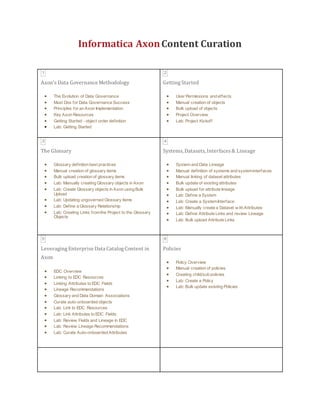
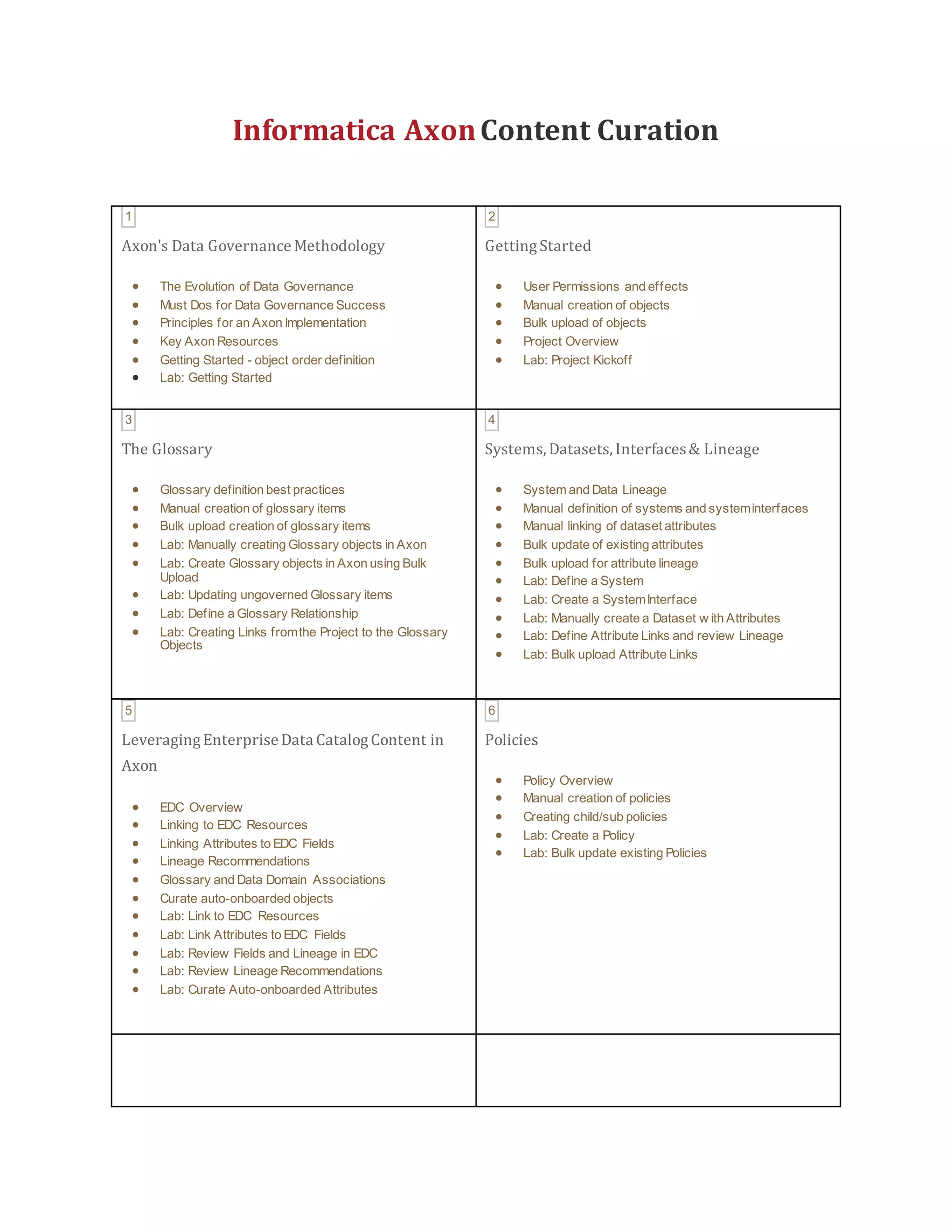
Informatica AxonContent Curation
1
Axon's Data Governance Methodology
 The Evolution of Data Governance
 Must Dos for Data Governance Success
 Principles for an Axon Implementation
 Key Axon Resources
 Getting Started - object order definition
 Lab: Getting Started
2
GettingStarted
 User Permissions and effects
 Manual creation of objects
 Bulk upload of objects
 Project Overview
 Lab: Project Kickoff
3
The Glossary
 Glossary definition best practices
 Manual creation of glossary items
 Bulk upload creation of glossary items
 Lab: Manually creating Glossary objects in Axon
 Lab: Create Glossary objects in Axon using Bulk
Upload
 Lab: Updating ungoverned Glossary items
 Lab: Define a Glossary Relationship
 Lab: Creating Links fromthe Project to the Glossary
Objects
4
Systems, Datasets, Interfaces& Lineage
 System and Data Lineage
 Manual definition of systems and systeminterfaces
 Manual linking of dataset attributes
 Bulk update of existing attributes
 Bulk upload for attribute lineage
 Lab: Define a System
 Lab: Create a SystemInterface
 Lab: Manually create a Dataset w ith Attributes
 Lab: Define Attribute Links and review Lineage
 Lab: Bulk upload Attribute Links
5
LeveragingEnterprise Data CatalogContent in
Axon
 EDC Overview
 Linking to EDC Resources
 Linking Attributes to EDC Fields
 Lineage Recommendations
 Glossary and Data Domain Associations
 Curate auto-onboarded objects
 Lab: Link to EDC Resources
 Lab: Link Attributes to EDC Fields
 Lab: Review Fields and Lineage in EDC
 Lab: Review Lineage Recommendations
 Lab: Curate Auto-onboarded Attributes
6
Policies
 Policy Overview
 Manual creation of policies
 Creating child/sub policies
 Lab: Create a Policy
 Lab: Bulk update existing Policies
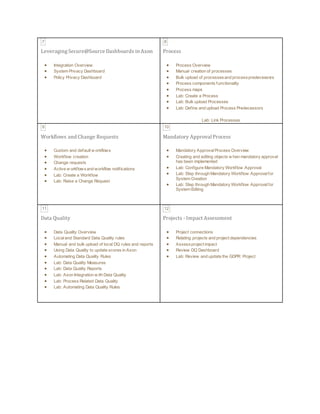
7
LeveragingSecure@Source Dashboards in Axon
 Integration Overview
 System Privacy Dashboard
 Policy Privacy Dashboard
8
Process
 Process Overview
 Manual creation of processes
 Bulk upload of processesand processpredecessors
 Process components functionality
 Process maps
 Lab: Create a Process
 Lab: Bulk upload Processes
 Lab: Define and upload Process Predecessors
Lab: Link Processes
9
Workflows and Change Requests
 Custom and default w orkflows
 Workflow creation
 Change requests
 Active w orkflowsand workflow notifications
 Lab: Create a Workflow
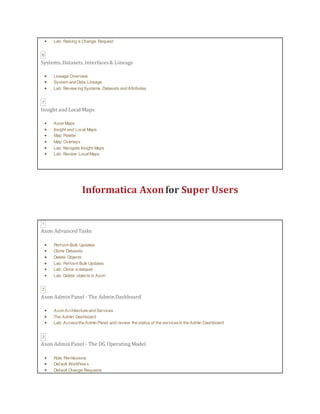
 Lab: Raise a Change Request
10
Mandatory Approval Process
 Mandatory ApprovalProcess Overview
 Creating and editing objects w hen mandatory approval
has been implemented
 Lab: Configure Mandatory Workflow Approval
 Lab: Step through Mandatory Workflow Approvalfor
System Creation
 Lab: Step through Mandatory Workflow Approvalfor
System Editing
11
Data Quality
 Data Quality Overview
 Localand Standard Data Quality rules
 Manual and bulk upload of local DQ rules and reports
 Using Data Quality to update scores in Axon
 Automating Data Quality Rules
 Lab: Data Quality Measures
 Lab: Data Quality Reports
 Lab: Axon Integration w ith Data Quality
 Lab: Process Related Data Quality
 Lab: Automating Data Quality Rules
12
Projects - Impact Assessment
 Project connections
 Relating projects and project dependencies
 Assessproject impact
 Review DQ Dashboard
 Lab: Review and update the GDPR Project
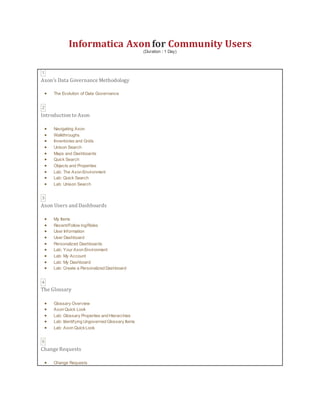
Informatica Axonfor Community Users
(Duration : 1 Day)
1
Axon's Data Governance Methodology
 The Evolution of Data Governance
2
Introduction to Axon
 Navigating Axon
 Walkthroughs
 Inventories and Grids
 Unison Search
 Maps and Dashboards
 Quick Search
 Objects and Properties
 Lab: The Axon Environment
 Lab: Quick Search
 Lab: Unison Search
3
Axon Users and Dashboards
 My Items
 Recent/Follow ing/Roles
 User Information
 User Dashboard
 Personalized Dashboards
 Lab: Your Axon Environment
 Lab: My Account
 Lab: My Dashboard
 Lab: Create a Personalized Dashboard
4
The Glossary
 Glossary Overview
 Axon Quick Look
 Lab: Glossary Properties and Hierarchies
 Lab: Identifying Ungoverned Glossary Items
 Lab: Axon QuickLook
5
Change Requests
 Change Requests
 Lab: Raising a Change Request
6
Systems,Datasets,Interfaces& Lineage
 Lineage Overview
 System and Data Lineage
 Lab: Review ing Systems, Datasets and Attributes
7
Insight and Local Maps
 Axon Maps
 Insight and Local Maps
 Map Palette
 Map Overlays
 Lab: Navigate Insight Maps
 Lab: Review LocalMaps
Informatica Axonfor Super Users
1
Axon Advanced Tasks
 Perform Bulk Updates
 Clone Datasets
 Delete Objects
 Lab: Perform Bulk Updates
 Lab: Clone a dataset
 Lab: Delete objects in Axon
2
Axon Admin Panel - The Admin Dashboard
 Axon Architecture and Services
 The Admin Dashboard
 Lab: Accessthe Admin Panel and review the status of the servicesin the Admin Dashboard
3
Axon Admin Panel - The DG OperatingModel
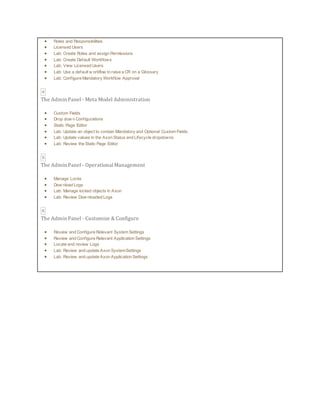
 Role Permissions
 Default Workflow s
 Default Change Requests
 Roles and Responsibilities
 Licensed Users
 Lab: Create Roles and assign Permissions
 Lab: Create Default Workflows
 Lab: View Licensed Users
 Lab: Use a default w orkflow to raise a CR on a Glossary
 Lab: Configure Mandatory Workflow Approval
4
The Admin Panel - Meta Model Administration
 Custom Fields
 Drop dow n Configurations
 Static Page Editor
 Lab: Update an object to contain Mandatory and Optional Custom Fields.
 Lab: Update values in the Axon Status and Lifecycle dropdowns
 Lab: Review the Static Page Editor
5
The Admin Panel - Operational Management
 Manage Locks
 Dow nload Logs
 Lab: Manage locked objects in Axon
 Lab: Review Dow nloaded Logs
6
The Admin Panel - Customize & Configure
 Review and Configure Relevant System Settings
 Review and Configure Relevant Application Settings
 Locate and review Logs
 Lab: Review and update Axon SystemSettings
 Lab: Review and update Axon Application Settings
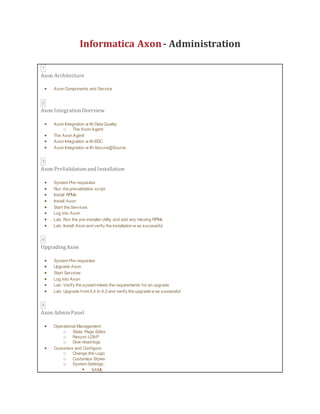
Informatica Axon- Administration
1
Axon Architecture
 Axon Components and Service
2
Axon Integration Overview
 Axon Integration w ith Data Quality
o The Axon Agent
 The Axon Agent
 Axon Integration w ith EDC
 Axon Integration w ith Secure@Source
3
Axon PreValidation and Installation
 System Pre-requisites
 Run the prevalidation script
 Install RPMs
 Install Axon
 Start the Services
 Log into Axon
 Lab: Run the pre-installer utility and add any missing RPMs
 Lab: Install Axon and verify the installation w as successful
4
UpgradingAxon
 System Pre-requisites
 Upgrade Axon
 Start Services
 Log into Axon
 Lab: Verify the systemmeets the requirements for an upgrade
 Lab: Upgrade from5.4 to 6.2 and verify the upgrade w as successful
5
Axon Admin Panel
 Operational Management:
o Static Page Editor
o Resync LDAP
o Dow nload logs
 Customize and Configure
o Change the Logo
o Customize Styles
o System Settings:
 SAML
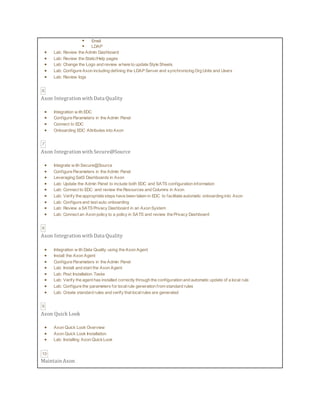
 Email
 LDAP
 Lab: Review the Admin Dashboard
 Lab: Review the Static/Help pages
 Lab: Change the Logo and review where to update Style Sheets
 Lab: Configure Axon including defining the LDAP Server and synchronizing Org Units and Users
 Lab: Review logs
6
Axon Integration with Data Quality
 Integration w ith EDC
 Configure Parameters in the Admin Panel
 Connect to EDC
 Onboarding EDC Attributes into Axon
7
Axon Integration with Secure@Source
 Integrate w ith Secure@Source
 Configure Parameters in the Admin Panel
 Leveraging SatS Dashboards in Axon
 Lab: Update the Admin Panel to include both EDC and SATS configuration information
 Lab: Connect to EDC and review the Resources and Columns in Axon
 Lab: Verify the appropriate steps have been taken in EDC to facilitate automatic onboarding into Axon
 Lab: Configure and test auto onboarding
 Lab: Review a SATS Privacy Dashboard in an Axon System
 Lab: Connect an Axon policy to a policy in SATS and review the Privacy Dashboard
8
Axon Integration with Data Quality
 Integration w ith Data Quality using the Axon Agent
 Install the Axon Agent
 Configure Parameters in the Admin Panel
 Lab: Install and start the Axon Agent
 Lab: Post Installation Tasks
 Lab: Verify the agent has installed correctly through the configuration and automatic update of a local rule
 Lab: Configure the parameters for localrule generation from standard rules
 Lab: Create standard rules and verify that localrules are generated
9
Axon Quick Look
 Axon Quick Look Overview
 Axon Quick Look Installation
 Lab: Installing Axon QuickLook
10
Maintain Axon
 Troubleshoot issues
 Identify related Services
 Review relevant Logs
 Verify Service Statuses
 Restart Services
 Resolve issues
 Lab: Trouble shooting Axon
11
Backup and Restore Axons PostgreSQL Database
 Backup Axons PostgreSQL Database
 Restore a PostgreSQL backup
 Lab: Backup a postgresqldatabase
Lab: Restore a postgresqldatabase

Training

  • 1.
    Informatica AxonContent Curation 1 Axon'sData Governance Methodology  The Evolution of Data Governance  Must Dos for Data Governance Success  Principles for an Axon Implementation  Key Axon Resources  Getting Started - object order definition  Lab: Getting Started 2 GettingStarted  User Permissions and effects  Manual creation of objects  Bulk upload of objects  Project Overview  Lab: Project Kickoff 3 The Glossary  Glossary definition best practices  Manual creation of glossary items  Bulk upload creation of glossary items  Lab: Manually creating Glossary objects in Axon  Lab: Create Glossary objects in Axon using Bulk Upload  Lab: Updating ungoverned Glossary items  Lab: Define a Glossary Relationship  Lab: Creating Links fromthe Project to the Glossary Objects 4 Systems, Datasets, Interfaces& Lineage  System and Data Lineage  Manual definition of systems and systeminterfaces  Manual linking of dataset attributes  Bulk update of existing attributes  Bulk upload for attribute lineage  Lab: Define a System  Lab: Create a SystemInterface  Lab: Manually create a Dataset w ith Attributes  Lab: Define Attribute Links and review Lineage  Lab: Bulk upload Attribute Links 5 LeveragingEnterprise Data CatalogContent in Axon  EDC Overview  Linking to EDC Resources  Linking Attributes to EDC Fields  Lineage Recommendations  Glossary and Data Domain Associations  Curate auto-onboarded objects  Lab: Link to EDC Resources  Lab: Link Attributes to EDC Fields  Lab: Review Fields and Lineage in EDC  Lab: Review Lineage Recommendations  Lab: Curate Auto-onboarded Attributes 6 Policies  Policy Overview  Manual creation of policies  Creating child/sub policies  Lab: Create a Policy  Lab: Bulk update existing Policies
  • 2.
    7 LeveragingSecure@Source Dashboards inAxon  Integration Overview  System Privacy Dashboard  Policy Privacy Dashboard 8 Process  Process Overview  Manual creation of processes  Bulk upload of processesand processpredecessors  Process components functionality  Process maps  Lab: Create a Process  Lab: Bulk upload Processes  Lab: Define and upload Process Predecessors Lab: Link Processes 9 Workflows and Change Requests  Custom and default w orkflows  Workflow creation  Change requests  Active w orkflowsand workflow notifications  Lab: Create a Workflow  Lab: Raise a Change Request 10 Mandatory Approval Process  Mandatory ApprovalProcess Overview  Creating and editing objects w hen mandatory approval has been implemented  Lab: Configure Mandatory Workflow Approval  Lab: Step through Mandatory Workflow Approvalfor System Creation  Lab: Step through Mandatory Workflow Approvalfor System Editing 11 Data Quality  Data Quality Overview  Localand Standard Data Quality rules  Manual and bulk upload of local DQ rules and reports  Using Data Quality to update scores in Axon  Automating Data Quality Rules  Lab: Data Quality Measures  Lab: Data Quality Reports  Lab: Axon Integration w ith Data Quality  Lab: Process Related Data Quality  Lab: Automating Data Quality Rules 12 Projects - Impact Assessment  Project connections  Relating projects and project dependencies  Assessproject impact  Review DQ Dashboard  Lab: Review and update the GDPR Project
  • 3.
    Informatica Axonfor CommunityUsers (Duration : 1 Day) 1 Axon's Data Governance Methodology  The Evolution of Data Governance 2 Introduction to Axon  Navigating Axon  Walkthroughs  Inventories and Grids  Unison Search  Maps and Dashboards  Quick Search  Objects and Properties  Lab: The Axon Environment  Lab: Quick Search  Lab: Unison Search 3 Axon Users and Dashboards  My Items  Recent/Follow ing/Roles  User Information  User Dashboard  Personalized Dashboards  Lab: Your Axon Environment  Lab: My Account  Lab: My Dashboard  Lab: Create a Personalized Dashboard 4 The Glossary  Glossary Overview  Axon Quick Look  Lab: Glossary Properties and Hierarchies  Lab: Identifying Ungoverned Glossary Items  Lab: Axon QuickLook 5 Change Requests  Change Requests
  • 4.
     Lab: Raisinga Change Request 6 Systems,Datasets,Interfaces& Lineage  Lineage Overview  System and Data Lineage  Lab: Review ing Systems, Datasets and Attributes 7 Insight and Local Maps  Axon Maps  Insight and Local Maps  Map Palette  Map Overlays  Lab: Navigate Insight Maps  Lab: Review LocalMaps Informatica Axonfor Super Users 1 Axon Advanced Tasks  Perform Bulk Updates  Clone Datasets  Delete Objects  Lab: Perform Bulk Updates  Lab: Clone a dataset  Lab: Delete objects in Axon 2 Axon Admin Panel - The Admin Dashboard  Axon Architecture and Services  The Admin Dashboard  Lab: Accessthe Admin Panel and review the status of the servicesin the Admin Dashboard 3 Axon Admin Panel - The DG OperatingModel  Role Permissions  Default Workflow s  Default Change Requests
  • 5.
     Roles andResponsibilities  Licensed Users  Lab: Create Roles and assign Permissions  Lab: Create Default Workflows  Lab: View Licensed Users  Lab: Use a default w orkflow to raise a CR on a Glossary  Lab: Configure Mandatory Workflow Approval 4 The Admin Panel - Meta Model Administration  Custom Fields  Drop dow n Configurations  Static Page Editor  Lab: Update an object to contain Mandatory and Optional Custom Fields.  Lab: Update values in the Axon Status and Lifecycle dropdowns  Lab: Review the Static Page Editor 5 The Admin Panel - Operational Management  Manage Locks  Dow nload Logs  Lab: Manage locked objects in Axon  Lab: Review Dow nloaded Logs 6 The Admin Panel - Customize & Configure  Review and Configure Relevant System Settings  Review and Configure Relevant Application Settings  Locate and review Logs  Lab: Review and update Axon SystemSettings  Lab: Review and update Axon Application Settings
  • 6.
    Informatica Axon- Administration 1 AxonArchitecture  Axon Components and Service 2 Axon Integration Overview  Axon Integration w ith Data Quality o The Axon Agent  The Axon Agent  Axon Integration w ith EDC  Axon Integration w ith Secure@Source 3 Axon PreValidation and Installation  System Pre-requisites  Run the prevalidation script  Install RPMs  Install Axon  Start the Services  Log into Axon  Lab: Run the pre-installer utility and add any missing RPMs  Lab: Install Axon and verify the installation w as successful 4 UpgradingAxon  System Pre-requisites  Upgrade Axon  Start Services  Log into Axon  Lab: Verify the systemmeets the requirements for an upgrade  Lab: Upgrade from5.4 to 6.2 and verify the upgrade w as successful 5 Axon Admin Panel  Operational Management: o Static Page Editor o Resync LDAP o Dow nload logs  Customize and Configure o Change the Logo o Customize Styles o System Settings:  SAML
  • 7.
     Email  LDAP Lab: Review the Admin Dashboard  Lab: Review the Static/Help pages  Lab: Change the Logo and review where to update Style Sheets  Lab: Configure Axon including defining the LDAP Server and synchronizing Org Units and Users  Lab: Review logs 6 Axon Integration with Data Quality  Integration w ith EDC  Configure Parameters in the Admin Panel  Connect to EDC  Onboarding EDC Attributes into Axon 7 Axon Integration with Secure@Source  Integrate w ith Secure@Source  Configure Parameters in the Admin Panel  Leveraging SatS Dashboards in Axon  Lab: Update the Admin Panel to include both EDC and SATS configuration information  Lab: Connect to EDC and review the Resources and Columns in Axon  Lab: Verify the appropriate steps have been taken in EDC to facilitate automatic onboarding into Axon  Lab: Configure and test auto onboarding  Lab: Review a SATS Privacy Dashboard in an Axon System  Lab: Connect an Axon policy to a policy in SATS and review the Privacy Dashboard 8 Axon Integration with Data Quality  Integration w ith Data Quality using the Axon Agent  Install the Axon Agent  Configure Parameters in the Admin Panel  Lab: Install and start the Axon Agent  Lab: Post Installation Tasks  Lab: Verify the agent has installed correctly through the configuration and automatic update of a local rule  Lab: Configure the parameters for localrule generation from standard rules  Lab: Create standard rules and verify that localrules are generated 9 Axon Quick Look  Axon Quick Look Overview  Axon Quick Look Installation  Lab: Installing Axon QuickLook 10 Maintain Axon
  • 8.
     Troubleshoot issues Identify related Services  Review relevant Logs  Verify Service Statuses  Restart Services  Resolve issues  Lab: Trouble shooting Axon 11 Backup and Restore Axons PostgreSQL Database  Backup Axons PostgreSQL Database  Restore a PostgreSQL backup  Lab: Backup a postgresqldatabase Lab: Restore a postgresqldatabase