Towards Source Code Management (or, why and how we're moving  from Subversion to Git) April 2009 by Carl-Johan Sveningsson <cj.sveningsson@yoga.ee>
What we wish to achieve Maintaining multiple branches Release and bugtracking control Simple change logs Empowered development
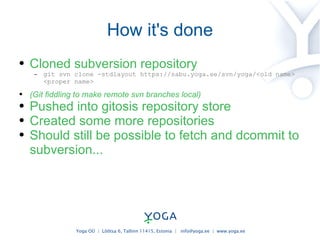
How it's done Cloned subversion repository git svn clone -stdlayout https://sabu.yoga.ee/svn/yoga/<old name> <proper name> (Git fiddling to make remote svn branches local) Pushed into gitosis repository store Created some more repositories Should still be possible to fetch and dcommit to subversion...
Primary principles of Git Each repository is a full repository One repository = one blob, no structure, contents is tracked by SHA1 hash values Cloning (“checkout”) = branching Commits and branches apply to the whole repository, not individual files A branch define a set of changes – can be moved around and applied
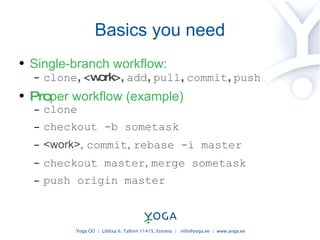
Basics you need Single-branch workflow: clone , <work>,  add ,  pull ,  commit ,  push Pro per workflow (example) clone checkout -b sometask <work> ,  commit ,  rebase -i master checkout master ,  merge sometask push origin master
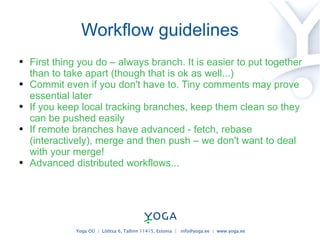
Workflow guidelines First thing you do – always branch. It is easier to put together than to take apart (though that is ok as well...) Commit even if you don't have to. Tiny comments may prove essential later If you keep local tracking branches, keep them clean so they can be pushed easily If remote branches have advanced - fetch, rebase (interactively), merge and then push – we don't want to deal with your merge! Advanced distributed workflows...
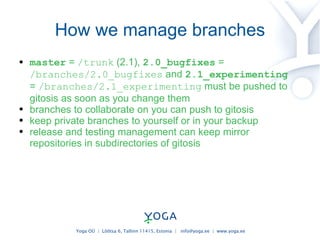
How we manage branches master  =  /trunk  (2.1),  2.0_bugfixes  =  /branches/2.0_bugfixes  and  2.1_experimenting  =  /branches/2.1_experimenting   must be pushed to gitosis as soon as you change them branches to collaborate on you can push to gitosis keep private branches to yourself or in your backup release and testing management can keep mirror repositories in subdirectories of gitosis
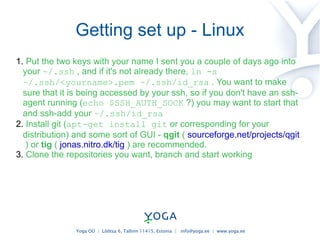
Getting set up - Linux Put the two keys with your name I sent you a couple of days ago into your  ~/.ssh  , and if it's not already there,  ln -s ~/.ssh/<yourname>.pem ~/.ssh/id_rsa  .  You want to make sure that it is being accessed by your ssh, so if you don't have an ssh-agent running ( echo $SSH_AUTH_SOCK  ?) you may want to start that and ssh-add your  ~/.ssh/id_rsa Install git ( apt-get install git  or corresponding for your distribution) and some sort of GUI -  qgit  (  sourceforge.net/projects/qgit  ) or  tig  (  jonas.nitro.dk/tig  ) are recommended. Clone the repositories you want, branch and start working
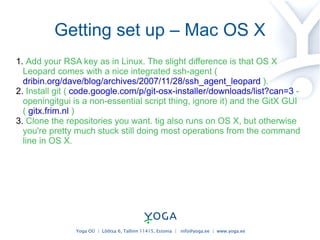
Getting set up – Mac OS X Add your RSA key as in Linux. The slight difference is that OS X Leopard comes with a nice integrated ssh-agent (  dribin.org/dave/blog/archives/2007/11/28/ssh_agent_leopard  ). Install git (  code.google.com/p/git-osx-installer/downloads/list?can=3  - openingitgui is a non-essential script thing, ignore it) and the GitX GUI (  gitx.frim.nl  ) Clone the repositories you want. tig also runs on OS X, but otherwise you're pretty much stuck still doing most operations from the command line in OS X.
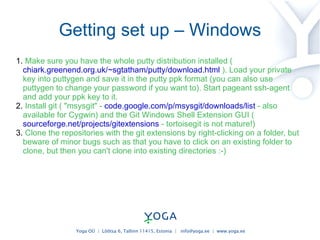
Getting set up – Windows Make sure you have the whole putty distribution installed (  chiark.greenend.org.uk/~sgtatham/putty/download.html  ). Load your private key into puttygen and save it in the putty ppk format (you can also use puttygen to change your password if you want to). Start pageant ssh-agent and add your ppk key to it. Install git ( &quot;msysgit&quot; -  code.google.com/p/msysgit/downloads/list  - also available for Cygwin) and the Git Windows Shell Extension GUI (  sourceforge.net/projects/gitextensions  - tortoisegit is not mature!) Clone the repositories with the git extensions by right-clicking on a folder, but beware of minor bugs such as that you have to click on an existing folder to clone, but then you can't clone into existing directories :-)
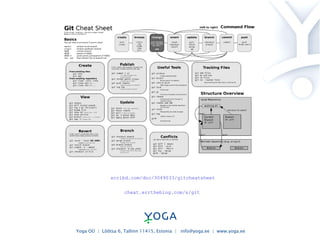
cheat.errtheblog.com/s/git scribd.com/doc/3049033/gitcheatsheet
gitcasts.com/posts/setup-initialization-and-cloning
youtube.com/watch?v=8dhZ9BXQgc4
excess.org/article/2008/07/ogre-git-tutorial
book.git-scm.com
More links Documentation, man pages and user manual: http://git-scm.com/documentation http://www.kernel.org/pub/software/scm/git/docs/ http://www.kernel.org/pub/software/scm/git/docs/user-manual.html Register on Github? My accounts are: http://github.com/YogaCJ http://github.com/UncleCJ

Towards Source Code Management (for Yoga.ee)

  • 1.
    Towards Source CodeManagement (or, why and how we're moving from Subversion to Git) April 2009 by Carl-Johan Sveningsson <cj.sveningsson@yoga.ee>
  • 2.
    What we wishto achieve Maintaining multiple branches Release and bugtracking control Simple change logs Empowered development
  • 3.
    How it's doneCloned subversion repository git svn clone -stdlayout https://sabu.yoga.ee/svn/yoga/<old name> <proper name> (Git fiddling to make remote svn branches local) Pushed into gitosis repository store Created some more repositories Should still be possible to fetch and dcommit to subversion...
  • 4.
    Primary principles ofGit Each repository is a full repository One repository = one blob, no structure, contents is tracked by SHA1 hash values Cloning (“checkout”) = branching Commits and branches apply to the whole repository, not individual files A branch define a set of changes – can be moved around and applied
  • 5.
    Basics you needSingle-branch workflow: clone , <work>, add , pull , commit , push Pro per workflow (example) clone checkout -b sometask <work> , commit , rebase -i master checkout master , merge sometask push origin master
  • 6.
    Workflow guidelines Firstthing you do – always branch. It is easier to put together than to take apart (though that is ok as well...) Commit even if you don't have to. Tiny comments may prove essential later If you keep local tracking branches, keep them clean so they can be pushed easily If remote branches have advanced - fetch, rebase (interactively), merge and then push – we don't want to deal with your merge! Advanced distributed workflows...
  • 7.
    How we managebranches master = /trunk (2.1), 2.0_bugfixes = /branches/2.0_bugfixes and 2.1_experimenting = /branches/2.1_experimenting must be pushed to gitosis as soon as you change them branches to collaborate on you can push to gitosis keep private branches to yourself or in your backup release and testing management can keep mirror repositories in subdirectories of gitosis
  • 8.
    Getting set up- Linux Put the two keys with your name I sent you a couple of days ago into your ~/.ssh , and if it's not already there, ln -s ~/.ssh/<yourname>.pem ~/.ssh/id_rsa . You want to make sure that it is being accessed by your ssh, so if you don't have an ssh-agent running ( echo $SSH_AUTH_SOCK  ?) you may want to start that and ssh-add your ~/.ssh/id_rsa Install git ( apt-get install git or corresponding for your distribution) and some sort of GUI -  qgit (  sourceforge.net/projects/qgit  ) or tig (  jonas.nitro.dk/tig ) are recommended. Clone the repositories you want, branch and start working
  • 9.
    Getting set up– Mac OS X Add your RSA key as in Linux. The slight difference is that OS X Leopard comes with a nice integrated ssh-agent (  dribin.org/dave/blog/archives/2007/11/28/ssh_agent_leopard ). Install git ( code.google.com/p/git-osx-installer/downloads/list?can=3 - openingitgui is a non-essential script thing, ignore it) and the GitX GUI (  gitx.frim.nl ) Clone the repositories you want. tig also runs on OS X, but otherwise you're pretty much stuck still doing most operations from the command line in OS X.
  • 10.
    Getting set up– Windows Make sure you have the whole putty distribution installed (  chiark.greenend.org.uk/~sgtatham/putty/download.html  ). Load your private key into puttygen and save it in the putty ppk format (you can also use puttygen to change your password if you want to). Start pageant ssh-agent and add your ppk key to it. Install git ( &quot;msysgit&quot; -  code.google.com/p/msysgit/downloads/list - also available for Cygwin) and the Git Windows Shell Extension GUI (  sourceforge.net/projects/gitextensions - tortoisegit is not mature!) Clone the repositories with the git extensions by right-clicking on a folder, but beware of minor bugs such as that you have to click on an existing folder to clone, but then you can't clone into existing directories :-)
  • 11.
  • 12.
  • 13.
  • 14.
  • 15.
  • 16.
    More links Documentation,man pages and user manual: http://git-scm.com/documentation http://www.kernel.org/pub/software/scm/git/docs/ http://www.kernel.org/pub/software/scm/git/docs/user-manual.html Register on Github? My accounts are: http://github.com/YogaCJ http://github.com/UncleCJ