
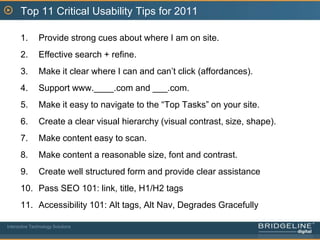
Top 11 Usability Recommendationsfor 2011June 10, 2011
AgendaIntroductionTop 11 Usability IssuesQ & A with your sitesInteractive Technology Solutions
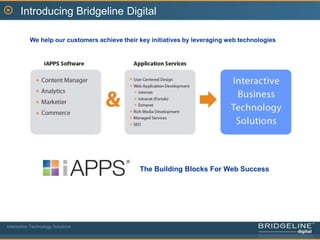
Introducing Bridgeline DigitalWe help our customers achieve their key initiatives by leveraging web technologiesThe Building Blocks For Web SuccessInteractive Technology Solutions
Introducing our SpeakersJohn WhalenVP User ExperienceBrian LantzEVP & General ManagerInteractive Technology Solutions
Webinar SeriesThe Secrets to a Great Web Redesign: Getting the ROI from your investmentThu, Jun 16, 2011 10:00 AM - 11:00 AM EDTROI of Web Engagement Management; iAPPS DemonstrationThu, Jun 23, 2011 1:00 PM - 2:00 PM EDTInteractive Technology Solutions
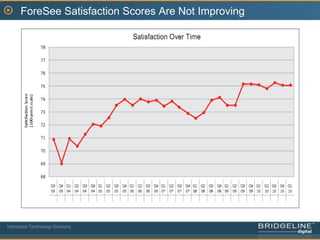
ForeSee Satisfaction Scores Are Not ImprovingInteractive Technology Solutions
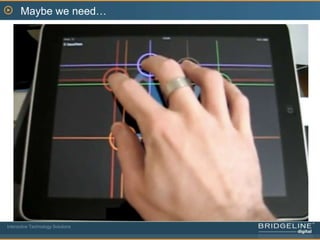
Maybe we need…Interactive Technology Solutions
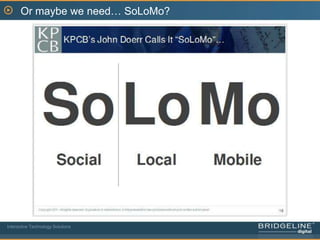
Or maybe we need… SoLoMo?Interactive Technology Solutions
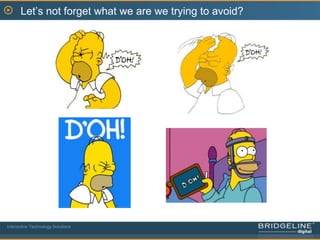
Let’s not forget what we are we trying to avoid?Interactive Technology Solutions
Time to revisit Usability 101NavigationContentInteractionVisual Design…And now on to the Top 11…Interactive Technology Solutions
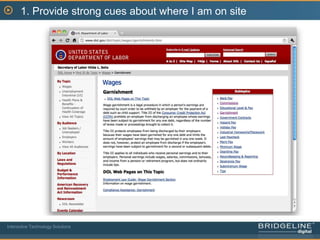
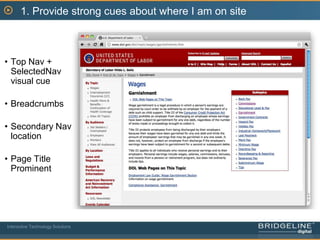
1. Provide strong cues about where I am on siteInteractive Technology Solutions
1. Provide strong cues about where I am on siteTop Nav + SelectedNav visual cue
Breadcrumbs
Secondary Nav location
Page Title ProminentInteractive Technology Solutions
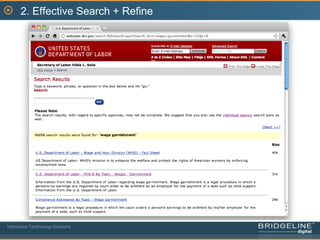
2. Effective Search + RefineInteractive Technology Solutions
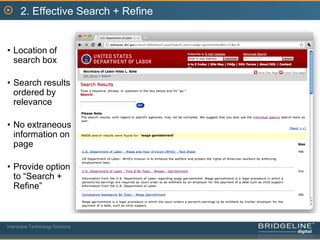
2. Effective Search + RefineLocation of search box
Search results ordered by relevance
No extraneous information on page
Provide option to ā€œSearch + Refineā€Interactive Technology Solutions
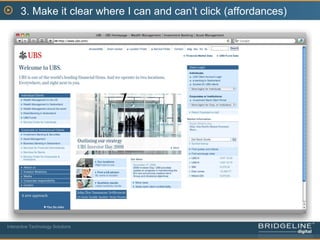
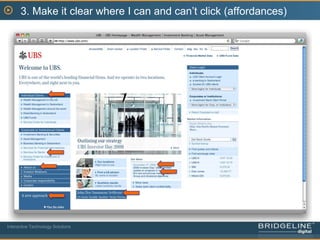
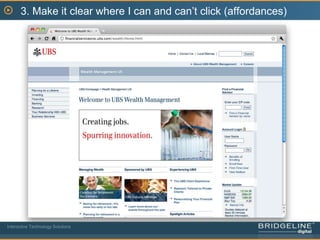
3. Make it clear where I can and can’t click (affordances)Interactive Technology Solutions
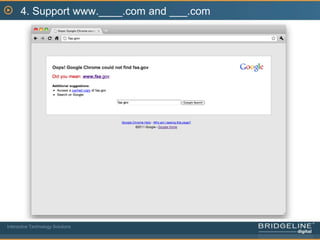
4. Support www.____.com and ___.comInteractive Technology Solutions
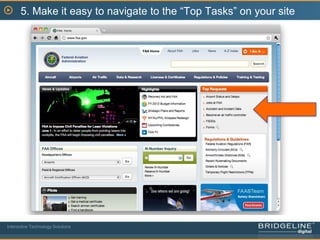
5. Make it easy to navigate to the ā€œTop Tasksā€ on your siteInteractive Technology Solutions
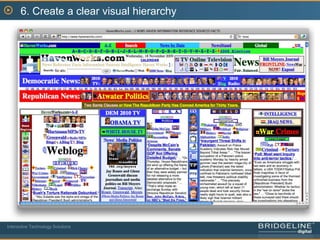
6. Create a clear visual hierarchyInteractive Technology Solutions
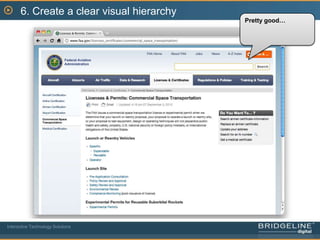
6. Create a clear visual hierarchyPretty good…Interactive Technology Solutions
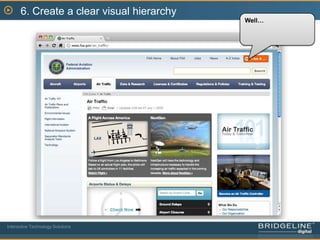
6. Create a clear visual hierarchyWell…Interactive Technology Solutions
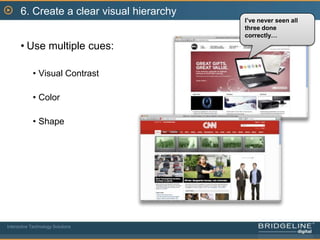
6. Create a clear visual hierarchyI’ve never seen all three done correctly…Use multiple cues:Visual ContrastColorShapeInteractive Technology Solutions
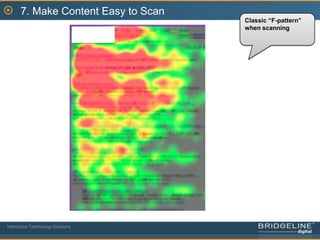
7. Make Content Easy to ScanClassic ā€œF-patternā€ when scanningInteractive Technology Solutions
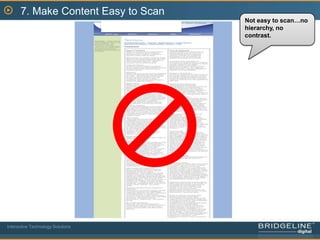
7. Make Content Easy to ScanNot easy to scan…no hierarchy, no contrast.Interactive Technology Solutions
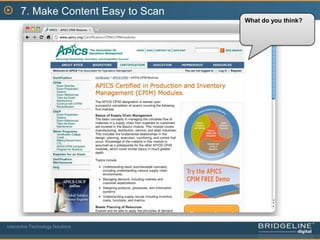
7. Make Content Easy to ScanWhat do you think?Interactive Technology Solutions
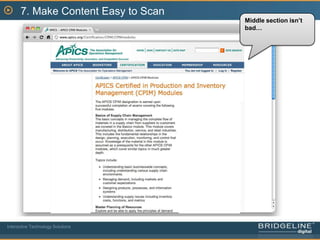
7. Make Content Easy to ScanMiddle section isn’t bad…Interactive Technology Solutions
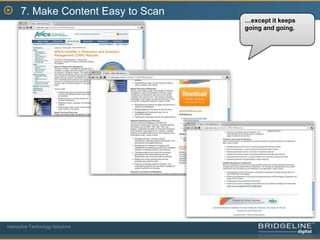
7. Make Content Easy to Scan…except it keeps going and going.Interactive Technology Solutions
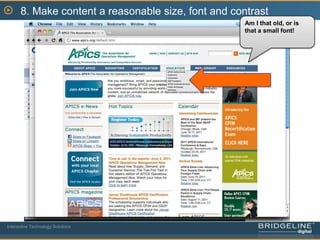
8. Make content a reasonable size, font and contrastAm I that old, or is that a small font!Interactive Technology Solutions
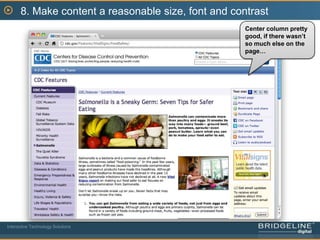
8. Make content a reasonable size, font and contrastCenter column pretty good, if there wasn’t so much else on the page…Interactive Technology Solutions
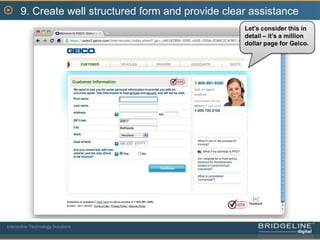
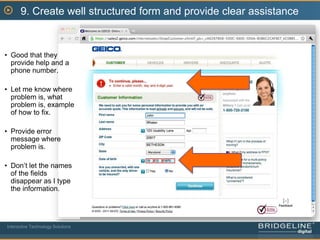
9. Create well structured form and provide clear assistanceLet’s consider this in detail – it’s a million dollar page for Geico.Interactive Technology Solutions
9. Create well structured form and provide clear assistanceGood that they provide help and a phone number.

Top 11 usability recommendations for 2011

  • 1.
    Top 11 UsabilityRecommendationsfor 2011June 10, 2011
  • 2.
    AgendaIntroductionTop 11 UsabilityIssuesQ & A with your sitesInteractive Technology Solutions
  • 3.
    Introducing Bridgeline DigitalWehelp our customers achieve their key initiatives by leveraging web technologiesThe Building Blocks For Web SuccessInteractive Technology Solutions
  • 4.
    Introducing our SpeakersJohnWhalenVP User ExperienceBrian LantzEVP & General ManagerInteractive Technology Solutions
  • 5.
    Webinar SeriesThe Secretsto a Great Web Redesign: Getting the ROI from your investmentThu, Jun 16, 2011 10:00 AM - 11:00 AM EDTROI of Web Engagement Management; iAPPS DemonstrationThu, Jun 23, 2011 1:00 PM - 2:00 PM EDTInteractive Technology Solutions
  • 6.
    ForeSee Satisfaction ScoresAre Not ImprovingInteractive Technology Solutions
  • 7.
    Maybe we need…InteractiveTechnology Solutions
  • 8.
    Or maybe weneed… SoLoMo?Interactive Technology Solutions
  • 9.
    Let’s not forgetwhat we are we trying to avoid?Interactive Technology Solutions
  • 10.
    Let’s not forgetwhat we are we trying to avoid?Interactive Technology Solutions
  • 11.
    Time to revisitUsability 101NavigationContentInteractionVisual Design…And now on to the Top 11…Interactive Technology Solutions
  • 12.
    1. Provide strongcues about where I am on siteInteractive Technology Solutions
  • 13.
    1. Provide strongcues about where I am on siteTop Nav + SelectedNav visual cue
  • 14.
  • 15.
  • 16.
  • 17.
    2. Effective Search+ RefineInteractive Technology Solutions
  • 18.
    2. Effective Search+ RefineLocation of search box
  • 19.
  • 20.
  • 21.
    Provide option toā€œSearch + Refineā€Interactive Technology Solutions
  • 22.
    3. Make itclear where I can and can’t click (affordances)Interactive Technology Solutions
  • 23.
    3. Make itclear where I can and can’t click (affordances)Interactive Technology Solutions
  • 24.
    3. Make itclear where I can and can’t click (affordances)Interactive Technology Solutions
  • 25.
    4. Support www.____.comand ___.comInteractive Technology Solutions
  • 26.
    5. Make iteasy to navigate to the ā€œTop Tasksā€ on your siteInteractive Technology Solutions
  • 27.
    6. Create aclear visual hierarchyInteractive Technology Solutions
  • 28.
    6. Create aclear visual hierarchyPretty good…Interactive Technology Solutions
  • 29.
    6. Create aclear visual hierarchyWell…Interactive Technology Solutions
  • 30.
    6. Create aclear visual hierarchyI’ve never seen all three done correctly…Use multiple cues:Visual ContrastColorShapeInteractive Technology Solutions
  • 31.
    7. Make ContentEasy to ScanClassic ā€œF-patternā€ when scanningInteractive Technology Solutions
  • 32.
    7. Make ContentEasy to ScanNot easy to scan…no hierarchy, no contrast.Interactive Technology Solutions
  • 33.
    7. Make ContentEasy to ScanWhat do you think?Interactive Technology Solutions
  • 34.
    7. Make ContentEasy to ScanMiddle section isn’t bad…Interactive Technology Solutions
  • 35.
    7. Make ContentEasy to Scan…except it keeps going and going.Interactive Technology Solutions
  • 36.
    8. Make contenta reasonable size, font and contrastAm I that old, or is that a small font!Interactive Technology Solutions
  • 37.
    8. Make contenta reasonable size, font and contrastCenter column pretty good, if there wasn’t so much else on the page…Interactive Technology Solutions
  • 38.
    9. Create wellstructured form and provide clear assistanceLet’s consider this in detail – it’s a million dollar page for Geico.Interactive Technology Solutions
  • 39.
    9. Create wellstructured form and provide clear assistanceGood that they provide help and a phone number.