TIZEN Overview
Open Source Project
2016 - 1
INDEX
1. Introduction to Tizen
 Background
 What is a Computing Platform?
 What is Tizen?
 Why we use Tizen?
 Tizen Architecture
2. How to Develop Tizen Applications
 Tizen Applications
 Tizen Applications Package
3. Tizen SDK
 Installation Description
 Download Tizen SDK
 Install Tizen SDK
 Device Register
 Build Test
 Tizen Emulator
 Tizen Web Application Project Example
 Tizen Native Application
4. Ajou Tizen Supporters
 Development References
 Google Site
 Tizen Wiki
 Tizen Forum
 GitHub
 Contacts
Introduction to Tizen
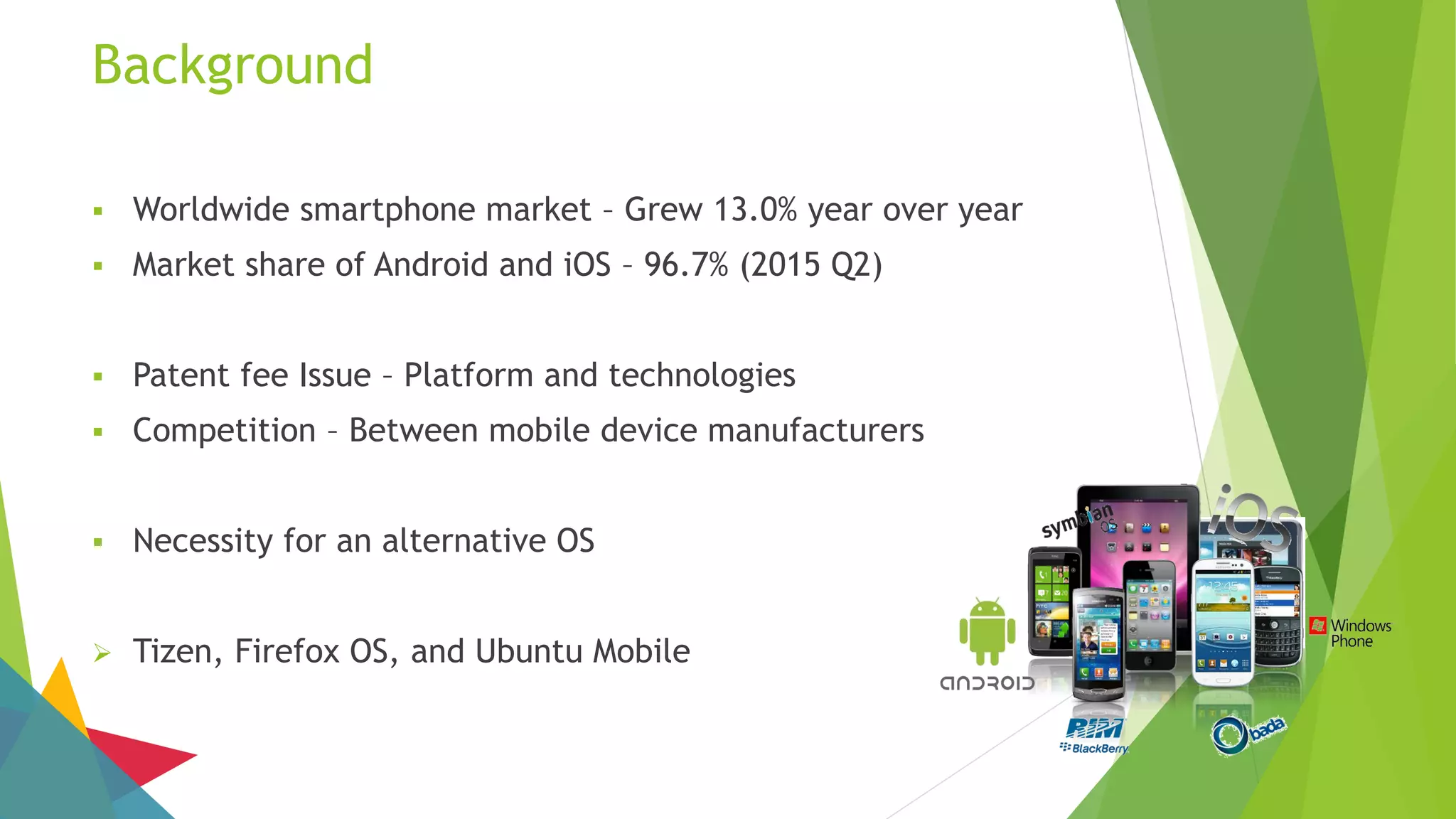
Background
 Worldwide smartphone market – Grew 13.0% year over year
 Market share of Android and iOS – 96.7% (2015 Q2)
 Patent fee Issue – Platform and technologies
 Competition – Between mobile device manufacturers
 Necessity for an alternative OS
 Tizen, Firefox OS, and Ubuntu Mobile
What is a Computing Platform?
 Hardware architecture,
Operating system,
and Run-time libraries
 Technologies enabling product developments, or Processes that support
developments
 Common environment supporting various functions
 Technical environment supporting services based on the Internet
 Computer system’s coordinating program, which in turn is built on the instruction
set for a processor or microprocessor, the hardware that performs logic operations
and manages data movement in the computer
What is Tizen?
 Operating system based on the Linux kernel and the GNU C Library implementing
the Linux API
 Support target devices
 Smartphones, tablets, in-vehicle infotainment (IVI) devices, smart TVs, PCs, smart
cameras, wearable computing, Blu-ray players, printers, and smart home
appliances
 Offer a consistent user experience across devices
 Project within the Linux Foundation and is governed by a Technical Steering Group
composed of Samsung and Intel among others.
What is Tizen? (Cont.)
 Provide application development tools based on the JavaScript libraries jQuery and
jQuery Mobile
 Since version 2.0, a C++ native application framework is available, based on an
Open Services Platform from the Bada platform
 Software development kit allows developers to use HTML5 and related web
technologies to write applications that run on supported devices
 oFono, Smack, Windowing system, Zypp, ConnMan, and etc
What is Tizen? (Cont.)
 Objective of Tizen is to create an open and multi-platform ecosystem, compatible
with Firefox OS and all browsers
 Provide access to four types of applications
 Tizen native applications (C, C++, Python, Lua)
 Web applications without browser (HTML5, JavaScript)
 Applications hybrid (Native application + Web application)
 Android apps published on the Tizen Store
Why we use Tizen?
 IT’S OPEN SOURCE
 HTML5
 TIZEN LOOKS LIKE ANDROID WITH TOUCHWIZ
 IT’S NOT JUST FOR SMARTPHONES
 SAMSUNG TIZEN APPS
 THE FUTURE OF TIZEN
Tizen Architecture
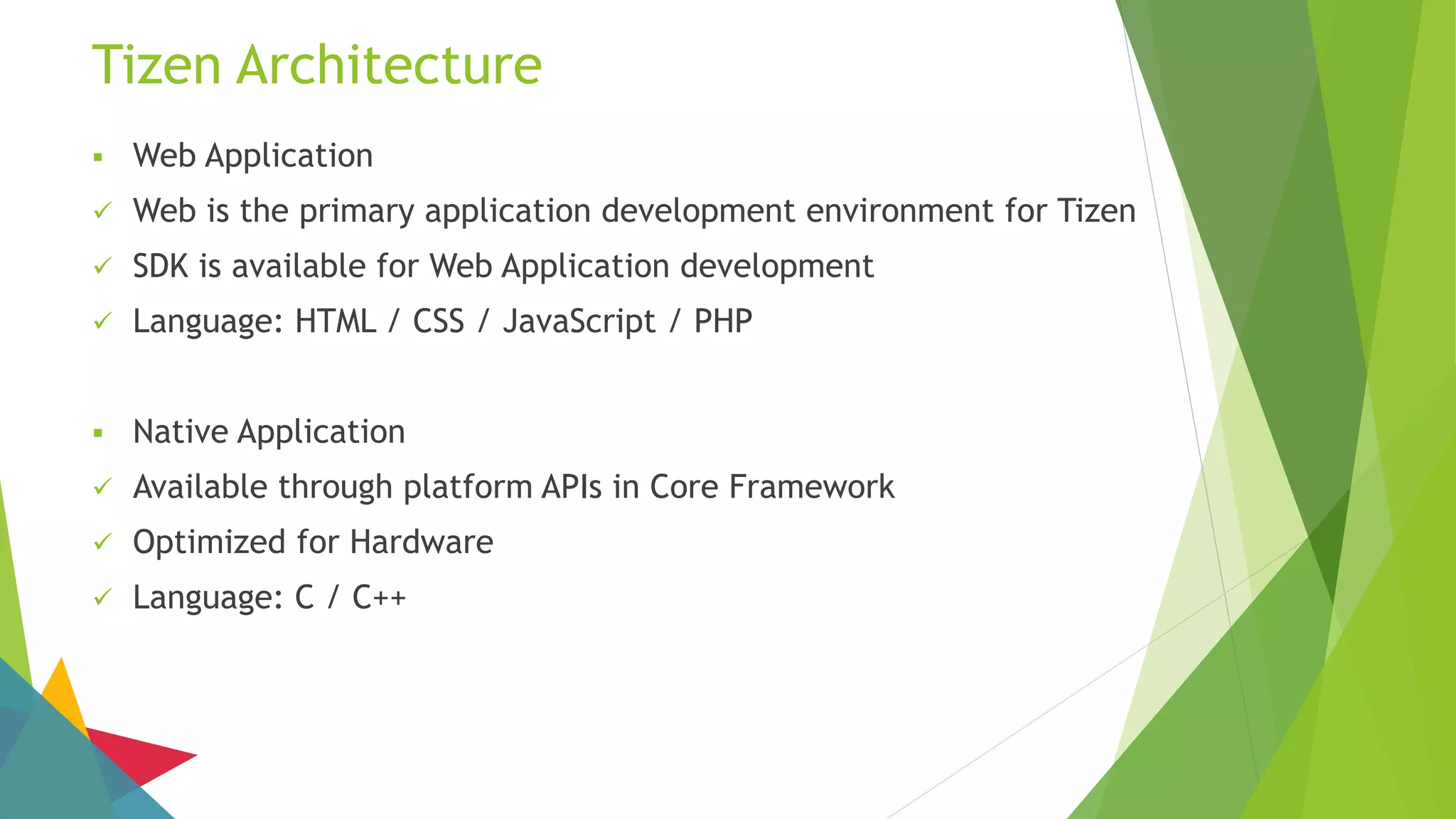
 Web Application
 Web is the primary application development environment for Tizen
 SDK is available for Web Application development
 Language: HTML / CSS / JavaScript / PHP
 Native Application
 Available through platform APIs in Core Framework
 Optimized for Hardware
 Language: C / C++
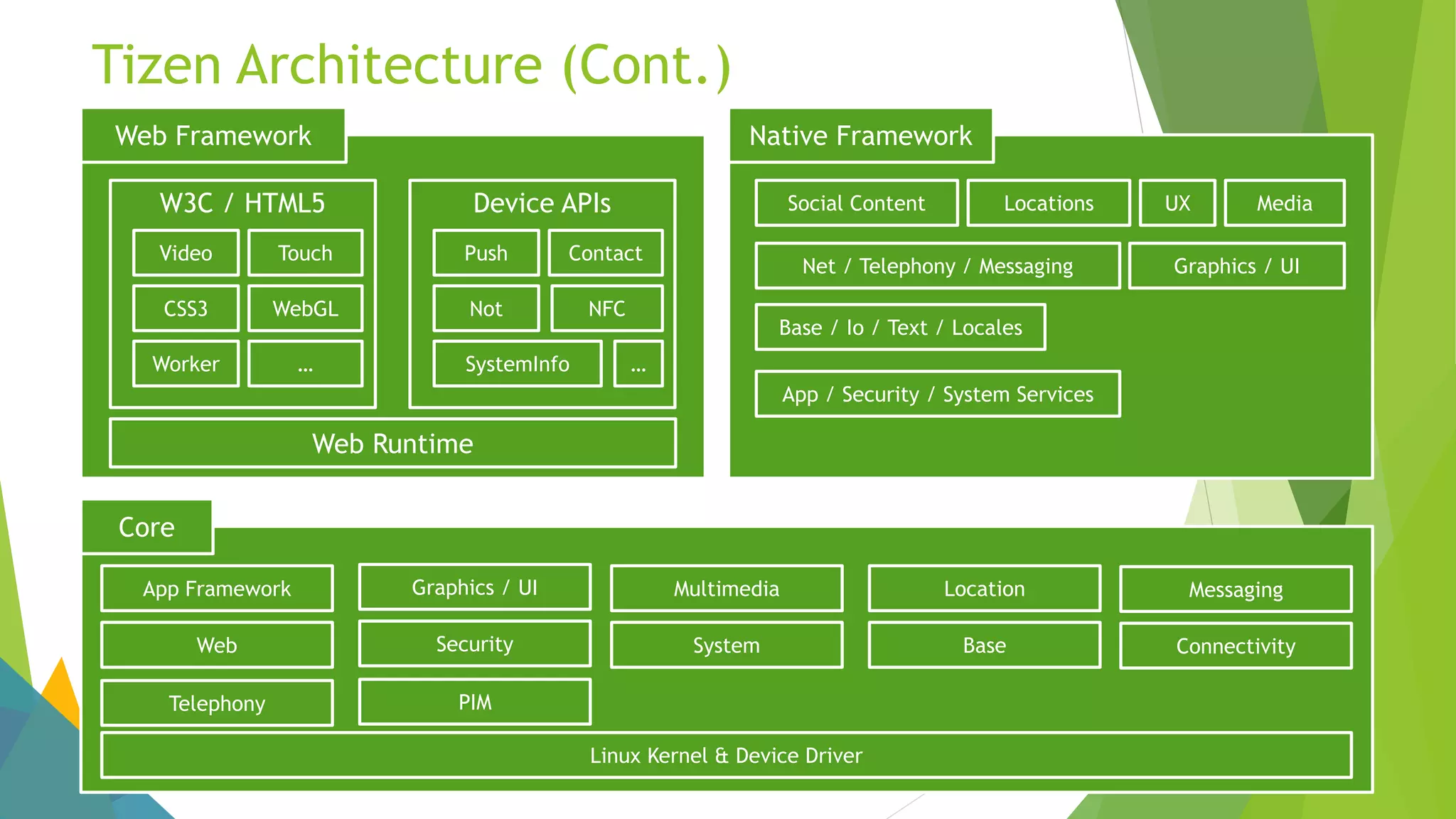
Tizen Architecture (Cont.)
Web Framework
W3C / HTML5 Device APIs
Web Runtime
Video Touch
CSS3 WebGL
Worker …
Push Contact
Not NFC
SystemInfo …
Native Framework
Social Content MediaLocations UX
Net / Telephony / Messaging Graphics / UI
Base / Io / Text / Locales
App / Security / System Services
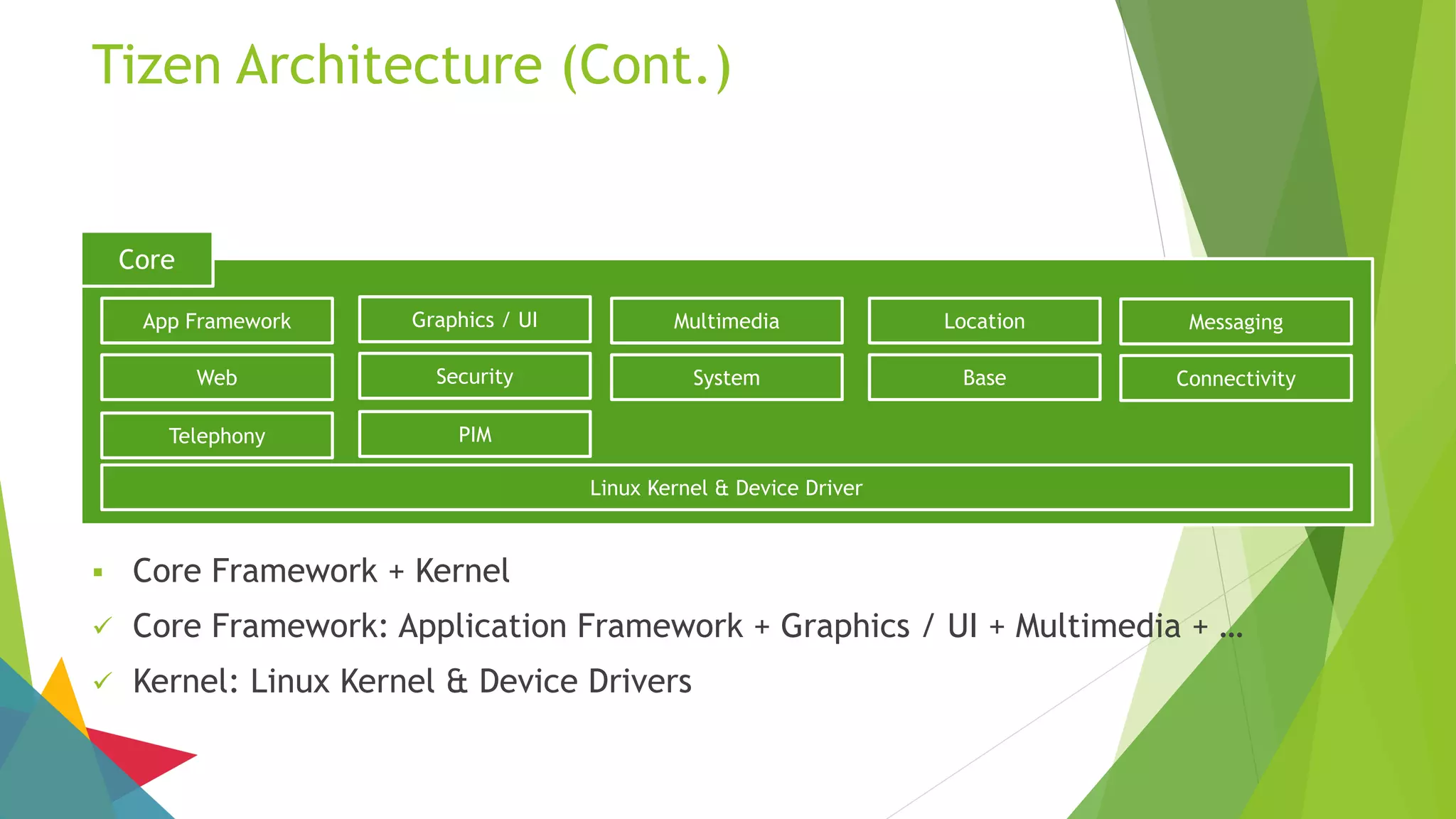
Core
App Framework Graphics / UI Multimedia Location Messaging
Web Security System Base Connectivity
Telephony PIM
Linux Kernel & Device Driver
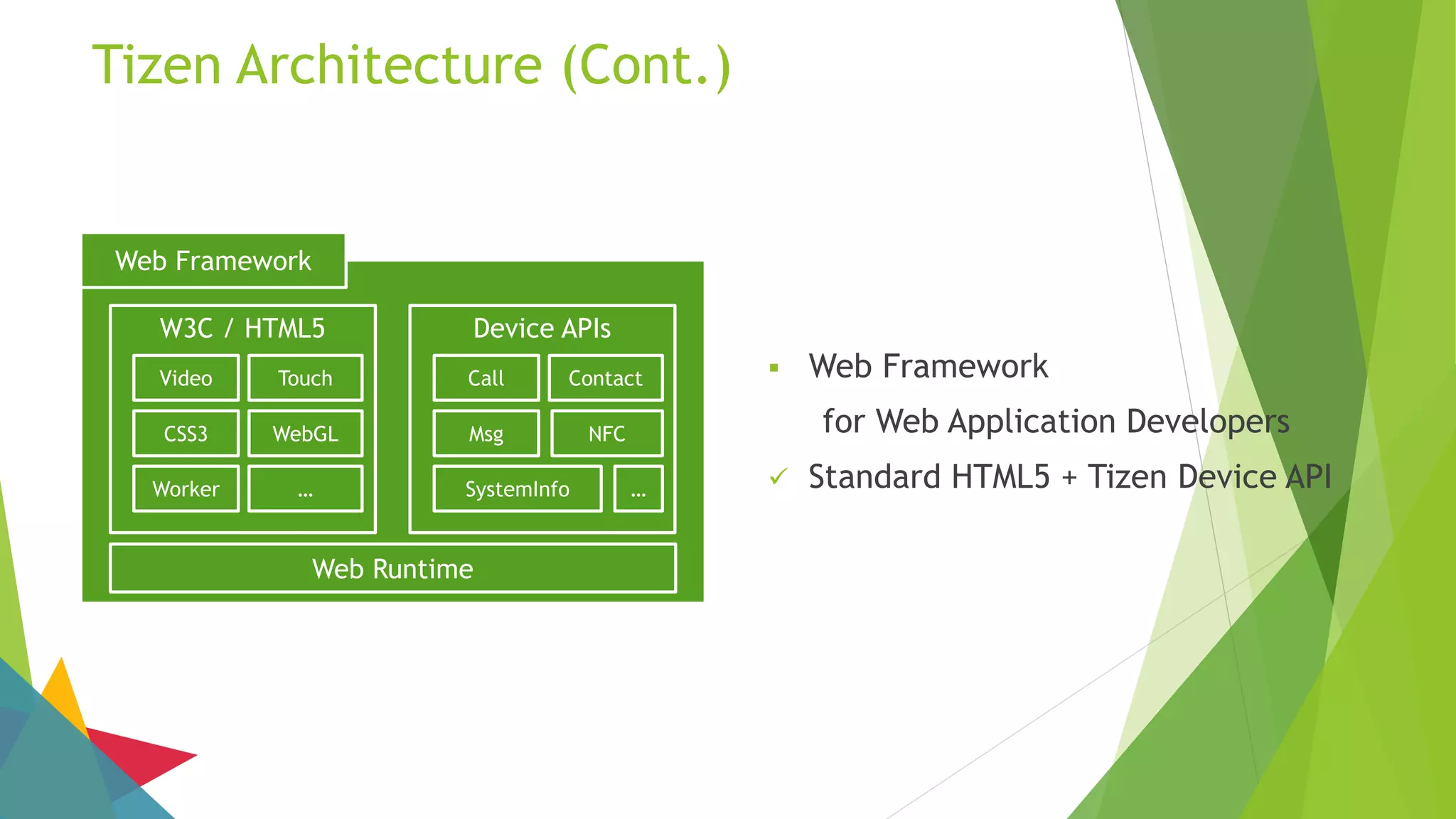
Tizen Architecture (Cont.)
Web Framework
W3C / HTML5 Device APIs
Web Runtime
Video Touch
CSS3 WebGL
Worker …
Call Contact
Msg NFC
SystemInfo …
 Web Framework
for Web Application Developers
 Standard HTML5 + Tizen Device API
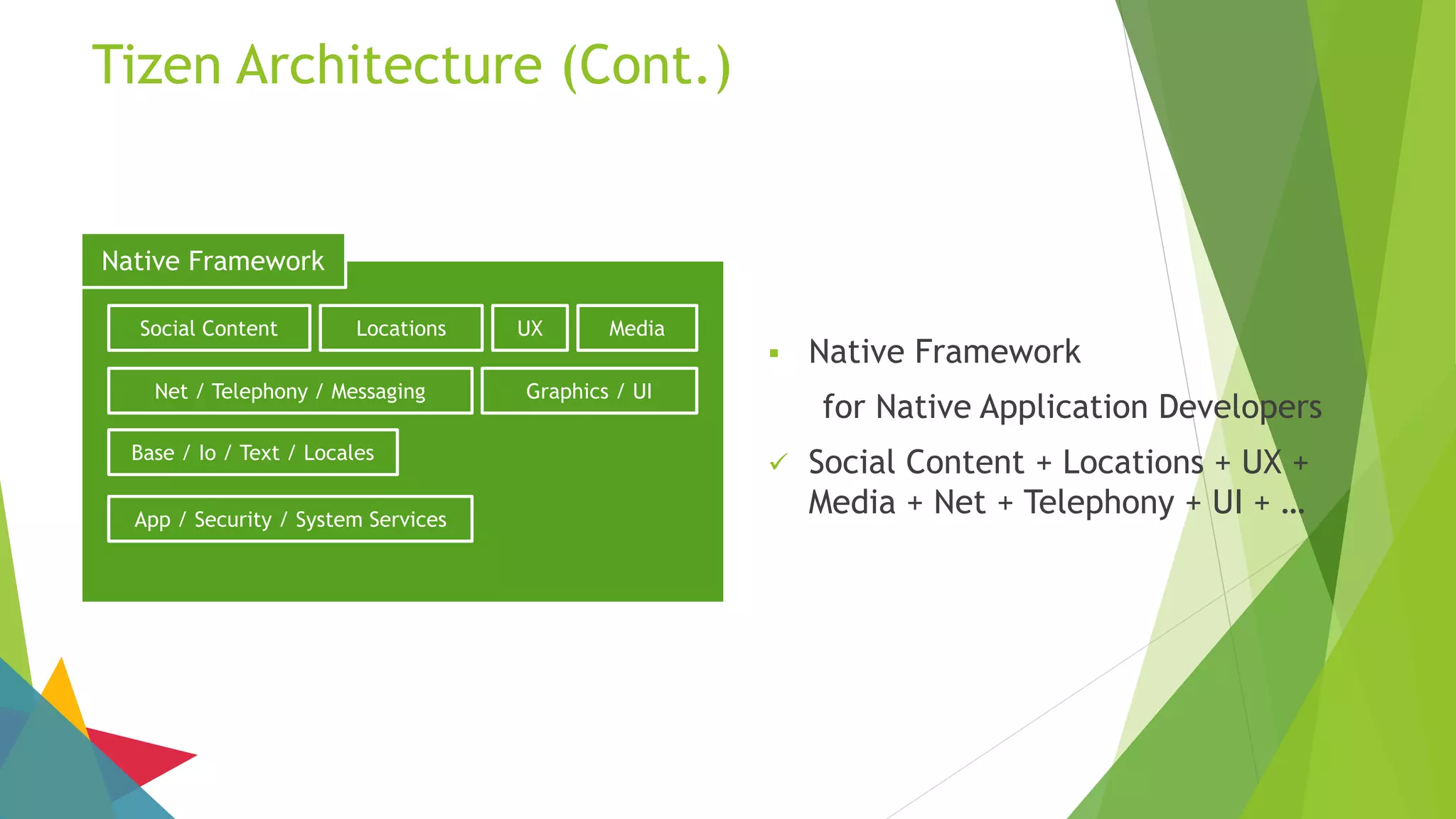
Native Framework
Social Content MediaLocations UX
Net / Telephony / Messaging Graphics / UI
Base / Io / Text / Locales
App / Security / System Services
Tizen Architecture (Cont.)
 Native Framework
for Native Application Developers
 Social Content + Locations + UX +
Media + Net + Telephony + UI + …
Core
App Framework Graphics / UI Multimedia Location Messaging
Web Security System Base Connectivity
Telephony PIM
Linux Kernel & Device Driver
Tizen Architecture (Cont.)
 Core Framework + Kernel
 Core Framework: Application Framework + Graphics / UI + Multimedia + …
 Kernel: Linux Kernel & Device Drivers
How to Develop Tizen Applications
Tizen Applications
 Web Application Fundamental
 W3C / HTML5
 UI based on jQuery Mobile
 Device API
 Based on JavaScript
 Provide access to platform device
 Device resource
 Asynchronous success callback function
Tizen Applications Package
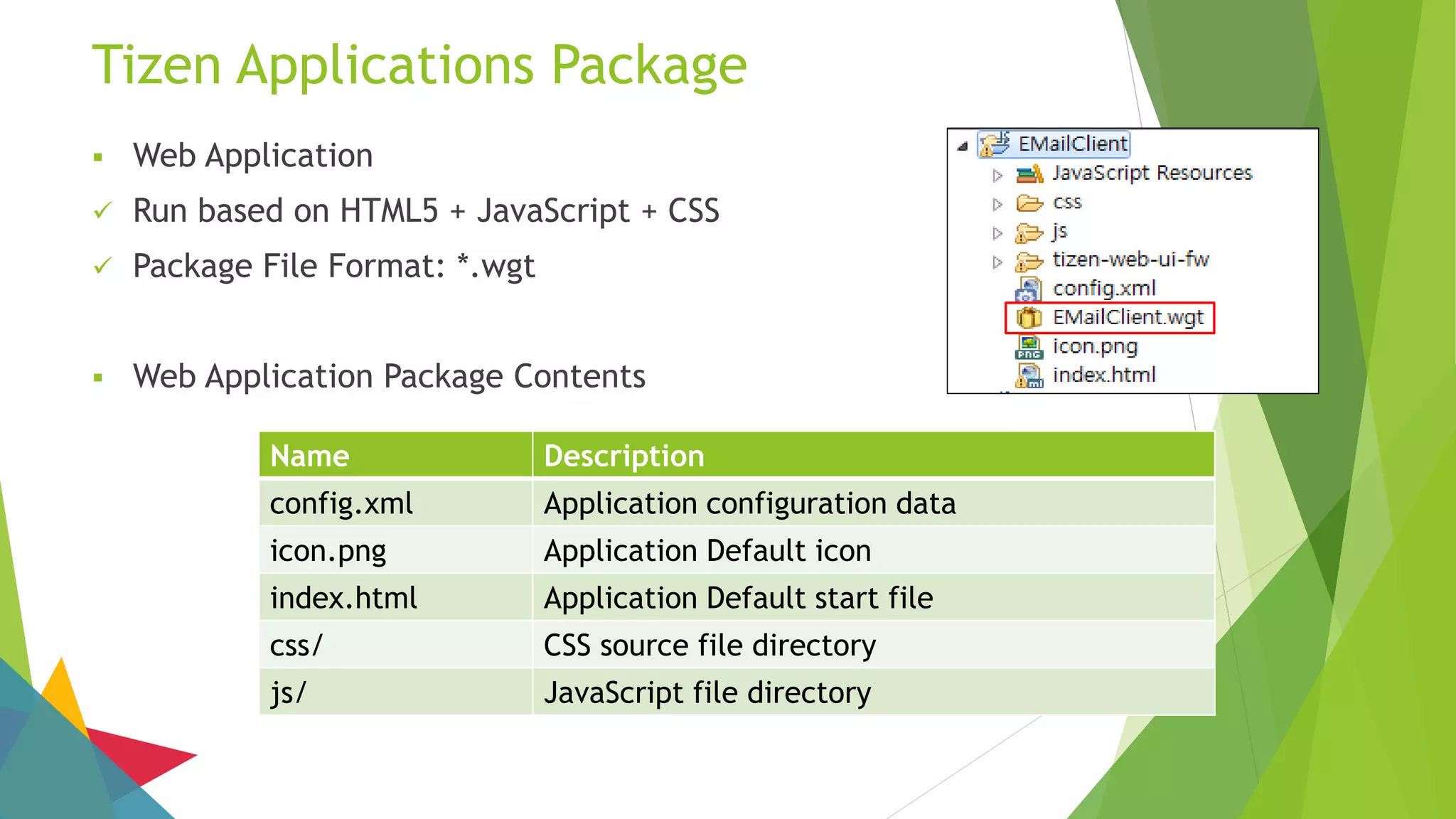
 Web Application
 Run based on HTML5 + JavaScript + CSS
 Package File Format: *.wgt
 Web Application Package Contents
Name Description
config.xml Application configuration data
icon.png Application Default icon
index.html Application Default start file
css/ CSS source file directory
js/ JavaScript file directory
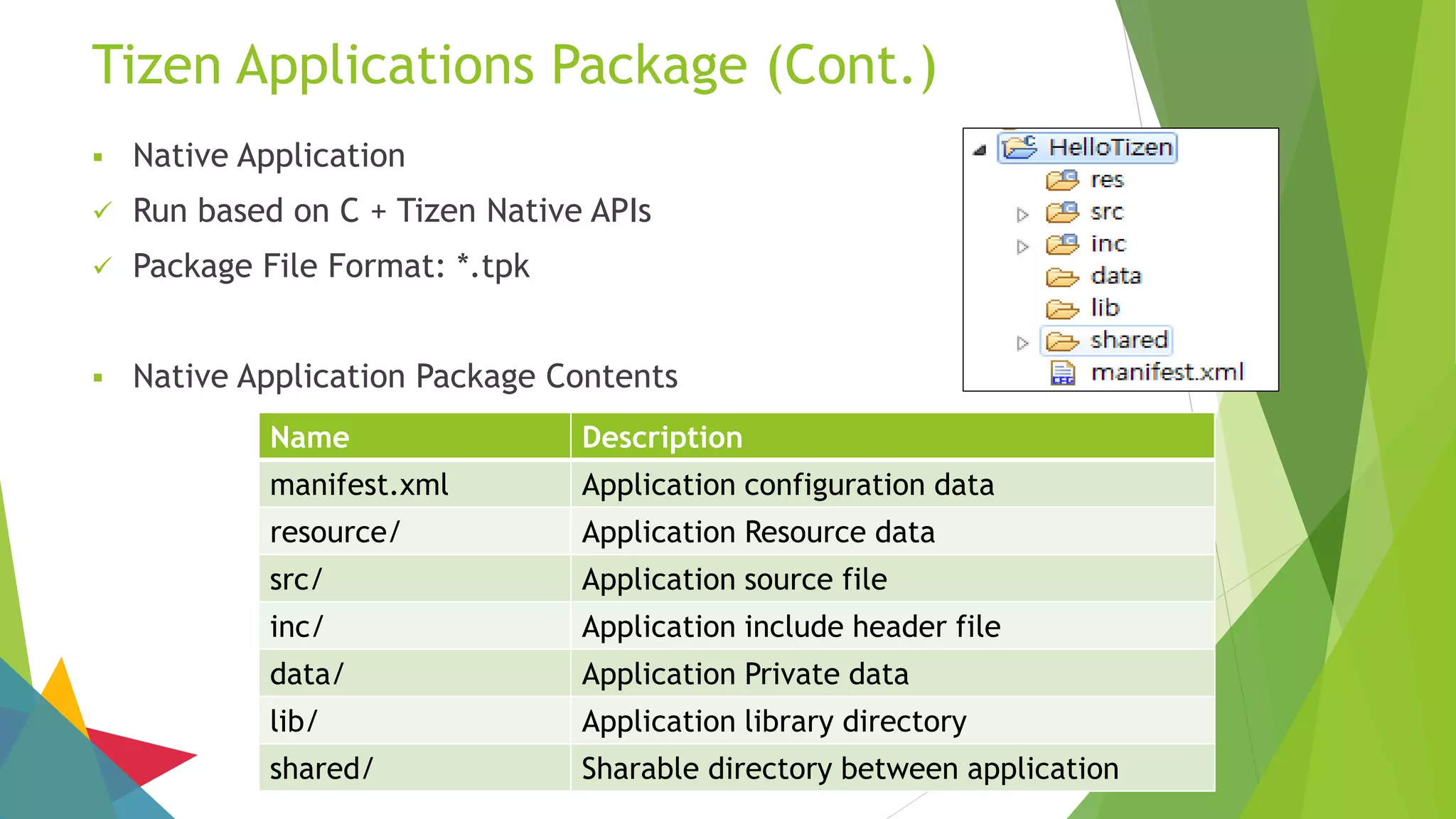
Name Description
manifest.xml Application configuration data
resource/ Application Resource data
src/ Application source file
inc/ Application include header file
data/ Application Private data
lib/ Application library directory
shared/ Sharable directory between application
Tizen Applications Package (Cont.)
 Native Application
 Run based on C + Tizen Native APIs
 Package File Format: *.tpk
 Native Application Package Contents
Install Tizen SDK
Installation Description
 This description was written to help you install Tizen Software Development Kit
 About Description…
 It describes how to download an installer compatible with your computer
 It describes how to use the Installer, and Update Manager
 It describes what to install using Update Manager
 It provides brief explanations of Tizen SDK, and related materials
 Before you start installation steps, you must install Java Development Kit (At least,
JDK version 7) on your computer (JDK 8 is recommended)
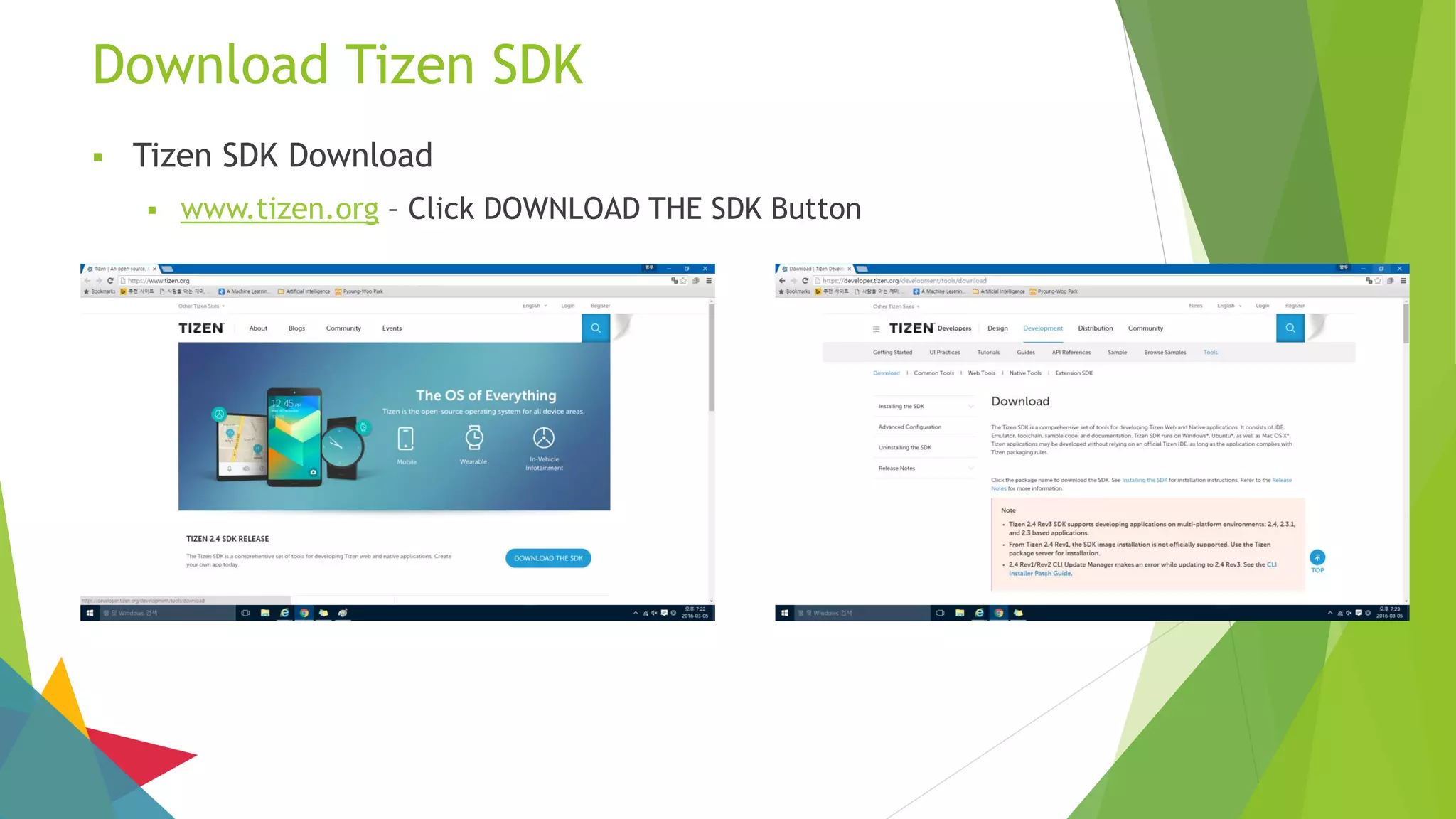
Download Tizen SDK
 Tizen SDK Download
 www.tizen.org – Click DOWNLOAD THE SDK Button
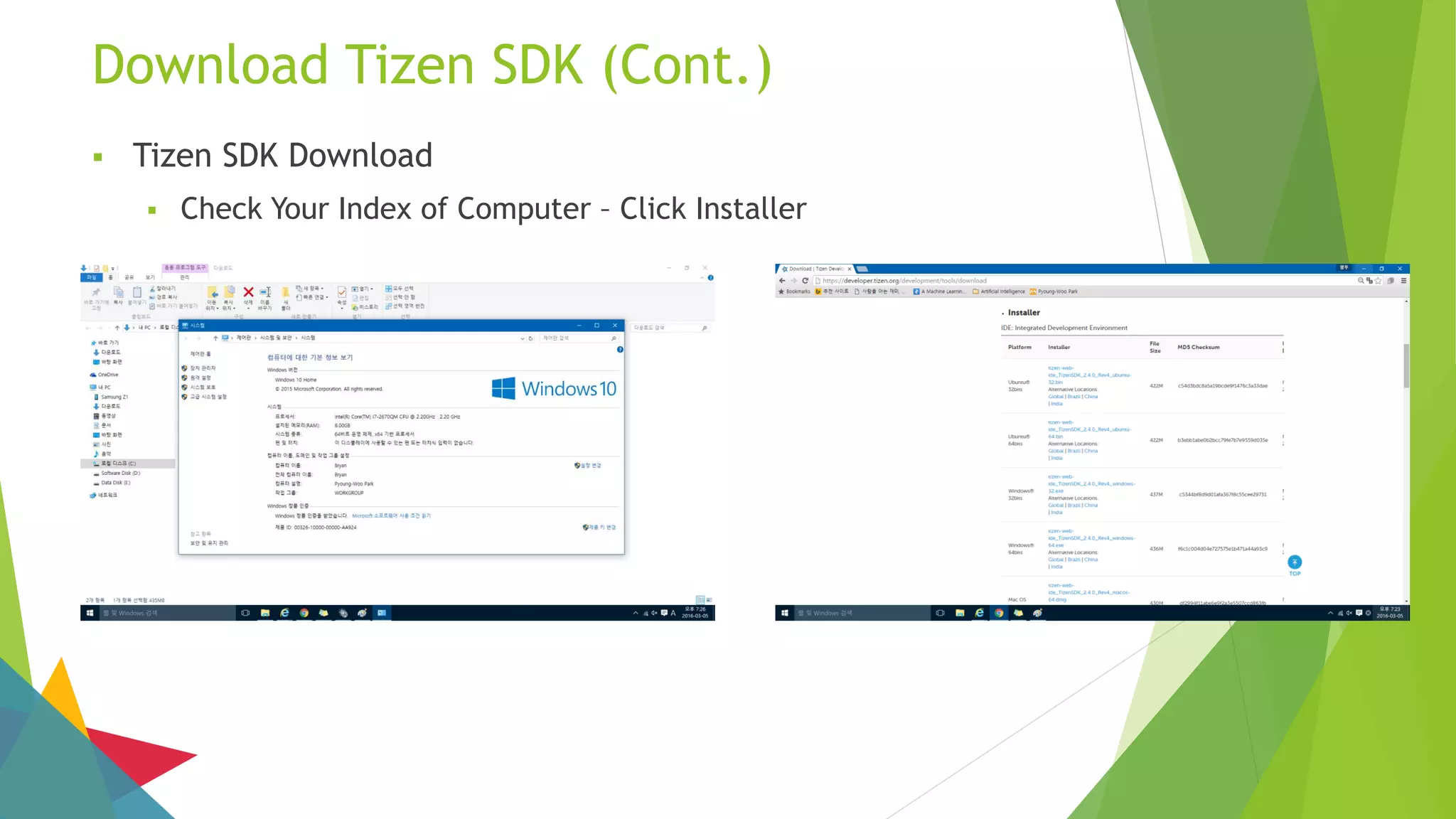
Download Tizen SDK (Cont.)
 Tizen SDK Download
 Check Your Index of Computer – Click Installer
Install Tizen SDK
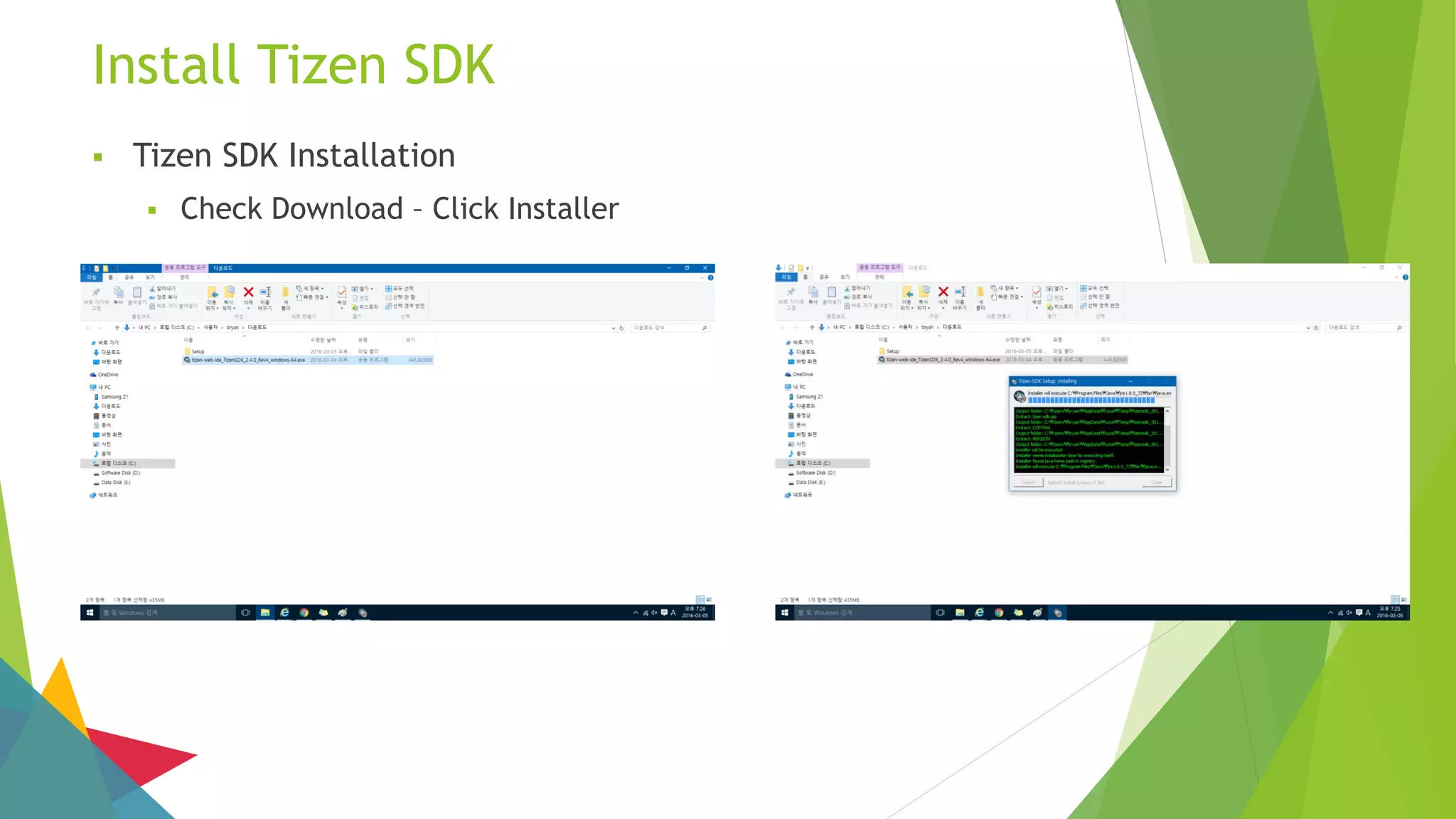
 Tizen SDK Installation
 Check Download – Click Installer
Install Tizen SDK (Cont.)
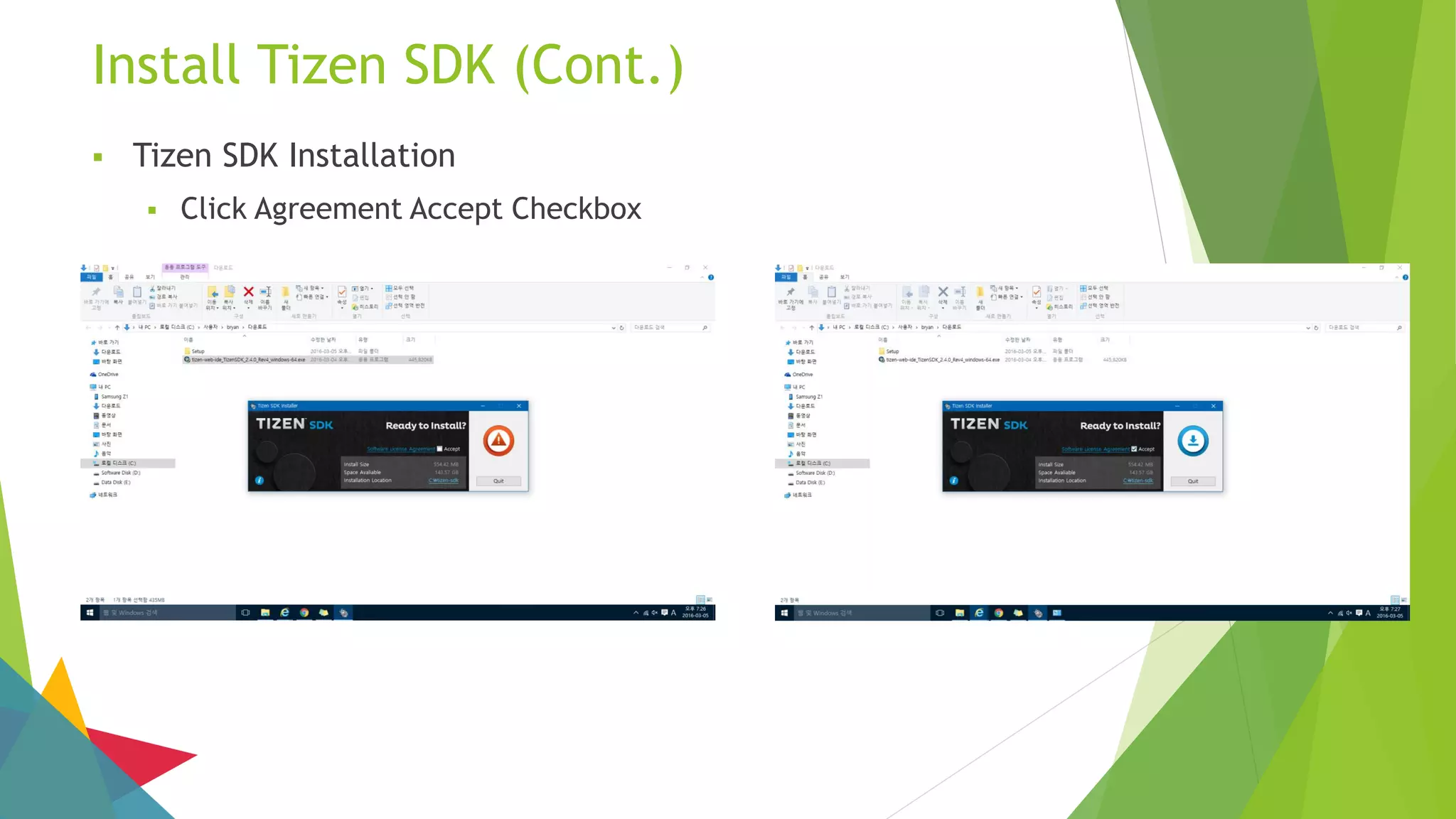
 Tizen SDK Installation
 Click Agreement Accept Checkbox
Install Tizen SDK (Cont.)
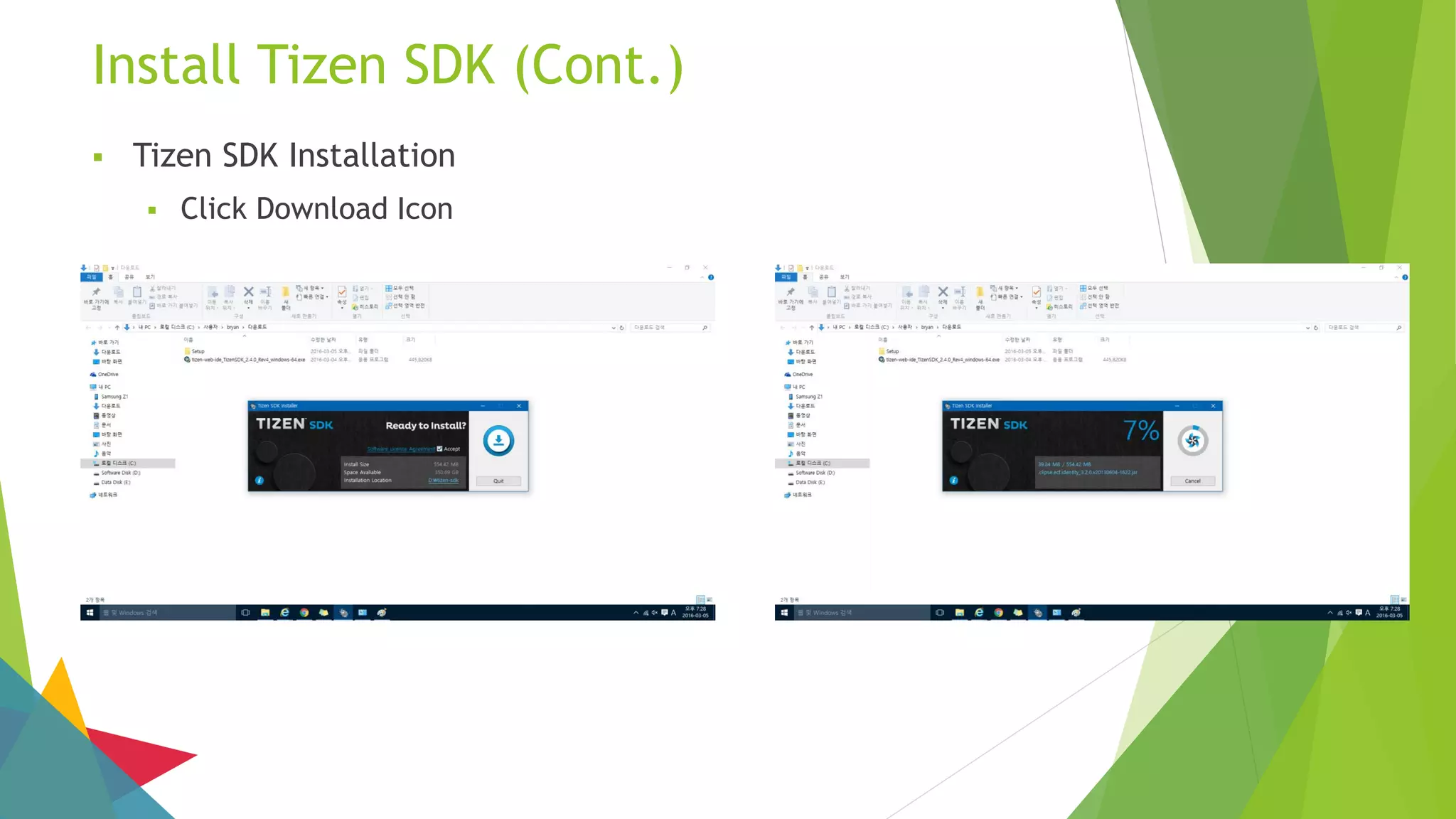
 Tizen SDK Installation
 Click Download Icon
Install Tizen SDK (Cont.)
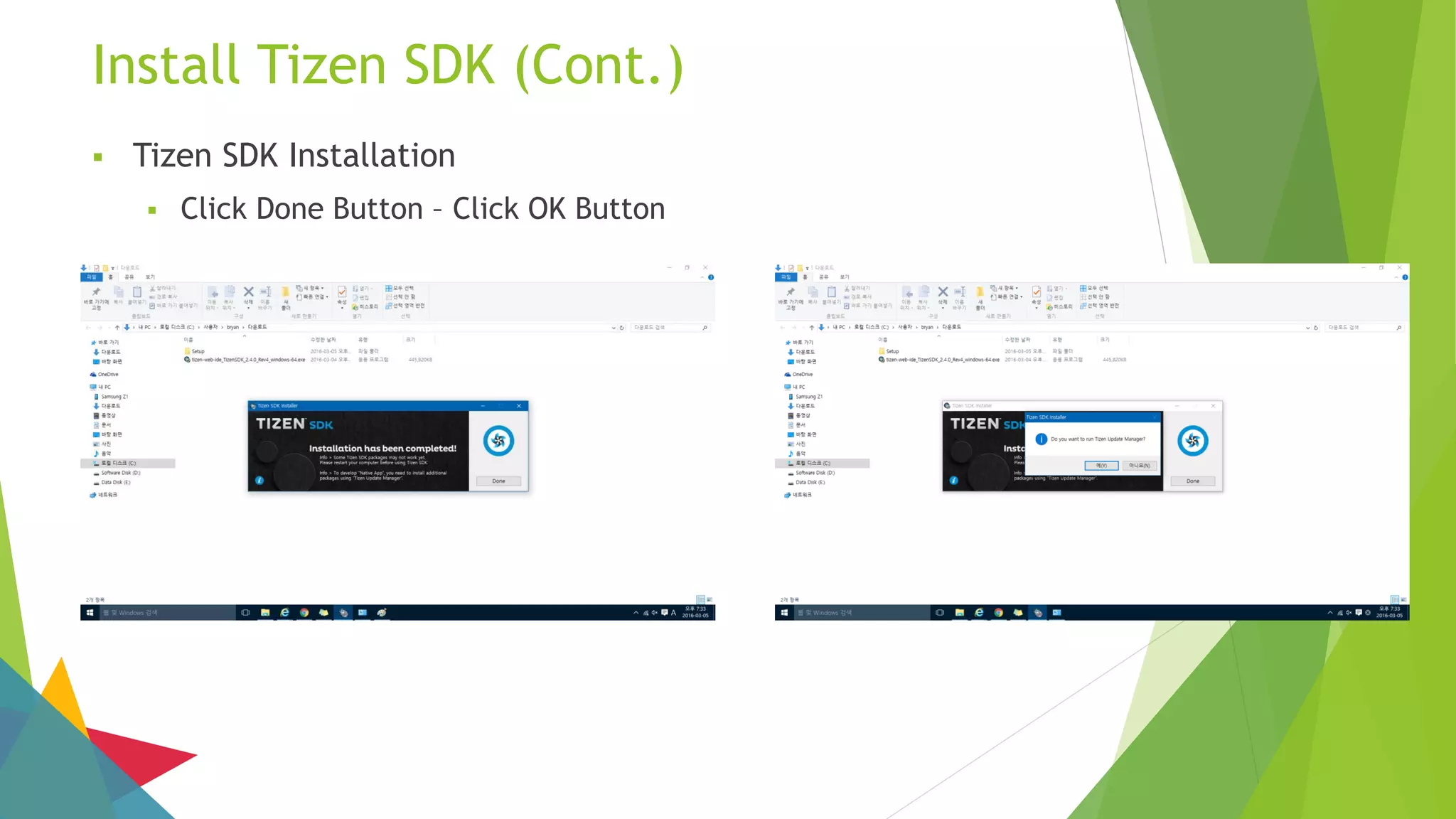
 Tizen SDK Installation
 Click Done Button – Click OK Button
Install Tizen SDK (Cont.)
 Tizen SDK Installation
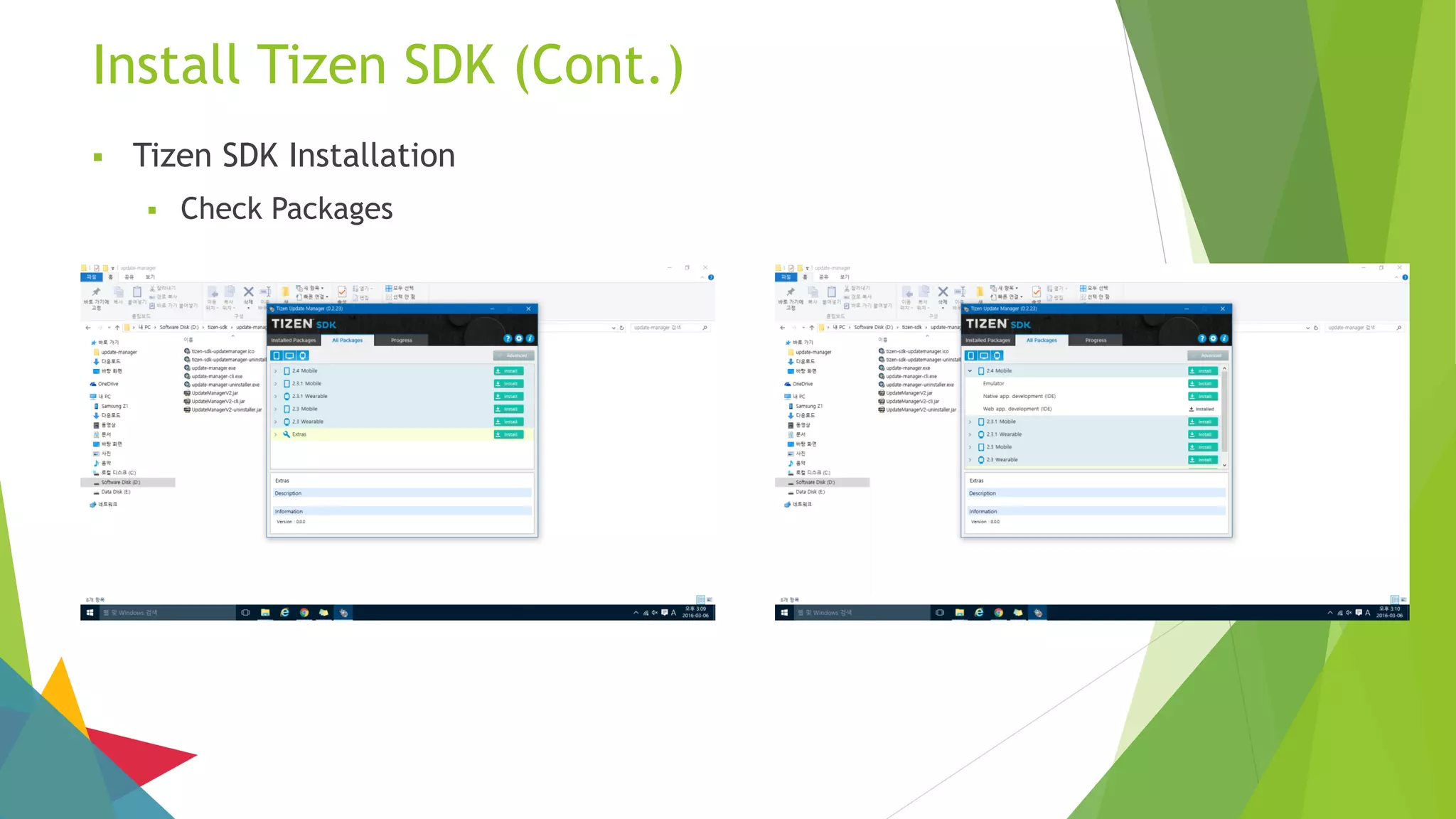
 Check Packages
Install Tizen SDK (Cont.)
 Tizen SDK Installation
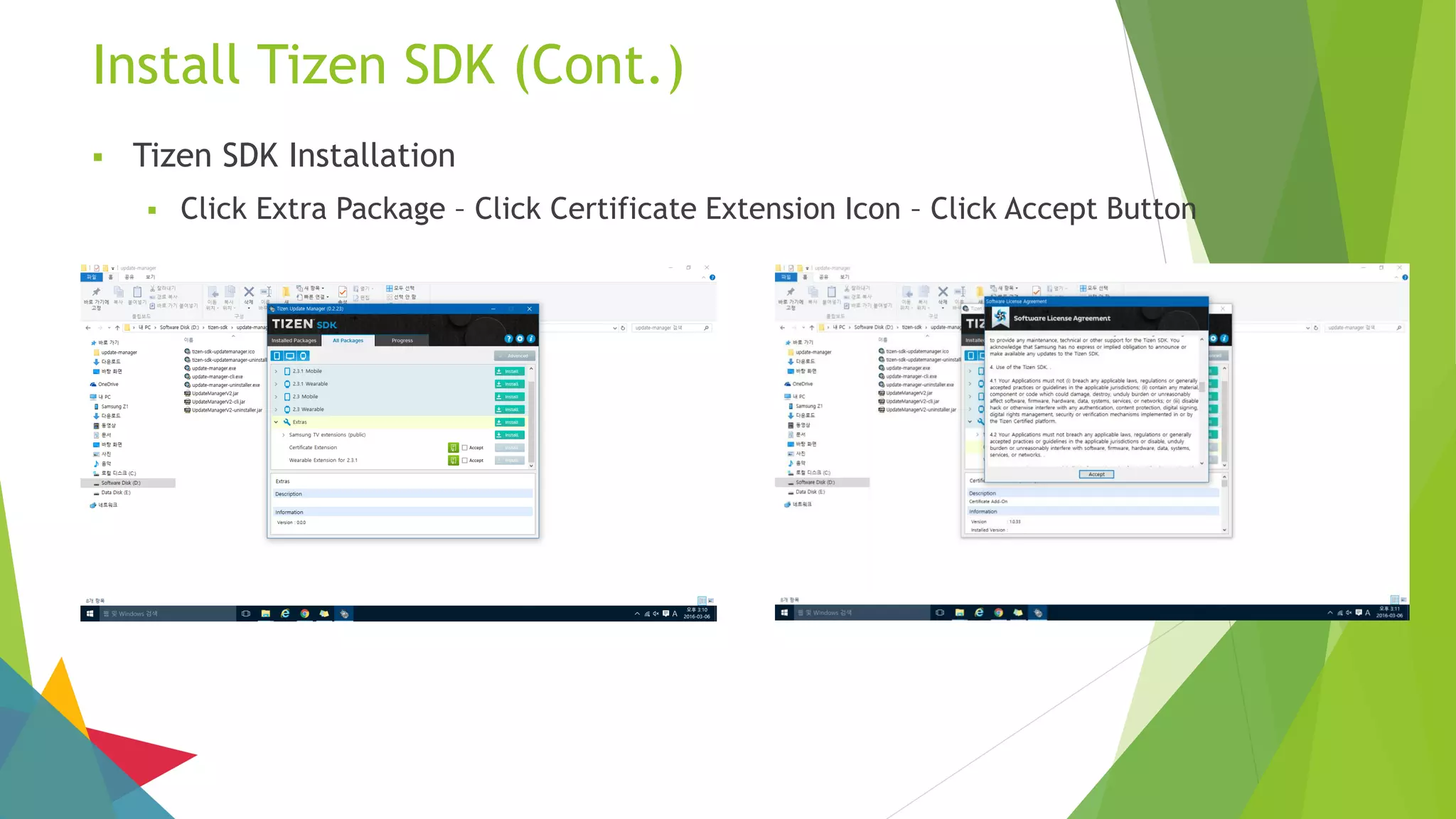
 Click Extra Package – Click Certificate Extension Icon – Click Accept Button
Install Tizen SDK (Cont.)
 Tizen SDK Installation
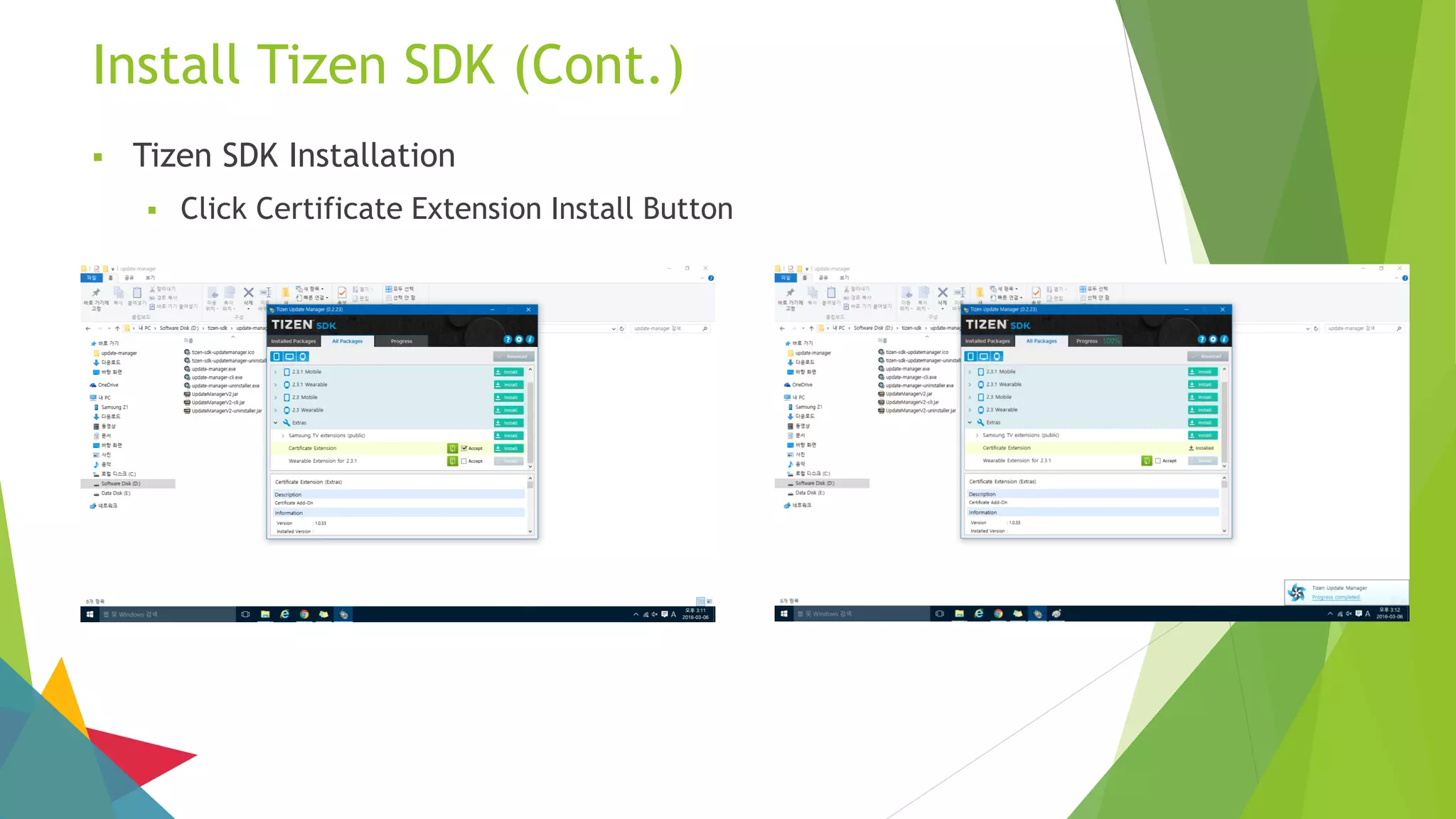
 Click Certificate Extension Install Button
Install Tizen SDK (Cont.)
 Tizen SDK Installation
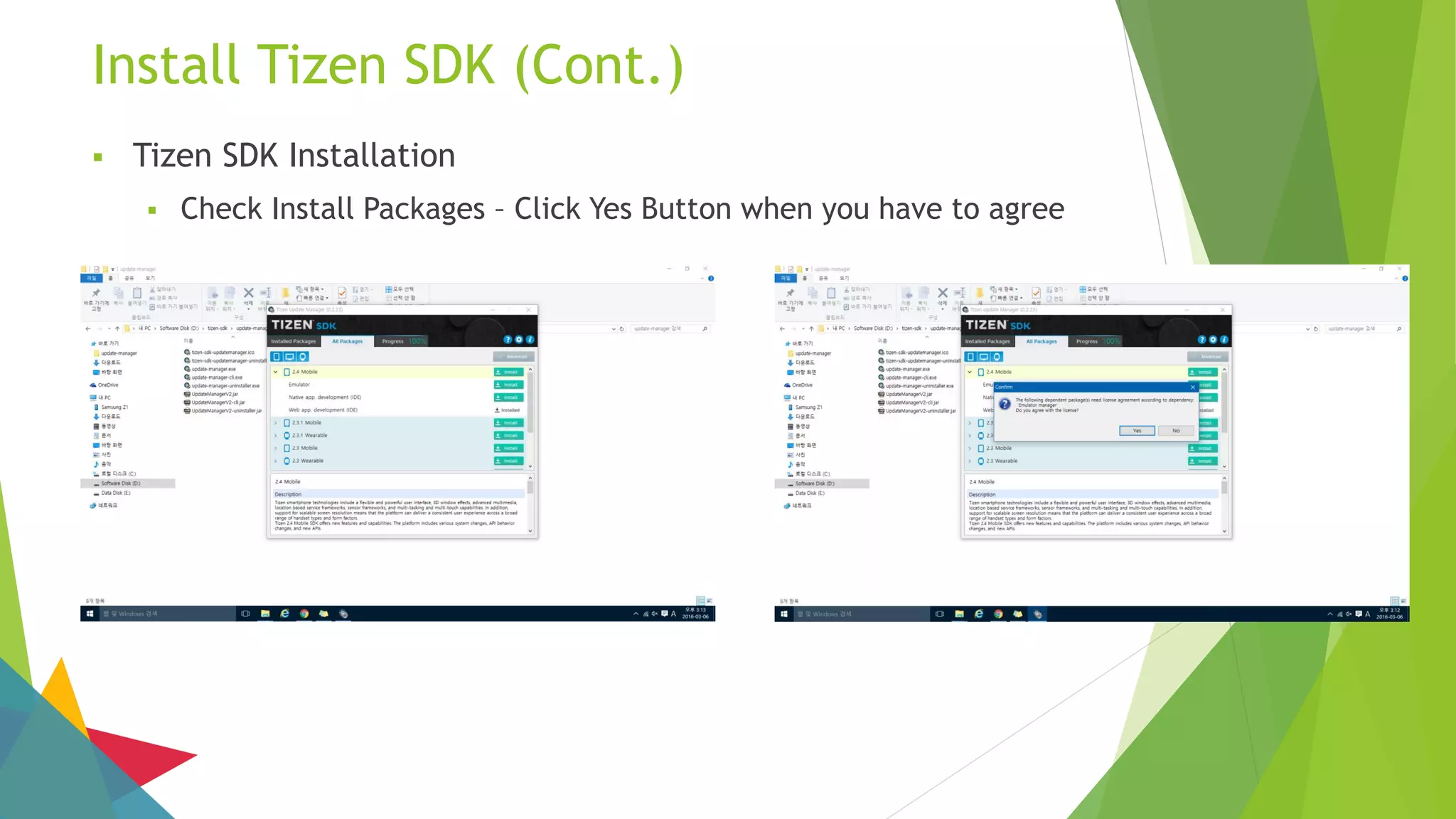
 Check Install Packages – Click Yes Button when you have to agree
Install Tizen SDK (Cont.)
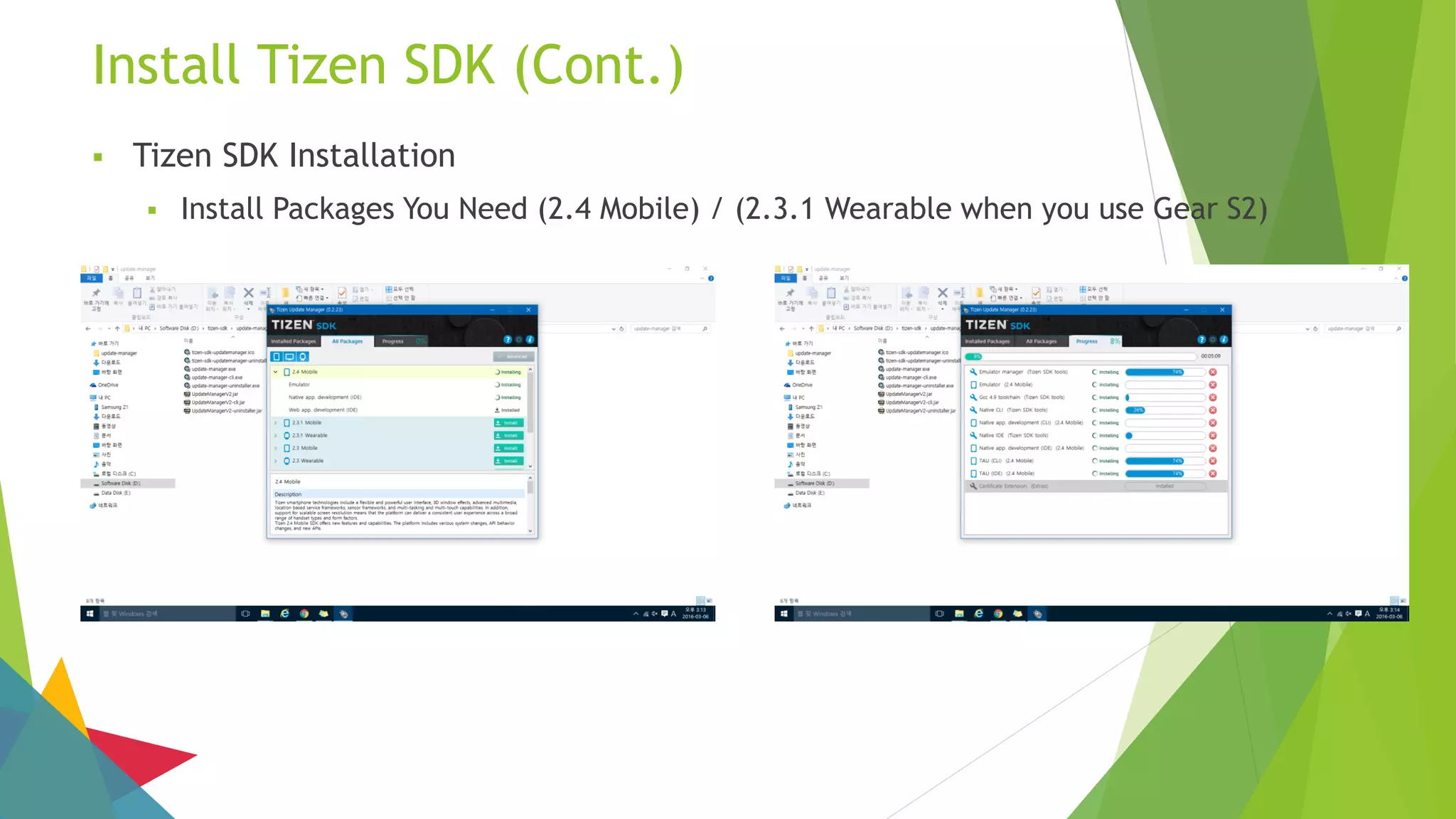
 Tizen SDK Installation
 Install Packages You Need (2.4 Mobile) / (2.3.1 Wearable when you use Gear S2)
Install Tizen SDK (Cont.)
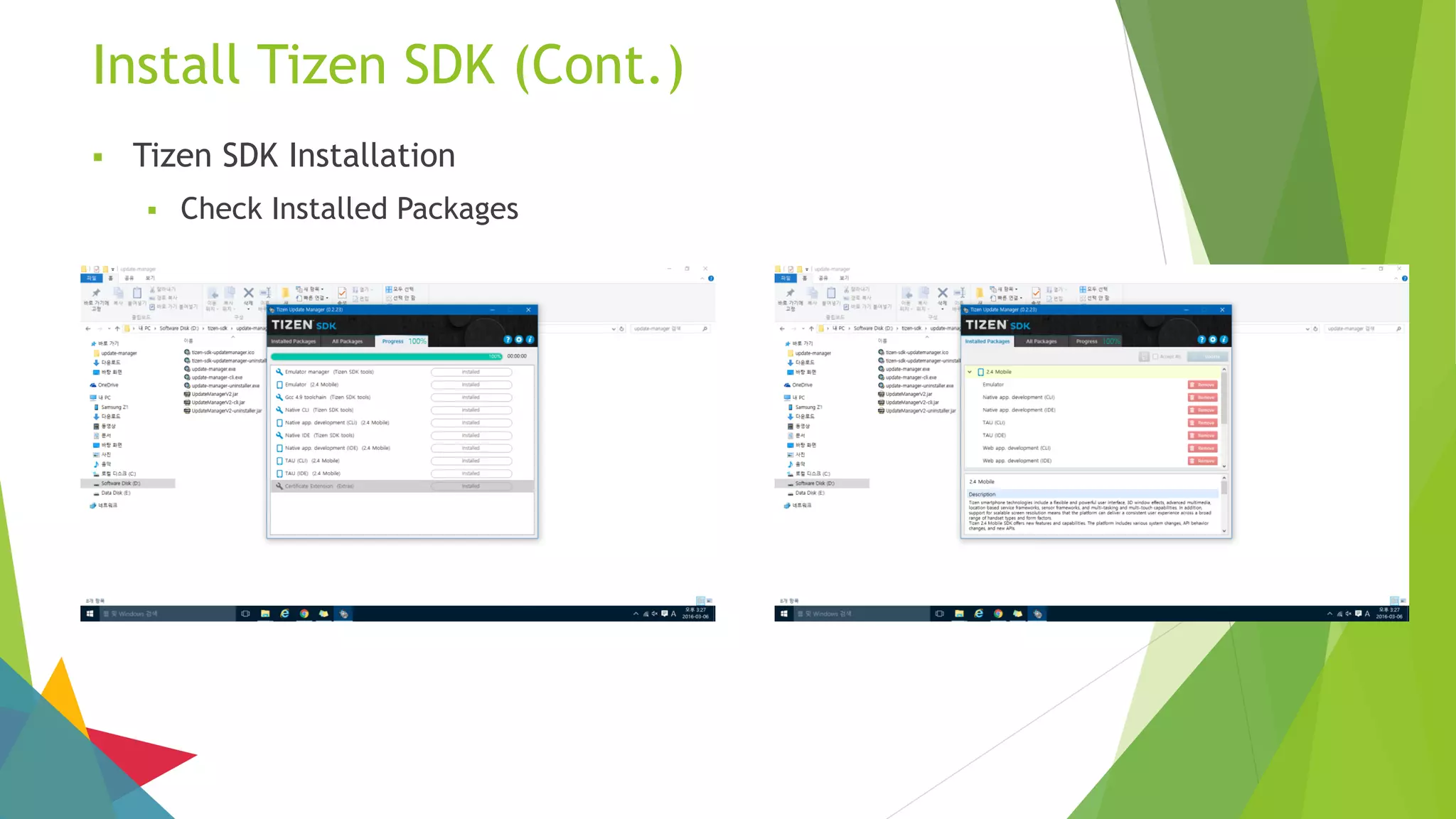
 Tizen SDK Installation
 Check Installed Packages
Install Tizen SDK (Cont.)
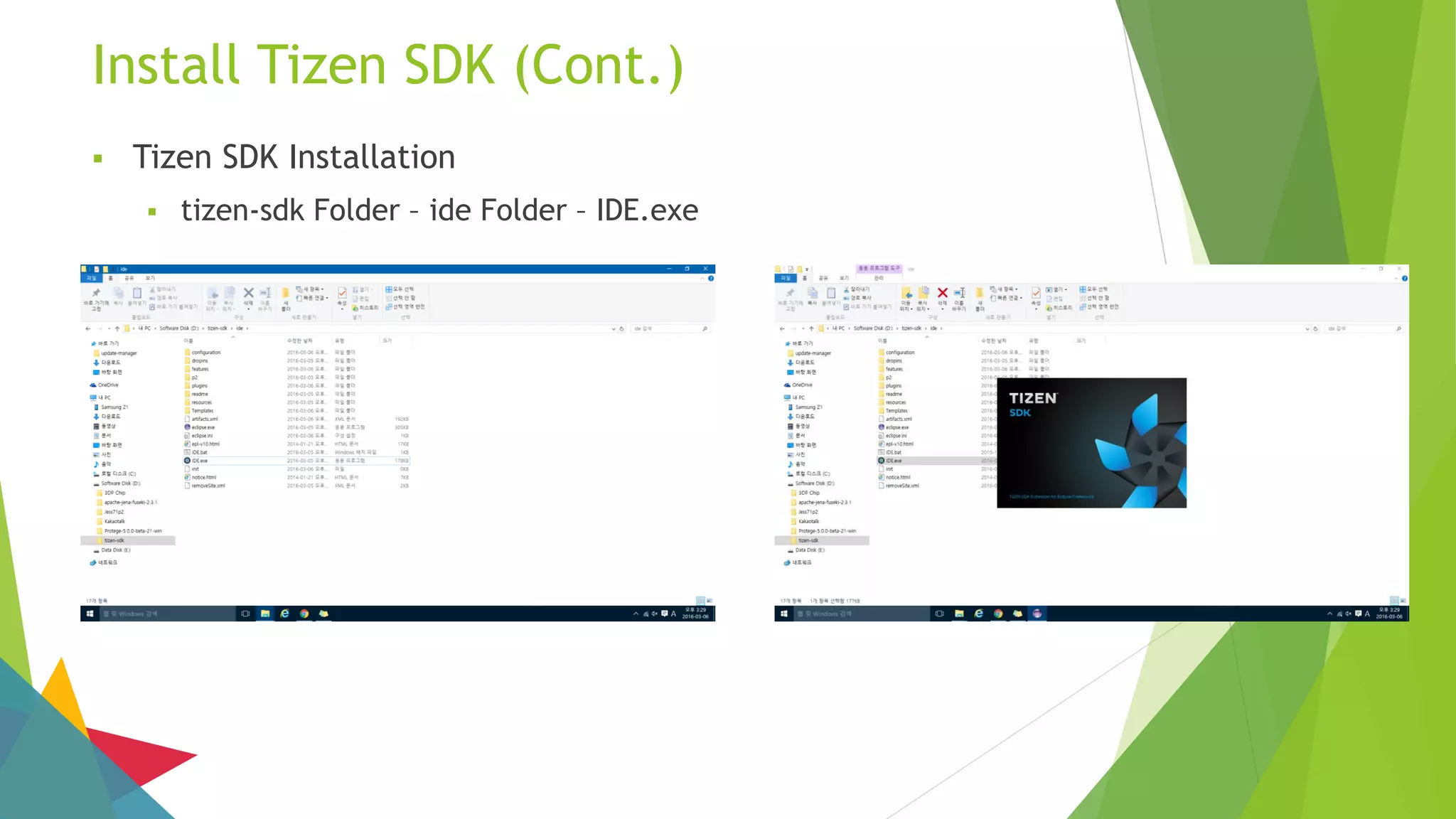
 Tizen SDK Installation
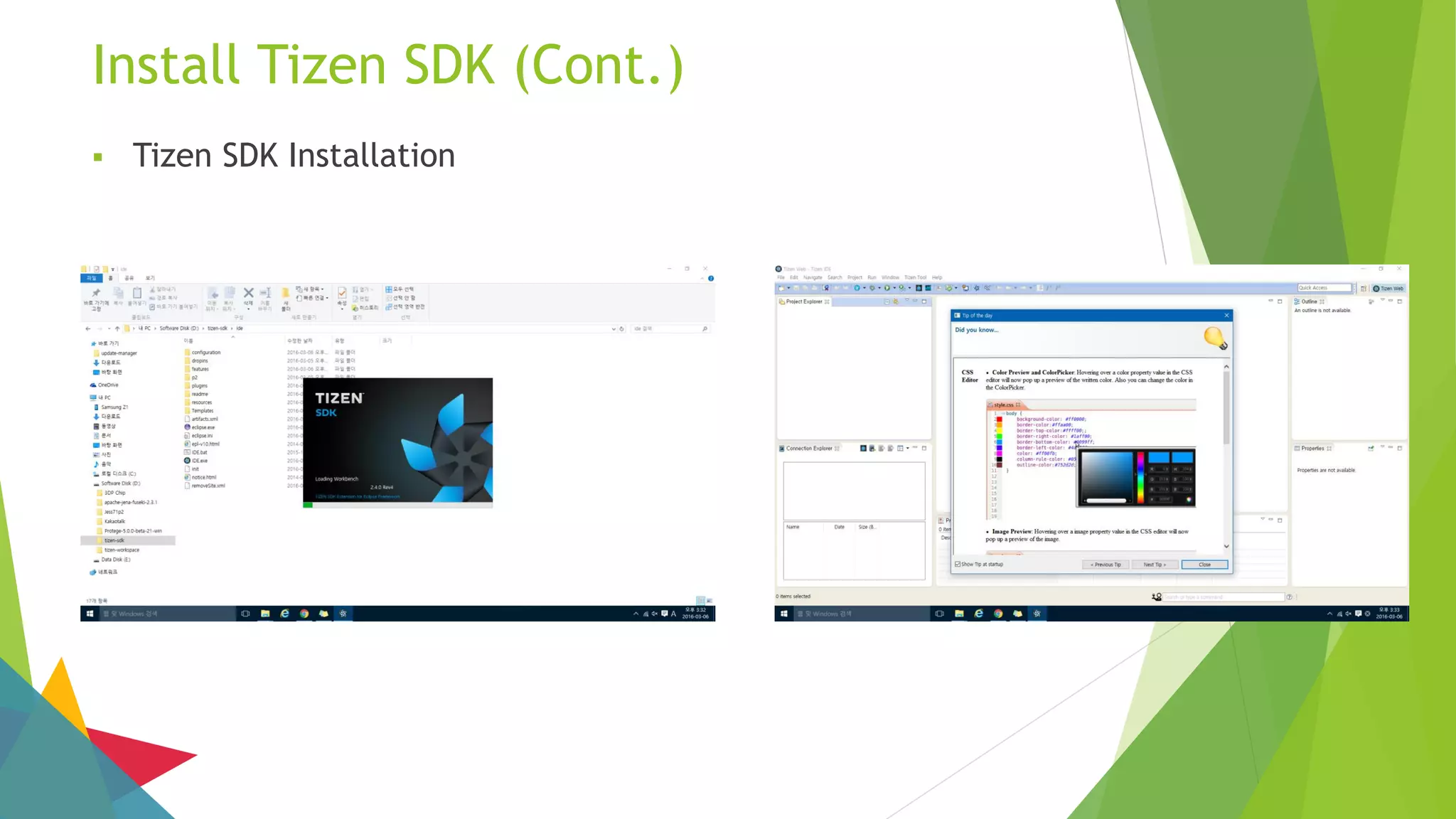
 tizen-sdk Folder – ide Folder – IDE.exe
Install Tizen SDK (Cont.)
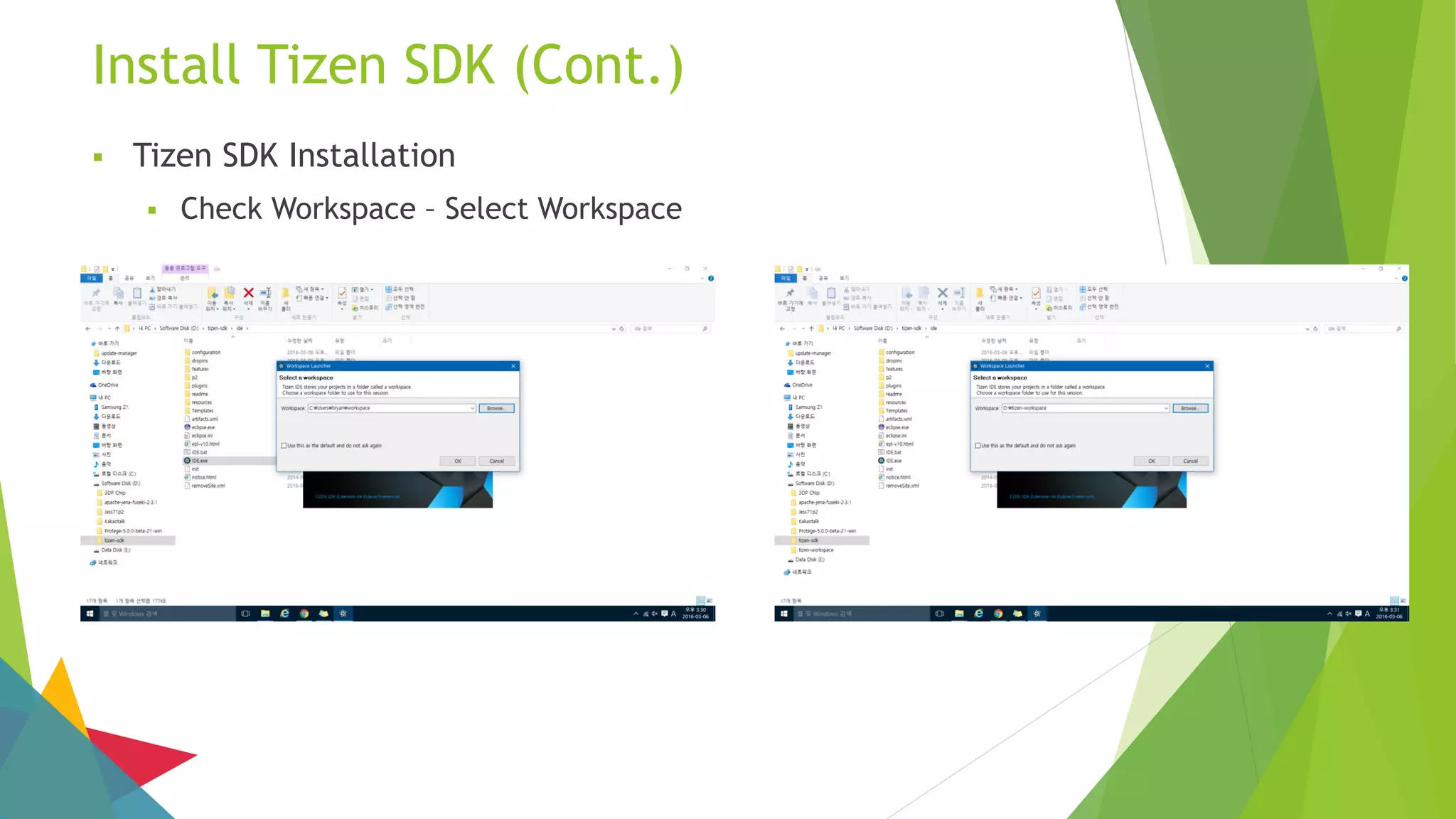
 Tizen SDK Installation
 Check Workspace – Select Workspace
Install Tizen SDK (Cont.)
 Tizen SDK Installation
 Click OK Button
Install Tizen SDK (Cont.)
 Tizen SDK Installation
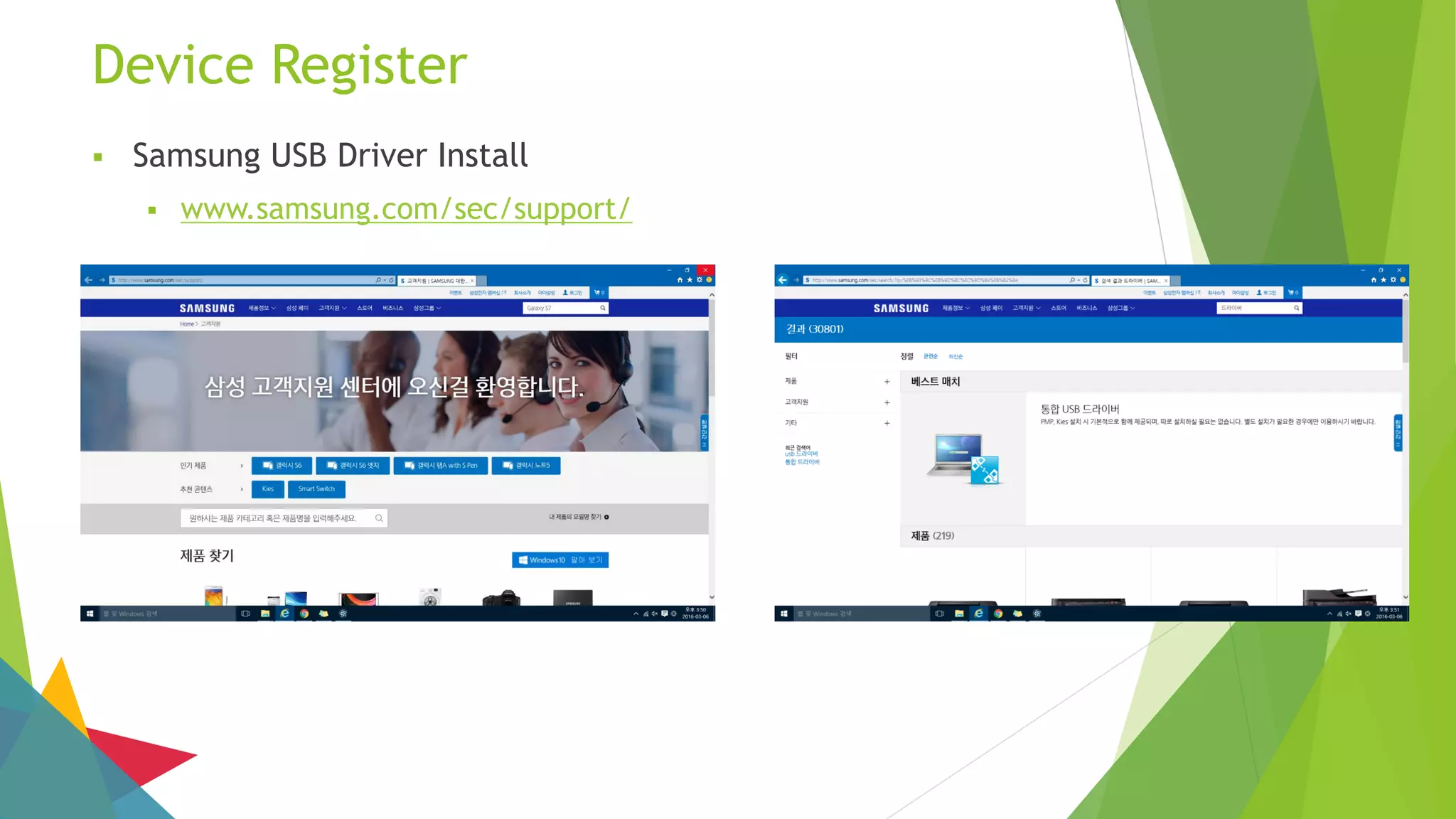
Device Register
 Samsung USB Driver Install
 www.samsung.com/sec/support/
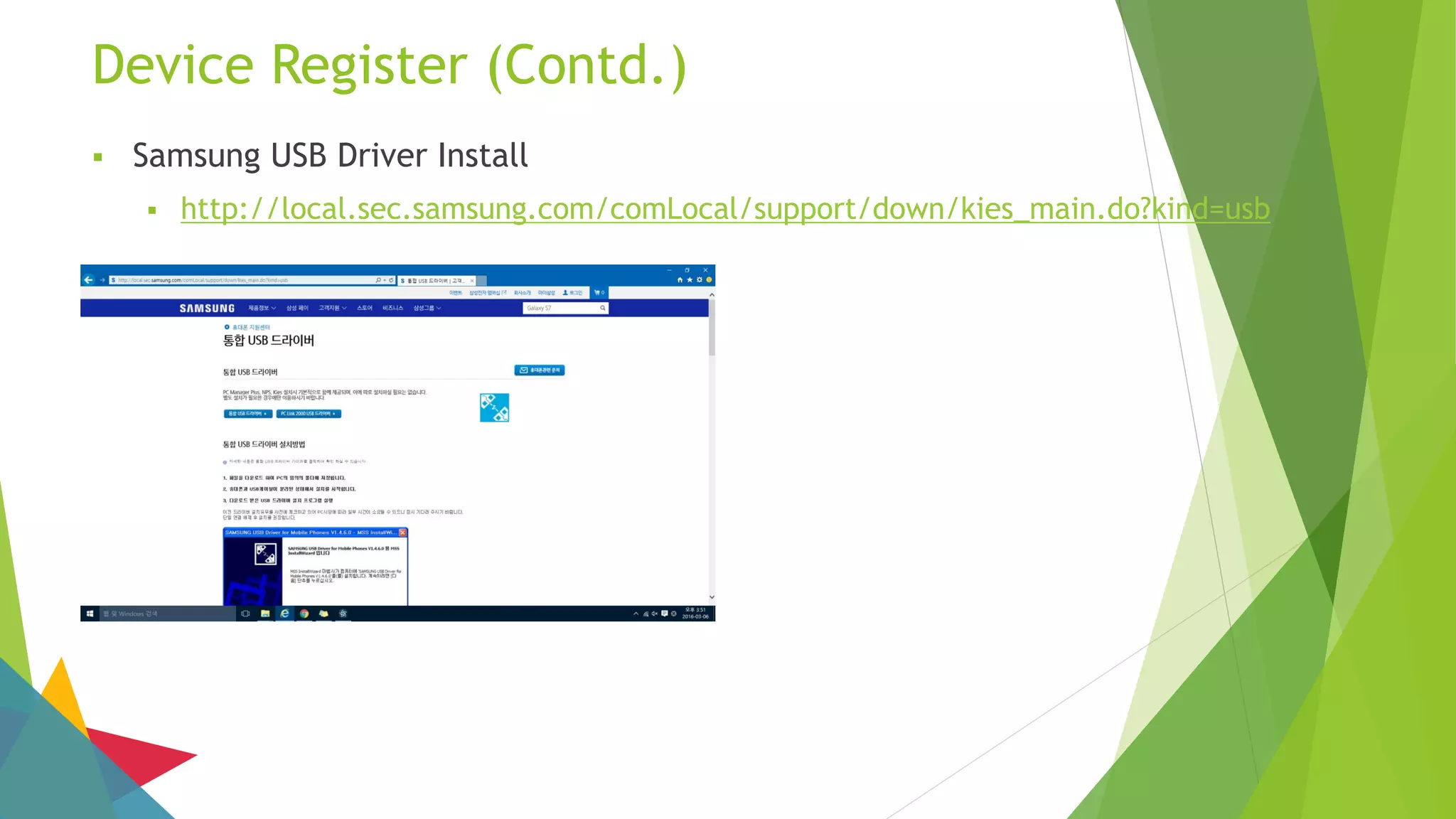
Device Register (Contd.)
 Samsung USB Driver Install
 http://local.sec.samsung.com/comLocal/support/down/kies_main.do?kind=usb
Device Register (Contd.)
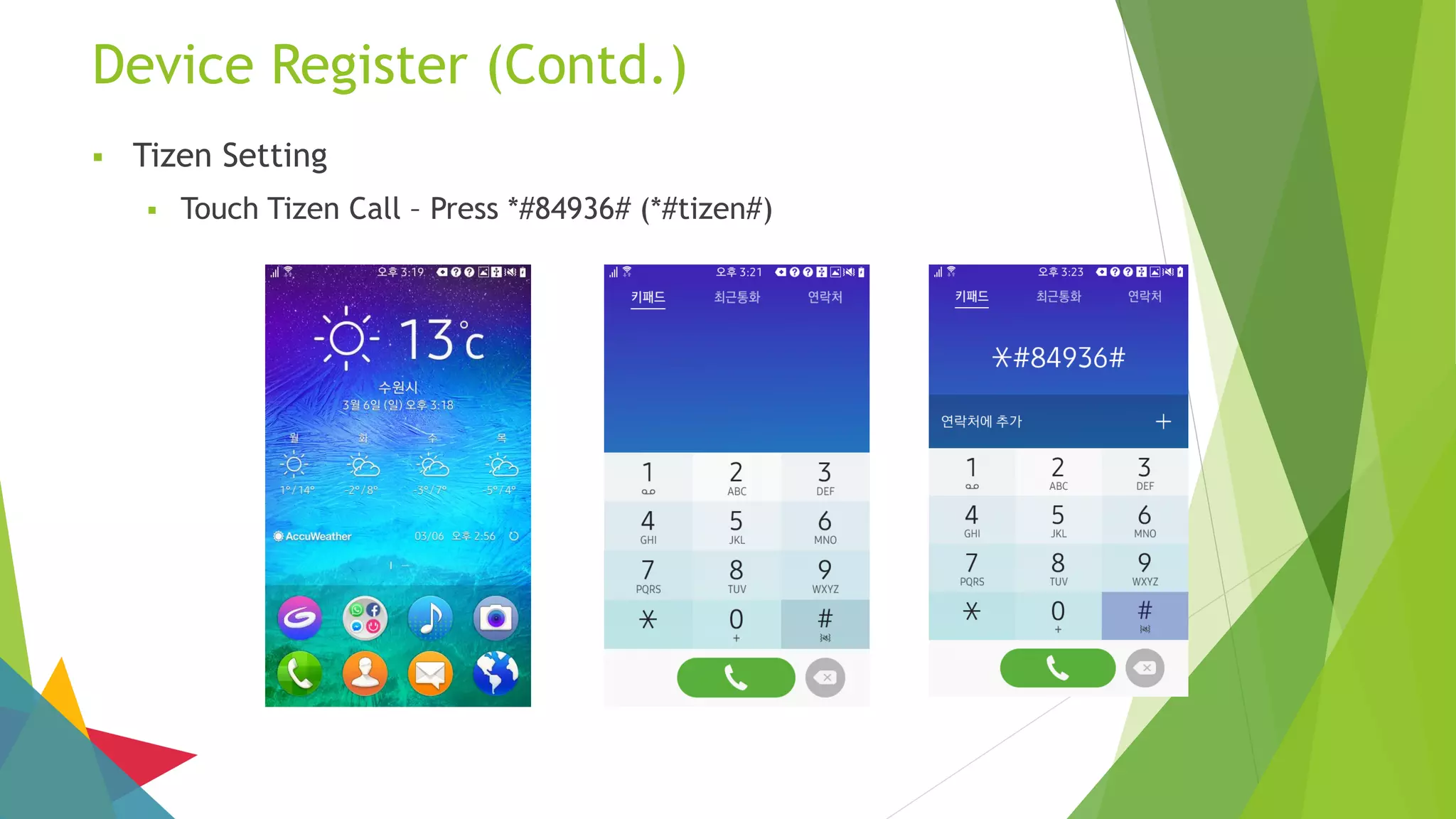
 Tizen Setting
 Touch Tizen Call – Press *#84936# (*#tizen#)
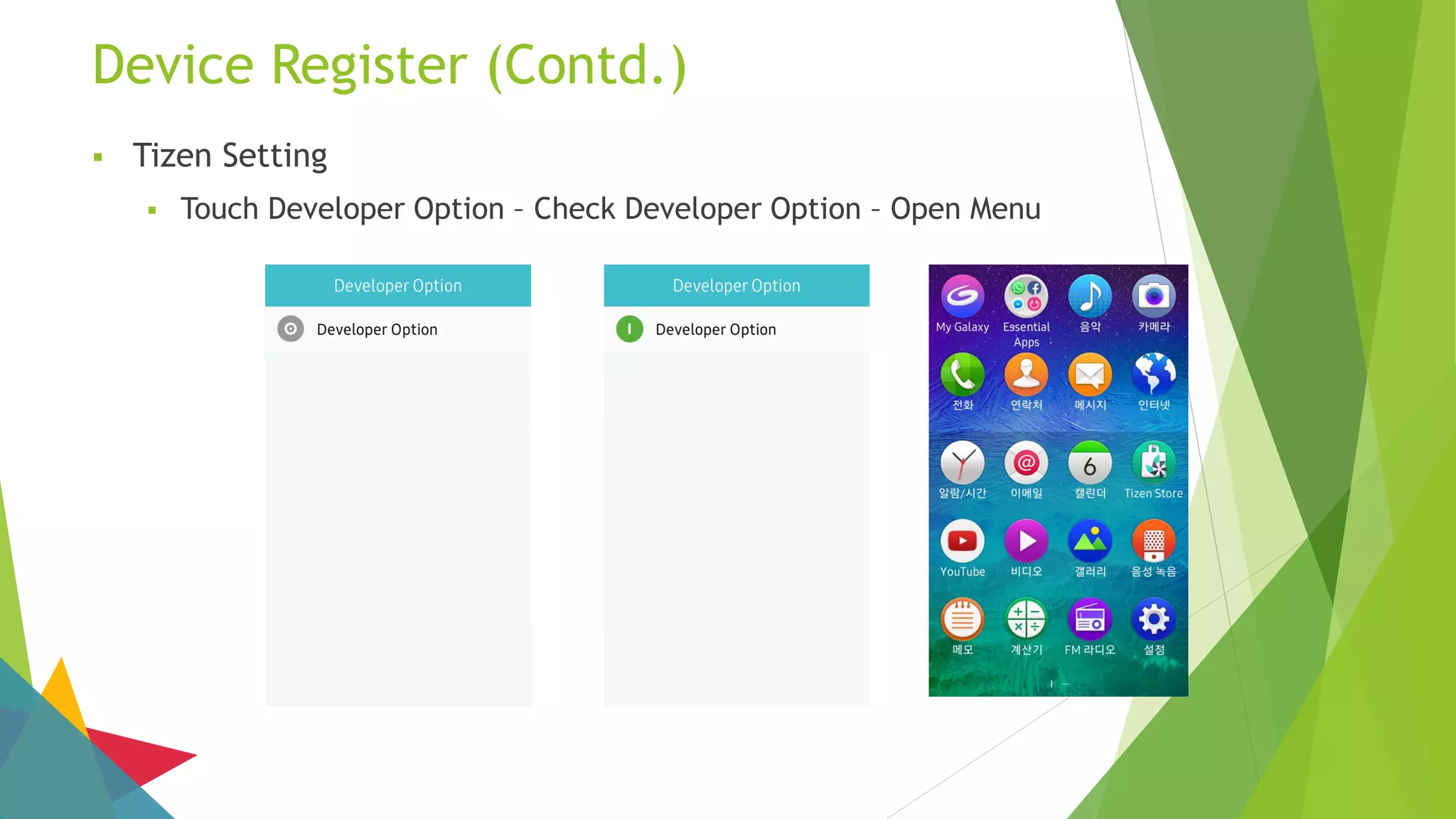
Device Register (Contd.)
 Tizen Setting
 Touch Developer Option – Check Developer Option – Open Menu
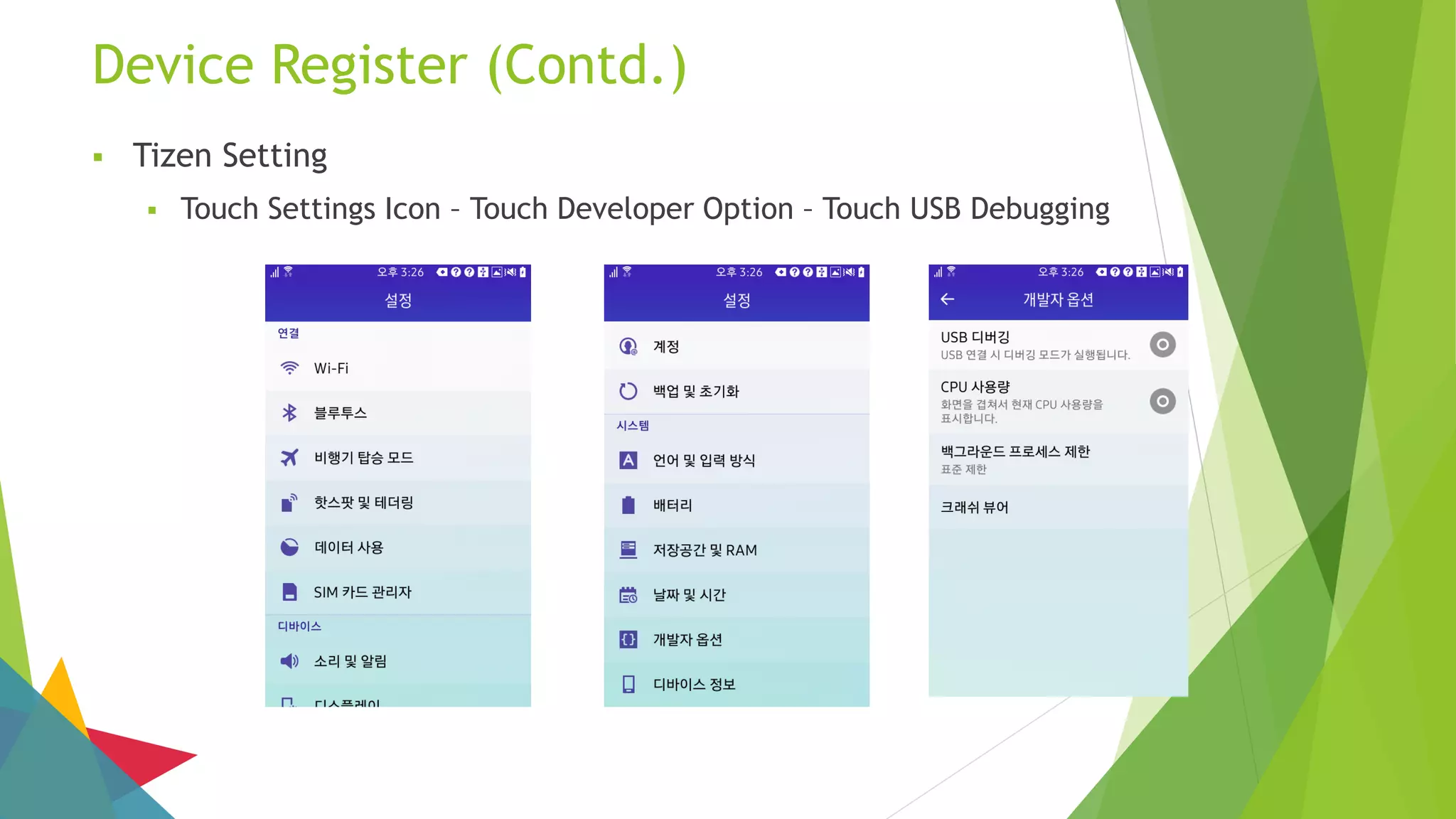
Device Register (Contd.)
 Tizen Setting
 Touch Settings Icon – Touch Developer Option – Touch USB Debugging
Device Register (Contd.)
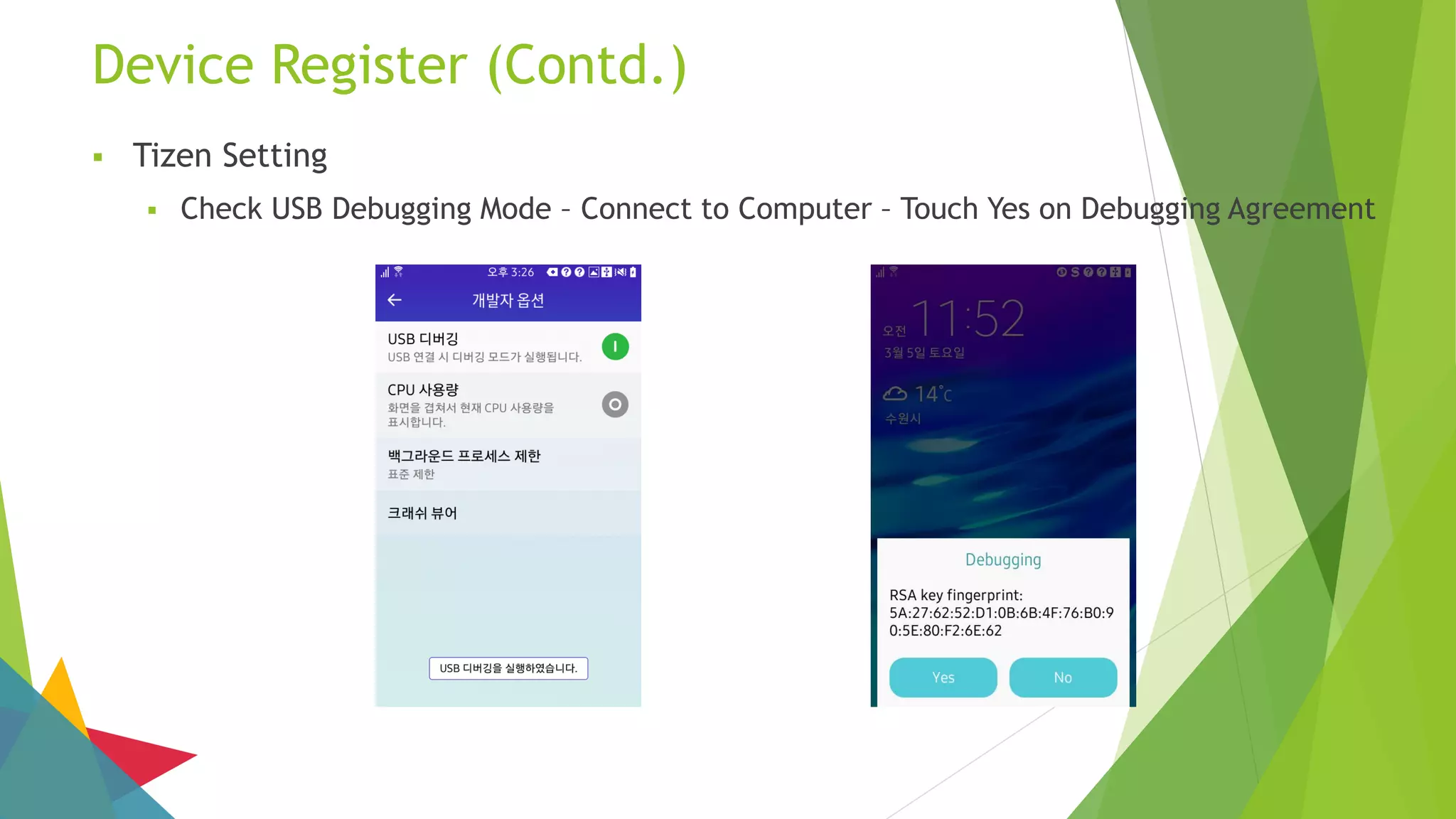
 Tizen Setting
 Check USB Debugging Mode – Connect to Computer – Touch Yes on Debugging Agreement
Device Register (Contd.)
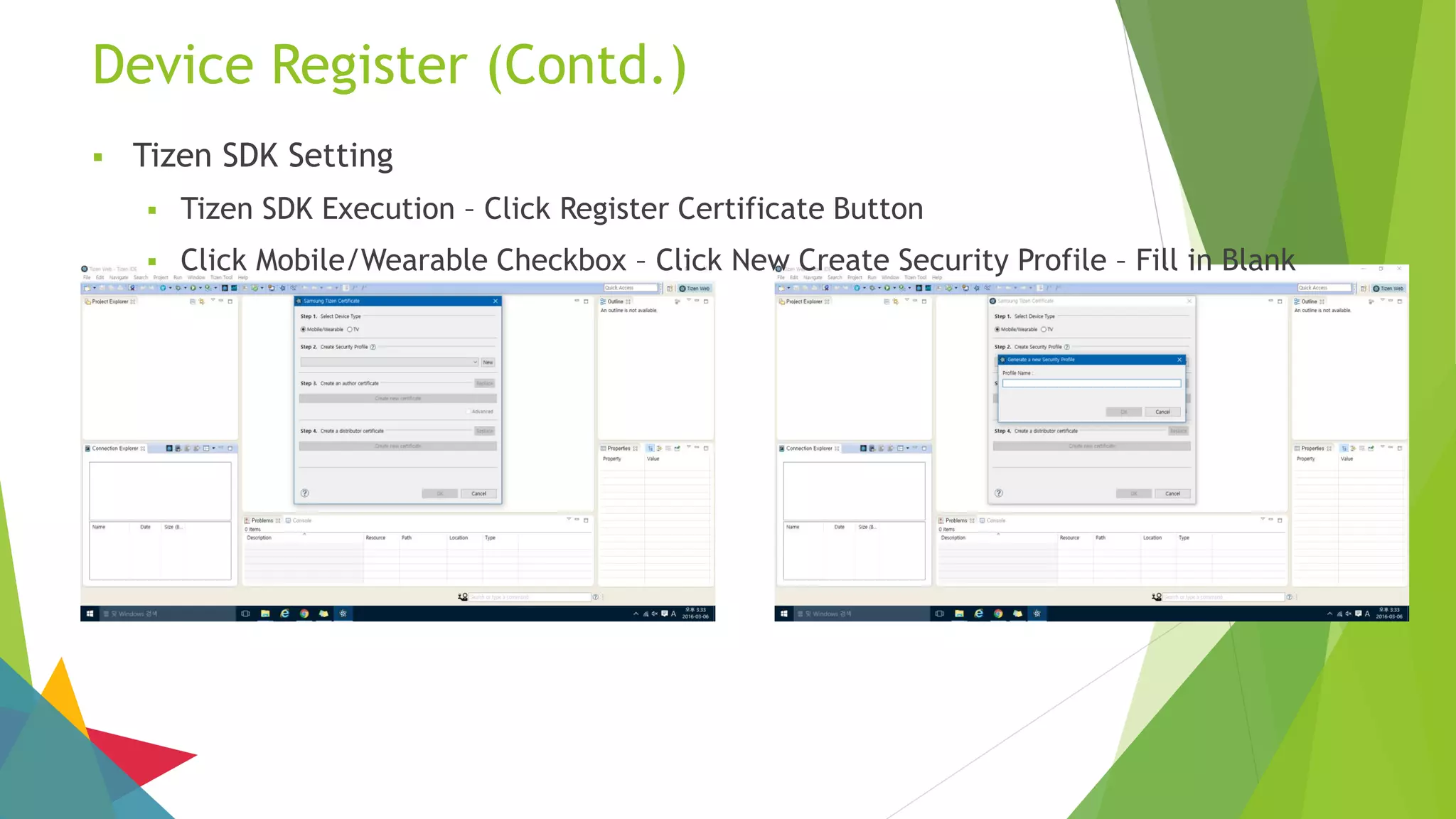
 Tizen SDK Setting
 Tizen SDK Execution – Click Register Certificate Button
 Click Mobile/Wearable Checkbox – Click New Create Security Profile – Fill in Blank
Device Register (Contd.)
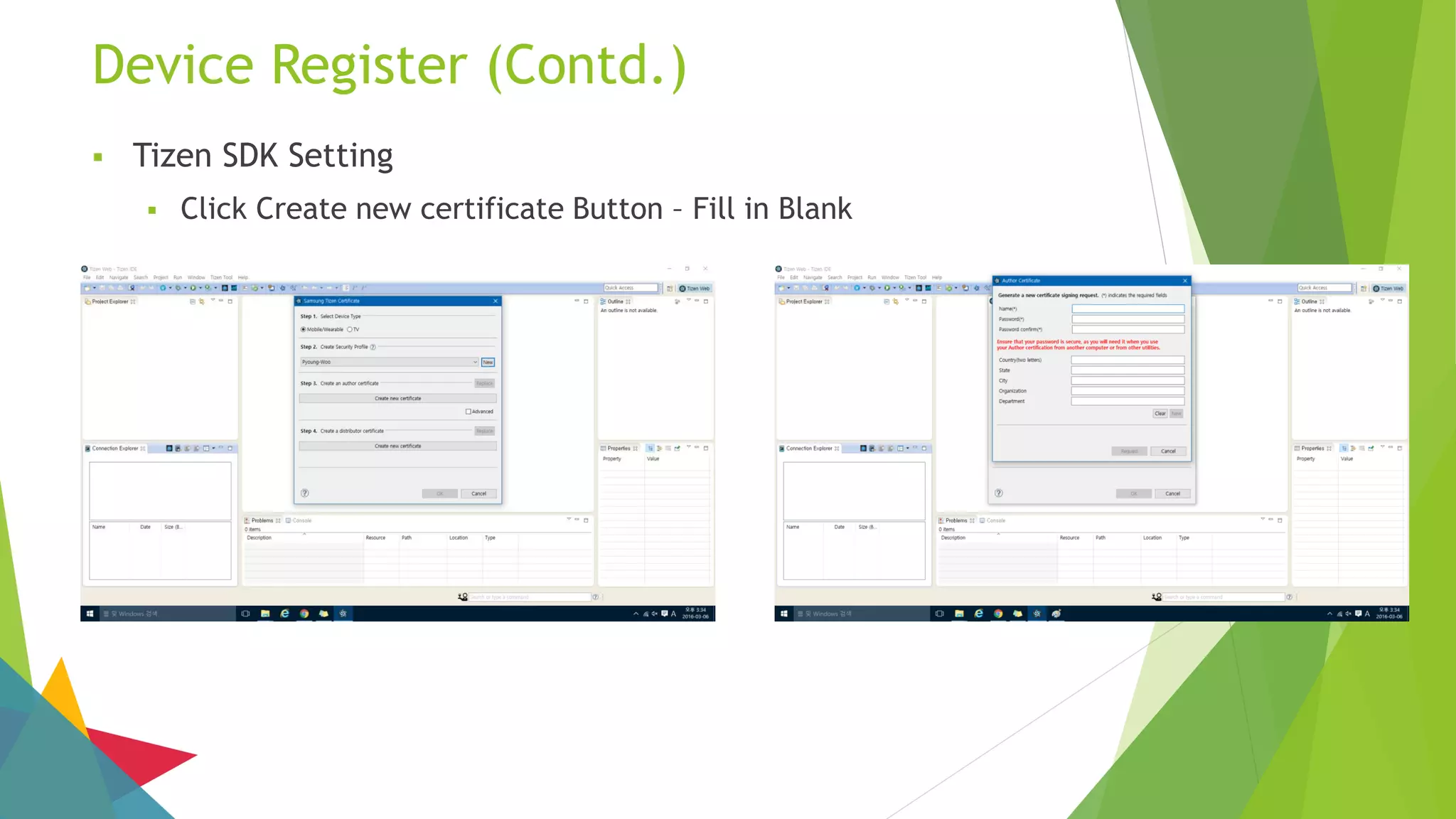
 Tizen SDK Setting
 Click Create new certificate Button – Fill in Blank
Device Register (Contd.)
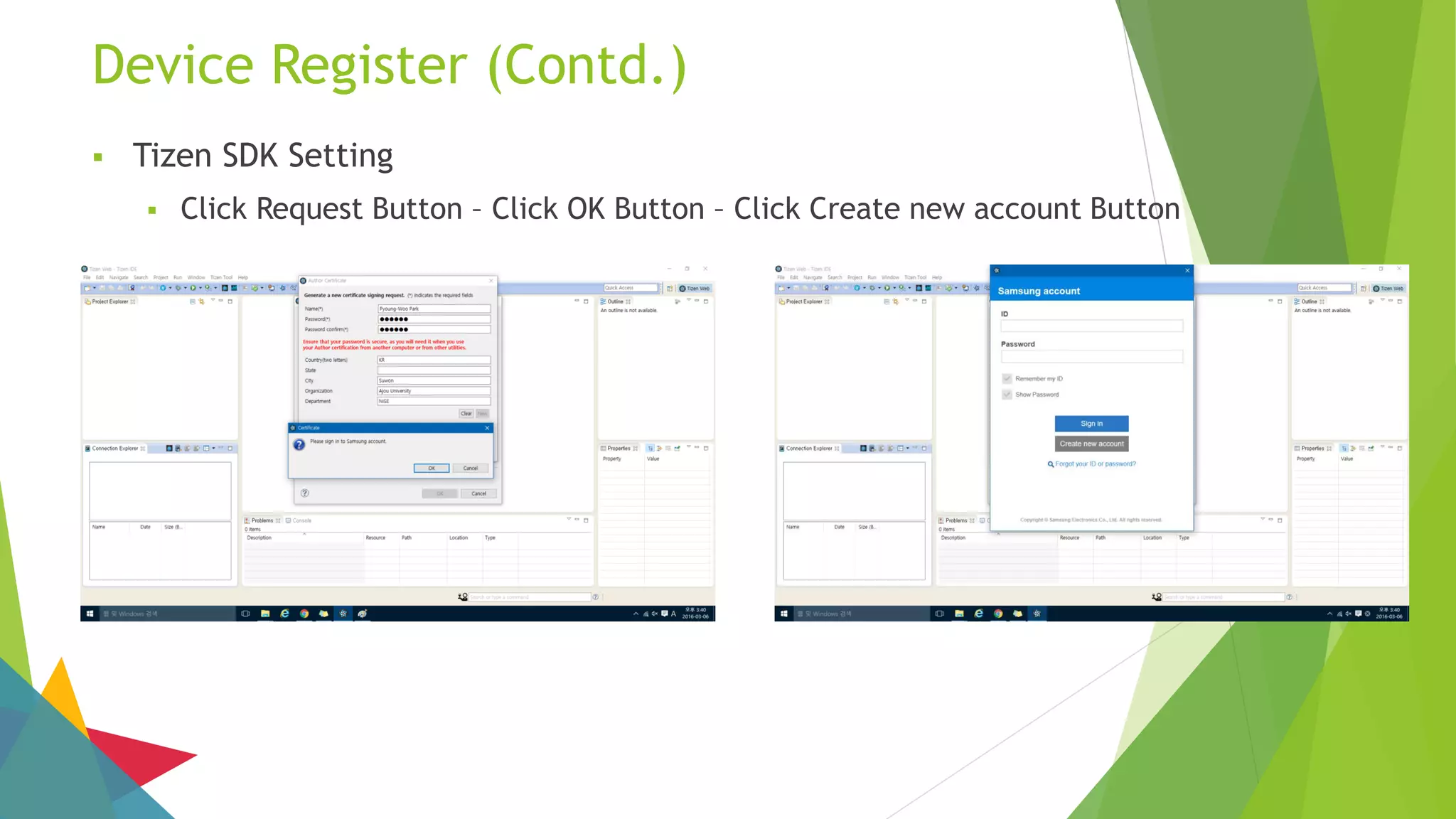
 Tizen SDK Setting
 Click Request Button – Click OK Button – Click Create new account Button
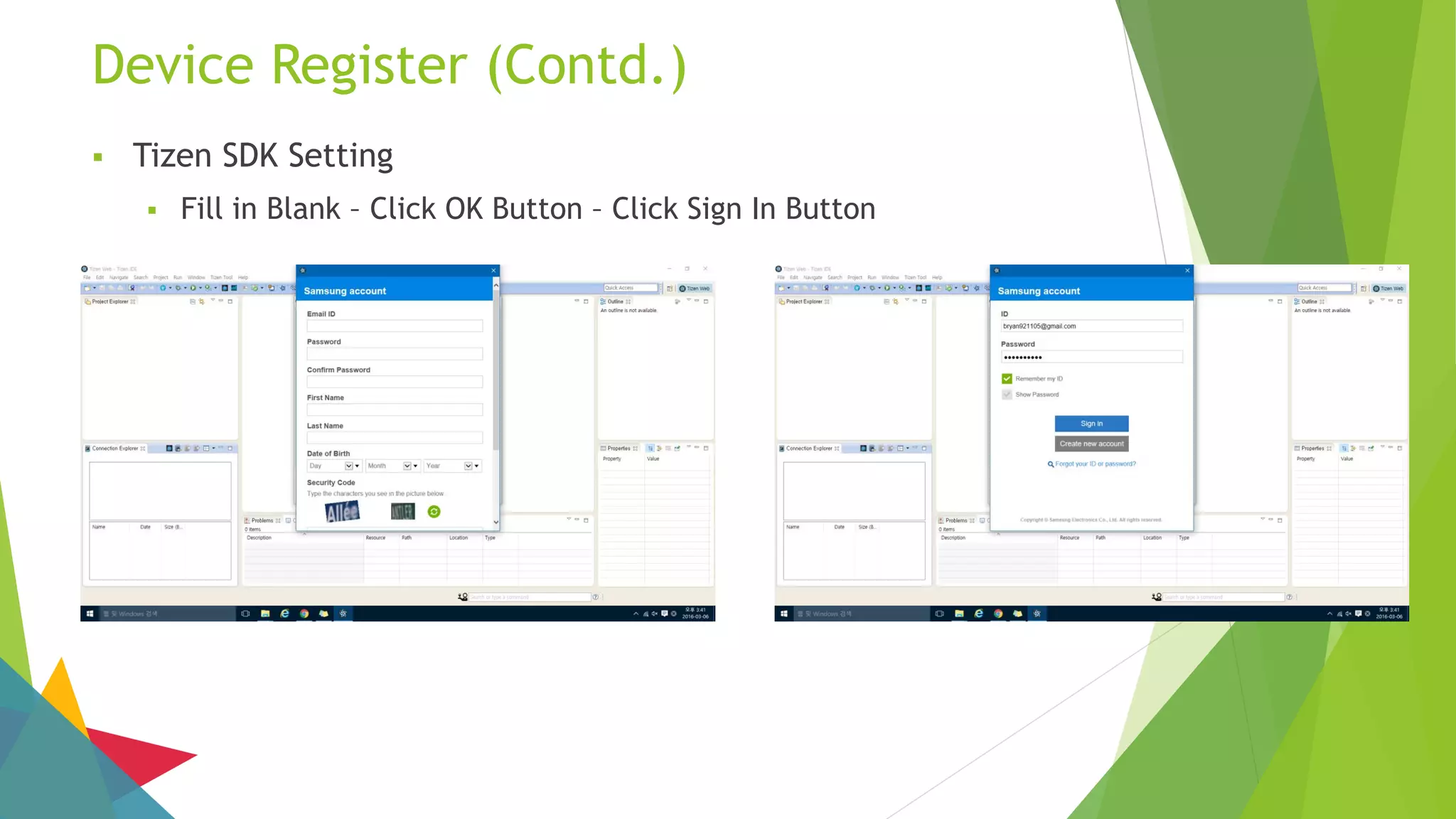
Device Register (Contd.)
 Tizen SDK Setting
 Fill in Blank – Click OK Button – Click Sign In Button
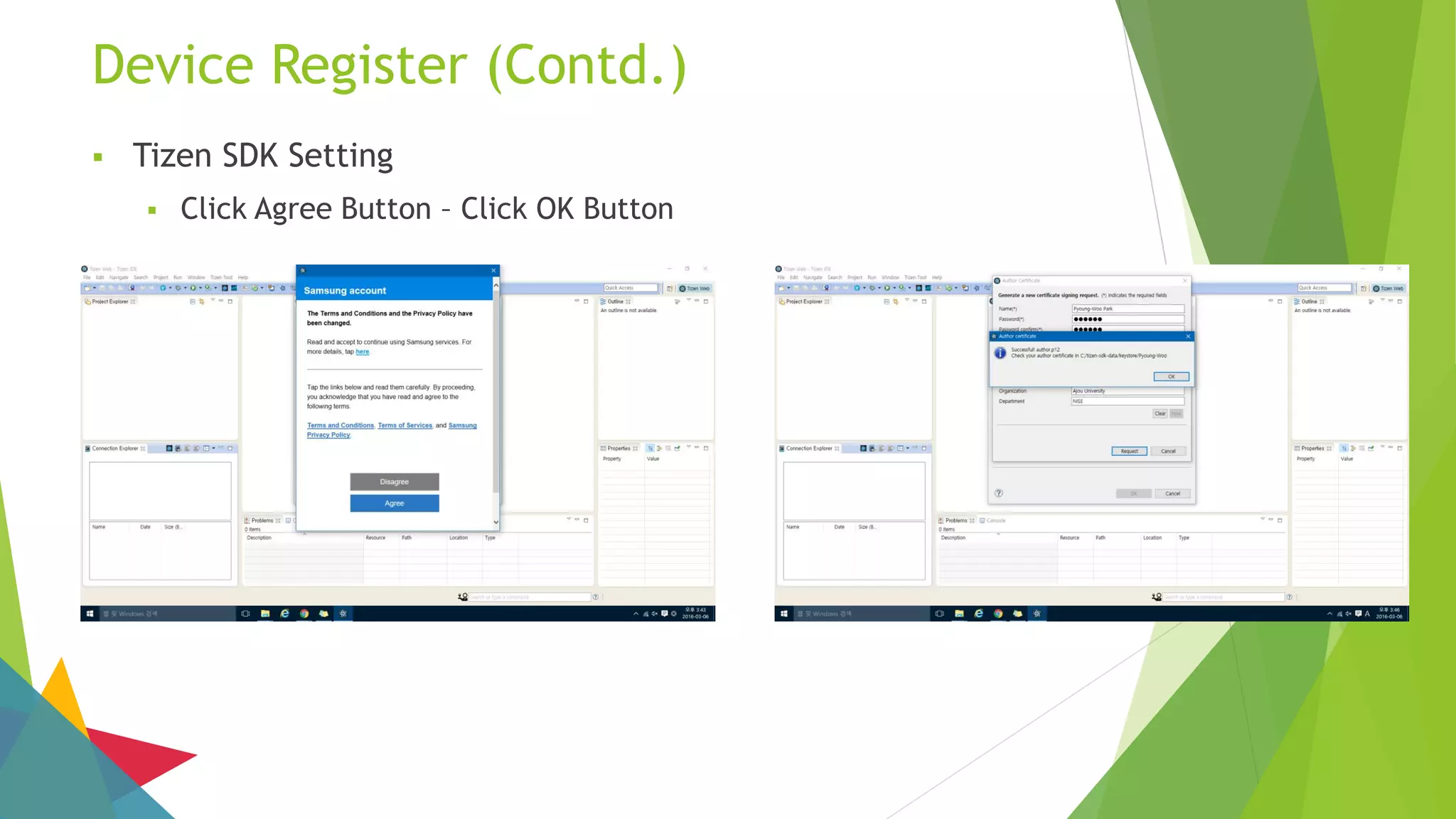
Device Register (Contd.)
 Tizen SDK Setting
 Click Agree Button – Click OK Button
Device Register (Contd.)
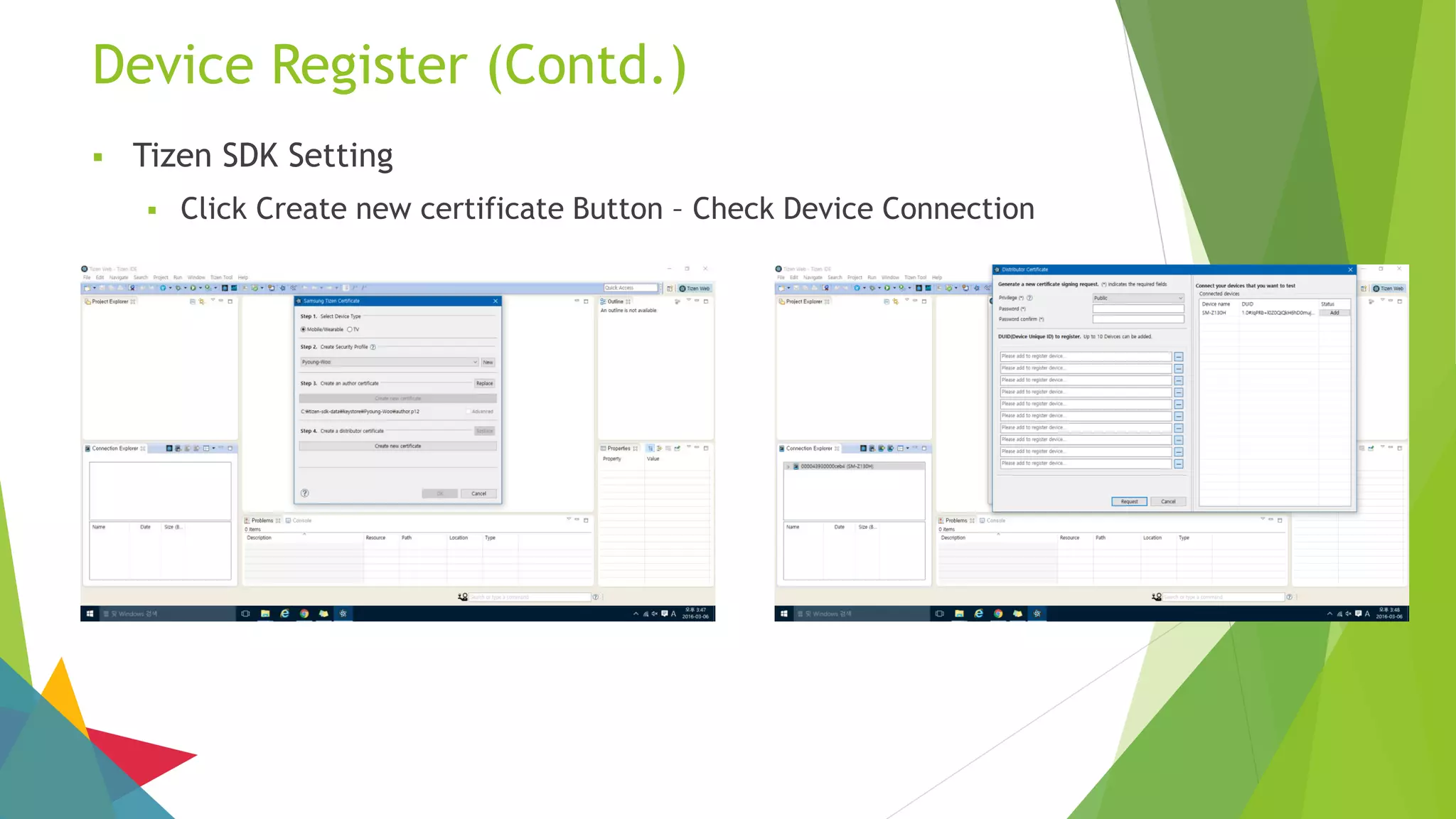
 Tizen SDK Setting
 Click Create new certificate Button – Check Device Connection
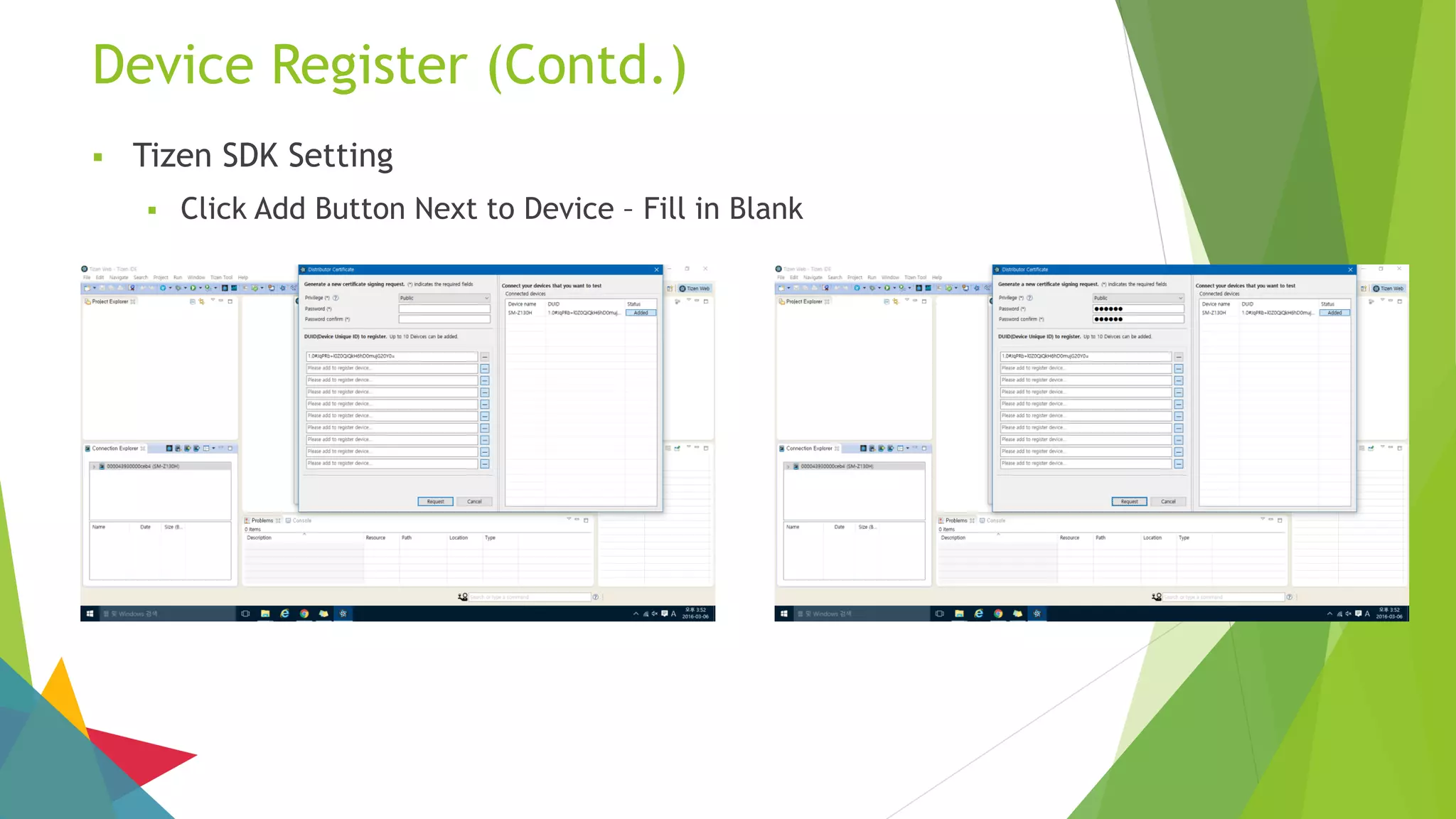
Device Register (Contd.)
 Tizen SDK Setting
 Click Add Button Next to Device – Fill in Blank
Device Register (Contd.)
 Tizen SDK Setting
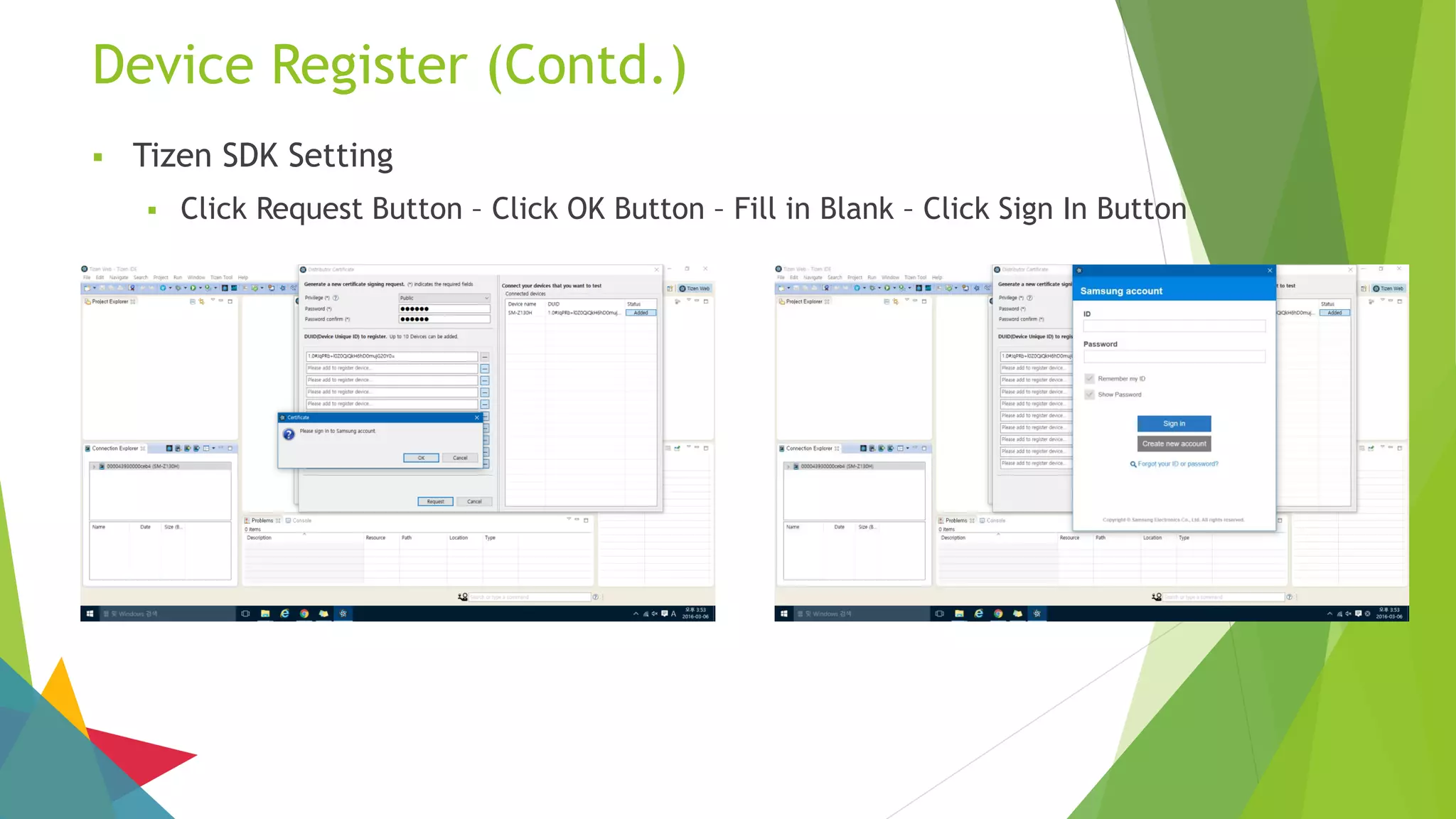
 Click Request Button – Click OK Button – Fill in Blank – Click Sign In Button
Device Register (Contd.)
 Tizen SDK Setting
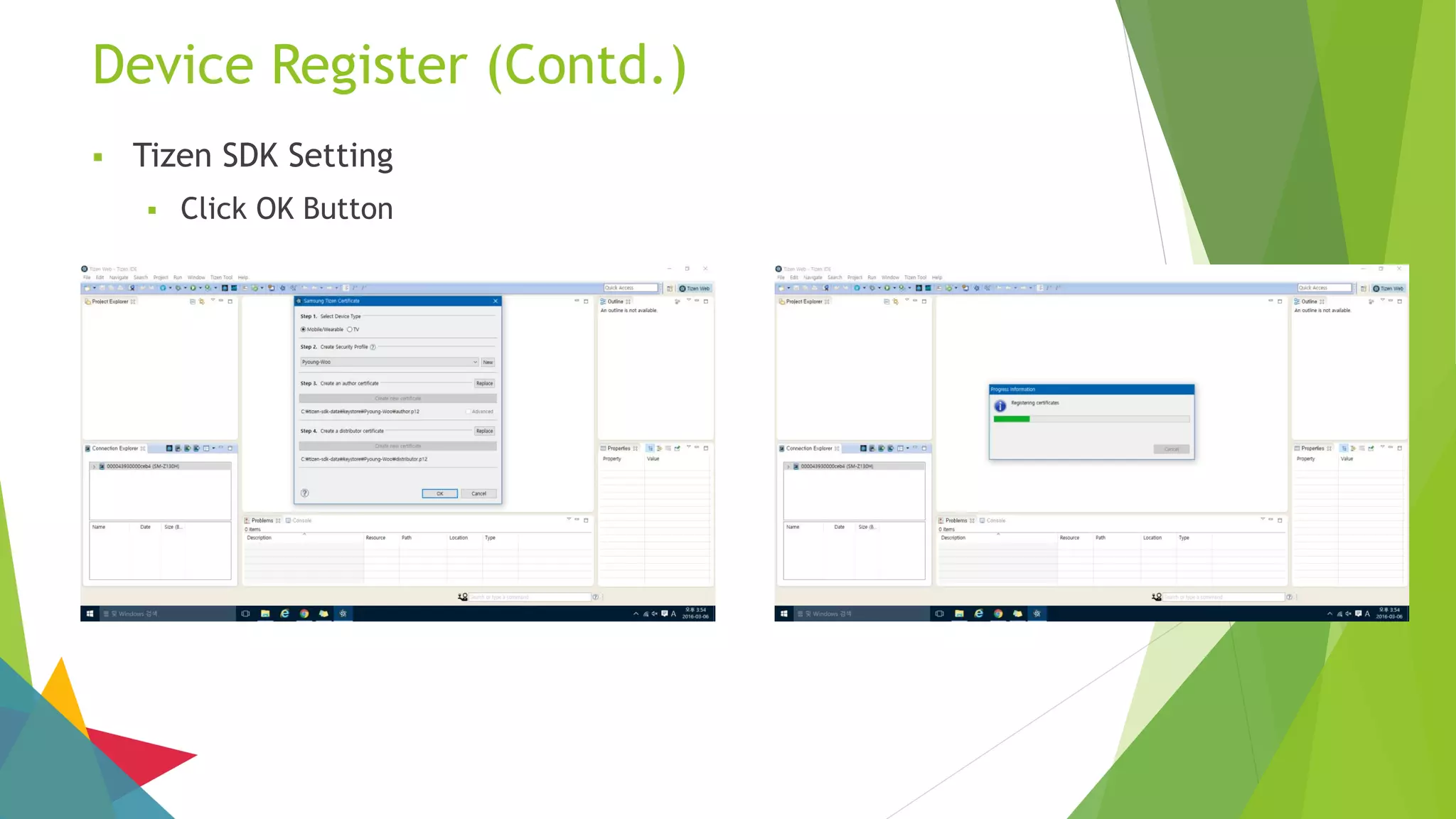
 Click OK Button
Device Register (Contd.)
 Tizen SDK Setting
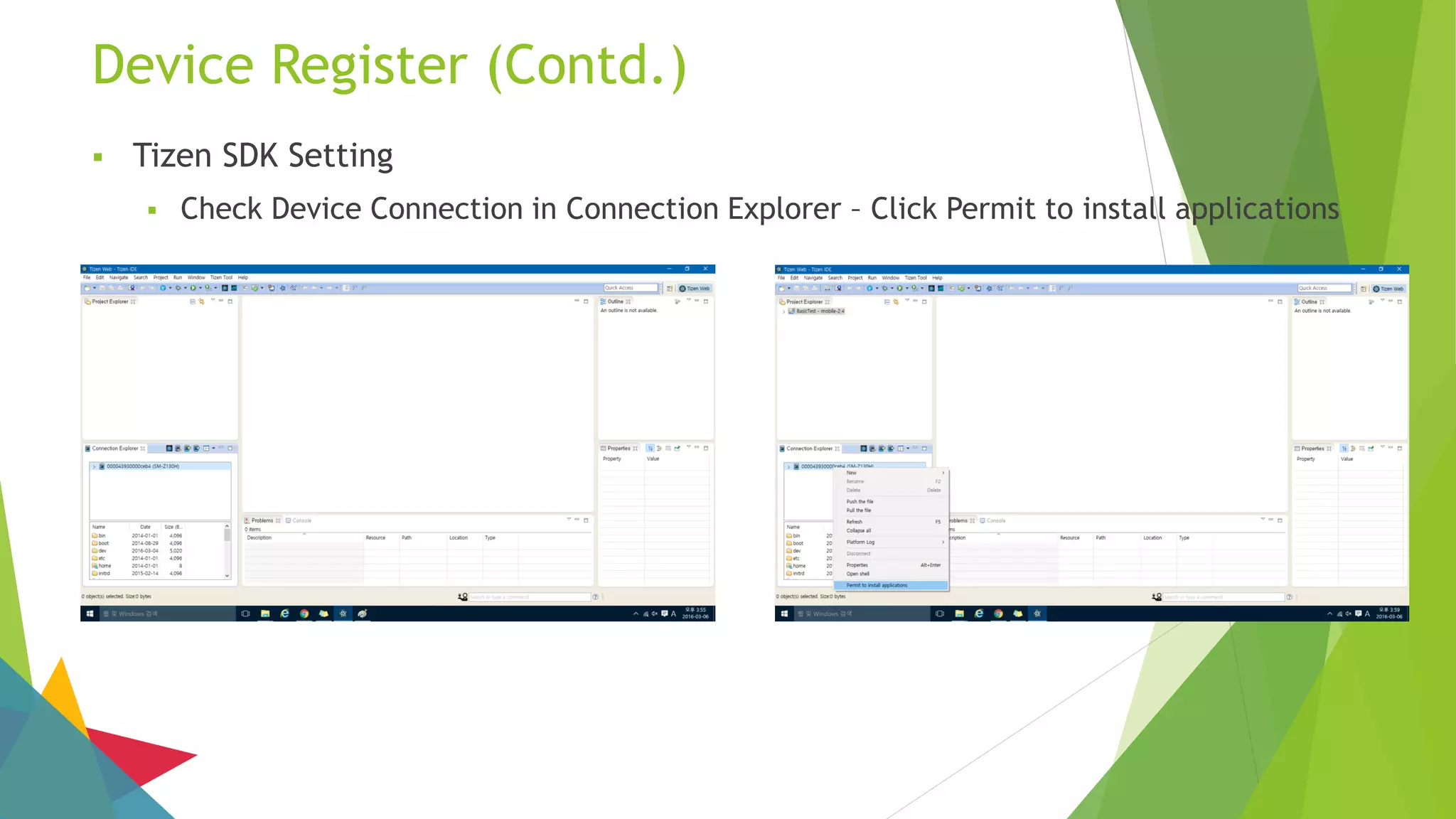
 Check Device Connection in Connection Explorer – Click Permit to install applications
Build Test
 Tizen Build Test
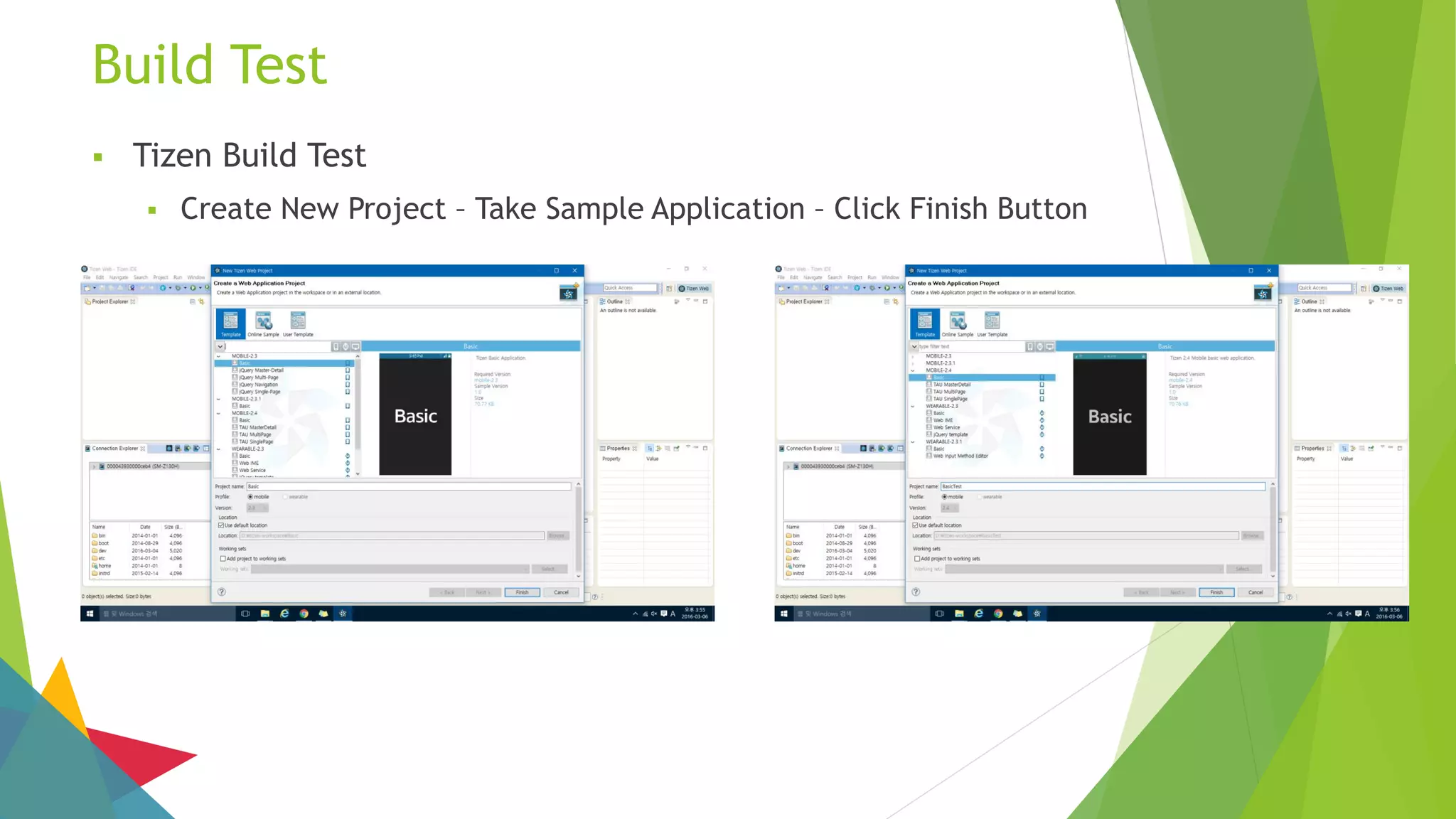
 Create New Project – Take Sample Application – Click Finish Button
Build Test (Contd.)
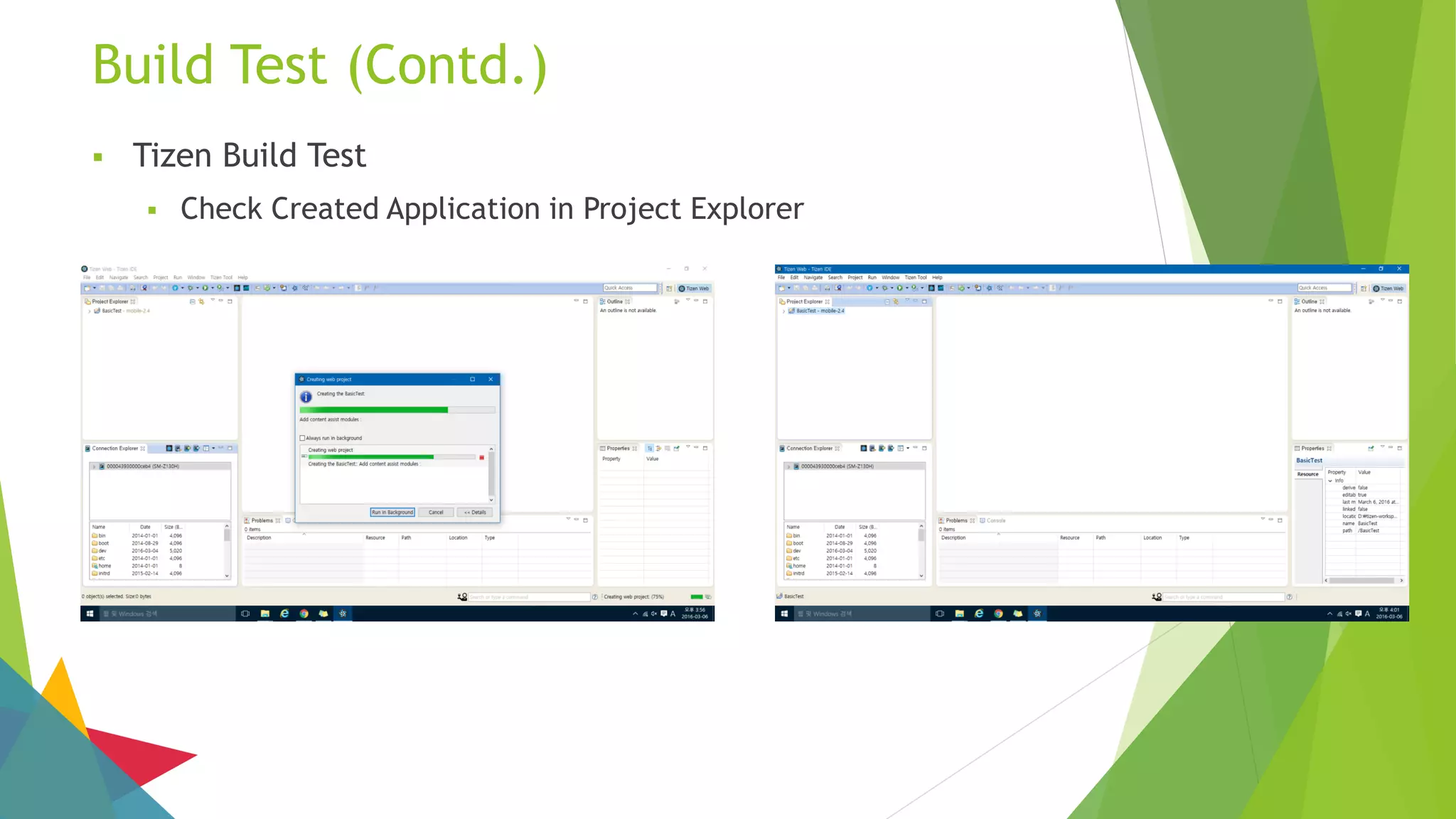
 Tizen Build Test
 Check Created Application in Project Explorer
Build Test (Contd.)
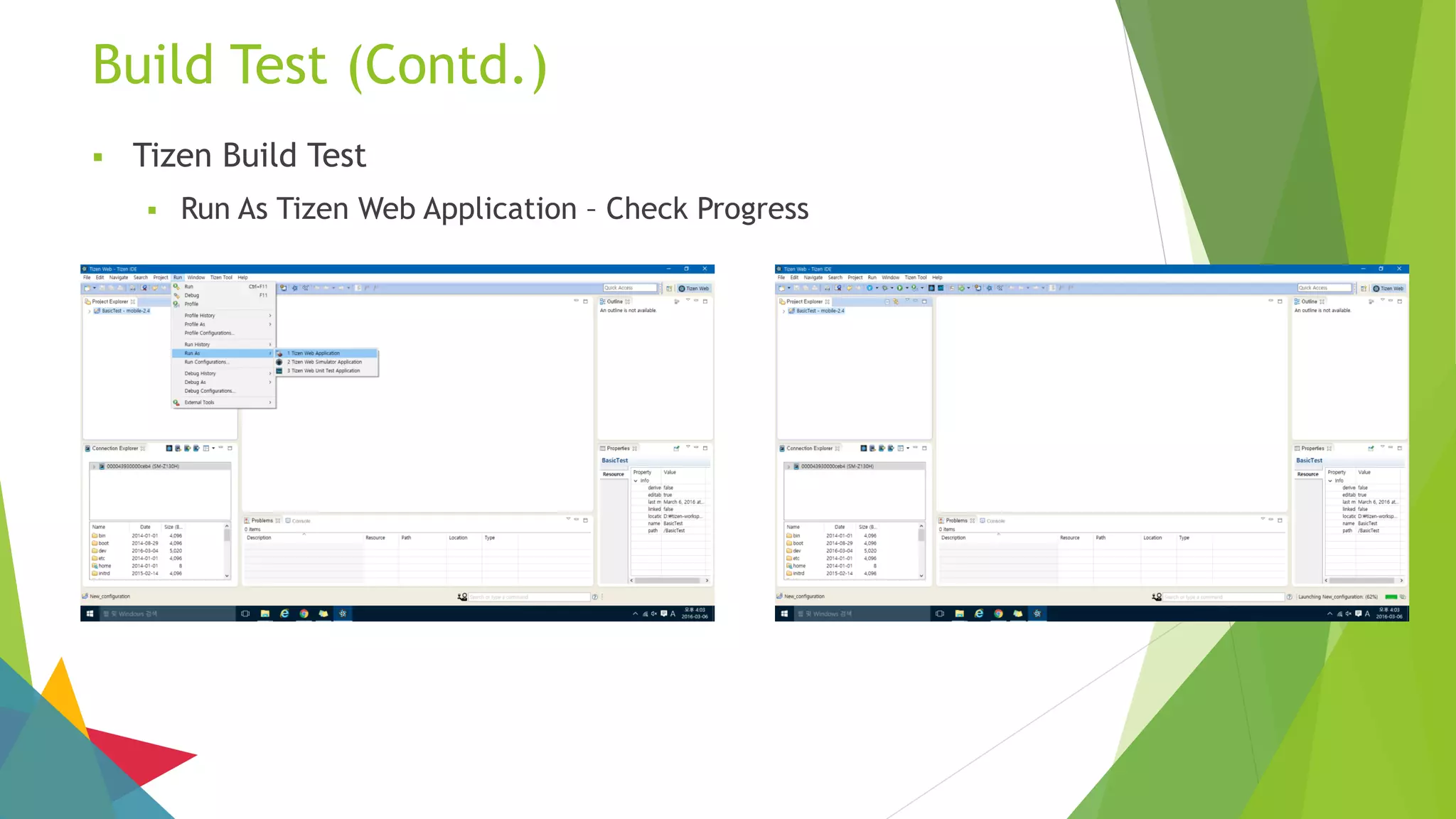
 Tizen Build Test
 Run As Tizen Web Application – Check Progress
Build Test (Contd.)
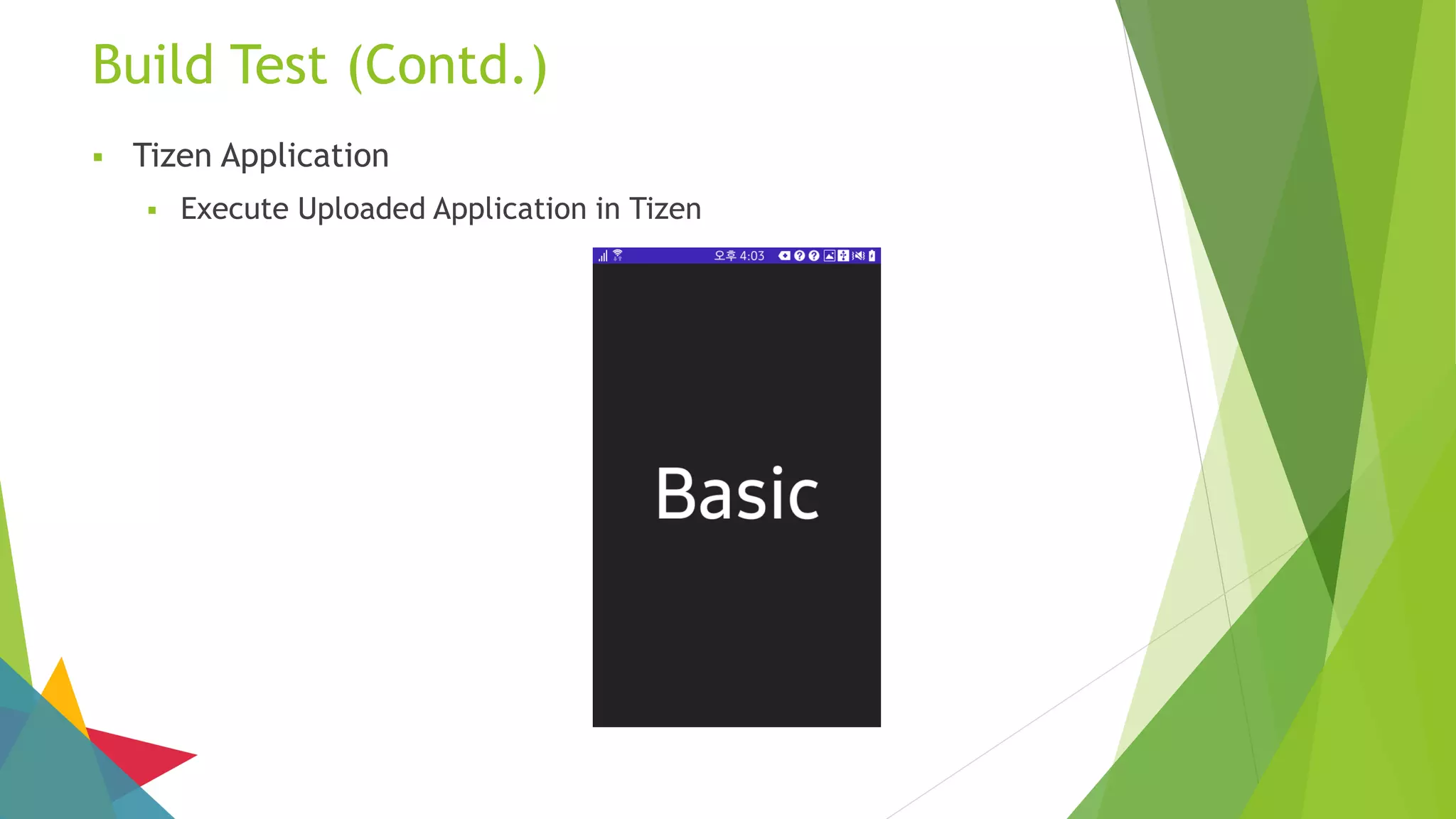
 Tizen Application
 Execute Uploaded Application in Tizen
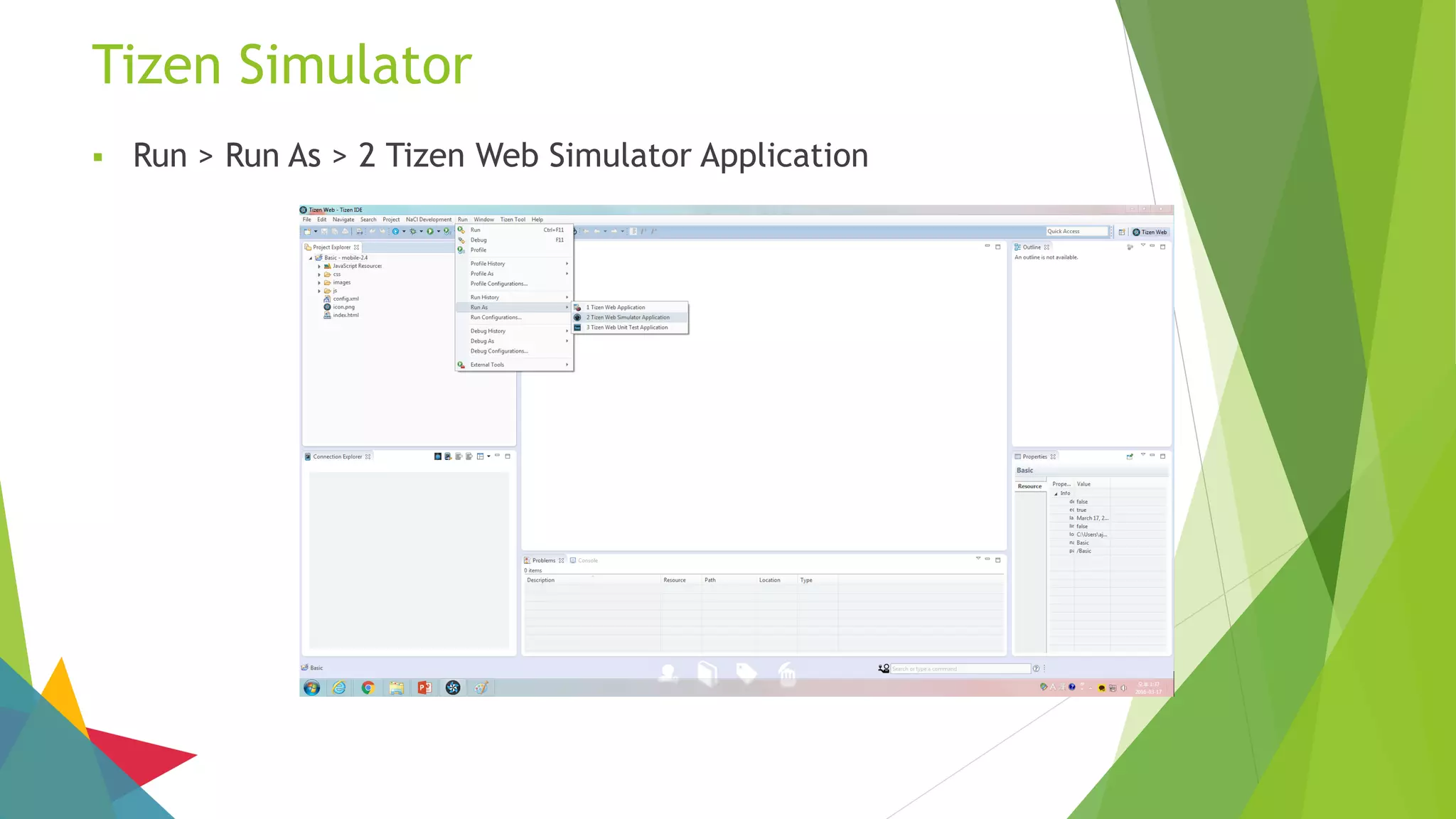
Tizen Simulator
 Run > Run As > 2 Tizen Web Simulator Application
Tizen Simulator (Contd.)
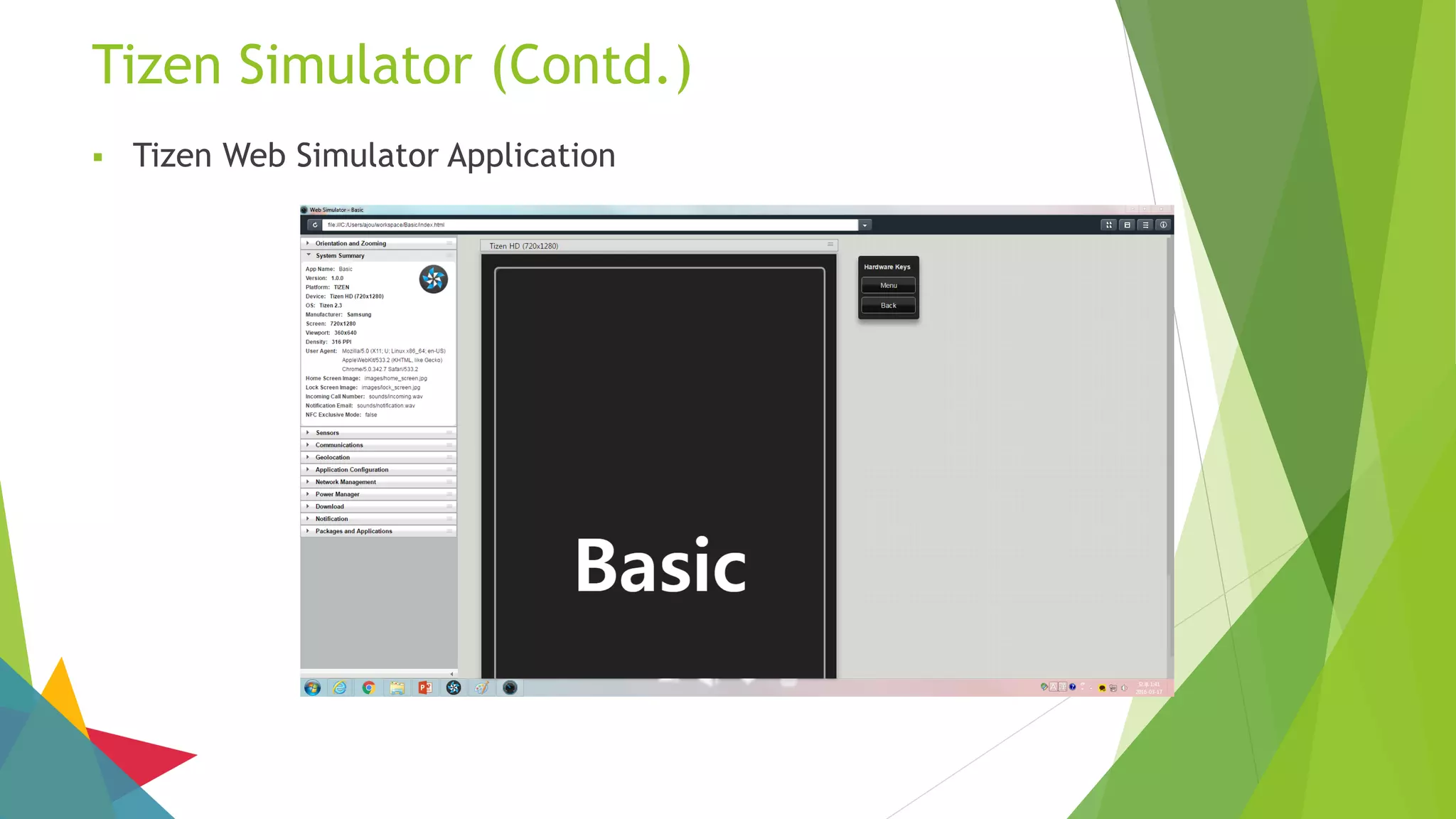
 Tizen Web Simulator Application
Tizen Emulator
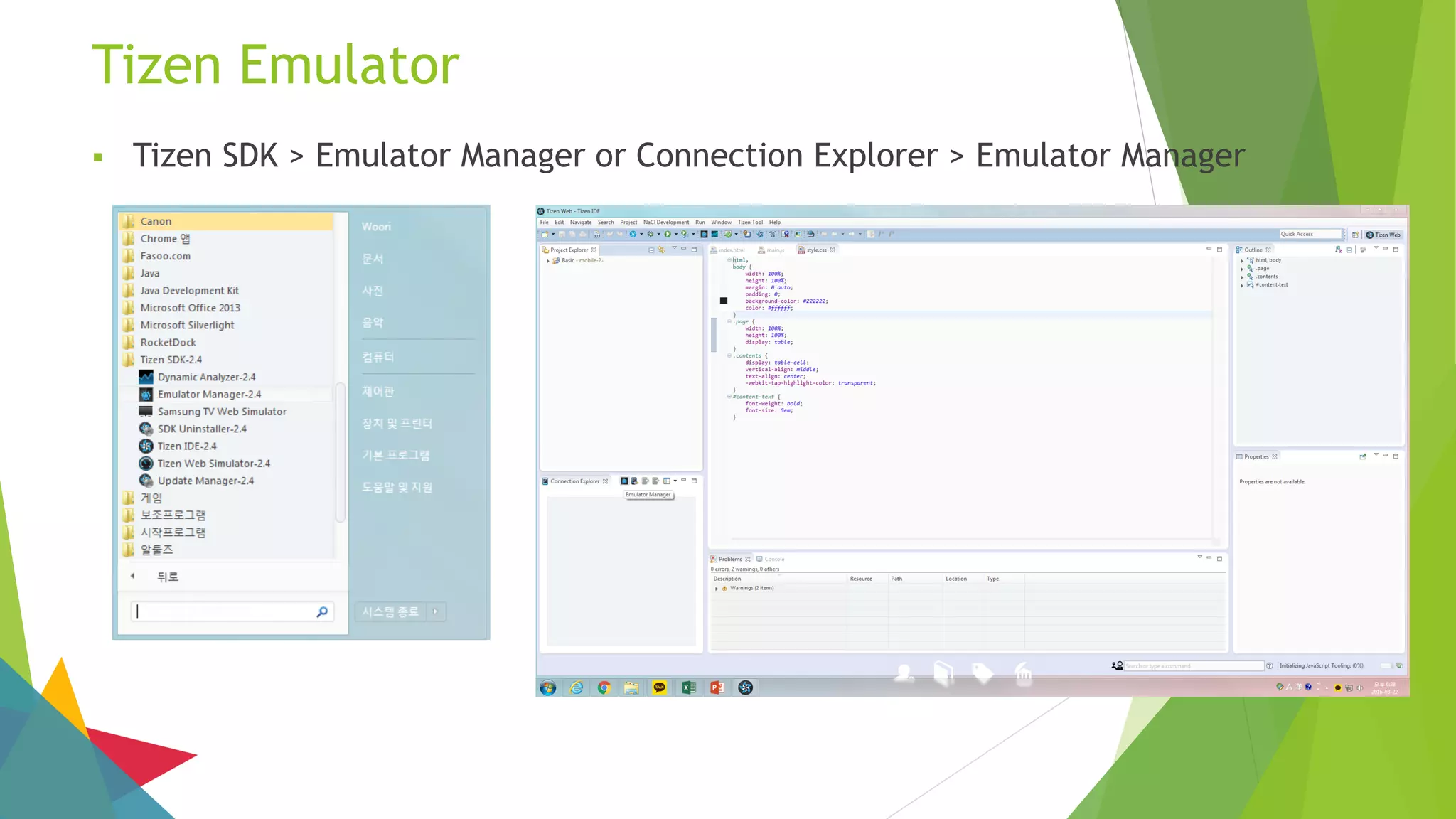
 Tizen SDK > Emulator Manager or Connection Explorer > Emulator Manager
Tizen Emulator (Contd.)
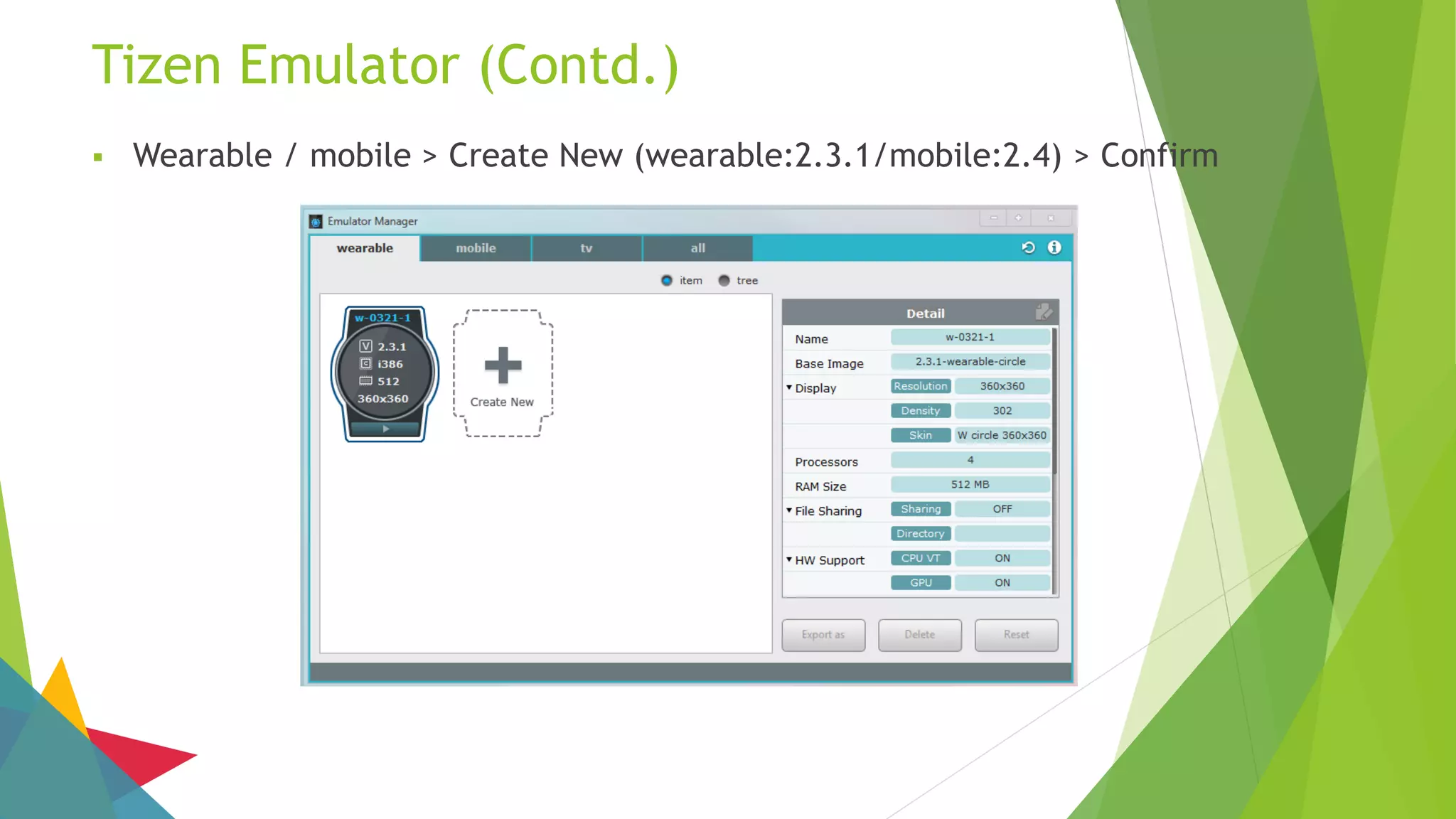
 Wearable / mobile > Create New (wearable:2.3.1/mobile:2.4) > Confirm
Tizen Emulator (Contd.)
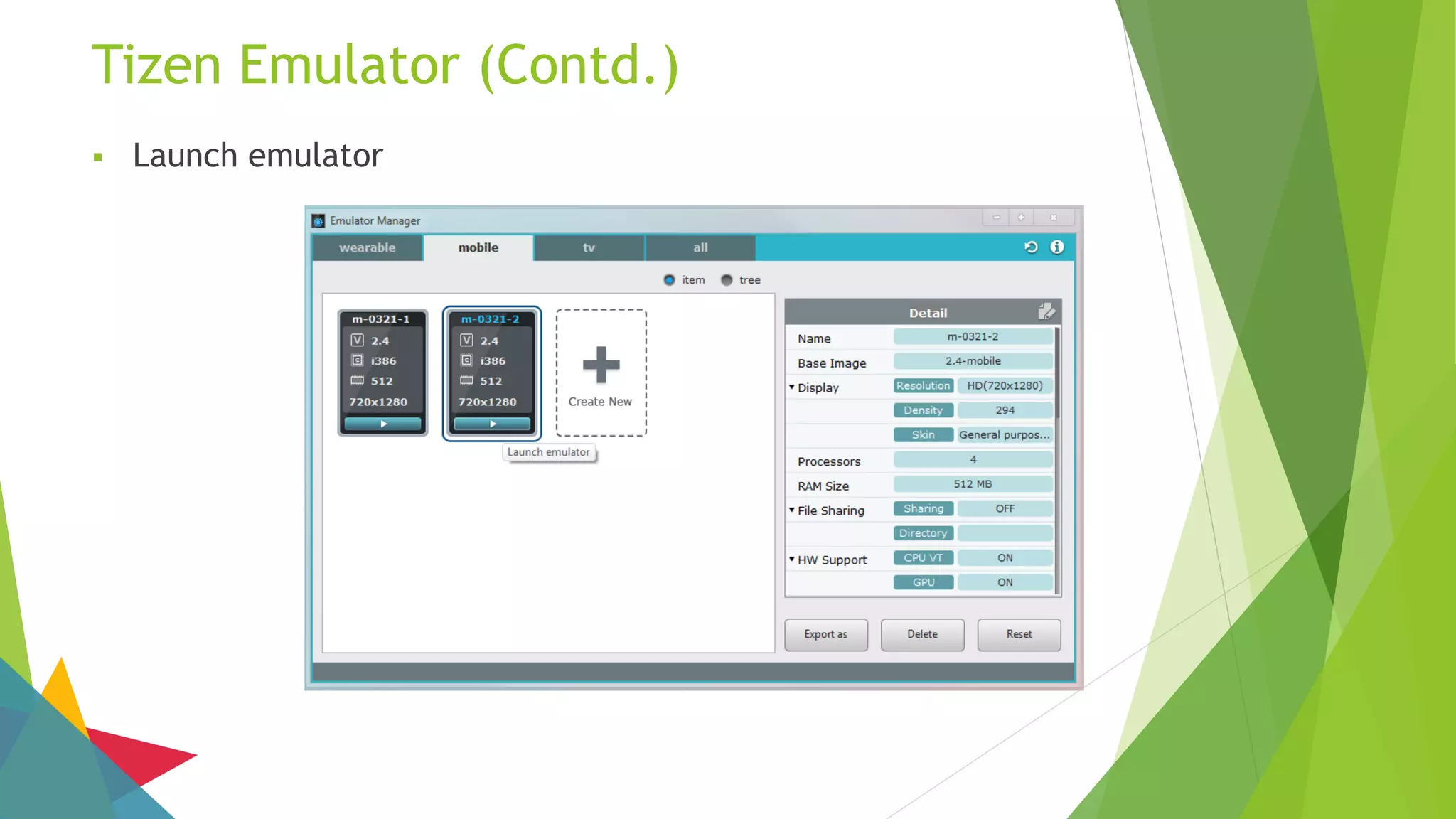
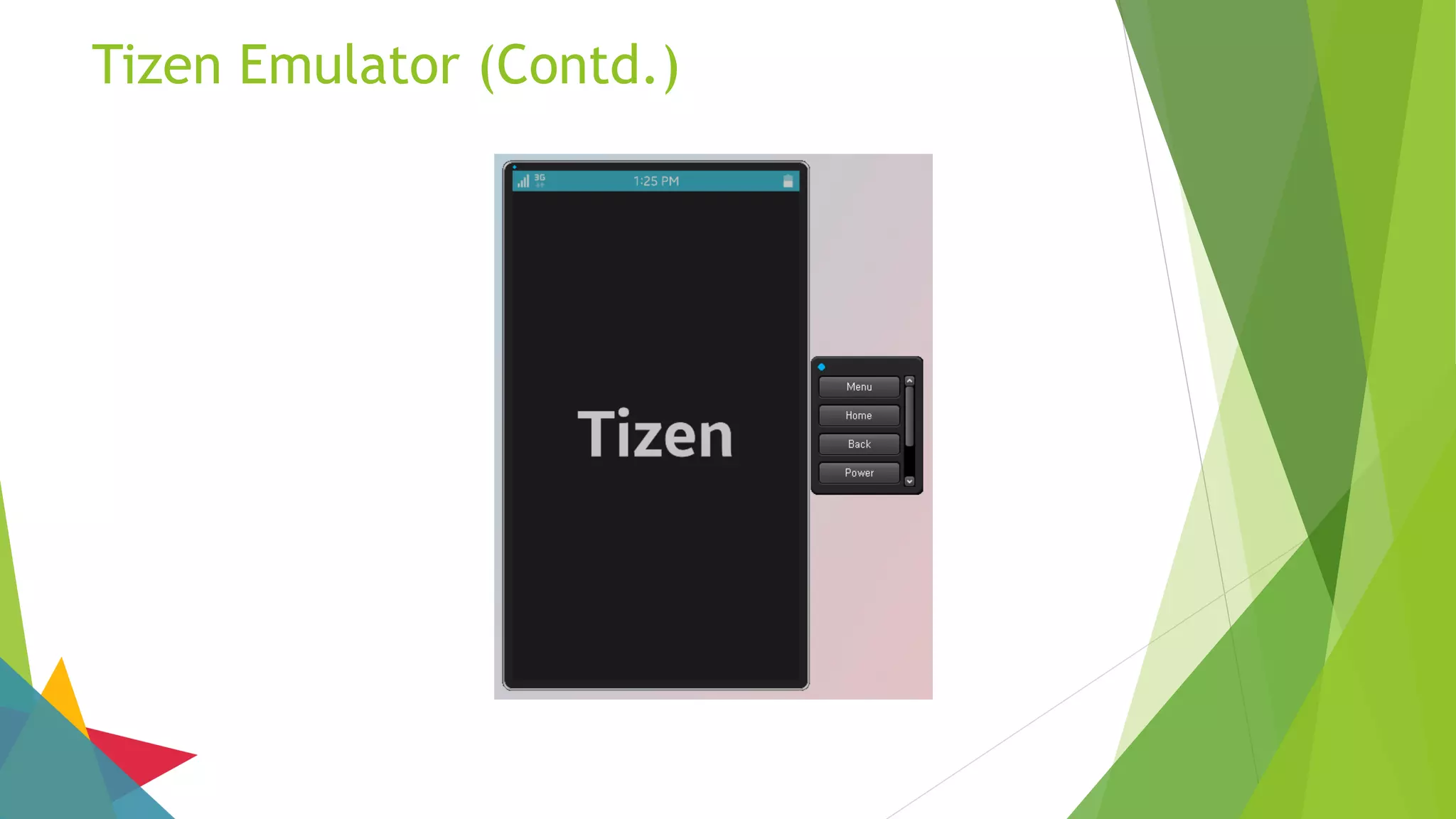
 Launch emulator
Tizen Emulator (Contd.)
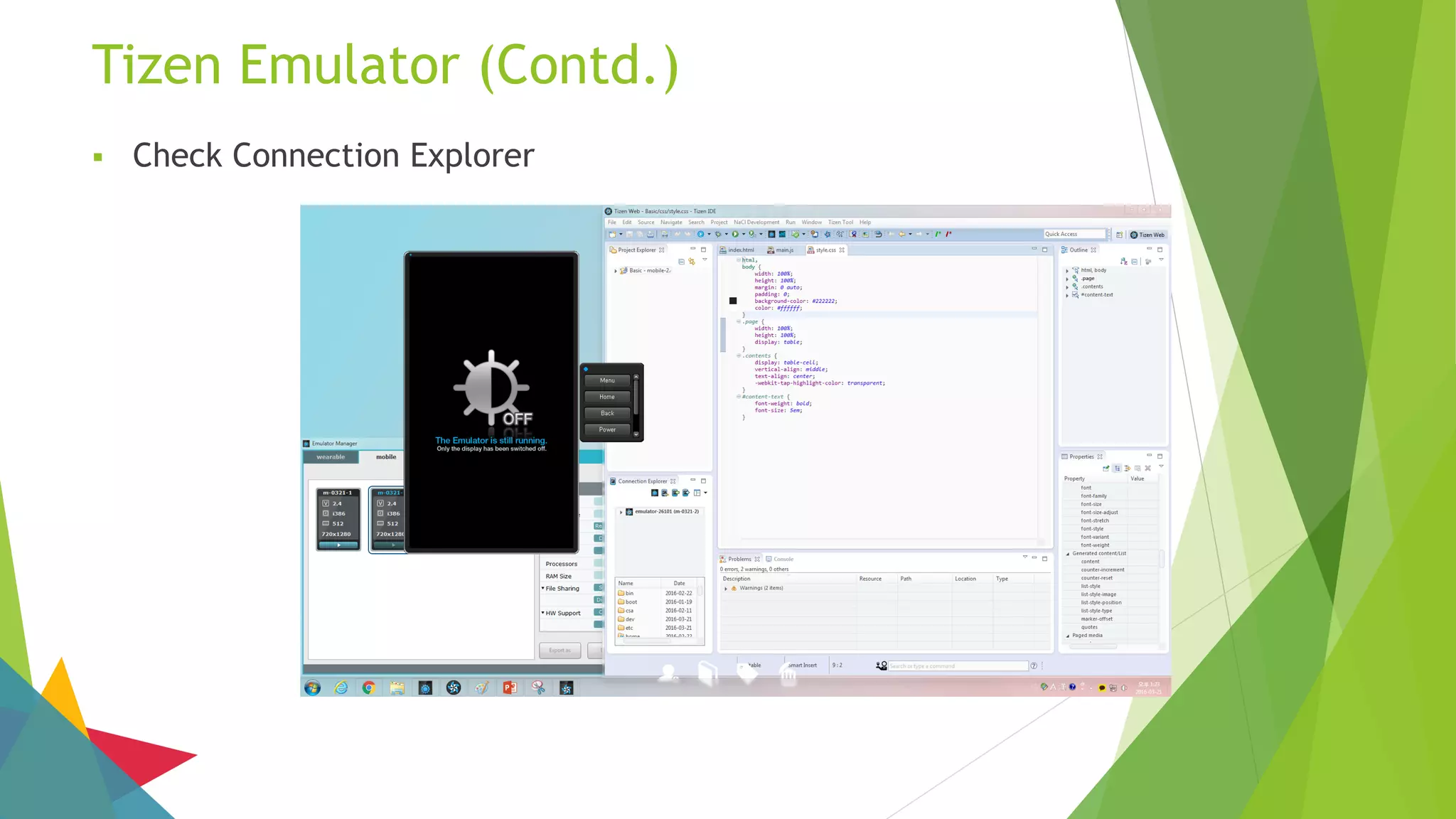
 Check Connection Explorer
Tizen Emulator (Contd.)
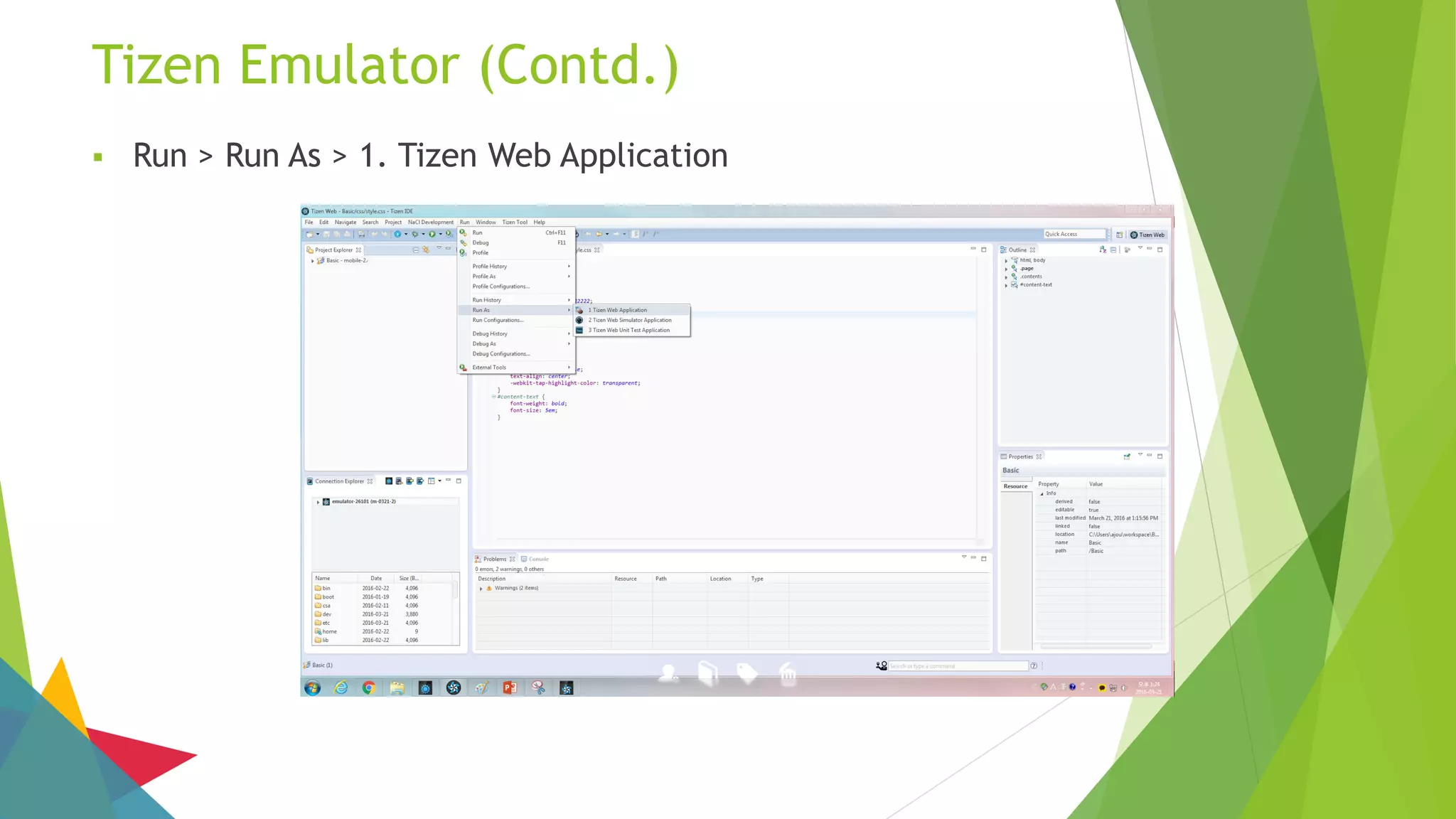
 Run > Run As > 1. Tizen Web Application
Tizen Emulator (Contd.)
Tizen Web Project Example
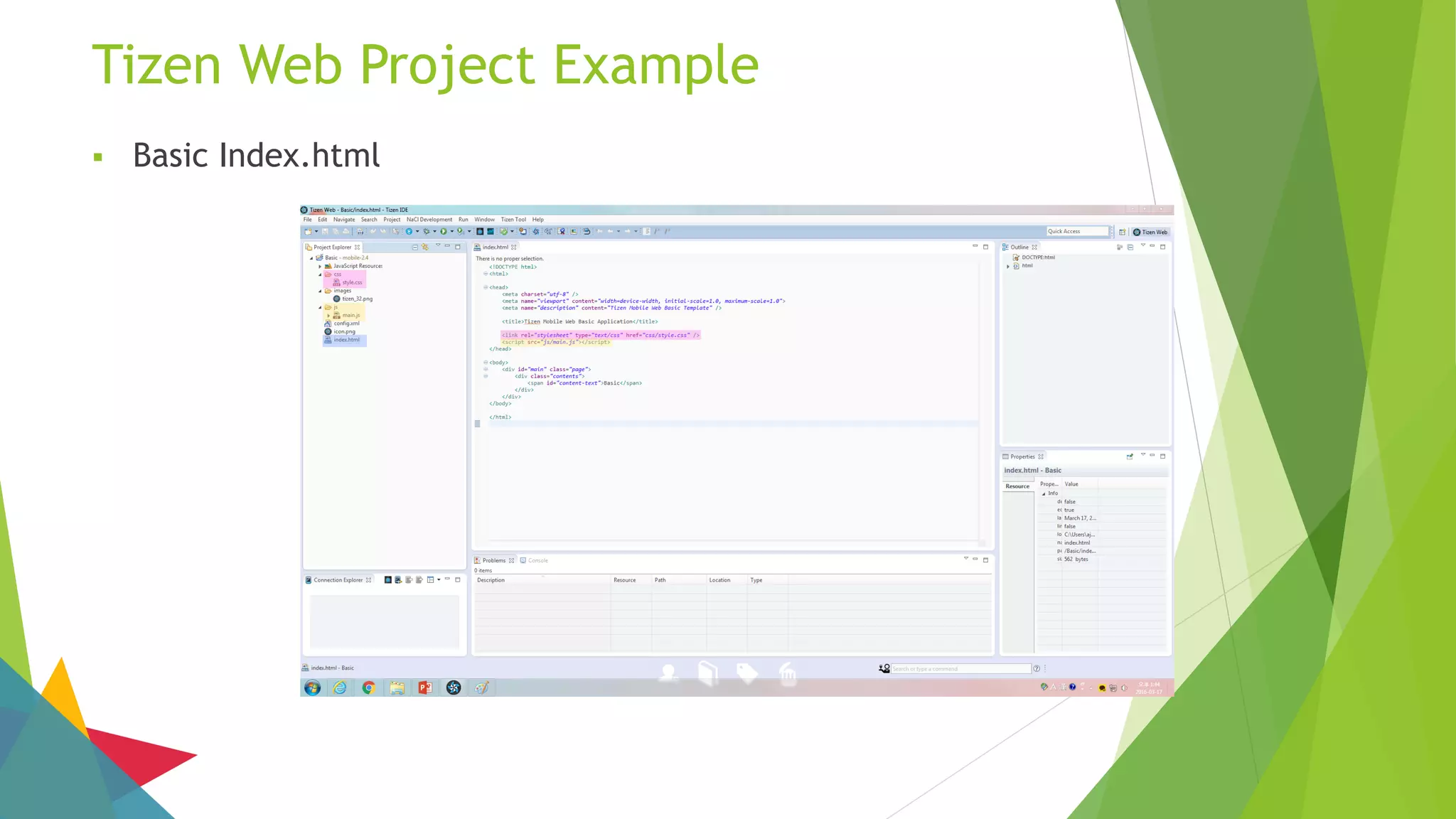
 Basic Index.html
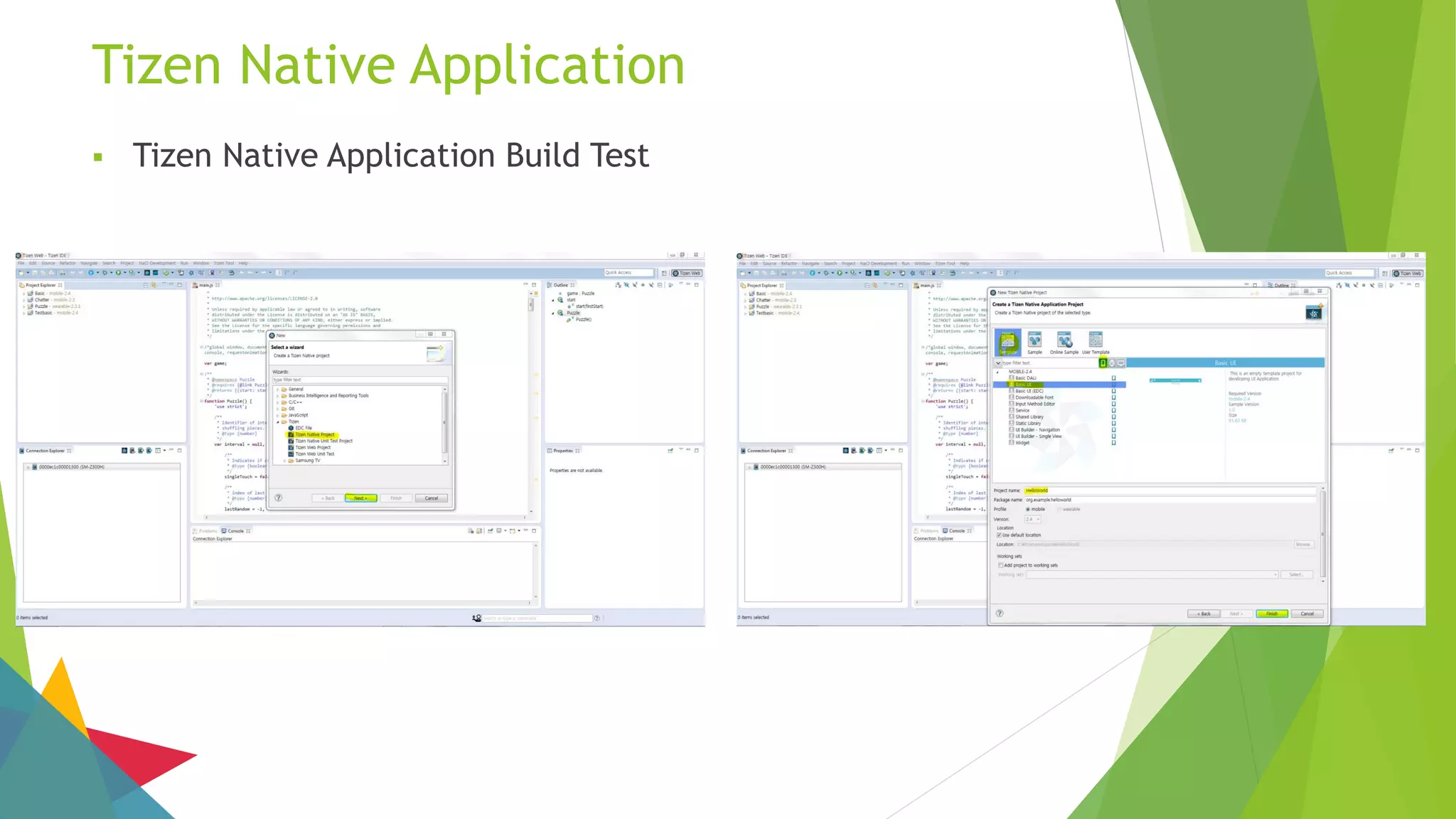
Tizen Native Application
 Tizen Native Application Build Test
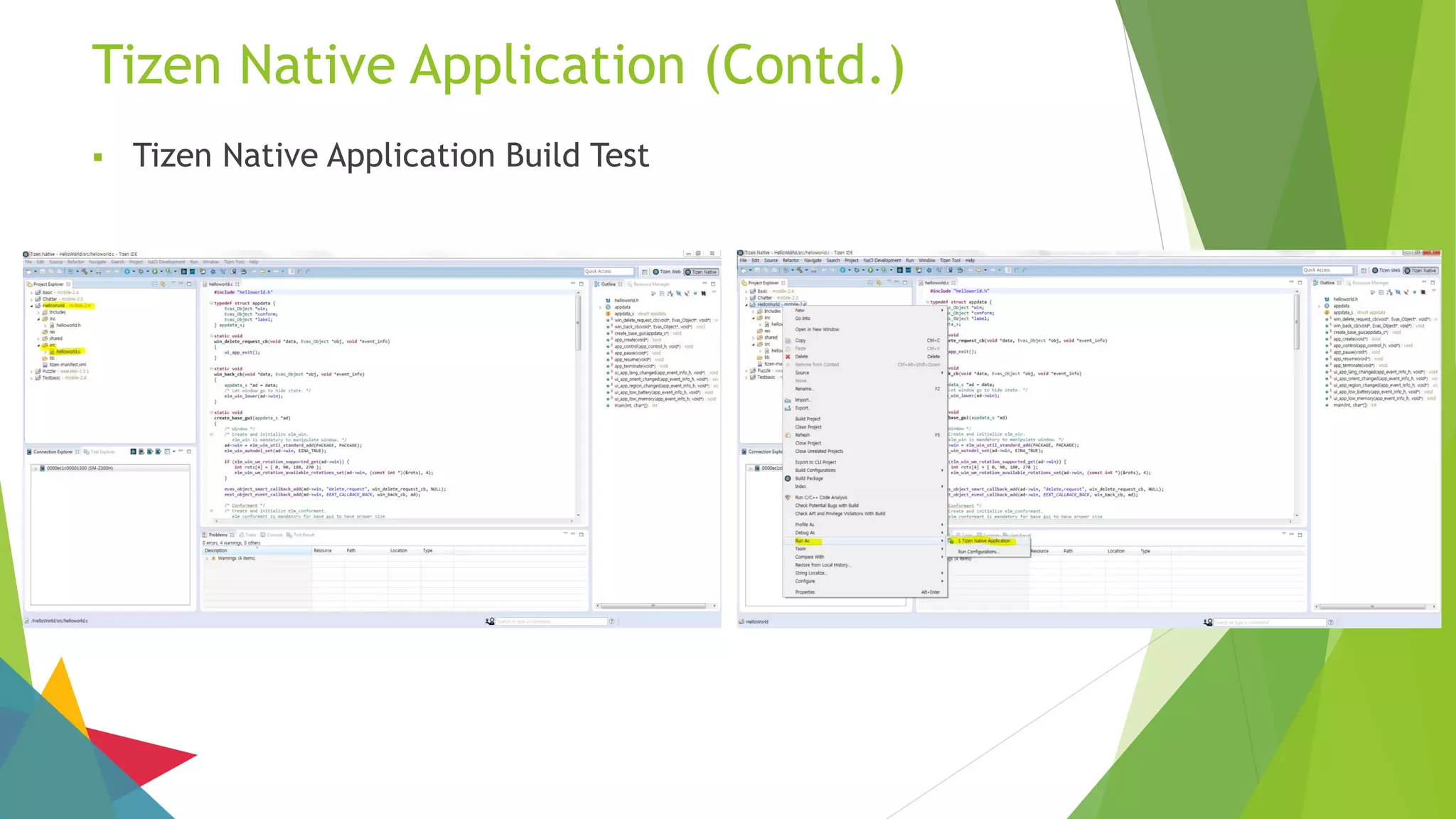
Tizen Native Application (Contd.)
 Tizen Native Application Build Test
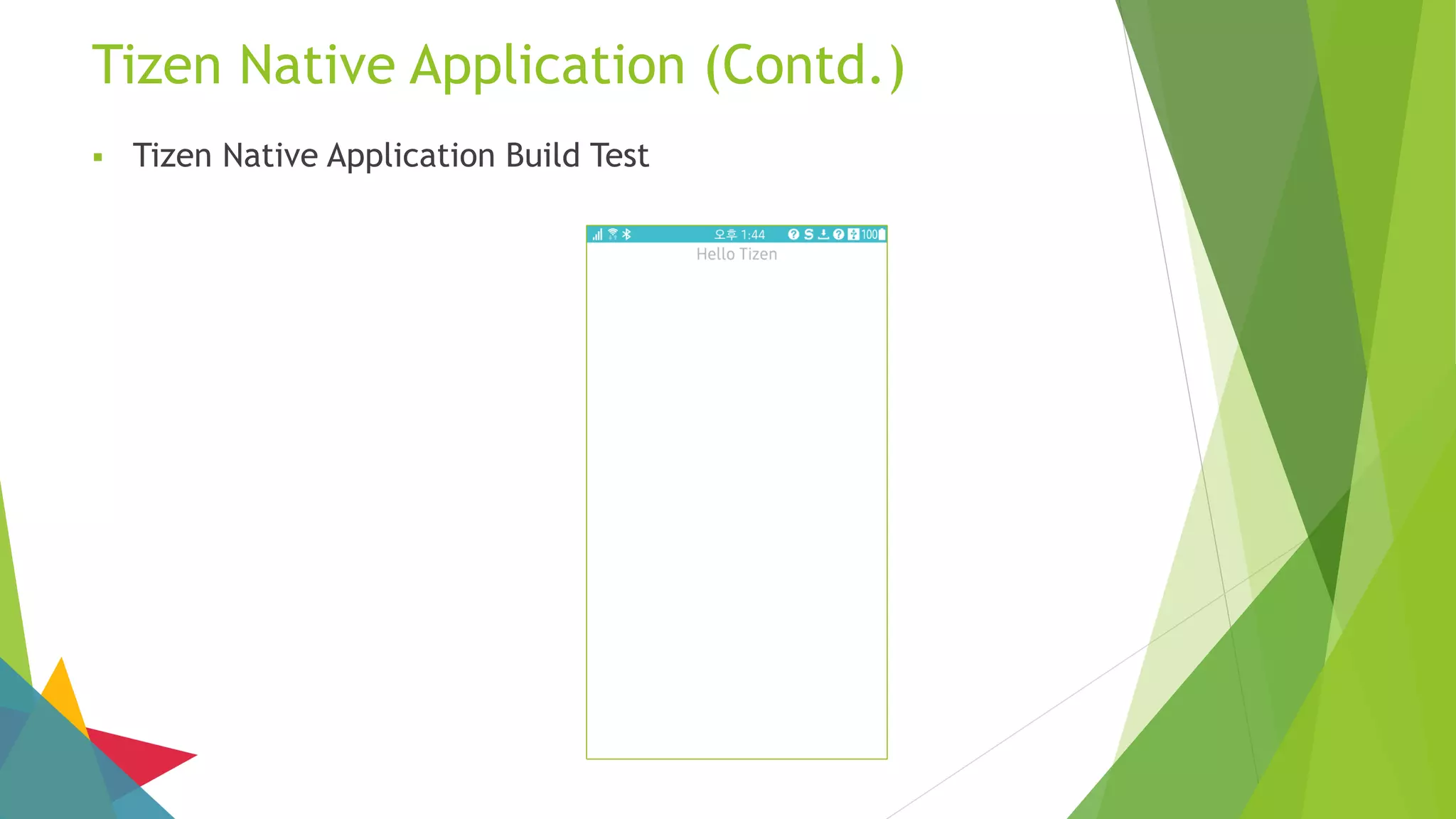
Tizen Native Application (Contd.)
 Tizen Native Application Build Test
Ajou Tizen Supporters
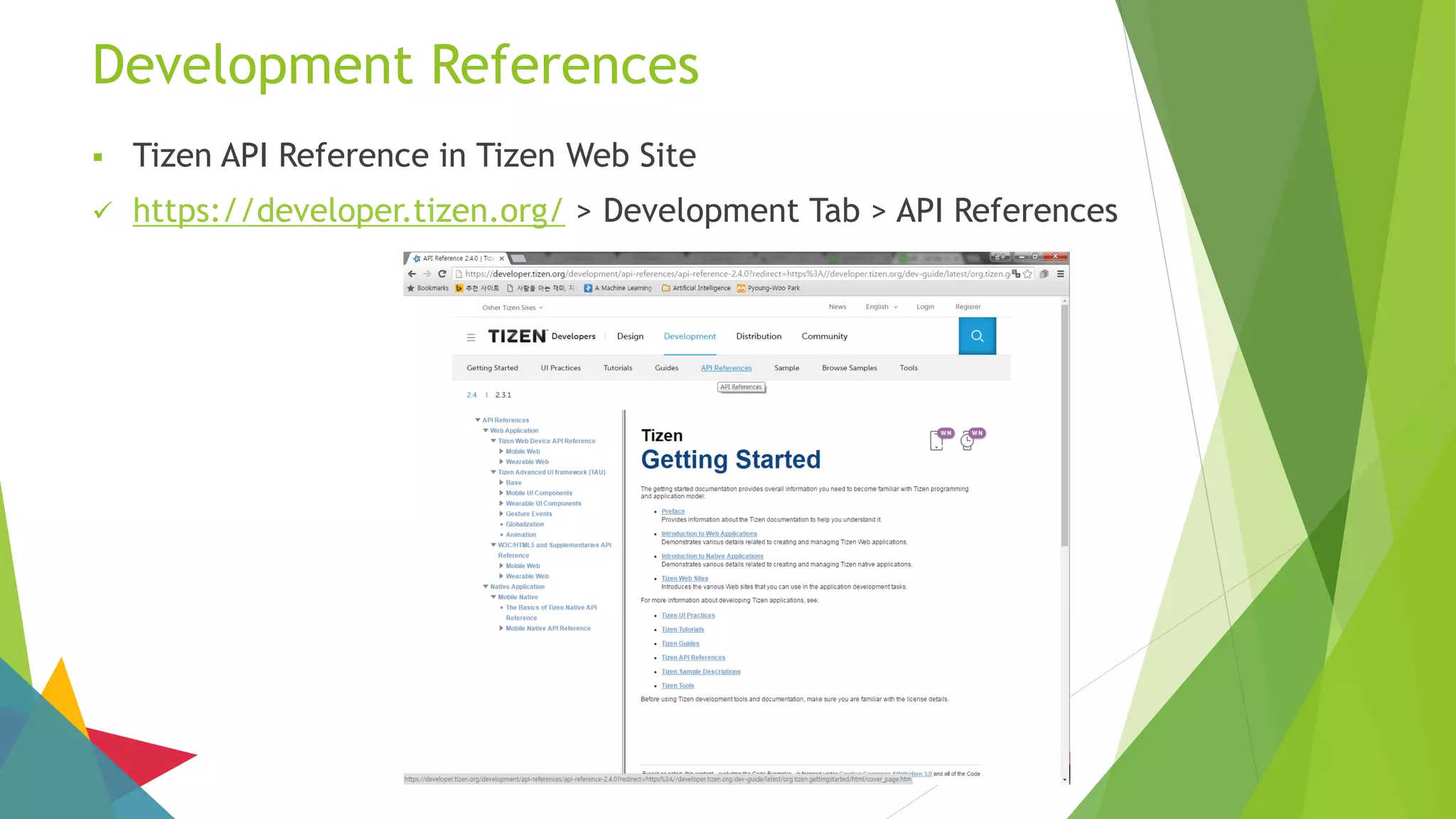
Development References
 Tizen API Reference in Tizen Web Site
 https://developer.tizen.org/ > Development Tab > API References
Development References (Cont.)
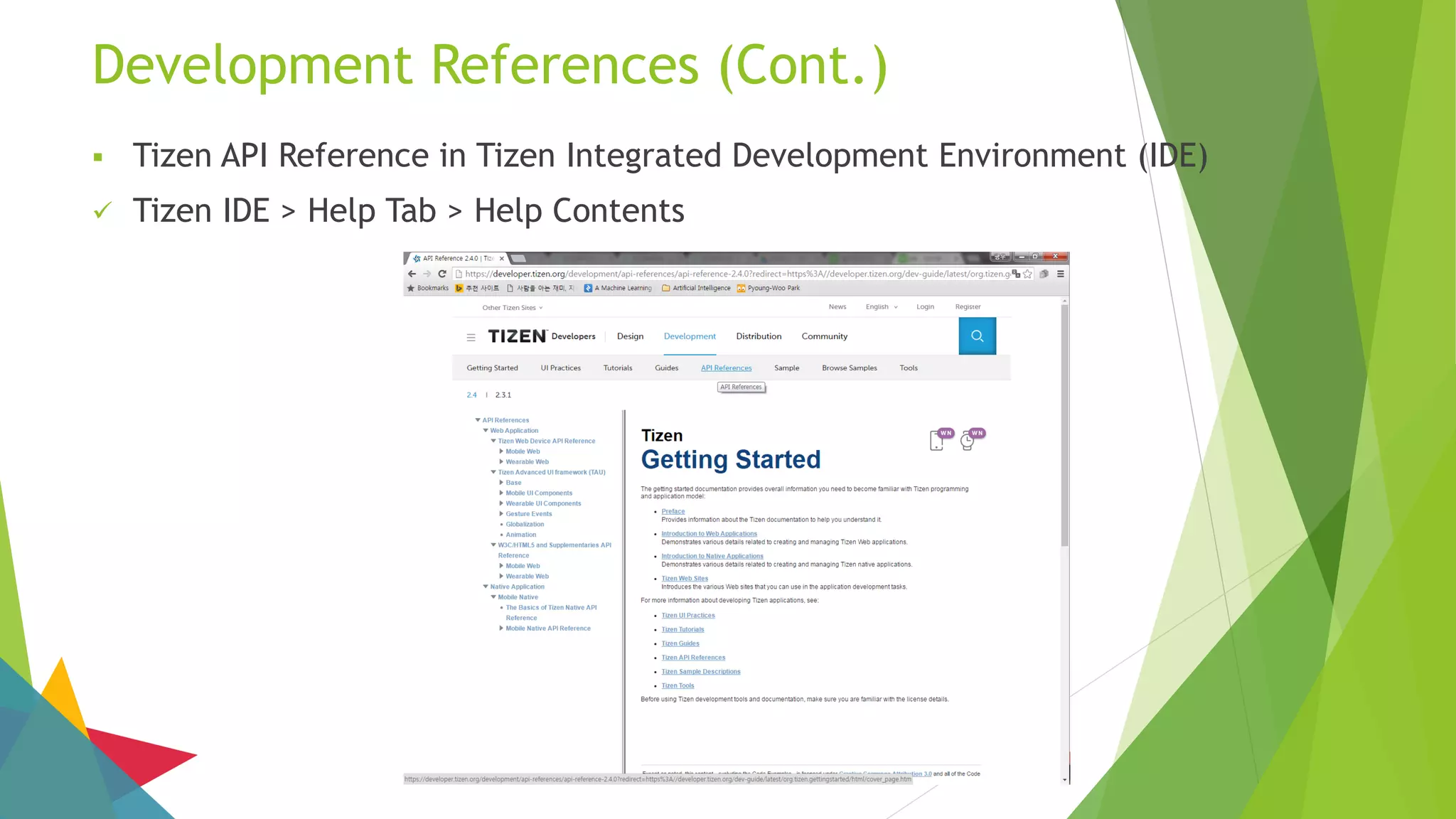
 Tizen API Reference in Tizen Integrated Development Environment (IDE)
 Tizen IDE > Help Tab > Help Contents
Google Site
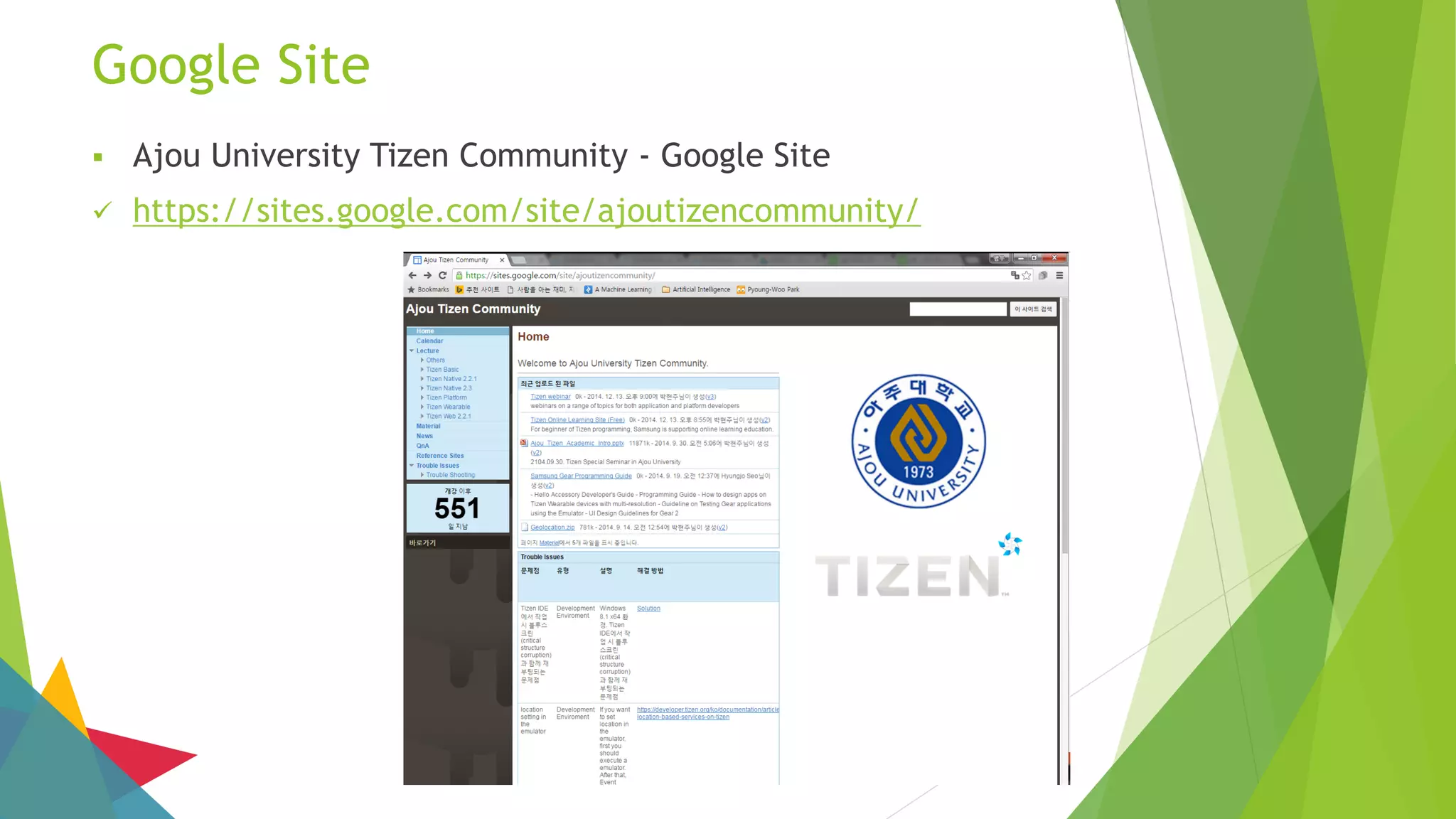
 Ajou University Tizen Community - Google Site
 https://sites.google.com/site/ajoutizencommunity/
Tizen Wiki
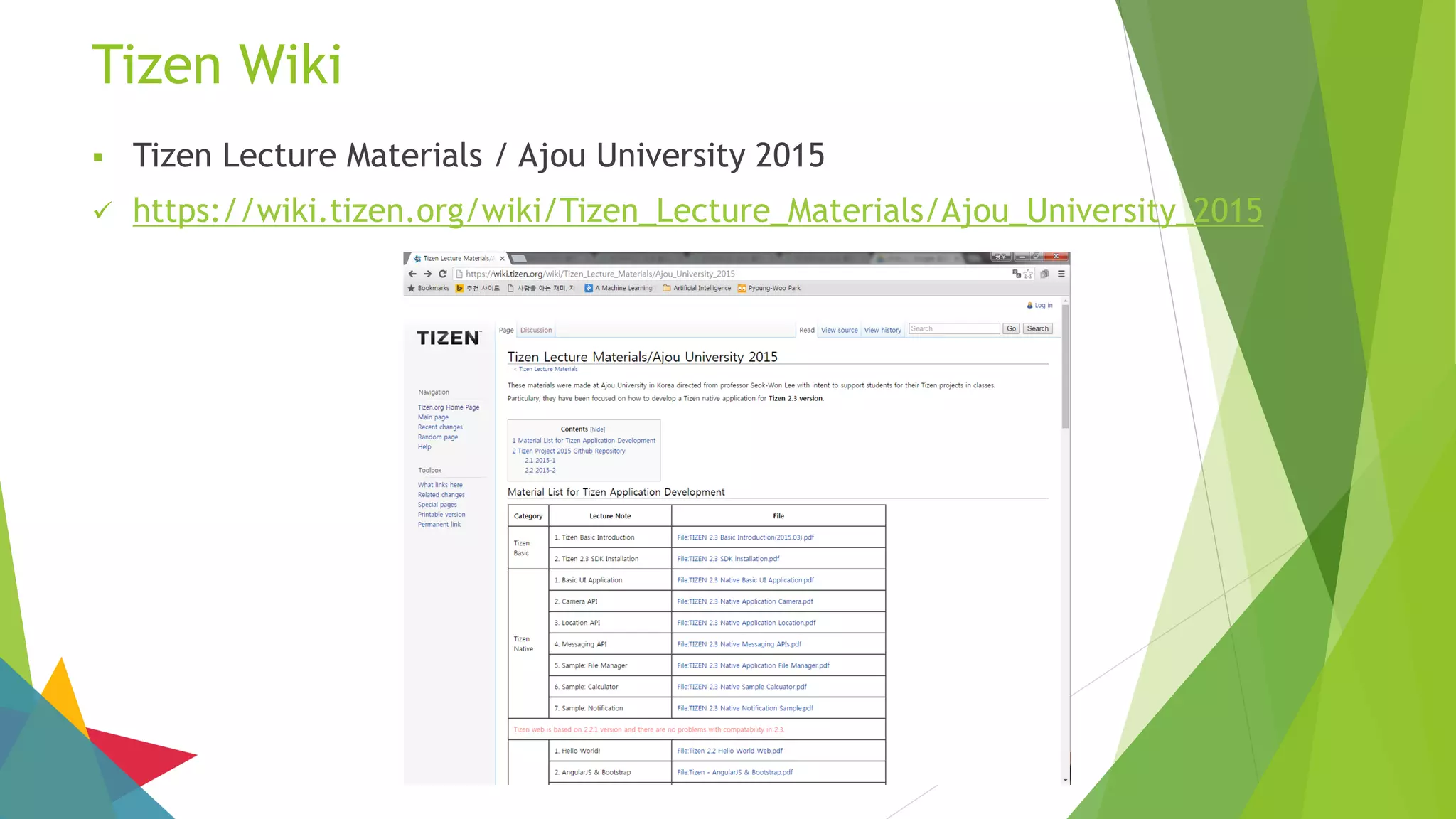
 Tizen Lecture Materials / Ajou University 2015
 https://wiki.tizen.org/wiki/Tizen_Lecture_Materials/Ajou_University_2015
Tizen Forum
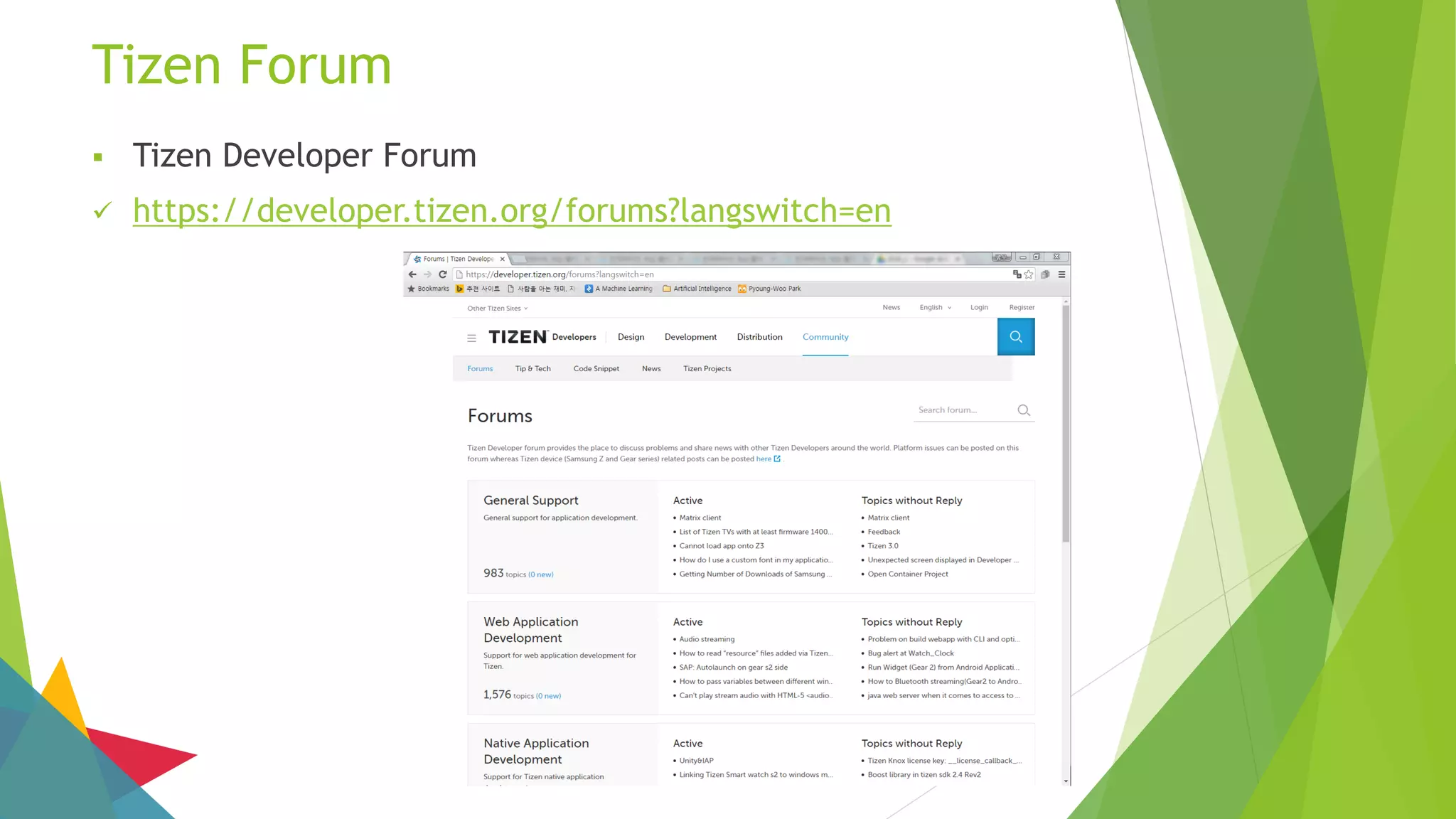
 Tizen Developer Forum
 https://developer.tizen.org/forums?langswitch=en
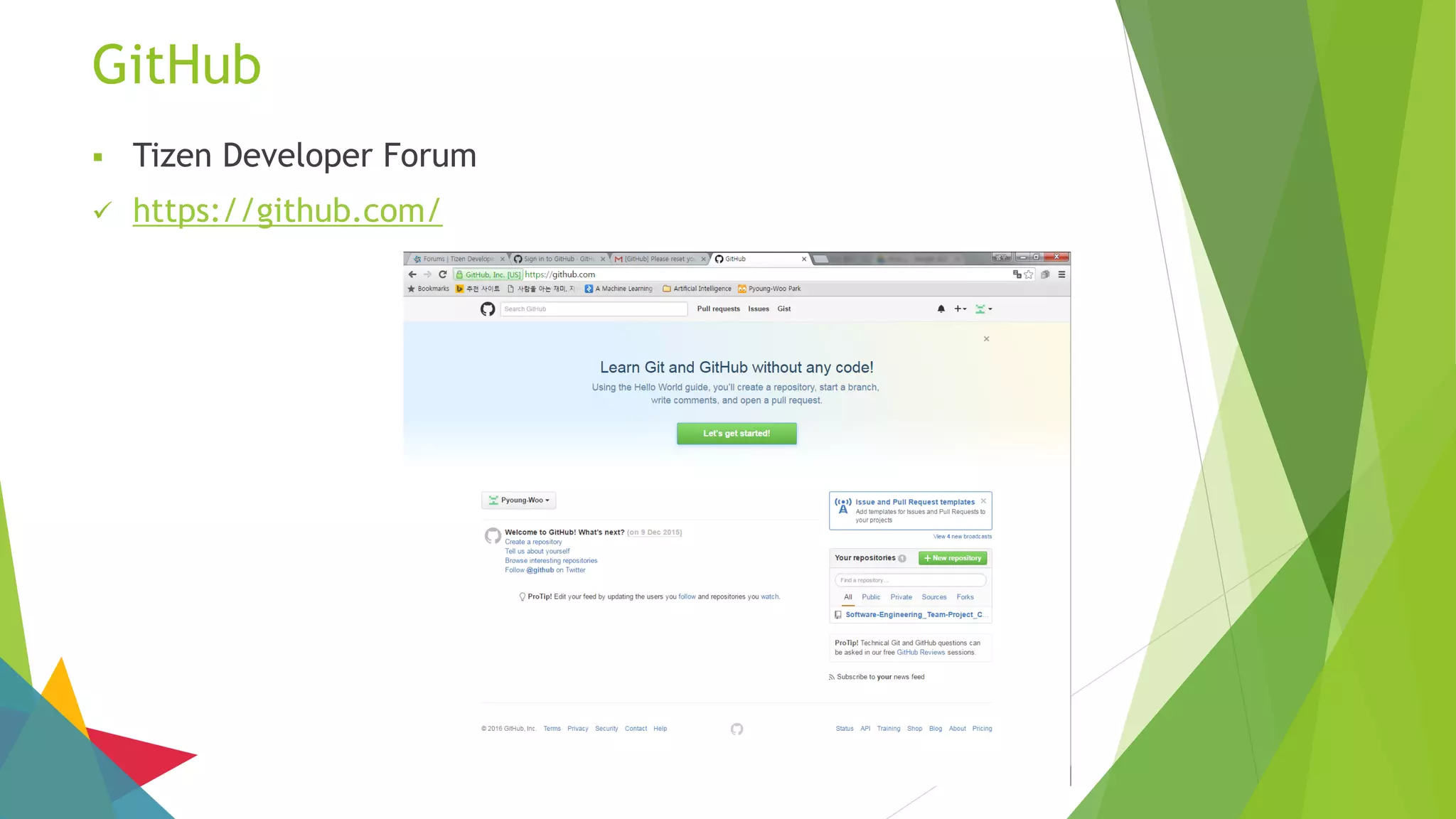
GitHub
 Tizen Developer Forum
 https://github.com/
Q & A

[Ajou unib.] Tizen v2.4 z3 practice

  • 1.
  • 2.
    INDEX 1. Introduction toTizen  Background  What is a Computing Platform?  What is Tizen?  Why we use Tizen?  Tizen Architecture 2. How to Develop Tizen Applications  Tizen Applications  Tizen Applications Package 3. Tizen SDK  Installation Description  Download Tizen SDK  Install Tizen SDK  Device Register  Build Test  Tizen Emulator  Tizen Web Application Project Example  Tizen Native Application 4. Ajou Tizen Supporters  Development References  Google Site  Tizen Wiki  Tizen Forum  GitHub  Contacts
  • 3.
  • 4.
    Background  Worldwide smartphonemarket – Grew 13.0% year over year  Market share of Android and iOS – 96.7% (2015 Q2)  Patent fee Issue – Platform and technologies  Competition – Between mobile device manufacturers  Necessity for an alternative OS  Tizen, Firefox OS, and Ubuntu Mobile
  • 5.
    What is aComputing Platform?  Hardware architecture, Operating system, and Run-time libraries  Technologies enabling product developments, or Processes that support developments  Common environment supporting various functions  Technical environment supporting services based on the Internet  Computer system’s coordinating program, which in turn is built on the instruction set for a processor or microprocessor, the hardware that performs logic operations and manages data movement in the computer
  • 6.
    What is Tizen? Operating system based on the Linux kernel and the GNU C Library implementing the Linux API  Support target devices  Smartphones, tablets, in-vehicle infotainment (IVI) devices, smart TVs, PCs, smart cameras, wearable computing, Blu-ray players, printers, and smart home appliances  Offer a consistent user experience across devices  Project within the Linux Foundation and is governed by a Technical Steering Group composed of Samsung and Intel among others.
  • 7.
    What is Tizen?(Cont.)  Provide application development tools based on the JavaScript libraries jQuery and jQuery Mobile  Since version 2.0, a C++ native application framework is available, based on an Open Services Platform from the Bada platform  Software development kit allows developers to use HTML5 and related web technologies to write applications that run on supported devices  oFono, Smack, Windowing system, Zypp, ConnMan, and etc
  • 8.
    What is Tizen?(Cont.)  Objective of Tizen is to create an open and multi-platform ecosystem, compatible with Firefox OS and all browsers  Provide access to four types of applications  Tizen native applications (C, C++, Python, Lua)  Web applications without browser (HTML5, JavaScript)  Applications hybrid (Native application + Web application)  Android apps published on the Tizen Store
  • 9.
    Why we useTizen?  IT’S OPEN SOURCE  HTML5  TIZEN LOOKS LIKE ANDROID WITH TOUCHWIZ  IT’S NOT JUST FOR SMARTPHONES  SAMSUNG TIZEN APPS  THE FUTURE OF TIZEN
  • 10.
    Tizen Architecture  WebApplication  Web is the primary application development environment for Tizen  SDK is available for Web Application development  Language: HTML / CSS / JavaScript / PHP  Native Application  Available through platform APIs in Core Framework  Optimized for Hardware  Language: C / C++
  • 11.
    Tizen Architecture (Cont.) WebFramework W3C / HTML5 Device APIs Web Runtime Video Touch CSS3 WebGL Worker … Push Contact Not NFC SystemInfo … Native Framework Social Content MediaLocations UX Net / Telephony / Messaging Graphics / UI Base / Io / Text / Locales App / Security / System Services Core App Framework Graphics / UI Multimedia Location Messaging Web Security System Base Connectivity Telephony PIM Linux Kernel & Device Driver
  • 12.
    Tizen Architecture (Cont.) WebFramework W3C / HTML5 Device APIs Web Runtime Video Touch CSS3 WebGL Worker … Call Contact Msg NFC SystemInfo …  Web Framework for Web Application Developers  Standard HTML5 + Tizen Device API
  • 13.
    Native Framework Social ContentMediaLocations UX Net / Telephony / Messaging Graphics / UI Base / Io / Text / Locales App / Security / System Services Tizen Architecture (Cont.)  Native Framework for Native Application Developers  Social Content + Locations + UX + Media + Net + Telephony + UI + …
  • 14.
    Core App Framework Graphics/ UI Multimedia Location Messaging Web Security System Base Connectivity Telephony PIM Linux Kernel & Device Driver Tizen Architecture (Cont.)  Core Framework + Kernel  Core Framework: Application Framework + Graphics / UI + Multimedia + …  Kernel: Linux Kernel & Device Drivers
  • 15.
    How to DevelopTizen Applications
  • 16.
    Tizen Applications  WebApplication Fundamental  W3C / HTML5  UI based on jQuery Mobile  Device API  Based on JavaScript  Provide access to platform device  Device resource  Asynchronous success callback function
  • 17.
    Tizen Applications Package Web Application  Run based on HTML5 + JavaScript + CSS  Package File Format: *.wgt  Web Application Package Contents Name Description config.xml Application configuration data icon.png Application Default icon index.html Application Default start file css/ CSS source file directory js/ JavaScript file directory
  • 18.
    Name Description manifest.xml Applicationconfiguration data resource/ Application Resource data src/ Application source file inc/ Application include header file data/ Application Private data lib/ Application library directory shared/ Sharable directory between application Tizen Applications Package (Cont.)  Native Application  Run based on C + Tizen Native APIs  Package File Format: *.tpk  Native Application Package Contents
  • 19.
  • 20.
    Installation Description  Thisdescription was written to help you install Tizen Software Development Kit  About Description…  It describes how to download an installer compatible with your computer  It describes how to use the Installer, and Update Manager  It describes what to install using Update Manager  It provides brief explanations of Tizen SDK, and related materials  Before you start installation steps, you must install Java Development Kit (At least, JDK version 7) on your computer (JDK 8 is recommended)
  • 21.
    Download Tizen SDK Tizen SDK Download  www.tizen.org – Click DOWNLOAD THE SDK Button
  • 22.
    Download Tizen SDK(Cont.)  Tizen SDK Download  Check Your Index of Computer – Click Installer
  • 23.
    Install Tizen SDK Tizen SDK Installation  Check Download – Click Installer
  • 24.
    Install Tizen SDK(Cont.)  Tizen SDK Installation  Click Agreement Accept Checkbox
  • 25.
    Install Tizen SDK(Cont.)  Tizen SDK Installation  Click Download Icon
  • 26.
    Install Tizen SDK(Cont.)  Tizen SDK Installation  Click Done Button – Click OK Button
  • 27.
    Install Tizen SDK(Cont.)  Tizen SDK Installation  Check Packages
  • 28.
    Install Tizen SDK(Cont.)  Tizen SDK Installation  Click Extra Package – Click Certificate Extension Icon – Click Accept Button
  • 29.
    Install Tizen SDK(Cont.)  Tizen SDK Installation  Click Certificate Extension Install Button
  • 30.
    Install Tizen SDK(Cont.)  Tizen SDK Installation  Check Install Packages – Click Yes Button when you have to agree
  • 31.
    Install Tizen SDK(Cont.)  Tizen SDK Installation  Install Packages You Need (2.4 Mobile) / (2.3.1 Wearable when you use Gear S2)
  • 32.
    Install Tizen SDK(Cont.)  Tizen SDK Installation  Check Installed Packages
  • 33.
    Install Tizen SDK(Cont.)  Tizen SDK Installation  tizen-sdk Folder – ide Folder – IDE.exe
  • 34.
    Install Tizen SDK(Cont.)  Tizen SDK Installation  Check Workspace – Select Workspace
  • 35.
    Install Tizen SDK(Cont.)  Tizen SDK Installation  Click OK Button
  • 36.
    Install Tizen SDK(Cont.)  Tizen SDK Installation
  • 37.
    Device Register  SamsungUSB Driver Install  www.samsung.com/sec/support/
  • 38.
    Device Register (Contd.) Samsung USB Driver Install  http://local.sec.samsung.com/comLocal/support/down/kies_main.do?kind=usb
  • 39.
    Device Register (Contd.) Tizen Setting  Touch Tizen Call – Press *#84936# (*#tizen#)
  • 40.
    Device Register (Contd.) Tizen Setting  Touch Developer Option – Check Developer Option – Open Menu
  • 41.
    Device Register (Contd.) Tizen Setting  Touch Settings Icon – Touch Developer Option – Touch USB Debugging
  • 42.
    Device Register (Contd.) Tizen Setting  Check USB Debugging Mode – Connect to Computer – Touch Yes on Debugging Agreement
  • 43.
    Device Register (Contd.) Tizen SDK Setting  Tizen SDK Execution – Click Register Certificate Button  Click Mobile/Wearable Checkbox – Click New Create Security Profile – Fill in Blank
  • 44.
    Device Register (Contd.) Tizen SDK Setting  Click Create new certificate Button – Fill in Blank
  • 45.
    Device Register (Contd.) Tizen SDK Setting  Click Request Button – Click OK Button – Click Create new account Button
  • 46.
    Device Register (Contd.) Tizen SDK Setting  Fill in Blank – Click OK Button – Click Sign In Button
  • 47.
    Device Register (Contd.) Tizen SDK Setting  Click Agree Button – Click OK Button
  • 48.
    Device Register (Contd.) Tizen SDK Setting  Click Create new certificate Button – Check Device Connection
  • 49.
    Device Register (Contd.) Tizen SDK Setting  Click Add Button Next to Device – Fill in Blank
  • 50.
    Device Register (Contd.) Tizen SDK Setting  Click Request Button – Click OK Button – Fill in Blank – Click Sign In Button
  • 51.
    Device Register (Contd.) Tizen SDK Setting  Click OK Button
  • 52.
    Device Register (Contd.) Tizen SDK Setting  Check Device Connection in Connection Explorer – Click Permit to install applications
  • 53.
    Build Test  TizenBuild Test  Create New Project – Take Sample Application – Click Finish Button
  • 54.
    Build Test (Contd.) Tizen Build Test  Check Created Application in Project Explorer
  • 55.
    Build Test (Contd.) Tizen Build Test  Run As Tizen Web Application – Check Progress
  • 56.
    Build Test (Contd.) Tizen Application  Execute Uploaded Application in Tizen
  • 57.
    Tizen Simulator  Run> Run As > 2 Tizen Web Simulator Application
  • 58.
    Tizen Simulator (Contd.) Tizen Web Simulator Application
  • 59.
    Tizen Emulator  TizenSDK > Emulator Manager or Connection Explorer > Emulator Manager
  • 60.
    Tizen Emulator (Contd.) Wearable / mobile > Create New (wearable:2.3.1/mobile:2.4) > Confirm
  • 61.
  • 62.
    Tizen Emulator (Contd.) Check Connection Explorer
  • 63.
    Tizen Emulator (Contd.) Run > Run As > 1. Tizen Web Application
  • 64.
  • 65.
    Tizen Web ProjectExample  Basic Index.html
  • 66.
    Tizen Native Application Tizen Native Application Build Test
  • 67.
    Tizen Native Application(Contd.)  Tizen Native Application Build Test
  • 68.
    Tizen Native Application(Contd.)  Tizen Native Application Build Test
  • 69.
  • 70.
    Development References  TizenAPI Reference in Tizen Web Site  https://developer.tizen.org/ > Development Tab > API References
  • 71.
    Development References (Cont.) Tizen API Reference in Tizen Integrated Development Environment (IDE)  Tizen IDE > Help Tab > Help Contents
  • 72.
    Google Site  AjouUniversity Tizen Community - Google Site  https://sites.google.com/site/ajoutizencommunity/
  • 73.
    Tizen Wiki  TizenLecture Materials / Ajou University 2015  https://wiki.tizen.org/wiki/Tizen_Lecture_Materials/Ajou_University_2015
  • 74.
    Tizen Forum  TizenDeveloper Forum  https://developer.tizen.org/forums?langswitch=en
  • 75.
    GitHub  Tizen DeveloperForum  https://github.com/
  • 76.