TinyMCE: WYSIWYG editor


     andyg@geekscape.org / @geekscape

First Melbourne JavaScript meet-up #melbjs

                2010-12-08
(introduction)


  some thoughts about JavaScript

  how to use TinyMCE in your web-site

     basic usage

     manipulating content

     customisation

     advanced usage
(javascript perspective)

  then ... 4th December 1995: 15 years ago ...

     Netscape Navigator (browser) 2.0 beta 3

        Mocha -> LiveScript -> JavaScript

        Java Applets (based on JDK 1.0)

  now ... 2010 ...

     renewed competition between browser vendors

     better JavaScript engines

     gradual emergence of HTML5

  browser language built-in versus plug-in

  developer tools ... compare with Flash
(the good, the bad and the ugly)
  JavaScript has ...

     good features ...

        rapid prototyping

        first class functions (use them like an object)

        JSON for succinct data representation

     many poor features ...

        heavy reliance on global variables (no linker)

  highly recommended reading ... Douglas Crockford’s

     “JavaScript: The Good Parts”

     http://javascript.crockford.com
(javascript cool stuff)

  Too much to mention, but check-out ...

     raphaeljs.com (svg, vector graphics

     thejit.org aka InfoVIS (data visualisation)

     chromeexperiments.com (demos)

     canvasdemos.com (demos)

     jquery mobile (mobile phone cross-platform)

     processingjs.org (easy to use language)

     code.google.com/closure (library, templates, ...)

     NodeJS, CommonJS, Narwhal, Persevere (server side)
(about TinyMCE)
  web-based editor, easy to embed your web pages

  created by MoxieCode, couple of guys in Sweden

  used by: Wordpress, Facebook, Joomla, Umbraco (CMS),
  SquareSpace (CMS), Apple, SAP, Oracle, Microsoft, over
  130 others listed on MoxieCode TinyMCE wiki

  few lines of code to integrate

  use AJAX to load and save content

  numerous plugins

  customisable: themes, plugins, valid content elements

  internationalisation support

  currently version 3.3.9.2, planning for 4.x
(simple example)
  TinyMCE web-site: Documentation, examples, tutorials

  download from ...

     http://tinymce.moxiecode.com

     http://tinymce.ephox.com (community or enterprise)

  unpack tinymce_3_3_9_2.zip

  create HTML page

     <script> tinymce/jscripts/tiny_mce/tiny_mce.js

     <script> tinyMCE.init({ CONFIGURATION });

     <textarea id="ed1" name="ed1”> Editor content
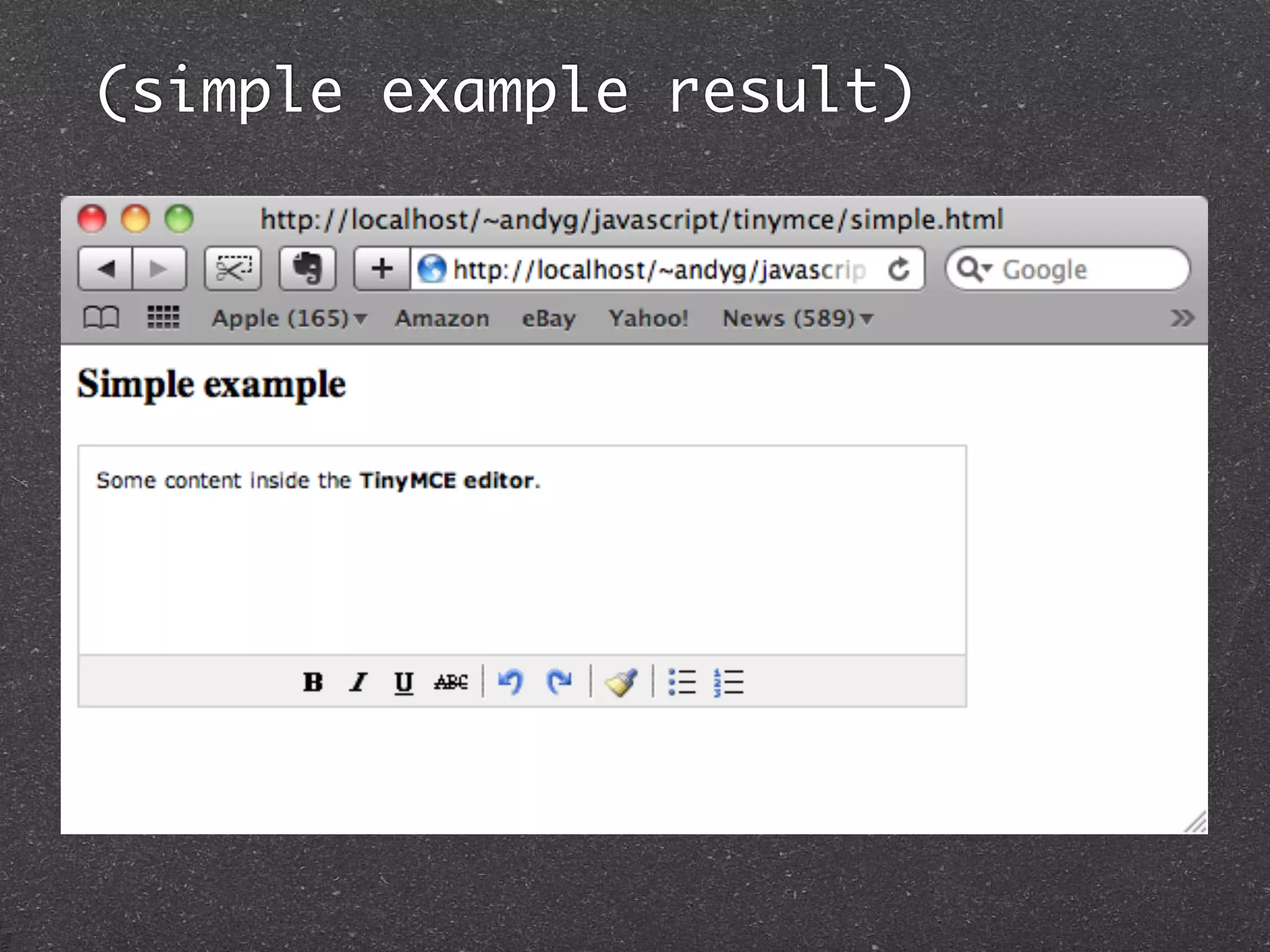
(simple example result)
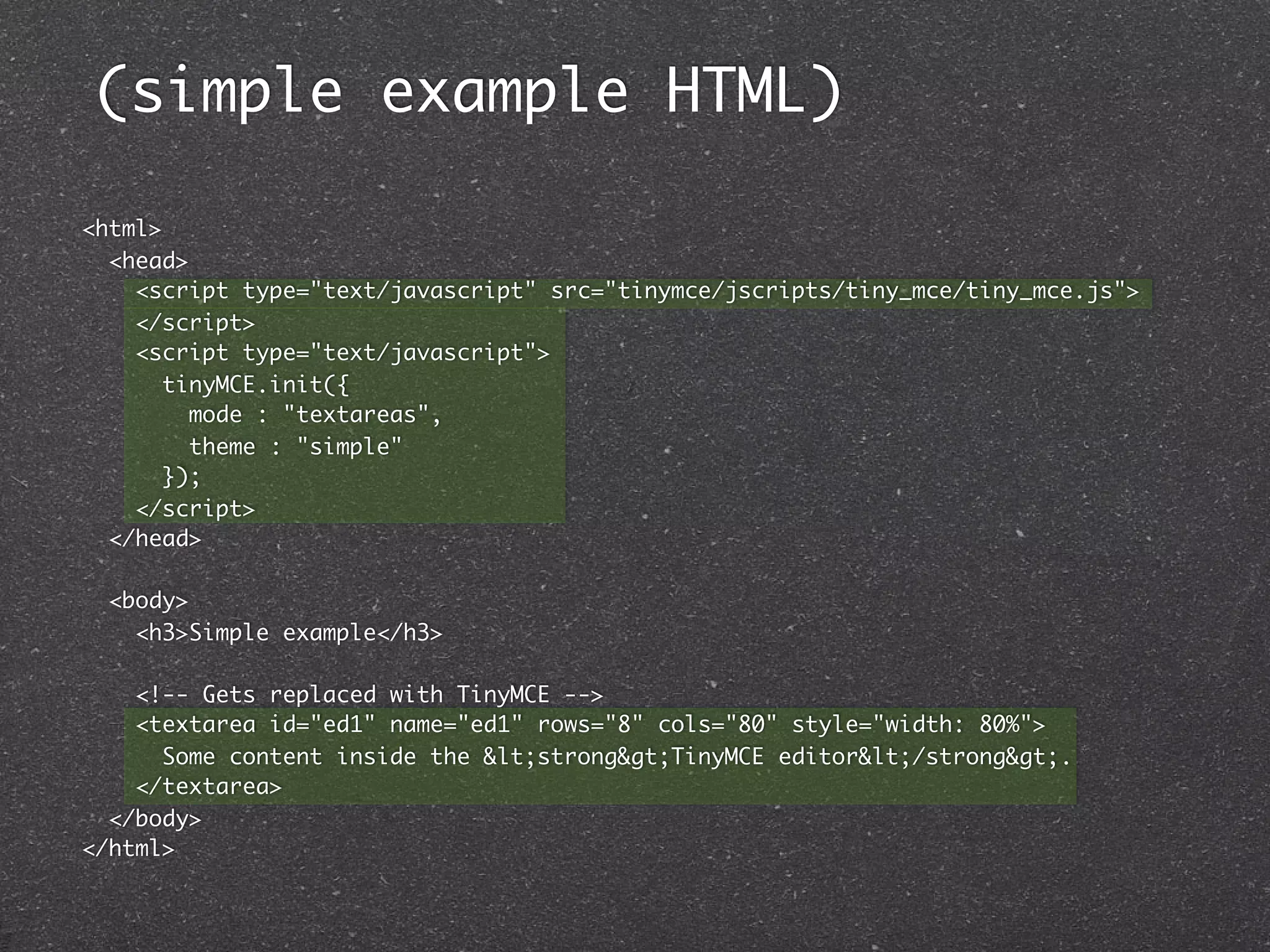
(simple example HTML)

<html>
  <head>
    <script type="text/javascript" src="tinymce/jscripts/tiny_mce/tiny_mce.js">
    </script>
    <script type="text/javascript">
       tinyMCE.init({
         mode : "textareas",
         theme : "simple"
       });
    </script>
  </head>

  <body>
    <h3>Simple example</h3>

    <!-- Gets replaced with TinyMCE -->
    <textarea id="ed1" name="ed1" rows="8" cols="80" style="width: 80%">
      Some content inside the &lt;strong&gt;TinyMCE editor&lt;/strong&gt;.
    </textarea>
  </body>
</html>
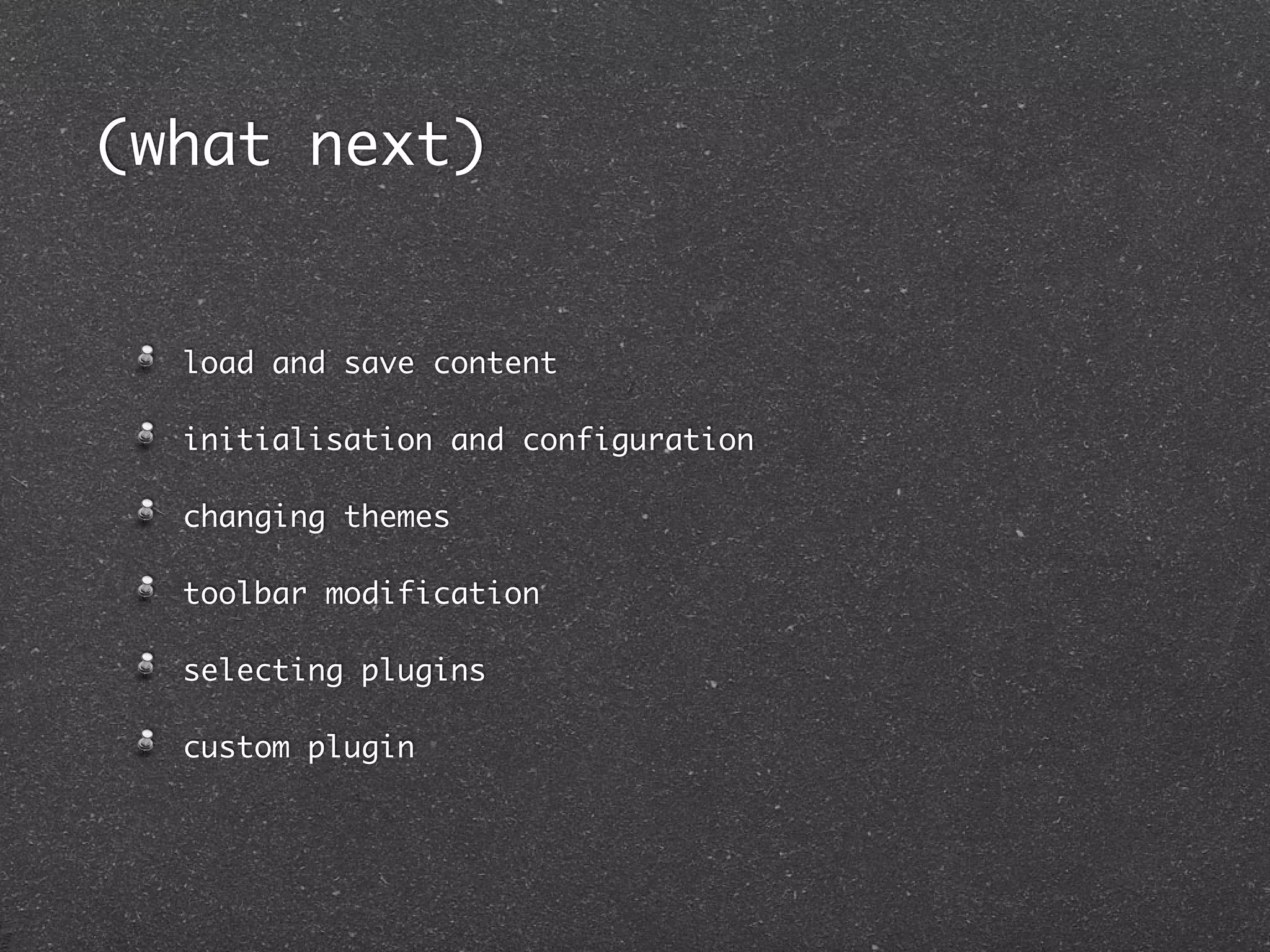
(what next)


  load and save content

  initialisation and configuration

  changing themes

  toolbar modification

  selecting plugins

  custom plugin
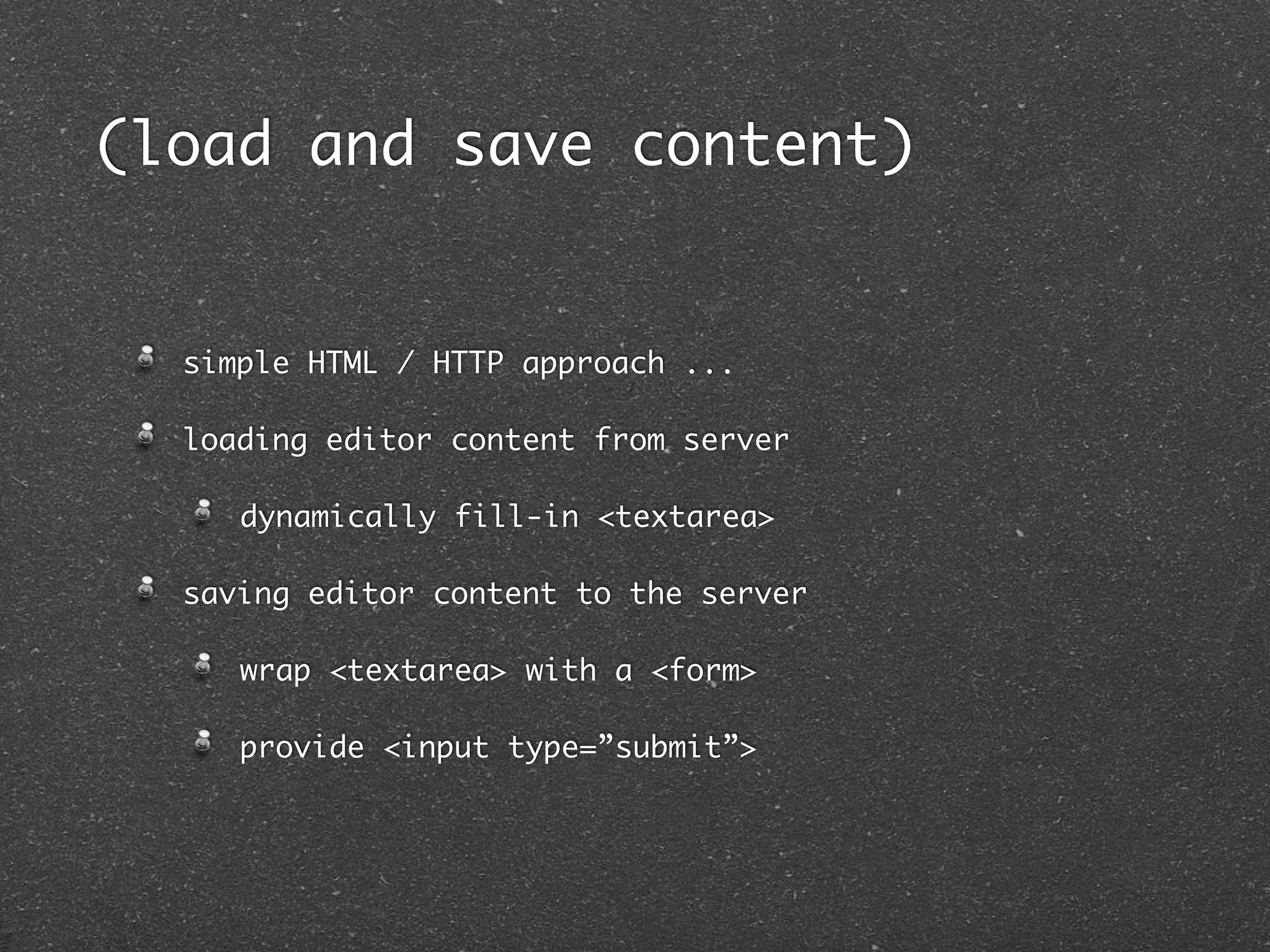
(load and save content)


  simple HTML / HTTP approach ...

  loading editor content from server

     dynamically fill-in <textarea>

  saving editor content to the server

     wrap <textarea> with a <form>

     provide <input type=”submit”>
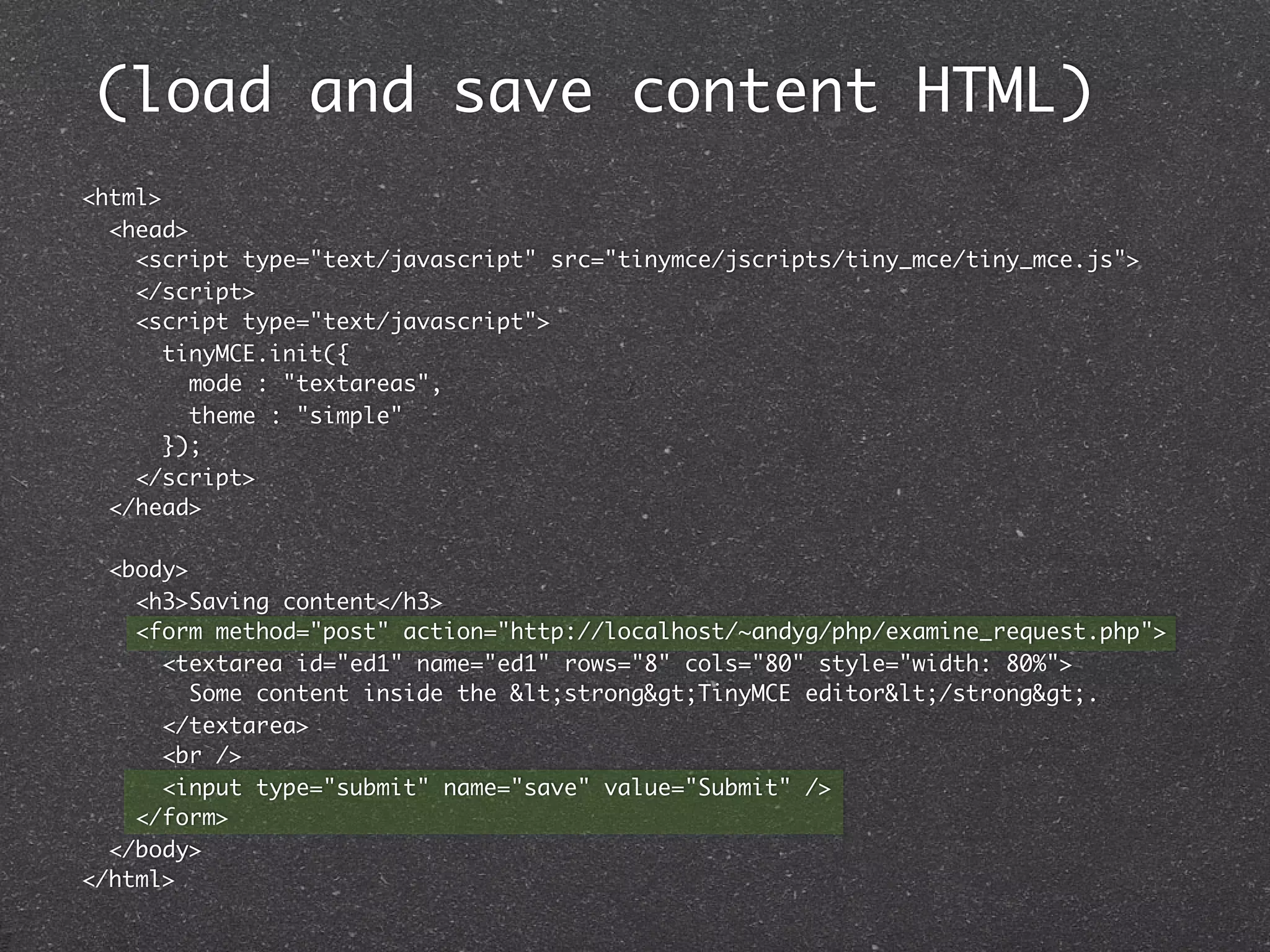
(load and save content HTML)
<html>
  <head>
    <script type="text/javascript" src="tinymce/jscripts/tiny_mce/tiny_mce.js">
    </script>
    <script type="text/javascript">
       tinyMCE.init({
         mode : "textareas",
         theme : "simple"
       });
    </script>
  </head>

  <body>
    <h3>Saving content</h3>
    <form method="post" action="http://localhost/~andyg/php/examine_request.php">
      <textarea id="ed1" name="ed1" rows="8" cols="80" style="width: 80%">
         Some content inside the &lt;strong&gt;TinyMCE editor&lt;/strong&gt;.
      </textarea>
      <br />
      <input type="submit" name="save" value="Submit" />
    </form>
  </body>
</html>
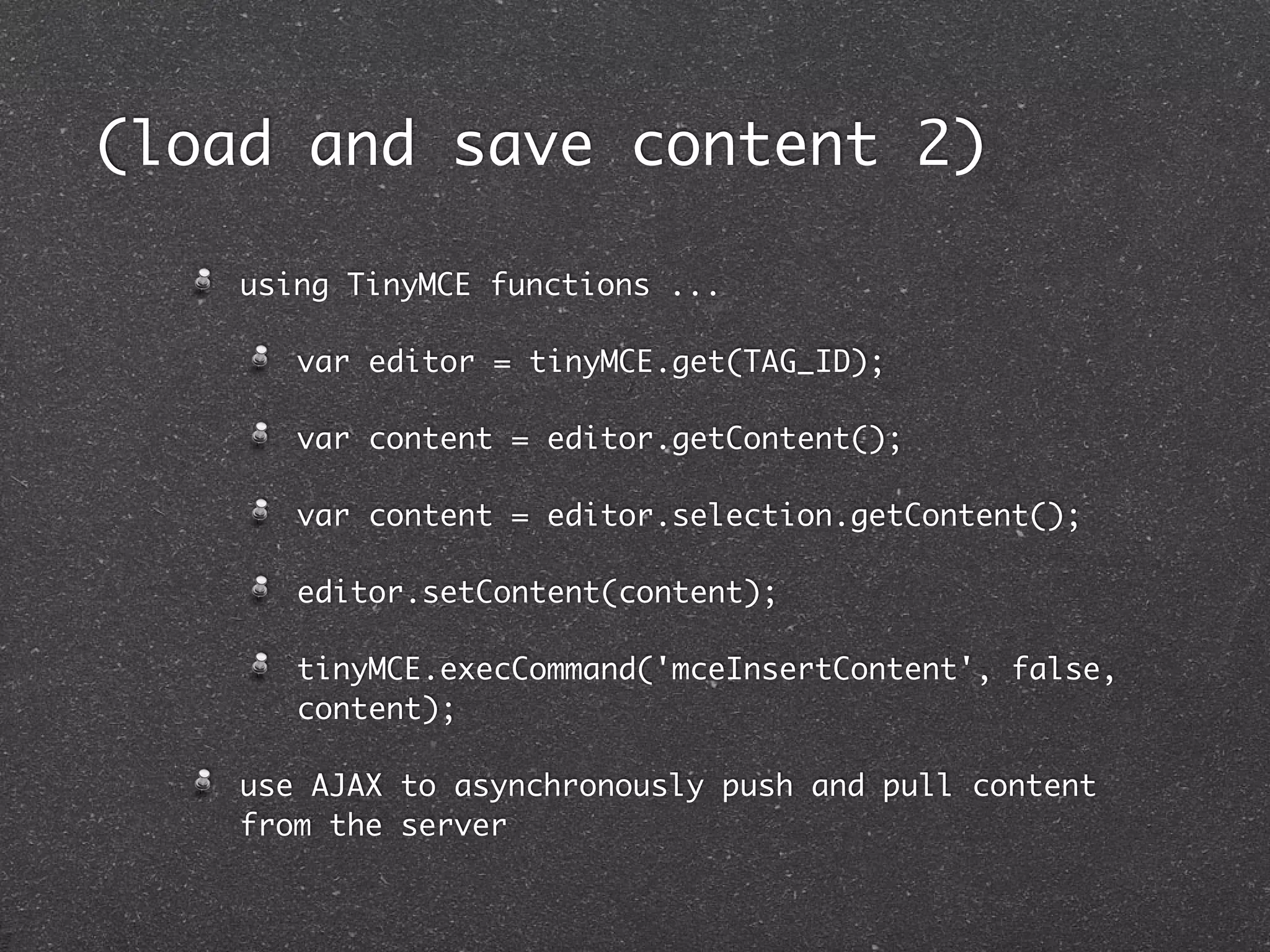
(load and save content 2)

    using TinyMCE functions ...

       var editor = tinyMCE.get(TAG_ID);

       var content = editor.getContent();

       var content = editor.selection.getContent();

       editor.setContent(content);

       tinyMCE.execCommand('mceInsertContent', false,
       content);

    use AJAX to asynchronously push and pull content
    from the server
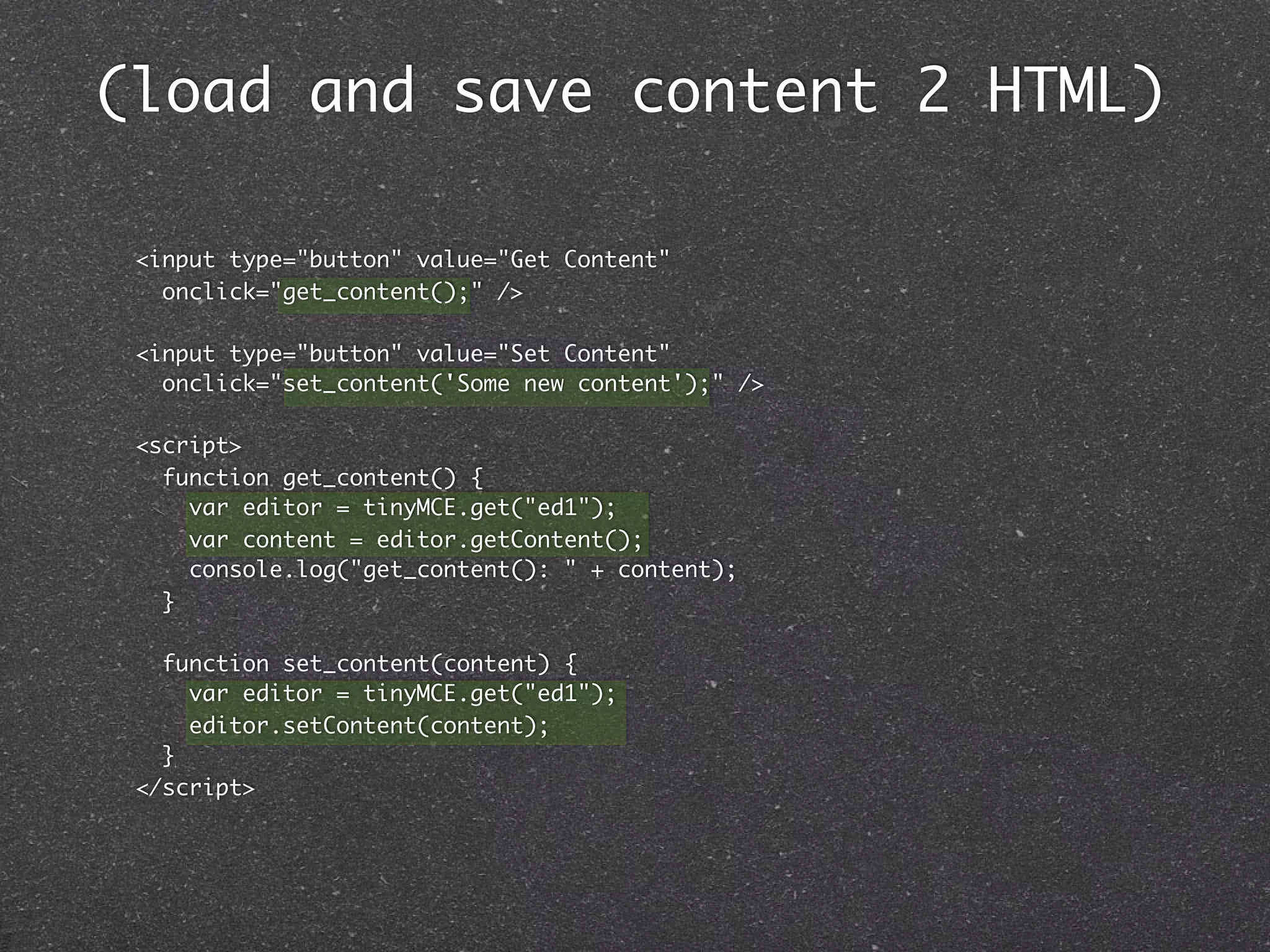
(load and save content 2 HTML)

 <input type="button" value="Get Content"
   onclick="get_content();" />

 <input type="button" value="Set Content"
   onclick="set_content('Some new content');" />

 <script>
   function get_content() {
     var editor = tinyMCE.get("ed1");
     var content = editor.getContent();
     console.log("get_content(): " + content);
   }

   function set_content(content) {
     var editor = tinyMCE.get("ed1");
     editor.setContent(content);
   }
 </script>
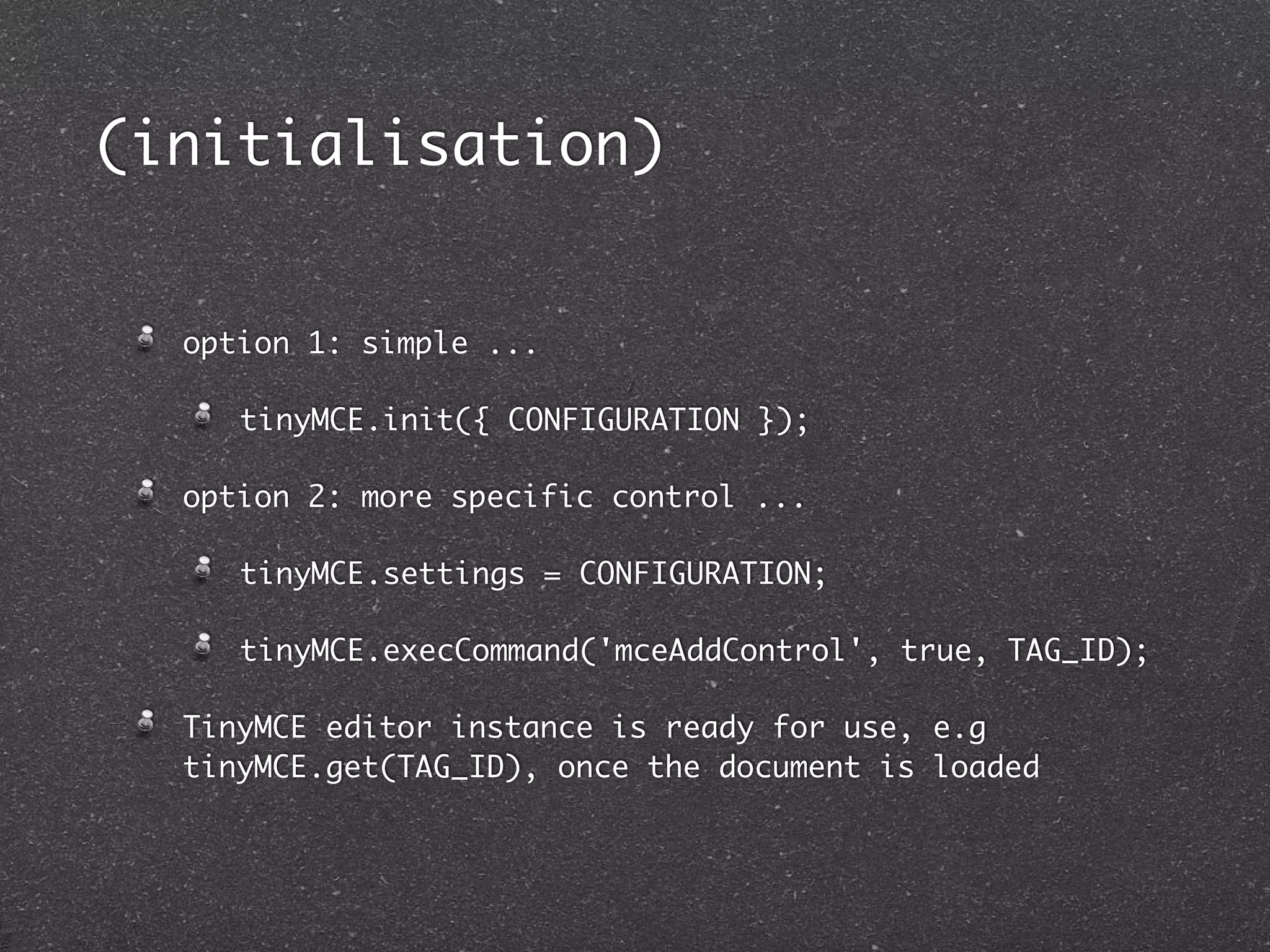
(initialisation)


  option 1: simple ...

     tinyMCE.init({ CONFIGURATION });

  option 2: more specific control ...

     tinyMCE.settings = CONFIGURATION;

     tinyMCE.execCommand('mceAddControl', true, TAG_ID);

  TinyMCE editor instance is ready for use, e.g
  tinyMCE.get(TAG_ID), once the document is loaded
(configuration 1)
  lots of options !

  http://wiki.moxiecode.com/index.php/TinyMCE:Configuration


  mode: what HTML elements are replaced by TinyMCE

     none, exact, textareas, specific_textareas

  elements: tag ids replaced when mode=exact

  theme: simple, advanced

  skin: SKIN_NAME

  plugins: PLUGIN_NAME1, PLUGIN_NAME2, ..

  extended_valid_elements: "custom_tag[*]"
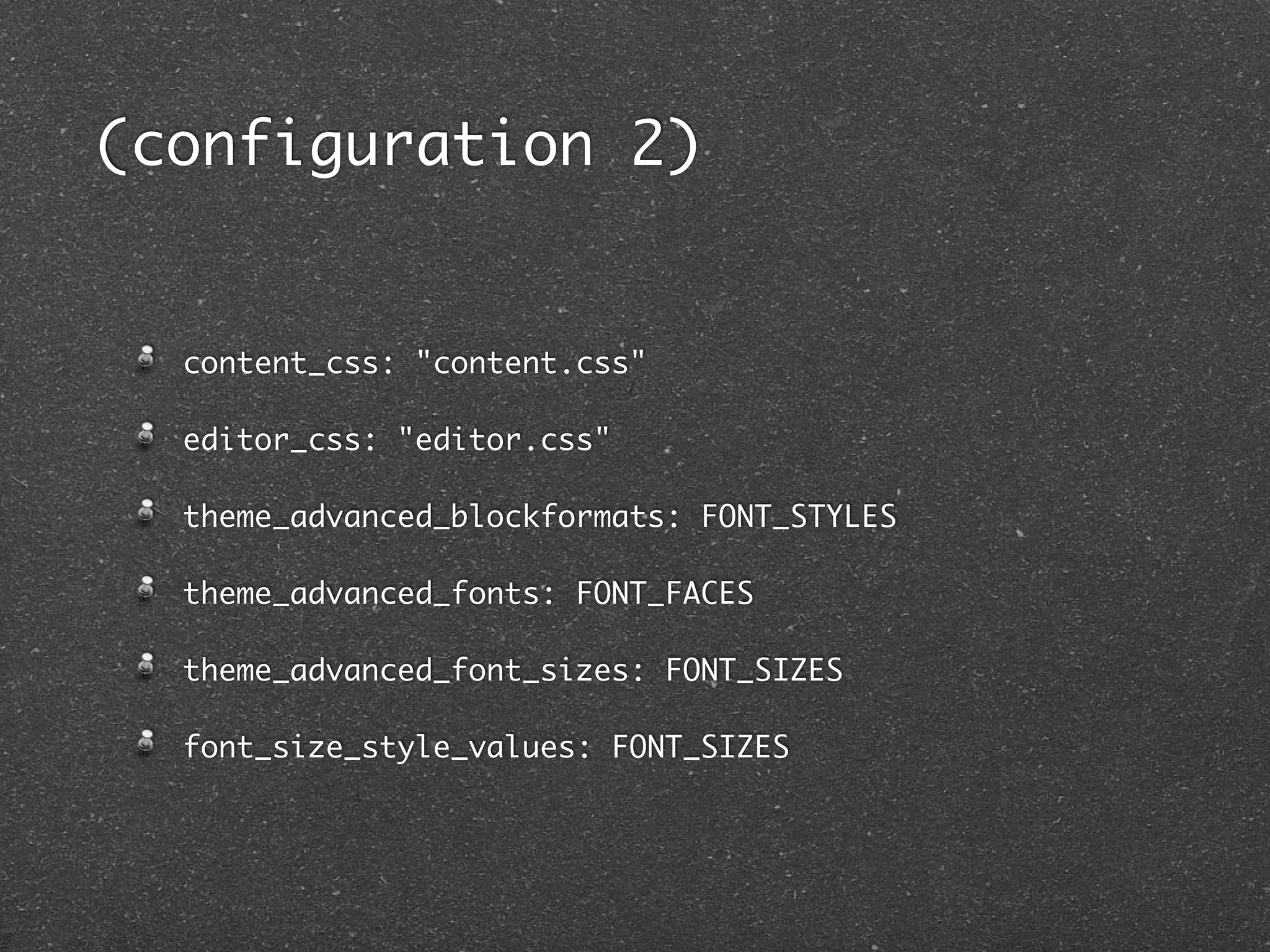
(configuration 2)


  content_css: "content.css"

  editor_css: "editor.css"

  theme_advanced_blockformats: FONT_STYLES

  theme_advanced_fonts: FONT_FACES

  theme_advanced_font_sizes: FONT_SIZES

  font_size_style_values: FONT_SIZES
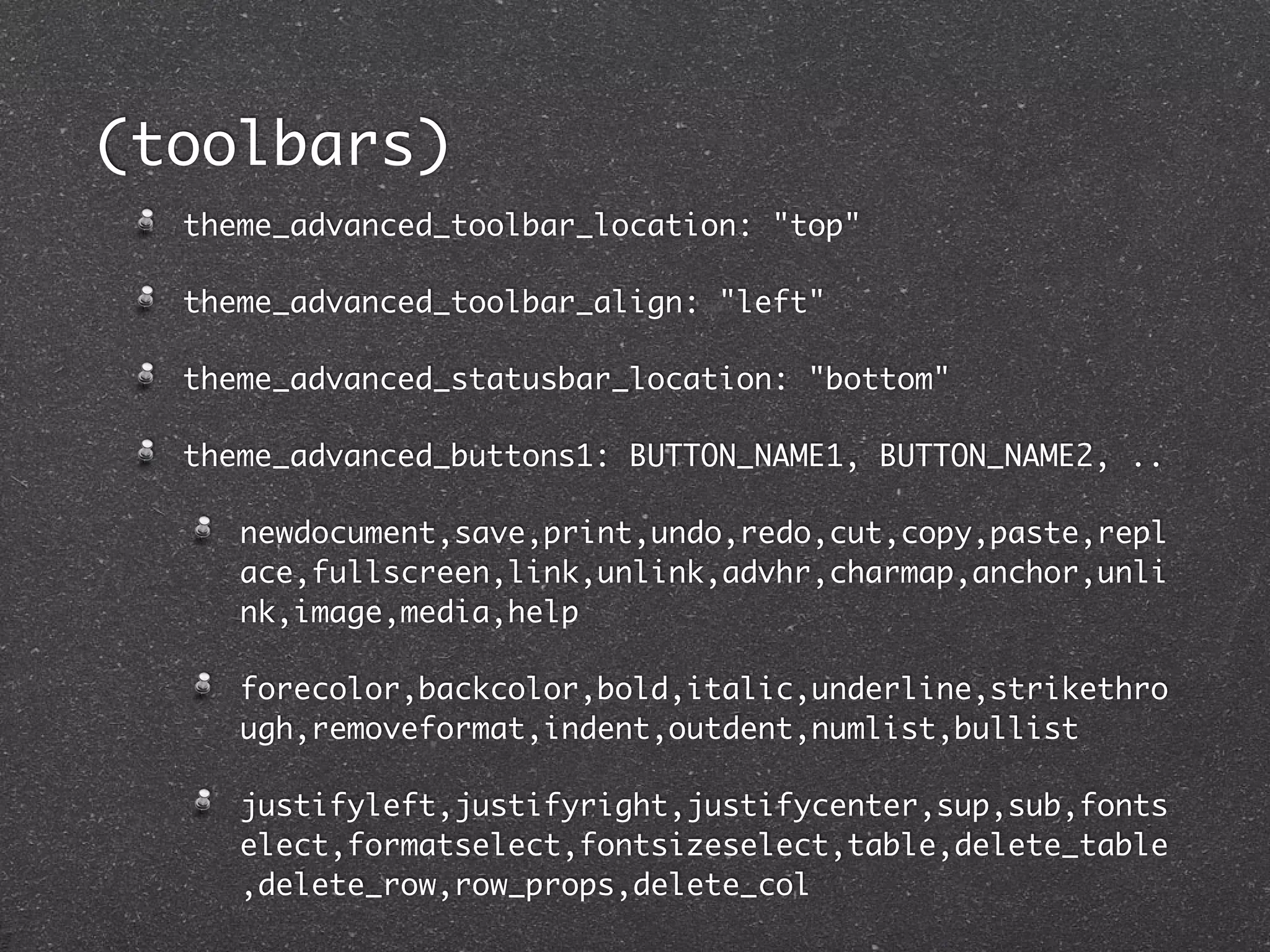
(toolbars)
  theme_advanced_toolbar_location: "top"

  theme_advanced_toolbar_align: "left"

  theme_advanced_statusbar_location: "bottom"

  theme_advanced_buttons1: BUTTON_NAME1, BUTTON_NAME2, ..

     newdocument,save,print,undo,redo,cut,copy,paste,repl
     ace,fullscreen,link,unlink,advhr,charmap,anchor,unli
     nk,image,media,help

     forecolor,backcolor,bold,italic,underline,strikethro
     ugh,removeformat,indent,outdent,numlist,bullist

     justifyleft,justifyright,justifycenter,sup,sub,fonts
     elect,formatselect,fontsizeselect,table,delete_table
     ,delete_row,row_props,delete_col
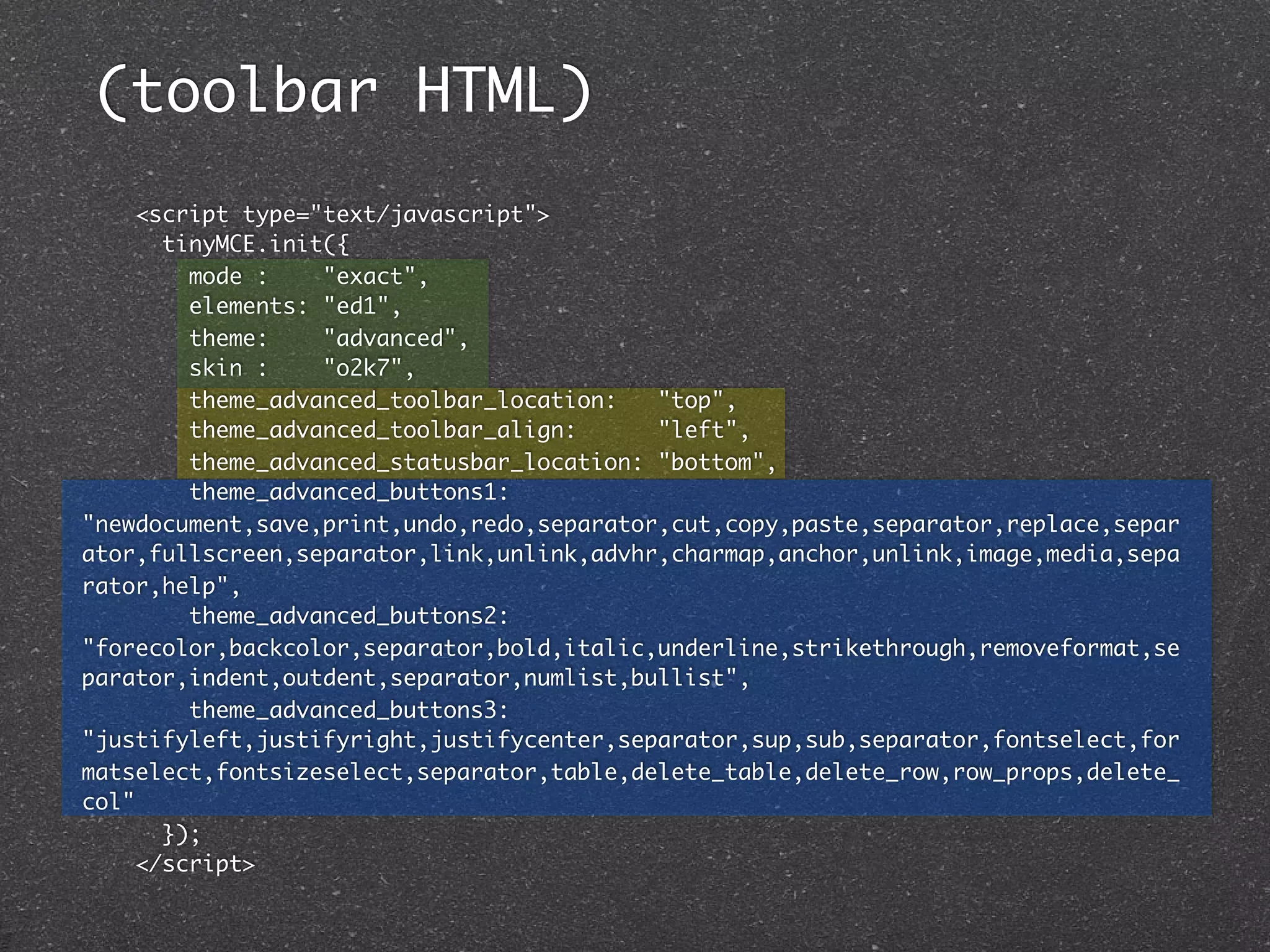
(toolbar HTML)
     <script type="text/javascript">
       tinyMCE.init({
         mode :    "exact",
         elements: "ed1",
         theme:    "advanced",
         skin :    "o2k7",
         theme_advanced_toolbar_location:   "top",
         theme_advanced_toolbar_align:      "left",
         theme_advanced_statusbar_location: "bottom",
         theme_advanced_buttons1:
"newdocument,save,print,undo,redo,separator,cut,copy,paste,separator,replace,separ
ator,fullscreen,separator,link,unlink,advhr,charmap,anchor,unlink,image,media,sepa
rator,help",
         theme_advanced_buttons2:
"forecolor,backcolor,separator,bold,italic,underline,strikethrough,removeformat,se
parator,indent,outdent,separator,numlist,bullist",
         theme_advanced_buttons3:
"justifyleft,justifyright,justifycenter,separator,sup,sub,separator,fontselect,for
matselect,fontsizeselect,separator,table,delete_table,delete_row,row_props,delete_
col"
       });
     </script>
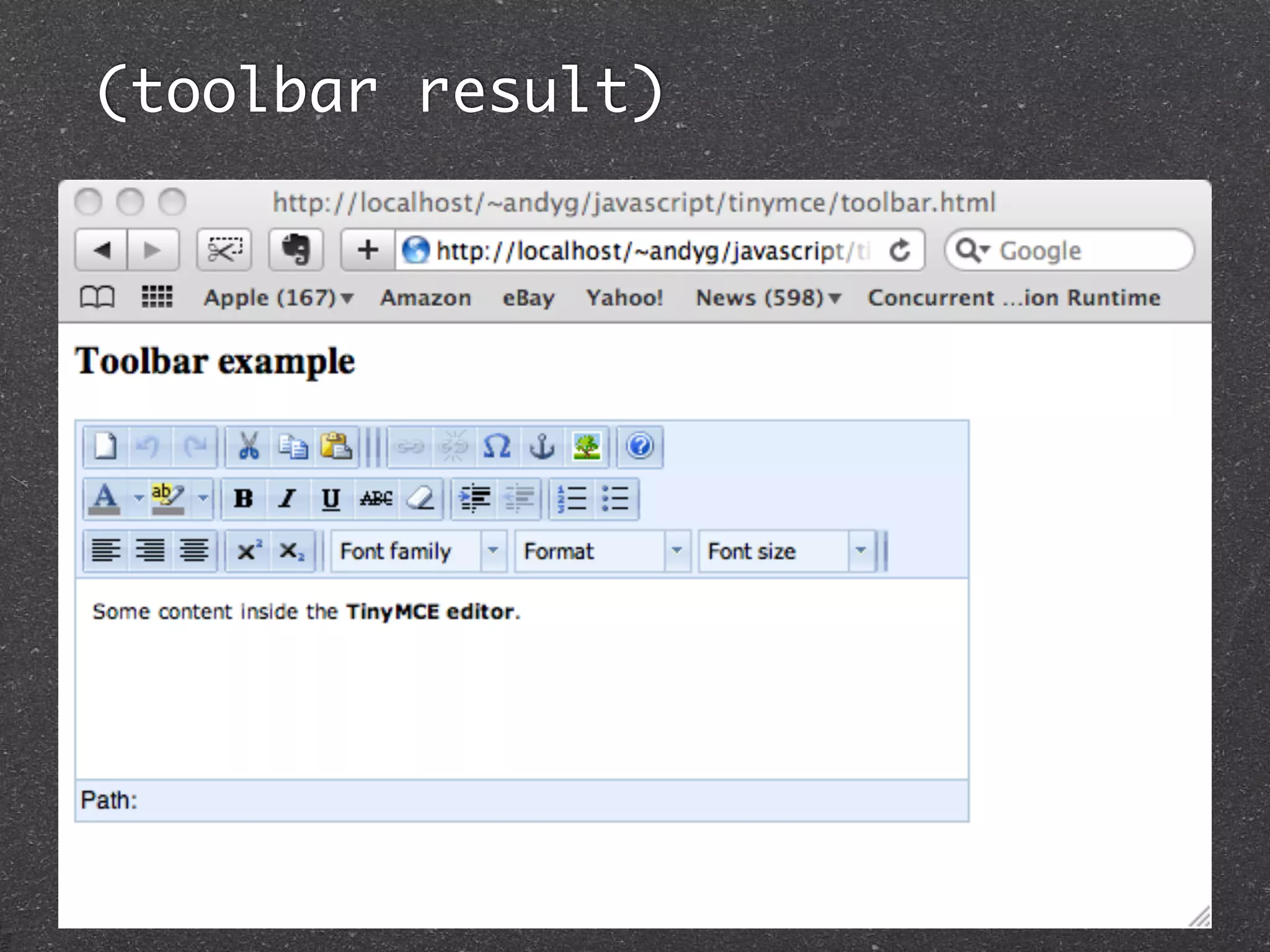
(toolbar result)
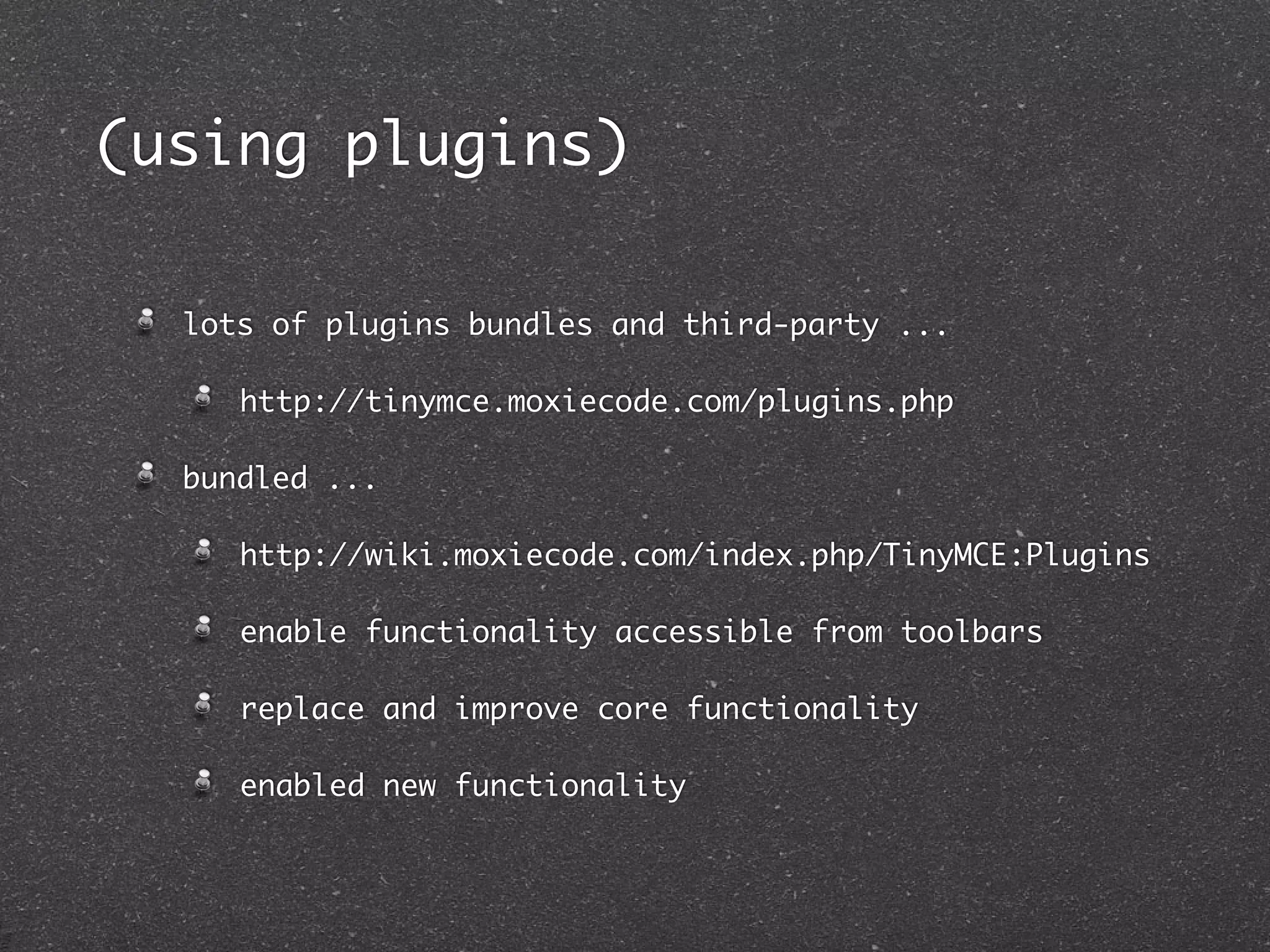
(using plugins)

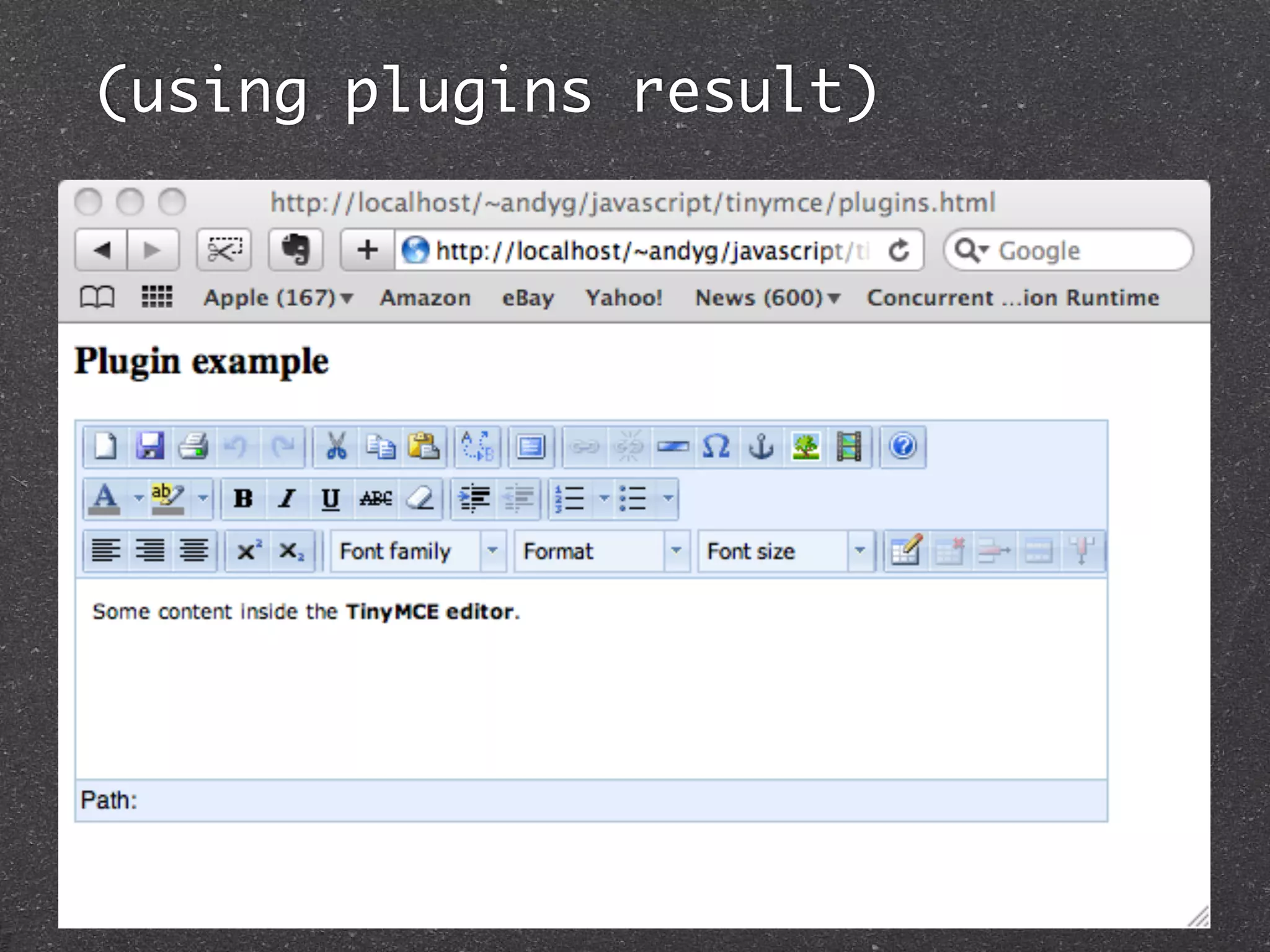
  lots of plugins bundles and third-party ...

     http://tinymce.moxiecode.com/plugins.php

  bundled ...

     http://wiki.moxiecode.com/index.php/TinyMCE:Plugins

     enable functionality accessible from toolbars

     replace and improve core functionality

     enabled new functionality
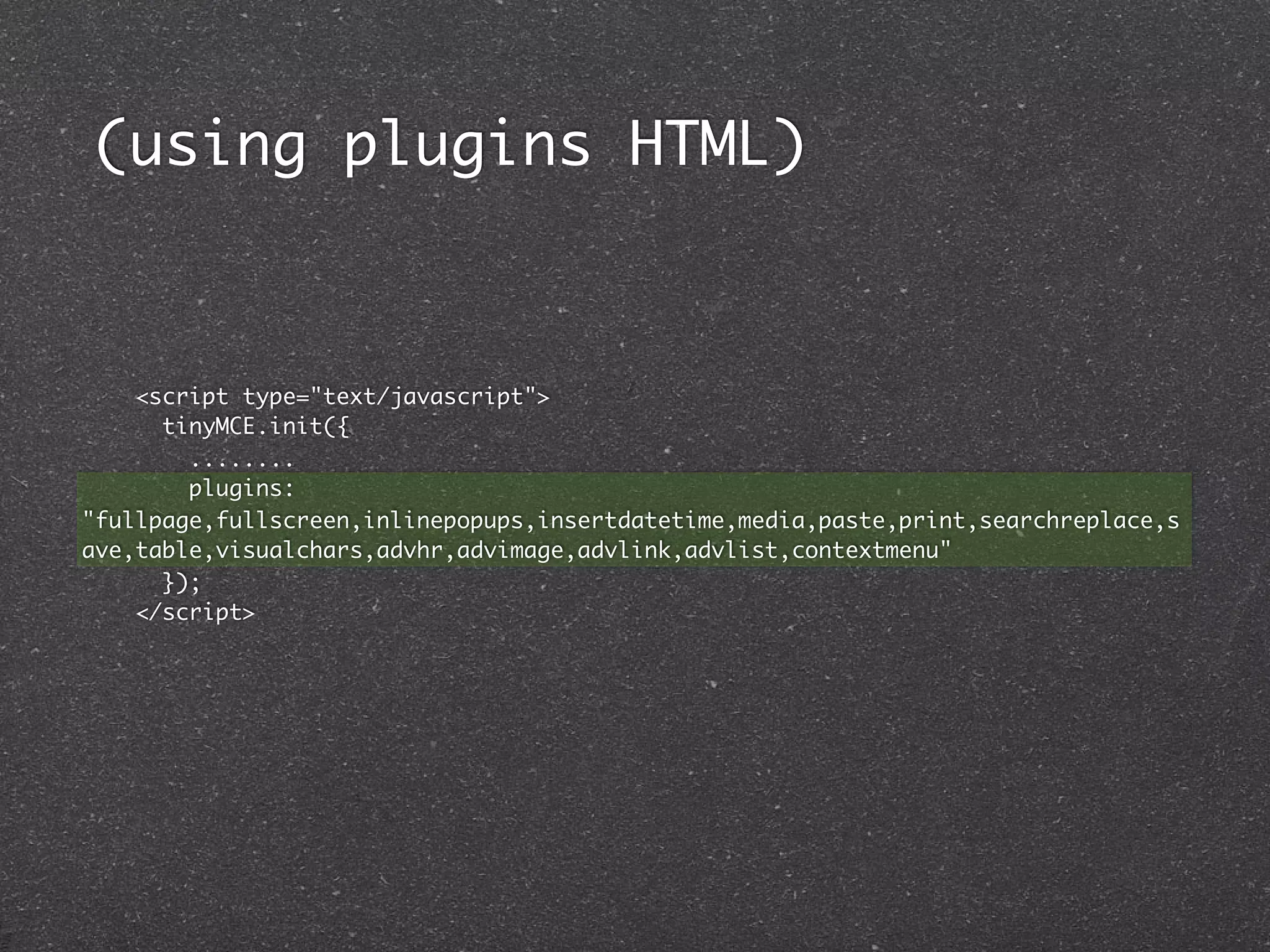
(using plugins HTML)


    <script type="text/javascript">
      tinyMCE.init({
        ........
        plugins:
"fullpage,fullscreen,inlinepopups,insertdatetime,media,paste,print,searchreplace,s
ave,table,visualchars,advhr,advimage,advlink,advlist,contextmenu"
      });
    </script>
(using plugins result)
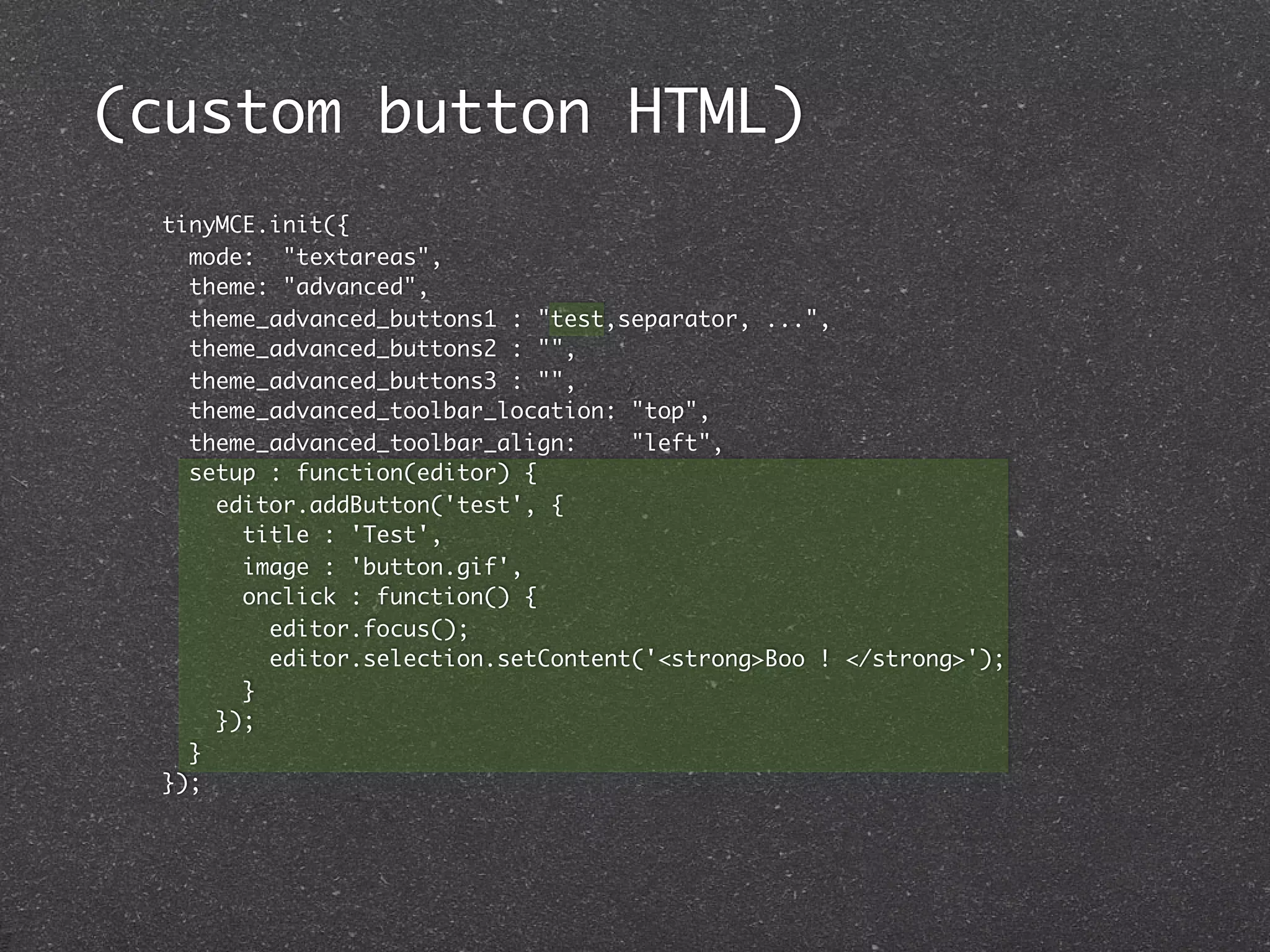
(custom button HTML)
 tinyMCE.init({
   mode: "textareas",
   theme: "advanced",
   theme_advanced_buttons1 : "test,separator, ...",
   theme_advanced_buttons2 : "",
   theme_advanced_buttons3 : "",
   theme_advanced_toolbar_location: "top",
   theme_advanced_toolbar_align:    "left",
   setup : function(editor) {
     editor.addButton('test', {
       title : 'Test',
       image : 'button.gif',
       onclick : function() {
         editor.focus();
         editor.selection.setContent('<strong>Boo ! </strong>');
       }
     });
   }
 });
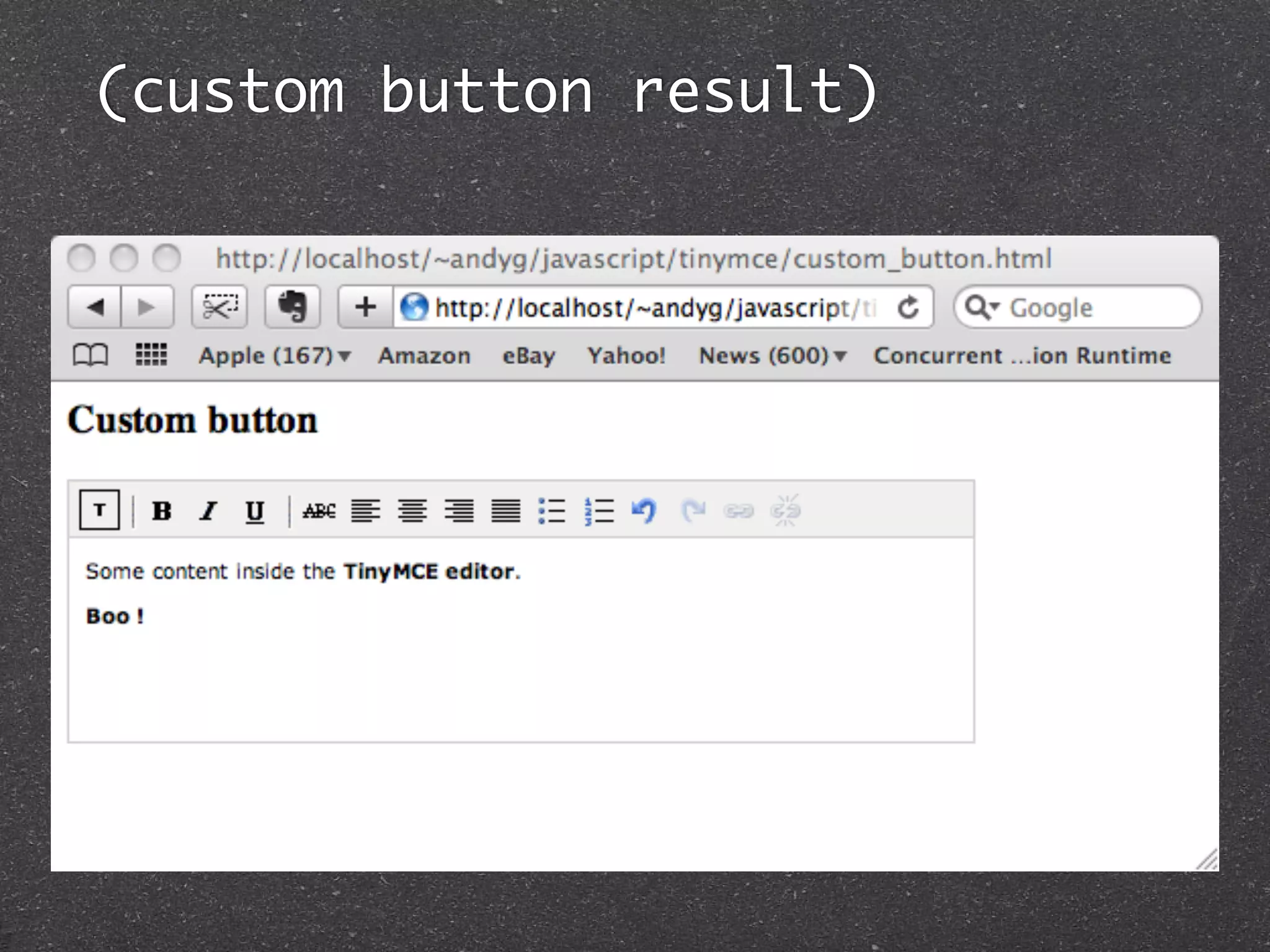
(custom button result)
(custom plugin)


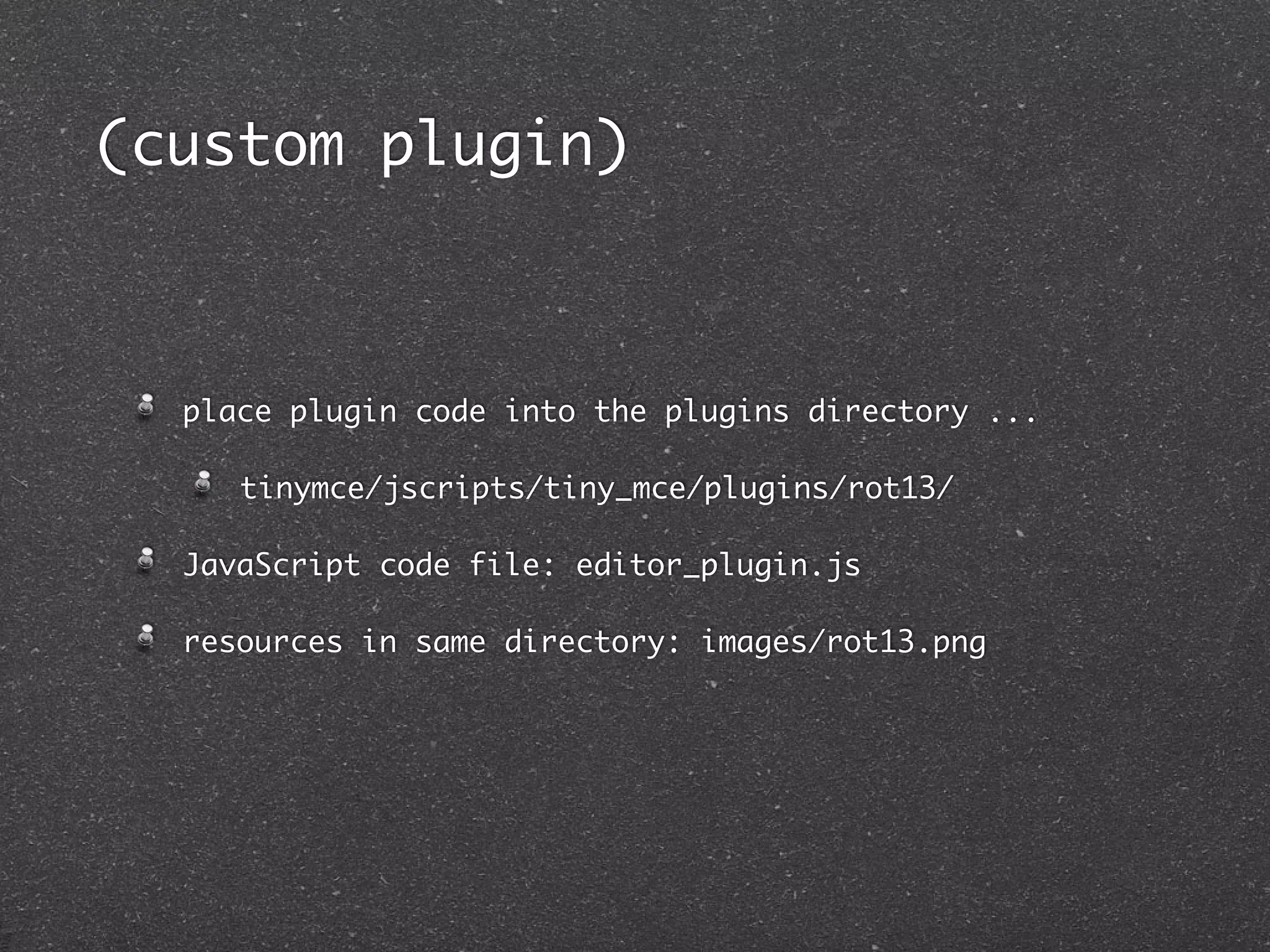
  place plugin code into the plugins directory ...

     tinymce/jscripts/tiny_mce/plugins/rot13/

  JavaScript code file: editor_plugin.js

  resources in same directory: images/rot13.png
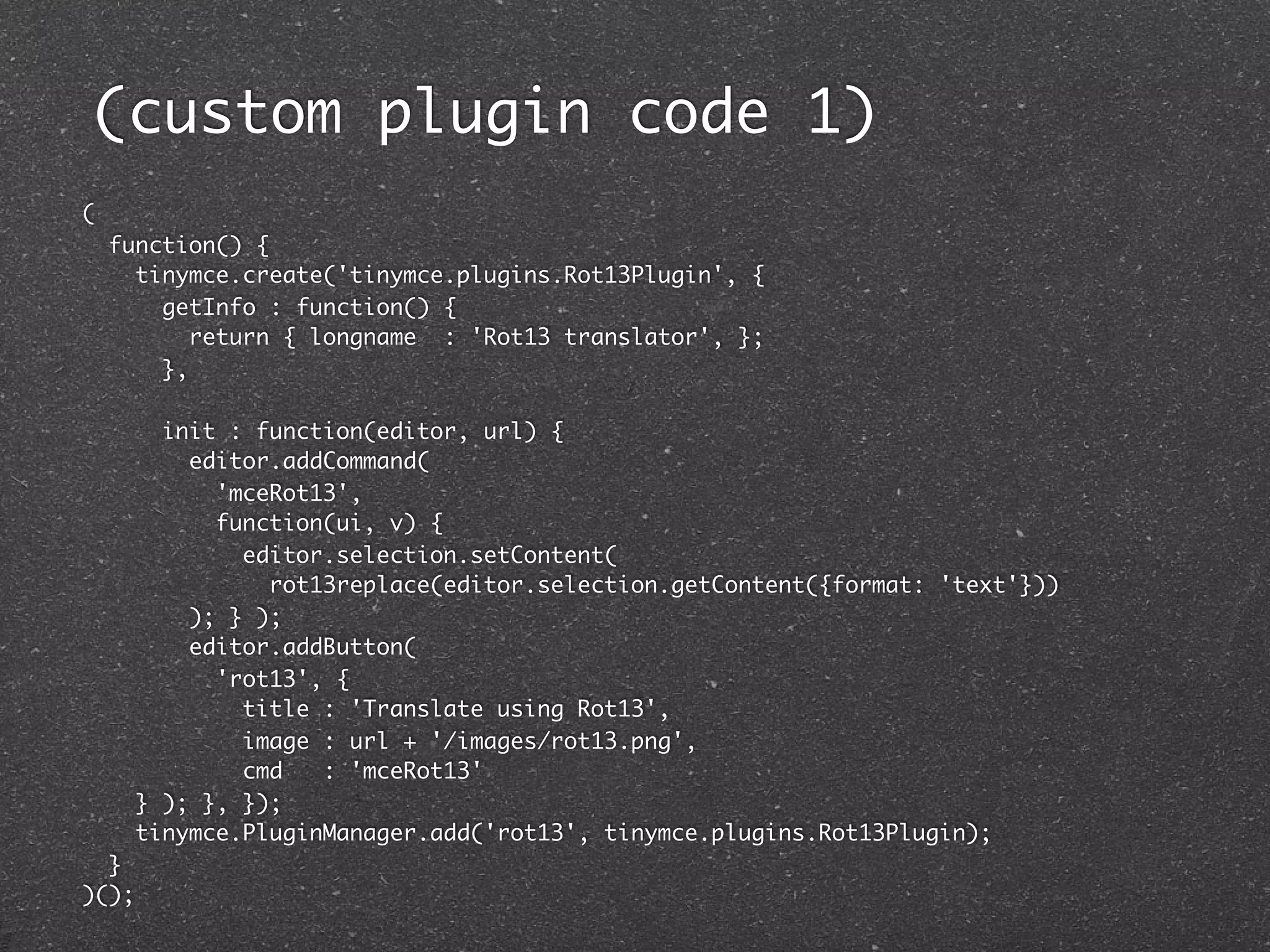
(custom plugin code 1)
(
    function() {
      tinymce.create('tinymce.plugins.Rot13Plugin', {
        getInfo : function() {
           return { longname : 'Rot13 translator', };
        },

       init : function(editor, url) {
         editor.addCommand(
           'mceRot13',
           function(ui, v) {
             editor.selection.setContent(
               rot13replace(editor.selection.getContent({format: 'text'}))
         ); } );
         editor.addButton(
           'rot13', {
             title : 'Translate using Rot13',
             image : url + '/images/rot13.png',
             cmd   : 'mceRot13'
     } ); }, });
     tinymce.PluginManager.add('rot13', tinymce.plugins.Rot13Plugin);
  }
)();
(custom plugin code 2)

function rot13replace(text) {
  if (! rot13map) rot13map = rot13setup();

    rot13text = "";

    for (index = 0; index < text.length; index++) {
      var ch = text.charAt(index);

        rot13text += (ch >= 'A'   &&   ch <= 'Z'   ||   ch >= 'a'   &&   ch <= 'z'   ?
          rot13map[ch] : ch);
    }

    return(rot13text);
}
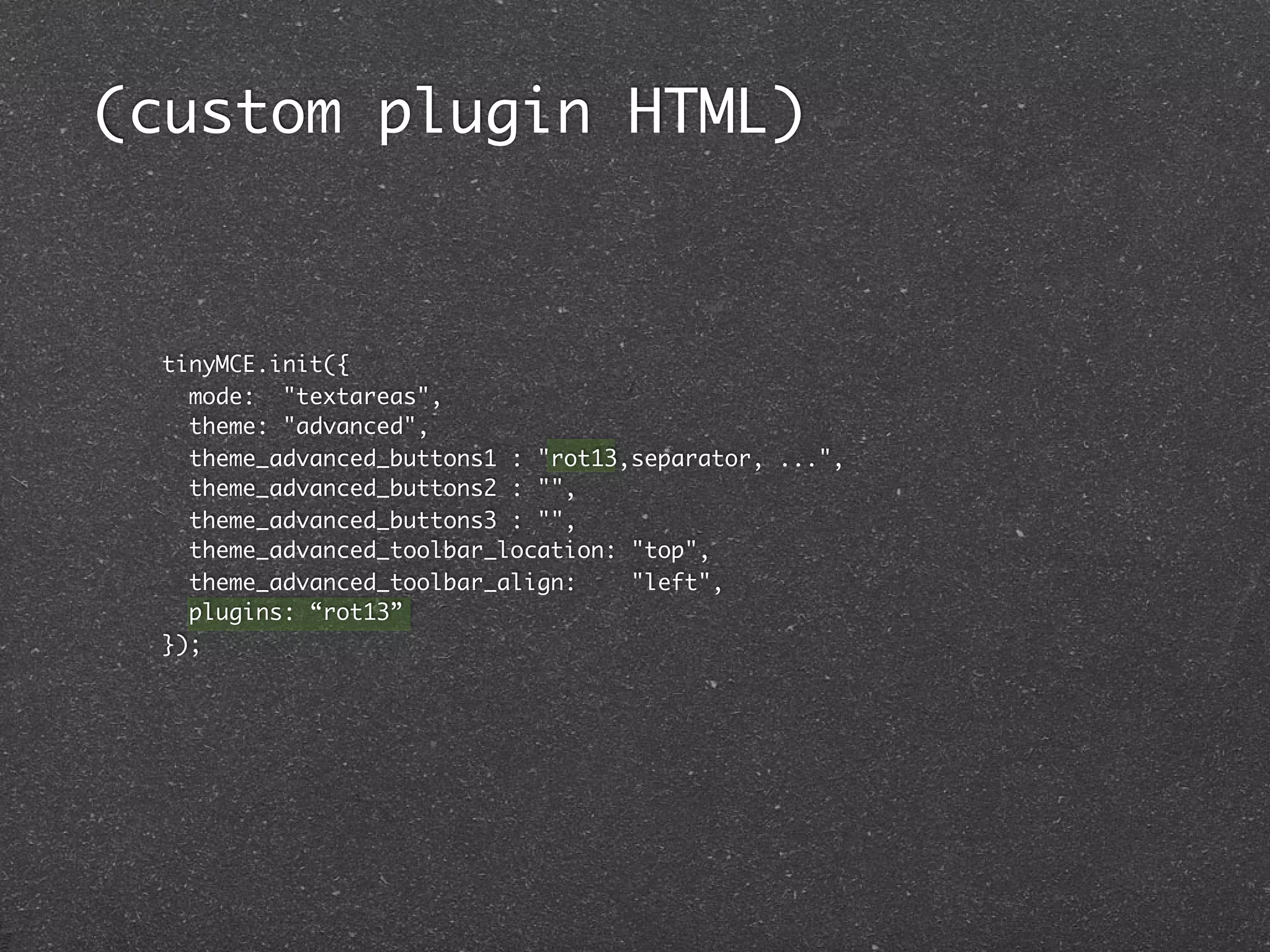
(custom plugin HTML)


 tinyMCE.init({
   mode: "textareas",
   theme: "advanced",
   theme_advanced_buttons1 : "rot13,separator, ...",
   theme_advanced_buttons2 : "",
   theme_advanced_buttons3 : "",
   theme_advanced_toolbar_location: "top",
   theme_advanced_toolbar_align:    "left",
   plugins: “rot13”
 });
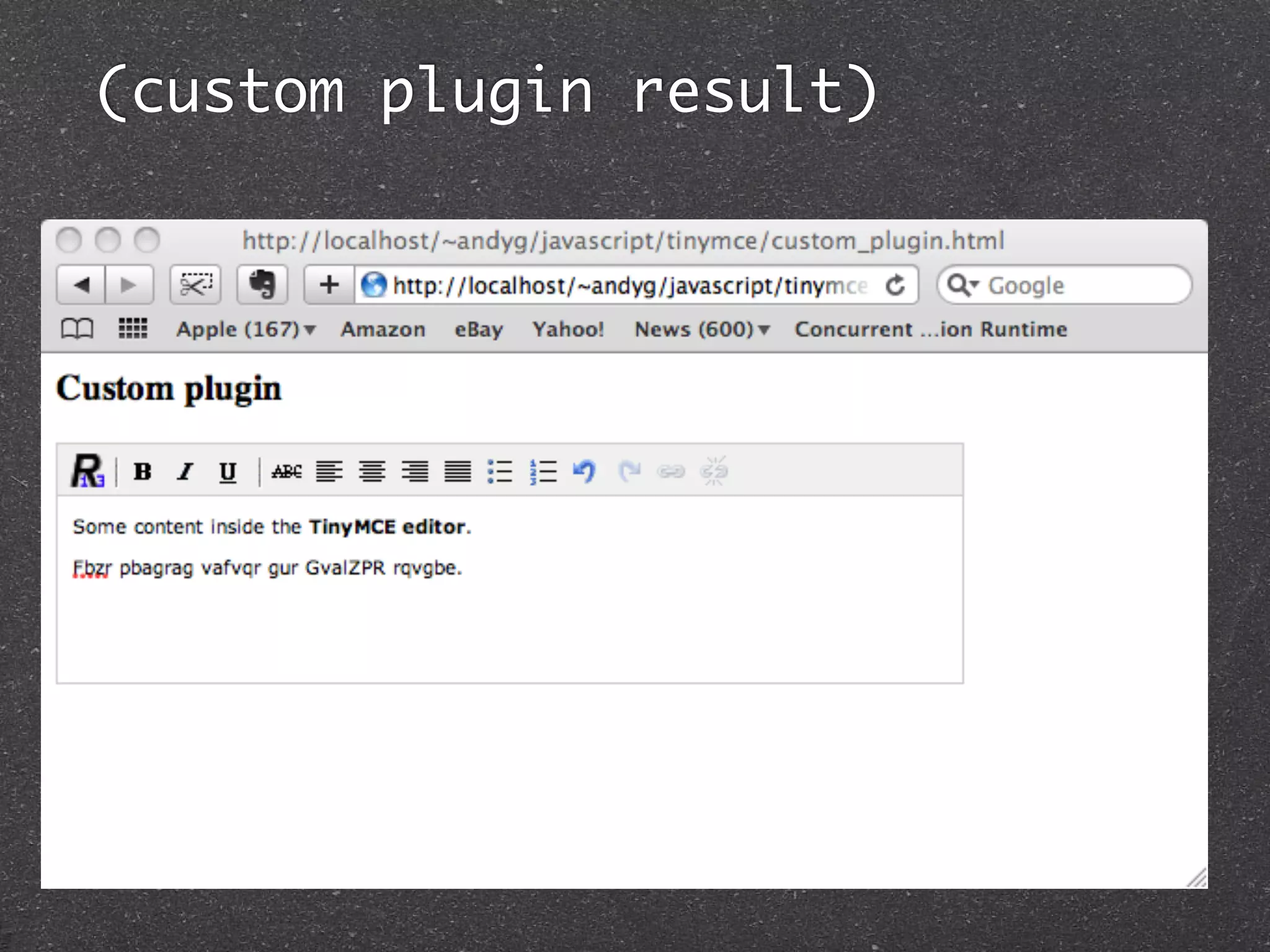
(custom plugin result)
(fin)

  questions ?   thoughts ?


  http://javascript.crockford.com

  http://tinymce.moxiecode.com

  http://tinymce.ephox.com


  @geekscape - andyg@geekscape.org - http://geekscape.org

TinyMCE: WYSIWYG editor 2010-12-08

  • 1.
    TinyMCE: WYSIWYG editor andyg@geekscape.org / @geekscape First Melbourne JavaScript meet-up #melbjs 2010-12-08
  • 2.
    (introduction) somethoughts about JavaScript how to use TinyMCE in your web-site basic usage manipulating content customisation advanced usage
  • 3.
    (javascript perspective) then ... 4th December 1995: 15 years ago ... Netscape Navigator (browser) 2.0 beta 3 Mocha -> LiveScript -> JavaScript Java Applets (based on JDK 1.0) now ... 2010 ... renewed competition between browser vendors better JavaScript engines gradual emergence of HTML5 browser language built-in versus plug-in developer tools ... compare with Flash
  • 4.
    (the good, thebad and the ugly) JavaScript has ... good features ... rapid prototyping first class functions (use them like an object) JSON for succinct data representation many poor features ... heavy reliance on global variables (no linker) highly recommended reading ... Douglas Crockford’s “JavaScript: The Good Parts” http://javascript.crockford.com
  • 5.
    (javascript cool stuff) Too much to mention, but check-out ... raphaeljs.com (svg, vector graphics thejit.org aka InfoVIS (data visualisation) chromeexperiments.com (demos) canvasdemos.com (demos) jquery mobile (mobile phone cross-platform) processingjs.org (easy to use language) code.google.com/closure (library, templates, ...) NodeJS, CommonJS, Narwhal, Persevere (server side)
  • 6.
    (about TinyMCE) web-based editor, easy to embed your web pages created by MoxieCode, couple of guys in Sweden used by: Wordpress, Facebook, Joomla, Umbraco (CMS), SquareSpace (CMS), Apple, SAP, Oracle, Microsoft, over 130 others listed on MoxieCode TinyMCE wiki few lines of code to integrate use AJAX to load and save content numerous plugins customisable: themes, plugins, valid content elements internationalisation support currently version 3.3.9.2, planning for 4.x
  • 7.
    (simple example) TinyMCE web-site: Documentation, examples, tutorials download from ... http://tinymce.moxiecode.com http://tinymce.ephox.com (community or enterprise) unpack tinymce_3_3_9_2.zip create HTML page <script> tinymce/jscripts/tiny_mce/tiny_mce.js <script> tinyMCE.init({ CONFIGURATION }); <textarea id="ed1" name="ed1”> Editor content
  • 8.
  • 9.
    (simple example HTML) <html> <head> <script type="text/javascript" src="tinymce/jscripts/tiny_mce/tiny_mce.js"> </script> <script type="text/javascript"> tinyMCE.init({ mode : "textareas", theme : "simple" }); </script> </head> <body> <h3>Simple example</h3> <!-- Gets replaced with TinyMCE --> <textarea id="ed1" name="ed1" rows="8" cols="80" style="width: 80%"> Some content inside the &lt;strong&gt;TinyMCE editor&lt;/strong&gt;. </textarea> </body> </html>
  • 10.
    (what next) load and save content initialisation and configuration changing themes toolbar modification selecting plugins custom plugin
  • 11.
    (load and savecontent) simple HTML / HTTP approach ... loading editor content from server dynamically fill-in <textarea> saving editor content to the server wrap <textarea> with a <form> provide <input type=”submit”>
  • 12.
    (load and savecontent HTML) <html> <head> <script type="text/javascript" src="tinymce/jscripts/tiny_mce/tiny_mce.js"> </script> <script type="text/javascript"> tinyMCE.init({ mode : "textareas", theme : "simple" }); </script> </head> <body> <h3>Saving content</h3> <form method="post" action="http://localhost/~andyg/php/examine_request.php"> <textarea id="ed1" name="ed1" rows="8" cols="80" style="width: 80%"> Some content inside the &lt;strong&gt;TinyMCE editor&lt;/strong&gt;. </textarea> <br /> <input type="submit" name="save" value="Submit" /> </form> </body> </html>
  • 13.
    (load and savecontent 2) using TinyMCE functions ... var editor = tinyMCE.get(TAG_ID); var content = editor.getContent(); var content = editor.selection.getContent(); editor.setContent(content); tinyMCE.execCommand('mceInsertContent', false, content); use AJAX to asynchronously push and pull content from the server
  • 14.
    (load and savecontent 2 HTML) <input type="button" value="Get Content" onclick="get_content();" /> <input type="button" value="Set Content" onclick="set_content('Some new content');" /> <script> function get_content() { var editor = tinyMCE.get("ed1"); var content = editor.getContent(); console.log("get_content(): " + content); } function set_content(content) { var editor = tinyMCE.get("ed1"); editor.setContent(content); } </script>
  • 15.
    (initialisation) option1: simple ... tinyMCE.init({ CONFIGURATION }); option 2: more specific control ... tinyMCE.settings = CONFIGURATION; tinyMCE.execCommand('mceAddControl', true, TAG_ID); TinyMCE editor instance is ready for use, e.g tinyMCE.get(TAG_ID), once the document is loaded
  • 16.
    (configuration 1) lots of options ! http://wiki.moxiecode.com/index.php/TinyMCE:Configuration mode: what HTML elements are replaced by TinyMCE none, exact, textareas, specific_textareas elements: tag ids replaced when mode=exact theme: simple, advanced skin: SKIN_NAME plugins: PLUGIN_NAME1, PLUGIN_NAME2, .. extended_valid_elements: "custom_tag[*]"
  • 17.
    (configuration 2) content_css: "content.css" editor_css: "editor.css" theme_advanced_blockformats: FONT_STYLES theme_advanced_fonts: FONT_FACES theme_advanced_font_sizes: FONT_SIZES font_size_style_values: FONT_SIZES
  • 18.
    (toolbars) theme_advanced_toolbar_location:"top" theme_advanced_toolbar_align: "left" theme_advanced_statusbar_location: "bottom" theme_advanced_buttons1: BUTTON_NAME1, BUTTON_NAME2, .. newdocument,save,print,undo,redo,cut,copy,paste,repl ace,fullscreen,link,unlink,advhr,charmap,anchor,unli nk,image,media,help forecolor,backcolor,bold,italic,underline,strikethro ugh,removeformat,indent,outdent,numlist,bullist justifyleft,justifyright,justifycenter,sup,sub,fonts elect,formatselect,fontsizeselect,table,delete_table ,delete_row,row_props,delete_col
  • 19.
    (toolbar HTML) <script type="text/javascript"> tinyMCE.init({ mode : "exact", elements: "ed1", theme: "advanced", skin : "o2k7", theme_advanced_toolbar_location: "top", theme_advanced_toolbar_align: "left", theme_advanced_statusbar_location: "bottom", theme_advanced_buttons1: "newdocument,save,print,undo,redo,separator,cut,copy,paste,separator,replace,separ ator,fullscreen,separator,link,unlink,advhr,charmap,anchor,unlink,image,media,sepa rator,help", theme_advanced_buttons2: "forecolor,backcolor,separator,bold,italic,underline,strikethrough,removeformat,se parator,indent,outdent,separator,numlist,bullist", theme_advanced_buttons3: "justifyleft,justifyright,justifycenter,separator,sup,sub,separator,fontselect,for matselect,fontsizeselect,separator,table,delete_table,delete_row,row_props,delete_ col" }); </script>
  • 20.
  • 21.
    (using plugins) lots of plugins bundles and third-party ... http://tinymce.moxiecode.com/plugins.php bundled ... http://wiki.moxiecode.com/index.php/TinyMCE:Plugins enable functionality accessible from toolbars replace and improve core functionality enabled new functionality
  • 22.
    (using plugins HTML) <script type="text/javascript"> tinyMCE.init({ ........ plugins: "fullpage,fullscreen,inlinepopups,insertdatetime,media,paste,print,searchreplace,s ave,table,visualchars,advhr,advimage,advlink,advlist,contextmenu" }); </script>
  • 23.
  • 24.
    (custom button HTML) tinyMCE.init({ mode: "textareas", theme: "advanced", theme_advanced_buttons1 : "test,separator, ...", theme_advanced_buttons2 : "", theme_advanced_buttons3 : "", theme_advanced_toolbar_location: "top", theme_advanced_toolbar_align: "left", setup : function(editor) { editor.addButton('test', { title : 'Test', image : 'button.gif', onclick : function() { editor.focus(); editor.selection.setContent('<strong>Boo ! </strong>'); } }); } });
  • 25.
  • 26.
    (custom plugin) place plugin code into the plugins directory ... tinymce/jscripts/tiny_mce/plugins/rot13/ JavaScript code file: editor_plugin.js resources in same directory: images/rot13.png
  • 27.
    (custom plugin code1) ( function() { tinymce.create('tinymce.plugins.Rot13Plugin', { getInfo : function() { return { longname : 'Rot13 translator', }; }, init : function(editor, url) { editor.addCommand( 'mceRot13', function(ui, v) { editor.selection.setContent( rot13replace(editor.selection.getContent({format: 'text'})) ); } ); editor.addButton( 'rot13', { title : 'Translate using Rot13', image : url + '/images/rot13.png', cmd : 'mceRot13' } ); }, }); tinymce.PluginManager.add('rot13', tinymce.plugins.Rot13Plugin); } )();
  • 28.
    (custom plugin code2) function rot13replace(text) { if (! rot13map) rot13map = rot13setup(); rot13text = ""; for (index = 0; index < text.length; index++) { var ch = text.charAt(index); rot13text += (ch >= 'A' && ch <= 'Z' || ch >= 'a' && ch <= 'z' ? rot13map[ch] : ch); } return(rot13text); }
  • 29.
    (custom plugin HTML) tinyMCE.init({ mode: "textareas", theme: "advanced", theme_advanced_buttons1 : "rot13,separator, ...", theme_advanced_buttons2 : "", theme_advanced_buttons3 : "", theme_advanced_toolbar_location: "top", theme_advanced_toolbar_align: "left", plugins: “rot13” });
  • 30.
  • 31.
    (fin) questions? thoughts ? http://javascript.crockford.com http://tinymce.moxiecode.com http://tinymce.ephox.com @geekscape - andyg@geekscape.org - http://geekscape.org