Django
Open Source - Alexandria
Day 1
Agenda
● What is a framework (Django MVT)
● Installing Django and start our first project
● Application
● Model
● Admin [Superuser] Panel
● Customize Admin Panel
● URL and View Configuration
● Intro to Templates Language
Django Framework
● A framework is a sets of libraries those provides most of the functionality
needed for application development.
● Django Framework applies the MVT (Model View Template) Design
pattern.
● Model classes are the Database representation, Views contains the Logic
and calculations, and the Template are the user’s viewed pages where the
logic is separated.
● Django Framework ORM (Object Relational Model) Provides a lot of
method and properties for dealing with the database model classes.
Install Django and MySql client
sudo apt-get update
sudo apt-get install python-pip
sudo pip install --upgrade pip
sudo pip install django
pip install mysqlclient
create a Django project
django-admin startproject project_name
project content
➔ manage.py: this is the file we use to deal with the project.
➔ project inner folder/setting.py: it contains the constant settings.
➔ project inner folder/url.py: the main url configuration.
➔ project inner folder/WSGI: for testing and deployment.
See the application on the server
python manage.py runserver
Note: make sure that mysql server is running first
check mysql server status:
sudo service mysql status
sudo /etc/init.d/mysql start
sudo /etc/init.d/mysql stop
sudo /etc/init.d/mysql restart
navigate to the localhost:8000 and Bingo ! you will find the standard
welcoming message
Running server common problems !!
if you faced a failed starting job for mysql server there are two possible
solutions:
1- set the owner of mysqlserver sock to mysql
sudo touch /var/run/mysql/mysql.sock
sudo chown mysql /var/run/mysql/mysql.sock
2- purge and install the mysql
sudo apt-get --purge remove mysql-server
sudo apt-get --purge remove mysql-client
sudo apt-get --purge remove mysql-common
sudo apt-get autoremove
sudo apt-get autoclean
sudo rm -rf /etc/mysql
sudo apt-get install mysql-server mysql-client
sudo service mysql status
Configure the Database
in setting.py
#in database section:
DATABASES = {
'default': {
'ENGINE': 'django.db.backends.mysql',
'NAME': 'mydatab', #databse name
'USER': 'root',
'PASSWORD': 'admin',
'HOST': 'localhost', #default host
'PORT': '3306' #default port
}
}
Migrate with the Database
python manage.py migrate
Create application
Two steps:
1- create the app
python manage.py startapp app_name
2- define it to the installed app section in setting.py
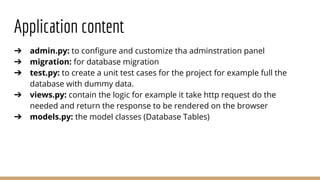
Application content
➔ admin.py: to configure and customize tha adminstration panel
➔ migration: for database migration
➔ test.py: to create a unit test cases for the project for example full the
database with dummy data.
➔ views.py: contain the logic for example it take http request do the
needed and return the response to be rendered on the browser
➔ models.py: the model classes (Database Tables)
Models
A model class is a representation for the tables.
The class is created within models.py
after creating the model classes we do two steps:
1- make migrations: python manage.py makemigrations
2- migrate: python manage.py migrate
Now we have a tables represent our classes
Model class example
class Track(models.Model):
track_name = models.CharField(max_length = 200)
class Student(models.Model):
student_name = models.CharField(max_length = 200)
student_age = models.IntegerField( )
track = models.ForeignKey(Track)
Model object handling
1- import your model classes from your application
from app_name.models import Model_name1, Model_name2
Model_name1.objects.all( ) #select all
Model_name1.objects.all( )[2:5] #select all from:to range
Model_name1.objects.create(field=value, field=value) #insert
another two-steps way to create object:
obj = Model_name1(field=value , field=value)
obj.save( )
Model_name1.objects.get(field=value) # select where field = value
Model_name1.objects.filter(field=value)#select all where field=value
Note to use the timezone: from django.utils import timezone
To run and use the shell: python manage.py shell
Model Object handling
filter with criteria:
ModelName.objects.filter(fieldname__creteria = value)
examples:
Model_name1.objects.filter(field__startswith = ’M’)
Model_name1.objects.filter(field__endswith = ’M’)
Model_name1.objects.filter(field__exact = ’Mohamed’)
Model_name1.objects.filter(field__contains = ’M’)
Model Object handling
Model_name1.objects.filter(field__gt = timezone.now())
Model_name1.objects.filter(field__gte = timezone.now())
Model_name1.objects.filter(field__lt = timezone.now())
Model_name1.objects.filter(field__lte = timezone.now())
Model_name1.objects.order_by(‘field_name’)
#the - before field means reverse
Model_name1.objects.order_by(‘-field_name’)
Model object handling
To control the printed object override method __str__(self) in the model
class.
class Model_name1:
# fields definition
def __str__(self):
return self.first_field
Remember:
when creating an object (inserting) in a class that has a foreign key field we
need an object from the model of the PK to use it in the child model object
creation.
Admin (Super) User
To get use default python admin panel we need a super user
creating a super user:
python manage.py createsuperuser
name:
passwd:
passwd(again):
run the server and navigate to localhost:8000/admin
you will find by Django default two models users and groups.
Customizing Admin panel
To include our models into the admin panel we define (register) them into
admin.py file that is in the application dircetory.
from .models import Student, Track
# register the models
admin.site.register(Student)
admin.site.register(Track)
Customizing the Admin panel …
To customize a model in admin panel we create a class where we override the
admin properties.
1- separate a model form elements into different sections
- create a class that inherits admin.ModelAdmin
- override fieldsets variable which equals:
fieldsets = (
[‘section_Label’ , {‘fields’: [‘field1’, ‘field2’]}],
[None , {‘fields’: [‘field1’, ‘field2’, ‘field3’]}]
)
- finally register your customized class by passing it as a second parameter
to admin.site.register(Model, CustomModel)
Customizing the Admin panel …
2- Inline class
To include the form of the model that has a foreign key within the form of the
model that has the PK
- create a class that inherits from admin.StackedInline to represent the
model that has the foreignkey.
- override properties extra = number and model = ModelName
- in the class that has the PK override the property
inlines = [inlineClassName]
Customizing the Admin panel …
3- Customize List Display
in the Custom model class We override variable
list_display = (‘field1’, ‘field2’)
add Another field to show an info:
- create a method with _ separated name in the model class
- add the method name into the Tuple of list_display
Some properties for the method:
- method_name.boolean = True
- method_name.short_description = ‘header’
Customizing the Admin panel …
4- Search and Filter
in the Custom model class we override the two variables
list_filter = [‘field’,’field’]
search_fields = [‘field’, ‘field’]
Customizing the Admin panel …
5- Admin Template
Since the admin app is created by Django and to customize it we need to see
its structure so let's find the django source files:
- on terminal type python to open python shell
- import django
- print(django.__path__)
- cd to the path and type nautilus to open it
- Navigate to and copy contrib/admin/templates/admin and find app_index.
html, base_site.html
- paste the files under project/templates/admin to apply for the entire apps
OR
project/app/templates/admin to apply template for specific app
Customizing the Admin panel …
Since the Django looks at the framework templates we want to tell Django to
look at our project Templates.
in setting.py at TEMPLATES we modify the DIRS as follow:
‘DIRS’ =[os.path.join(BASE_DIR, ‘templates’)]
and an important thing is Since we override the framework admin app
So our app must defined before the admin app in settings.py to overlay our
changes over Django base.
URL Configuration and Views
View in Django are the Controllers, They can:
- Access the database
- Perform tasks and make calculations
- Take http request and return http response
URL.py maps the url patterns to certian views the URLs are maintained
through regular expressions
We use the main url.py config file to include the in-apps urls files So,
in the project/project/url.py
urlpatterns = [url(r‘^AppName/’), include(‘AppName.urls’)]
and then create a urls.py file inside our app and override urlspatterns as
follow for example:
urlpatterns = [url(r’^$’, views.index, name=’index’)]
URL Configuration and Views
in views.py define the index view as follow:
from django.http import HttpResponse
def index(request):
return HttpResponse('Hello Index!')
So, here we go:
- modify the main url file to map our app url file
- define a url pattern with a view
- define a view to be assigned to the url
Advanced URL and Views
Creating view that get passed parameter
in App urls.py :
url(r'^(?P<student_id>[0-9]+)/$', views.name, name='name'),
url(r'^(?P<student_id>[0-9]+)/age$', views.age, name='age')
in views.py
def name(request, student_id):
return HttpResponse(' This is the name view of student %s' %student_id)
def age(request, student_id):
return HttpResponse(' Age View of Student %s' %student_id)
Template
A Django Template is for separating the logic from our web page design
Template has its unique syntax:
{% if condition %} # if statement
do something
{% else %}
do something else
{% endif %}
{% for x in list %} # for loop
do something
{% endfor %}
{{variable_name}} # using a variable
Using the Template in the View
In views.py for example index action steps:
1- Create template file: appname/template/inner/template.html
2- Load the template:
template = loader.get_template(‘innerDir/template.html’)
3- Customize requestcontext:
context = RequestContext(request, {‘variable’: value})
4- Render template context:
HttpResponse(template.render(context))
5- Needed imports:
from django.template import loader, RequestContext
Using the Template in the View
Or Simply use render() method as follow:
from django.shortcuts import render
def index(request):
context = {‘variable_name’: Value}
return render(request, ‘innerDir/templateName.html’, context)
Lab Time
Django
Open Source - Alexandria
Day 2
Agenda
● 404 Not Found
● Template Inheritance
● Form
● CRUD
● Static files
● Bootstrap
● Git
404 Not Found Error Handling
One of the basic and common error is (404 Not Found)
example: in the view.py
from django.http import Http404
from .models import Student
def details(request, student_name):
try:
student = Student.objects.get(first_name = student_name)
except Student.DoesNotExist:
raise Http404(“Student Not Exist! ”)
else:
return render(request, ‘My_App/details.html ’, {‘student’: student})
404 Not Found continue
Considering that get a model object or 404 in a common and basic used job
Django introduced a convenience method to speed it up So the previous code
can be replaced with single method
get_object_or_404( Model, Condtion)
from django.shortcuts import render, get_object_or_404
from .models import Student
def details(request, student_id):
student = get_object_or_404 (Student, id = student_id)
return render(request, ‘App/detail.html ’, {‘student’: student} )
Template Organization
● Include → get another template and put it inside the current template.
● extends →get another template defined blocks to be replaced in current.
● block → the template defined in a block tag can be extended.
Hello Re Usability , Hello Modularity
Note: include, and extends sees from templates directory So even if the
template files are in the same dir you will need to write the inner folder under
templates directory if exists when extends or include.
Template Organization example
create file base.html
<html>
<head> </head>
<body>
{% block main_block %}
{% endblock %}
</body>
</html>
in our templates.html we extends
base.html for example in details.html
{% extends “innr/base.html” %}
{% block main_block %}
<h1>{{student.student_name}}</h1>
<ul>
<li>{{student.age}}</li>
<li>{{student.email}}</li>
</ul>
{% endblock %}
Template Organization example Continue
create file base.html
<html>
<head> </head>
<body>
{% include “inr/header.html” %}
{% block main_block %}
{% include “innr/footer.html” %}
{% endblock %}
</body>
</html>
in our templates.html we extends
base.html for example in details.html
{% extends “innr/base.html” %}
{% block main_block %}
<h1>{{student.student_name}}</h1>
<ul>
<li>{{student.age}}</li>
<li>{{student.email}}</li>
</ul>
{% endblock %}
Navigation
We use links and buttons to navigate between our application templates.
putting the URL regex into the href.
example in index.html
{% for s in students %}
<tr>
<td>{{s.student_name}}</td>
<td>{{s.track}}</td>
<td>{{s.age}}</td>
<td><a href="{{s.id}}/name">View Details</a></td>
</tr>
and in details.html we can add <a href=”/opensource”>back</a>
URL Namespace
a good practice to avoid the urls naming conflict is to give a namespace for
each application and use the url tag like following:
in project/urls.py (The router)
urls(r’^opensource/ ’, include(‘opensource.urls ’, namespace=”opensource”))
in index.html
instead of: <a href=”{{student.id}}/name ”> details </a>
href= “{% url “namespace:viewAction” parameter %}”
<a href=”{% url “opensource:name ” student.id %}”>details </ a>
Adding and Processing Forms
Steps to use Django Model Form:
1. create file forms.py under your application
2. from django import forms and from .models import Student
each form is a class that inherits from ModelForm
in the form class we defined class Meta: to set the form model and the form
fields
3. in urls.py we define the view action:
url(r'^track/new$', views.track_new),
url(r'^student/new$', views.student_new),
Django form forms.py example
from django import forms
from .models import Track, Student
class TrackForm(forms.ModelForm):
class Meta:
model = Track
fields = ('track_name',) #note the final comma to tell its tuple.
class StudentForm(forms.ModelForm):
class Meta:
model = Student
fields = ('student_name', 'age', 'track',)
Django Forms Views
In views.py create the views action to First check if the form had been
submitted (posted) and of the form is valid then save it to the model else thats
means the form hadn’t been submitted yet so display it.
we import the forms and model classes
from .models import Student, Track
from .forms import TrackForm, StudentForm
from django.http import HttpResponseRedirect
Django Form View.py example
def student_new(request):
form = StudentForm()
if request.method == "POST":
form = StudentForm(request.POST)
if form.is_valid():
form.save()
return HttpResponseRedirect('/opensource')
return render(request, 'student/new.html', {'form':form})
Django Form Template
The last step is to call the model form into a temlate. To do so:
- we create a form tag with method = post
- we call the {% csrf_token %}
- call the form as a parameter {{ form.as_p }}
- create submit button
- close the form tag
Django Form Template Example
under/templates/student/new.html
<h1>New Student</h1>
<form method="POST">{% csrf_token %}
{{ form.as_p }}
<button type="submit" >Save</button>
</form>
Django Form Validation
Try to Save an empty Form
;)
Edit Django Form
In urls.py we define the views:
url(r'^student/(?P<student_id>[0-9]+)/edit/$', views.student_edit),
Edit Django Form
In views.py create edit actions:
def student_edit( request, student_id):
student = get_object_or_404 (Student, id=student_id)
if request.method == "POST":
form = StudentForm( request.POST, instance=student)
if form.is_valid():
form.save()
return HttpResponseRedirect(' /opensource')
else:
form = StudentForm( instance=student)
return render(request, 'student/new.html ', {'form':form})
delete Action Django Form
in urls.py
url(r'^student/(?P<student_id>[0-9]+)/del/$ ', views.student_delete ),
in views.py
def student_delete(request, student_id):
obj = Student.objects.get(id = student_id)
obj.delete()
return HttpResponseRedirect('/opensource')
The Full CRUD activity
Listing in views.py
def index(request):
all_students = Student.objects.all()
context = {'students':all_students}
return render(request, 'student/index.html', context)
in url.py
url(r'^$',views.index, name='index'),
Full CRUD Template
in index.html
<h1> Students </h1>
<table border="1" width="100%">
<tr><th>Name</th><th>Track</th><th>Age</th><th>Details</th><th colspan="2">Actions</th></tr>
{% for s in students %}
<tr>
<td>{{s.student_name}}</td>
<td>{{s.track}}</td>
<td>{{s.age}}</td>
<td><a href="{{s.id}}/name">View Details</a></td>
<td><a href="student/{{s.id}}/edit">Edit</a></td>
<td><a href="student/{{s.id}}/del">Delete</a></td>
</tr>
{% endfor %}
</table>
Static Files
To add Static files we need to:
1- create sub folder in our application directory with name static
2- in our template file {% load staticfiles %} on the 1st line
3- <link rel=”stylesheet” type=”text/css” href=”{% static css/style.css %}” />
same as image src= “{% static image/1.jpeg %}”
&
Git Bootstrap
Give it a UI ... Make it a Responsive
Work Together … commit your effort
Thank You
mohamed_ramadan@iti:~$ print “thank you”
>>>

Django

  • 1.
    Django Open Source -Alexandria Day 1
  • 2.
    Agenda ● What isa framework (Django MVT) ● Installing Django and start our first project ● Application ● Model ● Admin [Superuser] Panel ● Customize Admin Panel ● URL and View Configuration ● Intro to Templates Language
  • 3.
    Django Framework ● Aframework is a sets of libraries those provides most of the functionality needed for application development. ● Django Framework applies the MVT (Model View Template) Design pattern. ● Model classes are the Database representation, Views contains the Logic and calculations, and the Template are the user’s viewed pages where the logic is separated. ● Django Framework ORM (Object Relational Model) Provides a lot of method and properties for dealing with the database model classes.
  • 4.
    Install Django andMySql client sudo apt-get update sudo apt-get install python-pip sudo pip install --upgrade pip sudo pip install django pip install mysqlclient
  • 5.
    create a Djangoproject django-admin startproject project_name
  • 6.
    project content ➔ manage.py:this is the file we use to deal with the project. ➔ project inner folder/setting.py: it contains the constant settings. ➔ project inner folder/url.py: the main url configuration. ➔ project inner folder/WSGI: for testing and deployment.
  • 7.
    See the applicationon the server python manage.py runserver Note: make sure that mysql server is running first check mysql server status: sudo service mysql status sudo /etc/init.d/mysql start sudo /etc/init.d/mysql stop sudo /etc/init.d/mysql restart navigate to the localhost:8000 and Bingo ! you will find the standard welcoming message
  • 8.
    Running server commonproblems !! if you faced a failed starting job for mysql server there are two possible solutions: 1- set the owner of mysqlserver sock to mysql sudo touch /var/run/mysql/mysql.sock sudo chown mysql /var/run/mysql/mysql.sock 2- purge and install the mysql sudo apt-get --purge remove mysql-server sudo apt-get --purge remove mysql-client sudo apt-get --purge remove mysql-common sudo apt-get autoremove sudo apt-get autoclean sudo rm -rf /etc/mysql sudo apt-get install mysql-server mysql-client sudo service mysql status
  • 9.
    Configure the Database insetting.py #in database section: DATABASES = { 'default': { 'ENGINE': 'django.db.backends.mysql', 'NAME': 'mydatab', #databse name 'USER': 'root', 'PASSWORD': 'admin', 'HOST': 'localhost', #default host 'PORT': '3306' #default port } }
  • 10.
    Migrate with theDatabase python manage.py migrate
  • 11.
    Create application Two steps: 1-create the app python manage.py startapp app_name 2- define it to the installed app section in setting.py
  • 12.
    Application content ➔ admin.py:to configure and customize tha adminstration panel ➔ migration: for database migration ➔ test.py: to create a unit test cases for the project for example full the database with dummy data. ➔ views.py: contain the logic for example it take http request do the needed and return the response to be rendered on the browser ➔ models.py: the model classes (Database Tables)
  • 13.
    Models A model classis a representation for the tables. The class is created within models.py after creating the model classes we do two steps: 1- make migrations: python manage.py makemigrations 2- migrate: python manage.py migrate Now we have a tables represent our classes
  • 14.
    Model class example classTrack(models.Model): track_name = models.CharField(max_length = 200) class Student(models.Model): student_name = models.CharField(max_length = 200) student_age = models.IntegerField( ) track = models.ForeignKey(Track)
  • 15.
    Model object handling 1-import your model classes from your application from app_name.models import Model_name1, Model_name2 Model_name1.objects.all( ) #select all Model_name1.objects.all( )[2:5] #select all from:to range Model_name1.objects.create(field=value, field=value) #insert another two-steps way to create object: obj = Model_name1(field=value , field=value) obj.save( ) Model_name1.objects.get(field=value) # select where field = value Model_name1.objects.filter(field=value)#select all where field=value Note to use the timezone: from django.utils import timezone To run and use the shell: python manage.py shell
  • 16.
    Model Object handling filterwith criteria: ModelName.objects.filter(fieldname__creteria = value) examples: Model_name1.objects.filter(field__startswith = ’M’) Model_name1.objects.filter(field__endswith = ’M’) Model_name1.objects.filter(field__exact = ’Mohamed’) Model_name1.objects.filter(field__contains = ’M’)
  • 17.
    Model Object handling Model_name1.objects.filter(field__gt= timezone.now()) Model_name1.objects.filter(field__gte = timezone.now()) Model_name1.objects.filter(field__lt = timezone.now()) Model_name1.objects.filter(field__lte = timezone.now()) Model_name1.objects.order_by(‘field_name’) #the - before field means reverse Model_name1.objects.order_by(‘-field_name’)
  • 18.
    Model object handling Tocontrol the printed object override method __str__(self) in the model class. class Model_name1: # fields definition def __str__(self): return self.first_field Remember: when creating an object (inserting) in a class that has a foreign key field we need an object from the model of the PK to use it in the child model object creation.
  • 19.
    Admin (Super) User Toget use default python admin panel we need a super user creating a super user: python manage.py createsuperuser name: passwd: passwd(again): run the server and navigate to localhost:8000/admin you will find by Django default two models users and groups.
  • 20.
    Customizing Admin panel Toinclude our models into the admin panel we define (register) them into admin.py file that is in the application dircetory. from .models import Student, Track # register the models admin.site.register(Student) admin.site.register(Track)
  • 21.
    Customizing the Adminpanel … To customize a model in admin panel we create a class where we override the admin properties. 1- separate a model form elements into different sections - create a class that inherits admin.ModelAdmin - override fieldsets variable which equals: fieldsets = ( [‘section_Label’ , {‘fields’: [‘field1’, ‘field2’]}], [None , {‘fields’: [‘field1’, ‘field2’, ‘field3’]}] ) - finally register your customized class by passing it as a second parameter to admin.site.register(Model, CustomModel)
  • 22.
    Customizing the Adminpanel … 2- Inline class To include the form of the model that has a foreign key within the form of the model that has the PK - create a class that inherits from admin.StackedInline to represent the model that has the foreignkey. - override properties extra = number and model = ModelName - in the class that has the PK override the property inlines = [inlineClassName]
  • 23.
    Customizing the Adminpanel … 3- Customize List Display in the Custom model class We override variable list_display = (‘field1’, ‘field2’) add Another field to show an info: - create a method with _ separated name in the model class - add the method name into the Tuple of list_display Some properties for the method: - method_name.boolean = True - method_name.short_description = ‘header’
  • 24.
    Customizing the Adminpanel … 4- Search and Filter in the Custom model class we override the two variables list_filter = [‘field’,’field’] search_fields = [‘field’, ‘field’]
  • 25.
    Customizing the Adminpanel … 5- Admin Template Since the admin app is created by Django and to customize it we need to see its structure so let's find the django source files: - on terminal type python to open python shell - import django - print(django.__path__) - cd to the path and type nautilus to open it - Navigate to and copy contrib/admin/templates/admin and find app_index. html, base_site.html - paste the files under project/templates/admin to apply for the entire apps OR project/app/templates/admin to apply template for specific app
  • 26.
    Customizing the Adminpanel … Since the Django looks at the framework templates we want to tell Django to look at our project Templates. in setting.py at TEMPLATES we modify the DIRS as follow: ‘DIRS’ =[os.path.join(BASE_DIR, ‘templates’)] and an important thing is Since we override the framework admin app So our app must defined before the admin app in settings.py to overlay our changes over Django base.
  • 27.
    URL Configuration andViews View in Django are the Controllers, They can: - Access the database - Perform tasks and make calculations - Take http request and return http response URL.py maps the url patterns to certian views the URLs are maintained through regular expressions We use the main url.py config file to include the in-apps urls files So, in the project/project/url.py urlpatterns = [url(r‘^AppName/’), include(‘AppName.urls’)] and then create a urls.py file inside our app and override urlspatterns as follow for example: urlpatterns = [url(r’^$’, views.index, name=’index’)]
  • 28.
    URL Configuration andViews in views.py define the index view as follow: from django.http import HttpResponse def index(request): return HttpResponse('Hello Index!') So, here we go: - modify the main url file to map our app url file - define a url pattern with a view - define a view to be assigned to the url
  • 29.
    Advanced URL andViews Creating view that get passed parameter in App urls.py : url(r'^(?P<student_id>[0-9]+)/$', views.name, name='name'), url(r'^(?P<student_id>[0-9]+)/age$', views.age, name='age') in views.py def name(request, student_id): return HttpResponse(' This is the name view of student %s' %student_id) def age(request, student_id): return HttpResponse(' Age View of Student %s' %student_id)
  • 30.
    Template A Django Templateis for separating the logic from our web page design Template has its unique syntax: {% if condition %} # if statement do something {% else %} do something else {% endif %} {% for x in list %} # for loop do something {% endfor %} {{variable_name}} # using a variable
  • 31.
    Using the Templatein the View In views.py for example index action steps: 1- Create template file: appname/template/inner/template.html 2- Load the template: template = loader.get_template(‘innerDir/template.html’) 3- Customize requestcontext: context = RequestContext(request, {‘variable’: value}) 4- Render template context: HttpResponse(template.render(context)) 5- Needed imports: from django.template import loader, RequestContext
  • 32.
    Using the Templatein the View Or Simply use render() method as follow: from django.shortcuts import render def index(request): context = {‘variable_name’: Value} return render(request, ‘innerDir/templateName.html’, context)
  • 33.
  • 34.
    Django Open Source -Alexandria Day 2
  • 35.
    Agenda ● 404 NotFound ● Template Inheritance ● Form ● CRUD ● Static files ● Bootstrap ● Git
  • 36.
    404 Not FoundError Handling One of the basic and common error is (404 Not Found) example: in the view.py from django.http import Http404 from .models import Student def details(request, student_name): try: student = Student.objects.get(first_name = student_name) except Student.DoesNotExist: raise Http404(“Student Not Exist! ”) else: return render(request, ‘My_App/details.html ’, {‘student’: student})
  • 37.
    404 Not Foundcontinue Considering that get a model object or 404 in a common and basic used job Django introduced a convenience method to speed it up So the previous code can be replaced with single method get_object_or_404( Model, Condtion) from django.shortcuts import render, get_object_or_404 from .models import Student def details(request, student_id): student = get_object_or_404 (Student, id = student_id) return render(request, ‘App/detail.html ’, {‘student’: student} )
  • 38.
    Template Organization ● Include→ get another template and put it inside the current template. ● extends →get another template defined blocks to be replaced in current. ● block → the template defined in a block tag can be extended. Hello Re Usability , Hello Modularity Note: include, and extends sees from templates directory So even if the template files are in the same dir you will need to write the inner folder under templates directory if exists when extends or include.
  • 39.
    Template Organization example createfile base.html <html> <head> </head> <body> {% block main_block %} {% endblock %} </body> </html> in our templates.html we extends base.html for example in details.html {% extends “innr/base.html” %} {% block main_block %} <h1>{{student.student_name}}</h1> <ul> <li>{{student.age}}</li> <li>{{student.email}}</li> </ul> {% endblock %}
  • 40.
    Template Organization exampleContinue create file base.html <html> <head> </head> <body> {% include “inr/header.html” %} {% block main_block %} {% include “innr/footer.html” %} {% endblock %} </body> </html> in our templates.html we extends base.html for example in details.html {% extends “innr/base.html” %} {% block main_block %} <h1>{{student.student_name}}</h1> <ul> <li>{{student.age}}</li> <li>{{student.email}}</li> </ul> {% endblock %}
  • 41.
    Navigation We use linksand buttons to navigate between our application templates. putting the URL regex into the href. example in index.html {% for s in students %} <tr> <td>{{s.student_name}}</td> <td>{{s.track}}</td> <td>{{s.age}}</td> <td><a href="{{s.id}}/name">View Details</a></td> </tr> and in details.html we can add <a href=”/opensource”>back</a>
  • 42.
    URL Namespace a goodpractice to avoid the urls naming conflict is to give a namespace for each application and use the url tag like following: in project/urls.py (The router) urls(r’^opensource/ ’, include(‘opensource.urls ’, namespace=”opensource”)) in index.html instead of: <a href=”{{student.id}}/name ”> details </a> href= “{% url “namespace:viewAction” parameter %}” <a href=”{% url “opensource:name ” student.id %}”>details </ a>
  • 43.
    Adding and ProcessingForms Steps to use Django Model Form: 1. create file forms.py under your application 2. from django import forms and from .models import Student each form is a class that inherits from ModelForm in the form class we defined class Meta: to set the form model and the form fields 3. in urls.py we define the view action: url(r'^track/new$', views.track_new), url(r'^student/new$', views.student_new),
  • 44.
    Django form forms.pyexample from django import forms from .models import Track, Student class TrackForm(forms.ModelForm): class Meta: model = Track fields = ('track_name',) #note the final comma to tell its tuple. class StudentForm(forms.ModelForm): class Meta: model = Student fields = ('student_name', 'age', 'track',)
  • 45.
    Django Forms Views Inviews.py create the views action to First check if the form had been submitted (posted) and of the form is valid then save it to the model else thats means the form hadn’t been submitted yet so display it. we import the forms and model classes from .models import Student, Track from .forms import TrackForm, StudentForm from django.http import HttpResponseRedirect
  • 46.
    Django Form View.pyexample def student_new(request): form = StudentForm() if request.method == "POST": form = StudentForm(request.POST) if form.is_valid(): form.save() return HttpResponseRedirect('/opensource') return render(request, 'student/new.html', {'form':form})
  • 47.
    Django Form Template Thelast step is to call the model form into a temlate. To do so: - we create a form tag with method = post - we call the {% csrf_token %} - call the form as a parameter {{ form.as_p }} - create submit button - close the form tag
  • 48.
    Django Form TemplateExample under/templates/student/new.html <h1>New Student</h1> <form method="POST">{% csrf_token %} {{ form.as_p }} <button type="submit" >Save</button> </form>
  • 49.
    Django Form Validation Tryto Save an empty Form ;)
  • 50.
    Edit Django Form Inurls.py we define the views: url(r'^student/(?P<student_id>[0-9]+)/edit/$', views.student_edit),
  • 51.
    Edit Django Form Inviews.py create edit actions: def student_edit( request, student_id): student = get_object_or_404 (Student, id=student_id) if request.method == "POST": form = StudentForm( request.POST, instance=student) if form.is_valid(): form.save() return HttpResponseRedirect(' /opensource') else: form = StudentForm( instance=student) return render(request, 'student/new.html ', {'form':form})
  • 52.
    delete Action DjangoForm in urls.py url(r'^student/(?P<student_id>[0-9]+)/del/$ ', views.student_delete ), in views.py def student_delete(request, student_id): obj = Student.objects.get(id = student_id) obj.delete() return HttpResponseRedirect('/opensource')
  • 53.
    The Full CRUDactivity Listing in views.py def index(request): all_students = Student.objects.all() context = {'students':all_students} return render(request, 'student/index.html', context) in url.py url(r'^$',views.index, name='index'),
  • 54.
    Full CRUD Template inindex.html <h1> Students </h1> <table border="1" width="100%"> <tr><th>Name</th><th>Track</th><th>Age</th><th>Details</th><th colspan="2">Actions</th></tr> {% for s in students %} <tr> <td>{{s.student_name}}</td> <td>{{s.track}}</td> <td>{{s.age}}</td> <td><a href="{{s.id}}/name">View Details</a></td> <td><a href="student/{{s.id}}/edit">Edit</a></td> <td><a href="student/{{s.id}}/del">Delete</a></td> </tr> {% endfor %} </table>
  • 55.
    Static Files To addStatic files we need to: 1- create sub folder in our application directory with name static 2- in our template file {% load staticfiles %} on the 1st line 3- <link rel=”stylesheet” type=”text/css” href=”{% static css/style.css %}” /> same as image src= “{% static image/1.jpeg %}”
  • 56.
    & Git Bootstrap Give ita UI ... Make it a Responsive Work Together … commit your effort
  • 57.