Parts and Functions
of MS Word 2016
Screen Lay-out
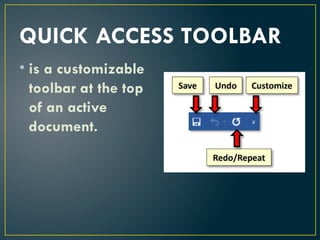
QUICK ACCESS TOOLBAR
• is a customizable
toolbar at the top
of an active
document.
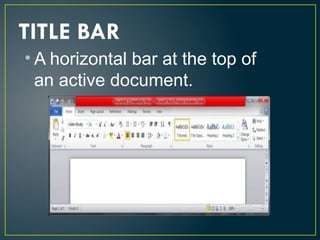
• A horizontal bar at the top of
an active document.
TITLE BAR
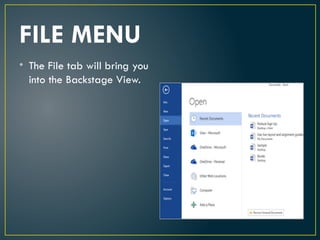
FILE MENU
• The File tab will bring you
into the Backstage View.
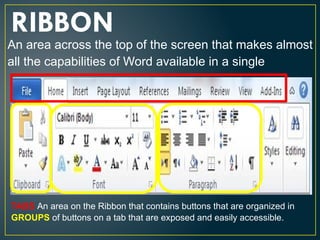
RIBBON
An area across the top of the screen that makes almost
all the capabilities of Word available in a single
TABS An area on the Ribbon that contains buttons that are organized in
GROUPS of buttons on a tab that are exposed and easily accessible.
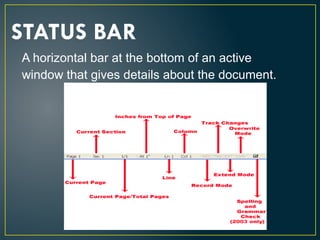
STATUS BAR
A horizontal bar at the bottom of an active
window that gives details about the document.
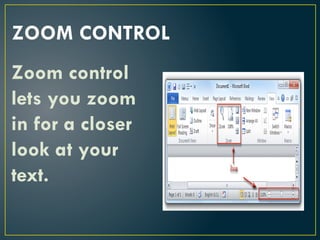
ZOOM CONTROL
Zoom control
lets you zoom
in for a closer
look at your
text.
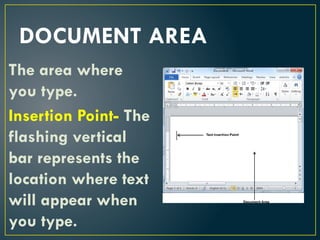
DOCUMENT AREA
The area where
you type.
Insertion Point- The
flashing vertical
bar represents the
location where text
will appear when
you type.
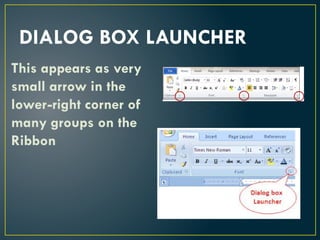
DIALOG BOX LAUNCHER
This appears as very
small arrow in the
lower-right corner of
many groups on the
Ribbon
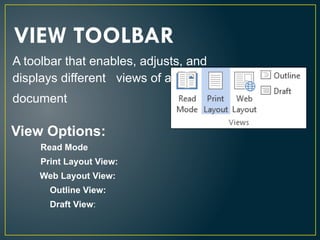
A toolbar that enables, adjusts, and
displays different views of a
document
VIEW TOOLBAR
Read Mode
Print Layout View:
Web Layout View:
Outline View:
Draft View:
View Options:
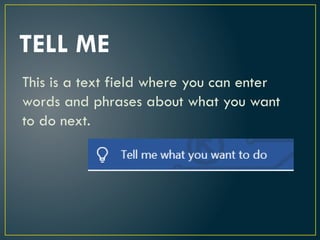
TELL ME
This is a text field where you can enter
words and phrases about what you want
to do next.
THIS PRESENTATION IS ALL ABOUT THE MICROSOFT WORD SCREEN LAYOUT

  • 1.
    Parts and Functions ofMS Word 2016 Screen Lay-out
  • 2.
    QUICK ACCESS TOOLBAR •is a customizable toolbar at the top of an active document.
  • 3.
    • A horizontalbar at the top of an active document. TITLE BAR
  • 4.
    FILE MENU • TheFile tab will bring you into the Backstage View.
  • 5.
    RIBBON An area acrossthe top of the screen that makes almost all the capabilities of Word available in a single TABS An area on the Ribbon that contains buttons that are organized in GROUPS of buttons on a tab that are exposed and easily accessible.
  • 6.
    STATUS BAR A horizontalbar at the bottom of an active window that gives details about the document.
  • 7.
    ZOOM CONTROL Zoom control letsyou zoom in for a closer look at your text.
  • 8.
    DOCUMENT AREA The areawhere you type. Insertion Point- The flashing vertical bar represents the location where text will appear when you type.
  • 9.
    DIALOG BOX LAUNCHER Thisappears as very small arrow in the lower-right corner of many groups on the Ribbon
  • 10.
    A toolbar thatenables, adjusts, and displays different views of a document VIEW TOOLBAR Read Mode Print Layout View: Web Layout View: Outline View: Draft View: View Options:
  • 11.
    TELL ME This isa text field where you can enter words and phrases about what you want to do next.