Things You Should Know 
for Network Programming 
Anry Lu 
2014/10/22
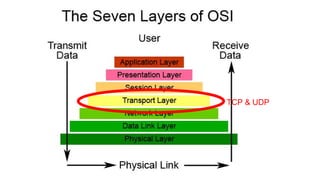
TCP & UDP
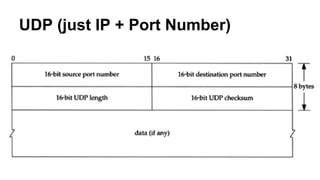
UDP (just IP + Port Number)
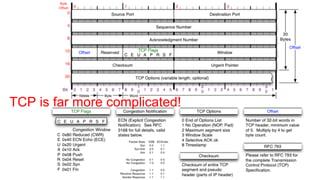
TCP is far more complicated!
TCP Quick Review 
TCP provides reliable, ordered and error-checked 
delivery of data.
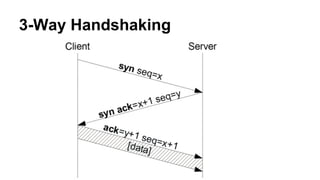
3-Way Handshaking
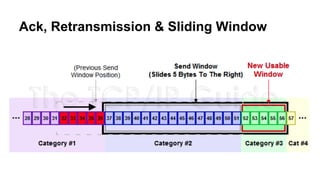
Ack, Retransmission & Sliding Window
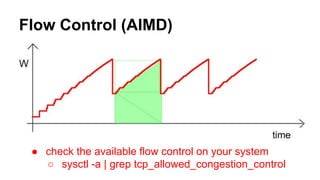
Flow Control (AIMD) 
● check the available flow control on your system 
○ sysctl -a | grep tcp_allowed_congestion_control
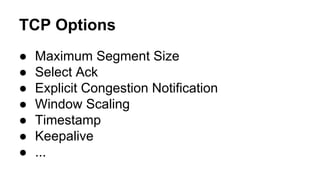
TCP Options 
● Maximum Segment Size 
● Select Ack 
● Explicit Congestion Notification 
● Window Scaling 
● Timestamp 
● Keepalive 
● ...
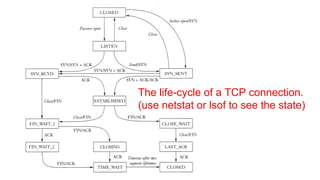
The life-cycle of a TCP connection. 
(use netstat or lsof to see the state)
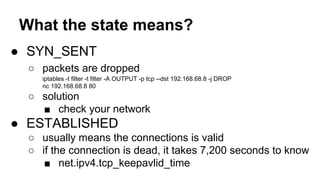
What the state means? 
● SYN_SENT 
○ packets are dropped 
iptables -t filter -t filter -A OUTPUT -p tcp --dst 192.168.68.8 -j DROP 
nc 192.168.68.8 80 
○ solution 
■ check your network 
● ESTABLISHED 
○ usually means the connections is valid 
○ if the connection is dead, it takes 7,200 seconds to know 
■ net.ipv4.tcp_keepavlid_time
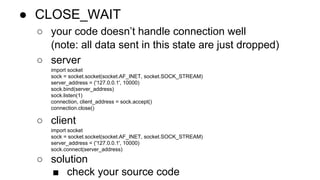
● CLOSE_WAIT 
○ your code doesn’t handle connection well 
(note: all data sent in this state are just dropped) 
○ server 
import socket 
sock = socket.socket(socket.AF_INET, socket.SOCK_STREAM) 
server_address = ('127.0.0.1', 10000) 
sock.bind(server_address) 
sock.listen(1) 
connection, client_address = sock.accept() 
connection.close() 
○ client 
import socket 
sock = socket.socket(socket.AF_INET, socket.SOCK_STREAM) 
server_address = ('127.0.0.1', 10000) 
sock.connect(server_address) 
○ solution 
■ check your source code
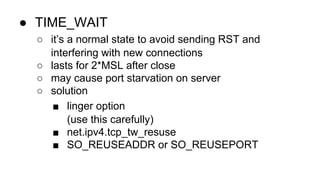
● TIME_WAIT 
○ it’s a normal state to avoid sending RST and 
interfering with new connections 
○ lasts for 2*MSL after close 
○ may cause port starvation on server 
○ solution 
■ linger option 
(use this carefully) 
■ net.ipv4.tcp_tw_resuse 
■ SO_REUSEADDR or SO_REUSEPORT
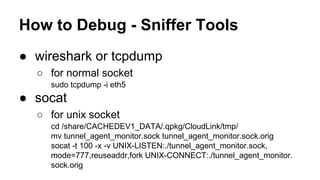
How to Debug - Sniffer Tools 
● wireshark or tcpdump 
○ for normal socket 
sudo tcpdump -i eth5 
● socat 
○ for unix socket 
cd /share/CACHEDEV1_DATA/.qpkg/CloudLink/tmp/ 
mv tunnel_agent_monitor.sock tunnel_agent_monitor.sock.orig 
socat -t 100 -x -v UNIX-LISTEN:./tunnel_agent_monitor.sock, 
mode=777,reuseaddr,fork UNIX-CONNECT:./tunnel_agent_monitor. 
sock.orig
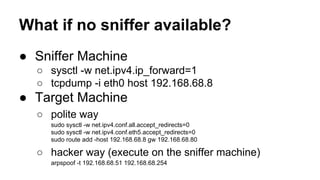
What if no sniffer available? 
● Sniffer Machine 
○ sysctl -w net.ipv4.ip_forward=1 
○ tcpdump -i eth0 host 192.168.68.8 
● Target Machine 
○ polite way 
sudo sysctl -w net.ipv4.conf.all.accept_redirects=0 
sudo sysctl -w net.ipv4.conf.eth5.accept_redirects=0 
sudo route add -host 192.168.68.8 gw 192.168.68.80 
○ hacker way (execute on the sniffer machine) 
arpspoof -t 192.168.68.51 192.168.68.254
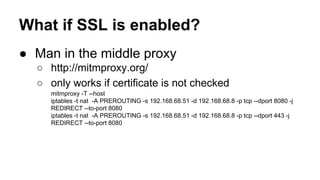
What if SSL is enabled? 
● Man in the middle proxy 
○ http://mitmproxy.org/ 
○ only works if certificate is not checked 
mitmproxy -T --host 
iptables -t nat -A PREROUTING -s 192.168.68.51 -d 192.168.68.8 -p tcp --dport 8080 -j 
REDIRECT --to-port 8080 
iptables -t nat -A PREROUTING -s 192.168.68.51 -d 192.168.68.8 -p tcp --dport 443 -j 
REDIRECT --to-port 8080
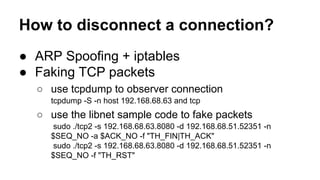
How to disconnect a connection? 
● ARP Spoofing + iptables 
● Faking TCP packets 
○ use tcpdump to observer connection 
tcpdump -S -n host 192.168.68.63 and tcp 
○ use the libnet sample code to fake packets 
sudo ./tcp2 -s 192.168.68.63.8080 -d 192.168.68.51.52351 -n 
$SEQ_NO -a $ACK_NO -f "TH_FIN|TH_ACK" 
sudo ./tcp2 -s 192.168.68.63.8080 -d 192.168.68.51.52351 -n 
$SEQ_NO -f "TH_RST"
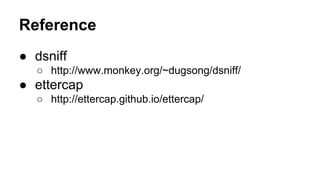
Reference 
● dsniff 
○ http://www.monkey.org/~dugsong/dsniff/ 
● ettercap 
○ http://ettercap.github.io/ettercap/

Things you should know for network programming

  • 1.
    Things You ShouldKnow for Network Programming Anry Lu 2014/10/22
  • 2.
  • 3.
    UDP (just IP+ Port Number)
  • 4.
    TCP is farmore complicated!
  • 5.
    TCP Quick Review TCP provides reliable, ordered and error-checked delivery of data.
  • 6.
  • 7.
    Ack, Retransmission &Sliding Window
  • 8.
    Flow Control (AIMD) ● check the available flow control on your system ○ sysctl -a | grep tcp_allowed_congestion_control
  • 9.
    TCP Options ●Maximum Segment Size ● Select Ack ● Explicit Congestion Notification ● Window Scaling ● Timestamp ● Keepalive ● ...
  • 10.
    The life-cycle ofa TCP connection. (use netstat or lsof to see the state)
  • 11.
    What the statemeans? ● SYN_SENT ○ packets are dropped iptables -t filter -t filter -A OUTPUT -p tcp --dst 192.168.68.8 -j DROP nc 192.168.68.8 80 ○ solution ■ check your network ● ESTABLISHED ○ usually means the connections is valid ○ if the connection is dead, it takes 7,200 seconds to know ■ net.ipv4.tcp_keepavlid_time
  • 12.
    ● CLOSE_WAIT ○your code doesn’t handle connection well (note: all data sent in this state are just dropped) ○ server import socket sock = socket.socket(socket.AF_INET, socket.SOCK_STREAM) server_address = ('127.0.0.1', 10000) sock.bind(server_address) sock.listen(1) connection, client_address = sock.accept() connection.close() ○ client import socket sock = socket.socket(socket.AF_INET, socket.SOCK_STREAM) server_address = ('127.0.0.1', 10000) sock.connect(server_address) ○ solution ■ check your source code
  • 13.
    ● TIME_WAIT ○it’s a normal state to avoid sending RST and interfering with new connections ○ lasts for 2*MSL after close ○ may cause port starvation on server ○ solution ■ linger option (use this carefully) ■ net.ipv4.tcp_tw_resuse ■ SO_REUSEADDR or SO_REUSEPORT
  • 14.
    How to Debug- Sniffer Tools ● wireshark or tcpdump ○ for normal socket sudo tcpdump -i eth5 ● socat ○ for unix socket cd /share/CACHEDEV1_DATA/.qpkg/CloudLink/tmp/ mv tunnel_agent_monitor.sock tunnel_agent_monitor.sock.orig socat -t 100 -x -v UNIX-LISTEN:./tunnel_agent_monitor.sock, mode=777,reuseaddr,fork UNIX-CONNECT:./tunnel_agent_monitor. sock.orig
  • 15.
    What if nosniffer available? ● Sniffer Machine ○ sysctl -w net.ipv4.ip_forward=1 ○ tcpdump -i eth0 host 192.168.68.8 ● Target Machine ○ polite way sudo sysctl -w net.ipv4.conf.all.accept_redirects=0 sudo sysctl -w net.ipv4.conf.eth5.accept_redirects=0 sudo route add -host 192.168.68.8 gw 192.168.68.80 ○ hacker way (execute on the sniffer machine) arpspoof -t 192.168.68.51 192.168.68.254
  • 16.
    What if SSLis enabled? ● Man in the middle proxy ○ http://mitmproxy.org/ ○ only works if certificate is not checked mitmproxy -T --host iptables -t nat -A PREROUTING -s 192.168.68.51 -d 192.168.68.8 -p tcp --dport 8080 -j REDIRECT --to-port 8080 iptables -t nat -A PREROUTING -s 192.168.68.51 -d 192.168.68.8 -p tcp --dport 443 -j REDIRECT --to-port 8080
  • 17.
    How to disconnecta connection? ● ARP Spoofing + iptables ● Faking TCP packets ○ use tcpdump to observer connection tcpdump -S -n host 192.168.68.63 and tcp ○ use the libnet sample code to fake packets sudo ./tcp2 -s 192.168.68.63.8080 -d 192.168.68.51.52351 -n $SEQ_NO -a $ACK_NO -f "TH_FIN|TH_ACK" sudo ./tcp2 -s 192.168.68.63.8080 -d 192.168.68.51.52351 -n $SEQ_NO -f "TH_RST"
  • 18.
    Reference ● dsniff ○ http://www.monkey.org/~dugsong/dsniff/ ● ettercap ○ http://ettercap.github.io/ettercap/