The process of design&
User focus &
SCENARIOS
BY MUHAMMAD IMRAN IQBAL
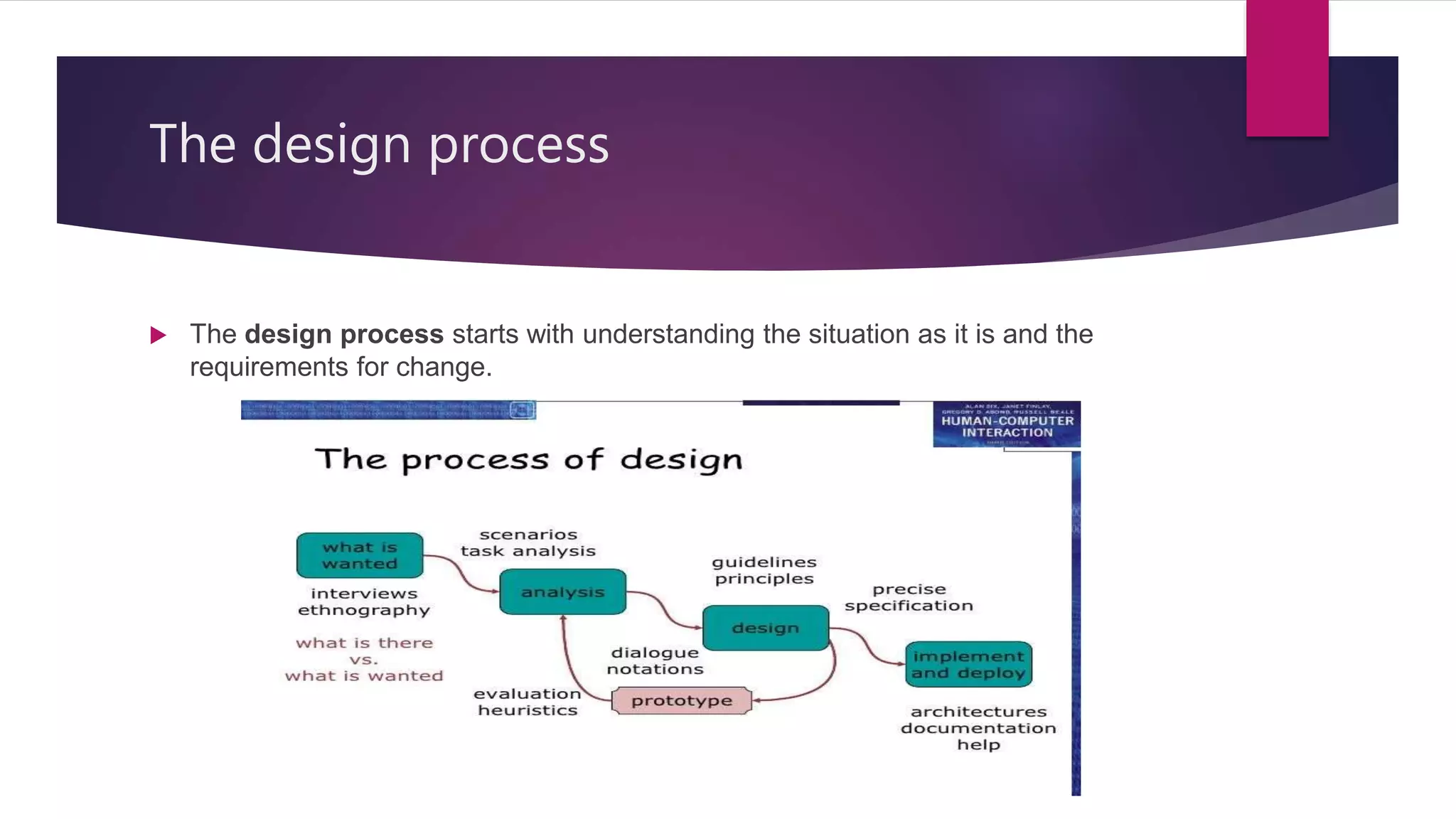
The design process
 The design process starts with understanding the situation as it is and the
requirements for change.
Cont’d
 What is wanted (Requirement): The first phase establishing that what is exactly
needed and usually necessary to find what is currently happening. For example
how do people currently watch movie? What sort of personal appliances do they
currently use.
 Analysis: In this phase analyze and understand the task and the result of
observation.
 Design: This phase is all about the design. What to do and how to decide
 Iteration and Prototyping: getting it right, find what is reality need .
 Implement and deploy: making it and getting it out there,
User Focus
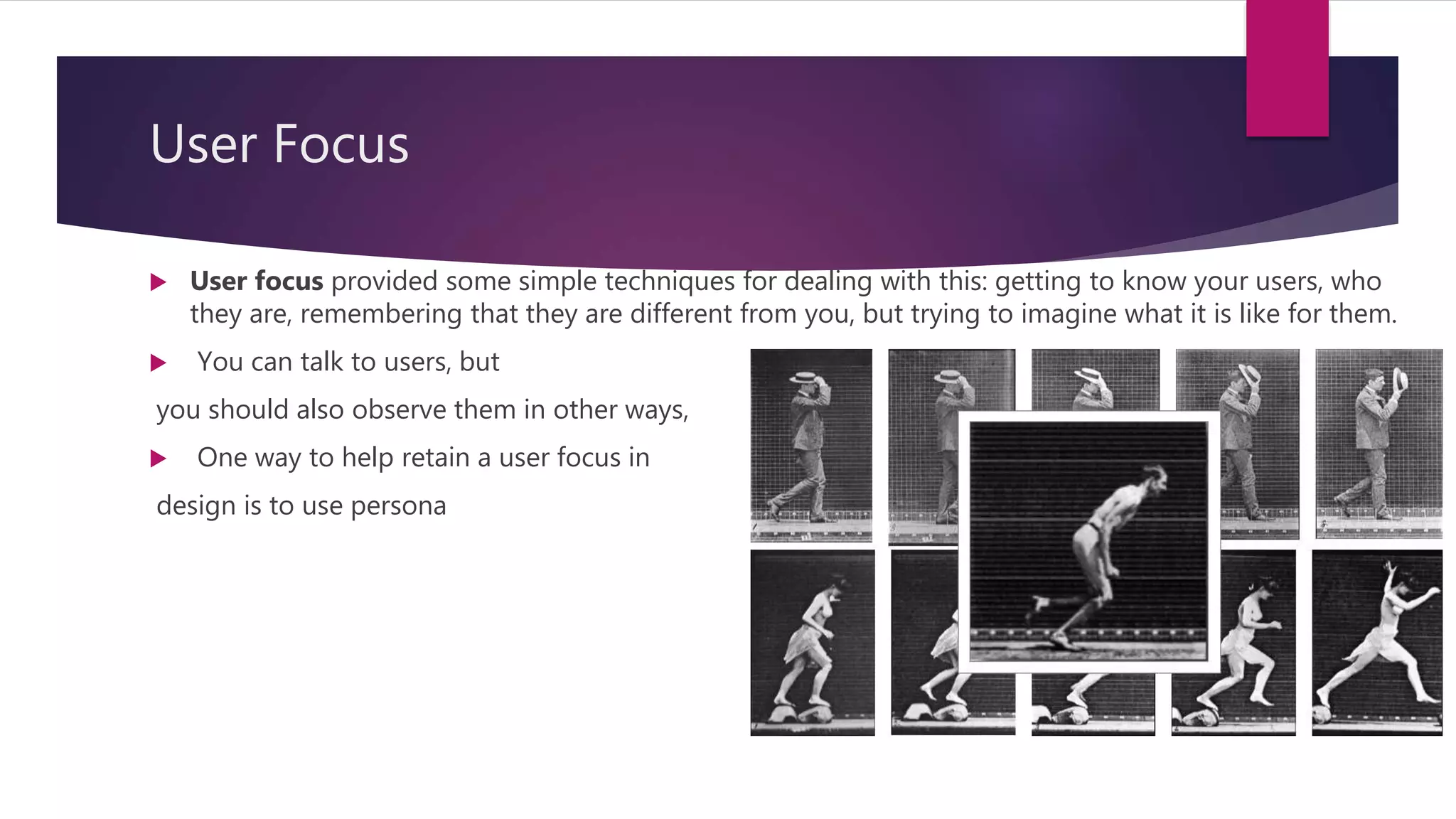
 User focus provided some simple techniques for dealing with this: getting to know your users, who
they are, remembering that they are different from you, but trying to imagine what it is like for them.
 You can talk to users, but
you should also observe them in other ways,
 One way to help retain a user focus in
design is to use persona
Cont’d
 User Focus techniques are :
 Who are they: first thing is that find out your user, are they old or young, what is
their experience, their differences and characteristics.
 Probably not like you
 Talk to them:
 Watch them:
 Use your Imagination:
Scenarios
 This section introduced scenarios and rich stories about design, which can help us
explore the design space and to discuss potential designs with other designers
and potential users.
 Scenarios are a resource that can be used and reused throughout the design
process: helping us see what is wanted, suggesting how users will deal with the
potential design, checking that proposed implementations will work.
Cont’d
 Stories for design
- Communicate with others
- validate other models
- understand dynamics
 Linearity
- time is linear – our lives are linear
- but don’t show alternatives
Cont’d
 What will users want to do?
 Step by step walkthrough
-What can they see (sketches, screen shots)
-What do they do(keyboard, mouse etc. )
-what are they thinking?
 Use and reuse through design
Use scenarios to …
 Communicate with others
-designer, client, users
 Validate other models
- Play it against other models
 Express dynamics
- Screenshots – appearance
- -scenario – behavior
Navigation design
Navigation design
 In this section we looked at the overall navigation design of the system.
 Local structure
- We started by looking at local structure, To get you started, here are four things to look
for when looking at a single web page, screen or state of a device.
- where they are,
- what they can do,
- what will happen when they do things, and what has happened in the past.
Local structure
 This can help users as they goal seek, or move closer towards their goals without
having to necessarily understand completely the whole route there.
Global structure
 The global structure of the application is also important.
 We will now look at the overall structure of an application. This is the way the
various screens, pages or device states link to one another. The hierarchy links
screens, pages or states in logical groupings.
 We will see how hierarchy diagrams can give a logical view of an application,
which can be used to design menu or site structures.
Global structure
Cont’d
 One way to do this is using network diagrams of screens or states of the system
and how they link to one another.
 Any designed system must also relate to its environment: other applications, other
websites, other physical devices.
The process of design

The process of design

  • 1.
    The process ofdesign& User focus & SCENARIOS BY MUHAMMAD IMRAN IQBAL
  • 2.
    The design process The design process starts with understanding the situation as it is and the requirements for change.
  • 3.
    Cont’d  What iswanted (Requirement): The first phase establishing that what is exactly needed and usually necessary to find what is currently happening. For example how do people currently watch movie? What sort of personal appliances do they currently use.  Analysis: In this phase analyze and understand the task and the result of observation.  Design: This phase is all about the design. What to do and how to decide  Iteration and Prototyping: getting it right, find what is reality need .  Implement and deploy: making it and getting it out there,
  • 4.
    User Focus  Userfocus provided some simple techniques for dealing with this: getting to know your users, who they are, remembering that they are different from you, but trying to imagine what it is like for them.  You can talk to users, but you should also observe them in other ways,  One way to help retain a user focus in design is to use persona
  • 5.
    Cont’d  User Focustechniques are :  Who are they: first thing is that find out your user, are they old or young, what is their experience, their differences and characteristics.  Probably not like you  Talk to them:  Watch them:  Use your Imagination:
  • 6.
    Scenarios  This sectionintroduced scenarios and rich stories about design, which can help us explore the design space and to discuss potential designs with other designers and potential users.  Scenarios are a resource that can be used and reused throughout the design process: helping us see what is wanted, suggesting how users will deal with the potential design, checking that proposed implementations will work.
  • 7.
    Cont’d  Stories fordesign - Communicate with others - validate other models - understand dynamics  Linearity - time is linear – our lives are linear - but don’t show alternatives
  • 8.
    Cont’d  What willusers want to do?  Step by step walkthrough -What can they see (sketches, screen shots) -What do they do(keyboard, mouse etc. ) -what are they thinking?  Use and reuse through design
  • 9.
    Use scenarios to…  Communicate with others -designer, client, users  Validate other models - Play it against other models  Express dynamics - Screenshots – appearance - -scenario – behavior
  • 10.
  • 11.
    Navigation design  Inthis section we looked at the overall navigation design of the system.  Local structure - We started by looking at local structure, To get you started, here are four things to look for when looking at a single web page, screen or state of a device. - where they are, - what they can do, - what will happen when they do things, and what has happened in the past.
  • 12.
    Local structure  Thiscan help users as they goal seek, or move closer towards their goals without having to necessarily understand completely the whole route there.
  • 13.
    Global structure  Theglobal structure of the application is also important.  We will now look at the overall structure of an application. This is the way the various screens, pages or device states link to one another. The hierarchy links screens, pages or states in logical groupings.  We will see how hierarchy diagrams can give a logical view of an application, which can be used to design menu or site structures.
  • 14.
  • 15.
    Cont’d  One wayto do this is using network diagrams of screens or states of the system and how they link to one another.  Any designed system must also relate to its environment: other applications, other websites, other physical devices.