The Job DSL Plugin
Introduction & What’s New
Daniel Spilker
#jenkinsconf
Daniel Spilker
Works for BDE Software Services in Hamburg, Germany
Maintainer of the
– Job DSL Plugin
– Gradle JPI Plugin
mail@daniel-spilker.com
@daspilker
#jenkinsconf
Agenda
• Configuration as Code
• The Job DSL Plugin
• Q & A
#jenkinsconf
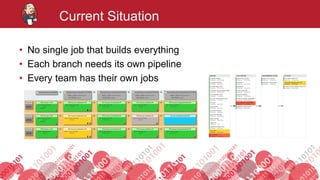
Current Situation
• No single job that builds everything
• Each branch needs its own pipeline
• Every team has their own jobs
#jenkinsconf
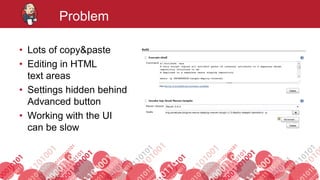
Problem
• Lots of copy&paste
• Editing in HTML
text areas
• Settings hidden behind
Advanced button
• Working with the UI
can be slow
#jenkinsconf
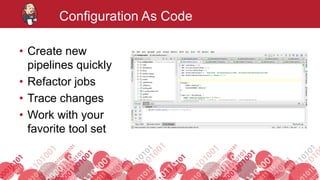
Configuration As Code
• Create new
pipelines quickly
• Refactor jobs
• Trace changes
• Work with your
favorite tool set
#jenkinsconf
There Is A Plugin For That
• Pipeline Plugin
• Template Project Plugin
• Job Generator Plugin
• Literate Plugin
• JobConfigHistory Plugin
• Job DSL Plugin
• …
Open Icon Library / CC BY 3.0
#jenkinsconf
Job DSL Language
#jenkinsconf
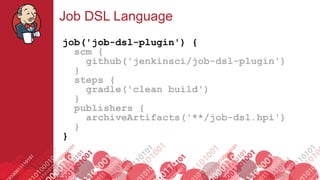
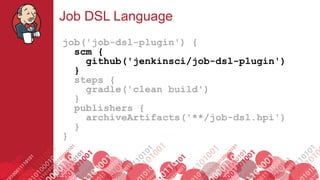
Job DSL Language
job('job-dsl-plugin') {
scm {
github('jenkinsci/job-dsl-plugin')
}
steps {
gradle('clean build')
}
publishers {
archiveArtifacts('**/job-dsl.hpi')
}
}
#jenkinsconf
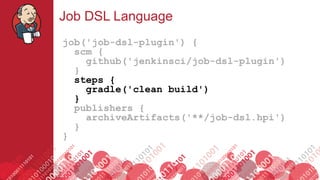
Job DSL Language
job('job-dsl-plugin') {
scm {
github('jenkinsci/job-dsl-plugin')
}
steps {
gradle('clean build')
}
publishers {
archiveArtifacts('**/job-dsl.hpi')
}
}
#jenkinsconf
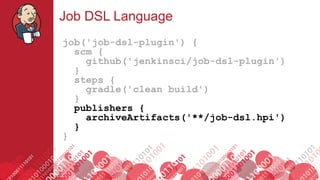
Job DSL Language
job('job-dsl-plugin') {
scm {
github('jenkinsci/job-dsl-plugin')
}
steps {
gradle('clean build')
}
publishers {
archiveArtifacts('**/job-dsl.hpi')
}
}
#jenkinsconf
Job DSL Language
job('job-dsl-plugin') {
scm {
github('jenkinsci/job-dsl-plugin')
}
steps {
gradle('clean build')
}
publishers {
archiveArtifacts('**/job-dsl.hpi')
}
}
#jenkinsconf
Job DSL Plugin
#jenkinsconf
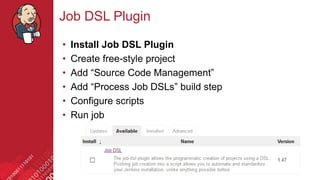
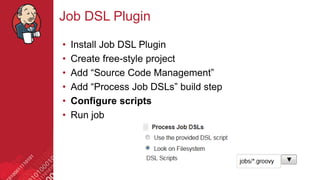
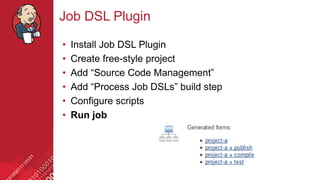
Job DSL Plugin
• Install Job DSL Plugin
• Create free-style project
• Add “Source Code Management”
• Add “Process Job DSLs” build step
• Configure scripts
• Run job
#jenkinsconf
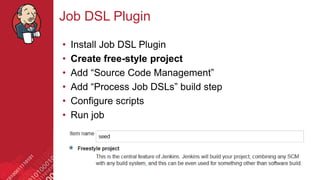
Job DSL Plugin
• Install Job DSL Plugin
• Create free-style project
• Add “Source Code Management”
• Add “Process Job DSLs” build step
• Configure scripts
• Run job
#jenkinsconf
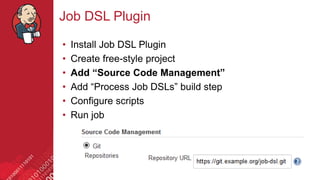
Job DSL Plugin
• Install Job DSL Plugin
• Create free-style project
• Add “Source Code Management”
• Add “Process Job DSLs” build step
• Configure scripts
• Run job
#jenkinsconf
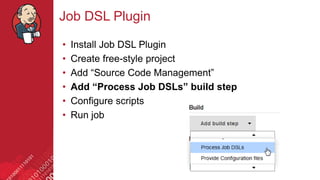
Job DSL Plugin
• Install Job DSL Plugin
• Create free-style project
• Add “Source Code Management”
• Add “Process Job DSLs” build step
• Configure scripts
• Run job
#jenkinsconf
Job DSL Plugin
• Install Job DSL Plugin
• Create free-style project
• Add “Source Code Management”
• Add “Process Job DSLs” build step
• Configure scripts
• Run job
#jenkinsconf
Job DSL Plugin
• Install Job DSL Plugin
• Create free-style project
• Add “Source Code Management”
• Add “Process Job DSLs” build step
• Configure scripts
• Run job
#jenkinsconf
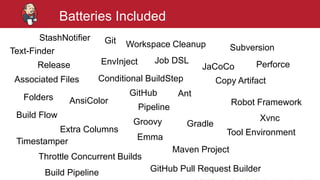
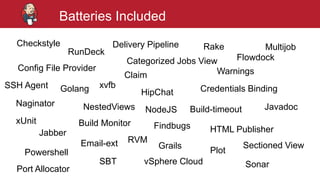
Batteries Included
most plugins supported by the DSL
#jenkinsconf
Batteries Included
EnvInject
Groovy
Copy Artifact
Git
Subversion
Folders
Extra Columns
StashNotifier
Gradle
Build Pipeline
Workspace Cleanup
GitHub Pull Request Builder
GitHub
JaCoCoRelease
Build Flow
Robot Framework
Tool Environment
Conditional BuildStep
Throttle Concurrent Builds
Associated Files
Pipeline
Emma
Xvnc
AnsiColor
Timestamper
Text-Finder
Job DSL Perforce
Ant
Maven Project
#jenkinsconf
Batteries Included
Checkstyle
Categorized Jobs View
Build-timeout
Config File Provider
Golang
Delivery Pipeline
HipChat
Naginator
Jabber
NestedViews
HTML Publisher
NodeJS
Flowdock
Credentials Binding
Plot
RunDeck
Rake
Powershell
SBT
xUnit
xvfb
Warnings
SonarvSphere Cloud
RVM
Port Allocator
Sectioned View
SSH Agent
Build Monitor
Claim
Email-ext
Findbugs
Grails
Javadoc
Multijob
#jenkinsconf
Community Driven
120+ contributors 800+ pull requests
#jenkinsconf
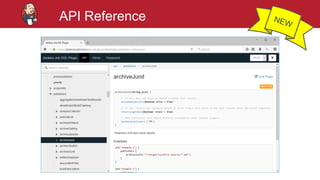
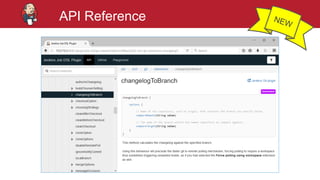
API Reference
• Online
– https://jenkinsci.github.io/job-dsl-plugin/
– Shows built-in DSL elements
• Your Jenkins installation
– https://JENKINS_URL/plugin/job-dsl/api-viewer/index.html
– Shows automatically generated DSL for installed plugins
https://github.com/jenkinsci/job-dsl-plugin/wiki/Automatically-Generated-DSL
#jenkinsconf
API Reference
#jenkinsconf
API Reference
#jenkinsconf
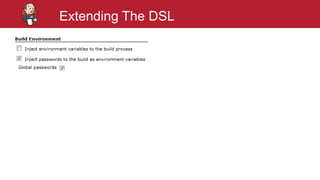
Extending The DSL
#jenkinsconf
Extending The DSL
#jenkinsconf
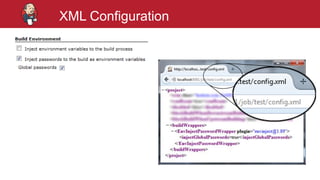
XML Configuration
#jenkinsconf
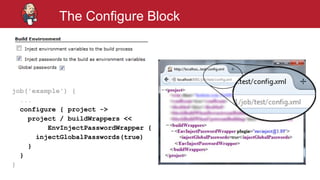
The Configure Block
job('example') {
...
configure { project ->
project / buildWrappers <<
EnvInjectPasswordWrapper {
injectGlobalPasswords(true)
}
}
}
#jenkinsconf
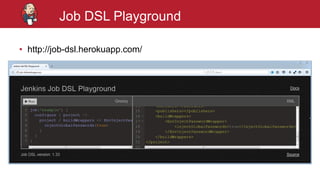
Job DSL Playground
• http://job-dsl.herokuapp.com/
#jenkinsconf
Everything is Groovy
#jenkinsconf
Everything is Groovy
def branches = ['master', 'feature-a']
branches.each { branch ->
job("jenkins-${branch}") {
scm {
github('jenkinsci/jenkins', branch)
}
…
}
}
#jenkinsconf
Using Libraries
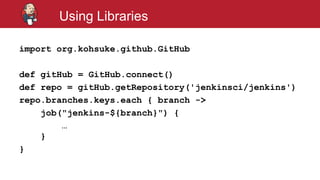
• Any Java / Groovy library (JARs) can be used
• Download and dependency resolution must be handled
before running the Job DSL build step
• Anything can be used to download the JARs
– Build tools like Gradle
– Repository Connector Plugin
– Shell script with curl or wget
https://github.com/jenkinsci/job-dsl-plugin/wiki/User-Power-Moves#using-libraries
#jenkinsconf
Using Libraries
import org.kohsuke.github.GitHub
def gitHub = GitHub.connect()
def repo = gitHub.getRepository('jenkinsci/jenkins')
repo.branches.keys.each { branch ->
job("jenkins-${branch}") {
…
}
}
#jenkinsconf
Using Functions
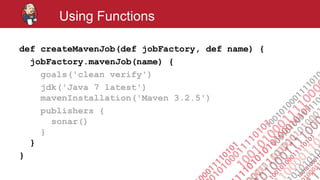
def createMavenJob(def jobFactory, def name) {
jobFactory.mavenJob(name) {
goals('clean verify')
jdk('Java 7 latest')
mavenInstallation('Maven 3.2.5')
publishers {
sonar()
}
}
}
#jenkinsconf
Using Functions
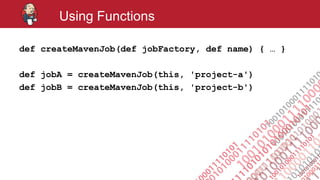
def createMavenJob(def jobFactory, def name) { … }
def jobA = createMavenJob(this, 'project-a')
def jobB = createMavenJob(this, 'project-b')
#jenkinsconf
Using Functions
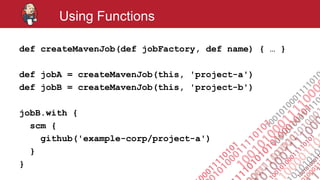
def createMavenJob(def jobFactory, def name) { … }
def jobA = createMavenJob(this, 'project-a')
def jobB = createMavenJob(this, 'project-b')
jobB.with {
scm {
github('example-corp/project-a')
}
}
#jenkinsconf
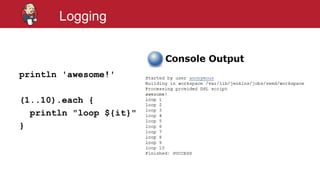
Logging
println 'awesome!'
(1..10).each {
println "loop ${it}"
}
#jenkinsconf
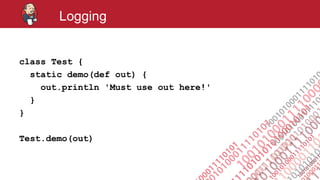
Logging
class Test {
static demo(def out) {
out.println 'Must use out here!'
}
}
Test.demo(out)
#jenkinsconf
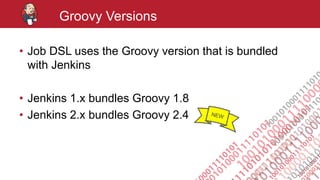
Groovy Versions
• Job DSL uses the Groovy version that is bundled
with Jenkins
• Jenkins 1.x bundles Groovy 1.8
• Jenkins 2.x bundles Groovy 2.4
#jenkinsconf
IDE Support (IntelliJ IDEA)
https://github.com/jenkinsci/job-dsl-plugin/wiki/IDE-Support
#jenkinsconf
Syntax Highlighting
#jenkinsconf
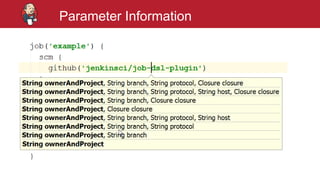
Parameter Information
#jenkinsconf
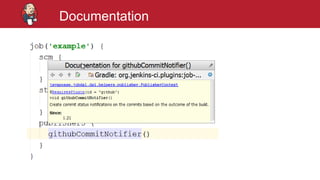
Documentation
#jenkinsconf
Using Credentials
#jenkinsconf
Do not put
plain text credentials
in a DSL script
#jenkinsconf
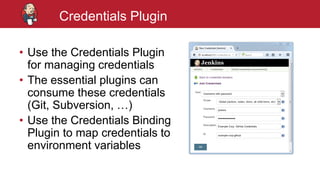
Credentials Plugin
• Use the Credentials Plugin
for managing credentials
• The essential plugins can
consume these credentials
(Git, Subversion, …)
• Use the Credentials Binding
Plugin to map credentials to
environment variables
#jenkinsconf
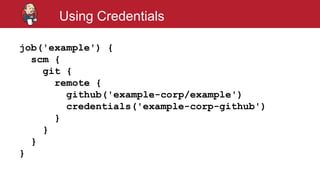
Using Credentials
job('example') {
scm {
git {
remote {
github('example-corp/example')
credentials('example-corp-github')
}
}
}
}
#jenkinsconf
Testing Job DSL Scripts
https://github.com/jenkinsci/job-dsl-plugin/wiki/Testing-DSL-Scripts
#jenkinsconf
The DSL In Depth
#jenkinsconf
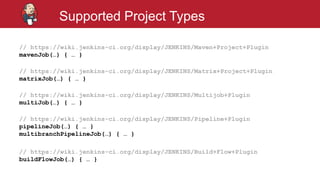
Supported Project Types
// https://wiki.jenkins-ci.org/display/JENKINS/Maven+Project+Plugin
mavenJob(…) { … }
// https://wiki.jenkins-ci.org/display/JENKINS/Matrix+Project+Plugin
matrixJob(…) { … }
// https://wiki.jenkins-ci.org/display/JENKINS/Multijob+Plugin
multiJob(…) { … }
// https://wiki.jenkins-ci.org/display/JENKINS/Pipeline+Plugin
pipelineJob(…) { … }
multibranchPipelineJob(…) { … }
// https://wiki.jenkins-ci.org/display/JENKINS/Build+Flow+Plugin
buildFlowJob(…) { … }
#jenkinsconf
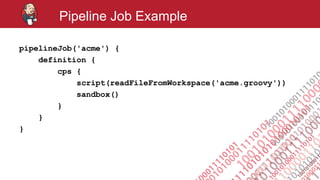
Pipeline Job Example
pipelineJob('acme') {
definition {
cps {
script(readFileFromWorkspace('acme.groovy'))
sandbox()
}
}
}
#jenkinsconf
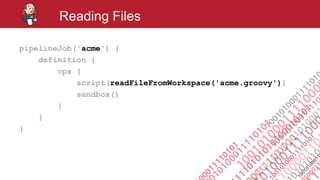
Reading Files
pipelineJob('acme') {
definition {
cps {
script(readFileFromWorkspace('acme.groovy'))
sandbox()
}
}
}
#jenkinsconf
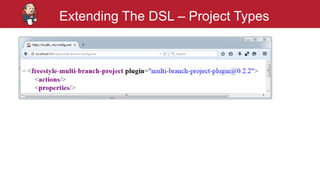
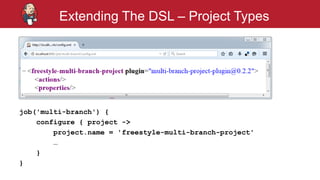
Extending The DSL – Project Types
#jenkinsconf
Extending The DSL – Project Types
job('multi-branch') {
configure { project ->
project.name = 'freestyle-multi-branch-project'
…
}
}
#jenkinsconf
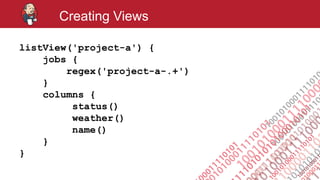
Creating Views
listView('project-a') {
jobs {
regex('project-a-.+')
}
columns {
status()
weather()
name()
}
}
#jenkinsconf
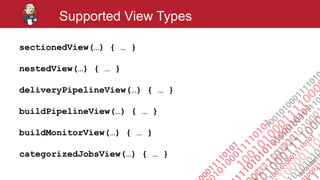
Supported View Types
sectionedView(…) { … }
nestedView(…) { … }
deliveryPipelineView(…) { … }
buildPipelineView(…) { … }
buildMonitorView(…) { … }
categorizedJobsView(…) { … }
#jenkinsconf
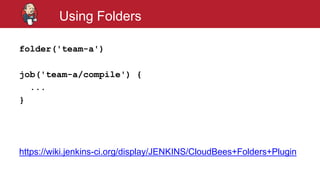
Using Folders
folder('team-a')
job('team-a/compile') {
...
}
https://wiki.jenkins-ci.org/display/JENKINS/CloudBees+Folders+Plugin
#jenkinsconf
Using Job DSL in Pipeline DSL
(Jenkinsfile)
#jenkinsconf
Using Job DSL in Pipeline DSL
node {
step([
$class: 'ExecuteDslScripts',
scriptLocation: [targets: 'jobs/*.groovy'],
removedJobAction: 'DELETE',
removedViewAction: 'DELETE',
lookupStrategy: 'SEED_JOB'
])
}
https://github.com/jenkinsci/job-dsl-plugin/wiki/User-Power-Moves#use-job-dsl-in-pipeline-scripts
#jenkinsconf
Best Practices
#jenkinsconf
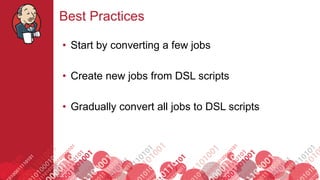
Best Practices
• Start by converting a few jobs
• Create new jobs from DSL scripts
• Gradually convert all jobs to DSL scripts
#jenkinsconf
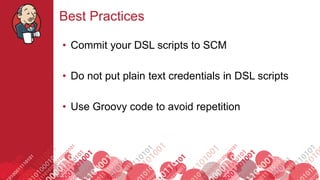
Best Practices
• Commit your DSL scripts to SCM
• Do not put plain text credentials in DSL scripts
• Use Groovy code to avoid repetition
#jenkinsconf
Further Information
• Documentation
https://github.com/jenkinsci/job-dsl-plugin/wiki
https://jenkinsci.github.io/job-dsl-plugin/
• Q & A
https://groups.google.com/forum/?fromgroups#!forum/job-dsl-plugin
https://stackoverflow.com/questions/tagged/jenkins-job-dsl
• Examples
https://github.com/sheehan/job-dsl-gradle-example
• Playground
http://job-dsl.herokuapp.com/
#jenkinsconf
Questions?
#jenkinsconf
Thank You
Daniel Spilker
mail@daniel-spilker.com
@daspilker

The Job DSL Plugin: Introduction & What’s New