How to use the Activities Tool
The Benefits
Competency Confirmed
An easy template for recording solid examples of activities that
underline your personal experience, abilities and accomplishments.
Clarity
A clear template as well as hints, tips and guidance.
Applications Enhanced
Explore the competencies used by employers in graduate
recruitment and store an extensive range of material.
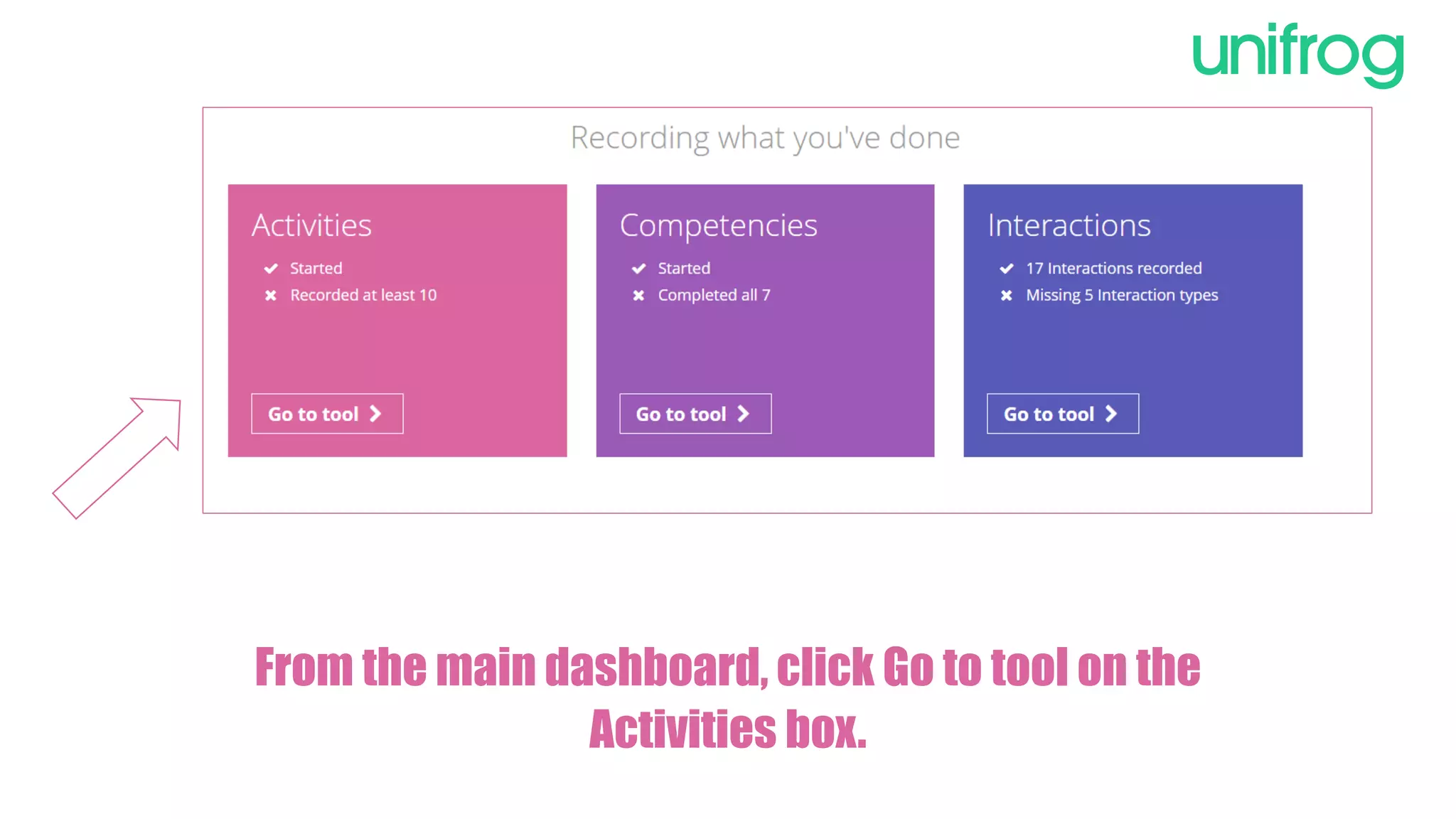
From the main dashboard, click Go to tool on the
Activities box.
To begin, click
on Add an
activity to take
you to the
template for
recording your
example.
To complete an Activity
state your role and
select an activity type
from the drop down
menu.
If you need help on how
to define the type of
activity, use the guide
defining different types.
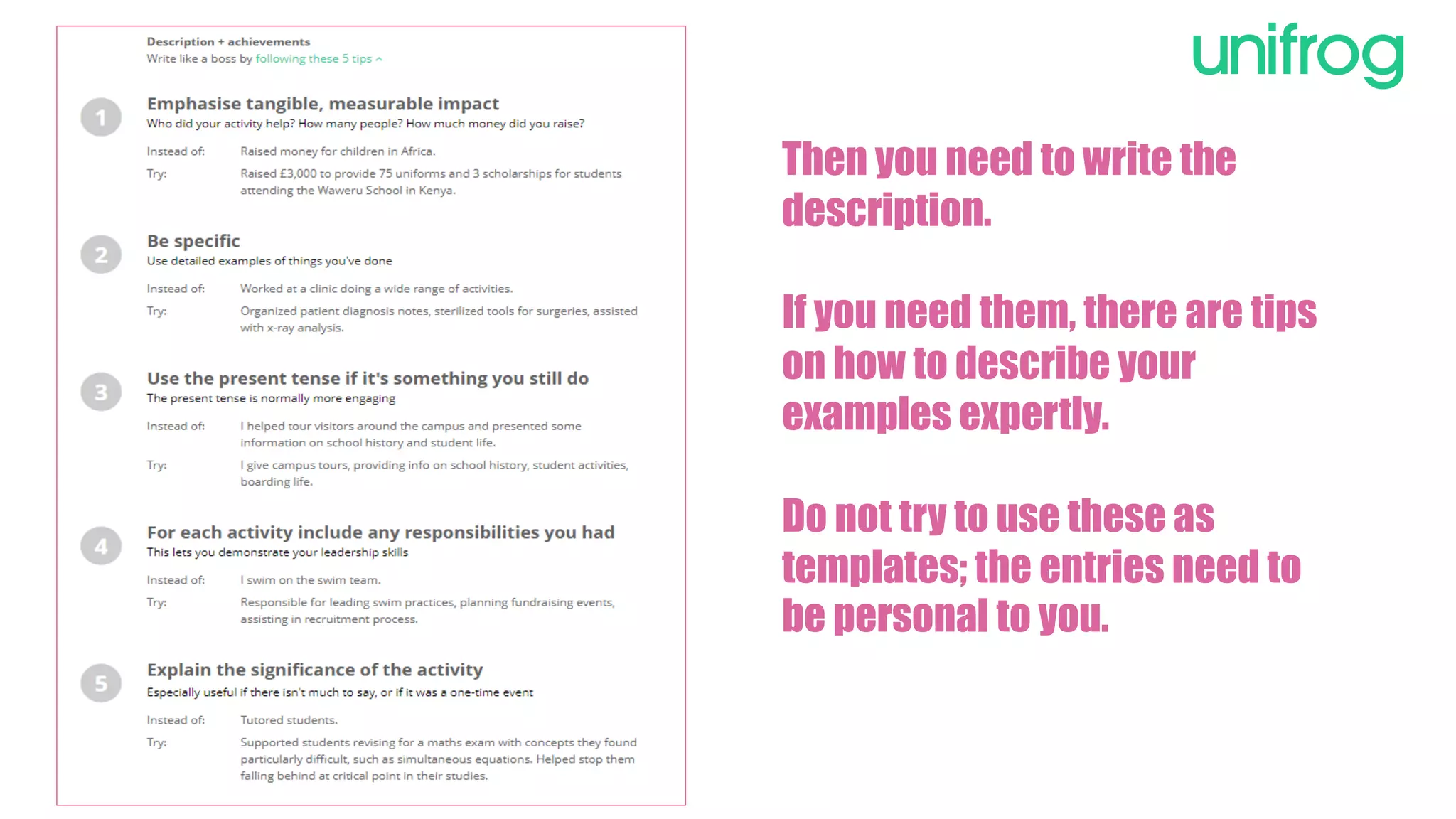
Then you need to write the
description.
If you need them, there are tips
on how to describe your
examples expertly.
Do not try to use these as
templates; the entries need to
be personal to you.
Once completed,
click on Add
activity at the
bottom of the page.
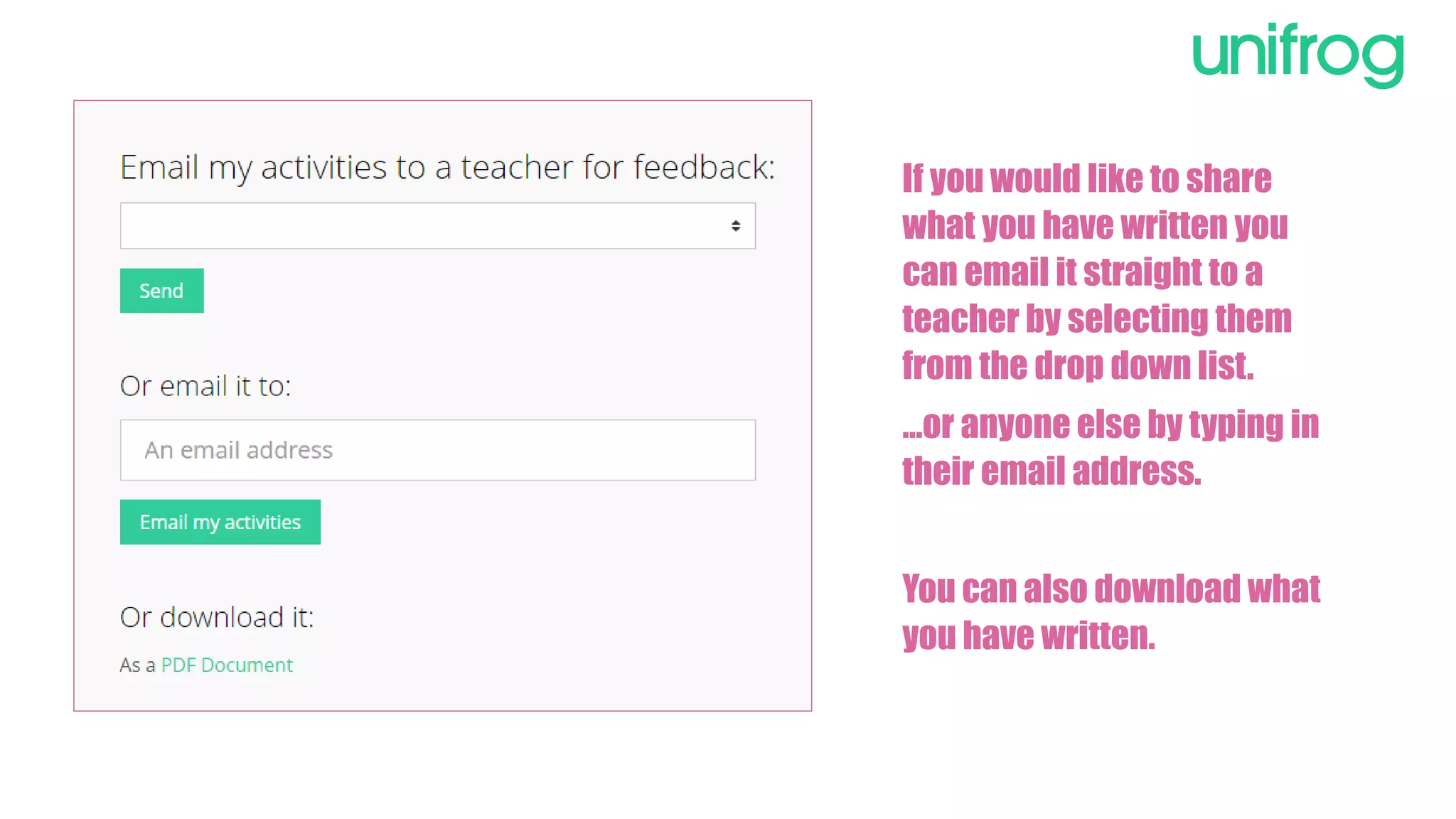
If you would like to share
what you have written you
can email it straight to a
teacher by selecting them
from the drop down list.
…or anyone else by typing in
their email address.
You can also download what
you have written.
Sign in at:
unifrog.org/student

The Activities Tool

  • 1.
    How to usethe Activities Tool
  • 2.
    The Benefits Competency Confirmed Aneasy template for recording solid examples of activities that underline your personal experience, abilities and accomplishments. Clarity A clear template as well as hints, tips and guidance. Applications Enhanced Explore the competencies used by employers in graduate recruitment and store an extensive range of material.
  • 3.
    From the maindashboard, click Go to tool on the Activities box.
  • 4.
    To begin, click onAdd an activity to take you to the template for recording your example.
  • 5.
    To complete anActivity state your role and select an activity type from the drop down menu. If you need help on how to define the type of activity, use the guide defining different types.
  • 6.
    Then you needto write the description. If you need them, there are tips on how to describe your examples expertly. Do not try to use these as templates; the entries need to be personal to you.
  • 7.
    Once completed, click onAdd activity at the bottom of the page.
  • 8.
    If you wouldlike to share what you have written you can email it straight to a teacher by selecting them from the drop down list. …or anyone else by typing in their email address. You can also download what you have written.
  • 9.