Goal Statement Final Works Annotated bibliography Photos Introduction Self- reflection End
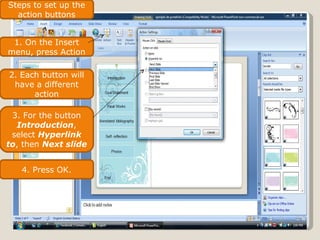
Steps to set up the action buttons 1. On the Insert menu, press Action 2. Each button will have a different action 3. For the button  Introduction , select  Hyperlink to , then  Next slide 4. Press OK.
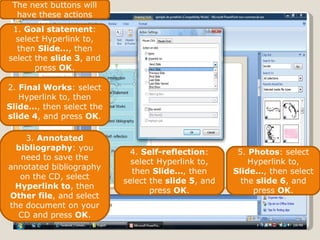
The next buttons will have these actions 1.  Goal statement : select Hyperlink to, then  Slide… , then select the  slide 3 , and press  OK . 2.  Final Works : select Hyperlink to, then  Slide… , then select the  slide 4 , and press  OK . 3.  Annotated bibliography : you need to save the annotated bibliography on the CD, select  Hyperlink to , then  Other file , and select the document on your CD and press  OK . 4.  Self-reflection : select Hyperlink to, then  Slide… , then select the  slide 5 , and press  OK . 5.  Photos : select Hyperlink to,  Slide… , then select the  slide 6 , and press  OK .
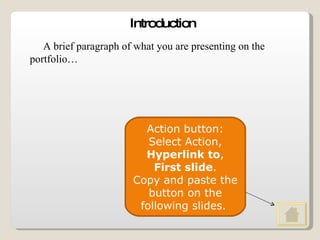
Introduction A brief paragraph of what you are presenting on the portfolio… Action button: Select Action,  Hyperlink to ,  First slide . Copy and paste the button on the following slides.
Goal Statement What I want to become? Where I want to work? Who I want to be? How this class is going to help me?
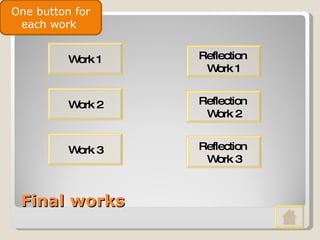
Final works Work 1 Reflection  Work 1 Work 2 Reflection  Work 3 Work 3 Reflection  Work 2 One button for each work
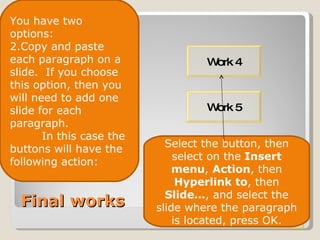
Final works Work 1 Work 4 Work 2 Work 3 Work 3 Work 5 You have two options: Copy and paste each paragraph on a slide.  If you choose this option, then you will need to add one slide for each paragraph. In this case the buttons will have the following action: Select the button, then select on the  Insert menu ,  Action , then  Hyperlink to , then  Slide… , and select the slide where the paragraph is located, press OK.
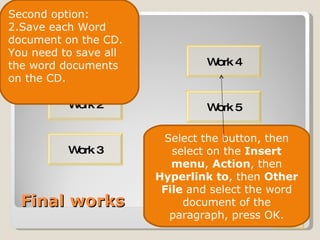
Final works Work 1 Work 4 Work 2 Work 3 Work 3 Work 5 Second option: Save each Word document on the CD. You need to save all the word documents on the CD. Select the button, then select on the  Insert menu ,  Action , then  Hyperlink to , then  Other File  and select the word document of the paragraph, press OK.
What I think about all the work I’ve done? Why I think this works all the best? How I have gain more writing skills? How this portfolio can help me? Self Reflection
Photos

Electronic Portfolio 3201

  • 1.
    Goal Statement FinalWorks Annotated bibliography Photos Introduction Self- reflection End
  • 2.
    Steps to setup the action buttons 1. On the Insert menu, press Action 2. Each button will have a different action 3. For the button Introduction , select Hyperlink to , then Next slide 4. Press OK.
  • 3.
    The next buttonswill have these actions 1. Goal statement : select Hyperlink to, then Slide… , then select the slide 3 , and press OK . 2. Final Works : select Hyperlink to, then Slide… , then select the slide 4 , and press OK . 3. Annotated bibliography : you need to save the annotated bibliography on the CD, select Hyperlink to , then Other file , and select the document on your CD and press OK . 4. Self-reflection : select Hyperlink to, then Slide… , then select the slide 5 , and press OK . 5. Photos : select Hyperlink to, Slide… , then select the slide 6 , and press OK .
  • 4.
    Introduction A briefparagraph of what you are presenting on the portfolio… Action button: Select Action, Hyperlink to , First slide . Copy and paste the button on the following slides.
  • 5.
    Goal Statement WhatI want to become? Where I want to work? Who I want to be? How this class is going to help me?
  • 6.
    Final works Work1 Reflection Work 1 Work 2 Reflection Work 3 Work 3 Reflection Work 2 One button for each work
  • 7.
    Final works Work1 Work 4 Work 2 Work 3 Work 3 Work 5 You have two options: Copy and paste each paragraph on a slide. If you choose this option, then you will need to add one slide for each paragraph. In this case the buttons will have the following action: Select the button, then select on the Insert menu , Action , then Hyperlink to , then Slide… , and select the slide where the paragraph is located, press OK.
  • 8.
    Final works Work1 Work 4 Work 2 Work 3 Work 3 Work 5 Second option: Save each Word document on the CD. You need to save all the word documents on the CD. Select the button, then select on the Insert menu , Action , then Hyperlink to , then Other File and select the word document of the paragraph, press OK.
  • 9.
    What I thinkabout all the work I’ve done? Why I think this works all the best? How I have gain more writing skills? How this portfolio can help me? Self Reflection
  • 10.