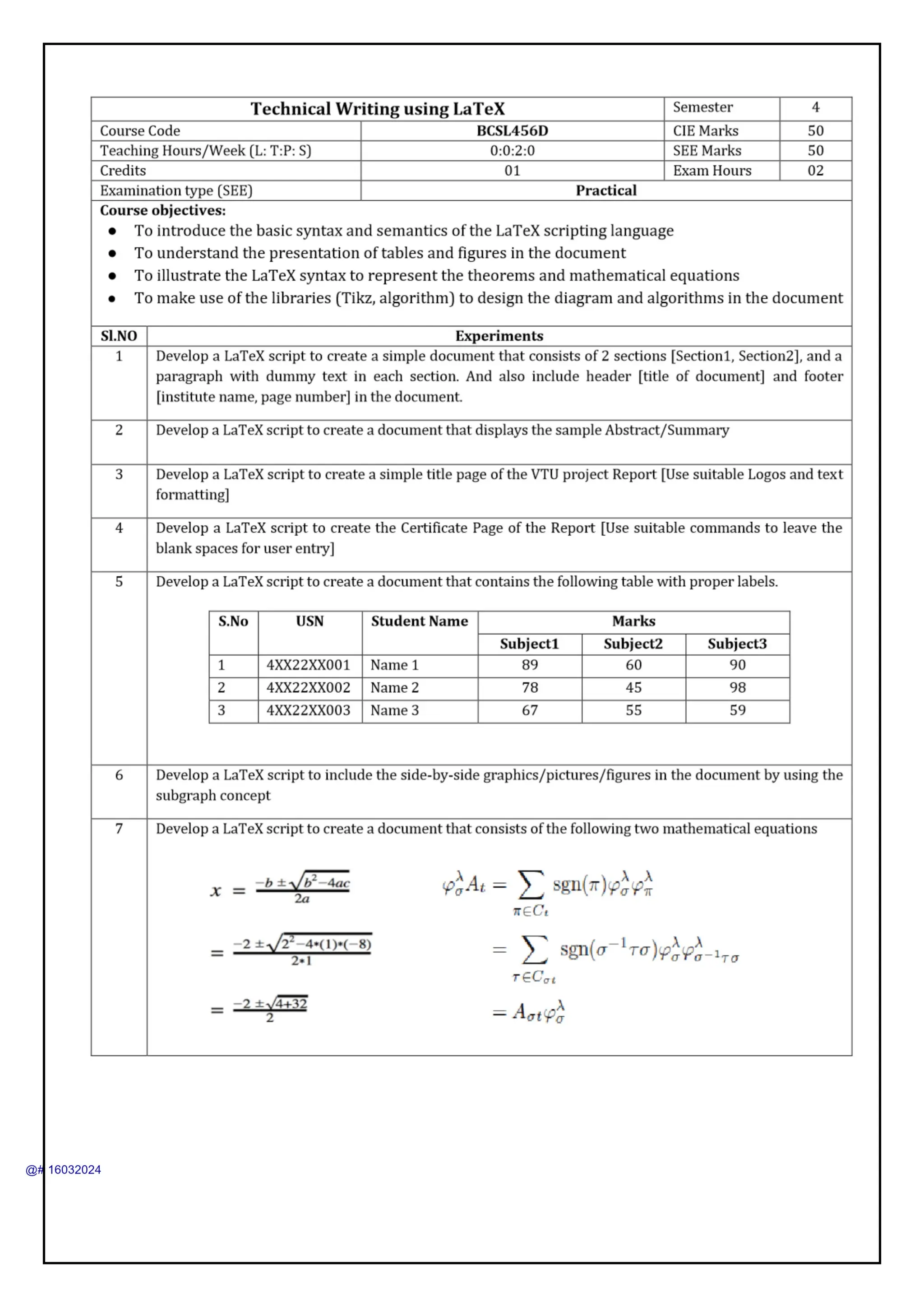
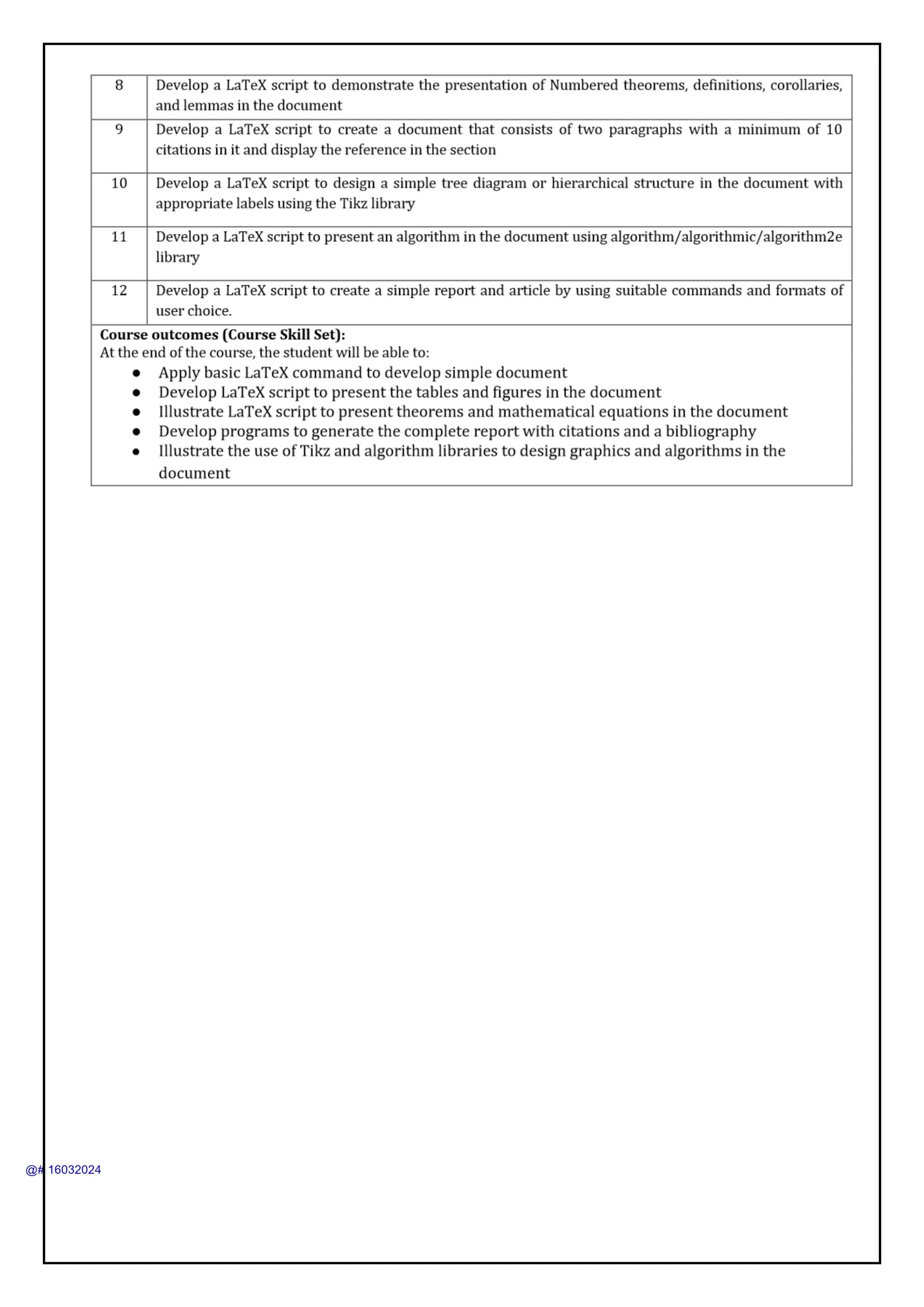
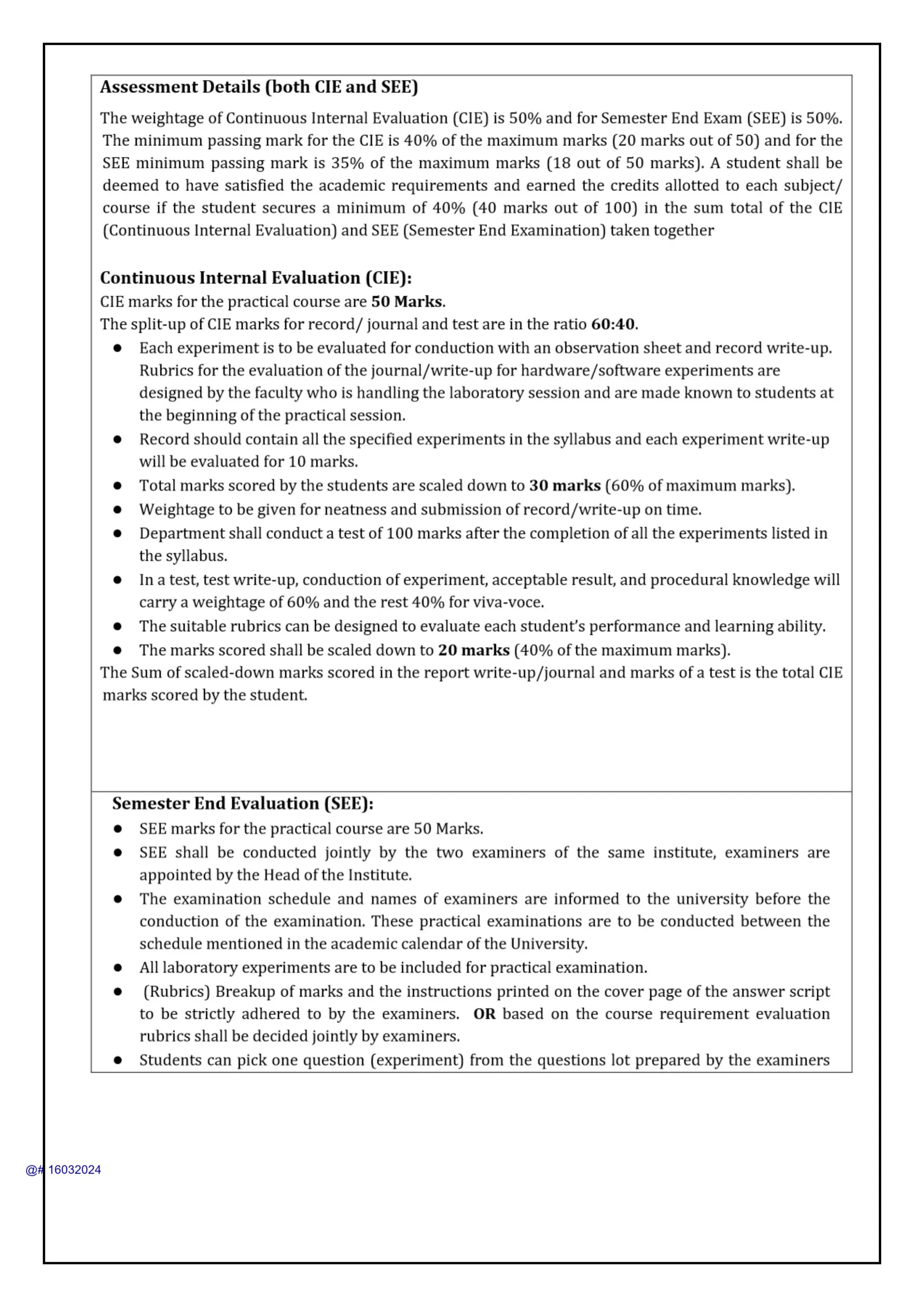
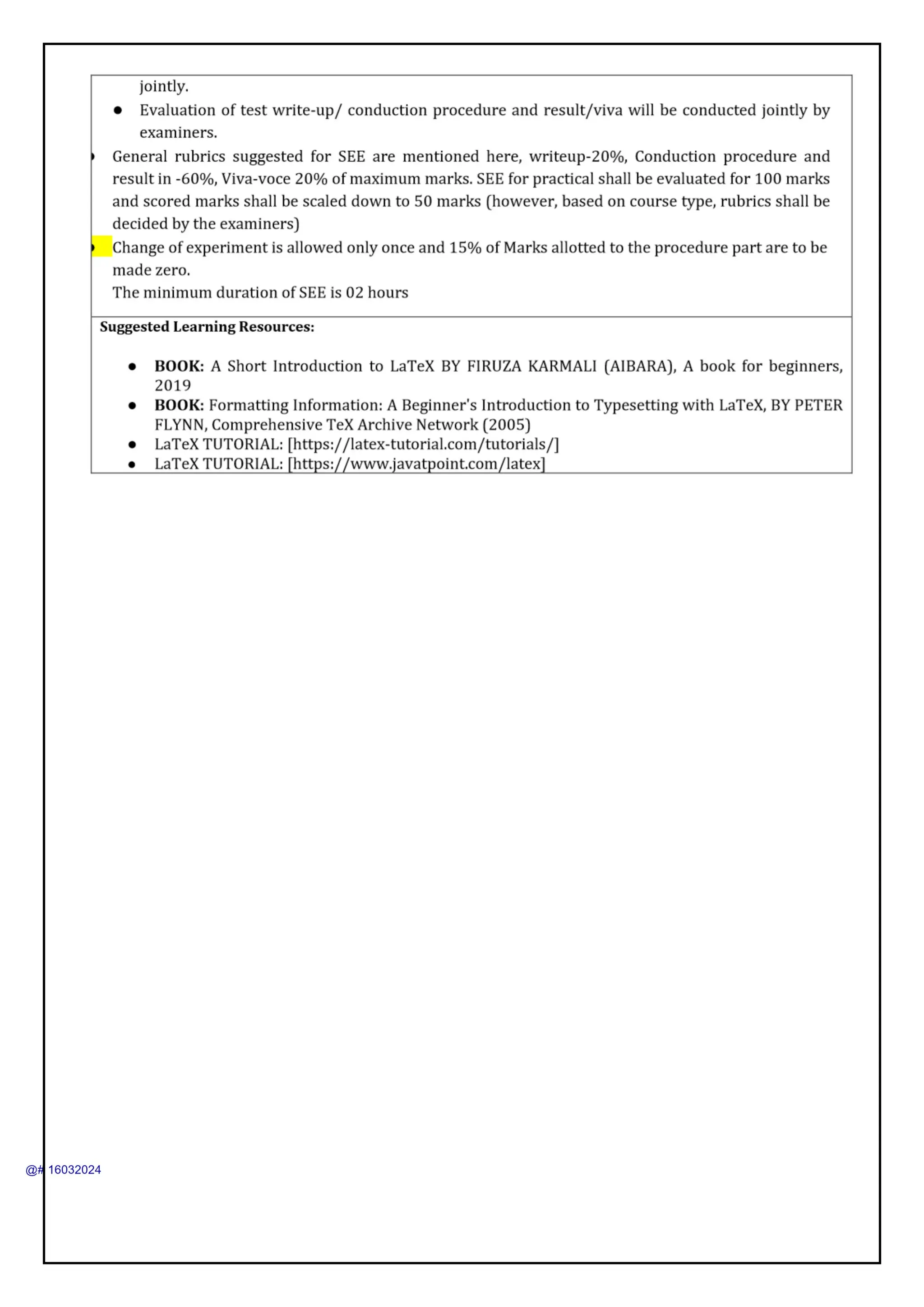
Technical Writing Using LaTeX Manual for 4th CSE VTU
1.
DEPARTMENT OF COMPUTER
SCIENCEAND ENGINEERING
LABORATORY MANUAL
Technical Writing Using L
A
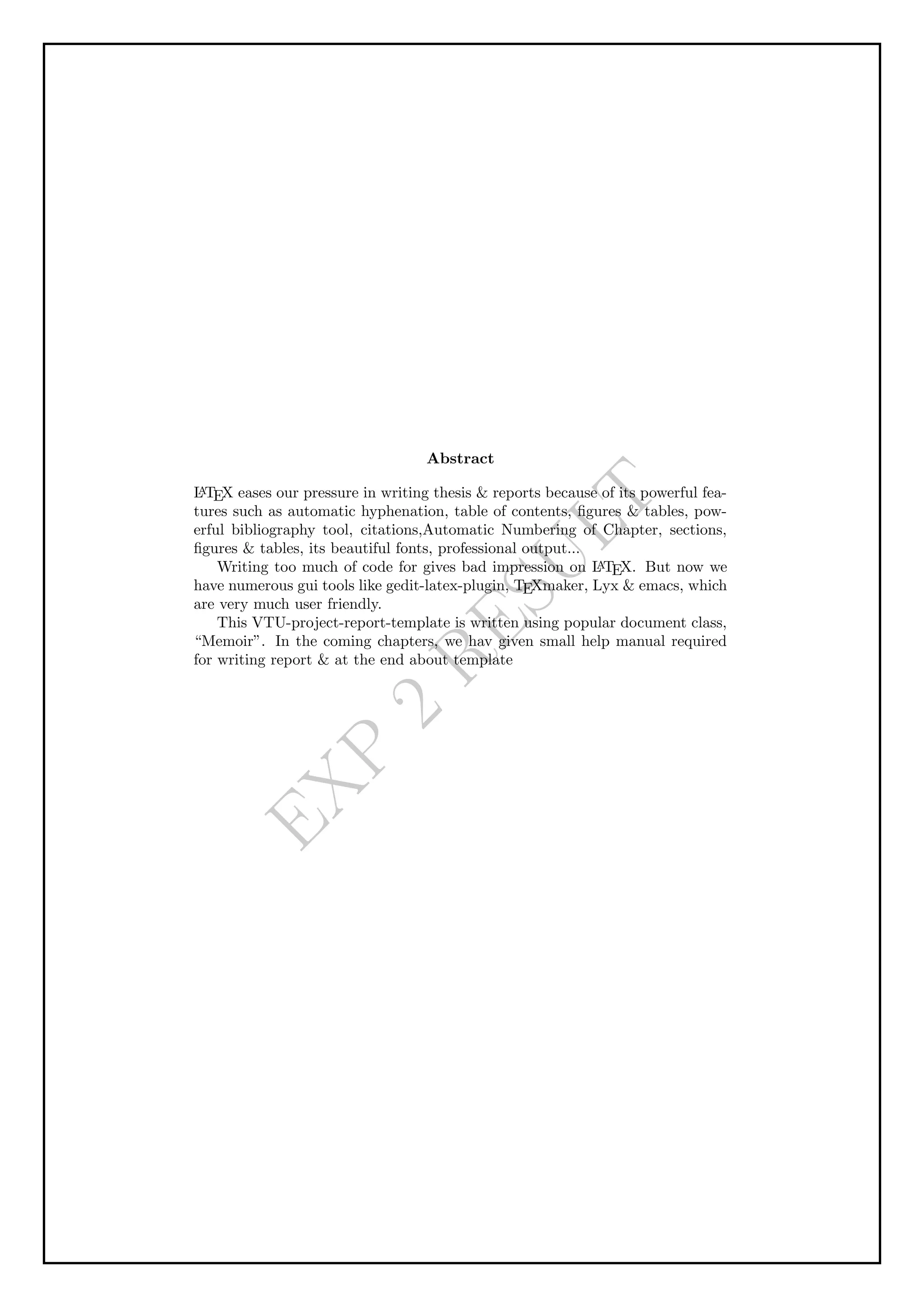
TEX
Course Code : BCSL456D
prepared by
Dr.Madhusudhan.S
Associate Professor
ALVAS INSTITUTE OF ENGINEERING AND
TECHNOLOGY
(AICTE Approved, VTU Affiliated and NAAC ‘A+’ Accredited)
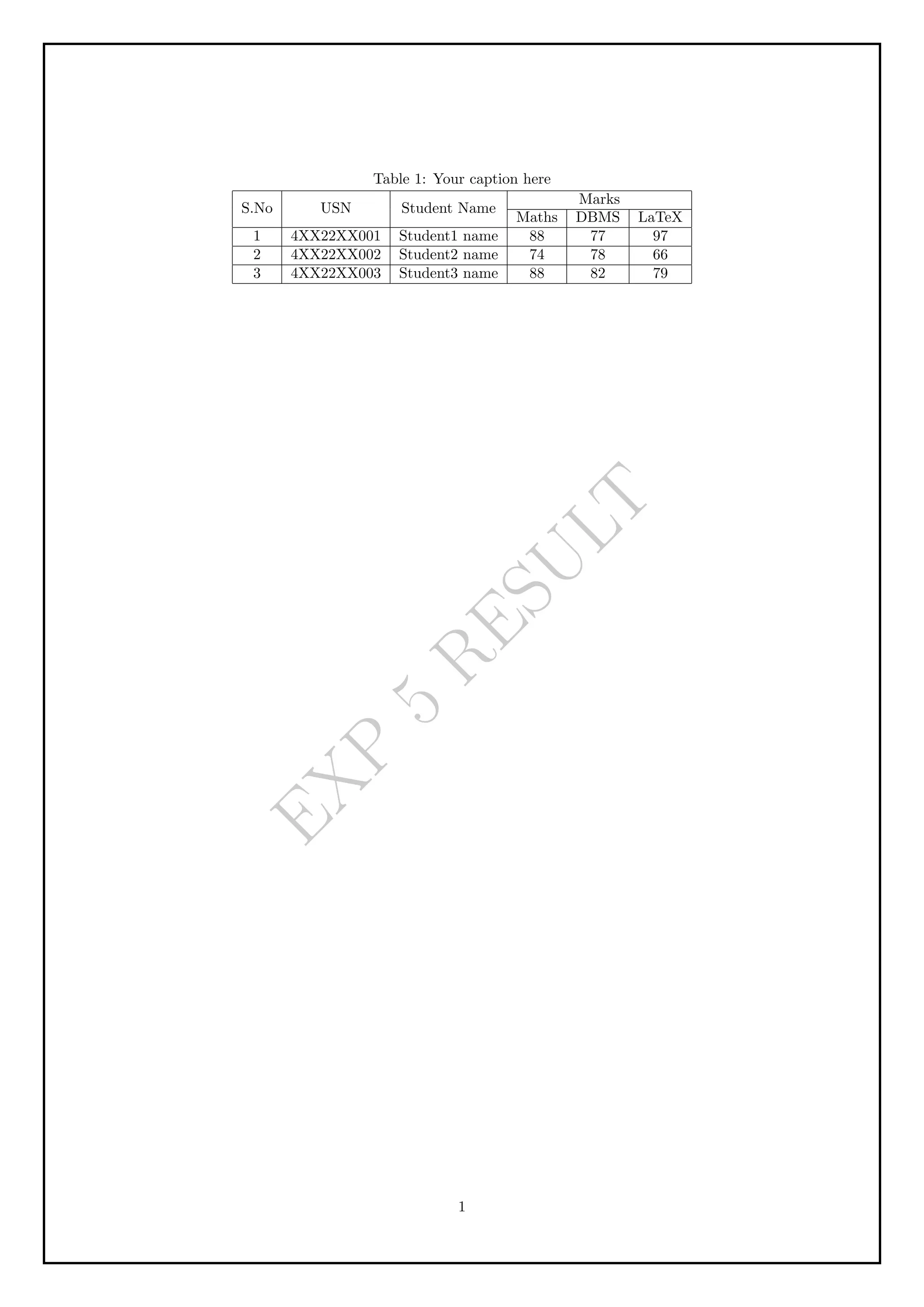
Shobhavana Campus MIJAR, Moodbidri, Mangaluru, Karnataka 574225
2023 - 24
2.
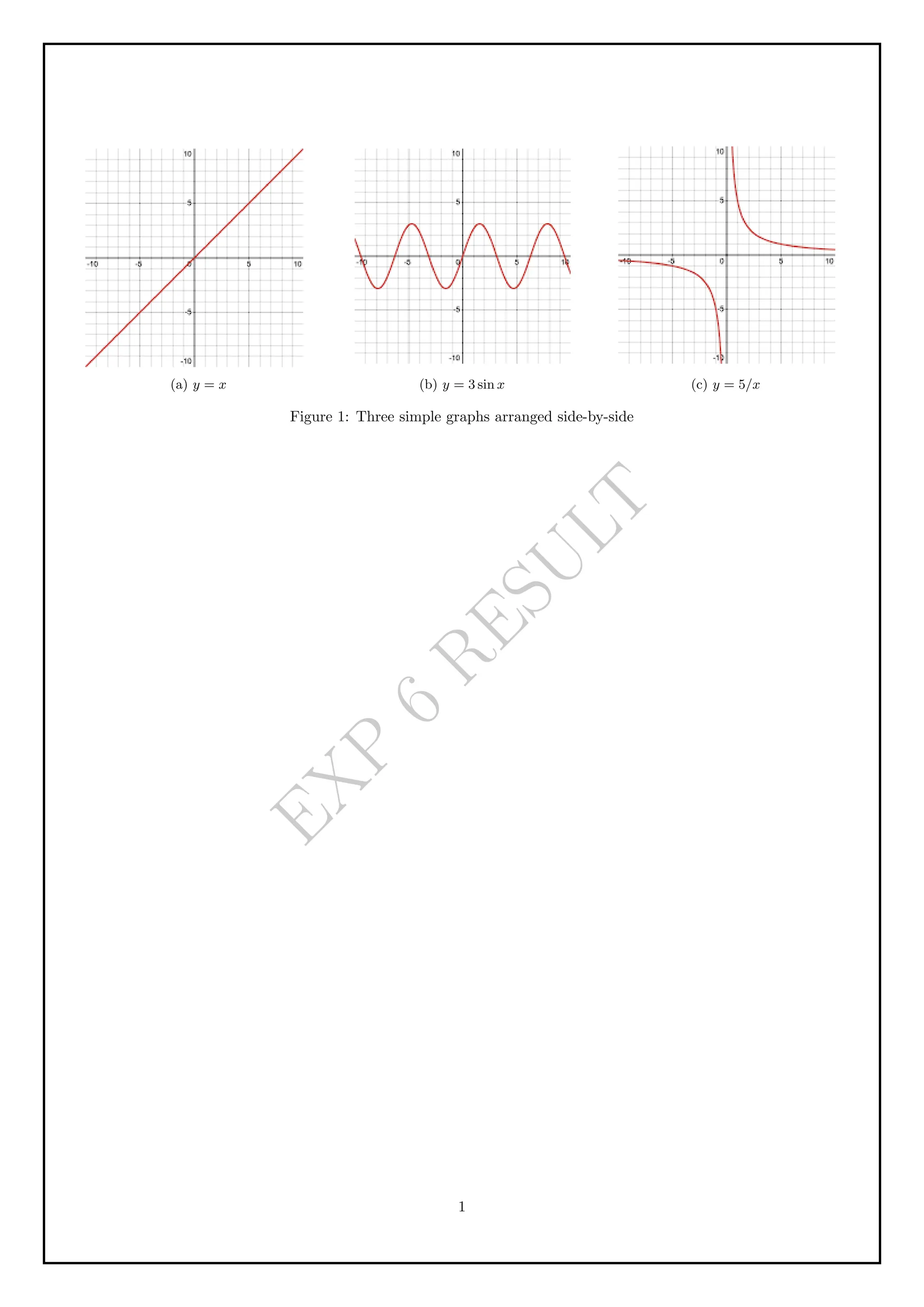
Technical Writing UsingL
A
TEX(BCSL456D) VTU 2022 Scheme
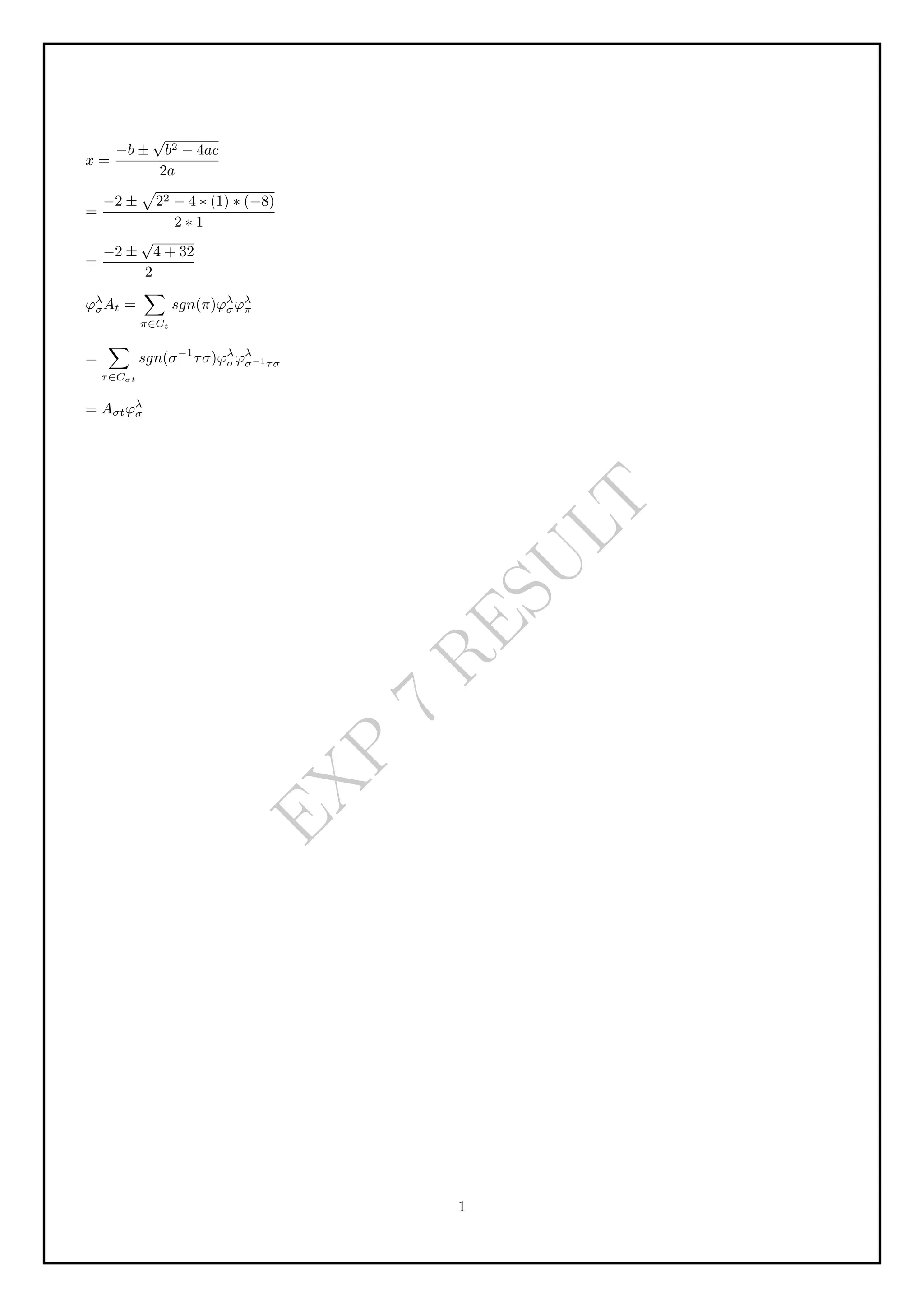
Chapter 1
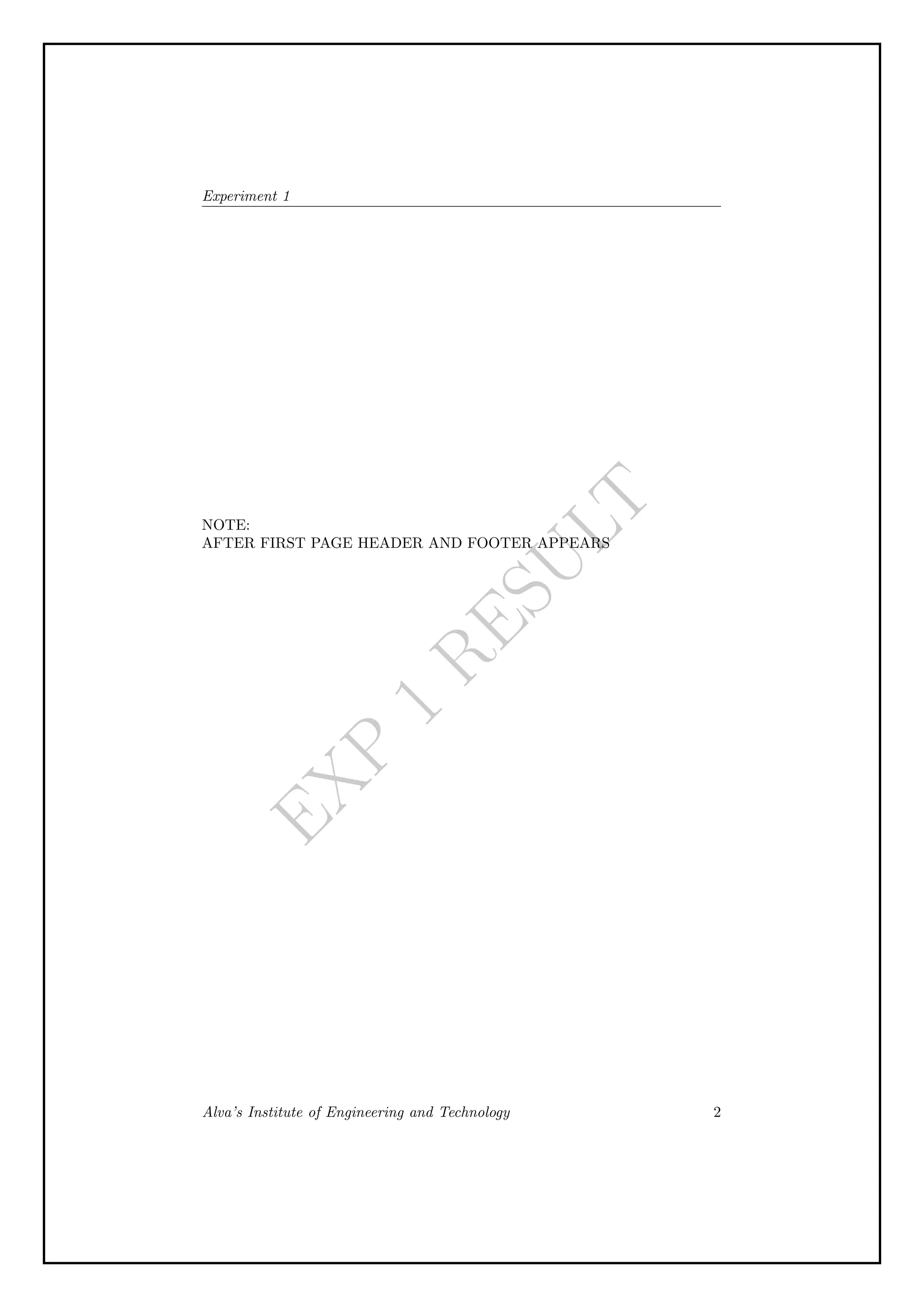
Experiment 1
Aim
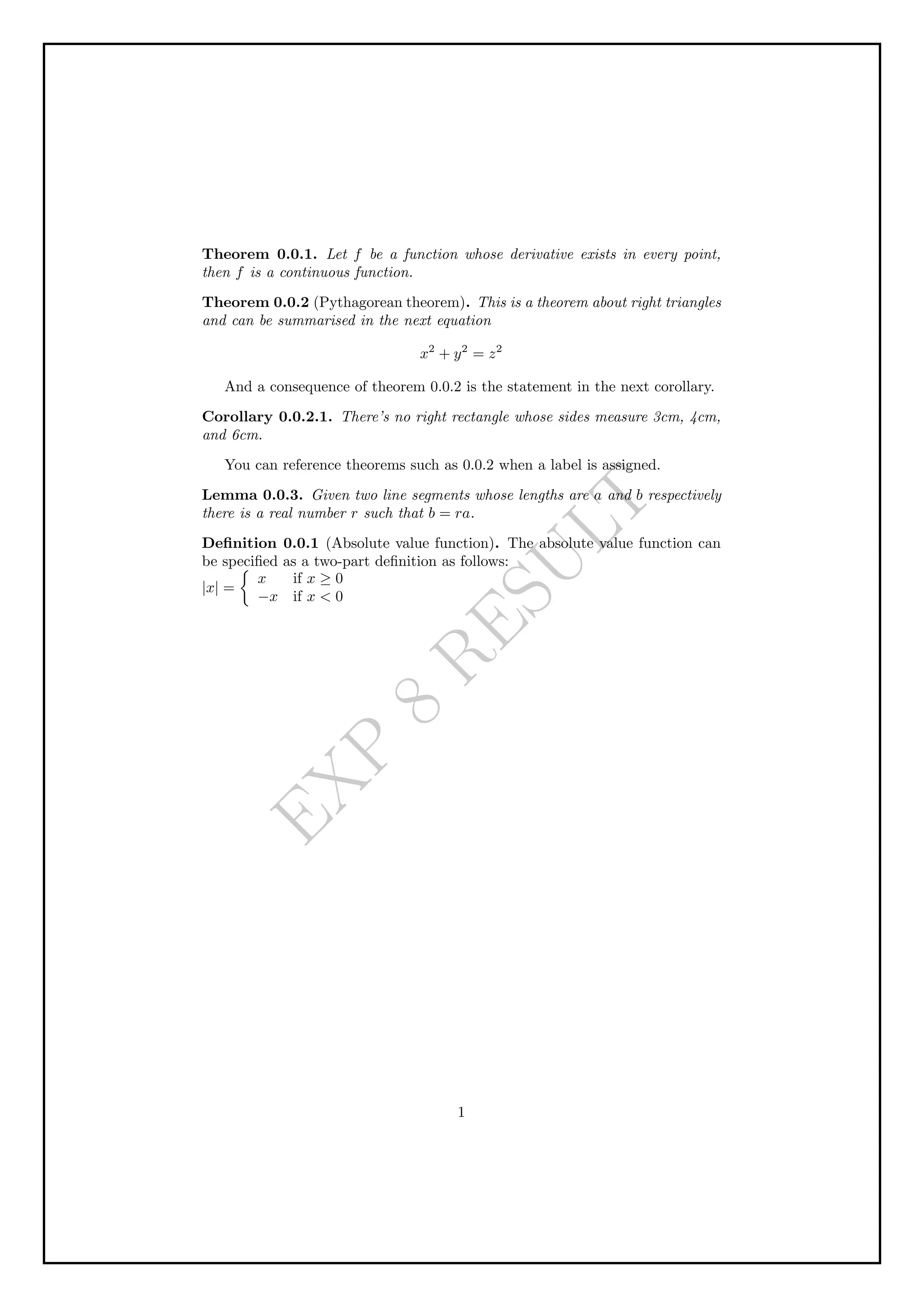
Develop a LaTeX script to create a simple document that consists of 2 sections [Sec-
tion1, Section2], and a paragraph with dummy text in each section. And also include
header [title of document] and footer [institute name, page number] in the document.
Code
documentclass{article}
usepackage{blindtext}
usepackage{fancyhdr}
pagestyle {fancy}
fancyhf{}
rfoot{thepage}
lhead{textit {Experiment 1 }}
lfoot{textit {Alva’s Institute of Engineering and Technology}}
title{Introduction to LaTeX}
begin{document}
maketitle
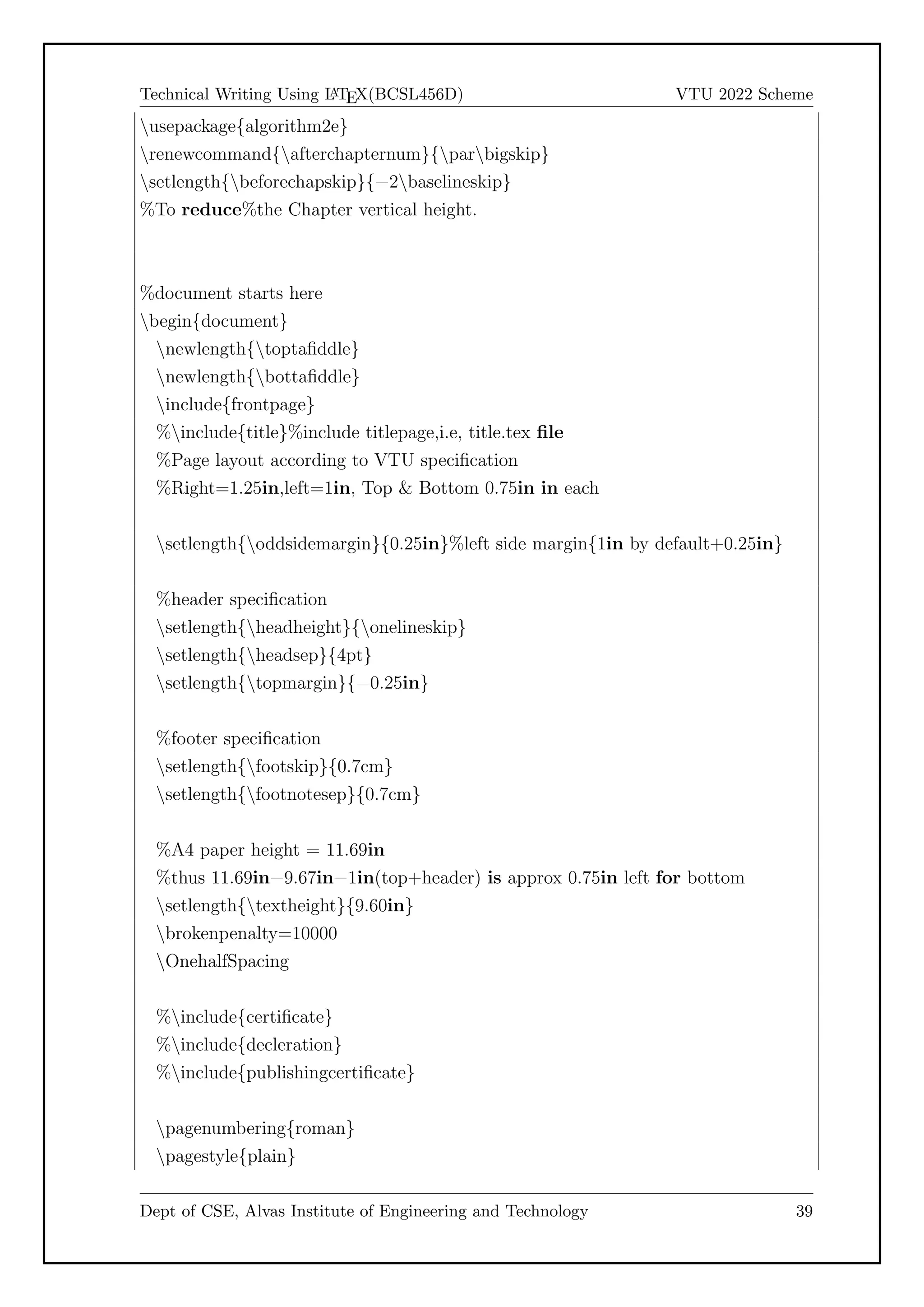
section* {Starting LaTeX}
LaTeX is a powerful language for writing scientific documents and equations.
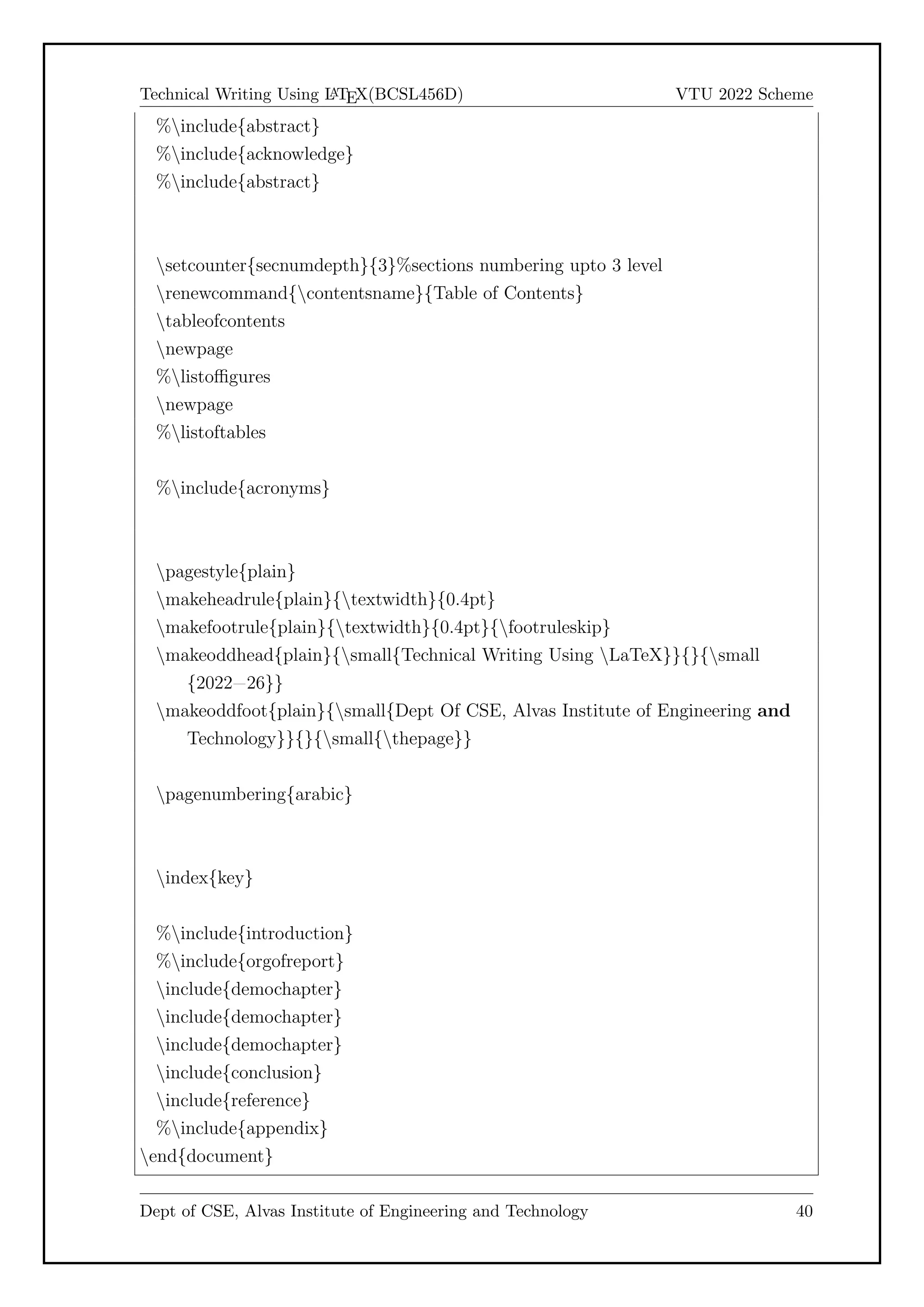
Knowing how to use it can be a valuable asset when writing or editing scientific
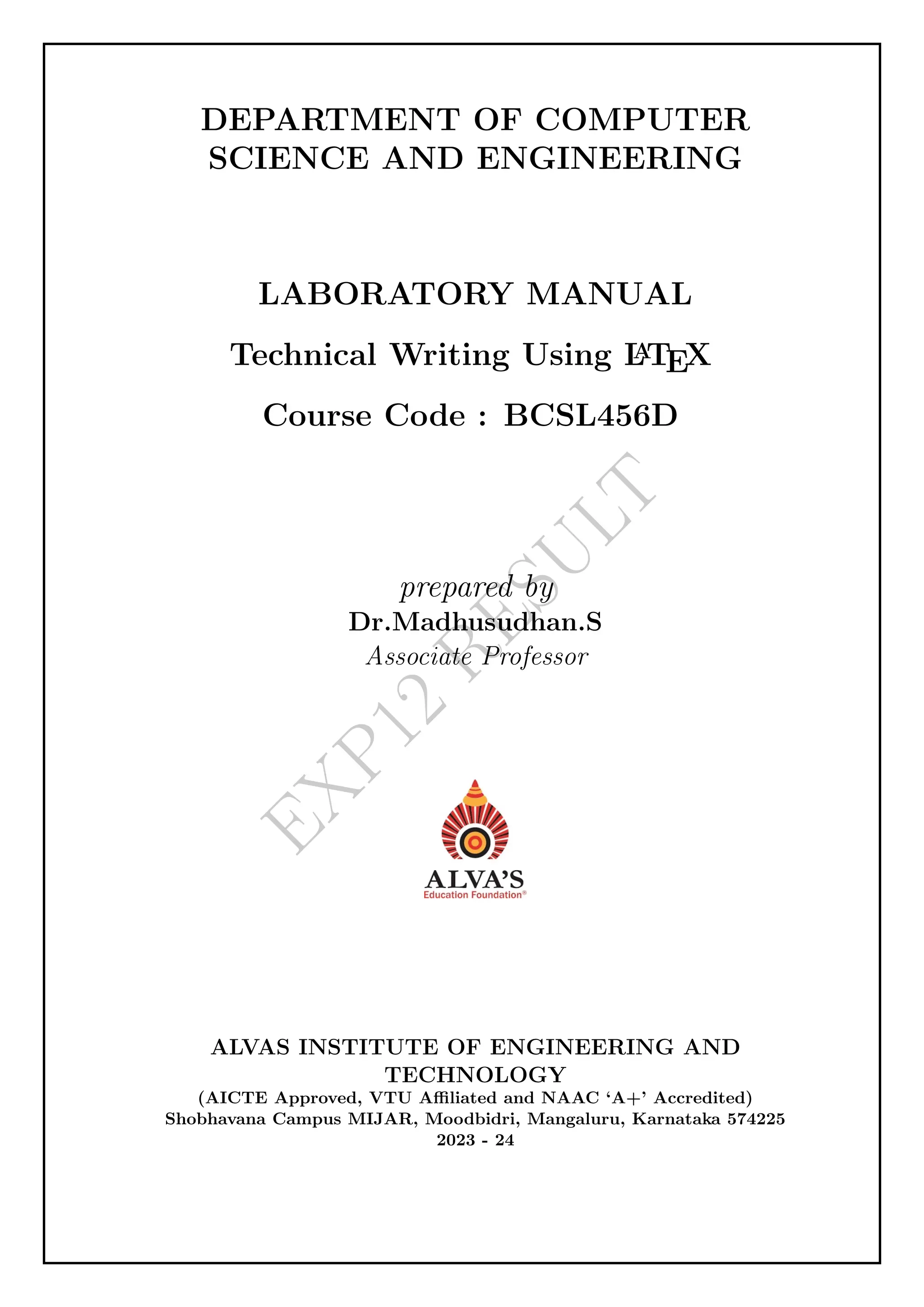
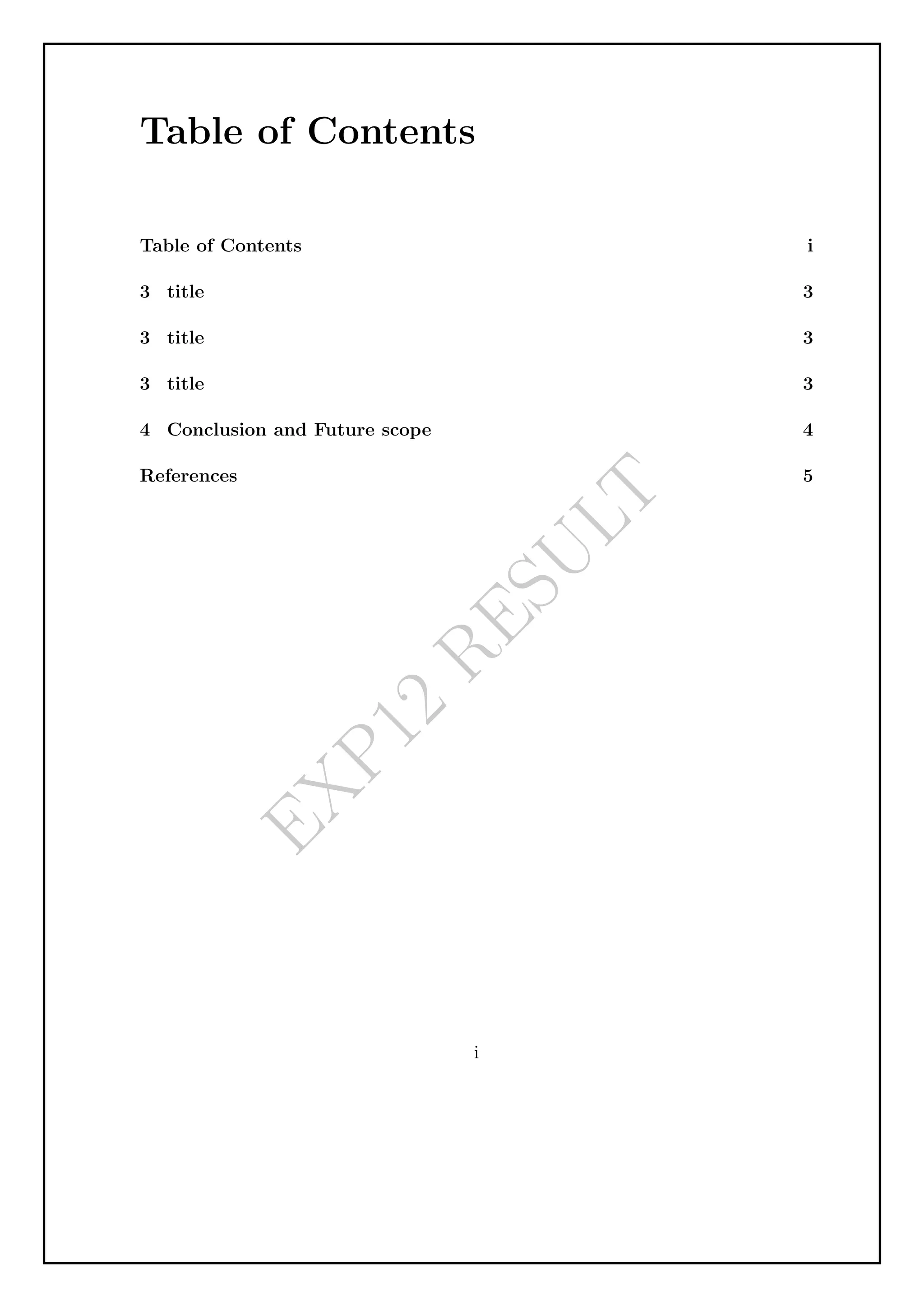
documents. The use of LaTeX for scientific documents is becoming increasingly
popular, due to its many advantages over traditional text=editing programs.
Dept of CSE, Alvas Institute of Engineering and Technology 1
3.
Technical Writing UsingL
A
TEX(BCSL456D) VTU 2022 Scheme
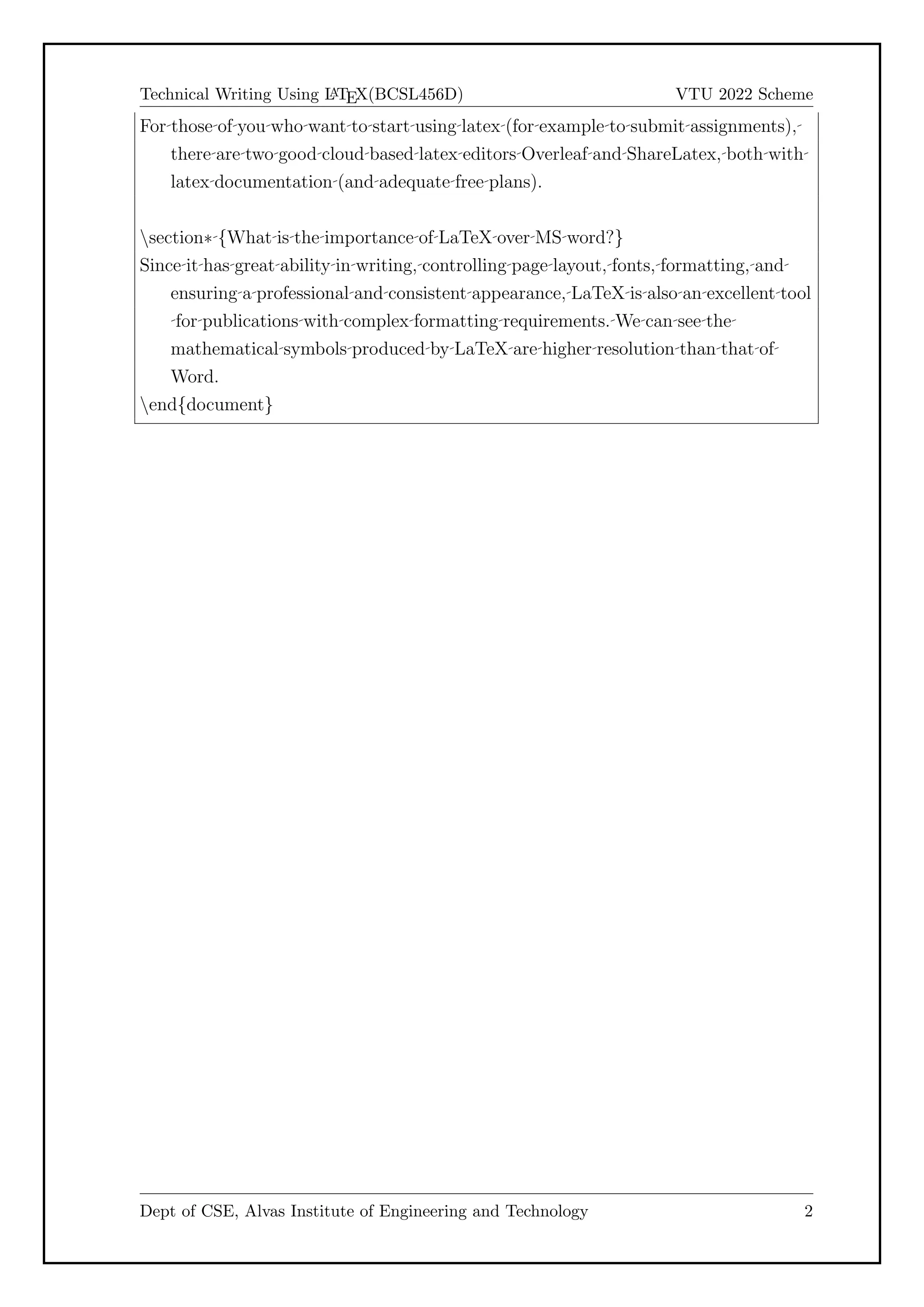
For those of you who want to start using latex (for example to submit assignments),
there are two good cloud based latex editors Overleaf and ShareLatex, both with
latex documentation (and adequate free plans).
section* {What is the importance of LaTeX over MS word?}
Since it has great ability in writing, controlling page layout, fonts, formatting, and
ensuring a professional and consistent appearance, LaTeX is also an excellent tool
for publications with complex formatting requirements. We can see the
mathematical symbols produced by LaTeX are higher resolution than that of
Word.
end{document}
Dept of CSE, Alvas Institute of Engineering and Technology 2
4.
E
X
P
1
R
E
S
U
L
T
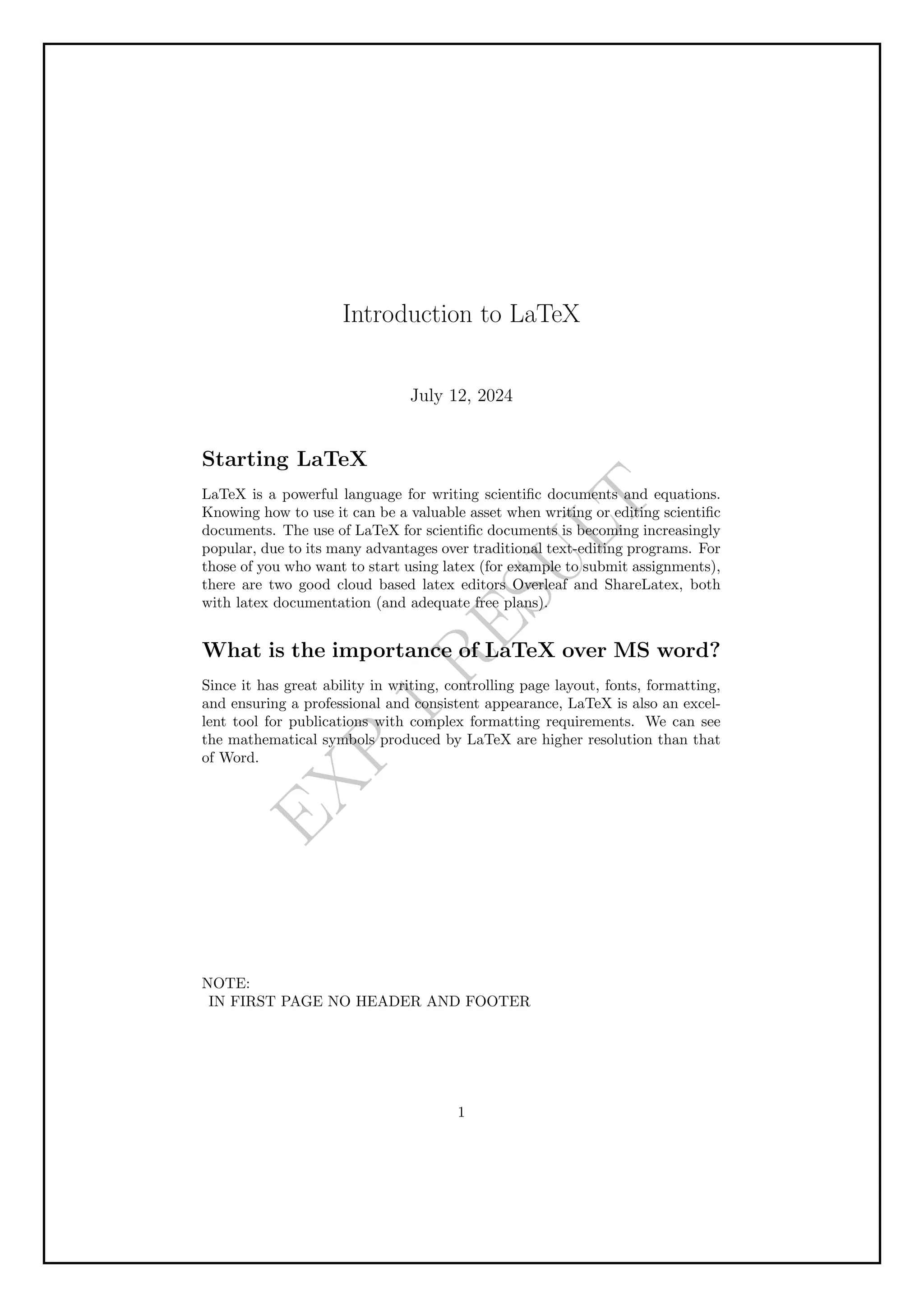
Introduction to LaTeX
July12, 2024
Starting LaTeX
LaTeX is a powerful language for writing scientific documents and equations.
Knowing how to use it can be a valuable asset when writing or editing scientific
documents. The use of LaTeX for scientific documents is becoming increasingly
popular, due to its many advantages over traditional text-editing programs. For
those of you who want to start using latex (for example to submit assignments),
there are two good cloud based latex editors Overleaf and ShareLatex, both
with latex documentation (and adequate free plans).
What is the importance of LaTeX over MS word?
Since it has great ability in writing, controlling page layout, fonts, formatting,
and ensuring a professional and consistent appearance, LaTeX is also an excel-
lent tool for publications with complex formatting requirements. We can see
the mathematical symbols produced by LaTeX are higher resolution than that
of Word.
NOTE:
IN FIRST PAGE NO HEADER AND FOOTER
1
Technical Writing UsingL
A
TEX(BCSL456D) VTU 2022 Scheme
Chapter 2
Experiment 2
Aim
Develop a LaTeX script to create a simple document that consists of 2 sections [Sec-
tion1, Section2], and a paragraph with dummy text in each section. And also include
header [title of document] and footer [institute name, page number] in the document.
Code
documentclass[llpt, a4paper, oneside] {report}
begin{document}
begin{abstract}
{LaTeX} eases our pressure in writing thesis & reports because
of its powerful features such as automatic hyphenation,
table of contents, figures & tables, powerful bibliography
tool, citations,Automatic Numbering of Chapter, sections,
figures & tables, its beautiful fonts, professional output...
Writing too much of code for gives bad impression
on {LaTeX}. But now we have numerous gui tools like
gedit=latex=plugin, {TeX}maker, Lyx & emacs,
which are very much user friendly.
This VTU=project=report=template is written using
popular document class, ‘‘Memoir”. In the coming
chapters, we hav given small help manual required
for writing report & at the end about template
end{abstract}
end{document}
Dept of CSE, Alvas Institute of Engineering and Technology 5
7.
E
X
P
2
R
E
S
U
L
T
Abstract
L
A
TEX eases ourpressure in writing thesis & reports because of its powerful fea-
tures such as automatic hyphenation, table of contents, figures & tables, pow-
erful bibliography tool, citations,Automatic Numbering of Chapter, sections,
figures & tables, its beautiful fonts, professional output...
Writing too much of code for gives bad impression on L
A
TEX. But now we
have numerous gui tools like gedit-latex-plugin, TEXmaker, Lyx & emacs, which
are very much user friendly.
This VTU-project-report-template is written using popular document class,
“Memoir”. In the coming chapters, we hav given small help manual required
for writing report & at the end about template
8.
Technical Writing UsingL
A
TEX(BCSL456D) VTU 2022 Scheme
Chapter 3
Experiment 3
Aim
Develop a LaTeX script to create a simple title page of the VTU project Report
Code
documentclass[12pt,a4paper,oneside]{memoir}
usepackage{graphicx}
usepackage{xcolor}
begin{document}
begin{center}
textbf{color{black}VISVESVARAYA TECHNOLOGICAL UNIVERSITY
Jnana Sangama, Belagavi = 590 018}
vspace{0.2cm}
begin{figure}[h]
centering
includegraphics[height=3cm]{images/vtu.png}
end{figure}
small{textbf{color{black}LAB REPORT ON}}
LARGE{textbf{color{black}Technical Writing Using LaTeX}}
vspace{0.5cm}
large textit{color{black}Thesis submitted in partial fulfillment for the
Award of Degree of }{textbf{color{black}Bachelor of Engineering}}
color{black} in textbf{color{black}Computer Science and Engineering}
vspace{0.5cm}
{textbf{color{black}Submitted by}}
begin{tabular}{lll}
Dept of CSE, Alvas Institute of Engineering and Technology 7
9.
Technical Writing UsingL
A
TEX(BCSL456D) VTU 2022 Scheme
color{black} Student Name & hspace{5cm} &
color{black}4AL11XX111
end{tabular}
vspace{0.5cm}
textit{color{black}Under the Guidance of}
Large{textbf{color{black}Dr.Madhusudhan.S}}
textit{color{black}Associate Professor}
end{center}
begin{figure}[h]
centering
includegraphics[height=2.7cm]{images/rns1.jpg}
end{figure}
begin{center}
scriptsizetextbf{color{black}DEPARTMENT OF COMPUTER SCIENCE
AND ENGINEERING}
end{center}
begin{center}
vspace{0.1cm}
largetextbf{color{black}ALVAS INSTITUTE OF ENGINEERING AND
TECHNOLOGY}
end{center}
end{document}
Dept of CSE, Alvas Institute of Engineering and Technology 8
10.
E
X
P
3
R
E
S
U
L
T
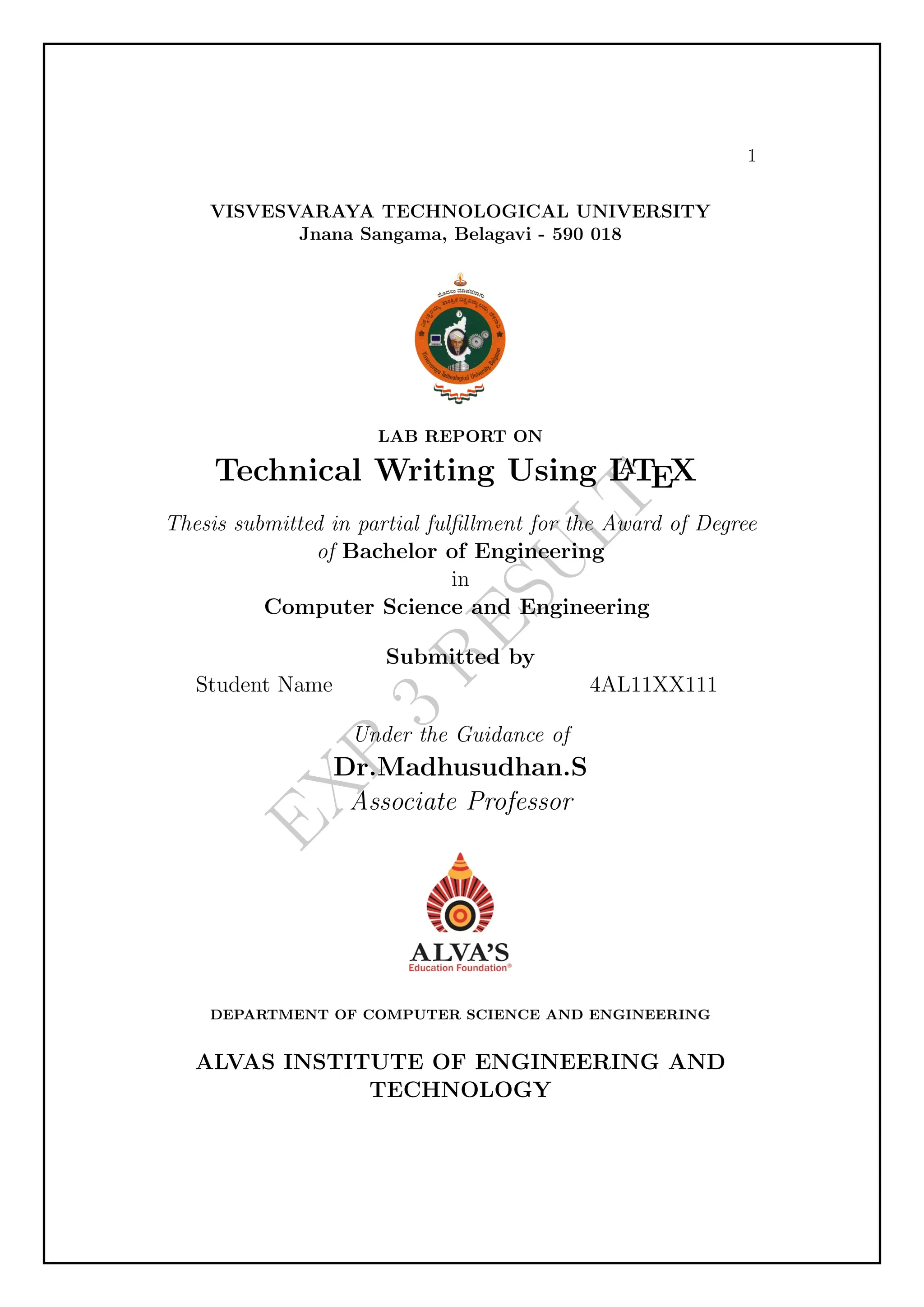
1
VISVESVARAYA TECHNOLOGICAL UNIVERSITY
JnanaSangama, Belagavi - 590 018
LAB REPORT ON
Technical Writing Using L
A
TEX
Thesis submitted in partial fulfillment for the Award of Degree
of Bachelor of Engineering
in
Computer Science and Engineering
Submitted by
Student Name 4AL11XX111
Under the Guidance of
Dr.Madhusudhan.S
Associate Professor
DEPARTMENT OF COMPUTER SCIENCE AND ENGINEERING
ALVAS INSTITUTE OF ENGINEERING AND
TECHNOLOGY
11.
Technical Writing UsingL
A
TEX(BCSL456D) VTU 2022 Scheme
Chapter 4
Experiment 4
Aim
Develop a LaTeX script to create the certificate Page of the Report
Code
documentclass[12pt,a4paper,oneside]{memoir}
usepackage{graphicx}
usepackage{xcolor}
begin{document}
begin{center}
largetextbf{ALVAS INSTITUTE OF ENGINEERING AND TECHNOLOGY
}
smalltextbf{(AICTE Approved, VTU Affiliated and NAAC ‘A’ Accredited)
Shobhavana Campus MIJAR, Moodbidri, Mangaluru, Karnataka 574225}
end{center}
begin{center}
footnotesizetextbf{DEPARTMENT OF COMPUTER SCIENCE AND
ENGINEERING}
smalltextbf{(Accredited by NBA )}
end{center}
begin{center}
begin{figure}[h]
centering
includegraphics[height=2.7cm]{images/rns1.jpg}
end{figure}
Large{textbf{CERTIFICATE}}
end{center}
Dept of CSE, Alvas Institute of Engineering and Technology 10
12.
Technical Writing UsingL
A
TEX(BCSL456D) VTU 2022 Scheme
Certified that the Thesis work entitled textbf{‘‘Name of the project’’} is carried out
by textbf{Student(4ALxxCSxxx), } in partial fulfillment for the award of degree
of Bachelor of Engineering in textbf{color{blue}Computer Science and
Engineering} of Visvesvaraya Technological University, Belagavi, during the year
2019=2020. It is certified that all corrections / suggestions indicated during
internal assessment have been incorporated in the report. The project report has
been approved as it satisfies the academic requirements in aspect of the project
work prescribed for the award of degree of textbf{color{blue}Bachelor of
Engineering}.
vspace{1.5cm}
begin{minipage}[t]{0.3textwidth}%
small{color{gray!35}................................}
{centering{color{red}Dr.Madhusudhan.S}}
centering{Associate Professor}
end{minipage}hspace{0.06cm}
begin{minipage}[t]{0.3textwidth}%
small{color{gray!35}................................}
{centering{color{red}Dr. Manjunath Kotari}}
centering{Head of the Department}
end{minipage}
begin{minipage}[t]{0.3textwidth}%
small{color{gray!35}................................}
{centering{color{red}Dr. Peter Fernandes}}
centering{Principal}
end{minipage}
vspace{0.5cm}
begin{center}
textbf{{color{blue}External Viva}}
end{center}
vspace{0.0cm}
begin{minipage}[t]{0.62textwidth}%
textbf{Name of the examiners}
1 small{color{gray!35}..........................................}
2 small{color{gray!35}..........................................}
Dept of CSE, Alvas Institute of Engineering and Technology 11
13.
Technical Writing UsingL
A
TEX(BCSL456D) VTU 2022 Scheme
end{minipage}hspace{0.07cm}
begin{minipage}[t]{0.62textwidth}%
textbf{Signature with date}
small{color{gray!35}...........................................}
small{color{gray!35}...........................................}
end{minipage}
end{document}
Dept of CSE, Alvas Institute of Engineering and Technology 12
14.
E
X
P
4
R
E
S
U
L
T
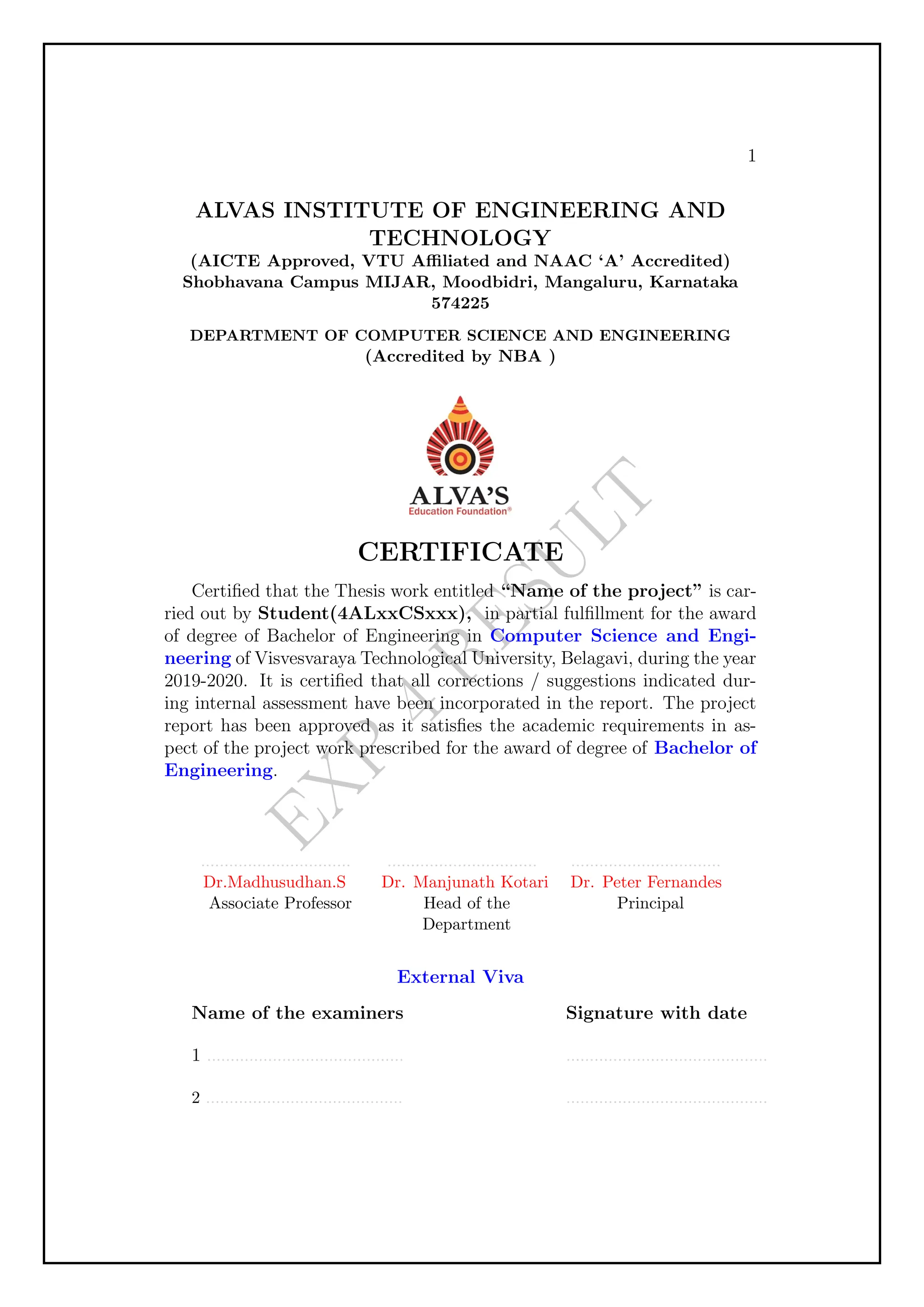
1
ALVAS INSTITUTE OFENGINEERING AND
TECHNOLOGY
(AICTE Approved, VTU Affiliated and NAAC ‘A’ Accredited)
Shobhavana Campus MIJAR, Moodbidri, Mangaluru, Karnataka
574225
DEPARTMENT OF COMPUTER SCIENCE AND ENGINEERING
(Accredited by NBA )
CERTIFICATE
Certified that the Thesis work entitled “Name of the project” is car-
ried out by Student(4ALxxCSxxx), in partial fulfillment for the award
of degree of Bachelor of Engineering in Computer Science and Engi-
neering of Visvesvaraya Technological University, Belagavi, during the year
2019-2020. It is certified that all corrections / suggestions indicated dur-
ing internal assessment have been incorporated in the report. The project
report has been approved as it satisfies the academic requirements in as-
pect of the project work prescribed for the award of degree of Bachelor of
Engineering.
................................
Dr.Madhusudhan.S
Associate Professor
................................
Dr. Manjunath Kotari
Head of the
Department
................................
Dr. Peter Fernandes
Principal
External Viva
Name of the examiners
1 ..........................................
2 ..........................................
Signature with date
...........................................
...........................................
15.
Technical Writing UsingL
A
TEX(BCSL456D) VTU 2022 Scheme
Chapter 5
Experiment 5
Aim
Develop a LaTeX script to create a document that contains the following table with
proper labels
Code
documentclass[]{report}
usepackage{hyperref}
usepackage{draftwatermark}
SetWatermarkText{EXP 5 RESULT}
SetWatermarkScale{2}
usepackage[utf8]{inputenc}
usepackage{amsmath}
usepackage{amsfonts}
usepackage{amssymb}
usepackage[left=2cm,right=2cm,top=2cm,bottom=2cm]{geometry}
usepackage{multirow}
usepackage{caption}
begin{document}
begin{center}
captionof{table}{Your caption here}
begin{tabular}{|c|c|c|c|c|c|}
hline
multirow{2}{*}{S.No} & multirow{2}{*}{USN} & multirow{2}{*}
{Student Name} & multicolumn{3}{c|}{Marks}
cline{4=6}
& & & Maths & DBMS & LaTeX
hline
1 & 4XX22XX001 & Student1 name & 88 & 77 & 97
hline
2 & 4XX22XX002 & Student2 name & 74 & 78 & 66
Dept of CSE, Alvas Institute of Engineering and Technology 14
16.
Technical Writing UsingL
A
TEX(BCSL456D) VTU 2022 Scheme
hline
3 & 4XX22XX003 & Student3 name & 88 & 82 & 79
hline
end{tabular}
end{center}
end{document}
Dept of CSE, Alvas Institute of Engineering and Technology 15
17.
E
X
P
5
R
E
S
U
L
T
Table 1: Yourcaption here
S.No USN Student Name
Marks
Maths DBMS LaTeX
1 4XX22XX001 Student1 name 88 77 97
2 4XX22XX002 Student2 name 74 78 66
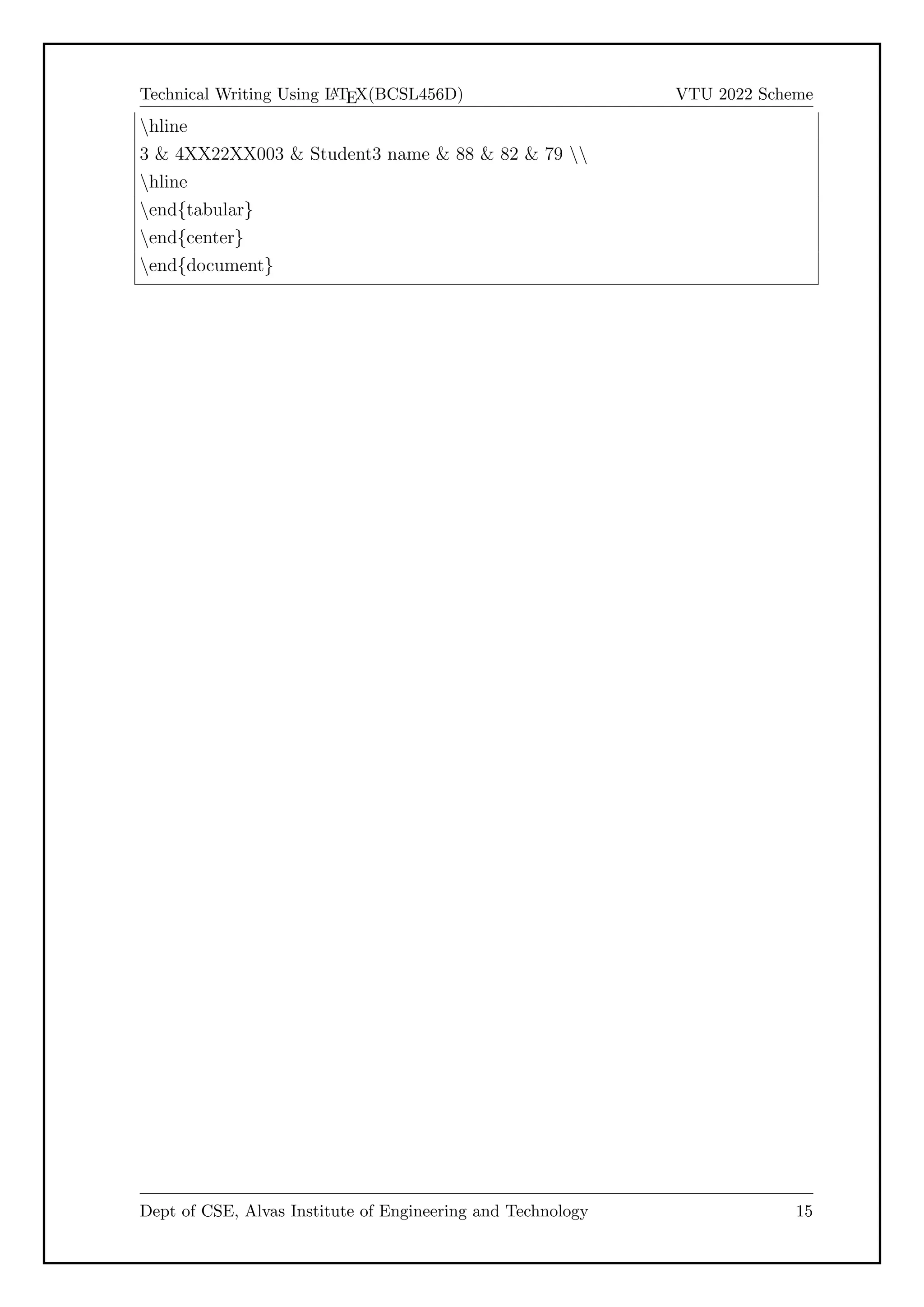
3 4XX22XX003 Student3 name 88 82 79
1
18.
Technical Writing UsingL
A
TEX(BCSL456D) VTU 2022 Scheme
Chapter 6
Experiment 6
Aim
Develop a LaTeX script to include the side-by-side graphics/pictures/figures in the
document by using the subgraph concept.
Code
documentclass[]{report}
usepackage{hyperref}
usepackage[utf8]{inputenc}
usepackage{amsmath}
usepackage{amsfonts}
usepackage{amssymb}
usepackage{caption}
usepackage{subcaption}
usepackage{graphicx}
usepackage[left=2cm,right=2cm,top=2cm,bottom=2cm]{geometry}
begin{document}
%section*{Subfigure Demo}
begin{figure}[h]
centering
begin{subfigure}[b]{0.3textwidth}
centering
includegraphics[width=textwidth]{graph1.png}
caption{$y=x$}
label{fig:y equals x}
end{subfigure}
hfill
begin{subfigure}[b]{0.3textwidth}
centering
includegraphics[width=textwidth]{graph2.png}
Dept of CSE, Alvas Institute of Engineering and Technology 17
19.
Technical Writing UsingL
A
TEX(BCSL456D) VTU 2022 Scheme
caption{$y=3sin x$}
label{fig:three sin x}
end{subfigure}
hfill
begin{subfigure}[b]{0.3textwidth}
centering
includegraphics[width=textwidth]{graph3.png}
caption{$y=5/x$}
label{fig:five over x}
end{subfigure}
caption{Three simple graphs arranged side=by=side}
label{fig:three graphs}
end{figure}
end{document}
Dept of CSE, Alvas Institute of Engineering and Technology 18
20.
E
X
P
6
R
E
S
U
L
T
(a) y =x (b) y = 3 sin x (c) y = 5/x
Figure 1: Three simple graphs arranged side-by-side
1
21.
Technical Writing UsingL
A
TEX(BCSL456D) VTU 2022 Scheme
Chapter 7
Experiment 7
Aim
Develop a LaTeX script to create a document that consists of the following two math-
ematical equations
Code
documentclass[]{report}
usepackage{hyperref}
usepackage{draftwatermark}
SetWatermarkText{EXP 7 RESULT}
SetWatermarkScale{2}
usepackage[utf8]{inputenc}
usepackage{amsmath,nccmath}
usepackage{amsfonts}
usepackage{amssymb}
usepackage[left=2cm,right=2cm,top=2cm,bottom=2cm]{geometry}
begin{document}
begin{fleqn}label{eq:someequation}
[
x = frac{=b pm sqrt{bˆ{2}=4ac}}{2a}
]
[
= frac{=2 pm sqrt{2ˆ{2}=4*(1)*(=8)}}{2*1}
]
[
= frac{=2 pm sqrt{4+32}}{2}
]
end{fleqn}
Dept of CSE, Alvas Institute of Engineering and Technology 20
22.
Technical Writing UsingL
A
TEX(BCSL456D) VTU 2022 Scheme
begin{fleqn}
[
varphiˆ{lambda} {sigma}A {t} = sum {pi in C {t}} sgn(pi)varphiˆ
{lambda} {sigma}varphiˆ{lambda} {pi}
]
[
= sum {tau in C {sigma t}} sgn(sigmaˆ{=1}tausigma)varphiˆ
{lambda} {sigma}varphiˆ{lambda} {sigmaˆ{=1}tausigma}
]
[
= A {sigma t} varphiˆ{lambda} {sigma}
]
end{fleqn}
end{document}
Dept of CSE, Alvas Institute of Engineering and Technology 21
23.
E
X
P
7
R
E
S
U
L
T
x =
−b ±
√
b2− 4ac
2a
=
−2 ±
p
22 − 4 ∗ (1) ∗ (−8)
2 ∗ 1
=
−2 ±
√
4 + 32
2
φλ
σAt =
X
π∈Ct
sgn(π)φλ
σφλ
π
=
X
τ∈Cσt
sgn(σ−1
τσ)φλ
σφλ
σ−1τσ
= Aσtφλ
σ
1
24.
Technical Writing UsingL
A
TEX(BCSL456D) VTU 2022 Scheme
Chapter 8
Experiment 8
Aim
Develop a LaTeX script to demonstrate the presentation of Numbered theorems, def-
initions, corollaries, and lemmas in the document.
Code
documentclass[]{report}
usepackage{hyperref}
usepackage{draftwatermark}
SetWatermarkText{EXP 8 RESULT}
SetWatermarkScale{2}
usepackage[english]{babel}
usepackage{amsthm}
newtheorem{theorem}{Theorem}[section]
newtheorem{corollary}{Corollary}[theorem]
newtheorem{lemma}[theorem]{Lemma}
theoremstyle{definition}
newtheorem{definition}{Definition}[section]
begin{document}
begin{theorem}
Let (f) be a function whose derivative exists in every point,
then (f) is a continuous function.
end{theorem}
begin{theorem}[Pythagorean theorem]
label{pythagorean}
This is a theorem about right triangles and can be summarised
Dept of CSE, Alvas Institute of Engineering and Technology 23
25.
Technical Writing UsingL
A
TEX(BCSL456D) VTU 2022 Scheme
in the next equation
[ xˆ2 + yˆ2 = zˆ2 ]
end{theorem}
And a consequence of theorem ref{pythagorean} is the statement
in the next corollary.
begin{corollary}
There’s no right rectangle whose sides measure 3cm, 4cm, and 6cm.
end{corollary}
You can reference theorems such as ref{pythagorean} when a label
is assigned.
begin{lemma}
Given two line segments whose lengths are (a) and (b)
respectively there is a
real number (r) such that (b=ra).
end{lemma}
begin{definition}[Absolute value function]
The absolute value function can be specified as a
two=part definition as follows:
$
|x| =
left{
begin{array}{ll}
x & mbox{if } x geq 0
=x & mbox{if } x < 0
end{array}
right.
$
end{definition}
end{document}
Dept of CSE, Alvas Institute of Engineering and Technology 24
26.
E
X
P
8
R
E
S
U
L
T
Theorem 0.0.1. Letf be a function whose derivative exists in every point,
then f is a continuous function.
Theorem 0.0.2 (Pythagorean theorem). This is a theorem about right triangles
and can be summarised in the next equation
x2
+ y2
= z2
And a consequence of theorem 0.0.2 is the statement in the next corollary.
Corollary 0.0.2.1. There’s no right rectangle whose sides measure 3cm, 4cm,
and 6cm.
You can reference theorems such as 0.0.2 when a label is assigned.
Lemma 0.0.3. Given two line segments whose lengths are a and b respectively
there is a real number r such that b = ra.
Definition 0.0.1 (Absolute value function). The absolute value function can
be specified as a two-part definition as follows:
|x| =
x if x ≥ 0
−x if x 0
1
27.
Technical Writing UsingL
A
TEX(BCSL456D) VTU 2022 Scheme
Chapter 9
Experiment 9
Aim
Latex Script to create a documnet that consists of two parargraphs with a minimum
number of 10 citations in it and display the reference in the section
Code
documentclass[]{report}
usepackage{hyperref}
begin{document}
question: Latex Script to create a documnet that consists of two
parargraphs with a minimum number of 10 citations in it and
display the reference in the section
LaTeX Features
Typesetting journal articles, technical reports,
books, and slide presentations.
Control over large documents containing sectioning,
cross=references, tables and figures.
Typesetting of complex mathematical formulas.
Advanced typesetting of mathematics with AMS=LaTeX.
Automatic generation of bibliographies and indexes.
Multi=lingual typesetting.
Inclusion of artwork, and process or spot colour.
Using PostScript or Metafont fonts.
For more details refer books cite{ref1}, cite{ref2}, cite{ref5},
cite{ref6} and tutorials cite{ref3}, cite{ref4}, IEEE templates
cite{ref7} , IISc thesis template cite{ref10} and web pages
cite{ref8} and cite{ref9}.
Dept of CSE, Alvas Institute of Engineering and Technology 26
28.
Technical Writing UsingL
A
TEX(BCSL456D) VTU 2022 Scheme
begin{thebibliography}{20}
bibitem{ref1} Firuza Karmali (AIBARA):emph{A Short Introduction
to LaTeX= A book for beginners}, 2019
bibitem{ref2} Peter Flynn:emph{A Beginner’s Introduction to
Typesetting with LaTeX}, Comprehensive Tex Archive Network, 2005
%for urls
bibitem{ref3} LaTeX TUTORIAL [https://latex=tutorial.com/tutorials/]
url{https://www.google.com/url?sa=tsource=webrct=jopi=
89978449url=https://latex=tutorial.com/ved=2ahUKEwjQqvLw
156HAxXxUGwGHbOWB8kQFnoECAcQAQ
usg=AOvVaw2bd17nDxV98mf3xPuON00 }
bibitem{ref4} LaTeX TUTORIAL [https://www.javatpoint.com/latex]
url{http://en.wikipedia.org/wiki/Virtual Network Computing}
bibitem{ref5}Leslie Lamport (1994) emph{LaTeX: a document
preparation system}, Addison
Wesley, Massachusetts, 2nd ed.
bibitem{ref6}Donald E. Knuth (1986) emph{The TeX{} Book},
Addison=Wesley Professional.
bibitem{ref7}IEEE Template selector url{https://www.google.com/url?sa=t
source=webrct=jopi=89978449url=
https://template=selector.ieee.org/ved=2ahUKEwjHyq
=61J6HAxVXSGcHHQuADpMQF
noECBcQAQusg=AOvVaw2JlY7TroAxyDRUuVTDh=Ot}
bibitem{ref8}Introduction to LaTeX = Writing papers the
right way url{https://www.google.com/url?sa=tsource
=webrct=jopi=89978449url=https://web.mit.edu/rsi/
www/pdfs/new=latex.pdfved=2ahUKEwjEqq=hyp6HAxX5S
mwGHUe6A7kQFnoECBMQAwusg=AOvV
aw2Q l8nVb1tt8Gu8GsiqDqq}
bibitem{ref9}An Overview of LATEX url{https://www.google
.com/url?sa=tsource=webrct=jopi=89978449url=http:
//clweb.csa.iisc.ac.in/pavithra/talks/latex tutorial.pdfved=2a
hUKEwi24cDQzZ6HAxVicGwGHRHe
B 4QFnoECBMQAQusg=AOvVaw0gVsgpQKWqnm6hR=1 iycH}
bibitem{ref10}Thesis templates url{https://www.google.com/url?sa=tsource=
webrct=jopi=89978449url=https://etd.iisc.
Dept of CSE, Alvas Institute of Engineering and Technology 27
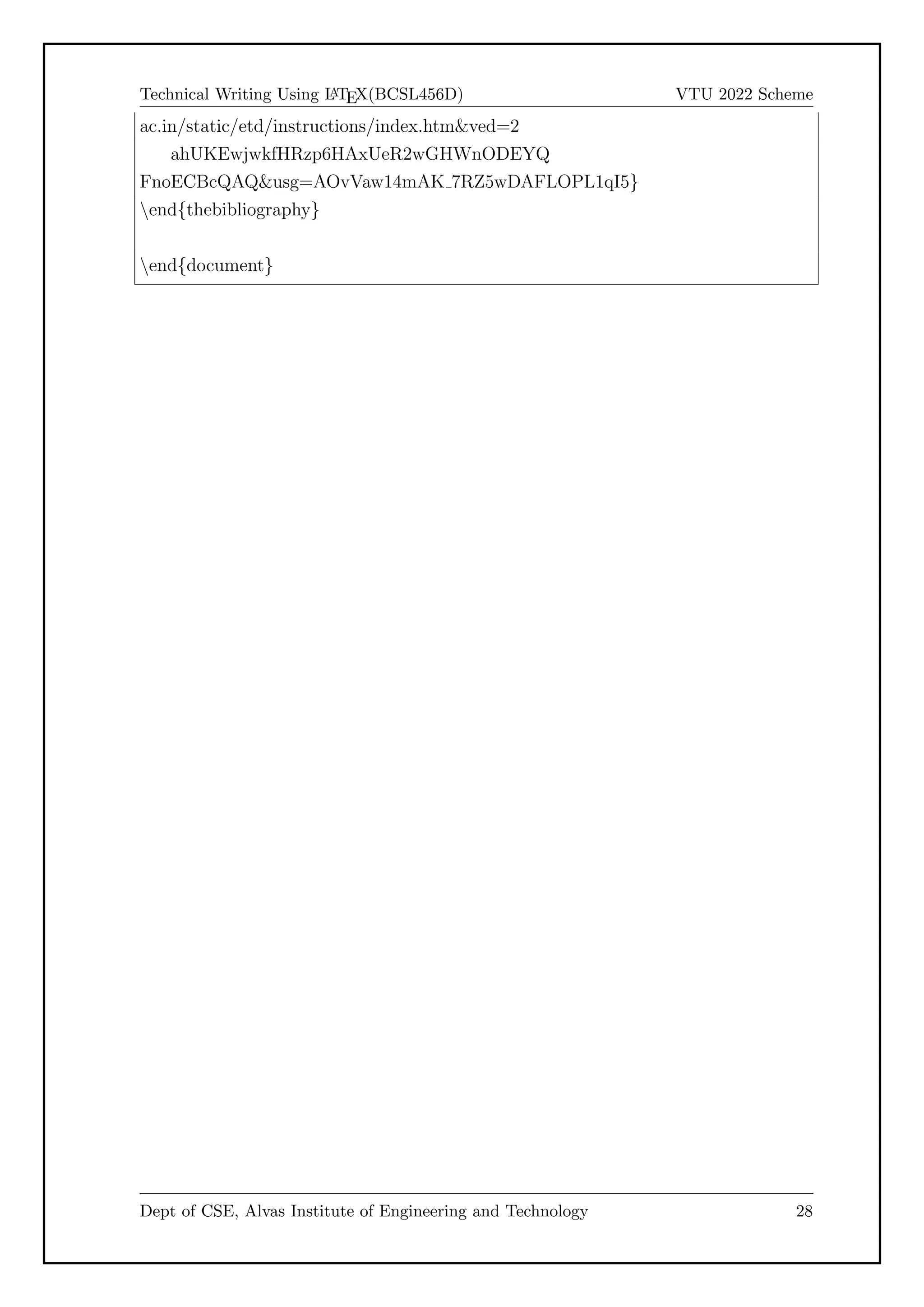
29.
Technical Writing UsingL
A
TEX(BCSL456D) VTU 2022 Scheme
ac.in/static/etd/instructions/index.htmved=2
ahUKEwjwkfHRzp6HAxUeR2wGHWnODEYQ
FnoECBcQAQusg=AOvVaw14mAK 7RZ5wDAFLOPL1qI5}
end{thebibliography}
end{document}
Dept of CSE, Alvas Institute of Engineering and Technology 28
30.
E
X
P
9
R
E
S
U
L
T
question: Latex Scriptto create a documnet that consists of two parargraphs
with a minimum number of 10 citations in it and display the reference in the
section
LaTeX Features
Typesetting journal articles,
technical reports,
books, and slide presentations.
Control over large documents containing sectioning,
cross-references,
tables and figures.
Typesetting of complex mathematical formulas.
Advanced typesetting of mathematics with AMS-LaTeX.
Automatic generation of bibliographies and indexes.
Multi-lingual typesetting.
Inclusion of artwork, and process or spot colour.
Using PostScript or Metafont fonts.
For more details refer books [1], [2], [5], [6] and tutorials [3], [4], IEEE
templates [7] , IISc thesis template [10] and web pages [8] and [9].
1
31.
E
X
P
9
R
E
S
U
L
T
Bibliography
[1] Firuza Karmali(AIBARA):A Short Introduction to LaTeX- A book for be-
ginners, 2019
[2] Peter Flynn:A Beginner’s Introduction to Typesetting with LaTeX, Com-
prehensive Tex Archive Network, 2005
[3] LaTeX TUTORIAL [https://latex-tutorial.com/tutorials/]
https://www.google.com/url?sa=tsource=webrct=j
opi=89978449url=https://latex-tutorial.com/ved=
2ahUKEwjQqvLw156HAxXxUGwGHbOWB8kQFnoECAcQAQusg=
AOvVaw2bd17nDxV98mf3xPuON00_
[4] LaTeX TUTORIAL [https://www.javatpoint.com/latex] http://en.
wikipedia.org/wiki/Virtual_Network_Computing
[5] Leslie Lamport (1994) L
A
TEX: a document preparation system, Addison
Wesley, Massachusetts, 2nd ed.
[6] Donald E. Knuth (1986) The TEX Book, Addison-Wesley Professional.
[7] IEEE Template selector https://www.google.com/url?sa=tsource=
webrct=jopi=89978449url=https://template-selector.ieee.
org/ved=2ahUKEwjHyq-61J6HAxVXSGcHHQuADpMQFnoECBcQAQusg=
AOvVaw2JlY7TroAxyDRUuVTDh-Ot
[8] Introduction to LaTeX - Writing papers the right way https:
//www.google.com/url?sa=tsource=webrct=jopi=89978449
url=https://web.mit.edu/rsi/www/pdfs/new-latex.pdfved=
2ahUKEwjEqq-hyp6HAxX5SmwGHUe6A7kQFnoECBMQAwusg=AOvVaw2Q_
l8nVb1tt8Gu8GsiqDqq
[9] An Overview of LATEX https://www.google.com/url?
sa=tsource=webrct=jopi=89978449url=http://clweb.
csa.iisc.ac.in/pavithra/talks/latex_tutorial.pdf
ved=2ahUKEwi24cDQzZ6HAxVicGwGHRHeB_4QFnoECBMQAQusg=
AOvVaw0gVsgpQKWqnm6hR-1_iycH
2
32.
E
X
P
9
R
E
S
U
L
T
[10] Thesis templateshttps://www.google.com/url?sa=
tsource=webrct=jopi=89978449url=https://etd.
iisc.ac.in/static/etd/instructions/index.htmved=
2ahUKEwjwkfHRzp6HAxUeR2wGHWnODEYQFnoECBcQAQusg=AOvVaw14mAK_
7RZ5wDAFLOPL1qI5
3
33.
Technical Writing UsingL
A
TEX(BCSL456D) VTU 2022 Scheme
Chapter 10
Experiment 10
Aim
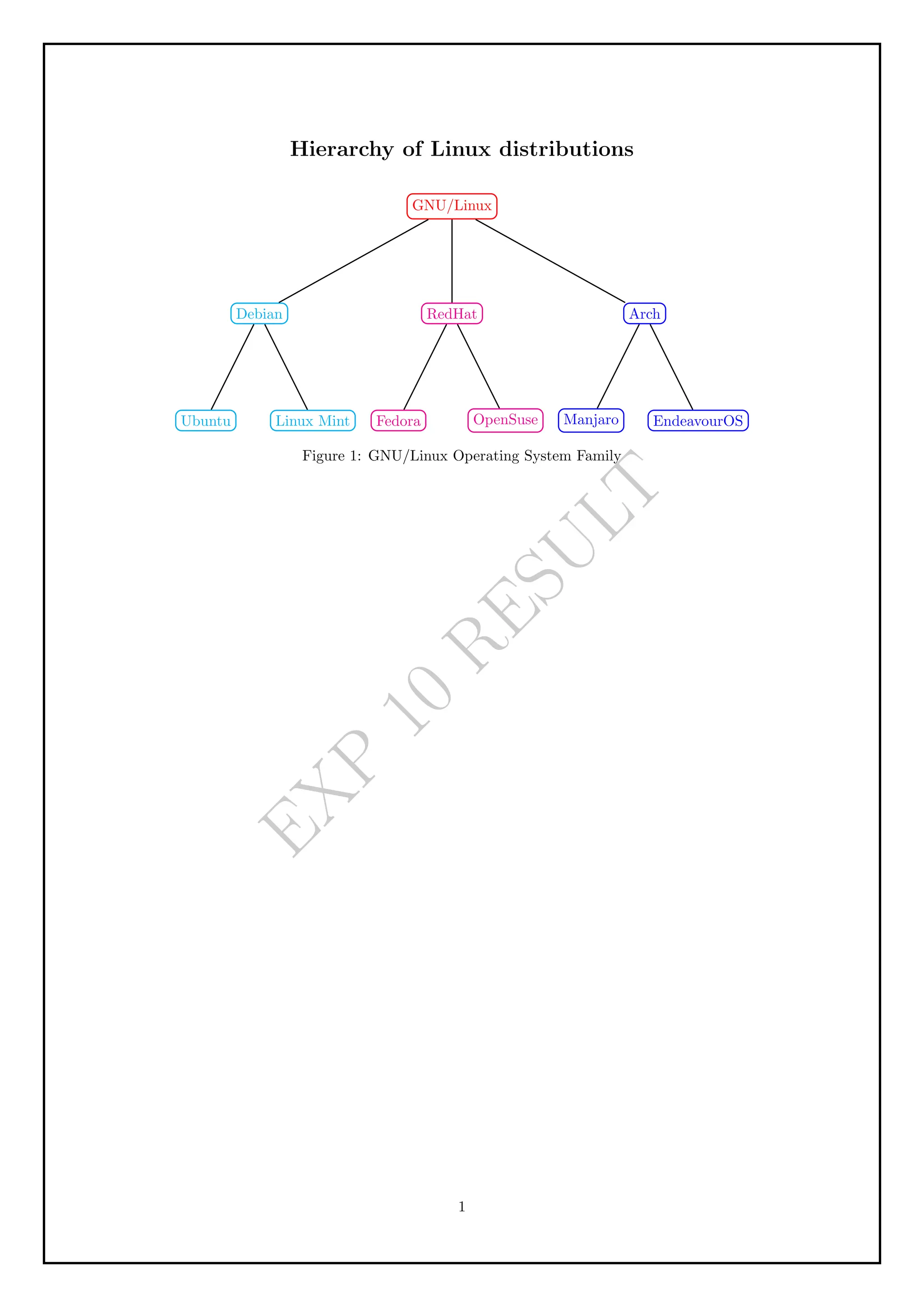
Develop a LaTeX script to design a simple tree diagram or hierarchical structure in
the document with appropriate labels using the Tikz library.
code
documentclass[]{report}
usepackage{hyperref}
usepackage[utf8]{inputenc}
usepackage{amsmath}
usepackage{amsfonts}
usepackage{amssymb}
usepackage[left=2cm,right=2cm,top=2cm,bottom=2cm]{geometry}
usepackage{multirow}
usepackage{caption}
usepackage{tikz}
begin{document}
begin{center}
Large{textbf{Hierarchy of Linux distributions}}
end{center}
begin{figure}[h]
centering
begin{tikzpicture} [every node/.style = {shape=rectangle, rounded corners, draw,
align=center}]
path [draw,thick,=]
node (root)[red] {GNU/Linux}
[sibling distance=45mm, level distance=25mm]
child {node [cyan] {Debian}
Dept of CSE, Alvas Institute of Engineering and Technology 32
E
X
P
1
0
R
E
S
U
L
T
Hierarchy of Linuxdistributions
GNU/Linux
Debian
Ubuntu Linux Mint
RedHat
Fedora OpenSuse
Arch
Manjaro EndeavourOS
Figure 1: GNU/Linux Operating System Family
1
36.
Technical Writing UsingL
A
TEX(BCSL456D) VTU 2022 Scheme
Chapter 11
Experiment 11
11.1 Develop a LaTeX script to present an
algorithm in the document using
algorithm/algorithmic/algorithm2e library.
11.2 Code
documentclass[]{report}
usepackage{hyperref}
usepackage[utf8]{inputenc}
usepackage{amsmath}
usepackage{amsfonts}
usepackage{amssymb}
usepackage[left=2cm,right=2cm,top=2cm,bottom=2cm]{geometry}
usepackage{multirow}
usepackage{caption}
usepackage{tikz}
usepackage{algorithm2e}
begin{document}
section*{Floyd’s Algorithm}
Algorithm to find solution to
All=Pairs Shortest=Paths Problem
SetKwComment{Comment}{// }{ }
vspace{1cm}
begin{algorithm}[H]
caption{Floyd(W [1..n, 1..n])}
SetAlgoLined
DontPrintSemicolon
KwIn{]}
Dept of CSE, Alvas Institute of Engineering and Technology 35
37.
Technical Writing UsingL
A
TEX(BCSL456D) VTU 2022 Scheme
KwOut{]}
$D$ $gets$ $W$ Comment*[r]{}
For{$k gets 1$ to $n$}{
For{$i gets 1$ to $n$}{
For{$j gets 1$ to $n$}{
$D[i,j]$ $gets min
lbrace D[i,j], D[i,k] + D[k,j]rbrace$
}
}
}
Return{$D$};
end{algorithm}
end{document}
Dept of CSE, Alvas Institute of Engineering and Technology 36
38.
E
X
P
1
1
R
E
S
U
L
T
Floyd’s Algorithm
Algorithm tofind solution to All-Pairs Shortest-Paths Problem
Input: ]
Output: ]
D ← W //
for k ← 1 to n do
for i ← 1 to n do
for j ← 1 to n do
D[i, j] ← min{D[i, j], D[i, k] + D[k, j]}
end
end
end
return D
Algorithm 1: Floyd(W [1..n, 1..n])
1
39.
Technical Writing UsingL
A
TEX(BCSL456D) VTU 2022 Scheme
Chapter 12
Experiment 12
12.1 Develop a LaTeX script to create a simple
report and article by using suitable
commands and formats of user choice.
12.2 Code
documentclass[12pt,a4paper,oneside]{memoir}
usepackage{graphicx}
usepackage[english]{babel}
usepackage[a4paper,right=1in]{geometry}
usepackage{hyperref}
usepackage{listings}
usepackage{pdfpages}
usepackage{xcolor}
usepackage{afterpage}
usepackage{background}
usepackage{array, booktabs, multicol, multirow}
usepackage{listings}
usepackage[utf8]{inputenc}
usepackage{amsmath,nccmath}
usepackage{amsfonts}
usepackage{amssymb}
usepackage[utf8]{inputenc}
usepackage{multirow}
usepackage{fancyhdr}
usepackage{caption}
usepackage{subcaption}
usepackage[english]{babel}
usepackage{amsthm}
usepackage{tikz}
Dept of CSE, Alvas Institute of Engineering and Technology 38
40.
Technical Writing UsingL
A
TEX(BCSL456D) VTU 2022 Scheme
usepackage{algorithm2e}
renewcommand{afterchapternum}{parbigskip}
setlength{beforechapskip}{=2baselineskip}
%To reduce%the Chapter vertical height.
%document starts here
begin{document}
newlength{toptafiddle}
newlength{bottafiddle}
include{frontpage}
%include{title}%include titlepage,i.e, title.tex file
%Page layout according to VTU specification
%Right=1.25in,left=1in, Top Bottom 0.75in in each
setlength{oddsidemargin}{0.25in}%left side margin{1in by default+0.25in}
%header specification
setlength{headheight}{onelineskip}
setlength{headsep}{4pt}
setlength{topmargin}{=0.25in}
%footer specification
setlength{footskip}{0.7cm}
setlength{footnotesep}{0.7cm}
%A4 paper height = 11.69in
%thus 11.69in=9.67in=1in(top+header) is approx 0.75in left for bottom
setlength{textheight}{9.60in}
brokenpenalty=10000
OnehalfSpacing
%include{certificate}
%include{decleration}
%include{publishingcertificate}
pagenumbering{roman}
pagestyle{plain}
Dept of CSE, Alvas Institute of Engineering and Technology 39
41.
Technical Writing UsingL
A
TEX(BCSL456D) VTU 2022 Scheme
%include{abstract}
%include{acknowledge}
%include{abstract}
setcounter{secnumdepth}{3}%sections numbering upto 3 level
renewcommand{contentsname}{Table of Contents}
tableofcontents
newpage
%listoffigures
newpage
%listoftables
%include{acronyms}
pagestyle{plain}
makeheadrule{plain}{textwidth}{0.4pt}
makefootrule{plain}{textwidth}{0.4pt}{footruleskip}
makeoddhead{plain}{small{Technical Writing Using LaTeX}}{}{small
{2022=26}}
makeoddfoot{plain}{small{Dept Of CSE, Alvas Institute of Engineering and
Technology}}{}{small{thepage}}
pagenumbering{arabic}
index{key}
%include{introduction}
%include{orgofreport}
include{demochapter}
include{demochapter}
include{demochapter}
include{conclusion}
include{reference}
%include{appendix}
end{document}
Dept of CSE, Alvas Institute of Engineering and Technology 40
42.
E
X
P
1
2
R
E
S
U
L
T
DEPARTMENT OF COMPUTER
SCIENCEAND ENGINEERING
LABORATORY MANUAL
Technical Writing Using L
A
TEX
Course Code : BCSL456D
prepared by
Dr.Madhusudhan.S
Associate Professor
ALVAS INSTITUTE OF ENGINEERING AND
TECHNOLOGY
(AICTE Approved, VTU Affiliated and NAAC ‘A+’ Accredited)
Shobhavana Campus MIJAR, Moodbidri, Mangaluru, Karnataka 574225
2023 - 24
E
X
P
1
2
R
E
S
U
L
T
Technical Writing UsingL
A
TEX 2022-26
References
[1] Andrew S. Tanenbaum:Operating Systems Design and Implementation, Prentice
Hall, 2006
[2] Henry S. Tanenbaum:Operating Systems Design and Implementation, Prentice
Hall, 2006
[3] About IPTV on Wikipedia http://en.wikipedia.org/wiki/IPTV
[4] About VNC on Wikipedia http://en.wikipedia.org/wiki/Virtual_
Network_Computing
[5] LibVNC server http://libvncserver.sourceforge.net
[6] DirectFB documentation http://elinux.org/DirectFB
[7] jointSPACE documentation http://sourceforge.net/apps/mediawiki/
jointspace/index.php?title=Main_Page
[8] PuTTy on Wikipedia http://en.wikipedia.org/wiki/PuTTy
[9] Nicola L. C Talbot and Gavin C. Cawley. A fast index assignment algorithm for
robust vector quantisation of image data. In Proceedings of the I.E.E.E. Interna-
tional Conference on Image Processing, Santa Barbara, California, USA, October
1997.
Dept Of CSE, Alvas Institute of Engineering and Technology 5
49.
Technical Writing UsingL
A
TEX(BCSL456D) VTU 2022 Scheme
References
[1] Firuza Karmali (AIBARA):A Short Introduction to LaTeX- A book for beginners,
2019
[2] Peter Flynn:A Beginner’s Introduction to Typesetting with LaTeX, Comprehen-
sive Tex Archive Network, 2005
[3] LaTeX TUTORIAL [https://latex-tutorial.com/tutorials/]
https://www.google.com/url?sa=tsource=webrct=j
opi=89978449url=https://latex-tutorial.com/ved=
2ahUKEwjQqvLw156HAxXxUGwGHbOWB8kQFnoECAcQAQusg=
AOvVaw2bd17nDxV98mf3xPuON00_
[4] LaTeX TUTORIAL [https://www.javatpoint.com/latex] http://en.
wikipedia.org/wiki/Virtual_Network_Computing
[5] Leslie Lamport (1994) L
A
TEX: a document preparation system, Addison Wesley,
Massachusetts, 2nd ed.
[6] Donald E. Knuth (1986) The TEX Book, Addison-Wesley Professional.
[7] IEEE Template selector https://www.google.com/url?sa=tsource=
webrct=jopi=89978449url=https://template-selector.ieee.
org/ved=2ahUKEwjHyq-61J6HAxVXSGcHHQuADpMQFnoECBcQAQusg=
AOvVaw2JlY7TroAxyDRUuVTDh-Ot
[8] Introduction to LaTeX - Writing papers the right way https:
//www.google.com/url?sa=tsource=webrct=jopi=89978449
url=https://web.mit.edu/rsi/www/pdfs/new-latex.pdfved=
2ahUKEwjEqq-hyp6HAxX5SmwGHUe6A7kQFnoECBMQAwusg=AOvVaw2Q_
l8nVb1tt8Gu8GsiqDqq
[9] An Overview of LATEX https://www.google.com/url?sa=tsource=
webrct=jopi=89978449url=http://clweb.csa.iisc.ac.in/pavithra/
talks/latex_tutorial.pdfved=2ahUKEwi24cDQzZ6HAxVicGwGHRHeB_
4QFnoECBMQAQusg=AOvVaw0gVsgpQKWqnm6hR-1_iycH
[10] Thesis templates https://www.google.com/url?sa=tsource=webrct=j
opi=89978449url=https://etd.iisc.ac.in/static/etd/instructions/
index.htmved=2ahUKEwjwkfHRzp6HAxUeR2wGHWnODEYQFnoECBcQAQusg=
AOvVaw14mAK_7RZ5wDAFLOPL1qI5
Dept of CSE, Alvas Institute of Engineering and Technology 48
50.
Technical Writing UsingL
A
TEX(BCSL456D) VTU 2022 Scheme
[11] LISTINGS https://texdoc.org/serve/listings/0
Dept of CSE, Alvas Institute of Engineering and Technology 49

![Technical Writing Using L
A
TEX(BCSL456D) VTU 2022 Scheme
Chapter 1
Experiment 1
Aim
Develop a LaTeX script to create a simple document that consists of 2 sections [Sec-
tion1, Section2], and a paragraph with dummy text in each section. And also include
header [title of document] and footer [institute name, page number] in the document.
Code
documentclass{article}
usepackage{blindtext}
usepackage{fancyhdr}
pagestyle {fancy}
fancyhf{}
rfoot{thepage}
lhead{textit {Experiment 1 }}
lfoot{textit {Alva’s Institute of Engineering and Technology}}
title{Introduction to LaTeX}
begin{document}
maketitle
section* {Starting LaTeX}
LaTeX is a powerful language for writing scientific documents and equations.
Knowing how to use it can be a valuable asset when writing or editing scientific
documents. The use of LaTeX for scientific documents is becoming increasingly
popular, due to its many advantages over traditional text=editing programs.
Dept of CSE, Alvas Institute of Engineering and Technology 1](https://image.slidesharecdn.com/report-250411110216-1281e5e3/75/Technical-Writing-Using-LaTeX-Manual-for-4th-CSE-VTU-2-2048.jpg)
![Technical Writing Using L
A
TEX(BCSL456D) VTU 2022 Scheme
Chapter 2
Experiment 2
Aim
Develop a LaTeX script to create a simple document that consists of 2 sections [Sec-
tion1, Section2], and a paragraph with dummy text in each section. And also include
header [title of document] and footer [institute name, page number] in the document.
Code
documentclass[llpt, a4paper, oneside] {report}
begin{document}
begin{abstract}
{LaTeX} eases our pressure in writing thesis & reports because
of its powerful features such as automatic hyphenation,
table of contents, figures & tables, powerful bibliography
tool, citations,Automatic Numbering of Chapter, sections,
figures & tables, its beautiful fonts, professional output...
Writing too much of code for gives bad impression
on {LaTeX}. But now we have numerous gui tools like
gedit=latex=plugin, {TeX}maker, Lyx & emacs,
which are very much user friendly.
This VTU=project=report=template is written using
popular document class, ‘‘Memoir”. In the coming
chapters, we hav given small help manual required
for writing report & at the end about template
end{abstract}
end{document}
Dept of CSE, Alvas Institute of Engineering and Technology 5](https://image.slidesharecdn.com/report-250411110216-1281e5e3/75/Technical-Writing-Using-LaTeX-Manual-for-4th-CSE-VTU-6-2048.jpg)
![Technical Writing Using L
A
TEX(BCSL456D) VTU 2022 Scheme
Chapter 3
Experiment 3
Aim
Develop a LaTeX script to create a simple title page of the VTU project Report
Code
documentclass[12pt,a4paper,oneside]{memoir}
usepackage{graphicx}
usepackage{xcolor}
begin{document}
begin{center}
textbf{color{black}VISVESVARAYA TECHNOLOGICAL UNIVERSITY
Jnana Sangama, Belagavi = 590 018}
vspace{0.2cm}
begin{figure}[h]
centering
includegraphics[height=3cm]{images/vtu.png}
end{figure}
small{textbf{color{black}LAB REPORT ON}}
LARGE{textbf{color{black}Technical Writing Using LaTeX}}
vspace{0.5cm}
large textit{color{black}Thesis submitted in partial fulfillment for the
Award of Degree of }{textbf{color{black}Bachelor of Engineering}}
color{black} in textbf{color{black}Computer Science and Engineering}
vspace{0.5cm}
{textbf{color{black}Submitted by}}
begin{tabular}{lll}
Dept of CSE, Alvas Institute of Engineering and Technology 7](https://image.slidesharecdn.com/report-250411110216-1281e5e3/75/Technical-Writing-Using-LaTeX-Manual-for-4th-CSE-VTU-8-2048.jpg)
![Technical Writing Using L
A
TEX(BCSL456D) VTU 2022 Scheme
color{black} Student Name & hspace{5cm} &
color{black}4AL11XX111
end{tabular}
vspace{0.5cm}
textit{color{black}Under the Guidance of}
Large{textbf{color{black}Dr.Madhusudhan.S}}
textit{color{black}Associate Professor}
end{center}
begin{figure}[h]
centering
includegraphics[height=2.7cm]{images/rns1.jpg}
end{figure}
begin{center}
scriptsizetextbf{color{black}DEPARTMENT OF COMPUTER SCIENCE
AND ENGINEERING}
end{center}
begin{center}
vspace{0.1cm}
largetextbf{color{black}ALVAS INSTITUTE OF ENGINEERING AND
TECHNOLOGY}
end{center}
end{document}
Dept of CSE, Alvas Institute of Engineering and Technology 8](https://image.slidesharecdn.com/report-250411110216-1281e5e3/75/Technical-Writing-Using-LaTeX-Manual-for-4th-CSE-VTU-9-2048.jpg)
![Technical Writing Using L
A
TEX(BCSL456D) VTU 2022 Scheme
Chapter 4
Experiment 4
Aim
Develop a LaTeX script to create the certificate Page of the Report
Code
documentclass[12pt,a4paper,oneside]{memoir}
usepackage{graphicx}
usepackage{xcolor}
begin{document}
begin{center}
largetextbf{ALVAS INSTITUTE OF ENGINEERING AND TECHNOLOGY
}
smalltextbf{(AICTE Approved, VTU Affiliated and NAAC ‘A’ Accredited)
Shobhavana Campus MIJAR, Moodbidri, Mangaluru, Karnataka 574225}
end{center}
begin{center}
footnotesizetextbf{DEPARTMENT OF COMPUTER SCIENCE AND
ENGINEERING}
smalltextbf{(Accredited by NBA )}
end{center}
begin{center}
begin{figure}[h]
centering
includegraphics[height=2.7cm]{images/rns1.jpg}
end{figure}
Large{textbf{CERTIFICATE}}
end{center}
Dept of CSE, Alvas Institute of Engineering and Technology 10](https://image.slidesharecdn.com/report-250411110216-1281e5e3/75/Technical-Writing-Using-LaTeX-Manual-for-4th-CSE-VTU-11-2048.jpg)
![Technical Writing Using L
A
TEX(BCSL456D) VTU 2022 Scheme
Certified that the Thesis work entitled textbf{‘‘Name of the project’’} is carried out
by textbf{Student(4ALxxCSxxx), } in partial fulfillment for the award of degree
of Bachelor of Engineering in textbf{color{blue}Computer Science and
Engineering} of Visvesvaraya Technological University, Belagavi, during the year
2019=2020. It is certified that all corrections / suggestions indicated during
internal assessment have been incorporated in the report. The project report has
been approved as it satisfies the academic requirements in aspect of the project
work prescribed for the award of degree of textbf{color{blue}Bachelor of
Engineering}.
vspace{1.5cm}
begin{minipage}[t]{0.3textwidth}%
small{color{gray!35}................................}
{centering{color{red}Dr.Madhusudhan.S}}
centering{Associate Professor}
end{minipage}hspace{0.06cm}
begin{minipage}[t]{0.3textwidth}%
small{color{gray!35}................................}
{centering{color{red}Dr. Manjunath Kotari}}
centering{Head of the Department}
end{minipage}
begin{minipage}[t]{0.3textwidth}%
small{color{gray!35}................................}
{centering{color{red}Dr. Peter Fernandes}}
centering{Principal}
end{minipage}
vspace{0.5cm}
begin{center}
textbf{{color{blue}External Viva}}
end{center}
vspace{0.0cm}
begin{minipage}[t]{0.62textwidth}%
textbf{Name of the examiners}
1 small{color{gray!35}..........................................}
2 small{color{gray!35}..........................................}
Dept of CSE, Alvas Institute of Engineering and Technology 11](https://image.slidesharecdn.com/report-250411110216-1281e5e3/75/Technical-Writing-Using-LaTeX-Manual-for-4th-CSE-VTU-12-2048.jpg)
![Technical Writing Using L
A
TEX(BCSL456D) VTU 2022 Scheme
end{minipage}hspace{0.07cm}
begin{minipage}[t]{0.62textwidth}%
textbf{Signature with date}
small{color{gray!35}...........................................}
small{color{gray!35}...........................................}
end{minipage}
end{document}
Dept of CSE, Alvas Institute of Engineering and Technology 12](https://image.slidesharecdn.com/report-250411110216-1281e5e3/75/Technical-Writing-Using-LaTeX-Manual-for-4th-CSE-VTU-13-2048.jpg)
![Technical Writing Using L
A
TEX(BCSL456D) VTU 2022 Scheme
Chapter 5
Experiment 5
Aim
Develop a LaTeX script to create a document that contains the following table with
proper labels
Code
documentclass[]{report}
usepackage{hyperref}
usepackage{draftwatermark}
SetWatermarkText{EXP 5 RESULT}
SetWatermarkScale{2}
usepackage[utf8]{inputenc}
usepackage{amsmath}
usepackage{amsfonts}
usepackage{amssymb}
usepackage[left=2cm,right=2cm,top=2cm,bottom=2cm]{geometry}
usepackage{multirow}
usepackage{caption}
begin{document}
begin{center}
captionof{table}{Your caption here}
begin{tabular}{|c|c|c|c|c|c|}
hline
multirow{2}{*}{S.No} & multirow{2}{*}{USN} & multirow{2}{*}
{Student Name} & multicolumn{3}{c|}{Marks}
cline{4=6}
& & & Maths & DBMS & LaTeX
hline
1 & 4XX22XX001 & Student1 name & 88 & 77 & 97
hline
2 & 4XX22XX002 & Student2 name & 74 & 78 & 66
Dept of CSE, Alvas Institute of Engineering and Technology 14](https://image.slidesharecdn.com/report-250411110216-1281e5e3/75/Technical-Writing-Using-LaTeX-Manual-for-4th-CSE-VTU-15-2048.jpg)
![Technical Writing Using L
A
TEX(BCSL456D) VTU 2022 Scheme
Chapter 6
Experiment 6
Aim
Develop a LaTeX script to include the side-by-side graphics/pictures/figures in the
document by using the subgraph concept.
Code
documentclass[]{report}
usepackage{hyperref}
usepackage[utf8]{inputenc}
usepackage{amsmath}
usepackage{amsfonts}
usepackage{amssymb}
usepackage{caption}
usepackage{subcaption}
usepackage{graphicx}
usepackage[left=2cm,right=2cm,top=2cm,bottom=2cm]{geometry}
begin{document}
%section*{Subfigure Demo}
begin{figure}[h]
centering
begin{subfigure}[b]{0.3textwidth}
centering
includegraphics[width=textwidth]{graph1.png}
caption{$y=x$}
label{fig:y equals x}
end{subfigure}
hfill
begin{subfigure}[b]{0.3textwidth}
centering
includegraphics[width=textwidth]{graph2.png}
Dept of CSE, Alvas Institute of Engineering and Technology 17](https://image.slidesharecdn.com/report-250411110216-1281e5e3/75/Technical-Writing-Using-LaTeX-Manual-for-4th-CSE-VTU-18-2048.jpg)
![Technical Writing Using L
A
TEX(BCSL456D) VTU 2022 Scheme
caption{$y=3sin x$}
label{fig:three sin x}
end{subfigure}
hfill
begin{subfigure}[b]{0.3textwidth}
centering
includegraphics[width=textwidth]{graph3.png}
caption{$y=5/x$}
label{fig:five over x}
end{subfigure}
caption{Three simple graphs arranged side=by=side}
label{fig:three graphs}
end{figure}
end{document}
Dept of CSE, Alvas Institute of Engineering and Technology 18](https://image.slidesharecdn.com/report-250411110216-1281e5e3/75/Technical-Writing-Using-LaTeX-Manual-for-4th-CSE-VTU-19-2048.jpg)
![Technical Writing Using L
A
TEX(BCSL456D) VTU 2022 Scheme
Chapter 7
Experiment 7
Aim
Develop a LaTeX script to create a document that consists of the following two math-
ematical equations
Code
documentclass[]{report}
usepackage{hyperref}
usepackage{draftwatermark}
SetWatermarkText{EXP 7 RESULT}
SetWatermarkScale{2}
usepackage[utf8]{inputenc}
usepackage{amsmath,nccmath}
usepackage{amsfonts}
usepackage{amssymb}
usepackage[left=2cm,right=2cm,top=2cm,bottom=2cm]{geometry}
begin{document}
begin{fleqn}label{eq:someequation}
[
x = frac{=b pm sqrt{bˆ{2}=4ac}}{2a}
]
[
= frac{=2 pm sqrt{2ˆ{2}=4*(1)*(=8)}}{2*1}
]
[
= frac{=2 pm sqrt{4+32}}{2}
]
end{fleqn}
Dept of CSE, Alvas Institute of Engineering and Technology 20](https://image.slidesharecdn.com/report-250411110216-1281e5e3/75/Technical-Writing-Using-LaTeX-Manual-for-4th-CSE-VTU-21-2048.jpg)
![Technical Writing Using L
A
TEX(BCSL456D) VTU 2022 Scheme
begin{fleqn}
[
varphiˆ{lambda} {sigma}A {t} = sum {pi in C {t}} sgn(pi)varphiˆ
{lambda} {sigma}varphiˆ{lambda} {pi}
]
[
= sum {tau in C {sigma t}} sgn(sigmaˆ{=1}tausigma)varphiˆ
{lambda} {sigma}varphiˆ{lambda} {sigmaˆ{=1}tausigma}
]
[
= A {sigma t} varphiˆ{lambda} {sigma}
]
end{fleqn}
end{document}
Dept of CSE, Alvas Institute of Engineering and Technology 21](https://image.slidesharecdn.com/report-250411110216-1281e5e3/75/Technical-Writing-Using-LaTeX-Manual-for-4th-CSE-VTU-22-2048.jpg)
![Technical Writing Using L
A
TEX(BCSL456D) VTU 2022 Scheme
Chapter 8
Experiment 8
Aim
Develop a LaTeX script to demonstrate the presentation of Numbered theorems, def-
initions, corollaries, and lemmas in the document.
Code
documentclass[]{report}
usepackage{hyperref}
usepackage{draftwatermark}
SetWatermarkText{EXP 8 RESULT}
SetWatermarkScale{2}
usepackage[english]{babel}
usepackage{amsthm}
newtheorem{theorem}{Theorem}[section]
newtheorem{corollary}{Corollary}[theorem]
newtheorem{lemma}[theorem]{Lemma}
theoremstyle{definition}
newtheorem{definition}{Definition}[section]
begin{document}
begin{theorem}
Let (f) be a function whose derivative exists in every point,
then (f) is a continuous function.
end{theorem}
begin{theorem}[Pythagorean theorem]
label{pythagorean}
This is a theorem about right triangles and can be summarised
Dept of CSE, Alvas Institute of Engineering and Technology 23](https://image.slidesharecdn.com/report-250411110216-1281e5e3/75/Technical-Writing-Using-LaTeX-Manual-for-4th-CSE-VTU-24-2048.jpg)
![Technical Writing Using L
A
TEX(BCSL456D) VTU 2022 Scheme
in the next equation
[ xˆ2 + yˆ2 = zˆ2 ]
end{theorem}
And a consequence of theorem ref{pythagorean} is the statement
in the next corollary.
begin{corollary}
There’s no right rectangle whose sides measure 3cm, 4cm, and 6cm.
end{corollary}
You can reference theorems such as ref{pythagorean} when a label
is assigned.
begin{lemma}
Given two line segments whose lengths are (a) and (b)
respectively there is a
real number (r) such that (b=ra).
end{lemma}
begin{definition}[Absolute value function]
The absolute value function can be specified as a
two=part definition as follows:
$
|x| =
left{
begin{array}{ll}
x & mbox{if } x geq 0
=x & mbox{if } x < 0
end{array}
right.
$
end{definition}
end{document}
Dept of CSE, Alvas Institute of Engineering and Technology 24](https://image.slidesharecdn.com/report-250411110216-1281e5e3/75/Technical-Writing-Using-LaTeX-Manual-for-4th-CSE-VTU-25-2048.jpg)
![Technical Writing Using L
A
TEX(BCSL456D) VTU 2022 Scheme
Chapter 9
Experiment 9
Aim
Latex Script to create a documnet that consists of two parargraphs with a minimum
number of 10 citations in it and display the reference in the section
Code
documentclass[]{report}
usepackage{hyperref}
begin{document}
question: Latex Script to create a documnet that consists of two
parargraphs with a minimum number of 10 citations in it and
display the reference in the section
LaTeX Features
Typesetting journal articles, technical reports,
books, and slide presentations.
Control over large documents containing sectioning,
cross=references, tables and figures.
Typesetting of complex mathematical formulas.
Advanced typesetting of mathematics with AMS=LaTeX.
Automatic generation of bibliographies and indexes.
Multi=lingual typesetting.
Inclusion of artwork, and process or spot colour.
Using PostScript or Metafont fonts.
For more details refer books cite{ref1}, cite{ref2}, cite{ref5},
cite{ref6} and tutorials cite{ref3}, cite{ref4}, IEEE templates
cite{ref7} , IISc thesis template cite{ref10} and web pages
cite{ref8} and cite{ref9}.
Dept of CSE, Alvas Institute of Engineering and Technology 26](https://image.slidesharecdn.com/report-250411110216-1281e5e3/75/Technical-Writing-Using-LaTeX-Manual-for-4th-CSE-VTU-27-2048.jpg)
![Technical Writing Using L
A
TEX(BCSL456D) VTU 2022 Scheme
begin{thebibliography}{20}
bibitem{ref1} Firuza Karmali (AIBARA):emph{A Short Introduction
to LaTeX= A book for beginners}, 2019
bibitem{ref2} Peter Flynn:emph{A Beginner’s Introduction to
Typesetting with LaTeX}, Comprehensive Tex Archive Network, 2005
%for urls
bibitem{ref3} LaTeX TUTORIAL [https://latex=tutorial.com/tutorials/]
url{https://www.google.com/url?sa=tsource=webrct=jopi=
89978449url=https://latex=tutorial.com/ved=2ahUKEwjQqvLw
156HAxXxUGwGHbOWB8kQFnoECAcQAQ
usg=AOvVaw2bd17nDxV98mf3xPuON00 }
bibitem{ref4} LaTeX TUTORIAL [https://www.javatpoint.com/latex]
url{http://en.wikipedia.org/wiki/Virtual Network Computing}
bibitem{ref5}Leslie Lamport (1994) emph{LaTeX: a document
preparation system}, Addison
Wesley, Massachusetts, 2nd ed.
bibitem{ref6}Donald E. Knuth (1986) emph{The TeX{} Book},
Addison=Wesley Professional.
bibitem{ref7}IEEE Template selector url{https://www.google.com/url?sa=t
source=webrct=jopi=89978449url=
https://template=selector.ieee.org/ved=2ahUKEwjHyq
=61J6HAxVXSGcHHQuADpMQF
noECBcQAQusg=AOvVaw2JlY7TroAxyDRUuVTDh=Ot}
bibitem{ref8}Introduction to LaTeX = Writing papers the
right way url{https://www.google.com/url?sa=tsource
=webrct=jopi=89978449url=https://web.mit.edu/rsi/
www/pdfs/new=latex.pdfved=2ahUKEwjEqq=hyp6HAxX5S
mwGHUe6A7kQFnoECBMQAwusg=AOvV
aw2Q l8nVb1tt8Gu8GsiqDqq}
bibitem{ref9}An Overview of LATEX url{https://www.google
.com/url?sa=tsource=webrct=jopi=89978449url=http:
//clweb.csa.iisc.ac.in/pavithra/talks/latex tutorial.pdfved=2a
hUKEwi24cDQzZ6HAxVicGwGHRHe
B 4QFnoECBMQAQusg=AOvVaw0gVsgpQKWqnm6hR=1 iycH}
bibitem{ref10}Thesis templates url{https://www.google.com/url?sa=tsource=
webrct=jopi=89978449url=https://etd.iisc.
Dept of CSE, Alvas Institute of Engineering and Technology 27](https://image.slidesharecdn.com/report-250411110216-1281e5e3/75/Technical-Writing-Using-LaTeX-Manual-for-4th-CSE-VTU-28-2048.jpg)
![E
X
P
9
R
E
S
U
L
T
question: Latex Script to create a documnet that consists of two parargraphs
with a minimum number of 10 citations in it and display the reference in the
section
LaTeX Features
Typesetting journal articles,
technical reports,
books, and slide presentations.
Control over large documents containing sectioning,
cross-references,
tables and figures.
Typesetting of complex mathematical formulas.
Advanced typesetting of mathematics with AMS-LaTeX.
Automatic generation of bibliographies and indexes.
Multi-lingual typesetting.
Inclusion of artwork, and process or spot colour.
Using PostScript or Metafont fonts.
For more details refer books [1], [2], [5], [6] and tutorials [3], [4], IEEE
templates [7] , IISc thesis template [10] and web pages [8] and [9].
1](https://image.slidesharecdn.com/report-250411110216-1281e5e3/75/Technical-Writing-Using-LaTeX-Manual-for-4th-CSE-VTU-30-2048.jpg)
![E
X
P
9
R
E
S
U
L
T
Bibliography
[1] Firuza Karmali (AIBARA):A Short Introduction to LaTeX- A book for be-
ginners, 2019
[2] Peter Flynn:A Beginner’s Introduction to Typesetting with LaTeX, Com-
prehensive Tex Archive Network, 2005
[3] LaTeX TUTORIAL [https://latex-tutorial.com/tutorials/]
https://www.google.com/url?sa=tsource=webrct=j
opi=89978449url=https://latex-tutorial.com/ved=
2ahUKEwjQqvLw156HAxXxUGwGHbOWB8kQFnoECAcQAQusg=
AOvVaw2bd17nDxV98mf3xPuON00_
[4] LaTeX TUTORIAL [https://www.javatpoint.com/latex] http://en.
wikipedia.org/wiki/Virtual_Network_Computing
[5] Leslie Lamport (1994) L
A
TEX: a document preparation system, Addison
Wesley, Massachusetts, 2nd ed.
[6] Donald E. Knuth (1986) The TEX Book, Addison-Wesley Professional.
[7] IEEE Template selector https://www.google.com/url?sa=tsource=
webrct=jopi=89978449url=https://template-selector.ieee.
org/ved=2ahUKEwjHyq-61J6HAxVXSGcHHQuADpMQFnoECBcQAQusg=
AOvVaw2JlY7TroAxyDRUuVTDh-Ot
[8] Introduction to LaTeX - Writing papers the right way https:
//www.google.com/url?sa=tsource=webrct=jopi=89978449
url=https://web.mit.edu/rsi/www/pdfs/new-latex.pdfved=
2ahUKEwjEqq-hyp6HAxX5SmwGHUe6A7kQFnoECBMQAwusg=AOvVaw2Q_
l8nVb1tt8Gu8GsiqDqq
[9] An Overview of LATEX https://www.google.com/url?
sa=tsource=webrct=jopi=89978449url=http://clweb.
csa.iisc.ac.in/pavithra/talks/latex_tutorial.pdf
ved=2ahUKEwi24cDQzZ6HAxVicGwGHRHeB_4QFnoECBMQAQusg=
AOvVaw0gVsgpQKWqnm6hR-1_iycH
2](https://image.slidesharecdn.com/report-250411110216-1281e5e3/75/Technical-Writing-Using-LaTeX-Manual-for-4th-CSE-VTU-31-2048.jpg)
![E
X
P
9
R
E
S
U
L
T
[10] Thesis templates https://www.google.com/url?sa=
tsource=webrct=jopi=89978449url=https://etd.
iisc.ac.in/static/etd/instructions/index.htmved=
2ahUKEwjwkfHRzp6HAxUeR2wGHWnODEYQFnoECBcQAQusg=AOvVaw14mAK_
7RZ5wDAFLOPL1qI5
3](https://image.slidesharecdn.com/report-250411110216-1281e5e3/75/Technical-Writing-Using-LaTeX-Manual-for-4th-CSE-VTU-32-2048.jpg)
![Technical Writing Using L
A
TEX(BCSL456D) VTU 2022 Scheme
Chapter 10
Experiment 10
Aim
Develop a LaTeX script to design a simple tree diagram or hierarchical structure in
the document with appropriate labels using the Tikz library.
code
documentclass[]{report}
usepackage{hyperref}
usepackage[utf8]{inputenc}
usepackage{amsmath}
usepackage{amsfonts}
usepackage{amssymb}
usepackage[left=2cm,right=2cm,top=2cm,bottom=2cm]{geometry}
usepackage{multirow}
usepackage{caption}
usepackage{tikz}
begin{document}
begin{center}
Large{textbf{Hierarchy of Linux distributions}}
end{center}
begin{figure}[h]
centering
begin{tikzpicture} [every node/.style = {shape=rectangle, rounded corners, draw,
align=center}]
path [draw,thick,=]
node (root)[red] {GNU/Linux}
[sibling distance=45mm, level distance=25mm]
child {node [cyan] {Debian}
Dept of CSE, Alvas Institute of Engineering and Technology 32](https://image.slidesharecdn.com/report-250411110216-1281e5e3/75/Technical-Writing-Using-LaTeX-Manual-for-4th-CSE-VTU-33-2048.jpg)
![Technical Writing Using L
A
TEX(BCSL456D) VTU 2022 Scheme
[sibling distance=25mm, level distance=25mm]
child { node [cyan] {Ubuntu} }
child { node [cyan] {Linux Mint} }
}
child {node [magenta] {RedHat}
[sibling distance=25mm, level distance=25mm]
child { node [magenta] {Fedora} }
child { node [magenta] {OpenSuse} }
}
child {node [blue] {Arch}
[sibling distance=25mm, level distance=25mm]
child { node [blue]{Manjaro} }
child { node [blue]{EndeavourOS} }
};
end{tikzpicture}
caption{GNU/Linux Operating System Family}
end{figure}
end{document}
Dept of CSE, Alvas Institute of Engineering and Technology 33](https://image.slidesharecdn.com/report-250411110216-1281e5e3/75/Technical-Writing-Using-LaTeX-Manual-for-4th-CSE-VTU-34-2048.jpg)
![Technical Writing Using L
A
TEX(BCSL456D) VTU 2022 Scheme
Chapter 11
Experiment 11
11.1 Develop a LaTeX script to present an
algorithm in the document using
algorithm/algorithmic/algorithm2e library.
11.2 Code
documentclass[]{report}
usepackage{hyperref}
usepackage[utf8]{inputenc}
usepackage{amsmath}
usepackage{amsfonts}
usepackage{amssymb}
usepackage[left=2cm,right=2cm,top=2cm,bottom=2cm]{geometry}
usepackage{multirow}
usepackage{caption}
usepackage{tikz}
usepackage{algorithm2e}
begin{document}
section*{Floyd’s Algorithm}
Algorithm to find solution to
All=Pairs Shortest=Paths Problem
SetKwComment{Comment}{// }{ }
vspace{1cm}
begin{algorithm}[H]
caption{Floyd(W [1..n, 1..n])}
SetAlgoLined
DontPrintSemicolon
KwIn{]}
Dept of CSE, Alvas Institute of Engineering and Technology 35](https://image.slidesharecdn.com/report-250411110216-1281e5e3/75/Technical-Writing-Using-LaTeX-Manual-for-4th-CSE-VTU-36-2048.jpg)
![Technical Writing Using L
A
TEX(BCSL456D) VTU 2022 Scheme
KwOut{]}
$D$ $gets$ $W$ Comment*[r]{}
For{$k gets 1$ to $n$}{
For{$i gets 1$ to $n$}{
For{$j gets 1$ to $n$}{
$D[i,j]$ $gets min
lbrace D[i,j], D[i,k] + D[k,j]rbrace$
}
}
}
Return{$D$};
end{algorithm}
end{document}
Dept of CSE, Alvas Institute of Engineering and Technology 36](https://image.slidesharecdn.com/report-250411110216-1281e5e3/75/Technical-Writing-Using-LaTeX-Manual-for-4th-CSE-VTU-37-2048.jpg)
![E
X
P
1
1
R
E
S
U
L
T
Floyd’s Algorithm
Algorithm to find solution to All-Pairs Shortest-Paths Problem
Input: ]
Output: ]
D ← W //
for k ← 1 to n do
for i ← 1 to n do
for j ← 1 to n do
D[i, j] ← min{D[i, j], D[i, k] + D[k, j]}
end
end
end
return D
Algorithm 1: Floyd(W [1..n, 1..n])
1](https://image.slidesharecdn.com/report-250411110216-1281e5e3/75/Technical-Writing-Using-LaTeX-Manual-for-4th-CSE-VTU-38-2048.jpg)
![Technical Writing Using L
A
TEX(BCSL456D) VTU 2022 Scheme
Chapter 12
Experiment 12
12.1 Develop a LaTeX script to create a simple
report and article by using suitable
commands and formats of user choice.
12.2 Code
documentclass[12pt,a4paper,oneside]{memoir}
usepackage{graphicx}
usepackage[english]{babel}
usepackage[a4paper,right=1in]{geometry}
usepackage{hyperref}
usepackage{listings}
usepackage{pdfpages}
usepackage{xcolor}
usepackage{afterpage}
usepackage{background}
usepackage{array, booktabs, multicol, multirow}
usepackage{listings}
usepackage[utf8]{inputenc}
usepackage{amsmath,nccmath}
usepackage{amsfonts}
usepackage{amssymb}
usepackage[utf8]{inputenc}
usepackage{multirow}
usepackage{fancyhdr}
usepackage{caption}
usepackage{subcaption}
usepackage[english]{babel}
usepackage{amsthm}
usepackage{tikz}
Dept of CSE, Alvas Institute of Engineering and Technology 38](https://image.slidesharecdn.com/report-250411110216-1281e5e3/75/Technical-Writing-Using-LaTeX-Manual-for-4th-CSE-VTU-39-2048.jpg)
![E
X
P
1
2
R
E
S
U
L
T
Technical Writing Using L
A
TEX 2022-26
References
[1] Andrew S. Tanenbaum:Operating Systems Design and Implementation, Prentice
Hall, 2006
[2] Henry S. Tanenbaum:Operating Systems Design and Implementation, Prentice
Hall, 2006
[3] About IPTV on Wikipedia http://en.wikipedia.org/wiki/IPTV
[4] About VNC on Wikipedia http://en.wikipedia.org/wiki/Virtual_
Network_Computing
[5] LibVNC server http://libvncserver.sourceforge.net
[6] DirectFB documentation http://elinux.org/DirectFB
[7] jointSPACE documentation http://sourceforge.net/apps/mediawiki/
jointspace/index.php?title=Main_Page
[8] PuTTy on Wikipedia http://en.wikipedia.org/wiki/PuTTy
[9] Nicola L. C Talbot and Gavin C. Cawley. A fast index assignment algorithm for
robust vector quantisation of image data. In Proceedings of the I.E.E.E. Interna-
tional Conference on Image Processing, Santa Barbara, California, USA, October
1997.
Dept Of CSE, Alvas Institute of Engineering and Technology 5](https://image.slidesharecdn.com/report-250411110216-1281e5e3/75/Technical-Writing-Using-LaTeX-Manual-for-4th-CSE-VTU-48-2048.jpg)
![Technical Writing Using L
A
TEX(BCSL456D) VTU 2022 Scheme
References
[1] Firuza Karmali (AIBARA):A Short Introduction to LaTeX- A book for beginners,
2019
[2] Peter Flynn:A Beginner’s Introduction to Typesetting with LaTeX, Comprehen-
sive Tex Archive Network, 2005
[3] LaTeX TUTORIAL [https://latex-tutorial.com/tutorials/]
https://www.google.com/url?sa=tsource=webrct=j
opi=89978449url=https://latex-tutorial.com/ved=
2ahUKEwjQqvLw156HAxXxUGwGHbOWB8kQFnoECAcQAQusg=
AOvVaw2bd17nDxV98mf3xPuON00_
[4] LaTeX TUTORIAL [https://www.javatpoint.com/latex] http://en.
wikipedia.org/wiki/Virtual_Network_Computing
[5] Leslie Lamport (1994) L
A
TEX: a document preparation system, Addison Wesley,
Massachusetts, 2nd ed.
[6] Donald E. Knuth (1986) The TEX Book, Addison-Wesley Professional.
[7] IEEE Template selector https://www.google.com/url?sa=tsource=
webrct=jopi=89978449url=https://template-selector.ieee.
org/ved=2ahUKEwjHyq-61J6HAxVXSGcHHQuADpMQFnoECBcQAQusg=
AOvVaw2JlY7TroAxyDRUuVTDh-Ot
[8] Introduction to LaTeX - Writing papers the right way https:
//www.google.com/url?sa=tsource=webrct=jopi=89978449
url=https://web.mit.edu/rsi/www/pdfs/new-latex.pdfved=
2ahUKEwjEqq-hyp6HAxX5SmwGHUe6A7kQFnoECBMQAwusg=AOvVaw2Q_
l8nVb1tt8Gu8GsiqDqq
[9] An Overview of LATEX https://www.google.com/url?sa=tsource=
webrct=jopi=89978449url=http://clweb.csa.iisc.ac.in/pavithra/
talks/latex_tutorial.pdfved=2ahUKEwi24cDQzZ6HAxVicGwGHRHeB_
4QFnoECBMQAQusg=AOvVaw0gVsgpQKWqnm6hR-1_iycH
[10] Thesis templates https://www.google.com/url?sa=tsource=webrct=j
opi=89978449url=https://etd.iisc.ac.in/static/etd/instructions/
index.htmved=2ahUKEwjwkfHRzp6HAxUeR2wGHWnODEYQFnoECBcQAQusg=
AOvVaw14mAK_7RZ5wDAFLOPL1qI5
Dept of CSE, Alvas Institute of Engineering and Technology 48](https://image.slidesharecdn.com/report-250411110216-1281e5e3/75/Technical-Writing-Using-LaTeX-Manual-for-4th-CSE-VTU-49-2048.jpg)
![Technical Writing Using L
A
TEX(BCSL456D) VTU 2022 Scheme
[11] LISTINGS https://texdoc.org/serve/listings/0
Dept of CSE, Alvas Institute of Engineering and Technology 49](https://image.slidesharecdn.com/report-250411110216-1281e5e3/75/Technical-Writing-Using-LaTeX-Manual-for-4th-CSE-VTU-50-2048.jpg)