Collections in Oracle PL/SQL
Oracle uses collections in PL/SQL the same way other languages use arrays. Oracle provides three basic
collections, each with an assortment of methods.
 Index-By Tables (Associative Arrays)
 Nested Table
 Varrays
 Collection Methods
 Multiset Operations
 Multidimensional Collections
Related articles.
 Associative Arrays in Oracle 9i
 Bulk Binds (BULK COLLECT & FORALL) and Record Processing in Oracle
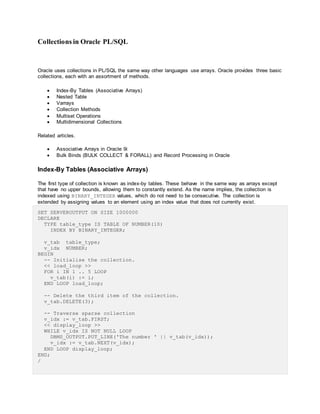
Index-By Tables (Associative Arrays)
The first type of collection is known as index-by tables. These behave in the same way as arrays except
that have no upper bounds, allowing them to constantly extend. As the name implies, the collection is
indexed using BINARY_INTEGER values, which do not need to be consecutive. The collection is
extended by assigning values to an element using an index value that does not currently exist.
SET SERVEROUTPUT ON SIZE 1000000
DECLARE
TYPE table_type IS TABLE OF NUMBER(10)
INDEX BY BINARY_INTEGER;
v_tab table_type;
v_idx NUMBER;
BEGIN
-- Initialise the collection.
<< load_loop >>
FOR i IN 1 .. 5 LOOP
v_tab(i) := i;
END LOOP load_loop;
-- Delete the third item of the collection.
v_tab.DELETE(3);
-- Traverse sparse collection
v_idx := v_tab.FIRST;
<< display_loop >>
WHILE v_idx IS NOT NULL LOOP
DBMS_OUTPUT.PUT_LINE('The number ' || v_tab(v_idx));
v_idx := v_tab.NEXT(v_idx);
END LOOP display_loop;
END;
/
The number 1
The number 2
The number 4
The number 5
PL/SQL procedure successfully completed.
SQL>
In Oracle 9i Release 2 these have been renamed to Associative Arrays and can be indexed by BINARY
INTEGER or VARCHAR2.
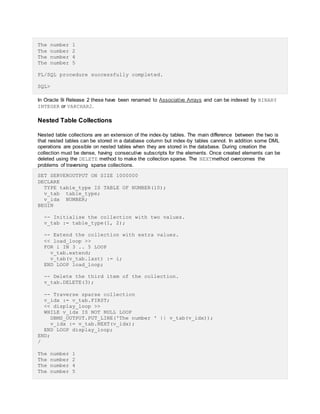
Nested Table Collections
Nested table collections are an extension of the index-by tables. The main difference between the two is
that nested tables can be stored in a database column but index-by tables cannot. In addition some DML
operations are possible on nested tables when they are stored in the database. During creation the
collection must be dense, having consecutive subscripts for the elements. Once created elements can be
deleted using the DELETE method to make the collection sparse. The NEXTmethod overcomes the
problems of traversing sparse collections.
SET SERVEROUTPUT ON SIZE 1000000
DECLARE
TYPE table_type IS TABLE OF NUMBER(10);
v_tab table_type;
v_idx NUMBER;
BEGIN
-- Initialise the collection with two values.
v_tab := table_type(1, 2);
-- Extend the collection with extra values.
<< load_loop >>
FOR i IN 3 .. 5 LOOP
v_tab.extend;
v_tab(v_tab.last) := i;
END LOOP load_loop;
-- Delete the third item of the collection.
v_tab.DELETE(3);
-- Traverse sparse collection
v_idx := v_tab.FIRST;
<< display_loop >>
WHILE v_idx IS NOT NULL LOOP
DBMS_OUTPUT.PUT_LINE('The number ' || v_tab(v_idx));
v_idx := v_tab.NEXT(v_idx);
END LOOP display_loop;
END;
/
The number 1
The number 2
The number 4
The number 5
PL/SQL procedure successfully completed.
SQL>
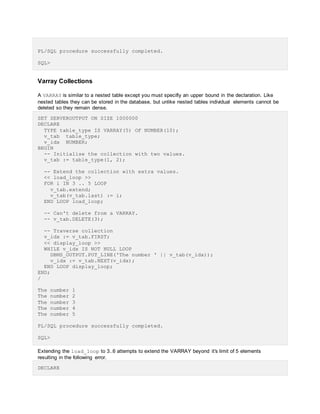
Varray Collections
A VARRAY is similar to a nested table except you must specifiy an upper bound in the declaration. Like
nested tables they can be stored in the database, but unlike nested tables individual elements cannot be
deleted so they remain dense.
SET SERVEROUTPUT ON SIZE 1000000
DECLARE
TYPE table_type IS VARRAY(5) OF NUMBER(10);
v_tab table_type;
v_idx NUMBER;
BEGIN
-- Initialise the collection with two values.
v_tab := table_type(1, 2);
-- Extend the collection with extra values.
<< load_loop >>
FOR i IN 3 .. 5 LOOP
v_tab.extend;
v_tab(v_tab.last) := i;
END LOOP load_loop;
-- Can't delete from a VARRAY.
-- v_tab.DELETE(3);
-- Traverse collection
v_idx := v_tab.FIRST;
<< display_loop >>
WHILE v_idx IS NOT NULL LOOP
DBMS_OUTPUT.PUT_LINE('The number ' || v_tab(v_idx));
v_idx := v_tab.NEXT(v_idx);
END LOOP display_loop;
END;
/
The number 1
The number 2
The number 3
The number 4
The number 5
PL/SQL procedure successfully completed.
SQL>
Extending the load_loop to 3..6 attempts to extend the VARRAY beyond it's limit of 5 elements
resulting in the following error.
DECLARE
*
ERROR at line 1:
ORA-06532: Subscript outside of limit
ORA-06512: at line 12
Collection Methods
A variety of methods exist for collections, but not all are relevant for every collection type.
 EXISTS(n) - Returns TRUE if the specified element exists.
 COUNT - Returns the number of elements in the collection.
 LIMIT - Returns the maximum number of elements for a VARRAY, or NULL for nested tables.
 FIRST - Returns the index of the first element in the collection.
 LAST - Returns the index of the last element in the collection.
 PRIOR(n) - Returns the index of the element prior to the specified element.
 NEXT(n) - Returns the index of the next element after the specified element.
 EXTEND - Appends a single null element to the collection.
 EXTEND(n) - Appends n null elements to the collection.
 EXTEND(n1,n2) - Appends n1 copies of the n2th element to the collection.
 TRIM - Removes a single element from the end of the collection.
 TRIM(n) - Removes n elements from the end of the collection.
 DELETE - Removess all elements from the collection.
 DELETE(n) - Removes element n from the collection.
 DELETE(n1,n2) - Removes all elements from n1 to n2 from the collection.
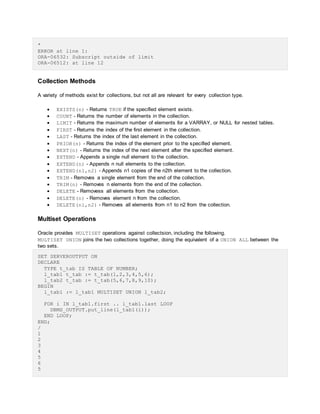
Multiset Operations
Oracle provides MULTISET operations against collectsion, including the following.
MULTISET UNION joins the two collections together, doing the equivalent of a UNION ALL between the
two sets.
SET SERVEROUTPUT ON
DECLARE
TYPE t_tab IS TABLE OF NUMBER;
l_tab1 t_tab := t_tab(1,2,3,4,5,6);
l_tab2 t_tab := t_tab(5,6,7,8,9,10);
BEGIN
l_tab1 := l_tab1 MULTISET UNION l_tab2;
FOR i IN l_tab1.first .. l_tab1.last LOOP
DBMS_OUTPUT.put_line(l_tab1(i));
END LOOP;
END;
/
1
2
3
4
5
6
5
6
7
8
9
10
PL/SQL procedure successfully completed.
SQL>
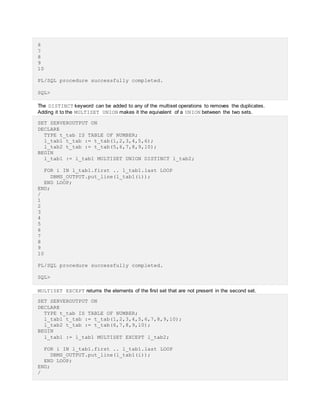
The DISTINCT keyword can be added to any of the multiset operations to removes the duplicates.
Adding it to the MULTISET UNION makes it the equivalent of a UNION between the two sets.
SET SERVEROUTPUT ON
DECLARE
TYPE t_tab IS TABLE OF NUMBER;
l_tab1 t_tab := t_tab(1,2,3,4,5,6);
l_tab2 t_tab := t_tab(5,6,7,8,9,10);
BEGIN
l_tab1 := l_tab1 MULTISET UNION DISTINCT l_tab2;
FOR i IN l_tab1.first .. l_tab1.last LOOP
DBMS_OUTPUT.put_line(l_tab1(i));
END LOOP;
END;
/
1
2
3
4
5
6
7
8
9
10
PL/SQL procedure successfully completed.
SQL>
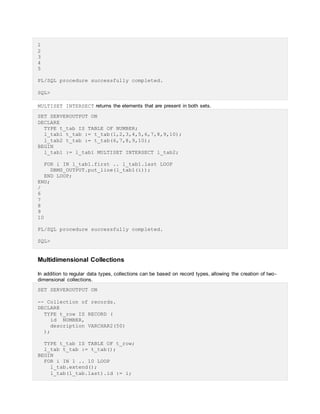
MULTISET EXCEPT returns the elements of the first set that are not present in the second set.
SET SERVEROUTPUT ON
DECLARE
TYPE t_tab IS TABLE OF NUMBER;
l_tab1 t_tab := t_tab(1,2,3,4,5,6,7,8,9,10);
l_tab2 t_tab := t_tab(6,7,8,9,10);
BEGIN
l_tab1 := l_tab1 MULTISET EXCEPT l_tab2;
FOR i IN l_tab1.first .. l_tab1.last LOOP
DBMS_OUTPUT.put_line(l_tab1(i));
END LOOP;
END;
/
1
2
3
4
5
PL/SQL procedure successfully completed.
SQL>
MULTISET INTERSECT returns the elements that are present in both sets.
SET SERVEROUTPUT ON
DECLARE
TYPE t_tab IS TABLE OF NUMBER;
l_tab1 t_tab := t_tab(1,2,3,4,5,6,7,8,9,10);
l_tab2 t_tab := t_tab(6,7,8,9,10);
BEGIN
l_tab1 := l_tab1 MULTISET INTERSECT l_tab2;
FOR i IN l_tab1.first .. l_tab1.last LOOP
DBMS_OUTPUT.put_line(l_tab1(i));
END LOOP;
END;
/
6
7
8
9
10
PL/SQL procedure successfully completed.
SQL>
Multidimensional Collections
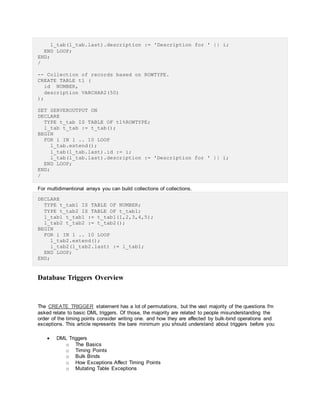
In addition to regular data types, collections can be based on record types, allowing the creation of two-
dimensional collections.
SET SERVEROUTPUT ON
-- Collection of records.
DECLARE
TYPE t_row IS RECORD (
id NUMBER,
description VARCHAR2(50)
);
TYPE t_tab IS TABLE OF t_row;
l_tab t_tab := t_tab();
BEGIN
FOR i IN 1 .. 10 LOOP
l_tab.extend();
l_tab(l_tab.last).id := i;
l_tab(l_tab.last).description := 'Description for ' || i;
END LOOP;
END;
/
-- Collection of records based on ROWTYPE.
CREATE TABLE t1 (
id NUMBER,
description VARCHAR2(50)
);
SET SERVEROUTPUT ON
DECLARE
TYPE t_tab IS TABLE OF t1%ROWTYPE;
l_tab t_tab := t_tab();
BEGIN
FOR i IN 1 .. 10 LOOP
l_tab.extend();
l_tab(l_tab.last).id := i;
l_tab(l_tab.last).description := 'Description for ' || i;
END LOOP;
END;
/
For multidimentional arrays you can build collections of collections.
DECLARE
TYPE t_tab1 IS TABLE OF NUMBER;
TYPE t_tab2 IS TABLE OF t_tab1;
l_tab1 t_tab1 := t_tab1(1,2,3,4,5);
l_tab2 t_tab2 := t_tab2();
BEGIN
FOR i IN 1 .. 10 LOOP
l_tab2.extend();
l_tab2(l_tab2.last) := l_tab1;
END LOOP;
END;
Database Triggers Overview
The CREATE TRIGGER statement has a lot of permutations, but the vast majority of the questions I'm
asked relate to basic DML triggers. Of those, the majority are related to people misunderstanding the
order of the timing points consider writing one. and how they are affected by bulk-bind operations and
exceptions. This article represents the bare minimum you should understand about triggers before you
 DML Triggers
o The Basics
o Timing Points
o Bulk Binds
o How Exceptions Affect Timing Points
o Mutating Table Exceptions
o Compound Triggers
o Should you use triggers at all? (Facts, Thoughts and Opinions)
 Non-DML (Event) Triggers
 Enabling/Disabling Triggers
Related articles.
 Mutating Table Exceptions
 Trigger Enhancements in Oracle Database 11g Release 1
 Cross-Edition Triggers: Edition-Based Redefinition in Oracle Database 11g Release 2
DML Triggers
The Basics
For a full syntax description of the CREATE TRIGGER statement, check out the documentation
shown here. The vast majority of the triggers I'm asked to look at use only the most basic syntax,
described below.
CREATE [OR REPLACE] TRIGGER schema.trigger-name
{BEFORE | AFTER} dml-event ON table-name
[FOR EACH ROW]
[DECLARE ...]
BEGIN
-- Your PL/SQL code goes here.
[EXCEPTION ...]
END;
/
The mandatory BEFORE or AFTER keyword and the optional FOR EACH ROW clause define the timing
point for the trigger, which is explained below. There are optional declaration and exception sections, like
any other PL/SQL block, if required.
The "dml-event" can be one or more of the following.
INSERT
UPDATE
UPDATE FOR column-name[, column-name ...]
DELETE
DML triggers can be defined for a combination of DML events by linking them together with
the OR keyword.
INSERT OR UPDATE OR DELETE
When a trigger is defined for multiple DML events, event-specific code can be defined using
the INSERTING, UPDATING, DELETING flags.
CREATE OR REPLACE TRIGGER my_test_trg
BEFORE INSERT OR UPDATE OR DELETE ON my_table
FOR EACH ROW
BEGIN
-- Flags are booleans and can be used in any branching construct.
CASE
WHEN INSERTING THEN
-- Include any code specific for when the trigger is fired from an
INSERT.
WHEN UPDATING THEN
-- Include any code specific for when the trigger is fired from an
UPDATE.
WHEN DELETING THEN
-- Include any code specific for when the trigger is fired from an
DELETE.
END CASE;
END;
/
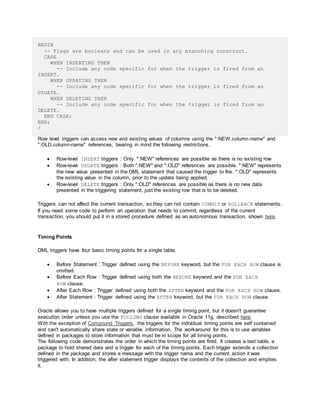
Row level triggers can access new and existing values of columns using the ":NEW.column-name" and
":OLD.column-name" references, bearing in mind the following restrictions.
 Row-level INSERT triggers : Only. ":NEW" references are possible as there is no existing row
 Row-level UPDATE triggers : Both ":NEW" and ":OLD" references are possible. ":NEW" represents
the new value presented in the DML statement that caused the trigger to fire. ":OLD" represents
the existing value in the column, prior to the update being applied.
 Row-level DELETE triggers : Only ":OLD" references are possible as there is no new data
presented in the triggering statement, just the existing row that is to be deleted.
Triggers can not affect the current transaction, so they can not contain COMMIT or ROLLBACK statements.
If you need some code to perform an operation that needs to commit, regardless of the current
transaction, you should put it in a stored procedure defined as an autonomous transaction, shown here.
Timing Points
DML triggers have four basic timing points for a single table.
 Before Statement : Trigger defined using the BEFORE keyword, but the FOR EACH ROW clause is
omitted.
 Before Each Row : Trigger defined using both the BEFORE keyword and the FOR EACH
ROW clause.
 After Each Row : Trigger defined using both the AFTER keyword and the FOR EACH ROW clause.
 After Statement : Trigger defined using the AFTER keyword, but the FOR EACH ROW clause.
Oracle allows you to have multiple triggers defined for a single timing point, but it doesn't guarantee
execution order unless you use the FOLLOWS clause available in Oracle 11g, described here.
With the exception of Compound Triggers, the triggers for the individual timing points are self contained
and can't automatically share state or variable information. The workaround for this is to use variables
defined in packages to store information that must be in scope for all timing points.
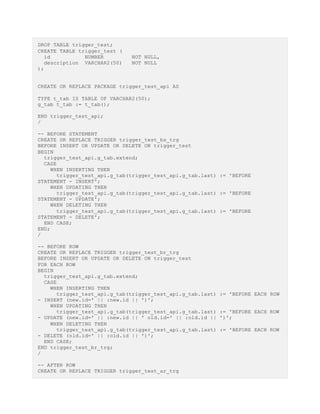
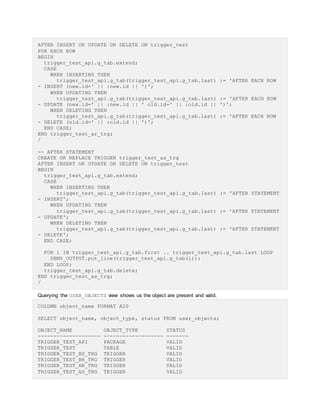
The following code demonstrates the order in which the timing points are fired. It creates a test table, a
package to hold shared data and a trigger for each of the timing points. Each trigger extends a collection
defined in the package and stores a message with the trigger name and the current action it was
triggered with. In addition, the after statement trigger displays the contents of the collection and empties
it.
DROP TABLE trigger_test;
CREATE TABLE trigger_test (
id NUMBER NOT NULL,
description VARCHAR2(50) NOT NULL
);
CREATE OR REPLACE PACKAGE trigger_test_api AS
TYPE t_tab IS TABLE OF VARCHAR2(50);
g_tab t_tab := t_tab();
END trigger_test_api;
/
-- BEFORE STATEMENT
CREATE OR REPLACE TRIGGER trigger_test_bs_trg
BEFORE INSERT OR UPDATE OR DELETE ON trigger_test
BEGIN
trigger_test_api.g_tab.extend;
CASE
WHEN INSERTING THEN
trigger_test_api.g_tab(trigger_test_api.g_tab.last) := 'BEFORE
STATEMENT - INSERT';
WHEN UPDATING THEN
trigger_test_api.g_tab(trigger_test_api.g_tab.last) := 'BEFORE
STATEMENT - UPDATE';
WHEN DELETING THEN
trigger_test_api.g_tab(trigger_test_api.g_tab.last) := 'BEFORE
STATEMENT - DELETE';
END CASE;
END;
/
-- BEFORE ROW
CREATE OR REPLACE TRIGGER trigger_test_br_trg
BEFORE INSERT OR UPDATE OR DELETE ON trigger_test
FOR EACH ROW
BEGIN
trigger_test_api.g_tab.extend;
CASE
WHEN INSERTING THEN
trigger_test_api.g_tab(trigger_test_api.g_tab.last) := 'BEFORE EACH ROW
- INSERT (new.id=' || :new.id || ')';
WHEN UPDATING THEN
trigger_test_api.g_tab(trigger_test_api.g_tab.last) := 'BEFORE EACH ROW
- UPDATE (new.id=' || :new.id || ' old.id=' || :old.id || ')';
WHEN DELETING THEN
trigger_test_api.g_tab(trigger_test_api.g_tab.last) := 'BEFORE EACH ROW
- DELETE (old.id=' || :old.id || ')';
END CASE;
END trigger_test_br_trg;
/
-- AFTER ROW
CREATE OR REPLACE TRIGGER trigger_test_ar_trg
AFTER INSERT OR UPDATE OR DELETE ON trigger_test
FOR EACH ROW
BEGIN
trigger_test_api.g_tab.extend;
CASE
WHEN INSERTING THEN
trigger_test_api.g_tab(trigger_test_api.g_tab.last) := 'AFTER EACH ROW
- INSERT (new.id=' || :new.id || ')';
WHEN UPDATING THEN
trigger_test_api.g_tab(trigger_test_api.g_tab.last) := 'AFTER EACH ROW
- UPDATE (new.id=' || :new.id || ' old.id=' || :old.id || ')';
WHEN DELETING THEN
trigger_test_api.g_tab(trigger_test_api.g_tab.last) := 'AFTER EACH ROW
- DELETE (old.id=' || :old.id || ')';
END CASE;
END trigger_test_ar_trg;
/
-- AFTER STATEMENT
CREATE OR REPLACE TRIGGER trigger_test_as_trg
AFTER INSERT OR UPDATE OR DELETE ON trigger_test
BEGIN
trigger_test_api.g_tab.extend;
CASE
WHEN INSERTING THEN
trigger_test_api.g_tab(trigger_test_api.g_tab.last) := 'AFTER STATEMENT
- INSERT';
WHEN UPDATING THEN
trigger_test_api.g_tab(trigger_test_api.g_tab.last) := 'AFTER STATEMENT
- UPDATE';
WHEN DELETING THEN
trigger_test_api.g_tab(trigger_test_api.g_tab.last) := 'AFTER STATEMENT
- DELETE';
END CASE;
FOR i IN trigger_test_api.g_tab.first .. trigger_test_api.g_tab.last LOOP
DBMS_OUTPUT.put_line(trigger_test_api.g_tab(i));
END LOOP;
trigger_test_api.g_tab.delete;
END trigger_test_as_trg;
/
Querying the USER_OBJECTS view shows us the object are present and valid.
COLUMN object_name FORMAT A20
SELECT object_name, object_type, status FROM user_objects;
OBJECT_NAME OBJECT_TYPE STATUS
-------------------- ------------------- -------
TRIGGER_TEST_API PACKAGE VALID
TRIGGER_TEST TABLE VALID
TRIGGER_TEST_BS_TRG TRIGGER VALID
TRIGGER_TEST_BR_TRG TRIGGER VALID
TRIGGER_TEST_AR_TRG TRIGGER VALID
TRIGGER_TEST_AS_TRG TRIGGER VALID
6 rows selected.
SQL>
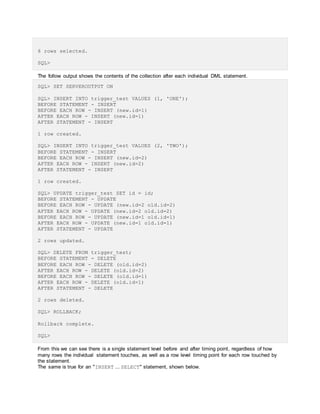
The follow output shows the contents of the collection after each individual DML statement.
SQL> SET SERVEROUTPUT ON
SQL> INSERT INTO trigger_test VALUES (1, 'ONE');
BEFORE STATEMENT - INSERT
BEFORE EACH ROW - INSERT (new.id=1)
AFTER EACH ROW - INSERT (new.id=1)
AFTER STATEMENT - INSERT
1 row created.
SQL> INSERT INTO trigger_test VALUES (2, 'TWO');
BEFORE STATEMENT - INSERT
BEFORE EACH ROW - INSERT (new.id=2)
AFTER EACH ROW - INSERT (new.id=2)
AFTER STATEMENT - INSERT
1 row created.
SQL> UPDATE trigger_test SET id = id;
BEFORE STATEMENT - UPDATE
BEFORE EACH ROW - UPDATE (new.id=2 old.id=2)
AFTER EACH ROW - UPDATE (new.id=2 old.id=2)
BEFORE EACH ROW - UPDATE (new.id=1 old.id=1)
AFTER EACH ROW - UPDATE (new.id=1 old.id=1)
AFTER STATEMENT - UPDATE
2 rows updated.
SQL> DELETE FROM trigger_test;
BEFORE STATEMENT - DELETE
BEFORE EACH ROW - DELETE (old.id=2)
AFTER EACH ROW - DELETE (old.id=2)
BEFORE EACH ROW - DELETE (old.id=1)
AFTER EACH ROW - DELETE (old.id=1)
AFTER STATEMENT - DELETE
2 rows deleted.
SQL> ROLLBACK;
Rollback complete.
SQL>
From this we can see there is a single statement level before and after timing point, regardless of how
many rows the individual statement touches, as well as a row level timing point for each row touched by
the statement.
The same is true for an "INSERT ... SELECT" statement, shown below.
SET SERVEROUTPUT ON
INSERT INTO trigger_test
SELECT level, 'Description for ' || level
FROM dual
CONNECT BY level <= 5;
BEFORE STATEMENT - INSERT
BEFORE EACH ROW - INSERT (new.id=1)
AFTER EACH ROW - INSERT (new.id=1)
BEFORE EACH ROW - INSERT (new.id=2)
AFTER EACH ROW - INSERT (new.id=2)
BEFORE EACH ROW - INSERT (new.id=3)
AFTER EACH ROW - INSERT (new.id=3)
BEFORE EACH ROW - INSERT (new.id=4)
AFTER EACH ROW - INSERT (new.id=4)
BEFORE EACH ROW - INSERT (new.id=5)
AFTER EACH ROW - INSERT (new.id=5)
AFTER STATEMENT - INSERT
5 rows created.
SQL> ROLLBACK;
Rollback complete.
SQL>
Bulk Binds
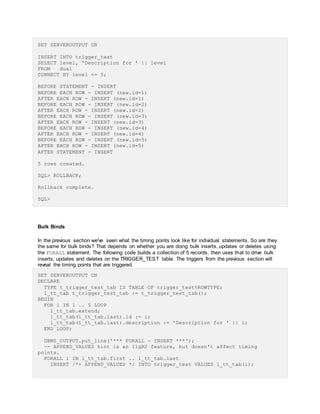
In the previous section we've seen what the timing points look like for individual statements. So are they
the same for bulk binds? That depends on whether you are doing bulk inserts, updates or deletes using
the FORALL statement. The following code builds a collection of 5 records, then uses that to drive bulk
inserts, updates and deletes on the TRIGGER_TEST table. The triggers from the previous section will
reveal the timing points that are triggered.
SET SERVEROUTPUT ON
DECLARE
TYPE t_trigger_test_tab IS TABLE OF trigger_test%ROWTYPE;
l_tt_tab t_trigger_test_tab := t_trigger_test_tab();
BEGIN
FOR i IN 1 .. 5 LOOP
l_tt_tab.extend;
l_tt_tab(l_tt_tab.last).id := i;
l_tt_tab(l_tt_tab.last).description := 'Description for ' || i;
END LOOP;
DBMS_OUTPUT.put_line('*** FORALL - INSERT ***');
-- APPEND_VALUES hint is an 11gR2 feature, but doesn't affect timing
points.
FORALL i IN l_tt_tab.first .. l_tt_tab.last
INSERT /*+ APPEND_VALUES */ INTO trigger_test VALUES l_tt_tab(i);
DBMS_OUTPUT.put_line('*** FORALL - UPDATE ***');
-- Referencing collection columns in FORALL is only supported in 11g.
FORALL i IN l_tt_tab.first .. l_tt_tab.last
UPDATE trigger_test SET description = l_tt_tab(i).description WHERE id =
l_tt_tab(i).id;
DBMS_OUTPUT.put_line('*** FORALL - DELETE ***');
-- Referencing collection columns in FORALL is only supported in 11g.
FORALL i IN l_tt_tab.first .. l_tt_tab.last
DELETE FROM trigger_test WHERE id = l_tt_tab(i).id;
ROLLBACK;
END;
/
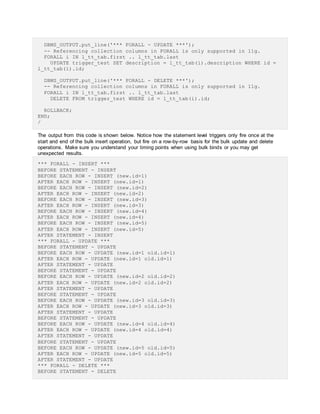
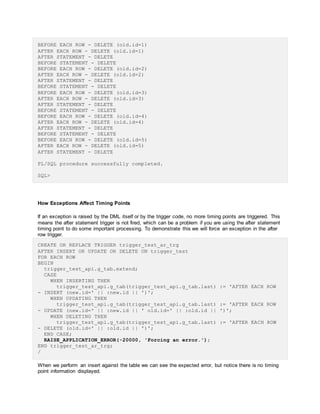
The output from this code is shown below. Notice how the statement level triggers only fire once at the
start and end of the bulk insert operation, but fire on a row-by-row basis for the bulk update and delete
operations. Make sure you understand your timing points when using bulk binds or you may get
unexpected results.
*** FORALL - INSERT ***
BEFORE STATEMENT - INSERT
BEFORE EACH ROW - INSERT (new.id=1)
AFTER EACH ROW - INSERT (new.id=1)
BEFORE EACH ROW - INSERT (new.id=2)
AFTER EACH ROW - INSERT (new.id=2)
BEFORE EACH ROW - INSERT (new.id=3)
AFTER EACH ROW - INSERT (new.id=3)
BEFORE EACH ROW - INSERT (new.id=4)
AFTER EACH ROW - INSERT (new.id=4)
BEFORE EACH ROW - INSERT (new.id=5)
AFTER EACH ROW - INSERT (new.id=5)
AFTER STATEMENT - INSERT
*** FORALL - UPDATE ***
BEFORE STATEMENT - UPDATE
BEFORE EACH ROW - UPDATE (new.id=1 old.id=1)
AFTER EACH ROW - UPDATE (new.id=1 old.id=1)
AFTER STATEMENT - UPDATE
BEFORE STATEMENT - UPDATE
BEFORE EACH ROW - UPDATE (new.id=2 old.id=2)
AFTER EACH ROW - UPDATE (new.id=2 old.id=2)
AFTER STATEMENT - UPDATE
BEFORE STATEMENT - UPDATE
BEFORE EACH ROW - UPDATE (new.id=3 old.id=3)
AFTER EACH ROW - UPDATE (new.id=3 old.id=3)
AFTER STATEMENT - UPDATE
BEFORE STATEMENT - UPDATE
BEFORE EACH ROW - UPDATE (new.id=4 old.id=4)
AFTER EACH ROW - UPDATE (new.id=4 old.id=4)
AFTER STATEMENT - UPDATE
BEFORE STATEMENT - UPDATE
BEFORE EACH ROW - UPDATE (new.id=5 old.id=5)
AFTER EACH ROW - UPDATE (new.id=5 old.id=5)
AFTER STATEMENT - UPDATE
*** FORALL - DELETE ***
BEFORE STATEMENT - DELETE
BEFORE EACH ROW - DELETE (old.id=1)
AFTER EACH ROW - DELETE (old.id=1)
AFTER STATEMENT - DELETE
BEFORE STATEMENT - DELETE
BEFORE EACH ROW - DELETE (old.id=2)
AFTER EACH ROW - DELETE (old.id=2)
AFTER STATEMENT - DELETE
BEFORE STATEMENT - DELETE
BEFORE EACH ROW - DELETE (old.id=3)
AFTER EACH ROW - DELETE (old.id=3)
AFTER STATEMENT - DELETE
BEFORE STATEMENT - DELETE
BEFORE EACH ROW - DELETE (old.id=4)
AFTER EACH ROW - DELETE (old.id=4)
AFTER STATEMENT - DELETE
BEFORE STATEMENT - DELETE
BEFORE EACH ROW - DELETE (old.id=5)
AFTER EACH ROW - DELETE (old.id=5)
AFTER STATEMENT - DELETE
PL/SQL procedure successfully completed.
SQL>
How Exceptions Affect Timing Points
If an exception is raised by the DML itself or by the trigger code, no more timing points are triggered. This
means the after statement trigger is not fired, which can be a problem if you are using the after statement
timing point to do some important processing. To demonstrate this we will force an exception in the after
row trigger.
CREATE OR REPLACE TRIGGER trigger_test_ar_trg
AFTER INSERT OR UPDATE OR DELETE ON trigger_test
FOR EACH ROW
BEGIN
trigger_test_api.g_tab.extend;
CASE
WHEN INSERTING THEN
trigger_test_api.g_tab(trigger_test_api.g_tab.last) := 'AFTER EACH ROW
- INSERT (new.id=' || :new.id || ')';
WHEN UPDATING THEN
trigger_test_api.g_tab(trigger_test_api.g_tab.last) := 'AFTER EACH ROW
- UPDATE (new.id=' || :new.id || ' old.id=' || :old.id || ')';
WHEN DELETING THEN
trigger_test_api.g_tab(trigger_test_api.g_tab.last) := 'AFTER EACH ROW
- DELETE (old.id=' || :old.id || ')';
END CASE;
RAISE_APPLICATION_ERROR(-20000, 'Forcing an error.');
END trigger_test_ar_trg;
/
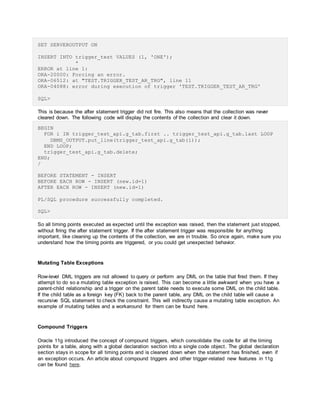
When we perform an insert against the table we can see the expected error, but notice there is no timing
point information displayed.
SET SERVEROUTPUT ON
INSERT INTO trigger_test VALUES (1, 'ONE');
*
ERROR at line 1:
ORA-20000: Forcing an error.
ORA-06512: at "TEST.TRIGGER_TEST_AR_TRG", line 11
ORA-04088: error during execution of trigger 'TEST.TRIGGER_TEST_AR_TRG'
SQL>
This is because the after statement trigger did not fire. This also means that the collection was never
cleared down. The following code will display the contents of the collection and clear it down.
BEGIN
FOR i IN trigger_test_api.g_tab.first .. trigger_test_api.g_tab.last LOOP
DBMS_OUTPUT.put_line(trigger_test_api.g_tab(i));
END LOOP;
trigger_test_api.g_tab.delete;
END;
/
BEFORE STATEMENT - INSERT
BEFORE EACH ROW - INSERT (new.id=1)
AFTER EACH ROW - INSERT (new.id=1)
PL/SQL procedure successfully completed.
SQL>
So all timing points executed as expected until the exception was raised, then the statement just stopped,
without firing the after statement trigger. If the after statement trigger was responsible for anything
important, like cleaning up the contents of the collection, we are in trouble. So once again, make sure you
understand how the timing points are triggered, or you could get unexpected behavior.
Mutating Table Exceptions
Row-level DML triggers are not allowed to query or perform any DML on the table that fired them. If they
attempt to do so a mutating table exception is raised. This can become a little awkward when you have a
parent-child relationship and a trigger on the parent table needs to execute some DML on the child table.
If the child table as a foreign key (FK) back to the parent table, any DML on the child table will cause a
recursive SQL statement to check the constraint. This will indirectly cause a mutating table exception. An
example of mutating tables and a workaround for them can be found here.
Compound Triggers
Oracle 11g introduced the concept of compound triggers, which consolidate the code for all the timing
points for a table, along with a global declaration section into a single code object. The global declaration
section stays in scope for all timing points and is cleaned down when the statement has finished, even if
an exception occurs. An article about compound triggers and other trigger-related new features in 11g
can be found here.
Should you use triggers at all? (Facts, Thoughts and Opinions)
I'm not a major fan of DML triggers, but I invariably use them on most systems. Here are a random
selection of facts, thoughts and opinions based on my experience. Feel free to disagree.
 Adding DML triggers to tables affects the performance of DML statements on those tables. Lots
of sites disable triggers before data loads then run cleanup jobs to "fill in the gaps" once the data
loads are complete. If you care about performance, go easy on triggers.
 Doing non-transactional work in triggers (autonomous transactions, package variables,
messaging and job creation) can cause problems when Oracle performs DML restarts. Be aware
that a single DML statement may be restarted by the server, causing any triggers to fire multiple
times for a single DML statement. If non-transactional code is included in triggers, it will not be
rolled back with the DML before the restart, so it will execute again when the DML is restarted.
 If you must execute some large, or long-running, code from a trigger, consider decoupling the
process. Get your trigger to create a job or queue a message, so the work can by picked up and
done later.
 Spreading functionality throughout several triggers can make it difficult for developers to see what
is really going on when they are coding, since their simple insert statement may actually be
triggering a large cascade of operations without their knowledge.
 Triggers inevitably get disabled by accident and their "vital" functionality is lost so you have to
repair the data manually.
 If something is complex enough to require one or more triggers, you should probably place that
functionality in a PL/SQL API and call that from your application, rather than issuing a DML
statement and relying on a trigger to do the extra work for you. PL/SQL doesn't have all the
restrictions associated with triggers, so it's a much nicer solution.
 I've conveniently avoided mentioning INSTEAD OF triggers up until now. I'm not saying they have
no place and should be totally avoided, but if you find yourself using them a lot, you should
probably either redesign your system, or use PL/SQL APIs rather than triggers. One place I have
used them a lot was in a system with lots of object-relational functionality. Also another feature
whose usage should be questioned.
Non-DML (Event) Triggers
Non-DML triggers, also known as event and system triggers, are can be split into two categories: DDL
events and database events.
The syntax for both are similar, with the full syntax shown here and a summarized version below.
CREATE [OR REPLACE] TRIGGER trigger-name
{ BEFORE | AFTER } event [OR event]...
ON { [schema.] SCHEMA | DATABASE }
[DECLARE ...]
BEGIN
-- Your PL/SQL code goes here.
[EXCEPTION ...]
END;
/
A single trigger can be used for multiple events of the same type (DDL or database). The trigger can
target a single schema or the whole database. Granular information about triggering events can be
retrieved using event attribute functions.
 Event Attribute Functions
 Event Attribute Functions for Database Event Triggers
 Event Attribute Functions for Client Event Triggers
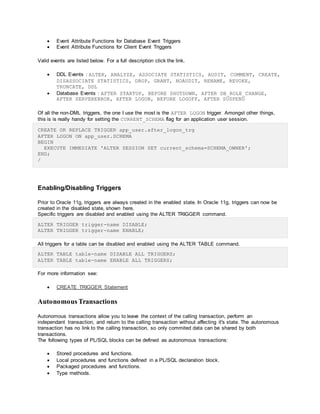
Valid events are listed below. For a full description click the link.
 DDL Events : ALTER, ANALYZE, ASSOCIATE STATISTICS, AUDIT, COMMENT, CREATE,
DISASSOCIATE STATISTICS, DROP, GRANT, NOAUDIT, RENAME, REVOKE,
TRUNCATE, DDL
 Database Events : AFTER STARTUP, BEFORE SHUTDOWN, AFTER DB_ROLE_CHANGE,
AFTER SERVERERROR, AFTER LOGON, BEFORE LOGOFF, AFTER SUSPEND
Of all the non-DML triggers, the one I use the most is the AFTER LOGON trigger. Amongst other things,
this is is really handy for setting the CURRENT_SCHEMA flag for an application user session.
CREATE OR REPLACE TRIGGER app_user.after_logon_trg
AFTER LOGON ON app_user.SCHEMA
BEGIN
EXECUTE IMMEDIATE 'ALTER SESSION SET current_schema=SCHEMA_OWNER';
END;
/
Enabling/Disabling Triggers
Prior to Oracle 11g, triggers are always created in the enabled state. In Oracle 11g, triggers can now be
created in the disabled state, shown here.
Specific triggers are disabled and enabled using the ALTER TRIGGER command.
ALTER TRIGGER trigger-name DISABLE;
ALTER TRIGGER trigger-name ENABLE;
All triggers for a table can be disabled and enabled using the ALTER TABLE command.
ALTER TABLE table-name DISABLE ALL TRIGGERS;
ALTER TABLE table-name ENABLE ALL TRIGGERS;
For more information see:
 CREATE TRIGGER Statement
Autonomous Transactions
Autonomous transactions allow you to leave the context of the calling transaction, perform an
independant transaction, and return to the calling transaction without affecting it's state. The autonomous
transaction has no link to the calling transaction, so only commited data can be shared by both
transactions.
The following types of PL/SQL blocks can be defined as autonomous transactions:
 Stored procedures and functions.
 Local procedures and functions defined in a PL/SQL declaration block.
 Packaged procedures and functions.
 Type methods.
 Top-level anonymous blocks.
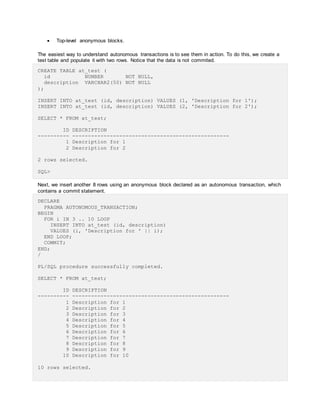
The easiest way to understand autonomous transactions is to see them in action. To do this, we create a
test table and populate it with two rows. Notice that the data is not commited.
CREATE TABLE at_test (
id NUMBER NOT NULL,
description VARCHAR2(50) NOT NULL
);
INSERT INTO at_test (id, description) VALUES (1, 'Description for 1');
INSERT INTO at_test (id, description) VALUES (2, 'Description for 2');
SELECT * FROM at_test;
ID DESCRIPTION
---------- --------------------------------------------------
1 Description for 1
2 Description for 2
2 rows selected.
SQL>
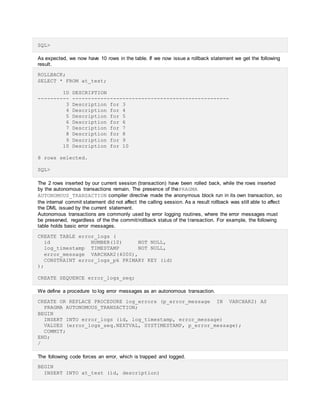
Next, we insert another 8 rows using an anonymous block declared as an autonomous transaction, which
contains a commit statement.
DECLARE
PRAGMA AUTONOMOUS_TRANSACTION;
BEGIN
FOR i IN 3 .. 10 LOOP
INSERT INTO at_test (id, description)
VALUES (i, 'Description for ' || i);
END LOOP;
COMMIT;
END;
/
PL/SQL procedure successfully completed.
SELECT * FROM at_test;
ID DESCRIPTION
---------- --------------------------------------------------
1 Description for 1
2 Description for 2
3 Description for 3
4 Description for 4
5 Description for 5
6 Description for 6
7 Description for 7
8 Description for 8
9 Description for 9
10 Description for 10
10 rows selected.
SQL>
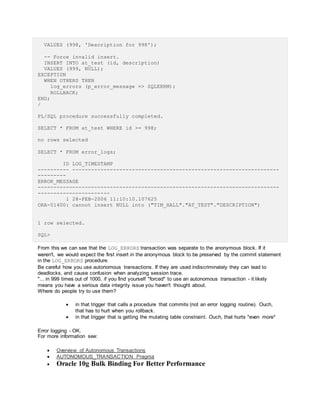
As expected, we now have 10 rows in the table. If we now issue a rollback statement we get the following
result.
ROLLBACK;
SELECT * FROM at_test;
ID DESCRIPTION
---------- --------------------------------------------------
3 Description for 3
4 Description for 4
5 Description for 5
6 Description for 6
7 Description for 7
8 Description for 8
9 Description for 9
10 Description for 10
8 rows selected.
SQL>
The 2 rows inserted by our current session (transaction) have been rolled back, while the rows inserted
by the autonomous transactions remain. The presence of thePRAGMA
AUTONOMOUS_TRANSACTION compiler directive made the anonymous block run in its own transaction, so
the internal commit statement did not affect the calling session. As a result rollback was still able to affect
the DML issued by the current statement.
Autonomous transactions are commonly used by error logging routines, where the error messages must
be preserved, regardless of the the commit/rollback status of the transaction. For example, the following
table holds basic error messages.
CREATE TABLE error_logs (
id NUMBER(10) NOT NULL,
log_timestamp TIMESTAMP NOT NULL,
error_message VARCHAR2(4000),
CONSTRAINT error_logs_pk PRIMARY KEY (id)
);
CREATE SEQUENCE error_logs_seq;
We define a procedure to log error messages as an autonomous transaction.
CREATE OR REPLACE PROCEDURE log_errors (p_error_message IN VARCHAR2) AS
PRAGMA AUTONOMOUS_TRANSACTION;
BEGIN
INSERT INTO error_logs (id, log_timestamp, error_message)
VALUES (error_logs_seq.NEXTVAL, SYSTIMESTAMP, p_error_message);
COMMIT;
END;
/
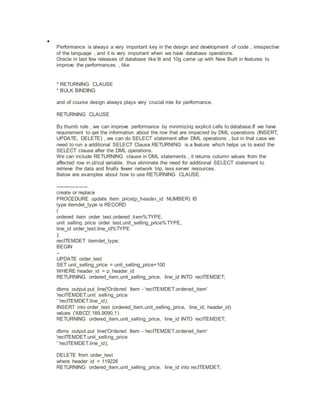
The following code forces an error, which is trapped and logged.
BEGIN
INSERT INTO at_test (id, description)
VALUES (998, 'Description for 998');
-- Force invalid insert.
INSERT INTO at_test (id, description)
VALUES (999, NULL);
EXCEPTION
WHEN OTHERS THEN
log_errors (p_error_message => SQLERRM);
ROLLBACK;
END;
/
PL/SQL procedure successfully completed.
SELECT * FROM at_test WHERE id >= 998;
no rows selected
SELECT * FROM error_logs;
ID LOG_TIMESTAMP
---------- ------------------------------------------------------------------
---------
ERROR_MESSAGE
-----------------------------------------------------------------------------
-----------------------
1 28-FEB-2006 11:10:10.107625
ORA-01400: cannot insert NULL into ("TIM_HALL"."AT_TEST"."DESCRIPTION")
1 row selected.
SQL>
From this we can see that the LOG_ERRORS transaction was separate to the anonymous block. If it
weren't, we would expect the first insert in the anonymous block to be preserved by the commit statement
in the LOG_ERRORS procedure.
Be careful how you use autonomous transactions. If they are used indiscriminately they can lead to
deadlocks, and cause confusion when analyzing session trace.
"... in 999 times out of 1000, if you find yourself "forced" to use an autonomous transaction - it likely
means you have a serious data integrity issue you haven't thought about.
Where do people try to use them?
 in that trigger that calls a procedure that commits (not an error logging routine). Ouch,
that has to hurt when you rollback.
 in that trigger that is getting the mutating table constraint. Ouch, that hurts *even more*
Error logging - OK.
For more information see:
 Overview of Autonomous Transactions
 AUTONOMOUS_TRANSACTION Pragma
 Oracle 10g Bulk Binding For Better Performance

Performance is always a very important key in the design and development of code , irrespective
of the language , and it is very important when we have database operations.
Oracle in last few releases of database like 9i and 10g came up with New Built in features to
improve the performances , like
* RETURNING CLAUSE
* BULK BINDING
and of course design always plays very crucial role for performance.
RETURNING CLAUSE
By thumb rule , we can improve performance by minimizing explicit calls to database.If we have
requirement to get the information about the row that are impacted by DML operations (INSERT,
UPDATE, DELETE) , we can do SELECT statement after DML operations , but in that case we
need to run a additional SELECT Clause.RETURNING is a feature which helps us to avoid the
SELECT clause after the DML operations.
We can include RETURNING clause in DML statements , it returns column values from the
affected row in pl/sql variable, thus eliminate the need for additional SELECT statement to
retrieve the data and finally fewer network trip, less server resources.
Below are examples about how to use RETURNING CLAUSE.
-------------------
create or replace
PROCEDURE update_item_price(p_header_id NUMBER) IS
type itemdet_type is RECORD
(
ordered_item order_test.ordered_item%TYPE,
unit_selling_price order_test.unit_selling_price%TYPE,
line_id order_test.line_id%TYPE
);
recITEMDET itemdet_type;
BEGIN
--
UPDATE order_test
SET unit_selling_price = unit_selling_price+100
WHERE header_id = p_header_id
RETURNING ordered_item,unit_selling_price, line_id INTO recITEMDET;
dbms_output.put_line('Ordered Item - 'recITEMDET.ordered_item'
'recITEMDET.unit_selling_price
' 'recITEMDET.line_id);
INSERT into order_test (ordered_item,unit_selling_price, line_id, header_id)
values ('ABCD',189,9090,1)
RETURNING ordered_item,unit_selling_price, line_id INTO recITEMDET;
dbms_output.put_line('Ordered Item - 'recITEMDET.ordered_item'
'recITEMDET.unit_selling_price
' 'recITEMDET.line_id);
DELETE from order_test
where header_id = 119226
RETURNING ordered_item,unit_selling_price, line_id into recITEMDET;
dbms_output.put_line('Ordered Item - 'recITEMDET.ordered_item'
'recITEMDET.unit_selling_price
' 'recITEMDET.line_id);
END;
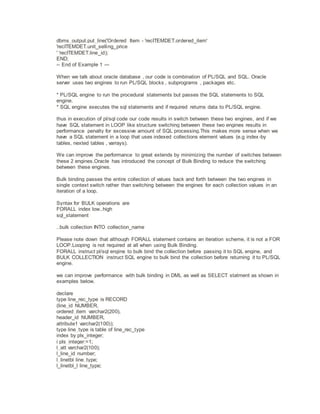
-- End of Example 1 ---
When we talk about oracle database , our code is combination of PL/SQL and SQL. Oracle
server uses two engines to run PL/SQL blocks , subprograms , packages etc.
* PL/SQL engine to run the procedural statements but passes the SQL statements to SQL
engine.
* SQL engine executes the sql statements and if required returns data to PL/SQL engine.
thus in execution of pl/sql code our code results in switch between these two engines, and if we
have SQL statement in LOOP like structure switching between these two engines results in
performance penalty for excessive amount of SQL processing.This makes more sense when we
have a SQL statement in a loop that uses indexed collections element values (e.g index-by
tables, nexted tables , varrays).
We can improve the performance to great extends by minimizing the number of switches between
these 2 engines.Oracle has introduced the concept of Bulk Binding to reduce the switching
between these engines.
Bulk binding passes the entire collection of values back and forth between the two engines in
single context switch rather than switching between the engines for each collection values in an
iteration of a loop.
Syntax for BULK operations are
FORALL index low..high
sql_statement
..bulk collection INTO collection_name
Please note down that although FORALL statement contains an iteration scheme, it is not a FOR
LOOP.Looping is not required at all when using Bulk Binding.
FORALL instruct pl/sql engine to bulk bind the collection before passing it to SQL engine, and
BULK COLLECTION instruct SQL engine to bulk bind the collection before returning it to PL/SQL
engine.
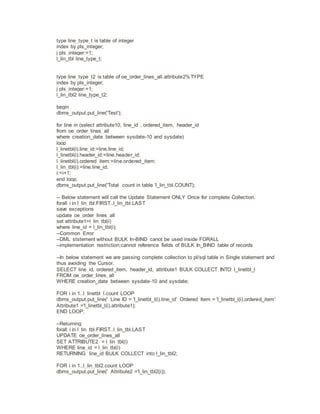
we can improve performance with bulk binding in DML as well as SELECT statment as shown in
examples below.
declare
type line_rec_type is RECORD
(line_id NUMBER,
ordered_item varchar2(200),
header_id NUMBER,
attribute1 varchar2(100));
type line_type is table of line_rec_type
index by pls_integer;
i pls_integer:=1;
l_att varchar2(100);
l_line_id number;
l_linetbl line_type;
l_linetbl_l line_type;
type line_type_t is table of integer
index by pls_integer;
j pls_integer:=1;
l_lin_tbl line_type_t;
type line_type_t2 is table of oe_order_lines_all.attribute2%TYPE
index by pls_integer;
j pls_integer:=1;
l_lin_tbl2 line_type_t2;
begin
dbms_output.put_line('Test');
for line in (select attribute10, line_id , ordered_item, header_id
from oe_order_lines_all
where creation_date between sysdate-10 and sysdate)
loop
l_linetbl(i).line_id:=line.line_id;
l_linetbl(i).header_id:=line.header_id;
l_linetbl(i).ordered_item:=line.ordered_item;
l_lin_tbl(i):=line.line_id;
i:=i+1;
end loop;
dbms_output.put_line('Total count in table 'l_lin_tbl.COUNT);
-- Below statement will call the Update Statement ONLY Once for complete Collection.
forall i in l_lin_tbl.FIRST..l_lin_tbl.LAST
save exceptions
update oe_order_lines_all
set attribute1=l_lin_tbl(i)
where line_id = l_lin_tbl(i);
--Common Error
--DML ststement without BULK In-BIND canot be used inside FORALL
--implementation restriction;cannot reference fields of BULK In_BIND table of records
--In below statement we are passing complete collection to pl/sql table in Single statement and
thus avoiding the Cursor.
SELECT line_id, ordered_item, header_id, attribute1 BULK COLLECT INTO l_linetbl_l
FROM oe_order_lines_all
WHERE creation_date between sysdate-10 and sysdate;
FOR i in 1..l_linetbl_l.count LOOP
dbms_output.put_line(' Line ID = 'l_linetbl_l(i).line_id' Ordered Item = 'l_linetbl_l(i).ordered_item'
Attribute1 ='l_linetbl_l(i).attribute1);
END LOOP;
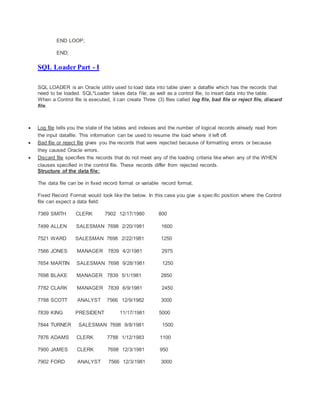
--Returning
forall i in l_lin_tbl.FIRST..l_lin_tbl.LAST
UPDATE oe_order_lines_all
SET ATTRIBUTE2 = l_lin_tbl(i)
WHERE line_id = l_lin_tbl(i)
RETURNING line_id BULK COLLECT into l_lin_tbl2;
FOR i in 1..l_lin_tbl2.count LOOP
dbms_output.put_line(' Attribute2 ='l_lin_tbl2(i));
END LOOP;
END;
SQL Loader Part - I
SQL LOADER is an Oracle utility used to load data into table given a datafile which has the records that
need to be loaded. SQL*Loader takes data file, as well as a control file, to insert data into the table.
When a Control file is executed, it can create Three (3) files called log file, bad file or reject file, discard
file.
 Log file tells you the state of the tables and indexes and the number of logical records already read from
the input datafile. This information can be used to resume the load where it left off.
 Bad file or reject file gives you the records that were rejected because of formatting errors or because
they caused Oracle errors.
 Discard file specifies the records that do not meet any of the loading criteria like when any of the WHEN
clauses specified in the control file. These records differ from rejected records.
Structure of the data file:
The data file can be in fixed record format or variable record format.
Fixed Record Format would look like the below. In this case you give a specific position where the Control
file can expect a data field:
7369 SMITH CLERK 7902 12/17/1980 800
7499 ALLEN SALESMAN 7698 2/20/1981 1600
7521 WARD SALESMAN 7698 2/22/1981 1250
7566 JONES MANAGER 7839 4/2/1981 2975
7654 MARTIN SALESMAN 7698 9/28/1981 1250
7698 BLAKE MANAGER 7839 5/1/1981 2850
7782 CLARK MANAGER 7839 6/9/1981 2450
7788 SCOTT ANALYST 7566 12/9/1982 3000
7839 KING PRESIDENT 11/17/1981 5000
7844 TURNER SALESMAN 7698 9/8/1981 1500
7876 ADAMS CLERK 7788 1/12/1983 1100
7900 JAMES CLERK 7698 12/3/1981 950
7902 FORD ANALYST 7566 12/3/1981 3000
7934 MILLER CLERK 7782 1/23/1982 1300
Variable Record Format would like below where the data fields are separated by a delimiter.
Note: The Delimiter can be anything you like. In this case it is “|”
1196700|9|0|692.64
1378901|2|3900|488.62
1418700|2|2320|467.92
1418702|14|8740|4056.36
1499100|1|0|3.68
1632800|3|0|1866.66
1632900|1|70|12.64
1637600|50|0|755.5
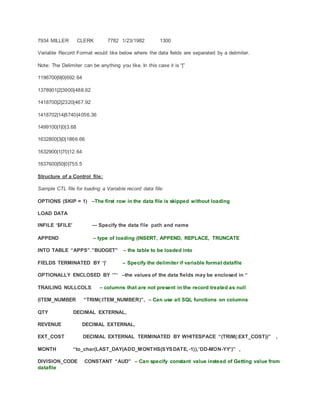
Structure of a Control file:
Sample CTL file for loading a Variable record data file:
OPTIONS (SKIP = 1) –The first row in the data file is skipped without loading
LOAD DATA
INFILE ‘$FILE’ — Specify the data file path and name
APPEND – type of loading (INSERT, APPEND, REPLACE, TRUNCATE
INTO TABLE “APPS”.”BUDGET” – the table to be loaded into
FIELDS TERMINATED BY ‘|’ – Specify the delimiter if variable format datafile
OPTIONALLY ENCLOSED BY ‘”‘ –the values of the data fields may be enclosed in “
TRAILING NULLCOLS – columns that are not present in the record treated as null
(ITEM_NUMBER “TRIM(:ITEM_NUMBER)”, – Can use all SQL functions on columns
QTY DECIMAL EXTERNAL,
REVENUE DECIMAL EXTERNAL,
EXT_COST DECIMAL EXTERNAL TERMINATED BY WHITESPACE “(TRIM(:EXT_COST))” ,
MONTH “to_char(LAST_DAY(ADD_MONTHS(SYSDATE, -1)),’DD-MON-YY’)” ,
DIVISION_CODE CONSTANT “AUD” – Can specify constant value instead of Getting value from
datafile
)
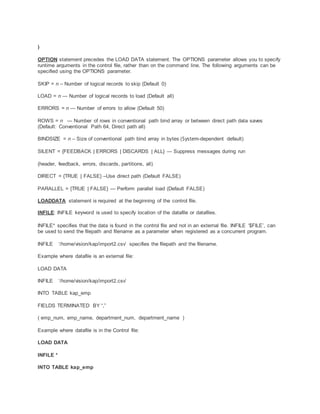
OPTION statement precedes the LOAD DATA statement. The OPTIONS parameter allows you to specify
runtime arguments in the control file, rather than on the command line. The following arguments can be
specified using the OPTIONS parameter.
SKIP = n – Number of logical records to skip (Default 0)
LOAD = n — Number of logical records to load (Default all)
ERRORS = n — Number of errors to allow (Default 50)
ROWS = n — Number of rows in conventional path bind array or between direct path data saves
(Default: Conventional Path 64, Direct path all)
BINDSIZE = n – Size of conventional path bind array in bytes (System-dependent default)
SILENT = {FEEDBACK | ERRORS | DISCARDS | ALL} — Suppress messages during run
(header, feedback, errors, discards, partitions, all)
DIRECT = {TRUE | FALSE} –Use direct path (Default FALSE)
PARALLEL = {TRUE | FALSE} — Perform parallel load (Default FALSE)
LOADDATA statement is required at the beginning of the control file.
INFILE: INFILE keyword is used to specify location of the datafile or datafiles.
INFILE* specifies that the data is found in the control file and not in an external file. INFILE ‘$FILE’, can
be used to send the filepath and filename as a parameter when registered as a concurrent program.
INFILE ‘/home/vision/kap/import2.csv’ specifies the filepath and the filename.
Example where datafile is an external file:
LOAD DATA
INFILE ‘/home/vision/kap/import2.csv’
INTO TABLE kap_emp
FIELDS TERMINATED BY “,”
( emp_num, emp_name, department_num, department_name )
Example where datafile is in the Control file:
LOAD DATA
INFILE *
INTO TABLE kap_emp
FIELDS TERMINATED BY “,”
( emp_num, emp_name, department_num, department_name )
BEGINDATA
7369,SMITH,7902,Accounting
7499,ALLEN,7698,Sales
7521,WARD,7698,Accounting
7566,JONES,7839,Sales
7654,MARTIN,7698,Accounting
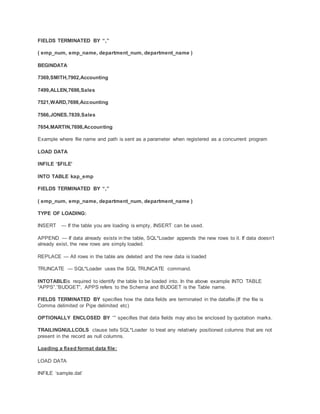
Example where file name and path is sent as a parameter when registered as a concurrent program
LOAD DATA
INFILE ‘$FILE’
INTO TABLE kap_emp
FIELDS TERMINATED BY “,”
( emp_num, emp_name, department_num, department_name )
TYPE OF LOADING:
INSERT — If the table you are loading is empty, INSERT can be used.
APPEND — If data already exists in the table, SQL*Loader appends the new rows to it. If data doesn’t
already exist, the new rows are simply loaded.
REPLACE — All rows in the table are deleted and the new data is loaded
TRUNCATE — SQL*Loader uses the SQL TRUNCATE command.
INTOTABLEis required to identify the table to be loaded into. In the above example INTO TABLE
“APPS”.”BUDGET”, APPS refers to the Schema and BUDGET is the Table name.
FIELDS TERMINATED BY specifies how the data fields are terminated in the datafile.(If the file is
Comma delimited or Pipe delimited etc)
OPTIONALLY ENCLOSED BY ‘”‘ specifies that data fields may also be enclosed by quotation marks.
TRAILINGNULLCOLS clause tells SQL*Loader to treat any relatively positioned columns that are not
present in the record as null columns.
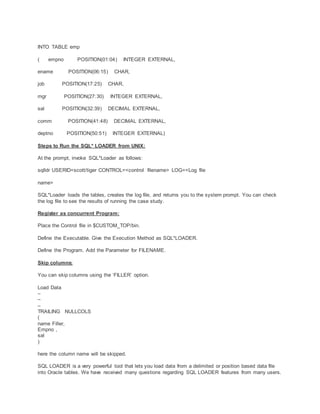
Loading a fixed format data file:
LOAD DATA
INFILE ‘sample.dat’
INTO TABLE emp
( empno POSITION(01:04) INTEGER EXTERNAL,
ename POSITION(06:15) CHAR,
job POSITION(17:25) CHAR,
mgr POSITION(27:30) INTEGER EXTERNAL,
sal POSITION(32:39) DECIMAL EXTERNAL,
comm POSITION(41:48) DECIMAL EXTERNAL,
deptno POSITION(50:51) INTEGER EXTERNAL)
Steps to Run the SQL* LOADER from UNIX:
At the prompt, invoke SQL*Loader as follows:
sqlldr USERID=scott/tiger CONTROL=<control filename> LOG=<Log file
name>
SQL*Loader loads the tables, creates the log file, and returns you to the system prompt. You can check
the log file to see the results of running the case study.
Register as concurrent Program:
Place the Control file in $CUSTOM_TOP/bin.
Define the Executable. Give the Execution Method as SQL*LOADER.
Define the Program. Add the Parameter for FILENAME.
Skip columns:
You can skip columns using the ‘FILLER’ option.
Load Data
–
–
–
TRAILING NULLCOLS
(
name Filler,
Empno ,
sal
)
here the column name will be skipped.
SQL LOADER is a very powerful tool that lets you load data from a delimited or position based data file
into Oracle tables. We have received many questions regarding SQL LOADER features from many users.
Here is the brief explanation on the same.
Please note that the basic knowledge of SQL LOADER is required to understand this article.
This article covers the below topics:
1. Load multiple data files into a single table
2. Load a single data file into multiple tables
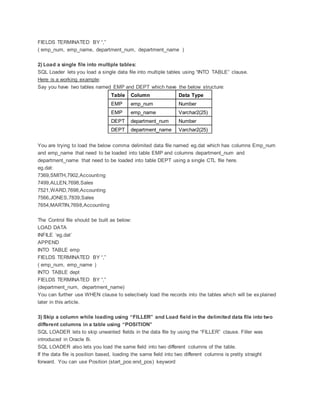
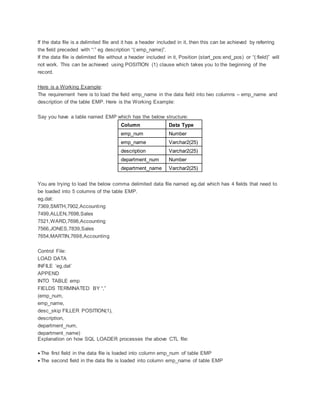
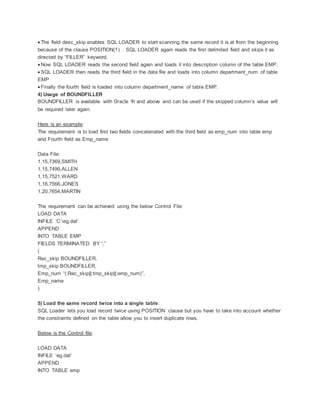
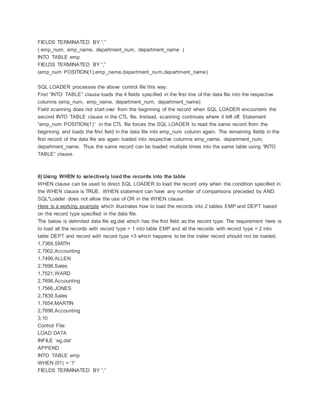
3. Skip a column while loading using “FILLER” and Load field in the delimited data file into two different
columns in a table using “POSITION”
4. Usage of BOUNDFILLER
5. Load the same record twice into a single table
6. Using WHEN to selectively load the records into the table
7. Run SQLLDR from SQL PLUS
8. Default path for Discard, bad and log files
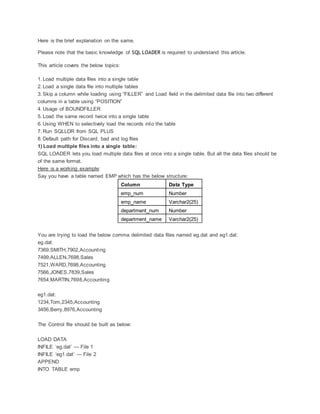
1) Load multiple files into a single table:
SQL LOADER lets you load multiple data files at once into a single table. But all the data files should be
of the same format.
Here is a working example:
Say you have a table named EMP which has the below structure:
Column Data Type
emp_num Number
emp_name Varchar2(25)
department_num Number
department_name Varchar2(25)
You are trying to load the below comma delimited data files named eg.dat and eg1.dat:
eg.dat:
7369,SMITH,7902,Accounting
7499,ALLEN,7698,Sales
7521,WARD,7698,Accounting
7566,JONES,7839,Sales
7654,MARTIN,7698,Accounting
eg1.dat:
1234,Tom,2345,Accounting
3456,Berry,8976,Accounting
The Control file should be built as below:
LOAD DATA
INFILE ‘eg.dat’ — File 1
INFILE ‘eg1.dat’ — File 2
APPEND
INTO TABLE emp
FIELDS TERMINATED BY “,”
( emp_num, emp_name, department_num, department_name )
2) Load a single file into multiple tables:
SQL Loader lets you load a single data file into multiple tables using “INTO TABLE” clause.
Here is a working example:
Say you have two tables named EMP and DEPT which have the below structure:
Table Column Data Type
EMP emp_num Number
EMP emp_name Varchar2(25)
DEPT department_num Number
DEPT department_name Varchar2(25)
You are trying to load the below comma delimited data file named eg.dat which has columns Emp_num
and emp_name that need to be loaded into table EMP and columns department_num and
department_name that need to be loaded into table DEPT using a single CTL file here.
eg.dat:
7369,SMITH,7902,Accounting
7499,ALLEN,7698,Sales
7521,WARD,7698,Accounting
7566,JONES,7839,Sales
7654,MARTIN,7698,Accounting
The Control file should be built as below:
LOAD DATA
INFILE ‘eg.dat’
APPEND
INTO TABLE emp
FIELDS TERMINATED BY “,”
( emp_num, emp_name )
INTO TABLE dept
FIELDS TERMINATED BY “,”
(department_num, department_name)
You can further use WHEN clause to selectively load the records into the tables which will be explained
later in this article.
3) Skip a column while loading using “FILLER” and Load field in the delimited data file into two
different columns in a table using “POSITION”
SQL LOADER lets to skip unwanted fields in the data file by using the “FILLER” clause. Filler was
introduced in Oracle 8i.
SQL LOADER also lets you load the same field into two different columns of the table.
If the data file is position based, loading the same field into two different columns is pretty straight
forward. You can use Position (start_pos:end_pos) keyword
If the data file is a delimited file and it has a header included in it, then this can be achieved by referring
the field preceded with “:” eg description “(:emp_name)”.
If the data file is delimited file without a header included in it, Position (start_pos:end_pos) or “(:field)” will
not work. This can be achieved using POSITION (1) clause which takes you to the beginning of the
record.
Here is a Working Example:
The requirement here is to load the field emp_name in the data field into two columns – emp_name and
description of the table EMP. Here is the Working Example:
Say you have a table named EMP which has the below structure:
Column Data Type
emp_num Number
emp_name Varchar2(25)
description Varchar2(25)
department_num Number
department_name Varchar2(25)
You are trying to load the below comma delimited data file named eg.dat which has 4 fields that need to
be loaded into 5 columns of the table EMP.
eg.dat:
7369,SMITH,7902,Accounting
7499,ALLEN,7698,Sales
7521,WARD,7698,Accounting
7566,JONES,7839,Sales
7654,MARTIN,7698,Accounting
Control File:
LOAD DATA
INFILE ‘eg.dat’
APPEND
INTO TABLE emp
FIELDS TERMINATED BY “,”
(emp_num,
emp_name,
desc_skip FILLER POSITION(1),
description,
department_num,
department_name)
Explanation on how SQL LOADER processes the above CTL file:
 The first field in the data file is loaded into column emp_num of table EMP
 The second field in the data file is loaded into column emp_name of table EMP
 The field desc_skip enables SQL LOADER to start scanning the same record it is at from the beginning
because of the clause POSITION(1) . SQL LOADER again reads the first delimited field and skips it as
directed by “FILLER” keyword.
 Now SQL LOADER reads the second field again and loads it into description column of the table EMP.
 SQL LOADER then reads the third field in the data file and loads into column department_num of table
EMP
 Finally the fourth field is loaded into column department_name of table EMP.
4) Usage of BOUNDFILLER
BOUNDFILLER is available with Oracle 9i and above and can be used if the skipped column’s value will
be required later again.
Here is an example:
The requirement is to load first two fields concatenated with the third field as emp_num into table emp
and Fourth field as Emp_name
Data File:
1,15,7369,SMITH
1,15,7499,ALLEN
1,15,7521,WARD
1,18,7566,JONES
1,20,7654,MARTIN
The requirement can be achieved using the below Control File:
LOAD DATA
INFILE ‘C:eg.dat’
APPEND
INTO TABLE EMP
FIELDS TERMINATED BY “,”
(
Rec_skip BOUNDFILLER,
tmp_skip BOUNDFILLER,
Emp_num “(:Rec_skip||:tmp_skip||:emp_num)”,
Emp_name
)
5) Load the same record twice into a single table:
SQL Loader lets you load record twice using POSITION clause but you have to take into account whether
the constraints defined on the table allow you to insert duplicate rows.
Below is the Control file:
LOAD DATA
INFILE ‘eg.dat’
APPEND
INTO TABLE emp
FIELDS TERMINATED BY “,”
( emp_num, emp_name, department_num, department_name )
INTO TABLE emp
FIELDS TERMINATED BY “,”
(emp_num POSITION(1),emp_name,department_num,department_name)
SQL LOADER processes the above control file this way:
First “INTO TABLE” clause loads the 4 fields specified in the first line of the data file into the respective
columns (emp_num, emp_name, department_num, department_name)
Field scanning does not start over from the beginning of the record when SQL LOADER encounters the
second INTO TABLE clause in the CTL file. Instead, scanning continues where it left off. Statement
“emp_num POSITION(1)” in the CTL file forces the SQL LOADER to read the same record from the
beginning and loads the first field in the data file into emp_num column again. The remaining fields in the
first record of the data file are again loaded into respective columns emp_name, department_num,
department_name. Thus the same record can be loaded multiple times into the same table using “INTO
TABLE” clause.
6) Using WHEN to selectively load the records into the table
WHEN clause can be used to direct SQL LOADER to load the record only when the condition specified in
the WHEN clause is TRUE. WHEN statement can have any number of comparisons preceded by AND.
SQL*Loader does not allow the use of OR in the WHEN clause.
Here is a working example which illustrates how to load the records into 2 tables EMP and DEPT based
on the record type specified in the data file.
The below is delimited data file eg.dat which has the first field as the record type. The requirement here is
to load all the records with record type = 1 into table EMP and all the records with record type = 2 into
table DEPT and record with record type =3 which happens to be the trailer record should not be loaded.
1,7369,SMITH
2,7902,Accounting
1,7499,ALLEN
2,7698,Sales
1,7521,WARD
2,7698,Accounting
1,7566,JONES
2,7839,Sales
1,7654,MARTIN
2,7698,Accounting
3,10
Control File:
LOAD DATA
INFILE ‘eg.dat’
APPEND
INTO TABLE emp
WHEN (01) = ’1′
FIELDS TERMINATED BY “,”
( rec_skip filler POSITION(1),emp_num , emp_name )
INTO TABLE dept
WHEN (01) = ’2′
FIELDS TERMINATED BY “,”
(rec_skip filler POSITION(1),department_num,
department_name )
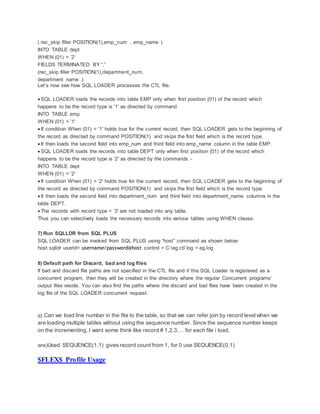
Let’s now see how SQL LOADER processes the CTL file:
 SQL LOADER loads the records into table EMP only when first position (01) of the record which
happens to be the record type is ’1′ as directed by command
INTO TABLE emp
WHEN (01) = ’1′
 If condition When (01) = ’1′ holds true for the current record, then SQL LOADER gets to the beginning of
the record as directed by command POSITION(1) and skips the first field which is the record type.
 It then loads the second field into emp_num and third field into emp_name column in the table EMP.
 SQL LOADER loads the records into table DEPT only when first position (01) of the record which
happens to be the record type is ’2′ as directed by the commands -
INTO TABLE dept
WHEN (01) = ’2′
 If condition When (01) = ’2′ holds true for the current record, then SQL LOADER gets to the beginning of
the record as directed by command POSITION(1) and skips the first field which is the record type.
 It then loads the second field into department_num and third field into department_name columns in the
table DEPT.
 The records with record type = ’3′ are not loaded into any table.
Thus you can selectively loads the necessary records into various tables using WHEN clause.
7) Run SQLLDR from SQL PLUS
SQL LOADER can be invoked from SQL PLUS using “host” command as shown below:
host sqlldr userid= username/password@host control = C:eg.ctl log = eg.log
8) Default path for Discard, bad and log files
If bad and discard file paths are not specified in the CTL file and if this SQL Loader is registered as a
concurrent program, then they will be created in the directory where the regular Concurrent programs’
output files reside. You can also find the paths where the discard and bad files have been created in the
log file of the SQL LOADER concurrent request.
q) Can we load line number in the file to the table, so that we can refer join by record level when we
are loading multiple tables without using the sequence number. Since the sequence number keeps
on the incrementing. I want some think like record # 1,2,3,… for each file i load.
ans)Used SEQUENCE(1,1) gives record count from 1, for 0 use SEQUENCE(0,1)
$FLEX$ Profile Usage
usage of $FLEX$
This article illustrates the usage of $FLEX$ with an example.$FLEX$ is a special bind variable that can
be used to base a parameter value on the other parameters (dependent parameters)
Syntax – :$FLEX$.Value_ Set_Name
Value_Set_Name is the name of value set for a prior parameter in the same parameter window that you want your
parameter to depend on.
Some scenarios where $FLEX$ can be used:
Example1:
Say you have a concurrent program with the below 2 parameters which are valuesets :
Parameter1 is Deparment
Parameter2 is Employee name
Let’s say there are 100 deparments and each deparment has 200 employees. Therefore we have
2000 employees altogether.
If we display all department names in the valueset of parameter1 and all employee names in
parameter2 value set then it might kill lot of performance and also it will be hard for a user to select
an employee from the list of 2000 entries.
Better Solution is to let user select the department from the Department Valuset first. Based on the
department selected, you can display only the employees in parameter2 that belong to the selected
department in parameter1 valueset.
Example2:
Say you have a concurrent program with the below 2 parameters:
parameter1: directory path
parameter2: filename
Parameter1 and parameter2 are dependent on each other. If the user doesn’t enter directory path,
there is no point in enabling the parameter2 i.e filename. In such a case, parameter should be
disabled.This can be achieved using $FLEX$.
Working Example of how to use $FLEX$:
Let’s take the standard concurrent program ”AP Withholding Tax Extract” to explain how to use
$FLEX$.
This program has 7 parameters like “Date From”, “Date To”, “Supplier From”, “Supplier To” etc
The requirement is to add an additional parameter called “File Name” where the user will give a name
to the flat file where the tax extract will be written to, as a parameter. Instead of typing in the name
of the file everytime you run the program, the file name should be defaulted with the value that the
user provides for the parameter “Date From” plus ”.csv” which is the file extension. Let us now see
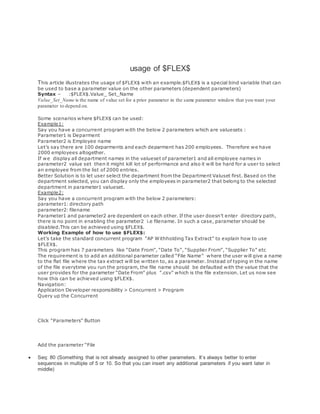
how this can be achieved using $FLEX$.
Navigation:
Application Developer responsibility > Concurrent > Program
Query up the Concurrent
Click “Parameters” Button
Add the parameter “File
 Seq: 80 (Something that is not already assigned to other parameters. It’s always better to enter
sequences in multiple of 5 or 10. So that you can insert any additional parameters if you want later in
middle)
 Parameter: ‘File Name’
 Description: ‘File Name’
 Value set: ’240 Characters’
 Prompt: File Name
 Default Type: SQL Statement
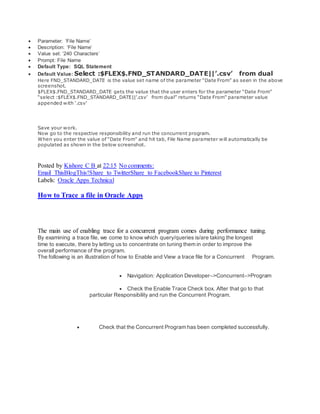
 Default Value: Select :$FLEX$.FND_STANDARD_DATE||’.csv’ from dual
Here FND_STANDARD_DATE is the value set name of the parameter “Date From” as seen in the above
screenshot.
$FLEX$.FND_STANDARD_DATE gets the value that the user enters for the parameter “Date From”
“select :$FLEX$.FND_STANDARD_DATE||’.csv’ from dual” returns “Date From” parameter value
appended with ‘.csv’
Save your work.
Now go to the respective responsibility and run the concurrent program.
When you enter the value of “Date From” and hit tab, File Name parameter will automatically be
populated as shown in the below screenshot.
Posted by Kishore C B at 22:15 No comments:
Email ThisBlogThis!Share to TwitterShare to FacebookShare to Pinterest
Labels: Oracle Apps Technical
How to Trace a file in Oracle Apps
The main use of enabling trace for a concurrent program comes during performance tuning.
By examining a trace file, we come to know which query/queries is/are taking the longest
time to execute, there by letting us to concentrate on tuning them in order to improve the
overall performance of the program.
The following is an illustration of how to Enable and View a trace file for a Concurrent Program.
 Navigation: Application Developer–>Concurrent–>Program
 Check the Enable Trace Check box. After that go to that
particular Responsibility and run the Concurrent Program.
 Check that the Concurrent Program has been completed successfully.
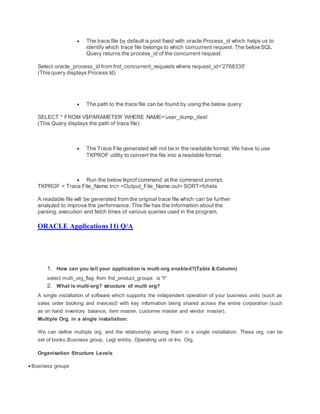
 The trace file by default is post fixed with oracle Process_id which helps us to
identify which trace file belongs to which concurrent request. The belowSQL
Query returns the process_id of the concurrent request:
Select oracle_process_id from fnd_concurrent_requests where request_id=’2768335′
(This query displays Process Id)
 The path to the trace file can be found by using the below query:
SELECT * FROM V$PARAMETER WHERE NAME=’user_dump_dest’
(This Query displays the path of trace file)
 The Trace File generated will not be in the readable format. We have to use
TKPROF utility to convert the file into a readable format.
 Run the below tkprof command at the command prompt.
TKPROF < Trace File_Name.trc> <Output_File_Name.out> SORT=fchela
A readable file will be generated from the original trace file which can be further
analyzed to improve the performance. This file has the information about the
parsing, execution and fetch times of various queries used in the program.
ORACLE Applications 11i Q/A
1. How can you tell your application is multi-org enabled?(Table & Column)
select multi_org_flag from fnd_product_groups is 'Y'
2. What is multi-org? structure of multi org?
A single installation of software which supports the independent operation of your business units (such as
sales order booking and invoices0 with key information being shared across the entire corporation (such
as on hand inventory balance, item master, customer master and vendor master).
Multiple Org. in a single installation:
We can define multiple org. and the relationship among them in a single installation. These org. can be
set of books,Business group, Legl entitiy, Operating unit or Inv. Org.
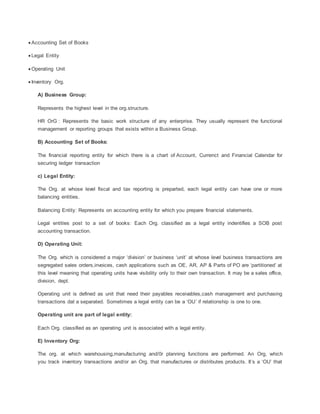
Organisation Structure Levels
 Business groups
 Accounting Set of Books
 Legal Entity
 Operating Unit
 Inventory Org.
A) Business Group:
Represents the highest level in the org.structure.
HR OrG : Represents the basic work structure of any enterprise. They usually represent the functional
management or reporting groups that exists within a Business Group.
B) Accounting Set of Books:
The financial reporting entity for which there is a chart of Account, Currenct and Financial Calendar for
securing ledger transaction
c) Legal Entity:
The Org. at whose level fiscal and tax reporting is preparted, each legal entity can have one or more
balancing entities.
Balancing Entity: Represents on accounting entity for which you prepare financial statements.
Legal entities post to a set of books: Each Org. classified as a legal entity indentifies a SOB post
accounting transaction.
D) Operating Unit:
The Org. which is considered a major ‘division’ or business ‘unit’ at whose level business transactions are
segregated sales orders,invoices, cash applications such as OE, AR, AP & Parts of PO are ‘partitioned’ at
this level meaning that operating units have visibility only to their own transaction. It may be a sales office,
division, dept.
Operating unit is defined as unit that need their payables receivables,cash management and purchasing
transactions dat a separated. Sometimes a legal entity can be a ‘OU’ if relationship is one to one.
Operating unit are part of legal entity:
Each Org. classified as an operating unit is associated with a legal entity.
E) Inventory Org:
The org. at which warehousing,manufacturing and/0r planning functions are performed. An Org, which
you track inventory transactions and/or an Org. that manufactures or distributes products. It’s a ‘OU’ that
needs its own separate data for Bill of material, WIP , Engineering master scheduling, Material
requirement planning, capacity and Inventory.
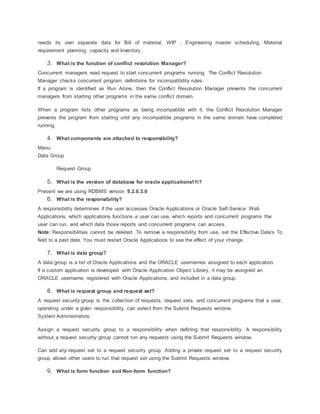
3. What is the function of conflict resolution Manager?
Concurrent managers read request to start concurrent programs running. The Conflict Resolution
Manager checks concurrent program definitions for incompatibility rules.
If a program is identified as Run Alone, then the Conflict Resolution Manager prevents the concurrent
managers from starting other programs in the same conflict domain.
When a program lists other programs as being incompatible with it, the Conflict Resolution Manager
prevents the program from starting until any incompatible programs in the same domain have completed
running.
4. What components are attached to responsibility?
Menu
Data Group
Request Group
5. What is the version of database for oracle applications11i?
Present we are using RDBMS version 9.2.0.3.0
6. What is the responsibility?
A responsibility determines if the user accesses Oracle Applications or Oracle Self-Service Web
Applications, which applications functions a user can use, which reports and concurrent programs the
user can run, and which data those reports and concurrent programs can access.
Note: Responsibilities cannot be deleted. To remove a responsibility from use, set the Effective Date's To
field to a past date. You must restart Oracle Applications to see the effect of your change.
7. What is data group?
A data group is a list of Oracle Applications and the ORACLE usernames assigned to each application.
If a custom application is developed with Oracle Application Object Library, it may be assigned an
ORACLE username, registered with Oracle Applications, and included in a data group.
8. What is request group and request set?
A request security group is the collection of requests, request sets, and concurrent programs that a user,
operating under a given responsibility, can select from the Submit Requests window.
System Administrators:
Assign a request security group to a responsibility when defining that responsibility. A responsibility
without a request security group cannot run any requests using the Submit Requests window.
Can add any request set to a request security group. Adding a private request set to a request security
group allows other users to run that request set using the Submit Requests window.
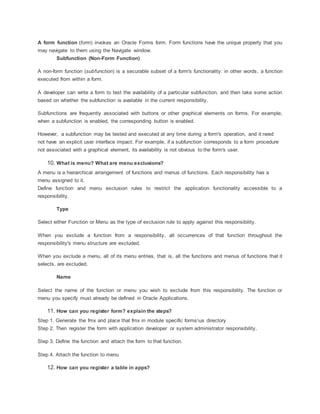
9. What is form function and Non-form function?
A form function (form) invokes an Oracle Forms form. Form functions have the unique property that you
may navigate to them using the Navigate window.
Subfunction (Non-Form Function)
A non-form function (subfunction) is a securable subset of a form's functionality: in other words, a function
executed from within a form.
A developer can write a form to test the availability of a particular subfunction, and then take some action
based on whether the subfunction is available in the current responsibility.
Subfunctions are frequently associated with buttons or other graphical elements on forms. For example,
when a subfunction is enabled, the corresponding button is enabled.
However, a subfunction may be tested and executed at any time during a form's operation, and it need
not have an explicit user interface impact. For example, if a subfunction corresponds to a form procedure
not associated with a graphical element, its availability is not obvious to the form's user.
10. What is menu? What are menu exclusions?
A menu is a hierarchical arrangement of functions and menus of functions. Each responsibility has a
menu assigned to it.
Define function and menu exclusion rules to restrict the application functionality accessible to a
responsibility.
Type
Select either Function or Menu as the type of exclusion rule to apply against this responsibility.
When you exclude a function from a responsibility, all occurrences of that function throughout the
responsibility's menu structure are excluded.
When you exclude a menu, all of its menu entries, that is, all the functions and menus of functions that it
selects, are excluded.
Name
Select the name of the function or menu you wish to exclude from this responsibility. The function or
menu you specify must already be defined in Oracle Applications.
11. How can you register form? explain the steps?
Step 1. Generate the fmx and place that fmx in module specific formsus directory
Step 2. Then register the form with application developer or system administrator responsibility.
Step 3. Define the function and attach the form to that function.
Step 4. Attach the function to menu
12. How can you register a table in apps?
We can register the table in apps by using the AD_DD pacakge. The available Procedures are
 register_table
 register_column
 delete_table
 delete_column
13. What is AD_DD package? what are the different types of procedures available in it?
AD_DD Package is a PL/SQL routine used to register the custom application tables.
Flexfields and Oracle Alert are the only features or products that depend on this information. Therefore
you only need to register those tables (and all of their columns) that will be used with flexfields or Oracle
Alert. You can also use the AD_DD API to delete the registrations of tables and columns from Oracle
Application Object Library tables should you later modify your tables.
To alter a registration you should first delete the registration, then reregister the table or column. You
should delete the column registration first, then the table registration.
The AD_DD API does not check for the existence of the registered table or column in the database
schema, but only updates the required AOL tables. You must ensure that the tables and columns
registered actually exist and have the same format as that defined using the AD_DD API. You need not
register views.
Procedures in the AD_DD Package
procedure register_table (p_appl_short_name in varchar2,
p_tab_name in varchar2,
p_tab_type in varchar2,
p_next_extent in number default 512,
p_pct_free in number default 10,
p_pct_used in number default 70);
procedure register_column (p_appl_short_name in varchar2,
p_tab_name in varchar2,
p_col_name in varchar2,
p_col_seq in number,
p_col_type in varchar2,
p_col_width in number,
p_nullable in varchar2,
p_translate in varchar2,
p_precision in number default null,
p_scale in number default null);
procedure delete_table (p_appl_short_name in varchar2,
p_tab_name in varchar2);
procedure delete_column (p_appl_short_name in varchar2,
p_tab_name in varchar2,
p_col_name in varchar2);
Example of Using the AD_DD Package
Here is an example of using the AD_DD package to register a flexfield
table and its columns:
EXECUTE ad_dd.register_table(’FND’, ’CUST_FLEX_TEST’, ’T’,8, 10, 90);
EXECUTE ad_dd.register_column(’FND’, ’CUST_FLEX_TEST’, APPLICATION_ID’ , 1, ’NUMBER’, 38,
’N’, ’N’);
EXECUTE ad_dd.register_column(’FND’, ’CUST_FLEX_TEST’,
’ID_FLEX_CODE’,2, ’VARCHAR2’, 30, ’N’, ’N’);
14. Difference between _all tablesand without _all tables?
All _ALL tables are multi org partitioned tables and wihtout _ all tables are views.
15. What is org_id and Organization_id?
Org_Id means operating unit id and Organization_id means inventory organization id.
16. How many files will be created when you run the concurrent program(Request)?
When we ran the concurrent program it will create two files.
LOG File
OUT File
17. If you want to get the output in outputfile or logfile. How can you do it?And what are the
parameters you are passing it?
We will use FND_FILE Package to get the output in output file or log File.
The FND_FILE package contains procedures to write text to log and output files. In Release 11i, these
procedures are supported in all types of concurrent programs.
 FND_FILE.PUT
procedure FND_FILE.PUT
(which IN NUMBER,
buff IN VARCHAR2);
Use this procedure to write text to a file (without a new line character). Multiple calls to FND_FILE.PUT
will produce concatenated text. Typically used with FND_FILE.NEW_LINE.
Arguments (input)
Which Log file or output file. Use either FND_FILE.LOG
or FND_FILE.OUTPUT.
buff Text to write.
 FND_FILE.PUT_LINE
Summary procedure FND_FILE.PUT_LINE
(which IN NUMBER,
buff IN VARCHAR2);
Description
Use this procedure to write a line of text to a file (followed by a new line character). You will use this utility
most often.
Arguments (input)
Which Log file or output file. Use either FND_FILE.LOG
or FND_FILE.OUTPUT.
buff Text to write.
Example
Using Message Dictionary to retrieve a message already set up on the server and putting it in the log file
(allows the log file to contain a translated message):
FND_FILE.PUT_LINE( FND_FILE.LOG, fnd_message.get );
Putting a line of text in the log file directly (message cannot be translated because it is hardcoded in
English; not recommended):
fnd_file.put_line(FND_FILE.LOG,’Warning: Employee ’||
l_log_employee_name||’ (’||
l_log_employee_num ||
’) does not have a manager.’);
 FND_FILE.NEW_LINE
procedure FND_FILE.NEW_LINE
(which IN NUMBER,
LINES IN NATURAL := 1);
Use this procedure to write line terminators (new line characters) to a file.
18. What are the different procedures used in UTL_FILE and Exceptions also?
UTL_FILE PROCEDURES
Subprogram Description
FOPEN function Opens a file for input or output with the default line size.
IS_OPEN function Determines if a file handle refers to an open file.
FCLOSE procedure Closes a file.
FCLOSE_ALL procedure Closes all open file handles.
GET_LINE procedure Reads a line of text from an open file.
PUT procedure Writes a line to a file. This does not append a line terminator.
NEW_LINE procedure Writes one or more OS-specific line terminators to a file.
PUT_LINE procedure Writes a line to a file. This appends an OS-specific line terminator.
PUTF procedure A PUT procedure with formatting.
FFLUSH procedure Physically writes all pending output to a file.
FOPEN function Opens a file with the maximum line size specified.
1. FOPEN function
This function opens a file. You can have a maximum of 50 files open simultaneously.
Syntax
UTL_FILE.FOPEN (
location IN VARCHAR2,
filename IN VARCHAR2,
open_mode IN VARCHAR2,
max_linesize IN BINARY_INTEGER)
RETURN file_type;
Exceptions
INVALID_PATH
INVALID_MODE
INVALID_OPERATION
2. IS_OPEN function
This function tests a file handle to see if it identifies an open file. IS_OPEN reports only whether a file
handle represents a file that has been opened, but not yet closed. It does not guarantee that there will be
no operating system errors when you attempt to use the file handle.
Syntax
UTL_FILE.IS_OPEN (
file IN FILE_TYPE)
RETURN BOOLEAN;
Exceptions
None
3. FCLOSE procedure
This procedure closes an open file identified by a file handle. If there is buffered data yet to be written
when FCLOSE runs, then you may receive a WRITE_ERRORexception when closing a file.
Syntax
UTL_FILE.FCLOSE (
file IN OUT FILE_TYPE);
Exceptions
WRITE_ERROR
INVALID_FILEHANDLE
4. FCLOSE_ALL procedure
This procedure closes all open file handles for the session. This should be used as an emergency
cleanup procedure, for example, when a PL/SQL program exits on an exception.
Note:
FCLOSE_ALL does not alter the state of the open file handles held by the user. This means that
an IS_OPEN test on a file handle after an FCLOSE_ALL call still returnsTRUE, even though the file has
been closed. No further read or write operations can be performed on a file that was open before
an FCLOSE_ALL.
Syntax
UTL_FILE.FCLOSE_ALL;
EXCEPTIONS
WRITE_ERROR
5. GET_LINE procedure
This procedure reads a line of text from the open file identified by the file handle and places the text in the
output buffer parameter. Text is read up to but not including the line terminator, or up to the end of the file.
If the line does not fit in the buffer, then a VALUE_ERROR exception is raised. If no text was read due to
"end of file," then the NO_DATA_FOUND exception is raised.
Because the line terminator character is not read into the buffer, reading blank lines returns empty strings.
The maximum size of an input record is 1023 bytes, unless you specify a larger size in the overloaded
version of FOPEN.
Syntax
UTL_FILE.GET_LINE (
file IN FILE_TYPE,
buffer OUT VARCHAR2);
Exceptions
VALUE_ERROR
INVALID_FILEHANDLE
INVALID_OPERATION
READ_ERROR
NO_DATA_FOUND
6.PUT procedure
PUT writes the text string stored in the buffer parameter to the open file identified by the file handle. The
file must be open for write operations. No line terminator is appended by PUT; use NEW_LINE to terminate
the line or use PUT_LINE to write a complete line with a line terminator.
The maximum size of an input record is 1023 bytes, unless you specify a larger size in the overloaded
version of FOPEN.
Syntax
UTL_FILE.PUT (
file IN FILE_TYPE,
buffer IN VARCHAR2);
You must have opened the file using mode 'w' or mode 'a'; otherwise, anINVALID_OPERATION exception
is raised.
Exceptions
INVALID_FILEHANDLE
INVALID_OPERATION
WRITE_ERROR
7.NEW_LINE procedure
This procedure writes one or more line terminators to the file identified by the input file handle. This
procedure is separate from PUT because the line terminator is a platform-specific character or sequence
of characters.
Syntax
UTL_FILE.NEW_LINE (
file IN FILE_TYPE,
lines IN NATURAL := 1);
Exceptions
INVALID_FILEHANDLE
INVALID_OPERATION
WRITE_ERROR
8.PUT_LINE procedure
This procedure writes the text string stored in the buffer parameter to the open file identified by the file
handle. The file must be open for write operations. PUT_LINEterminates the line with the platform-specific
line terminator character or characters.
The maximum size for an output record is 1023 bytes, unless you specify a larger value using the
overloaded version of FOPEN.
Syntax
UTL_FILE.PUT_LINE (
file IN FILE_TYPE,
buffer IN VARCHAR2);
Exceptions
INVALID_FILEHANDLE
INVALID_OPERATION
WRITE_ERROR
9. PUTF procedure
This procedure is a formatted PUT procedure. It works like a limited printf(). The format string can
contain any text, but the character sequences '%s' and 'n' have special meaning.
%s Substitute this sequence with the string value of the next argument in the argument list.
n Substitute with the appropriate platform-specific line terminator.
Syntax
UTL_FILE.PUTF (
file IN FILE_TYPE,
format IN VARCHAR2,
[arg1 IN VARCHAR2 DEFAULT NULL,
. . .
arg5 IN VARCHAR2 DEFAULT NULL]);
Exceptions
INVALID_FILEHANDLE
INVALID_OPERATION
WRITE_ERROR
UTL_FILE EXCEPTIONS
Exception Name Description
INVALID_PATH File location or filename was invalid.
Exception Name Description
INVALID_MODE The open_mode parameter in FOPEN was invalid.
INVALID_FILEHANDLE File handle was invalid.
INVALID_OPERATION File could not be opened or operated on as requested.
READ_ERROR Operating system error occurred during the read operation.
WRITE_ERROR Operating system error occurred during the write operation.
INTERNAL_ERROR Unspecified PL/SQL error.
19. Difference between Interface and Conversion?
Interface is schedule time process, conversion is only one time process
20. What is staging table?
Staging table is nothing but a temporary table,it is used to perform validations before transfering to
interface tables.
21. What is the process for Interface?
Step 1:First create the staging tables and transfer the data from flat file to staging tables by using control
file.
Step 2: Write one feeder program to perform validations and then transfer the data from staging table to
Interface tables.
Step 3 :Then run the standard open interface program or use the API’s to transfer the data from interface
tables to base tables.
22. I want to get the data from po_headers using TOAD. To get the data wht we have to
do(setting).
Toget the data from po_headers, we should run the following script.
begin
dbms_application_info.set_client_info(204);
end;
23. How can you load data from flat file to Table?
By using control file , we can load data from flat file to table.
24. What are the different components used in the SQL*Loader?
SQL*Loader loads data from external files into tables in the Oracle database.
SQL*Loader primarily requires two files:
1.Datafile-contains the information to be loaded.
2.Control file-contains information on the format of the data, the records and fields within the file, the
order in which they are to be loaded, and also the names of the
multiple files that will be used for data.
We can also combine the control file information into the datafile itself.
The two are usually separated to make it easier to reuse the control file.
When executed, SQL*Loader will automatically create a log file and a bad file.
The log file records the status of the load, such as the number of rows processed and the number of rows
committed.
The bad file will contain all the rows that were rejected during the load due to data errors, such as
nonunique values in primary key columns.
Within the control file, we can specify additional commands to govern the load criteria. If these criteria are
not met by a row, the row will be written to a discardfile.
The control,log, bad, and discard files will have the extensions .ctl, .log, . bad, and .dsc, respectively.
25. What is Flexfiled?
A flexfield is a field made up of segments. Each segment has a name you or your end users assign, and
a set of valid values.
There are two types of flexfields:
Key flexfields
Descriptive flexfields.
26. What is the use DFF, KFF and Range Flex Field?
A flexfield is a field made up of sub–fields, or segments. There are two types of flexfields: key flexfields
and descriptive flexfields. A key flexfield appears on your form as a normal text field with an appropriate
prompt. A descriptive flexfield appears on your form as a two–character–wide text field with square
brackets [ ] as its prompt. When opened, both types of flexfield appear as a pop–up window that contains
a separate field and prompt for each segment. Each segment has a name and a set of valid values. The
values may also have value descriptions.
Most organizations use ”codes” made up of meaningful segments (intelligent keys) to identify general
ledger accounts, part numbers, and other business entities. Each segment of the code can represent a
characteristic of the entity. The Oracle Applications store these ”codes” in key flexfields. Key
flexfields are flexible enough to let any organization use the code scheme they want, without
programming.
Key flexfields appear on three different types of application form:
• Combinations form
• Foreign key form
• Range form
A Combinations form is a form whose only purpose is to maintain key flexfield combinations. The base
table of the form is the actual combinations table. This table is the entity table for the object (a part, or an
item, an accounting code, and so on).
A Foreign key form is a form whose underlying base table contains only one or two columns that contain
key flexfield information, and those columns are foreign key columns to the combinations table.
A Range form displays a range flexfield, which is a special pop–up window that contains two complete
sets of key flexfield segments. A range flexfield supports low and high values for each key segment rather
than just single values. Ordinarily, a key flexfield range appears on your form as two adjacent flexfields,
where the leftmost flexfield contains the low values for a range, and the rightmost flexfield contains the
high values. A user would specify a range of low and high values in this pop–up window.
Descriptive flexfields provide customizable ”expansion space” on your forms. You can use descriptive
flexfields to track additional information, important and unique to your business, that would not otherwise
be captured by the form. Descriptive flexfields can be
context sensitive, where the information your application stores depends on other values your users enter
in other parts of the form.
27. What is Dynamic Insertion and Cross-validation Rule?
Dynamic insertion is the insertion of a new valid combination into a combinations table from a form other
than the combinations form. If you allow dynamic inserts when you set up your key flexfield, a user can
enter a new combination of segment values using the flexfield window from a foreign key form. Assuming
that the new combination satisfies any existing cross–validation rules, the flexfield inserts the new
combination into the combinations table, even though the combinations table is not the underlying table
for the foreign key form.
Cross–validation (also known as cross–segment validation) controls the combinations of values you can
create when you enter values for key flexfields. A cross–validation rule defines whether a value of a
particular segment can be combined with specific values of other segments. Cross–validation is different
from segment validation, which controls the values you can enter for a particular segment.
28. What Key Flexfields are used by Oracle Applications?
The number of key flexfields in oracle application is significantly smaller than the number of descriptive
flexfileds.
Oracle General Ledger Accountig
Oracle Asset: Asset
Category
Locaton
Oracle Inventory Account aliases
Item catalogs
Item catefories
Sales orders
Stok locators
System Items
Oracle Receivables Sales Tax Location
Terrotory
Oracle Payrole Bank Details
Cost allocation
People Group
Oracle Human Resources
Grade
Job
Personal Analysis
Position soft coded.
29. What are segment qualifier and flexfiled qualifier?
Some key flexfields use segment qualifiers to hold extra information about individual key segment
values. A segment qualifier identifies a particular type of value in a single segment of a key flexfield. In
the Oracle Applications, only the Accounting Flexfield uses segment qualifiers. You can think of a
segment qualifier as an ”identification tag” for a value. In the Accounting Flexfield, segment qualifiers can
identify the account type for a natural account segment value, and determine whether detail posting or
budgeting are allowed for a particular value.
A flexfield qualifier identifies a particular segment of a key flexfield. Usually an application needs some
method of identifying a particular segment for some application purpose such as security or
computations. However, since a key flexfield can becustomized so that segments appear in any order
with any prompts, the application needs a mechanism other than the segment name or segment order to
use for segment identification. Flexfield qualifiers serve this purpose.
Flexfield qualifier as something the whole flexfield uses to tag its pieces, and segment qualifier as
something the segment uses to tag its values.
30. What are value sets ?
Value sets
When you first define your flexfields, you choose how many segments
you want to use and what order you want them to appear. You also
choose how you want to validate each of your segments. The decisions
you make affect how you define your value sets and your values.
You can share value sets among segments in different flexfields,
segments in different structures of the same flexfield, and even
segments within the same flexfield structure. You can share value sets
across key and descriptive flexfields. You can also use value sets for
report parameters for your reports that use the Standard Request
Submission feature.
You cannot change the validation type of an existing value set, since
your changes affect all flexfields and report parameters that use the
same value set.
None
You use a None type value set when you want to allow users to enter
any value so long as that value meets the value set formatting rules.
Independent
An Independent value set provides a predefined list of values for a
segment. These values can have an associated description. For
example, the value 01 could have a description of ”Company 01”. The
meaning of a value in this value set does not depend on the value of
any other segment. Independent values are stored in an Oracle
Application Object Library table. You define independent values using
an Oracle Applications window, Segment Values.
Table
A table–validated value set provides a predefined list of values like an
independent set, but its values are stored in an application table. You
define which table you want to use, along with a WHERE cause to limit
the values you want to use for your set. Typically, you use a
table–validated set when you have a table whose values are already
maintained in an application table (for example, a table of vendor
names maintained by a Define Vendors form). Table validation also
provides some advanced features such as allowing a segment to
depend upon multiple prior segments in the same structure.
You can use validation tables for flexfield segments or report
parameters whose values depend on the value in a prior segment. You
use flexfield validation tables with a special WHERE clause (and the
$FLEX$ argument) to create value sets where your segments depend on
prior segments. You can make your segments depend on more than
one segment, creating cascading dependencies. You can also use
validation tables with other special arguments to make your segments
depend on profile options or field values.
To implement a validation table:
1. Create or select a validation table in your database. You can use
any existing application table, view, or synonym as a validation
table.
2. Register your table with Oracle Application Object Library (as a
table). You may use a non–registered table for your value set,
however. If your table has not been registered, you must then enter
all your validation table information in this region without using
defaults.
3. Create the necessary grants and synonyms.
4. Define a value set that uses your validation table
5. Define your flexfield structure to use that value set for a segment.
Example of $FLEX$ Syntax
Here is an example of using :$FLEX$.Value_Set_Name to set up value
sets where one segment depends on a prior segment that itself depends
on a prior segment (”cascading dependencies”). Assume you have a
three–segment flexfield where the first segment is car manufacturer, the
second segment is car model, and the third segment is car color. You
could limit your third segment’s values to only include car colors that
are available for the car specified in the first two segments. Your three
value sets might be defined as follows:
Segment Name Manufacturer
Value Set Name Car_Maker_Name_Value_Set
Validation Table CAR_MAKERS
Value Column MANUFACTURER_NAME
Description Column MANUFACTURER_DESCRIPTION
Hidden ID Column MANUFACTURER_ID
SQL Where Clause (none)
Segment Name Model
Value Set Name Car_Model_Name_Value_Set
Validation Table CAR_MODELS
Value Column MODEL_NAME
Description Column MODEL_DESCRIPTION
Hidden ID Column MODEL_ID
SQL Where Clause WHERE MANUFACTURER_ID =
:$FLEX$.Car_Maker_Name_Value_Set
Dependent
A dependent value set is similar to an independent value set, except
that the available values in the list and the meaning of a given value
depend on which independent value was selected in a prior segment of
the flexfield structure. You can think of a dependent value set as a
collection of little value sets, with one little set for each independent
value in the corresponding independent value set. You must define
your independent value set before you define the dependent value set
that depends on it. You define dependent values in the Segment Values
windows, and your values are stored in an Oracle Application Object
Library table.
Special and Pair Value Sets
Special and pair value sets provide a mechanism to allow a
”flexfield–within–a–flexfield”. These value sets are primarily used for
Standard Request Submission parameters. You do not generally use
these value sets for normal flexfield segments.
Special and Pair value sets use special validation routines you define.
For example, you can define validation routines to provide another
flexfield as a value set for a single segment or to provide a range
flexfield as a value set for a pair of segments.
Translatable Independent and Translatable Dependent
A Translatable Independent value set is similar to Independent value
set in that it provides a predefined list of values for a segment.
However, a translated value can be used.
A Translatable Dependent value set is similar to Dependent value set in
that the available values in the list and the meaning of a given value
depend on which independent value was selected in a prior segment of
the flexfield structure. However, a translated value can be used.
You cannot create hierarchies or rollup groups with Translatable
Independent or Translatable Dependent value sets.
Note: The Accounting Flexfield does not support Translatable
Independent and Translatable Dependent value sets.
31.List out some of the fnd_tables?
Ans.
FND_APPLICATION – APPLSYS
FND_CONCURRENT_PROGRAMS
FND_CONCURRENT_PROCESSES
FND_RESPONSIBILITY
FND_PRODUCT_GROUPS
32.What are the tables involved in Flexfileds?
FND_ID_FLEXS
FND_ID_FLEX_SEGMENTS
FND_ID_FLEX_STRUCTURES
FND_DESCRIPTIVE_FLEXS
1. How to attach reports in Oracle Applications ?
Ans: The steps are as follows :
 Design your report.
 Generate the executable file of the report.
 Move the executable as well as source file to the appropriate product’s folder.
 Register the report as concurrent executable.
 Define the concurrent program for the executable registered.
 Add the concurrent program to the request group of the responsibility.

2. What are different report triggers and what is their firing sequence ?
Ans. : There are five report trigger :
 Before Report
 After Report
 Before Parameter Form
 After Parameter Form
 Between Pages
The Firing sequence for report triggers is
Before Parameter Form – After Parameter Form – Before Report – Between Pages – After Report.
33. What is the use of cursors in PL/SQL ? What is REF Cursor ?
Ans. : The cursor are used to handle multiple row query in PL/SQL. Oracle uses implicit cursors to handle
all it’s queries. Oracle uses unnamed memory spaces to store data used in implicit cursors, with REF
cursors you can define a cursor variable which will point to that memory space and can be used like
pointers in our 3GLs.
34. What is record group ?
Ans: Record group are used with LOVs to hold sql query for your list of values. The record group can
contain static data as well it can access data from database tables thru sql queries.
35. What is a FlexField ? What are Descriptive and Key Flexfields?
Ans: An Oracle Applications field made up of segments. Each segment has an assigned name and a set
of valid values. Oracle Applications uses flexfields to capture information about your organization.
36. What are Autonomous transactions ? Give a scenario where you have used Autonomous
transaction in your reports ?
Ans: An autonomous transaction is an independent transaction started by another transaction, the main
transaction. Autonomous transactions let you suspend the main transaction, do SQL operations, commit
or roll back those operations, then resume the main transaction.
Once started, an autonomous transaction is fully independent. It shares no locks, resources, or commit-
dependencies with the main transaction. So, you can log events, increment retry counters, and so on,
even if the main transaction rolls back.
More important, autonomous transactions help you build modular, reusable software components. For
example, stored procedures can start and finish autonomous transactions on their own. A calling
application need not know about a procedure's autonomous operations, and the procedure need not
know about the application's transaction context. That makes autonomous transactions less error-prone
than regular transactions and easier to use.
Furthermore, autonomous transactions have all the functionality of regular transactions. They allow
parallel queries, distributed processing, and all the transaction control statements
including SET TRANSACTION.
Scenario : You can use autonomous transaction in your report for writing error messages in your
database tables.
37. What is the use of triggers in Forms ?
Ans : Triggers are used in forms for event handling. You can write PL/SQL code in triggers to respond to
a particular event occurred in your forms like when user presses a button or when he commits the form.
The different type of triggers available in forms are :
 Key-triggers
 Navigational-triggers
 Transaction-triggers
 Message-triggers
 Error-triggers
 Query based-triggers
38. What is the use of Temp tables in Interface programs ?
Ans : Temporary tables are used in Interface programs to hold the intermediate data. The data is loaded
into temporary tables first and then, after validating through the PL/SQL programs, the data is loaded into
the interface tables.
39. What are the steps to register concurrent programs in Apps?
Ans : The steps to register concurrent programs in apps are as follows :
 Register the program as concurrent executable.
 Define the concurrent program for the executable registered.
 Add the concurrent program to the request group of the responsibility
40. How to pass parameters to a report? Do you have to register them with AOL ?
Ans: You can define parameters in the define concurrent program form. There is no need to register the
parameters with AOL. But you may have to register the value sets for those parameters.
41. Do you have to register feeder programs of interface to AOL ?
Ans : Yes ! you have to register the feeder programs as concurrent programs to Apps.
42. What are forms customization steps ?
Ans: The steps are as follows :
 Copy the template.fmb and Appstand.fmb from AU_TOP/forms/us.Put it in custom directory. The libraries
(FNDSQF, APPCORE, APPDAYPK, GLOBE, CUSTOM, JE, JA, JL, VERT) are automatically attached .
 Create or open new Forms. Then customize.
 Save this Form in Corresponding Modules.
43. How to use Flexfieldsin reports?
Ans : There are two ways to use Flexfields in report. One way is to use the views (table name + ‘_KFV’ or
’_DFV’) created by apps, and use the concatenated_segments column which holds the concatenated
segments of the key or descriptive flexfields.
Or the other way is to use the FND user exits provided by oracle applications.
44. What is Key and Descriptive Flexfield.
Ans : Key Flexfield: #unique identifier, storing key information
# Used for entering and displaying key information.
For example Oracle General uses a key Flexfield called Accounting
Flexfield to uniquely identifies a general account.
Descriptive Flexfield: # To Capture additional information.
# to provide expansion space on your form
With the help of [] . [] Represents descriptive
Flexfield.
45. Difference between Key and Descriptive Flexfield?
Ans :
Key Flexfield Descriptive Flefield
1. Unique Identifier 1.To capture extra information
2. Key Flexfield are stored in segment 2.Stored in attributes
3.For key flexfield there are flexfield Qualifier
and segment Qualifier
3. Context-sensitive flexfield is a feature
of DFF. (descriptive flexfield)
What is SQL*Loader and what is it used for?
SQL*Loader is a bulk loader utility used for moving data from external files into the Oracle database. Its
syntax is similar to that of the DB2 Load utility, but comes with more options. SQL*Loader supports
various load formats, selective loading, and multi-table loads.
How does one use the SQL*Loader utility?
One can load data into an Oracle database by using the sqlldr (sqlload on some platforms) utility. Invoke
the utility without arguments to get a list of available parameters. Look at the following example:
sqlldr scott/tiger control=loader.ctl
This sample control file (loader.ctl) will load an external data file containing delimited data:
load data
infile 'c:datamydata.csv'
into table emp
fields terminated by "," optionally enclosed by '"'
( empno, empname, sal, deptno )
The mydata.csv file may look like this:
10001,"Scott Tiger", 1000, 40
10002,"Frank Naude", 500, 20
Another Sample control file with in-line data formatted as fix length records. The trick is to specify "*" as
the name of the data file, and use BEGINDATA to start the data section in the control file.
load data
infile *
replace
into table departments
( dept position (02:05) char(4),
deptname position (08:27) char(20)
)
begindata
COSC COMPUTER SCIENCE
ENGL ENGLISH LITERATURE
MATH MATHEMATICS
POLY POLITICAL SCIENCE
Is there a SQL*Unloader to download data to a flat file?
Oracle does not supply any data unload utilities. However, you can use SQL*Plus to select and format
your data and then spool it to a file:
set echo off newpage 0 space 0 pagesize 0 feed off head off trimspool on
spool oradata.txt
select col1 || ',' || col2 || ',' || col3
from tab1
where col2 = 'XYZ';
spool off
Alternatively use the UTL_FILE PL/SQL package:
rem Remember to update initSID.ora, utl_file_dir='c:oradata' parameter
declare
fp utl_file.file_type;
begin
fp := utl_file.fopen('c:oradata','tab1.txt','w');
utl_file.putf(fp, '%s, %sn', 'TextField', 55);
utl_file.fclose(fp);
end;
/
You might also want to investigate third party tools like SQLWays from Ispirer Systems, TOAD from
Quest, or ManageIT Fast Unloader from CA to help you unload data from Oracle.
Can one load variable and fix length data records?
Yes, look at the following control file examples. In the first we will load delimited data (variable length):
LOAD DATA
INFILE *
INTO TABLE load_delimited_data
FIELDS TERMINATED BY "," OPTIONALLY ENCLOSED BY '"'
TRAILING NULLCOLS
( data1,
data2
)
BEGINDATA
11111,AAAAAAAAAA
22222,"A,B,C,D,"
If you need to load positional data (fixed length), look at the following control file example:
LOAD DATA
INFILE *
INTO TABLE load_positional_data
( data1 POSITION(1:5),
data2 POSITION(6:15)
)
BEGINDATA
11111AAAAAAAAAA
22222BBBBBBBBBB
Can one skip header records load while loading?
Use the "SKIP n" keyword, where n = number of logical rows to skip. Look at this example:
LOAD DATA
INFILE *
INTO TABLE load_positional_data
SKIP 5
( data1 POSITION(1:5),
data2 POSITION(6:15)
)
BEGINDATA
11111AAAAAAAAAA
22222BBBBBBBBBB
Can one modify data as it loads into the database?
Data can be modified as it loads into the Oracle Database. Note that this only applies for the conventional
load path and not for direct path loads.
LOAD DATA
INFILE *
INTO TABLE modified_data
( rec_no "my_db_sequence.nextval",
region CONSTANT '31',
time_loaded "to_char(SYSDATE, 'HH24:MI')",
data1 POSITION(1:5) ":data1/100",
data2 POSITION(6:15) "upper(:data2)",
data3 POSITION(16:22)"to_date(:data3, 'YYMMDD')"
)
BEGINDATA
11111AAAAAAAAAA991201
22222BBBBBBBBBB990112
LOAD DATA
INFILE 'mail_orders.txt'
BADFILE 'bad_orders.txt'
APPEND
INTO TABLE mailing_list
FIELDS TERMINATED BY ","
( addr,
city,
state,
zipcode,
mailing_addr "decode(:mailing_addr, null, :addr, :mailing_addr)",
mailing_city "decode(:mailing_city, null, :city, :mailing_city)",
mailing_state
)
Can one load data into multiple tables at once?
Look at the following control file:
LOAD DATA
INFILE *
REPLACE
INTO TABLE emp
WHEN empno != ' '
( empno POSITION(1:4) INTEGER EXTERNAL,
ename POSITION(6:15) CHAR,
deptno POSITION(17:18) CHAR,
mgr POSITION(20:23) INTEGER EXTERNAL
)
INTO TABLE proj
WHEN projno != ' '
( projno POSITION(25:27) INTEGER EXTERNAL,
empno POSITION(1:4) INTEGER EXTERNAL
)
Can one selectively load only the records that one need?
Look at this example, (01) is the first character, (30:37) are characters 30 to 37:
LOAD DATA
INFILE 'mydata.dat' BADFILE 'mydata.bad' DISCARDFILE 'mydata.dis'
APPEND
INTO TABLE my_selective_table
WHEN (01) <> 'H' and (01) <> 'T' and (30:37) = '19991217'
(
region CONSTANT '31',
service_key POSITION(01:11) INTEGER EXTERNAL,
call_b_no POSITION(12:29) CHAR
)
Can one skip certain columns while loading data?
One cannot use POSTION(x:y) with delimited data. Luckily, from Oracle 8i one can specify FILLER
columns. FILLER columns are used to skip columns/fields in the load file, ignoring fields that one does
not want. Look at this example:
LOAD DATA
TRUNCATE INTO TABLE T1
FIELDS TERMINATED BY ','
( field1,
field2 FILLER,
field3
)
How does one load multi-line records?
One can create one logical record from multiple physical records using one of the following two clauses:
 CONCATENATE: - use when SQL*Loader should combine the same number of physical records together to
form one logical record.
 CONTINUEIF - use if a condition indicates that multiple records should be treated as one. Eg. by having a '#'
character in column 1.
How can get SQL*Loader to COMMIT only at the end of the load file?
One cannot, but by setting the ROWS= parameter to a large value, committing can be reduced. Make
sure you have big rollback segments ready when you use a high value for ROWS=.
Can one improve the performance of SQL*Loader?
A very simple but easily overlooked hint is not to have any indexes and/or constraints (primary key) on your
load tables during the load process. This will significantly slow down load times even with ROWS= set to
a high value.
Add the following option in the command line: DIRECT=TRUE. This will effectively bypass most of the
RDBMS processing. However, there are cases when you can't use direct load. Refer to chapter 8 on
Oracle server Utilities manual.
Turn off database logging by specifying the UNRECOVERABLE option. This option can only be used with
direct data loads.
Run multiple load jobs concurrently.
How does one use SQL*Loader to load images, sound clips and documents?
SQL*Loader can load data from a "primary data file", SDF (Secondary Data file - for loading nested tables
and VARRAYs) or LOGFILE. The LOBFILE method provides and easy way to load documents, images
and audio clips into BLOB and CLOB columns. Look at this example:
Given the following table:
CREATE TABLE image_table (
image_id NUMBER(5),
file_name VARCHAR2(30),
image_data BLOB);
Control File:
LOAD DATA
INFILE *
INTO TABLE image_table
REPLACE
FIELDS TERMINATED BY ','
(
image_id INTEGER(5),
file_name CHAR(30),
image_data LOBFILE (file_name) TERMINATED BY EOF
)
BEGINDATA
001,image1.gif
002,image2.jpg
What is the difference between the conventional and direct path loader?
The conventional path loader essentially loads the data by using standard INSERT statements. The direct
path loader (DIRECT=TRUE) bypasses much of the logic involved with that, and loads directly into the
Oracle data files. More information about the restrictions of direct path loading can be obtained from the
Utilities Users Guide.
In Oracle Apps Reports the commonly used USER EXITS are :-
FND SRWINIT
FND SRWINIT sets your profile option values and allows Oracle Application Object Library user exits to
detect that they have been called by a Oracle Reports program.
FND SRWEXIT
FND SRWEXIT ensures that all the memory allocated for Application Object Library user exits has been
freed up properly.
Note: To use FND_SRWINIT and FND_SRWEXIT create a lexical parameter P_CONC_REQUEST_ID
with the datatype Number. The concurrent manager passes the concurrent request ID to the report using
this parameter.Then Call FND SRWINIT in the "Before Report Trigger." and FND SRWEXIT in the "After
Report Trigger."
FND_GETPROFILE
These user exits let you retrieve and change the value of a profile option.
FND_FLEXSQL
Call this user exit to create a SQL fragment usable by your report to tailor your SELECT statement that
retrieves flexfield values. You define all flexfield columns in your report as type CHARACTER even
though your table may use NUMBER or DATE or some other datatype
FND_FORMAT_CURRENCY
This user exit formats the currency amount dynamically depending upon the precision of the
actual currency value, the standard precision, whether the value is in a mixed currency
region, the user's positive and negative format profile options,and the location (country) of
the site. The location of the site determines the thousands separator and radix to use when
displaying currency values.
Questions asked in Oracle Corp & USIT & GE.
1.How will you attach reports in Apps?
A1. create executable,(concurrent-> program-> executable)
define program(concurrent,program,define)
create request group (security>responsibility>request group)
(type = program,name = custom application)
add request group in responsibility(security> responsibility> define)
link your value set to the program
2.How will you attach forms in Apps.
appl developer > application > form
create function ( sy Adm/ or app developer > application > function)
3.What is use of Token in Reports
4.What are various Execution method in reports.
(Host, immediate,java stored procedures,java concurrent procedures,
pl/sql stored procedures,multilanguage functions, oracle report,Oracle report stage function)
[1] [2] [3] [4] [5]SpawnedYour concurrent program is a stand-alone program in C or Pro*C.[6] [7]
Host Your concurrent program is written in a script for your operating system.[8] [9]
Immediate Your concurrent program is a subroutine written in C or Pro*C. Immediate
programs are linked in with your concurrent manage and must be included in
the manager's program library.[10] [11]
Oracle Reports Your concurrent program is an Oracle Reports script.[12] [13]
PL/SQL Stored
Procedure
Your concurrent program is a stored procedure written in PL/SQL.[14][15]
Java Stored Procedure Your concurrent program is a Java stored procedure.[16] [17]
Java Concurrent
Program
Your concurrent program is a program written in Java.[18] [19]
Multi Language
Function
A multi-language support function (MLS function) is a function that supports
running concurrent programs in multiple languages. You should not choose a
multi-language function in the Executable: Name field. If you have an MLS
function for your program (in addition to an appropriate concurrent program
executable), you specify it in the MLS Function field.[20] [21]
SQL*Loader Your concurrent program is a SQL*Loader program.[22] [23]
SQL*Plus Your concurrent program is a SQL*Plus or PL/SQL script.[24] [25]
Request Set Stage
Function
PL/SQL Stored Function that can be used to calculate the completion statuses
of request set stages.[26] [27]
5.How will you get Set of Books Id Dynamically in reports.
Using user exits
6.How will you Capture AFF in reports.
Using user exits ( fnd flexsql and fnd flexidval)
7.What is dynamic insertions.
When enabled u can add new segments in existing FF .
8.Whats is Code Comination ID.
To idendify a particular FF stored in GL_CODECOMBINATION
9.CUSTOM.PLL. various event in CUStom,pll.
New form instance ,new block instance , new item instance,
new item instance, new record instance, when validate record
10.When u defined Concurrent Program u defined incompatibilities what is Meaning of incompatibilities
??
[28] [29] [30] [31] [32] Identify programs that should not run simultaneously with your concurrent program
because they might interfere with its execution. You can specify your program as being incompatible with
itself.[33]
11.What is hirerachy of multi_org..
BusinessGroup
Legal Entity/Chart of Accounting
Opertaing Unit
Inventory Organization
SubInventory Organization
Loactor
R/R/B
12.What is difference between org_id and organization id.
org_id is operating unit and organization id is operating unit as well as inventoryOrganization
13.What is Profile options.
By which application setting can be modified .
14.Value set. And Validation types.
Value set are Lovs (long list )
None,dependent,indepndent,table,special ,pair,
15.What is Flexfield Qualifier.
To match the segments (natural,balancing,intercompay, cost center)
16.What is your structure of AFF.
Eg :Company :department: accconts: sub accounts : products
17.What is flexfield . Difference between KFF and DFF.
Flexfield is a flexible data field that your organization can customize your application needs without
progamming.
KFF- comination of values called segments which represent key information of a business: (part no :- P
343-485748-549875, account no )
DFF- field to get the additional information ( email address)
18.How will u enable DFF.
Flexfield>Descriptive>Segments
Goto segment button, there uncheck the checkbox.
And switch from current resposibility.
19.How many segments are in Accounting Flexfields.
Max 30 min 2
20.What is user exits.
-------Pro C progams called from apps
A user exit is a program that you write and then link into the Report Builder executable or user exit DLL
files. You build user exits when you want to pass control from Report Builder to a program you have
written, which performs some function, and then returns control to Report Builder.
You can write the following types of user exits:
n ORACLE Precompiler user exits
n OCI (ORACLE Call Interface) user exits
n non-ORACLE user exits
You can also write a user exit that combines both the ORACLE Precompiler
interface and the OCI. User exits can perform the following tasks:
21.When u defined Concurrent Program there is one Checkbox use in SRS what is meaning of this. Suppose
I do now want to call report through SRS How I ll call report then.
Ans : SRS – Standard Request Submission
[34] [35] [36] [37] [38] Check this box to indicate that users can submit a request to run this program from
a Standard Request Submission window.[39]
[40] [41] If you check this box, you must register your program parameters, if any, in theParameters
window accessed from the button at the bottom of this window.
[42]
22.What are REPORT Trigger. What are their Firing Sequences.
23.What is difference between Request Group and Data Group.
Request Group : Collection of concurrent program.
Data Group :
24.What is CUSTOM _TOP.
Ans : Top level directory for customized files.
25.What is meaning of $FLEX$ Dollar.
And : It is used to fetch values from one value set to another.
26.How will you registered SQL LOADER in apps.
Ans : Res - Sysadmin
Concurrent > Program > Executable
(Execution Method = 'SQL *LOADER')
27.What is difference between Formula Column, Placeholder Column and Summary Column?
28.What is difference between bind Variable and Lexical variable?
29.What is Starting point for developing a form in APPS.
Ans : Use temalate.fmb
30.Syntax of SQL Loader.
Sqlldr control = file.ctl
31.Where Control file of SQL Loader Placed.
32.Where the TEMPLATE.FMB resides and all PLL files stored.
33.What is diff between function and Procedures?
Ans :
34.Where the Query is written in Oracle Reports.
Ans : Data Model
35.How will you Print Conditionally Printing in Layout.
Using format trigger.
36.How will u get the Report from server
37.Whats is methodology for designing a Interface.
38.Question on Various Interface like GL_INTERFACE, Payable invoice import,
Customer Inteface, AUTOLOCKBOX, AUTOINBVOICE.
Ans : Autolockbox : Box of the organization which is kept in bank
will keep the track of all the cheques and will give the file. With
autolock updates the organization account.
Autoinvoice : Invoice generated after shipping automatically.
39.What are interface table in GL ,AP and AR Interfaces.
40. What are different database Trigger.
41. Whats are various built in FORMS.
42. Whats is set of Books. How wiil u assign set of books to responsibility.
Ans :[43] [44] [45] [46] A set of books determines the functional currency, account structure, and
accounting calendar for each organization or group of organizations.[47]
43. What is FSG reports.
Ans : Financial Statement Generator.
It is a powerful and flexible tool available with GL, you can use to biuld
your custom reports without programming.
44. how will u register custom table in APPS>
Ans : Using package AD_DD.Register_Table(application_shortname, tablename,
table_type, next_extent, pct_increase, pct_used);
45.How will u register custom table's columns in apps?
Ans : Ad_dd.register_column(Application_name, table_name, column_name,
data_type, length);
46.Which version of 11i u r working Persently.
Oracle Apps Technical................
Showing posts with label WorkFlow. Show all posts
Monday, 14 January 2013
How to Customize COGS Workflow
How to customized Standard Cost of Goods Account (COGS) workflow to derive COGS from Order Type.
Oracle has provided Standard COGS workflow to derive cost of goods sold (COGS) account from
Inventory Item (defined in Shipping Organization).
If there is requirement to derived the COGS account based on the Order type , we need to customized
the Standard workflow.
Follow the below steps to customized the workflow.
1.Open the standard workflow in workflow builder.
2.Copy the Standard Workflow "Generate Default Account (DEFAULT_ACCOUNT_GENERATION) " and
name it XX_DEFAULT_ACCOUNT_GENERATION (custom_Generate Default Account ).
2.Remove the link between START and "Get CCID for a line".
3.Add New function "Get CCID from the Order Type ID(GET_ORDER_TYPE_DERIVED).
4.Make link between START and function GET_ORDER_TYPE_DERIVED.
5.Remove the function Get CCID for a line(GET_ITEM_DERIVED).
6.Connect the GET_ORDER_TYPE_DERIVED with Copy Values from Code Combination
(FND_FLEX_COPY_FROM_COMB) for Result = "Success" and connect
GET_ORDER_TYPE_DERIVED with Abort generating Code
Combination(FND_FLEX_ABORT_GENERATION" for result ="Failure"
7.Verify the Workflow.
8.Save in database.
9.Test the complete Process from APPS.In R11 COGS workflow would be called during Interface Trip
stop(ITS) , where as in R12 COGS workflow would be called from CLOSE line Subprocess
Posted by Kishore C B at 02:26 No comments:
Email ThisBlogThis!Share to TwitterShare to FacebookShare to Pinterest
Labels: WorkFlow
How to Skip/Retry Workflow
Oracle workflow engine provide wf_engine API to SKIP/Retry workflow activity
Below is example how we do it in Oracle Order Management.
wf_engine.handleerror('OEOL',TO_CHAR(LINE_ID),activity_label,RETRY,NULL)
wf_engine.handleerror('OEOL',TO_CHAR(LINE_ID),activity_label,SKIP,NULL)
Posted by Kishore C B at 02:17 No comments:
Email ThisBlogThis!Share to TwitterShare to FacebookShare to Pinterest
Labels: WorkFlow
Sunday, 13 January 2013
Creating and testing a simple business event in Oracle EBS
Here is a demo on creating and testing a business event. This is a very simple example where a
row is inserted into a table when the rule function (pl/sql package) attached to the subscription is
executed. This rule function will be executed when the event queue is consumed by Workflow
Agent Listener (one of the concurrent managers).
Click here to see the demo.
Code is here.
Posted by Kishore C B at 22:48 No comments:
Email ThisBlogThis!Share to TwitterShare to FacebookShare to Pinterest
Labels: WorkFlow
Wednesday, 10 October 2012
Oracle WorkFlow Basics....................
WorkFlow
Overview:
This article will illustrate how to create or define workflow attributes, notifications, messages, roles or
users, functions, processes and last but not the least, how to launch a workflow from PL/SQL. The
workflow concepts are better explained using an example.
Business Requirement:
When an item is created in inventory, workflow needs to be launched and it should collect the details
of the item created and sends a notification to group of users along with the details and link to master
item form.
Process flow: When an item is created it will create/insert a record in MTL_SYSTEM_ITEMS_B so create
a database trigger on the table and launch workflow from that trigger. All you need to do is create the
workflow, create the trigger, pl/sql package, roles and finally create an item in inventory.
 Open WFSTD and save as new workflow
 Create Attributes
 Create Functions
 Create Notification
 Create Messages
 Create Roles
 Create database trigger
 Create PL/SQL Package
1)Open WFSTD and save as new workflow:
Navigation: File >> Open
Click Browse then navigate to Workflow installation directory
Navigation: Workflow Installation Directory WFDATAUSWFSTD
Now Click File >Save as, Enter “ErpSchools Demo” and click OK
Right click on WFSTD and select New Item type
Enter the fields as below
Internal Name: ERP_DEMO
Display Name: ErpSchools Demo
Description: ErpSchools Demo
Now you will see ErpSchools Demo icon in the Navigator
Expand the node to see attributes, processes, notifications, functions, Events, Messages and lookup
types.
Double click on Process to open up the properties window as shown below
Enter the fields
Internal Name: ERPSCHOOLS_PROCESS
Display Name: ErpSchools Process
Description: ErpSchools Process
Double click ErpSchools Process Icon
2) Create Workflow Attributes:
Navigation:Window menu > Navigator
Right click on Attributes and click New Attribute
Enter the fields
Internal Name: ERP_ITEM_NUMBER
Display Name: Item Number
Description: Item Number
Type: Text
Default Value: Value Not Assigned
Click Apply and then OK
Create one more attribute
Right click on Attributes and click New Attribute
Enter the attribute fields
Internal Name: ERP_SEND_ITEM_FORM_LINK
Display Name: Send Item Form Link
Description: Send Item Form Link
Type: Form
Value: INVIDITM
Click Apply and then OK
3) Create Workflow Function:
Right click and then click on New Function
Properties window will open as shown below
Change/Enter the fields as below
Change Item Type to Standard from ErpSchools Demo
Select Internal Name as Start
Remaining fields will be populated automatically
Click Apply then OK
Again Right click on white space and click New Function
Change the properties as below
Item Type: Standard
Internal Name: END
Click Apply and then OK
Right click on white space and then click New Function
Enter the fields
Internal Name: ERP_GET_DETAILS
Display Name: Get New Inventory Item Details
Description: Get New Inventory Item Details
Function Name: erpschools_demo_pkg.get_item_details
Click Apply and then OK
4) Create Workflow Notifications:
Right click on white space and then click New Notification
Enter fields
Internal Name: ERP_SEND_ITEM_DET
Display Name: Send Item Detials
Description: Send Item Detials
Message: Sned Item Details Message
Click Apply and then OK
5) Create Workflow Messages:
Right click on Message and click New
Properties window will pop up as show below
Enter the fields
Internal Name: ERP_SEND_ITEM_DET_MSG
Display Name: Send Item Details Message
Description: Send Item Details Message
Go to Body Tab and enter as shown below
Click Apply and then OK
Navigation: Window Menu > Navigator
Select Item Form Link Attribute
Drag and drop both attributes to “Send Item Details Message”
6)
Create Roles:
Adhoc roles can be created through PL/SQL from database or they can be created from Applications
using User Management Responsibility. If you use PL/SQL to create roles make sure you give all user
names and role names in UPPER case to avoid some problems
 Script to Create a Adhoc Role
 Script to Add user to existing Adhoc Role
 Script to Remove user from existing Adhoc Role
 Using Adhoc roles in workflow notifications
 Adhoc Roles Tables
Script to Create a Adhoc Role
DECLARE
lv_role varchar2(100) := ‘ERPSCHOOLS_DEMO_ROLE’;
lv_role_desc varchar2(100) := ‘ ERPSCHOOLS_DEMO_ROLE’;
BEGIN
wf_directory.CreateAdHocRole(lv_role,
lv_role_desc,
NULL,
NULL,
‘Role Demo for erpschool users’,
‘MAILHTML’,
‘NAME1 NAME2′, –USER NAME SHOULD BE IN CAPS
NULL,
NULL,
‘ACTIVE’,
NULL);
dbms_output.put_line(‘Created Role’ ||’ ‘||lv_role);
End;
/
Script to Add user to already existing Adhoc Role
DECLARE
v_role_name varchar2(100);
v_user_name varchar2(100);
BEGIN
v_role_name := ‘ERPSCHOOLS_DEMO_ROLE’;
v_user_name := ‘NAME3′;
WF_DIRECTORY.AddUsersToAdHocRole(v_role_name, v_user_name);
–USER NAMES SHOULD BE in CAPS
END;
Script to Remove user from existing Adhoc Role
DECLARE
v_role_name varchar2(100);
v_user_name varchar2(100);
BEGIN
v_role_name := ‘ERPSCHOOLS_DEMO_ROLE’;
v_user_name := ‘NAME3′;
WF_DIRECTORY.RemoveUsersFromAdHocRole(v_role_name, v_user_name); –USER NAMES in
CAPS
END;
Using Adhoc roles in workflow notifications:
Navigation: File > Load Roles from Database
Select roles you want to use and then click OK.
Open the notification properties and then navigate to node tab, select performer as the role you just
created and loaded from database.
Tables:
 WF_ROLES
 WF_USER_ROLES
 WF_LOCAL_ROLES
 WF_USER_ROLE_ASSIGNMENTS
7) Launching workflow from PL/SQL:
First create a database trigger as below to call a PL/SQL procedure from which you kick off the workflow.
 Create Database Trigger
CREATE OR REPLACE TRIGGER “ERP_SCHOOLS_DEMO_TRIGGER” AFTER INSERT ON
INV.MTL_SYSTEM_ITEMS_B REFERENCING NEW AS NEW OLD AS OLD FOR EACH ROW
DECLARE
lv_id NUMBER := :NEW.inventory_item_id;
lv_item_segment1 VARCHAR2(100) := :NEW.segment1;
lv_itemtype VARCHAR2(80) := :NEW.item_type;
lv_user_id NUMBER := -1;
lv_itemkey VARCHAR2(10);
lv_orgid NUMBER :=2;
error_msg VARCHAR2(2000);
error_code NUMBER;
BEGIN
lv_user_id := fnd_global.user_id;
lv_orgid := fnd_global.org_id;
lv_itemkey := 1132; – This should be unique value
ERP_DEMO.LAUNCH_WORKFLOW(‘ERP_DEMO’
,lv_itemkey
,’ERPSCHOOLS_PROCESS’ –process name
,lv_id
,lv_orgid
,lv_item_segment1
);
EXCEPTION
WHEN OTHERS THEN
error_code := SQLCODE;
error_msg := SQLERRM(SQLCODE);
RAISE_APPLICATION_ERROR(-20150,error_msg);
END;
/
 Create PL/SQL Package to kickoff workflow
CREATE OR REPLACE PACKAGE APPS.ERP_DEMO IS
PROCEDURE LAUNCH_WORKFLOW
(
itemtype IN VARCHAR2,
itemkey IN VARCHAR2,
process IN VARCHAR2,
item_id IN NUMBER,
org_id IN NUMBER,
item_segment1 IN VARCHAR2
);
END ERP_DEMO;
/
CREATE OR REPLACE PACKAGE BODY APPS.ERP_DEMO IS
PROCEDURE LAUNCH_WORKFLOW(
itemtype IN VARCHAR2,
itemkey IN VARCHAR2,
process IN VARCHAR2,
item_id IN NUMBER,
org_id IN NUMBER,
item_segment1 IN VARCHAR2
)
IS
v_master_form_link varchar2(5000);
v_item_number varchar2(100);
error_code varchar2(100);
error_msg varchar2(5000);
BEGIN
v_add_item_id := ‘ ITEM_ID=”‘ || item_id || ‘”‘;
v_item_number := item_segment1;
v_master_form_link := v_master_form_link || v_add_item_id;
WF_ENGINE.Threshold := -1;
WF_ENGINE.CREATEPROCESS(itemtype, itemkey, process);
– Get the value of attribute assigned in workflow
v_master_form_link := wf_engine.getitemattrtext(
itemtype => itemtype
,itemkey => itemkey
,aname => ‘ERP_SEND_ITEM_FORM_LINK’);
- assign values to variables so that you can usethe attributes
v_master_form_link varchar2(5000) := v_master_form_link||’:#RESP_KEY=”INVENTORY”
#APP_SHORT_NAME=”INV” ORG_MODE=”Y” ‘;
v_master_form_link := v_master_form_link || v_add_item_id;
–set the attribute values in workflow so that you can use them in notifications
WF_ENGINE.SetItemAttrText(itemtype, itemkey, ‘MASTERFORM’, v_master_form_link);
WF_ENGINE.SetItemAttrText(itemtype, itemkey, ‘ERP_ITEM_NUMBER’, item_segment1);
– start the workflow process
WF_ENGINE.STARTPROCESS(itemtype, itemkey);
EXCEPTION WHEN OTHERS THEN
error_code := SQLCODE;
error_msg := SQLERRM(SQLCODE);
– add dbms or fnd_output messages as required
END LAUNCH_WORKFLOW;
– This procedure will just put the item number into workflow attribute ERP_ITEM_NUMBER
PROCEDURE GET_ITEM_DETAILS(
itemtype IN VARCHAR2,
itemkey IN VARCHAR2,
actid IN NUMBER,
funcmode IN VARCHAR2,
resultout OUT NOCOPY VARCHAR2
)
IS
v_GET_ITEM_NUMBER VARCHAR2(1000);
BEGIN
SELECT SEGMENT1 INTO V_GET_ITEM_NUMBER FROM MTL_SYSTEM_ITEMS_B WHERE
ROWNUM =1;
WF_ENGINE.SetItemAttrText(itemtype, itemkey, ‘ERP_ITEM_NUMBER’,v_GET_ITEM_NUMBER );
– you can use the get function as below.
–v_GET_ITEM_NUMBER := wf_engine.getitemattrtext(
– itemtype => itemtype
– ,itemkey => itemkey
– ,aname => ‘X_ATTRIBUTE’);
resultout:=’COMPLETE:’||’Y';
exception when others then
dbms_output.put_line(‘Entered Exception’);
fnd_file.put_line(fnd_file.log,’Entered Exception’);
END GET_ITEM_DETAILS;
END ERP_DEMO;
/
Posted by Kishore C B at 04:16 No comments:
Email ThisBlogThis!Share to TwitterShare to FacebookShare to Pinterest
Labels: WorkFlow
Older Posts Home
Subscribe to: Posts (Atom)
Labels
 Account Payables (2)
 AGIS (11)
 BI/XML Publisher (2)
 COGS (Cost Of Goods Sold) (1)
 FNDLOAD (1)
 Interfaces/Conversions (1)
 Inventory (8)
 MOAC (MultiOrgAccessControl) (2)
 Oracle Alerts (1)
 Oracle Apps Interview Q/A (7)
 Oracle Apps Technical (2)
 Order Management (34)
 PL/SQL (6)
 Purchasing (3)
 SLA (SubLedgerAccounting) (2)
 WorkFlow (4)
Oracle Applications R12..........
 ▼ 2013 (69)
o ► December (3)
o ► April (1)
o ► March (3)
o ▼ January (62)
 Collections in Oracle PL/SQL
 Database Triggers Overview
 Autonomous Transactions
 Inventory Transactions Useful Information
 Order Management Useful Information
 ORACLE Applications 11i Q/A
 Reports (D2K) Q/A
 Drop Ship tables in Order Management
 Order Management Tables
 Prerequisite setups required for Order to Cash(O2C...
 Complete Order to Cash(O2C) Techno-Functional flow...
 Scheduling in Order Management
 Defaulting rules in Order Management
 Validation Template for Processing Constraints in ...
 Processing Constraints in OM
 Transaction Type Definition(OM Setups)
 Document Sequence (OM Setups)
 Order Management Setups - Profile Options
 Oracle Workflows in Order Management
 Oracle apps MOAC setup
 $FLEX$ Profile Usage
 XML Publisher Basic Steps
 Drop Ship Cycle in Order Management
 Return Material Authorization (RMA) in Order Manag...
 How to Trace a file in Oracle Apps
 FNDLOAD
 Oracle Alerts
 SQL Loader Part - I
 SQL Loader With Examples
 Oracle Apps Interview Q/A - 4
 Oracle Apps Interview Q/A - 3
 Oracle Apps Interview Q/A - 2
 Oracle Apps Interview Q/A - 1
 PL/SQL Interview Q&A - 1
 Query to Check if a particular e E-Business Suite ...
 R12 - Profiles to Set the Credit Card authorizatio...
 Oracle Workflow Background CP Process
 OM Issue (Drop Ship Order Stuck in Awaiting Receip...
 Complete Flow from Sales Order to WIP
 OM RMA Issue (Not able to Receive an RMA in Invent...
 OM Issue on SalesOrder Line Stuck with Deferred St...
 Serial Control Item & Drop Ship in Oracle Apps
 OM ITS Issue (Key Features of Interface Trip Stop ...
 R12 COGS (Cost Of Goods Sold)
 Oracle 10g Bulk Binding For Better Performance
 R12 Multi-Org Access Control (MOAC)
 How to Customize COGS Workflow
 Inventory Queries
 How to Skip/Retry Workflow
 OM Issue (RMA stuck at APPROVAL_RETURN_ORDER_NTFA ...
 How to Setup transaction type in Order Management ...
 APP-FND-01564. Oracle Error 1403 in fdxwho (R11i, ...
 OM Issue (ORA 1403 : No Data Found.... Issue on Sh...
 Order Management MACD
 OM Scheduling Issue
 Oracle Order to Cash Queries
 How to Progress Order lines STUCK in Fulfillment S...
 How to Skip Scheduling in Oracle Order Management ...
 Creating and testing a simple business event in Or...
 How to create your own serial numbers using API
 Create, Allocate and Transact a Move Order using A...
 Importing Sales Orders From Excel
 ► 2012 (35)
About Me
Kishore C B
View my complete profile
Picture Window template. Powered by Blogger.
USING ROLLUP
This will give the salariesin each departmentin each job category along wih the total salary
fot individual departmentsand the total salary of all the departments.
SQL> Selectdeptno,job,sum(sal) fromempgroupby rollup(deptno,job);
DEPTNO JOB SUM(SAL)
---------- --------- ----------
10 CLERK 1300
10 MANAGER 2450
10 PRESIDENT 5000
10 8750
20 ANALYST 6000
20 CLERK 1900
20 MANAGER 2975
20 10875
30 CLERK 950
30 MANAGER 2850
30 SALESMAN 5600
30 9400
29025
USING GROUPING
In the above queryit will give the total salary of the individual departmentsbut with a
blank in the job columnand givesthe total salary of all the departmentswith blanks in
deptno and job columns.
To replace these blanks withyour desiredstringgrouping will be used
SQL> selectdecode(grouping(deptno),1,'All Depts',deptno),decode(grouping(job),1,'All
jobs',job),sum(sal)fromempgroup by rollup(deptno,job);
DECODE(GROUPING(DEPTNO),1,'ALLDEPTS',DEPDECODE(GR SUM(SAL)
----------------------------------- ---------------------------------- --------------
10 CLERK 1300
10 MANAGER 2450
10 PRESIDENT 5000
10 All jobs 8750
20 ANALYST 6000
20 CLERK 1900
20 MANAGER 2975
20 All jobs 10875
30 CLERK 950
30 MANAGER 2850
30 SALESMAN 5600
30 All jobs 8400
All Depts All jobs 29025
Groupingwill return 1 ifthe column whichis specifiedin the grouping functionhas been
usedin rollup.
Groupingwill be usedin associationwith decode.
USING CUBE
This will give the salariesin each departmentin each job category, the total salary for individual
departments,the total salary of all the departmentsand the salariesin each job category.
SQL> selectdecode(grouping(deptno),1,’All Depts’,deptno),decode(grouping(job),1,’All
Jobs’,job),sum(sal) fromempgroup by cube(deptno,job);
DECODE(GROUPING(DEPTNO),1,'ALLDEPTS',DEPDECODE(GR SUM(SAL)
----------------------------------- ------------------------------------ ------------
10 CLERK 1300
10 MANAGER 2450
10 PRESIDENT 5000
10 All Jobs 8750
20 ANALYST 6000
20 CLERK 1900
20 MANAGER 2975
20 All Jobs 10875
30 CLERK 950
30 MANAGER 2850
30 SALESMAN 5600
30 All Jobs 9400
All Depts ANALYST 6000
All Depts CLERK 4150
All Depts MANAGER 8275
All Depts PRESIDENT 5000
All Depts SALESMAN 5600
All Depts All Jobs 29025

Technical

  • 1.
    Collections in OraclePL/SQL Oracle uses collections in PL/SQL the same way other languages use arrays. Oracle provides three basic collections, each with an assortment of methods.  Index-By Tables (Associative Arrays)  Nested Table  Varrays  Collection Methods  Multiset Operations  Multidimensional Collections Related articles.  Associative Arrays in Oracle 9i  Bulk Binds (BULK COLLECT & FORALL) and Record Processing in Oracle Index-By Tables (Associative Arrays) The first type of collection is known as index-by tables. These behave in the same way as arrays except that have no upper bounds, allowing them to constantly extend. As the name implies, the collection is indexed using BINARY_INTEGER values, which do not need to be consecutive. The collection is extended by assigning values to an element using an index value that does not currently exist. SET SERVEROUTPUT ON SIZE 1000000 DECLARE TYPE table_type IS TABLE OF NUMBER(10) INDEX BY BINARY_INTEGER; v_tab table_type; v_idx NUMBER; BEGIN -- Initialise the collection. << load_loop >> FOR i IN 1 .. 5 LOOP v_tab(i) := i; END LOOP load_loop; -- Delete the third item of the collection. v_tab.DELETE(3); -- Traverse sparse collection v_idx := v_tab.FIRST; << display_loop >> WHILE v_idx IS NOT NULL LOOP DBMS_OUTPUT.PUT_LINE('The number ' || v_tab(v_idx)); v_idx := v_tab.NEXT(v_idx); END LOOP display_loop; END; /
  • 2.
    The number 1 Thenumber 2 The number 4 The number 5 PL/SQL procedure successfully completed. SQL> In Oracle 9i Release 2 these have been renamed to Associative Arrays and can be indexed by BINARY INTEGER or VARCHAR2. Nested Table Collections Nested table collections are an extension of the index-by tables. The main difference between the two is that nested tables can be stored in a database column but index-by tables cannot. In addition some DML operations are possible on nested tables when they are stored in the database. During creation the collection must be dense, having consecutive subscripts for the elements. Once created elements can be deleted using the DELETE method to make the collection sparse. The NEXTmethod overcomes the problems of traversing sparse collections. SET SERVEROUTPUT ON SIZE 1000000 DECLARE TYPE table_type IS TABLE OF NUMBER(10); v_tab table_type; v_idx NUMBER; BEGIN -- Initialise the collection with two values. v_tab := table_type(1, 2); -- Extend the collection with extra values. << load_loop >> FOR i IN 3 .. 5 LOOP v_tab.extend; v_tab(v_tab.last) := i; END LOOP load_loop; -- Delete the third item of the collection. v_tab.DELETE(3); -- Traverse sparse collection v_idx := v_tab.FIRST; << display_loop >> WHILE v_idx IS NOT NULL LOOP DBMS_OUTPUT.PUT_LINE('The number ' || v_tab(v_idx)); v_idx := v_tab.NEXT(v_idx); END LOOP display_loop; END; / The number 1 The number 2 The number 4 The number 5
  • 3.
    PL/SQL procedure successfullycompleted. SQL> Varray Collections A VARRAY is similar to a nested table except you must specifiy an upper bound in the declaration. Like nested tables they can be stored in the database, but unlike nested tables individual elements cannot be deleted so they remain dense. SET SERVEROUTPUT ON SIZE 1000000 DECLARE TYPE table_type IS VARRAY(5) OF NUMBER(10); v_tab table_type; v_idx NUMBER; BEGIN -- Initialise the collection with two values. v_tab := table_type(1, 2); -- Extend the collection with extra values. << load_loop >> FOR i IN 3 .. 5 LOOP v_tab.extend; v_tab(v_tab.last) := i; END LOOP load_loop; -- Can't delete from a VARRAY. -- v_tab.DELETE(3); -- Traverse collection v_idx := v_tab.FIRST; << display_loop >> WHILE v_idx IS NOT NULL LOOP DBMS_OUTPUT.PUT_LINE('The number ' || v_tab(v_idx)); v_idx := v_tab.NEXT(v_idx); END LOOP display_loop; END; / The number 1 The number 2 The number 3 The number 4 The number 5 PL/SQL procedure successfully completed. SQL> Extending the load_loop to 3..6 attempts to extend the VARRAY beyond it's limit of 5 elements resulting in the following error. DECLARE
  • 4.
    * ERROR at line1: ORA-06532: Subscript outside of limit ORA-06512: at line 12 Collection Methods A variety of methods exist for collections, but not all are relevant for every collection type.  EXISTS(n) - Returns TRUE if the specified element exists.  COUNT - Returns the number of elements in the collection.  LIMIT - Returns the maximum number of elements for a VARRAY, or NULL for nested tables.  FIRST - Returns the index of the first element in the collection.  LAST - Returns the index of the last element in the collection.  PRIOR(n) - Returns the index of the element prior to the specified element.  NEXT(n) - Returns the index of the next element after the specified element.  EXTEND - Appends a single null element to the collection.  EXTEND(n) - Appends n null elements to the collection.  EXTEND(n1,n2) - Appends n1 copies of the n2th element to the collection.  TRIM - Removes a single element from the end of the collection.  TRIM(n) - Removes n elements from the end of the collection.  DELETE - Removess all elements from the collection.  DELETE(n) - Removes element n from the collection.  DELETE(n1,n2) - Removes all elements from n1 to n2 from the collection. Multiset Operations Oracle provides MULTISET operations against collectsion, including the following. MULTISET UNION joins the two collections together, doing the equivalent of a UNION ALL between the two sets. SET SERVEROUTPUT ON DECLARE TYPE t_tab IS TABLE OF NUMBER; l_tab1 t_tab := t_tab(1,2,3,4,5,6); l_tab2 t_tab := t_tab(5,6,7,8,9,10); BEGIN l_tab1 := l_tab1 MULTISET UNION l_tab2; FOR i IN l_tab1.first .. l_tab1.last LOOP DBMS_OUTPUT.put_line(l_tab1(i)); END LOOP; END; / 1 2 3 4 5 6 5
  • 5.
    6 7 8 9 10 PL/SQL procedure successfullycompleted. SQL> The DISTINCT keyword can be added to any of the multiset operations to removes the duplicates. Adding it to the MULTISET UNION makes it the equivalent of a UNION between the two sets. SET SERVEROUTPUT ON DECLARE TYPE t_tab IS TABLE OF NUMBER; l_tab1 t_tab := t_tab(1,2,3,4,5,6); l_tab2 t_tab := t_tab(5,6,7,8,9,10); BEGIN l_tab1 := l_tab1 MULTISET UNION DISTINCT l_tab2; FOR i IN l_tab1.first .. l_tab1.last LOOP DBMS_OUTPUT.put_line(l_tab1(i)); END LOOP; END; / 1 2 3 4 5 6 7 8 9 10 PL/SQL procedure successfully completed. SQL> MULTISET EXCEPT returns the elements of the first set that are not present in the second set. SET SERVEROUTPUT ON DECLARE TYPE t_tab IS TABLE OF NUMBER; l_tab1 t_tab := t_tab(1,2,3,4,5,6,7,8,9,10); l_tab2 t_tab := t_tab(6,7,8,9,10); BEGIN l_tab1 := l_tab1 MULTISET EXCEPT l_tab2; FOR i IN l_tab1.first .. l_tab1.last LOOP DBMS_OUTPUT.put_line(l_tab1(i)); END LOOP; END; /
  • 6.
    1 2 3 4 5 PL/SQL procedure successfullycompleted. SQL> MULTISET INTERSECT returns the elements that are present in both sets. SET SERVEROUTPUT ON DECLARE TYPE t_tab IS TABLE OF NUMBER; l_tab1 t_tab := t_tab(1,2,3,4,5,6,7,8,9,10); l_tab2 t_tab := t_tab(6,7,8,9,10); BEGIN l_tab1 := l_tab1 MULTISET INTERSECT l_tab2; FOR i IN l_tab1.first .. l_tab1.last LOOP DBMS_OUTPUT.put_line(l_tab1(i)); END LOOP; END; / 6 7 8 9 10 PL/SQL procedure successfully completed. SQL> Multidimensional Collections In addition to regular data types, collections can be based on record types, allowing the creation of two- dimensional collections. SET SERVEROUTPUT ON -- Collection of records. DECLARE TYPE t_row IS RECORD ( id NUMBER, description VARCHAR2(50) ); TYPE t_tab IS TABLE OF t_row; l_tab t_tab := t_tab(); BEGIN FOR i IN 1 .. 10 LOOP l_tab.extend(); l_tab(l_tab.last).id := i;
  • 7.
    l_tab(l_tab.last).description := 'Descriptionfor ' || i; END LOOP; END; / -- Collection of records based on ROWTYPE. CREATE TABLE t1 ( id NUMBER, description VARCHAR2(50) ); SET SERVEROUTPUT ON DECLARE TYPE t_tab IS TABLE OF t1%ROWTYPE; l_tab t_tab := t_tab(); BEGIN FOR i IN 1 .. 10 LOOP l_tab.extend(); l_tab(l_tab.last).id := i; l_tab(l_tab.last).description := 'Description for ' || i; END LOOP; END; / For multidimentional arrays you can build collections of collections. DECLARE TYPE t_tab1 IS TABLE OF NUMBER; TYPE t_tab2 IS TABLE OF t_tab1; l_tab1 t_tab1 := t_tab1(1,2,3,4,5); l_tab2 t_tab2 := t_tab2(); BEGIN FOR i IN 1 .. 10 LOOP l_tab2.extend(); l_tab2(l_tab2.last) := l_tab1; END LOOP; END; Database Triggers Overview The CREATE TRIGGER statement has a lot of permutations, but the vast majority of the questions I'm asked relate to basic DML triggers. Of those, the majority are related to people misunderstanding the order of the timing points consider writing one. and how they are affected by bulk-bind operations and exceptions. This article represents the bare minimum you should understand about triggers before you  DML Triggers o The Basics o Timing Points o Bulk Binds o How Exceptions Affect Timing Points o Mutating Table Exceptions
  • 8.
    o Compound Triggers oShould you use triggers at all? (Facts, Thoughts and Opinions)  Non-DML (Event) Triggers  Enabling/Disabling Triggers Related articles.  Mutating Table Exceptions  Trigger Enhancements in Oracle Database 11g Release 1  Cross-Edition Triggers: Edition-Based Redefinition in Oracle Database 11g Release 2 DML Triggers The Basics For a full syntax description of the CREATE TRIGGER statement, check out the documentation shown here. The vast majority of the triggers I'm asked to look at use only the most basic syntax, described below. CREATE [OR REPLACE] TRIGGER schema.trigger-name {BEFORE | AFTER} dml-event ON table-name [FOR EACH ROW] [DECLARE ...] BEGIN -- Your PL/SQL code goes here. [EXCEPTION ...] END; / The mandatory BEFORE or AFTER keyword and the optional FOR EACH ROW clause define the timing point for the trigger, which is explained below. There are optional declaration and exception sections, like any other PL/SQL block, if required. The "dml-event" can be one or more of the following. INSERT UPDATE UPDATE FOR column-name[, column-name ...] DELETE DML triggers can be defined for a combination of DML events by linking them together with the OR keyword. INSERT OR UPDATE OR DELETE When a trigger is defined for multiple DML events, event-specific code can be defined using the INSERTING, UPDATING, DELETING flags. CREATE OR REPLACE TRIGGER my_test_trg BEFORE INSERT OR UPDATE OR DELETE ON my_table FOR EACH ROW
  • 9.
    BEGIN -- Flags arebooleans and can be used in any branching construct. CASE WHEN INSERTING THEN -- Include any code specific for when the trigger is fired from an INSERT. WHEN UPDATING THEN -- Include any code specific for when the trigger is fired from an UPDATE. WHEN DELETING THEN -- Include any code specific for when the trigger is fired from an DELETE. END CASE; END; / Row level triggers can access new and existing values of columns using the ":NEW.column-name" and ":OLD.column-name" references, bearing in mind the following restrictions.  Row-level INSERT triggers : Only. ":NEW" references are possible as there is no existing row  Row-level UPDATE triggers : Both ":NEW" and ":OLD" references are possible. ":NEW" represents the new value presented in the DML statement that caused the trigger to fire. ":OLD" represents the existing value in the column, prior to the update being applied.  Row-level DELETE triggers : Only ":OLD" references are possible as there is no new data presented in the triggering statement, just the existing row that is to be deleted. Triggers can not affect the current transaction, so they can not contain COMMIT or ROLLBACK statements. If you need some code to perform an operation that needs to commit, regardless of the current transaction, you should put it in a stored procedure defined as an autonomous transaction, shown here. Timing Points DML triggers have four basic timing points for a single table.  Before Statement : Trigger defined using the BEFORE keyword, but the FOR EACH ROW clause is omitted.  Before Each Row : Trigger defined using both the BEFORE keyword and the FOR EACH ROW clause.  After Each Row : Trigger defined using both the AFTER keyword and the FOR EACH ROW clause.  After Statement : Trigger defined using the AFTER keyword, but the FOR EACH ROW clause. Oracle allows you to have multiple triggers defined for a single timing point, but it doesn't guarantee execution order unless you use the FOLLOWS clause available in Oracle 11g, described here. With the exception of Compound Triggers, the triggers for the individual timing points are self contained and can't automatically share state or variable information. The workaround for this is to use variables defined in packages to store information that must be in scope for all timing points. The following code demonstrates the order in which the timing points are fired. It creates a test table, a package to hold shared data and a trigger for each of the timing points. Each trigger extends a collection defined in the package and stores a message with the trigger name and the current action it was triggered with. In addition, the after statement trigger displays the contents of the collection and empties it.
  • 10.
    DROP TABLE trigger_test; CREATETABLE trigger_test ( id NUMBER NOT NULL, description VARCHAR2(50) NOT NULL ); CREATE OR REPLACE PACKAGE trigger_test_api AS TYPE t_tab IS TABLE OF VARCHAR2(50); g_tab t_tab := t_tab(); END trigger_test_api; / -- BEFORE STATEMENT CREATE OR REPLACE TRIGGER trigger_test_bs_trg BEFORE INSERT OR UPDATE OR DELETE ON trigger_test BEGIN trigger_test_api.g_tab.extend; CASE WHEN INSERTING THEN trigger_test_api.g_tab(trigger_test_api.g_tab.last) := 'BEFORE STATEMENT - INSERT'; WHEN UPDATING THEN trigger_test_api.g_tab(trigger_test_api.g_tab.last) := 'BEFORE STATEMENT - UPDATE'; WHEN DELETING THEN trigger_test_api.g_tab(trigger_test_api.g_tab.last) := 'BEFORE STATEMENT - DELETE'; END CASE; END; / -- BEFORE ROW CREATE OR REPLACE TRIGGER trigger_test_br_trg BEFORE INSERT OR UPDATE OR DELETE ON trigger_test FOR EACH ROW BEGIN trigger_test_api.g_tab.extend; CASE WHEN INSERTING THEN trigger_test_api.g_tab(trigger_test_api.g_tab.last) := 'BEFORE EACH ROW - INSERT (new.id=' || :new.id || ')'; WHEN UPDATING THEN trigger_test_api.g_tab(trigger_test_api.g_tab.last) := 'BEFORE EACH ROW - UPDATE (new.id=' || :new.id || ' old.id=' || :old.id || ')'; WHEN DELETING THEN trigger_test_api.g_tab(trigger_test_api.g_tab.last) := 'BEFORE EACH ROW - DELETE (old.id=' || :old.id || ')'; END CASE; END trigger_test_br_trg; / -- AFTER ROW CREATE OR REPLACE TRIGGER trigger_test_ar_trg
  • 11.
    AFTER INSERT ORUPDATE OR DELETE ON trigger_test FOR EACH ROW BEGIN trigger_test_api.g_tab.extend; CASE WHEN INSERTING THEN trigger_test_api.g_tab(trigger_test_api.g_tab.last) := 'AFTER EACH ROW - INSERT (new.id=' || :new.id || ')'; WHEN UPDATING THEN trigger_test_api.g_tab(trigger_test_api.g_tab.last) := 'AFTER EACH ROW - UPDATE (new.id=' || :new.id || ' old.id=' || :old.id || ')'; WHEN DELETING THEN trigger_test_api.g_tab(trigger_test_api.g_tab.last) := 'AFTER EACH ROW - DELETE (old.id=' || :old.id || ')'; END CASE; END trigger_test_ar_trg; / -- AFTER STATEMENT CREATE OR REPLACE TRIGGER trigger_test_as_trg AFTER INSERT OR UPDATE OR DELETE ON trigger_test BEGIN trigger_test_api.g_tab.extend; CASE WHEN INSERTING THEN trigger_test_api.g_tab(trigger_test_api.g_tab.last) := 'AFTER STATEMENT - INSERT'; WHEN UPDATING THEN trigger_test_api.g_tab(trigger_test_api.g_tab.last) := 'AFTER STATEMENT - UPDATE'; WHEN DELETING THEN trigger_test_api.g_tab(trigger_test_api.g_tab.last) := 'AFTER STATEMENT - DELETE'; END CASE; FOR i IN trigger_test_api.g_tab.first .. trigger_test_api.g_tab.last LOOP DBMS_OUTPUT.put_line(trigger_test_api.g_tab(i)); END LOOP; trigger_test_api.g_tab.delete; END trigger_test_as_trg; / Querying the USER_OBJECTS view shows us the object are present and valid. COLUMN object_name FORMAT A20 SELECT object_name, object_type, status FROM user_objects; OBJECT_NAME OBJECT_TYPE STATUS -------------------- ------------------- ------- TRIGGER_TEST_API PACKAGE VALID TRIGGER_TEST TABLE VALID TRIGGER_TEST_BS_TRG TRIGGER VALID TRIGGER_TEST_BR_TRG TRIGGER VALID TRIGGER_TEST_AR_TRG TRIGGER VALID TRIGGER_TEST_AS_TRG TRIGGER VALID
  • 12.
    6 rows selected. SQL> Thefollow output shows the contents of the collection after each individual DML statement. SQL> SET SERVEROUTPUT ON SQL> INSERT INTO trigger_test VALUES (1, 'ONE'); BEFORE STATEMENT - INSERT BEFORE EACH ROW - INSERT (new.id=1) AFTER EACH ROW - INSERT (new.id=1) AFTER STATEMENT - INSERT 1 row created. SQL> INSERT INTO trigger_test VALUES (2, 'TWO'); BEFORE STATEMENT - INSERT BEFORE EACH ROW - INSERT (new.id=2) AFTER EACH ROW - INSERT (new.id=2) AFTER STATEMENT - INSERT 1 row created. SQL> UPDATE trigger_test SET id = id; BEFORE STATEMENT - UPDATE BEFORE EACH ROW - UPDATE (new.id=2 old.id=2) AFTER EACH ROW - UPDATE (new.id=2 old.id=2) BEFORE EACH ROW - UPDATE (new.id=1 old.id=1) AFTER EACH ROW - UPDATE (new.id=1 old.id=1) AFTER STATEMENT - UPDATE 2 rows updated. SQL> DELETE FROM trigger_test; BEFORE STATEMENT - DELETE BEFORE EACH ROW - DELETE (old.id=2) AFTER EACH ROW - DELETE (old.id=2) BEFORE EACH ROW - DELETE (old.id=1) AFTER EACH ROW - DELETE (old.id=1) AFTER STATEMENT - DELETE 2 rows deleted. SQL> ROLLBACK; Rollback complete. SQL> From this we can see there is a single statement level before and after timing point, regardless of how many rows the individual statement touches, as well as a row level timing point for each row touched by the statement. The same is true for an "INSERT ... SELECT" statement, shown below.
  • 13.
    SET SERVEROUTPUT ON INSERTINTO trigger_test SELECT level, 'Description for ' || level FROM dual CONNECT BY level <= 5; BEFORE STATEMENT - INSERT BEFORE EACH ROW - INSERT (new.id=1) AFTER EACH ROW - INSERT (new.id=1) BEFORE EACH ROW - INSERT (new.id=2) AFTER EACH ROW - INSERT (new.id=2) BEFORE EACH ROW - INSERT (new.id=3) AFTER EACH ROW - INSERT (new.id=3) BEFORE EACH ROW - INSERT (new.id=4) AFTER EACH ROW - INSERT (new.id=4) BEFORE EACH ROW - INSERT (new.id=5) AFTER EACH ROW - INSERT (new.id=5) AFTER STATEMENT - INSERT 5 rows created. SQL> ROLLBACK; Rollback complete. SQL> Bulk Binds In the previous section we've seen what the timing points look like for individual statements. So are they the same for bulk binds? That depends on whether you are doing bulk inserts, updates or deletes using the FORALL statement. The following code builds a collection of 5 records, then uses that to drive bulk inserts, updates and deletes on the TRIGGER_TEST table. The triggers from the previous section will reveal the timing points that are triggered. SET SERVEROUTPUT ON DECLARE TYPE t_trigger_test_tab IS TABLE OF trigger_test%ROWTYPE; l_tt_tab t_trigger_test_tab := t_trigger_test_tab(); BEGIN FOR i IN 1 .. 5 LOOP l_tt_tab.extend; l_tt_tab(l_tt_tab.last).id := i; l_tt_tab(l_tt_tab.last).description := 'Description for ' || i; END LOOP; DBMS_OUTPUT.put_line('*** FORALL - INSERT ***'); -- APPEND_VALUES hint is an 11gR2 feature, but doesn't affect timing points. FORALL i IN l_tt_tab.first .. l_tt_tab.last INSERT /*+ APPEND_VALUES */ INTO trigger_test VALUES l_tt_tab(i);
  • 14.
    DBMS_OUTPUT.put_line('*** FORALL -UPDATE ***'); -- Referencing collection columns in FORALL is only supported in 11g. FORALL i IN l_tt_tab.first .. l_tt_tab.last UPDATE trigger_test SET description = l_tt_tab(i).description WHERE id = l_tt_tab(i).id; DBMS_OUTPUT.put_line('*** FORALL - DELETE ***'); -- Referencing collection columns in FORALL is only supported in 11g. FORALL i IN l_tt_tab.first .. l_tt_tab.last DELETE FROM trigger_test WHERE id = l_tt_tab(i).id; ROLLBACK; END; / The output from this code is shown below. Notice how the statement level triggers only fire once at the start and end of the bulk insert operation, but fire on a row-by-row basis for the bulk update and delete operations. Make sure you understand your timing points when using bulk binds or you may get unexpected results. *** FORALL - INSERT *** BEFORE STATEMENT - INSERT BEFORE EACH ROW - INSERT (new.id=1) AFTER EACH ROW - INSERT (new.id=1) BEFORE EACH ROW - INSERT (new.id=2) AFTER EACH ROW - INSERT (new.id=2) BEFORE EACH ROW - INSERT (new.id=3) AFTER EACH ROW - INSERT (new.id=3) BEFORE EACH ROW - INSERT (new.id=4) AFTER EACH ROW - INSERT (new.id=4) BEFORE EACH ROW - INSERT (new.id=5) AFTER EACH ROW - INSERT (new.id=5) AFTER STATEMENT - INSERT *** FORALL - UPDATE *** BEFORE STATEMENT - UPDATE BEFORE EACH ROW - UPDATE (new.id=1 old.id=1) AFTER EACH ROW - UPDATE (new.id=1 old.id=1) AFTER STATEMENT - UPDATE BEFORE STATEMENT - UPDATE BEFORE EACH ROW - UPDATE (new.id=2 old.id=2) AFTER EACH ROW - UPDATE (new.id=2 old.id=2) AFTER STATEMENT - UPDATE BEFORE STATEMENT - UPDATE BEFORE EACH ROW - UPDATE (new.id=3 old.id=3) AFTER EACH ROW - UPDATE (new.id=3 old.id=3) AFTER STATEMENT - UPDATE BEFORE STATEMENT - UPDATE BEFORE EACH ROW - UPDATE (new.id=4 old.id=4) AFTER EACH ROW - UPDATE (new.id=4 old.id=4) AFTER STATEMENT - UPDATE BEFORE STATEMENT - UPDATE BEFORE EACH ROW - UPDATE (new.id=5 old.id=5) AFTER EACH ROW - UPDATE (new.id=5 old.id=5) AFTER STATEMENT - UPDATE *** FORALL - DELETE *** BEFORE STATEMENT - DELETE
  • 15.
    BEFORE EACH ROW- DELETE (old.id=1) AFTER EACH ROW - DELETE (old.id=1) AFTER STATEMENT - DELETE BEFORE STATEMENT - DELETE BEFORE EACH ROW - DELETE (old.id=2) AFTER EACH ROW - DELETE (old.id=2) AFTER STATEMENT - DELETE BEFORE STATEMENT - DELETE BEFORE EACH ROW - DELETE (old.id=3) AFTER EACH ROW - DELETE (old.id=3) AFTER STATEMENT - DELETE BEFORE STATEMENT - DELETE BEFORE EACH ROW - DELETE (old.id=4) AFTER EACH ROW - DELETE (old.id=4) AFTER STATEMENT - DELETE BEFORE STATEMENT - DELETE BEFORE EACH ROW - DELETE (old.id=5) AFTER EACH ROW - DELETE (old.id=5) AFTER STATEMENT - DELETE PL/SQL procedure successfully completed. SQL> How Exceptions Affect Timing Points If an exception is raised by the DML itself or by the trigger code, no more timing points are triggered. This means the after statement trigger is not fired, which can be a problem if you are using the after statement timing point to do some important processing. To demonstrate this we will force an exception in the after row trigger. CREATE OR REPLACE TRIGGER trigger_test_ar_trg AFTER INSERT OR UPDATE OR DELETE ON trigger_test FOR EACH ROW BEGIN trigger_test_api.g_tab.extend; CASE WHEN INSERTING THEN trigger_test_api.g_tab(trigger_test_api.g_tab.last) := 'AFTER EACH ROW - INSERT (new.id=' || :new.id || ')'; WHEN UPDATING THEN trigger_test_api.g_tab(trigger_test_api.g_tab.last) := 'AFTER EACH ROW - UPDATE (new.id=' || :new.id || ' old.id=' || :old.id || ')'; WHEN DELETING THEN trigger_test_api.g_tab(trigger_test_api.g_tab.last) := 'AFTER EACH ROW - DELETE (old.id=' || :old.id || ')'; END CASE; RAISE_APPLICATION_ERROR(-20000, 'Forcing an error.'); END trigger_test_ar_trg; / When we perform an insert against the table we can see the expected error, but notice there is no timing point information displayed.
  • 16.
    SET SERVEROUTPUT ON INSERTINTO trigger_test VALUES (1, 'ONE'); * ERROR at line 1: ORA-20000: Forcing an error. ORA-06512: at "TEST.TRIGGER_TEST_AR_TRG", line 11 ORA-04088: error during execution of trigger 'TEST.TRIGGER_TEST_AR_TRG' SQL> This is because the after statement trigger did not fire. This also means that the collection was never cleared down. The following code will display the contents of the collection and clear it down. BEGIN FOR i IN trigger_test_api.g_tab.first .. trigger_test_api.g_tab.last LOOP DBMS_OUTPUT.put_line(trigger_test_api.g_tab(i)); END LOOP; trigger_test_api.g_tab.delete; END; / BEFORE STATEMENT - INSERT BEFORE EACH ROW - INSERT (new.id=1) AFTER EACH ROW - INSERT (new.id=1) PL/SQL procedure successfully completed. SQL> So all timing points executed as expected until the exception was raised, then the statement just stopped, without firing the after statement trigger. If the after statement trigger was responsible for anything important, like cleaning up the contents of the collection, we are in trouble. So once again, make sure you understand how the timing points are triggered, or you could get unexpected behavior. Mutating Table Exceptions Row-level DML triggers are not allowed to query or perform any DML on the table that fired them. If they attempt to do so a mutating table exception is raised. This can become a little awkward when you have a parent-child relationship and a trigger on the parent table needs to execute some DML on the child table. If the child table as a foreign key (FK) back to the parent table, any DML on the child table will cause a recursive SQL statement to check the constraint. This will indirectly cause a mutating table exception. An example of mutating tables and a workaround for them can be found here. Compound Triggers Oracle 11g introduced the concept of compound triggers, which consolidate the code for all the timing points for a table, along with a global declaration section into a single code object. The global declaration section stays in scope for all timing points and is cleaned down when the statement has finished, even if an exception occurs. An article about compound triggers and other trigger-related new features in 11g can be found here.
  • 17.
    Should you usetriggers at all? (Facts, Thoughts and Opinions) I'm not a major fan of DML triggers, but I invariably use them on most systems. Here are a random selection of facts, thoughts and opinions based on my experience. Feel free to disagree.  Adding DML triggers to tables affects the performance of DML statements on those tables. Lots of sites disable triggers before data loads then run cleanup jobs to "fill in the gaps" once the data loads are complete. If you care about performance, go easy on triggers.  Doing non-transactional work in triggers (autonomous transactions, package variables, messaging and job creation) can cause problems when Oracle performs DML restarts. Be aware that a single DML statement may be restarted by the server, causing any triggers to fire multiple times for a single DML statement. If non-transactional code is included in triggers, it will not be rolled back with the DML before the restart, so it will execute again when the DML is restarted.  If you must execute some large, or long-running, code from a trigger, consider decoupling the process. Get your trigger to create a job or queue a message, so the work can by picked up and done later.  Spreading functionality throughout several triggers can make it difficult for developers to see what is really going on when they are coding, since their simple insert statement may actually be triggering a large cascade of operations without their knowledge.  Triggers inevitably get disabled by accident and their "vital" functionality is lost so you have to repair the data manually.  If something is complex enough to require one or more triggers, you should probably place that functionality in a PL/SQL API and call that from your application, rather than issuing a DML statement and relying on a trigger to do the extra work for you. PL/SQL doesn't have all the restrictions associated with triggers, so it's a much nicer solution.  I've conveniently avoided mentioning INSTEAD OF triggers up until now. I'm not saying they have no place and should be totally avoided, but if you find yourself using them a lot, you should probably either redesign your system, or use PL/SQL APIs rather than triggers. One place I have used them a lot was in a system with lots of object-relational functionality. Also another feature whose usage should be questioned. Non-DML (Event) Triggers Non-DML triggers, also known as event and system triggers, are can be split into two categories: DDL events and database events. The syntax for both are similar, with the full syntax shown here and a summarized version below. CREATE [OR REPLACE] TRIGGER trigger-name { BEFORE | AFTER } event [OR event]... ON { [schema.] SCHEMA | DATABASE } [DECLARE ...] BEGIN -- Your PL/SQL code goes here. [EXCEPTION ...] END; / A single trigger can be used for multiple events of the same type (DDL or database). The trigger can target a single schema or the whole database. Granular information about triggering events can be retrieved using event attribute functions.  Event Attribute Functions
  • 18.
     Event AttributeFunctions for Database Event Triggers  Event Attribute Functions for Client Event Triggers Valid events are listed below. For a full description click the link.  DDL Events : ALTER, ANALYZE, ASSOCIATE STATISTICS, AUDIT, COMMENT, CREATE, DISASSOCIATE STATISTICS, DROP, GRANT, NOAUDIT, RENAME, REVOKE, TRUNCATE, DDL  Database Events : AFTER STARTUP, BEFORE SHUTDOWN, AFTER DB_ROLE_CHANGE, AFTER SERVERERROR, AFTER LOGON, BEFORE LOGOFF, AFTER SUSPEND Of all the non-DML triggers, the one I use the most is the AFTER LOGON trigger. Amongst other things, this is is really handy for setting the CURRENT_SCHEMA flag for an application user session. CREATE OR REPLACE TRIGGER app_user.after_logon_trg AFTER LOGON ON app_user.SCHEMA BEGIN EXECUTE IMMEDIATE 'ALTER SESSION SET current_schema=SCHEMA_OWNER'; END; / Enabling/Disabling Triggers Prior to Oracle 11g, triggers are always created in the enabled state. In Oracle 11g, triggers can now be created in the disabled state, shown here. Specific triggers are disabled and enabled using the ALTER TRIGGER command. ALTER TRIGGER trigger-name DISABLE; ALTER TRIGGER trigger-name ENABLE; All triggers for a table can be disabled and enabled using the ALTER TABLE command. ALTER TABLE table-name DISABLE ALL TRIGGERS; ALTER TABLE table-name ENABLE ALL TRIGGERS; For more information see:  CREATE TRIGGER Statement Autonomous Transactions Autonomous transactions allow you to leave the context of the calling transaction, perform an independant transaction, and return to the calling transaction without affecting it's state. The autonomous transaction has no link to the calling transaction, so only commited data can be shared by both transactions. The following types of PL/SQL blocks can be defined as autonomous transactions:  Stored procedures and functions.  Local procedures and functions defined in a PL/SQL declaration block.  Packaged procedures and functions.  Type methods.
  • 19.
     Top-level anonymousblocks. The easiest way to understand autonomous transactions is to see them in action. To do this, we create a test table and populate it with two rows. Notice that the data is not commited. CREATE TABLE at_test ( id NUMBER NOT NULL, description VARCHAR2(50) NOT NULL ); INSERT INTO at_test (id, description) VALUES (1, 'Description for 1'); INSERT INTO at_test (id, description) VALUES (2, 'Description for 2'); SELECT * FROM at_test; ID DESCRIPTION ---------- -------------------------------------------------- 1 Description for 1 2 Description for 2 2 rows selected. SQL> Next, we insert another 8 rows using an anonymous block declared as an autonomous transaction, which contains a commit statement. DECLARE PRAGMA AUTONOMOUS_TRANSACTION; BEGIN FOR i IN 3 .. 10 LOOP INSERT INTO at_test (id, description) VALUES (i, 'Description for ' || i); END LOOP; COMMIT; END; / PL/SQL procedure successfully completed. SELECT * FROM at_test; ID DESCRIPTION ---------- -------------------------------------------------- 1 Description for 1 2 Description for 2 3 Description for 3 4 Description for 4 5 Description for 5 6 Description for 6 7 Description for 7 8 Description for 8 9 Description for 9 10 Description for 10 10 rows selected.
  • 20.
    SQL> As expected, wenow have 10 rows in the table. If we now issue a rollback statement we get the following result. ROLLBACK; SELECT * FROM at_test; ID DESCRIPTION ---------- -------------------------------------------------- 3 Description for 3 4 Description for 4 5 Description for 5 6 Description for 6 7 Description for 7 8 Description for 8 9 Description for 9 10 Description for 10 8 rows selected. SQL> The 2 rows inserted by our current session (transaction) have been rolled back, while the rows inserted by the autonomous transactions remain. The presence of thePRAGMA AUTONOMOUS_TRANSACTION compiler directive made the anonymous block run in its own transaction, so the internal commit statement did not affect the calling session. As a result rollback was still able to affect the DML issued by the current statement. Autonomous transactions are commonly used by error logging routines, where the error messages must be preserved, regardless of the the commit/rollback status of the transaction. For example, the following table holds basic error messages. CREATE TABLE error_logs ( id NUMBER(10) NOT NULL, log_timestamp TIMESTAMP NOT NULL, error_message VARCHAR2(4000), CONSTRAINT error_logs_pk PRIMARY KEY (id) ); CREATE SEQUENCE error_logs_seq; We define a procedure to log error messages as an autonomous transaction. CREATE OR REPLACE PROCEDURE log_errors (p_error_message IN VARCHAR2) AS PRAGMA AUTONOMOUS_TRANSACTION; BEGIN INSERT INTO error_logs (id, log_timestamp, error_message) VALUES (error_logs_seq.NEXTVAL, SYSTIMESTAMP, p_error_message); COMMIT; END; / The following code forces an error, which is trapped and logged. BEGIN INSERT INTO at_test (id, description)
  • 21.
    VALUES (998, 'Descriptionfor 998'); -- Force invalid insert. INSERT INTO at_test (id, description) VALUES (999, NULL); EXCEPTION WHEN OTHERS THEN log_errors (p_error_message => SQLERRM); ROLLBACK; END; / PL/SQL procedure successfully completed. SELECT * FROM at_test WHERE id >= 998; no rows selected SELECT * FROM error_logs; ID LOG_TIMESTAMP ---------- ------------------------------------------------------------------ --------- ERROR_MESSAGE ----------------------------------------------------------------------------- ----------------------- 1 28-FEB-2006 11:10:10.107625 ORA-01400: cannot insert NULL into ("TIM_HALL"."AT_TEST"."DESCRIPTION") 1 row selected. SQL> From this we can see that the LOG_ERRORS transaction was separate to the anonymous block. If it weren't, we would expect the first insert in the anonymous block to be preserved by the commit statement in the LOG_ERRORS procedure. Be careful how you use autonomous transactions. If they are used indiscriminately they can lead to deadlocks, and cause confusion when analyzing session trace. "... in 999 times out of 1000, if you find yourself "forced" to use an autonomous transaction - it likely means you have a serious data integrity issue you haven't thought about. Where do people try to use them?  in that trigger that calls a procedure that commits (not an error logging routine). Ouch, that has to hurt when you rollback.  in that trigger that is getting the mutating table constraint. Ouch, that hurts *even more* Error logging - OK. For more information see:  Overview of Autonomous Transactions  AUTONOMOUS_TRANSACTION Pragma  Oracle 10g Bulk Binding For Better Performance
  • 22.
     Performance is alwaysa very important key in the design and development of code , irrespective of the language , and it is very important when we have database operations. Oracle in last few releases of database like 9i and 10g came up with New Built in features to improve the performances , like * RETURNING CLAUSE * BULK BINDING and of course design always plays very crucial role for performance. RETURNING CLAUSE By thumb rule , we can improve performance by minimizing explicit calls to database.If we have requirement to get the information about the row that are impacted by DML operations (INSERT, UPDATE, DELETE) , we can do SELECT statement after DML operations , but in that case we need to run a additional SELECT Clause.RETURNING is a feature which helps us to avoid the SELECT clause after the DML operations. We can include RETURNING clause in DML statements , it returns column values from the affected row in pl/sql variable, thus eliminate the need for additional SELECT statement to retrieve the data and finally fewer network trip, less server resources. Below are examples about how to use RETURNING CLAUSE. ------------------- create or replace PROCEDURE update_item_price(p_header_id NUMBER) IS type itemdet_type is RECORD ( ordered_item order_test.ordered_item%TYPE, unit_selling_price order_test.unit_selling_price%TYPE, line_id order_test.line_id%TYPE ); recITEMDET itemdet_type; BEGIN -- UPDATE order_test SET unit_selling_price = unit_selling_price+100 WHERE header_id = p_header_id RETURNING ordered_item,unit_selling_price, line_id INTO recITEMDET; dbms_output.put_line('Ordered Item - 'recITEMDET.ordered_item' 'recITEMDET.unit_selling_price ' 'recITEMDET.line_id); INSERT into order_test (ordered_item,unit_selling_price, line_id, header_id) values ('ABCD',189,9090,1) RETURNING ordered_item,unit_selling_price, line_id INTO recITEMDET; dbms_output.put_line('Ordered Item - 'recITEMDET.ordered_item' 'recITEMDET.unit_selling_price ' 'recITEMDET.line_id); DELETE from order_test where header_id = 119226 RETURNING ordered_item,unit_selling_price, line_id into recITEMDET;
  • 23.
    dbms_output.put_line('Ordered Item -'recITEMDET.ordered_item' 'recITEMDET.unit_selling_price ' 'recITEMDET.line_id); END; -- End of Example 1 --- When we talk about oracle database , our code is combination of PL/SQL and SQL. Oracle server uses two engines to run PL/SQL blocks , subprograms , packages etc. * PL/SQL engine to run the procedural statements but passes the SQL statements to SQL engine. * SQL engine executes the sql statements and if required returns data to PL/SQL engine. thus in execution of pl/sql code our code results in switch between these two engines, and if we have SQL statement in LOOP like structure switching between these two engines results in performance penalty for excessive amount of SQL processing.This makes more sense when we have a SQL statement in a loop that uses indexed collections element values (e.g index-by tables, nexted tables , varrays). We can improve the performance to great extends by minimizing the number of switches between these 2 engines.Oracle has introduced the concept of Bulk Binding to reduce the switching between these engines. Bulk binding passes the entire collection of values back and forth between the two engines in single context switch rather than switching between the engines for each collection values in an iteration of a loop. Syntax for BULK operations are FORALL index low..high sql_statement ..bulk collection INTO collection_name Please note down that although FORALL statement contains an iteration scheme, it is not a FOR LOOP.Looping is not required at all when using Bulk Binding. FORALL instruct pl/sql engine to bulk bind the collection before passing it to SQL engine, and BULK COLLECTION instruct SQL engine to bulk bind the collection before returning it to PL/SQL engine. we can improve performance with bulk binding in DML as well as SELECT statment as shown in examples below. declare type line_rec_type is RECORD (line_id NUMBER, ordered_item varchar2(200), header_id NUMBER, attribute1 varchar2(100)); type line_type is table of line_rec_type index by pls_integer; i pls_integer:=1; l_att varchar2(100); l_line_id number; l_linetbl line_type; l_linetbl_l line_type;
  • 24.
    type line_type_t istable of integer index by pls_integer; j pls_integer:=1; l_lin_tbl line_type_t; type line_type_t2 is table of oe_order_lines_all.attribute2%TYPE index by pls_integer; j pls_integer:=1; l_lin_tbl2 line_type_t2; begin dbms_output.put_line('Test'); for line in (select attribute10, line_id , ordered_item, header_id from oe_order_lines_all where creation_date between sysdate-10 and sysdate) loop l_linetbl(i).line_id:=line.line_id; l_linetbl(i).header_id:=line.header_id; l_linetbl(i).ordered_item:=line.ordered_item; l_lin_tbl(i):=line.line_id; i:=i+1; end loop; dbms_output.put_line('Total count in table 'l_lin_tbl.COUNT); -- Below statement will call the Update Statement ONLY Once for complete Collection. forall i in l_lin_tbl.FIRST..l_lin_tbl.LAST save exceptions update oe_order_lines_all set attribute1=l_lin_tbl(i) where line_id = l_lin_tbl(i); --Common Error --DML ststement without BULK In-BIND canot be used inside FORALL --implementation restriction;cannot reference fields of BULK In_BIND table of records --In below statement we are passing complete collection to pl/sql table in Single statement and thus avoiding the Cursor. SELECT line_id, ordered_item, header_id, attribute1 BULK COLLECT INTO l_linetbl_l FROM oe_order_lines_all WHERE creation_date between sysdate-10 and sysdate; FOR i in 1..l_linetbl_l.count LOOP dbms_output.put_line(' Line ID = 'l_linetbl_l(i).line_id' Ordered Item = 'l_linetbl_l(i).ordered_item' Attribute1 ='l_linetbl_l(i).attribute1); END LOOP; --Returning forall i in l_lin_tbl.FIRST..l_lin_tbl.LAST UPDATE oe_order_lines_all SET ATTRIBUTE2 = l_lin_tbl(i) WHERE line_id = l_lin_tbl(i) RETURNING line_id BULK COLLECT into l_lin_tbl2; FOR i in 1..l_lin_tbl2.count LOOP dbms_output.put_line(' Attribute2 ='l_lin_tbl2(i));
  • 25.
    END LOOP; END; SQL LoaderPart - I SQL LOADER is an Oracle utility used to load data into table given a datafile which has the records that need to be loaded. SQL*Loader takes data file, as well as a control file, to insert data into the table. When a Control file is executed, it can create Three (3) files called log file, bad file or reject file, discard file.  Log file tells you the state of the tables and indexes and the number of logical records already read from the input datafile. This information can be used to resume the load where it left off.  Bad file or reject file gives you the records that were rejected because of formatting errors or because they caused Oracle errors.  Discard file specifies the records that do not meet any of the loading criteria like when any of the WHEN clauses specified in the control file. These records differ from rejected records. Structure of the data file: The data file can be in fixed record format or variable record format. Fixed Record Format would look like the below. In this case you give a specific position where the Control file can expect a data field: 7369 SMITH CLERK 7902 12/17/1980 800 7499 ALLEN SALESMAN 7698 2/20/1981 1600 7521 WARD SALESMAN 7698 2/22/1981 1250 7566 JONES MANAGER 7839 4/2/1981 2975 7654 MARTIN SALESMAN 7698 9/28/1981 1250 7698 BLAKE MANAGER 7839 5/1/1981 2850 7782 CLARK MANAGER 7839 6/9/1981 2450 7788 SCOTT ANALYST 7566 12/9/1982 3000 7839 KING PRESIDENT 11/17/1981 5000 7844 TURNER SALESMAN 7698 9/8/1981 1500 7876 ADAMS CLERK 7788 1/12/1983 1100 7900 JAMES CLERK 7698 12/3/1981 950 7902 FORD ANALYST 7566 12/3/1981 3000
  • 26.
    7934 MILLER CLERK7782 1/23/1982 1300 Variable Record Format would like below where the data fields are separated by a delimiter. Note: The Delimiter can be anything you like. In this case it is “|” 1196700|9|0|692.64 1378901|2|3900|488.62 1418700|2|2320|467.92 1418702|14|8740|4056.36 1499100|1|0|3.68 1632800|3|0|1866.66 1632900|1|70|12.64 1637600|50|0|755.5 Structure of a Control file: Sample CTL file for loading a Variable record data file: OPTIONS (SKIP = 1) –The first row in the data file is skipped without loading LOAD DATA INFILE ‘$FILE’ — Specify the data file path and name APPEND – type of loading (INSERT, APPEND, REPLACE, TRUNCATE INTO TABLE “APPS”.”BUDGET” – the table to be loaded into FIELDS TERMINATED BY ‘|’ – Specify the delimiter if variable format datafile OPTIONALLY ENCLOSED BY ‘”‘ –the values of the data fields may be enclosed in “ TRAILING NULLCOLS – columns that are not present in the record treated as null (ITEM_NUMBER “TRIM(:ITEM_NUMBER)”, – Can use all SQL functions on columns QTY DECIMAL EXTERNAL, REVENUE DECIMAL EXTERNAL, EXT_COST DECIMAL EXTERNAL TERMINATED BY WHITESPACE “(TRIM(:EXT_COST))” , MONTH “to_char(LAST_DAY(ADD_MONTHS(SYSDATE, -1)),’DD-MON-YY’)” , DIVISION_CODE CONSTANT “AUD” – Can specify constant value instead of Getting value from datafile
  • 27.
    ) OPTION statement precedesthe LOAD DATA statement. The OPTIONS parameter allows you to specify runtime arguments in the control file, rather than on the command line. The following arguments can be specified using the OPTIONS parameter. SKIP = n – Number of logical records to skip (Default 0) LOAD = n — Number of logical records to load (Default all) ERRORS = n — Number of errors to allow (Default 50) ROWS = n — Number of rows in conventional path bind array or between direct path data saves (Default: Conventional Path 64, Direct path all) BINDSIZE = n – Size of conventional path bind array in bytes (System-dependent default) SILENT = {FEEDBACK | ERRORS | DISCARDS | ALL} — Suppress messages during run (header, feedback, errors, discards, partitions, all) DIRECT = {TRUE | FALSE} –Use direct path (Default FALSE) PARALLEL = {TRUE | FALSE} — Perform parallel load (Default FALSE) LOADDATA statement is required at the beginning of the control file. INFILE: INFILE keyword is used to specify location of the datafile or datafiles. INFILE* specifies that the data is found in the control file and not in an external file. INFILE ‘$FILE’, can be used to send the filepath and filename as a parameter when registered as a concurrent program. INFILE ‘/home/vision/kap/import2.csv’ specifies the filepath and the filename. Example where datafile is an external file: LOAD DATA INFILE ‘/home/vision/kap/import2.csv’ INTO TABLE kap_emp FIELDS TERMINATED BY “,” ( emp_num, emp_name, department_num, department_name ) Example where datafile is in the Control file: LOAD DATA INFILE * INTO TABLE kap_emp
  • 28.
    FIELDS TERMINATED BY“,” ( emp_num, emp_name, department_num, department_name ) BEGINDATA 7369,SMITH,7902,Accounting 7499,ALLEN,7698,Sales 7521,WARD,7698,Accounting 7566,JONES,7839,Sales 7654,MARTIN,7698,Accounting Example where file name and path is sent as a parameter when registered as a concurrent program LOAD DATA INFILE ‘$FILE’ INTO TABLE kap_emp FIELDS TERMINATED BY “,” ( emp_num, emp_name, department_num, department_name ) TYPE OF LOADING: INSERT — If the table you are loading is empty, INSERT can be used. APPEND — If data already exists in the table, SQL*Loader appends the new rows to it. If data doesn’t already exist, the new rows are simply loaded. REPLACE — All rows in the table are deleted and the new data is loaded TRUNCATE — SQL*Loader uses the SQL TRUNCATE command. INTOTABLEis required to identify the table to be loaded into. In the above example INTO TABLE “APPS”.”BUDGET”, APPS refers to the Schema and BUDGET is the Table name. FIELDS TERMINATED BY specifies how the data fields are terminated in the datafile.(If the file is Comma delimited or Pipe delimited etc) OPTIONALLY ENCLOSED BY ‘”‘ specifies that data fields may also be enclosed by quotation marks. TRAILINGNULLCOLS clause tells SQL*Loader to treat any relatively positioned columns that are not present in the record as null columns. Loading a fixed format data file: LOAD DATA INFILE ‘sample.dat’
  • 29.
    INTO TABLE emp (empno POSITION(01:04) INTEGER EXTERNAL, ename POSITION(06:15) CHAR, job POSITION(17:25) CHAR, mgr POSITION(27:30) INTEGER EXTERNAL, sal POSITION(32:39) DECIMAL EXTERNAL, comm POSITION(41:48) DECIMAL EXTERNAL, deptno POSITION(50:51) INTEGER EXTERNAL) Steps to Run the SQL* LOADER from UNIX: At the prompt, invoke SQL*Loader as follows: sqlldr USERID=scott/tiger CONTROL=<control filename> LOG=<Log file name> SQL*Loader loads the tables, creates the log file, and returns you to the system prompt. You can check the log file to see the results of running the case study. Register as concurrent Program: Place the Control file in $CUSTOM_TOP/bin. Define the Executable. Give the Execution Method as SQL*LOADER. Define the Program. Add the Parameter for FILENAME. Skip columns: You can skip columns using the ‘FILLER’ option. Load Data – – – TRAILING NULLCOLS ( name Filler, Empno , sal ) here the column name will be skipped. SQL LOADER is a very powerful tool that lets you load data from a delimited or position based data file into Oracle tables. We have received many questions regarding SQL LOADER features from many users.
  • 30.
    Here is thebrief explanation on the same. Please note that the basic knowledge of SQL LOADER is required to understand this article. This article covers the below topics: 1. Load multiple data files into a single table 2. Load a single data file into multiple tables 3. Skip a column while loading using “FILLER” and Load field in the delimited data file into two different columns in a table using “POSITION” 4. Usage of BOUNDFILLER 5. Load the same record twice into a single table 6. Using WHEN to selectively load the records into the table 7. Run SQLLDR from SQL PLUS 8. Default path for Discard, bad and log files 1) Load multiple files into a single table: SQL LOADER lets you load multiple data files at once into a single table. But all the data files should be of the same format. Here is a working example: Say you have a table named EMP which has the below structure: Column Data Type emp_num Number emp_name Varchar2(25) department_num Number department_name Varchar2(25) You are trying to load the below comma delimited data files named eg.dat and eg1.dat: eg.dat: 7369,SMITH,7902,Accounting 7499,ALLEN,7698,Sales 7521,WARD,7698,Accounting 7566,JONES,7839,Sales 7654,MARTIN,7698,Accounting eg1.dat: 1234,Tom,2345,Accounting 3456,Berry,8976,Accounting The Control file should be built as below: LOAD DATA INFILE ‘eg.dat’ — File 1 INFILE ‘eg1.dat’ — File 2 APPEND INTO TABLE emp
  • 31.
    FIELDS TERMINATED BY“,” ( emp_num, emp_name, department_num, department_name ) 2) Load a single file into multiple tables: SQL Loader lets you load a single data file into multiple tables using “INTO TABLE” clause. Here is a working example: Say you have two tables named EMP and DEPT which have the below structure: Table Column Data Type EMP emp_num Number EMP emp_name Varchar2(25) DEPT department_num Number DEPT department_name Varchar2(25) You are trying to load the below comma delimited data file named eg.dat which has columns Emp_num and emp_name that need to be loaded into table EMP and columns department_num and department_name that need to be loaded into table DEPT using a single CTL file here. eg.dat: 7369,SMITH,7902,Accounting 7499,ALLEN,7698,Sales 7521,WARD,7698,Accounting 7566,JONES,7839,Sales 7654,MARTIN,7698,Accounting The Control file should be built as below: LOAD DATA INFILE ‘eg.dat’ APPEND INTO TABLE emp FIELDS TERMINATED BY “,” ( emp_num, emp_name ) INTO TABLE dept FIELDS TERMINATED BY “,” (department_num, department_name) You can further use WHEN clause to selectively load the records into the tables which will be explained later in this article. 3) Skip a column while loading using “FILLER” and Load field in the delimited data file into two different columns in a table using “POSITION” SQL LOADER lets to skip unwanted fields in the data file by using the “FILLER” clause. Filler was introduced in Oracle 8i. SQL LOADER also lets you load the same field into two different columns of the table. If the data file is position based, loading the same field into two different columns is pretty straight forward. You can use Position (start_pos:end_pos) keyword
  • 32.
    If the datafile is a delimited file and it has a header included in it, then this can be achieved by referring the field preceded with “:” eg description “(:emp_name)”. If the data file is delimited file without a header included in it, Position (start_pos:end_pos) or “(:field)” will not work. This can be achieved using POSITION (1) clause which takes you to the beginning of the record. Here is a Working Example: The requirement here is to load the field emp_name in the data field into two columns – emp_name and description of the table EMP. Here is the Working Example: Say you have a table named EMP which has the below structure: Column Data Type emp_num Number emp_name Varchar2(25) description Varchar2(25) department_num Number department_name Varchar2(25) You are trying to load the below comma delimited data file named eg.dat which has 4 fields that need to be loaded into 5 columns of the table EMP. eg.dat: 7369,SMITH,7902,Accounting 7499,ALLEN,7698,Sales 7521,WARD,7698,Accounting 7566,JONES,7839,Sales 7654,MARTIN,7698,Accounting Control File: LOAD DATA INFILE ‘eg.dat’ APPEND INTO TABLE emp FIELDS TERMINATED BY “,” (emp_num, emp_name, desc_skip FILLER POSITION(1), description, department_num, department_name) Explanation on how SQL LOADER processes the above CTL file:  The first field in the data file is loaded into column emp_num of table EMP  The second field in the data file is loaded into column emp_name of table EMP
  • 33.
     The fielddesc_skip enables SQL LOADER to start scanning the same record it is at from the beginning because of the clause POSITION(1) . SQL LOADER again reads the first delimited field and skips it as directed by “FILLER” keyword.  Now SQL LOADER reads the second field again and loads it into description column of the table EMP.  SQL LOADER then reads the third field in the data file and loads into column department_num of table EMP  Finally the fourth field is loaded into column department_name of table EMP. 4) Usage of BOUNDFILLER BOUNDFILLER is available with Oracle 9i and above and can be used if the skipped column’s value will be required later again. Here is an example: The requirement is to load first two fields concatenated with the third field as emp_num into table emp and Fourth field as Emp_name Data File: 1,15,7369,SMITH 1,15,7499,ALLEN 1,15,7521,WARD 1,18,7566,JONES 1,20,7654,MARTIN The requirement can be achieved using the below Control File: LOAD DATA INFILE ‘C:eg.dat’ APPEND INTO TABLE EMP FIELDS TERMINATED BY “,” ( Rec_skip BOUNDFILLER, tmp_skip BOUNDFILLER, Emp_num “(:Rec_skip||:tmp_skip||:emp_num)”, Emp_name ) 5) Load the same record twice into a single table: SQL Loader lets you load record twice using POSITION clause but you have to take into account whether the constraints defined on the table allow you to insert duplicate rows. Below is the Control file: LOAD DATA INFILE ‘eg.dat’ APPEND INTO TABLE emp
  • 34.
    FIELDS TERMINATED BY“,” ( emp_num, emp_name, department_num, department_name ) INTO TABLE emp FIELDS TERMINATED BY “,” (emp_num POSITION(1),emp_name,department_num,department_name) SQL LOADER processes the above control file this way: First “INTO TABLE” clause loads the 4 fields specified in the first line of the data file into the respective columns (emp_num, emp_name, department_num, department_name) Field scanning does not start over from the beginning of the record when SQL LOADER encounters the second INTO TABLE clause in the CTL file. Instead, scanning continues where it left off. Statement “emp_num POSITION(1)” in the CTL file forces the SQL LOADER to read the same record from the beginning and loads the first field in the data file into emp_num column again. The remaining fields in the first record of the data file are again loaded into respective columns emp_name, department_num, department_name. Thus the same record can be loaded multiple times into the same table using “INTO TABLE” clause. 6) Using WHEN to selectively load the records into the table WHEN clause can be used to direct SQL LOADER to load the record only when the condition specified in the WHEN clause is TRUE. WHEN statement can have any number of comparisons preceded by AND. SQL*Loader does not allow the use of OR in the WHEN clause. Here is a working example which illustrates how to load the records into 2 tables EMP and DEPT based on the record type specified in the data file. The below is delimited data file eg.dat which has the first field as the record type. The requirement here is to load all the records with record type = 1 into table EMP and all the records with record type = 2 into table DEPT and record with record type =3 which happens to be the trailer record should not be loaded. 1,7369,SMITH 2,7902,Accounting 1,7499,ALLEN 2,7698,Sales 1,7521,WARD 2,7698,Accounting 1,7566,JONES 2,7839,Sales 1,7654,MARTIN 2,7698,Accounting 3,10 Control File: LOAD DATA INFILE ‘eg.dat’ APPEND INTO TABLE emp WHEN (01) = ’1′ FIELDS TERMINATED BY “,”
  • 35.
    ( rec_skip fillerPOSITION(1),emp_num , emp_name ) INTO TABLE dept WHEN (01) = ’2′ FIELDS TERMINATED BY “,” (rec_skip filler POSITION(1),department_num, department_name ) Let’s now see how SQL LOADER processes the CTL file:  SQL LOADER loads the records into table EMP only when first position (01) of the record which happens to be the record type is ’1′ as directed by command INTO TABLE emp WHEN (01) = ’1′  If condition When (01) = ’1′ holds true for the current record, then SQL LOADER gets to the beginning of the record as directed by command POSITION(1) and skips the first field which is the record type.  It then loads the second field into emp_num and third field into emp_name column in the table EMP.  SQL LOADER loads the records into table DEPT only when first position (01) of the record which happens to be the record type is ’2′ as directed by the commands - INTO TABLE dept WHEN (01) = ’2′  If condition When (01) = ’2′ holds true for the current record, then SQL LOADER gets to the beginning of the record as directed by command POSITION(1) and skips the first field which is the record type.  It then loads the second field into department_num and third field into department_name columns in the table DEPT.  The records with record type = ’3′ are not loaded into any table. Thus you can selectively loads the necessary records into various tables using WHEN clause. 7) Run SQLLDR from SQL PLUS SQL LOADER can be invoked from SQL PLUS using “host” command as shown below: host sqlldr userid= username/password@host control = C:eg.ctl log = eg.log 8) Default path for Discard, bad and log files If bad and discard file paths are not specified in the CTL file and if this SQL Loader is registered as a concurrent program, then they will be created in the directory where the regular Concurrent programs’ output files reside. You can also find the paths where the discard and bad files have been created in the log file of the SQL LOADER concurrent request. q) Can we load line number in the file to the table, so that we can refer join by record level when we are loading multiple tables without using the sequence number. Since the sequence number keeps on the incrementing. I want some think like record # 1,2,3,… for each file i load. ans)Used SEQUENCE(1,1) gives record count from 1, for 0 use SEQUENCE(0,1) $FLEX$ Profile Usage
  • 36.
    usage of $FLEX$ Thisarticle illustrates the usage of $FLEX$ with an example.$FLEX$ is a special bind variable that can be used to base a parameter value on the other parameters (dependent parameters) Syntax – :$FLEX$.Value_ Set_Name Value_Set_Name is the name of value set for a prior parameter in the same parameter window that you want your parameter to depend on. Some scenarios where $FLEX$ can be used: Example1: Say you have a concurrent program with the below 2 parameters which are valuesets : Parameter1 is Deparment Parameter2 is Employee name Let’s say there are 100 deparments and each deparment has 200 employees. Therefore we have 2000 employees altogether. If we display all department names in the valueset of parameter1 and all employee names in parameter2 value set then it might kill lot of performance and also it will be hard for a user to select an employee from the list of 2000 entries. Better Solution is to let user select the department from the Department Valuset first. Based on the department selected, you can display only the employees in parameter2 that belong to the selected department in parameter1 valueset. Example2: Say you have a concurrent program with the below 2 parameters: parameter1: directory path parameter2: filename Parameter1 and parameter2 are dependent on each other. If the user doesn’t enter directory path, there is no point in enabling the parameter2 i.e filename. In such a case, parameter should be disabled.This can be achieved using $FLEX$. Working Example of how to use $FLEX$: Let’s take the standard concurrent program ”AP Withholding Tax Extract” to explain how to use $FLEX$. This program has 7 parameters like “Date From”, “Date To”, “Supplier From”, “Supplier To” etc The requirement is to add an additional parameter called “File Name” where the user will give a name to the flat file where the tax extract will be written to, as a parameter. Instead of typing in the name of the file everytime you run the program, the file name should be defaulted with the value that the user provides for the parameter “Date From” plus ”.csv” which is the file extension. Let us now see how this can be achieved using $FLEX$. Navigation: Application Developer responsibility > Concurrent > Program Query up the Concurrent Click “Parameters” Button Add the parameter “File  Seq: 80 (Something that is not already assigned to other parameters. It’s always better to enter sequences in multiple of 5 or 10. So that you can insert any additional parameters if you want later in middle)
  • 37.
     Parameter: ‘FileName’  Description: ‘File Name’  Value set: ’240 Characters’  Prompt: File Name  Default Type: SQL Statement  Default Value: Select :$FLEX$.FND_STANDARD_DATE||’.csv’ from dual Here FND_STANDARD_DATE is the value set name of the parameter “Date From” as seen in the above screenshot. $FLEX$.FND_STANDARD_DATE gets the value that the user enters for the parameter “Date From” “select :$FLEX$.FND_STANDARD_DATE||’.csv’ from dual” returns “Date From” parameter value appended with ‘.csv’ Save your work. Now go to the respective responsibility and run the concurrent program. When you enter the value of “Date From” and hit tab, File Name parameter will automatically be populated as shown in the below screenshot. Posted by Kishore C B at 22:15 No comments: Email ThisBlogThis!Share to TwitterShare to FacebookShare to Pinterest Labels: Oracle Apps Technical How to Trace a file in Oracle Apps The main use of enabling trace for a concurrent program comes during performance tuning. By examining a trace file, we come to know which query/queries is/are taking the longest time to execute, there by letting us to concentrate on tuning them in order to improve the overall performance of the program. The following is an illustration of how to Enable and View a trace file for a Concurrent Program.  Navigation: Application Developer–>Concurrent–>Program  Check the Enable Trace Check box. After that go to that particular Responsibility and run the Concurrent Program.  Check that the Concurrent Program has been completed successfully.
  • 38.
     The tracefile by default is post fixed with oracle Process_id which helps us to identify which trace file belongs to which concurrent request. The belowSQL Query returns the process_id of the concurrent request: Select oracle_process_id from fnd_concurrent_requests where request_id=’2768335′ (This query displays Process Id)  The path to the trace file can be found by using the below query: SELECT * FROM V$PARAMETER WHERE NAME=’user_dump_dest’ (This Query displays the path of trace file)  The Trace File generated will not be in the readable format. We have to use TKPROF utility to convert the file into a readable format.  Run the below tkprof command at the command prompt. TKPROF < Trace File_Name.trc> <Output_File_Name.out> SORT=fchela A readable file will be generated from the original trace file which can be further analyzed to improve the performance. This file has the information about the parsing, execution and fetch times of various queries used in the program. ORACLE Applications 11i Q/A 1. How can you tell your application is multi-org enabled?(Table & Column) select multi_org_flag from fnd_product_groups is 'Y' 2. What is multi-org? structure of multi org? A single installation of software which supports the independent operation of your business units (such as sales order booking and invoices0 with key information being shared across the entire corporation (such as on hand inventory balance, item master, customer master and vendor master). Multiple Org. in a single installation: We can define multiple org. and the relationship among them in a single installation. These org. can be set of books,Business group, Legl entitiy, Operating unit or Inv. Org. Organisation Structure Levels  Business groups
  • 39.
     Accounting Setof Books  Legal Entity  Operating Unit  Inventory Org. A) Business Group: Represents the highest level in the org.structure. HR OrG : Represents the basic work structure of any enterprise. They usually represent the functional management or reporting groups that exists within a Business Group. B) Accounting Set of Books: The financial reporting entity for which there is a chart of Account, Currenct and Financial Calendar for securing ledger transaction c) Legal Entity: The Org. at whose level fiscal and tax reporting is preparted, each legal entity can have one or more balancing entities. Balancing Entity: Represents on accounting entity for which you prepare financial statements. Legal entities post to a set of books: Each Org. classified as a legal entity indentifies a SOB post accounting transaction. D) Operating Unit: The Org. which is considered a major ‘division’ or business ‘unit’ at whose level business transactions are segregated sales orders,invoices, cash applications such as OE, AR, AP & Parts of PO are ‘partitioned’ at this level meaning that operating units have visibility only to their own transaction. It may be a sales office, division, dept. Operating unit is defined as unit that need their payables receivables,cash management and purchasing transactions dat a separated. Sometimes a legal entity can be a ‘OU’ if relationship is one to one. Operating unit are part of legal entity: Each Org. classified as an operating unit is associated with a legal entity. E) Inventory Org: The org. at which warehousing,manufacturing and/0r planning functions are performed. An Org, which you track inventory transactions and/or an Org. that manufactures or distributes products. It’s a ‘OU’ that
  • 40.
    needs its ownseparate data for Bill of material, WIP , Engineering master scheduling, Material requirement planning, capacity and Inventory. 3. What is the function of conflict resolution Manager? Concurrent managers read request to start concurrent programs running. The Conflict Resolution Manager checks concurrent program definitions for incompatibility rules. If a program is identified as Run Alone, then the Conflict Resolution Manager prevents the concurrent managers from starting other programs in the same conflict domain. When a program lists other programs as being incompatible with it, the Conflict Resolution Manager prevents the program from starting until any incompatible programs in the same domain have completed running. 4. What components are attached to responsibility? Menu Data Group Request Group 5. What is the version of database for oracle applications11i? Present we are using RDBMS version 9.2.0.3.0 6. What is the responsibility? A responsibility determines if the user accesses Oracle Applications or Oracle Self-Service Web Applications, which applications functions a user can use, which reports and concurrent programs the user can run, and which data those reports and concurrent programs can access. Note: Responsibilities cannot be deleted. To remove a responsibility from use, set the Effective Date's To field to a past date. You must restart Oracle Applications to see the effect of your change. 7. What is data group? A data group is a list of Oracle Applications and the ORACLE usernames assigned to each application. If a custom application is developed with Oracle Application Object Library, it may be assigned an ORACLE username, registered with Oracle Applications, and included in a data group. 8. What is request group and request set? A request security group is the collection of requests, request sets, and concurrent programs that a user, operating under a given responsibility, can select from the Submit Requests window. System Administrators: Assign a request security group to a responsibility when defining that responsibility. A responsibility without a request security group cannot run any requests using the Submit Requests window. Can add any request set to a request security group. Adding a private request set to a request security group allows other users to run that request set using the Submit Requests window. 9. What is form function and Non-form function?
  • 41.
    A form function(form) invokes an Oracle Forms form. Form functions have the unique property that you may navigate to them using the Navigate window. Subfunction (Non-Form Function) A non-form function (subfunction) is a securable subset of a form's functionality: in other words, a function executed from within a form. A developer can write a form to test the availability of a particular subfunction, and then take some action based on whether the subfunction is available in the current responsibility. Subfunctions are frequently associated with buttons or other graphical elements on forms. For example, when a subfunction is enabled, the corresponding button is enabled. However, a subfunction may be tested and executed at any time during a form's operation, and it need not have an explicit user interface impact. For example, if a subfunction corresponds to a form procedure not associated with a graphical element, its availability is not obvious to the form's user. 10. What is menu? What are menu exclusions? A menu is a hierarchical arrangement of functions and menus of functions. Each responsibility has a menu assigned to it. Define function and menu exclusion rules to restrict the application functionality accessible to a responsibility. Type Select either Function or Menu as the type of exclusion rule to apply against this responsibility. When you exclude a function from a responsibility, all occurrences of that function throughout the responsibility's menu structure are excluded. When you exclude a menu, all of its menu entries, that is, all the functions and menus of functions that it selects, are excluded. Name Select the name of the function or menu you wish to exclude from this responsibility. The function or menu you specify must already be defined in Oracle Applications. 11. How can you register form? explain the steps? Step 1. Generate the fmx and place that fmx in module specific formsus directory Step 2. Then register the form with application developer or system administrator responsibility. Step 3. Define the function and attach the form to that function. Step 4. Attach the function to menu 12. How can you register a table in apps?
  • 42.
    We can registerthe table in apps by using the AD_DD pacakge. The available Procedures are  register_table  register_column  delete_table  delete_column 13. What is AD_DD package? what are the different types of procedures available in it? AD_DD Package is a PL/SQL routine used to register the custom application tables. Flexfields and Oracle Alert are the only features or products that depend on this information. Therefore you only need to register those tables (and all of their columns) that will be used with flexfields or Oracle Alert. You can also use the AD_DD API to delete the registrations of tables and columns from Oracle Application Object Library tables should you later modify your tables. To alter a registration you should first delete the registration, then reregister the table or column. You should delete the column registration first, then the table registration. The AD_DD API does not check for the existence of the registered table or column in the database schema, but only updates the required AOL tables. You must ensure that the tables and columns registered actually exist and have the same format as that defined using the AD_DD API. You need not register views. Procedures in the AD_DD Package procedure register_table (p_appl_short_name in varchar2, p_tab_name in varchar2, p_tab_type in varchar2, p_next_extent in number default 512, p_pct_free in number default 10, p_pct_used in number default 70); procedure register_column (p_appl_short_name in varchar2, p_tab_name in varchar2, p_col_name in varchar2, p_col_seq in number, p_col_type in varchar2, p_col_width in number, p_nullable in varchar2,
  • 43.
    p_translate in varchar2, p_precisionin number default null, p_scale in number default null); procedure delete_table (p_appl_short_name in varchar2, p_tab_name in varchar2); procedure delete_column (p_appl_short_name in varchar2, p_tab_name in varchar2, p_col_name in varchar2); Example of Using the AD_DD Package Here is an example of using the AD_DD package to register a flexfield table and its columns: EXECUTE ad_dd.register_table(’FND’, ’CUST_FLEX_TEST’, ’T’,8, 10, 90); EXECUTE ad_dd.register_column(’FND’, ’CUST_FLEX_TEST’, APPLICATION_ID’ , 1, ’NUMBER’, 38, ’N’, ’N’); EXECUTE ad_dd.register_column(’FND’, ’CUST_FLEX_TEST’, ’ID_FLEX_CODE’,2, ’VARCHAR2’, 30, ’N’, ’N’); 14. Difference between _all tablesand without _all tables? All _ALL tables are multi org partitioned tables and wihtout _ all tables are views. 15. What is org_id and Organization_id? Org_Id means operating unit id and Organization_id means inventory organization id. 16. How many files will be created when you run the concurrent program(Request)? When we ran the concurrent program it will create two files. LOG File OUT File 17. If you want to get the output in outputfile or logfile. How can you do it?And what are the parameters you are passing it? We will use FND_FILE Package to get the output in output file or log File. The FND_FILE package contains procedures to write text to log and output files. In Release 11i, these procedures are supported in all types of concurrent programs.  FND_FILE.PUT
  • 44.
    procedure FND_FILE.PUT (which INNUMBER, buff IN VARCHAR2); Use this procedure to write text to a file (without a new line character). Multiple calls to FND_FILE.PUT will produce concatenated text. Typically used with FND_FILE.NEW_LINE. Arguments (input) Which Log file or output file. Use either FND_FILE.LOG or FND_FILE.OUTPUT. buff Text to write.  FND_FILE.PUT_LINE Summary procedure FND_FILE.PUT_LINE (which IN NUMBER, buff IN VARCHAR2); Description Use this procedure to write a line of text to a file (followed by a new line character). You will use this utility most often. Arguments (input) Which Log file or output file. Use either FND_FILE.LOG or FND_FILE.OUTPUT. buff Text to write. Example Using Message Dictionary to retrieve a message already set up on the server and putting it in the log file (allows the log file to contain a translated message): FND_FILE.PUT_LINE( FND_FILE.LOG, fnd_message.get ); Putting a line of text in the log file directly (message cannot be translated because it is hardcoded in English; not recommended): fnd_file.put_line(FND_FILE.LOG,’Warning: Employee ’||
  • 45.
    l_log_employee_name||’ (’|| l_log_employee_num || ’)does not have a manager.’);  FND_FILE.NEW_LINE procedure FND_FILE.NEW_LINE (which IN NUMBER, LINES IN NATURAL := 1); Use this procedure to write line terminators (new line characters) to a file. 18. What are the different procedures used in UTL_FILE and Exceptions also? UTL_FILE PROCEDURES Subprogram Description FOPEN function Opens a file for input or output with the default line size. IS_OPEN function Determines if a file handle refers to an open file. FCLOSE procedure Closes a file. FCLOSE_ALL procedure Closes all open file handles. GET_LINE procedure Reads a line of text from an open file. PUT procedure Writes a line to a file. This does not append a line terminator. NEW_LINE procedure Writes one or more OS-specific line terminators to a file. PUT_LINE procedure Writes a line to a file. This appends an OS-specific line terminator. PUTF procedure A PUT procedure with formatting. FFLUSH procedure Physically writes all pending output to a file. FOPEN function Opens a file with the maximum line size specified. 1. FOPEN function This function opens a file. You can have a maximum of 50 files open simultaneously.
  • 46.
    Syntax UTL_FILE.FOPEN ( location INVARCHAR2, filename IN VARCHAR2, open_mode IN VARCHAR2, max_linesize IN BINARY_INTEGER) RETURN file_type; Exceptions INVALID_PATH INVALID_MODE INVALID_OPERATION 2. IS_OPEN function This function tests a file handle to see if it identifies an open file. IS_OPEN reports only whether a file handle represents a file that has been opened, but not yet closed. It does not guarantee that there will be no operating system errors when you attempt to use the file handle. Syntax UTL_FILE.IS_OPEN ( file IN FILE_TYPE) RETURN BOOLEAN; Exceptions None 3. FCLOSE procedure This procedure closes an open file identified by a file handle. If there is buffered data yet to be written when FCLOSE runs, then you may receive a WRITE_ERRORexception when closing a file. Syntax UTL_FILE.FCLOSE ( file IN OUT FILE_TYPE); Exceptions WRITE_ERROR INVALID_FILEHANDLE
  • 47.
    4. FCLOSE_ALL procedure Thisprocedure closes all open file handles for the session. This should be used as an emergency cleanup procedure, for example, when a PL/SQL program exits on an exception. Note: FCLOSE_ALL does not alter the state of the open file handles held by the user. This means that an IS_OPEN test on a file handle after an FCLOSE_ALL call still returnsTRUE, even though the file has been closed. No further read or write operations can be performed on a file that was open before an FCLOSE_ALL. Syntax UTL_FILE.FCLOSE_ALL; EXCEPTIONS WRITE_ERROR 5. GET_LINE procedure This procedure reads a line of text from the open file identified by the file handle and places the text in the output buffer parameter. Text is read up to but not including the line terminator, or up to the end of the file. If the line does not fit in the buffer, then a VALUE_ERROR exception is raised. If no text was read due to "end of file," then the NO_DATA_FOUND exception is raised. Because the line terminator character is not read into the buffer, reading blank lines returns empty strings. The maximum size of an input record is 1023 bytes, unless you specify a larger size in the overloaded version of FOPEN. Syntax UTL_FILE.GET_LINE ( file IN FILE_TYPE, buffer OUT VARCHAR2); Exceptions VALUE_ERROR INVALID_FILEHANDLE INVALID_OPERATION READ_ERROR NO_DATA_FOUND
  • 48.
    6.PUT procedure PUT writesthe text string stored in the buffer parameter to the open file identified by the file handle. The file must be open for write operations. No line terminator is appended by PUT; use NEW_LINE to terminate the line or use PUT_LINE to write a complete line with a line terminator. The maximum size of an input record is 1023 bytes, unless you specify a larger size in the overloaded version of FOPEN. Syntax UTL_FILE.PUT ( file IN FILE_TYPE, buffer IN VARCHAR2); You must have opened the file using mode 'w' or mode 'a'; otherwise, anINVALID_OPERATION exception is raised. Exceptions INVALID_FILEHANDLE INVALID_OPERATION WRITE_ERROR 7.NEW_LINE procedure This procedure writes one or more line terminators to the file identified by the input file handle. This procedure is separate from PUT because the line terminator is a platform-specific character or sequence of characters. Syntax UTL_FILE.NEW_LINE ( file IN FILE_TYPE, lines IN NATURAL := 1); Exceptions INVALID_FILEHANDLE INVALID_OPERATION WRITE_ERROR 8.PUT_LINE procedure This procedure writes the text string stored in the buffer parameter to the open file identified by the file handle. The file must be open for write operations. PUT_LINEterminates the line with the platform-specific line terminator character or characters.
  • 49.
    The maximum sizefor an output record is 1023 bytes, unless you specify a larger value using the overloaded version of FOPEN. Syntax UTL_FILE.PUT_LINE ( file IN FILE_TYPE, buffer IN VARCHAR2); Exceptions INVALID_FILEHANDLE INVALID_OPERATION WRITE_ERROR 9. PUTF procedure This procedure is a formatted PUT procedure. It works like a limited printf(). The format string can contain any text, but the character sequences '%s' and 'n' have special meaning. %s Substitute this sequence with the string value of the next argument in the argument list. n Substitute with the appropriate platform-specific line terminator. Syntax UTL_FILE.PUTF ( file IN FILE_TYPE, format IN VARCHAR2, [arg1 IN VARCHAR2 DEFAULT NULL, . . . arg5 IN VARCHAR2 DEFAULT NULL]); Exceptions INVALID_FILEHANDLE INVALID_OPERATION WRITE_ERROR UTL_FILE EXCEPTIONS Exception Name Description INVALID_PATH File location or filename was invalid.
  • 50.
    Exception Name Description INVALID_MODEThe open_mode parameter in FOPEN was invalid. INVALID_FILEHANDLE File handle was invalid. INVALID_OPERATION File could not be opened or operated on as requested. READ_ERROR Operating system error occurred during the read operation. WRITE_ERROR Operating system error occurred during the write operation. INTERNAL_ERROR Unspecified PL/SQL error. 19. Difference between Interface and Conversion? Interface is schedule time process, conversion is only one time process 20. What is staging table? Staging table is nothing but a temporary table,it is used to perform validations before transfering to interface tables. 21. What is the process for Interface? Step 1:First create the staging tables and transfer the data from flat file to staging tables by using control file. Step 2: Write one feeder program to perform validations and then transfer the data from staging table to Interface tables. Step 3 :Then run the standard open interface program or use the API’s to transfer the data from interface tables to base tables. 22. I want to get the data from po_headers using TOAD. To get the data wht we have to do(setting). Toget the data from po_headers, we should run the following script. begin dbms_application_info.set_client_info(204); end; 23. How can you load data from flat file to Table? By using control file , we can load data from flat file to table. 24. What are the different components used in the SQL*Loader? SQL*Loader loads data from external files into tables in the Oracle database. SQL*Loader primarily requires two files:
  • 51.
    1.Datafile-contains the informationto be loaded. 2.Control file-contains information on the format of the data, the records and fields within the file, the order in which they are to be loaded, and also the names of the multiple files that will be used for data. We can also combine the control file information into the datafile itself. The two are usually separated to make it easier to reuse the control file. When executed, SQL*Loader will automatically create a log file and a bad file. The log file records the status of the load, such as the number of rows processed and the number of rows committed. The bad file will contain all the rows that were rejected during the load due to data errors, such as nonunique values in primary key columns. Within the control file, we can specify additional commands to govern the load criteria. If these criteria are not met by a row, the row will be written to a discardfile. The control,log, bad, and discard files will have the extensions .ctl, .log, . bad, and .dsc, respectively. 25. What is Flexfiled? A flexfield is a field made up of segments. Each segment has a name you or your end users assign, and a set of valid values. There are two types of flexfields: Key flexfields Descriptive flexfields. 26. What is the use DFF, KFF and Range Flex Field? A flexfield is a field made up of sub–fields, or segments. There are two types of flexfields: key flexfields and descriptive flexfields. A key flexfield appears on your form as a normal text field with an appropriate prompt. A descriptive flexfield appears on your form as a two–character–wide text field with square brackets [ ] as its prompt. When opened, both types of flexfield appear as a pop–up window that contains a separate field and prompt for each segment. Each segment has a name and a set of valid values. The values may also have value descriptions. Most organizations use ”codes” made up of meaningful segments (intelligent keys) to identify general ledger accounts, part numbers, and other business entities. Each segment of the code can represent a characteristic of the entity. The Oracle Applications store these ”codes” in key flexfields. Key flexfields are flexible enough to let any organization use the code scheme they want, without programming.
  • 52.
    Key flexfields appearon three different types of application form: • Combinations form • Foreign key form • Range form A Combinations form is a form whose only purpose is to maintain key flexfield combinations. The base table of the form is the actual combinations table. This table is the entity table for the object (a part, or an item, an accounting code, and so on). A Foreign key form is a form whose underlying base table contains only one or two columns that contain key flexfield information, and those columns are foreign key columns to the combinations table. A Range form displays a range flexfield, which is a special pop–up window that contains two complete sets of key flexfield segments. A range flexfield supports low and high values for each key segment rather than just single values. Ordinarily, a key flexfield range appears on your form as two adjacent flexfields, where the leftmost flexfield contains the low values for a range, and the rightmost flexfield contains the high values. A user would specify a range of low and high values in this pop–up window. Descriptive flexfields provide customizable ”expansion space” on your forms. You can use descriptive flexfields to track additional information, important and unique to your business, that would not otherwise be captured by the form. Descriptive flexfields can be context sensitive, where the information your application stores depends on other values your users enter in other parts of the form. 27. What is Dynamic Insertion and Cross-validation Rule? Dynamic insertion is the insertion of a new valid combination into a combinations table from a form other than the combinations form. If you allow dynamic inserts when you set up your key flexfield, a user can enter a new combination of segment values using the flexfield window from a foreign key form. Assuming that the new combination satisfies any existing cross–validation rules, the flexfield inserts the new combination into the combinations table, even though the combinations table is not the underlying table for the foreign key form. Cross–validation (also known as cross–segment validation) controls the combinations of values you can create when you enter values for key flexfields. A cross–validation rule defines whether a value of a particular segment can be combined with specific values of other segments. Cross–validation is different from segment validation, which controls the values you can enter for a particular segment. 28. What Key Flexfields are used by Oracle Applications? The number of key flexfields in oracle application is significantly smaller than the number of descriptive flexfileds. Oracle General Ledger Accountig Oracle Asset: Asset
  • 53.
    Category Locaton Oracle Inventory Accountaliases Item catalogs Item catefories Sales orders Stok locators System Items Oracle Receivables Sales Tax Location Terrotory Oracle Payrole Bank Details Cost allocation People Group Oracle Human Resources Grade Job Personal Analysis Position soft coded. 29. What are segment qualifier and flexfiled qualifier? Some key flexfields use segment qualifiers to hold extra information about individual key segment values. A segment qualifier identifies a particular type of value in a single segment of a key flexfield. In the Oracle Applications, only the Accounting Flexfield uses segment qualifiers. You can think of a segment qualifier as an ”identification tag” for a value. In the Accounting Flexfield, segment qualifiers can identify the account type for a natural account segment value, and determine whether detail posting or budgeting are allowed for a particular value. A flexfield qualifier identifies a particular segment of a key flexfield. Usually an application needs some method of identifying a particular segment for some application purpose such as security or computations. However, since a key flexfield can becustomized so that segments appear in any order with any prompts, the application needs a mechanism other than the segment name or segment order to use for segment identification. Flexfield qualifiers serve this purpose.
  • 54.
    Flexfield qualifier assomething the whole flexfield uses to tag its pieces, and segment qualifier as something the segment uses to tag its values. 30. What are value sets ? Value sets When you first define your flexfields, you choose how many segments you want to use and what order you want them to appear. You also choose how you want to validate each of your segments. The decisions you make affect how you define your value sets and your values. You can share value sets among segments in different flexfields, segments in different structures of the same flexfield, and even segments within the same flexfield structure. You can share value sets across key and descriptive flexfields. You can also use value sets for report parameters for your reports that use the Standard Request Submission feature. You cannot change the validation type of an existing value set, since your changes affect all flexfields and report parameters that use the same value set. None
  • 55.
    You use aNone type value set when you want to allow users to enter any value so long as that value meets the value set formatting rules. Independent An Independent value set provides a predefined list of values for a segment. These values can have an associated description. For example, the value 01 could have a description of ”Company 01”. The meaning of a value in this value set does not depend on the value of any other segment. Independent values are stored in an Oracle Application Object Library table. You define independent values using an Oracle Applications window, Segment Values. Table A table–validated value set provides a predefined list of values like an independent set, but its values are stored in an application table. You define which table you want to use, along with a WHERE cause to limit the values you want to use for your set. Typically, you use a table–validated set when you have a table whose values are already maintained in an application table (for example, a table of vendor names maintained by a Define Vendors form). Table validation also provides some advanced features such as allowing a segment to depend upon multiple prior segments in the same structure. You can use validation tables for flexfield segments or report parameters whose values depend on the value in a prior segment. You use flexfield validation tables with a special WHERE clause (and the $FLEX$ argument) to create value sets where your segments depend on prior segments. You can make your segments depend on more than one segment, creating cascading dependencies. You can also use
  • 56.
    validation tables withother special arguments to make your segments depend on profile options or field values. To implement a validation table: 1. Create or select a validation table in your database. You can use any existing application table, view, or synonym as a validation table. 2. Register your table with Oracle Application Object Library (as a table). You may use a non–registered table for your value set, however. If your table has not been registered, you must then enter all your validation table information in this region without using defaults. 3. Create the necessary grants and synonyms. 4. Define a value set that uses your validation table 5. Define your flexfield structure to use that value set for a segment. Example of $FLEX$ Syntax Here is an example of using :$FLEX$.Value_Set_Name to set up value sets where one segment depends on a prior segment that itself depends on a prior segment (”cascading dependencies”). Assume you have a three–segment flexfield where the first segment is car manufacturer, the second segment is car model, and the third segment is car color. You could limit your third segment’s values to only include car colors that are available for the car specified in the first two segments. Your three value sets might be defined as follows: Segment Name Manufacturer Value Set Name Car_Maker_Name_Value_Set Validation Table CAR_MAKERS
  • 57.
    Value Column MANUFACTURER_NAME DescriptionColumn MANUFACTURER_DESCRIPTION Hidden ID Column MANUFACTURER_ID SQL Where Clause (none) Segment Name Model Value Set Name Car_Model_Name_Value_Set Validation Table CAR_MODELS Value Column MODEL_NAME Description Column MODEL_DESCRIPTION Hidden ID Column MODEL_ID SQL Where Clause WHERE MANUFACTURER_ID = :$FLEX$.Car_Maker_Name_Value_Set Dependent A dependent value set is similar to an independent value set, except that the available values in the list and the meaning of a given value depend on which independent value was selected in a prior segment of the flexfield structure. You can think of a dependent value set as a collection of little value sets, with one little set for each independent value in the corresponding independent value set. You must define your independent value set before you define the dependent value set that depends on it. You define dependent values in the Segment Values windows, and your values are stored in an Oracle Application Object Library table. Special and Pair Value Sets Special and pair value sets provide a mechanism to allow a ”flexfield–within–a–flexfield”. These value sets are primarily used for
  • 58.
    Standard Request Submissionparameters. You do not generally use these value sets for normal flexfield segments. Special and Pair value sets use special validation routines you define. For example, you can define validation routines to provide another flexfield as a value set for a single segment or to provide a range flexfield as a value set for a pair of segments. Translatable Independent and Translatable Dependent A Translatable Independent value set is similar to Independent value set in that it provides a predefined list of values for a segment. However, a translated value can be used. A Translatable Dependent value set is similar to Dependent value set in that the available values in the list and the meaning of a given value depend on which independent value was selected in a prior segment of the flexfield structure. However, a translated value can be used. You cannot create hierarchies or rollup groups with Translatable Independent or Translatable Dependent value sets. Note: The Accounting Flexfield does not support Translatable Independent and Translatable Dependent value sets. 31.List out some of the fnd_tables? Ans. FND_APPLICATION – APPLSYS FND_CONCURRENT_PROGRAMS FND_CONCURRENT_PROCESSES FND_RESPONSIBILITY FND_PRODUCT_GROUPS 32.What are the tables involved in Flexfileds?
  • 59.
    FND_ID_FLEXS FND_ID_FLEX_SEGMENTS FND_ID_FLEX_STRUCTURES FND_DESCRIPTIVE_FLEXS 1. How toattach reports in Oracle Applications ? Ans: The steps are as follows :  Design your report.  Generate the executable file of the report.  Move the executable as well as source file to the appropriate product’s folder.  Register the report as concurrent executable.  Define the concurrent program for the executable registered.  Add the concurrent program to the request group of the responsibility.  2. What are different report triggers and what is their firing sequence ? Ans. : There are five report trigger :  Before Report  After Report  Before Parameter Form  After Parameter Form  Between Pages The Firing sequence for report triggers is Before Parameter Form – After Parameter Form – Before Report – Between Pages – After Report. 33. What is the use of cursors in PL/SQL ? What is REF Cursor ? Ans. : The cursor are used to handle multiple row query in PL/SQL. Oracle uses implicit cursors to handle all it’s queries. Oracle uses unnamed memory spaces to store data used in implicit cursors, with REF cursors you can define a cursor variable which will point to that memory space and can be used like pointers in our 3GLs. 34. What is record group ?
  • 60.
    Ans: Record groupare used with LOVs to hold sql query for your list of values. The record group can contain static data as well it can access data from database tables thru sql queries. 35. What is a FlexField ? What are Descriptive and Key Flexfields? Ans: An Oracle Applications field made up of segments. Each segment has an assigned name and a set of valid values. Oracle Applications uses flexfields to capture information about your organization. 36. What are Autonomous transactions ? Give a scenario where you have used Autonomous transaction in your reports ? Ans: An autonomous transaction is an independent transaction started by another transaction, the main transaction. Autonomous transactions let you suspend the main transaction, do SQL operations, commit or roll back those operations, then resume the main transaction. Once started, an autonomous transaction is fully independent. It shares no locks, resources, or commit- dependencies with the main transaction. So, you can log events, increment retry counters, and so on, even if the main transaction rolls back. More important, autonomous transactions help you build modular, reusable software components. For example, stored procedures can start and finish autonomous transactions on their own. A calling application need not know about a procedure's autonomous operations, and the procedure need not know about the application's transaction context. That makes autonomous transactions less error-prone than regular transactions and easier to use. Furthermore, autonomous transactions have all the functionality of regular transactions. They allow parallel queries, distributed processing, and all the transaction control statements including SET TRANSACTION. Scenario : You can use autonomous transaction in your report for writing error messages in your database tables. 37. What is the use of triggers in Forms ? Ans : Triggers are used in forms for event handling. You can write PL/SQL code in triggers to respond to a particular event occurred in your forms like when user presses a button or when he commits the form. The different type of triggers available in forms are :  Key-triggers  Navigational-triggers  Transaction-triggers  Message-triggers  Error-triggers  Query based-triggers 38. What is the use of Temp tables in Interface programs ?
  • 61.
    Ans : Temporarytables are used in Interface programs to hold the intermediate data. The data is loaded into temporary tables first and then, after validating through the PL/SQL programs, the data is loaded into the interface tables. 39. What are the steps to register concurrent programs in Apps? Ans : The steps to register concurrent programs in apps are as follows :  Register the program as concurrent executable.  Define the concurrent program for the executable registered.  Add the concurrent program to the request group of the responsibility 40. How to pass parameters to a report? Do you have to register them with AOL ? Ans: You can define parameters in the define concurrent program form. There is no need to register the parameters with AOL. But you may have to register the value sets for those parameters. 41. Do you have to register feeder programs of interface to AOL ? Ans : Yes ! you have to register the feeder programs as concurrent programs to Apps. 42. What are forms customization steps ? Ans: The steps are as follows :  Copy the template.fmb and Appstand.fmb from AU_TOP/forms/us.Put it in custom directory. The libraries (FNDSQF, APPCORE, APPDAYPK, GLOBE, CUSTOM, JE, JA, JL, VERT) are automatically attached .  Create or open new Forms. Then customize.  Save this Form in Corresponding Modules. 43. How to use Flexfieldsin reports? Ans : There are two ways to use Flexfields in report. One way is to use the views (table name + ‘_KFV’ or ’_DFV’) created by apps, and use the concatenated_segments column which holds the concatenated segments of the key or descriptive flexfields. Or the other way is to use the FND user exits provided by oracle applications. 44. What is Key and Descriptive Flexfield. Ans : Key Flexfield: #unique identifier, storing key information # Used for entering and displaying key information. For example Oracle General uses a key Flexfield called Accounting Flexfield to uniquely identifies a general account. Descriptive Flexfield: # To Capture additional information. # to provide expansion space on your form With the help of [] . [] Represents descriptive Flexfield.
  • 62.
    45. Difference betweenKey and Descriptive Flexfield? Ans : Key Flexfield Descriptive Flefield 1. Unique Identifier 1.To capture extra information 2. Key Flexfield are stored in segment 2.Stored in attributes 3.For key flexfield there are flexfield Qualifier and segment Qualifier 3. Context-sensitive flexfield is a feature of DFF. (descriptive flexfield) What is SQL*Loader and what is it used for? SQL*Loader is a bulk loader utility used for moving data from external files into the Oracle database. Its syntax is similar to that of the DB2 Load utility, but comes with more options. SQL*Loader supports various load formats, selective loading, and multi-table loads. How does one use the SQL*Loader utility? One can load data into an Oracle database by using the sqlldr (sqlload on some platforms) utility. Invoke the utility without arguments to get a list of available parameters. Look at the following example: sqlldr scott/tiger control=loader.ctl This sample control file (loader.ctl) will load an external data file containing delimited data: load data infile 'c:datamydata.csv' into table emp fields terminated by "," optionally enclosed by '"' ( empno, empname, sal, deptno ) The mydata.csv file may look like this: 10001,"Scott Tiger", 1000, 40 10002,"Frank Naude", 500, 20 Another Sample control file with in-line data formatted as fix length records. The trick is to specify "*" as the name of the data file, and use BEGINDATA to start the data section in the control file. load data infile *
  • 63.
    replace into table departments (dept position (02:05) char(4), deptname position (08:27) char(20) ) begindata COSC COMPUTER SCIENCE ENGL ENGLISH LITERATURE MATH MATHEMATICS POLY POLITICAL SCIENCE Is there a SQL*Unloader to download data to a flat file? Oracle does not supply any data unload utilities. However, you can use SQL*Plus to select and format your data and then spool it to a file: set echo off newpage 0 space 0 pagesize 0 feed off head off trimspool on spool oradata.txt select col1 || ',' || col2 || ',' || col3 from tab1 where col2 = 'XYZ'; spool off Alternatively use the UTL_FILE PL/SQL package: rem Remember to update initSID.ora, utl_file_dir='c:oradata' parameter declare fp utl_file.file_type; begin fp := utl_file.fopen('c:oradata','tab1.txt','w'); utl_file.putf(fp, '%s, %sn', 'TextField', 55);
  • 64.
    utl_file.fclose(fp); end; / You might alsowant to investigate third party tools like SQLWays from Ispirer Systems, TOAD from Quest, or ManageIT Fast Unloader from CA to help you unload data from Oracle. Can one load variable and fix length data records? Yes, look at the following control file examples. In the first we will load delimited data (variable length): LOAD DATA INFILE * INTO TABLE load_delimited_data FIELDS TERMINATED BY "," OPTIONALLY ENCLOSED BY '"' TRAILING NULLCOLS ( data1, data2 ) BEGINDATA 11111,AAAAAAAAAA 22222,"A,B,C,D," If you need to load positional data (fixed length), look at the following control file example: LOAD DATA INFILE * INTO TABLE load_positional_data ( data1 POSITION(1:5), data2 POSITION(6:15) ) BEGINDATA
  • 65.
    11111AAAAAAAAAA 22222BBBBBBBBBB Can one skipheader records load while loading? Use the "SKIP n" keyword, where n = number of logical rows to skip. Look at this example: LOAD DATA INFILE * INTO TABLE load_positional_data SKIP 5 ( data1 POSITION(1:5), data2 POSITION(6:15) ) BEGINDATA 11111AAAAAAAAAA 22222BBBBBBBBBB Can one modify data as it loads into the database? Data can be modified as it loads into the Oracle Database. Note that this only applies for the conventional load path and not for direct path loads. LOAD DATA INFILE * INTO TABLE modified_data ( rec_no "my_db_sequence.nextval", region CONSTANT '31', time_loaded "to_char(SYSDATE, 'HH24:MI')", data1 POSITION(1:5) ":data1/100", data2 POSITION(6:15) "upper(:data2)", data3 POSITION(16:22)"to_date(:data3, 'YYMMDD')"
  • 66.
    ) BEGINDATA 11111AAAAAAAAAA991201 22222BBBBBBBBBB990112 LOAD DATA INFILE 'mail_orders.txt' BADFILE'bad_orders.txt' APPEND INTO TABLE mailing_list FIELDS TERMINATED BY "," ( addr, city, state, zipcode, mailing_addr "decode(:mailing_addr, null, :addr, :mailing_addr)", mailing_city "decode(:mailing_city, null, :city, :mailing_city)", mailing_state ) Can one load data into multiple tables at once? Look at the following control file: LOAD DATA INFILE * REPLACE INTO TABLE emp WHEN empno != ' ' ( empno POSITION(1:4) INTEGER EXTERNAL,
  • 67.
    ename POSITION(6:15) CHAR, deptnoPOSITION(17:18) CHAR, mgr POSITION(20:23) INTEGER EXTERNAL ) INTO TABLE proj WHEN projno != ' ' ( projno POSITION(25:27) INTEGER EXTERNAL, empno POSITION(1:4) INTEGER EXTERNAL ) Can one selectively load only the records that one need? Look at this example, (01) is the first character, (30:37) are characters 30 to 37: LOAD DATA INFILE 'mydata.dat' BADFILE 'mydata.bad' DISCARDFILE 'mydata.dis' APPEND INTO TABLE my_selective_table WHEN (01) <> 'H' and (01) <> 'T' and (30:37) = '19991217' ( region CONSTANT '31', service_key POSITION(01:11) INTEGER EXTERNAL, call_b_no POSITION(12:29) CHAR ) Can one skip certain columns while loading data? One cannot use POSTION(x:y) with delimited data. Luckily, from Oracle 8i one can specify FILLER columns. FILLER columns are used to skip columns/fields in the load file, ignoring fields that one does not want. Look at this example: LOAD DATA TRUNCATE INTO TABLE T1
  • 68.
    FIELDS TERMINATED BY',' ( field1, field2 FILLER, field3 ) How does one load multi-line records? One can create one logical record from multiple physical records using one of the following two clauses:  CONCATENATE: - use when SQL*Loader should combine the same number of physical records together to form one logical record.  CONTINUEIF - use if a condition indicates that multiple records should be treated as one. Eg. by having a '#' character in column 1. How can get SQL*Loader to COMMIT only at the end of the load file? One cannot, but by setting the ROWS= parameter to a large value, committing can be reduced. Make sure you have big rollback segments ready when you use a high value for ROWS=. Can one improve the performance of SQL*Loader? A very simple but easily overlooked hint is not to have any indexes and/or constraints (primary key) on your load tables during the load process. This will significantly slow down load times even with ROWS= set to a high value. Add the following option in the command line: DIRECT=TRUE. This will effectively bypass most of the RDBMS processing. However, there are cases when you can't use direct load. Refer to chapter 8 on Oracle server Utilities manual. Turn off database logging by specifying the UNRECOVERABLE option. This option can only be used with direct data loads. Run multiple load jobs concurrently. How does one use SQL*Loader to load images, sound clips and documents? SQL*Loader can load data from a "primary data file", SDF (Secondary Data file - for loading nested tables and VARRAYs) or LOGFILE. The LOBFILE method provides and easy way to load documents, images and audio clips into BLOB and CLOB columns. Look at this example: Given the following table: CREATE TABLE image_table (
  • 69.
    image_id NUMBER(5), file_name VARCHAR2(30), image_dataBLOB); Control File: LOAD DATA INFILE * INTO TABLE image_table REPLACE FIELDS TERMINATED BY ',' ( image_id INTEGER(5), file_name CHAR(30), image_data LOBFILE (file_name) TERMINATED BY EOF ) BEGINDATA 001,image1.gif 002,image2.jpg What is the difference between the conventional and direct path loader? The conventional path loader essentially loads the data by using standard INSERT statements. The direct path loader (DIRECT=TRUE) bypasses much of the logic involved with that, and loads directly into the Oracle data files. More information about the restrictions of direct path loading can be obtained from the Utilities Users Guide. In Oracle Apps Reports the commonly used USER EXITS are :- FND SRWINIT FND SRWINIT sets your profile option values and allows Oracle Application Object Library user exits to detect that they have been called by a Oracle Reports program. FND SRWEXIT
  • 70.
    FND SRWEXIT ensuresthat all the memory allocated for Application Object Library user exits has been freed up properly. Note: To use FND_SRWINIT and FND_SRWEXIT create a lexical parameter P_CONC_REQUEST_ID with the datatype Number. The concurrent manager passes the concurrent request ID to the report using this parameter.Then Call FND SRWINIT in the "Before Report Trigger." and FND SRWEXIT in the "After Report Trigger." FND_GETPROFILE These user exits let you retrieve and change the value of a profile option. FND_FLEXSQL Call this user exit to create a SQL fragment usable by your report to tailor your SELECT statement that retrieves flexfield values. You define all flexfield columns in your report as type CHARACTER even though your table may use NUMBER or DATE or some other datatype FND_FORMAT_CURRENCY This user exit formats the currency amount dynamically depending upon the precision of the actual currency value, the standard precision, whether the value is in a mixed currency region, the user's positive and negative format profile options,and the location (country) of the site. The location of the site determines the thousands separator and radix to use when displaying currency values. Questions asked in Oracle Corp & USIT & GE. 1.How will you attach reports in Apps? A1. create executable,(concurrent-> program-> executable) define program(concurrent,program,define) create request group (security>responsibility>request group) (type = program,name = custom application) add request group in responsibility(security> responsibility> define) link your value set to the program 2.How will you attach forms in Apps. appl developer > application > form create function ( sy Adm/ or app developer > application > function) 3.What is use of Token in Reports 4.What are various Execution method in reports.
  • 71.
    (Host, immediate,java storedprocedures,java concurrent procedures, pl/sql stored procedures,multilanguage functions, oracle report,Oracle report stage function) [1] [2] [3] [4] [5]SpawnedYour concurrent program is a stand-alone program in C or Pro*C.[6] [7] Host Your concurrent program is written in a script for your operating system.[8] [9] Immediate Your concurrent program is a subroutine written in C or Pro*C. Immediate programs are linked in with your concurrent manage and must be included in the manager's program library.[10] [11] Oracle Reports Your concurrent program is an Oracle Reports script.[12] [13] PL/SQL Stored Procedure Your concurrent program is a stored procedure written in PL/SQL.[14][15] Java Stored Procedure Your concurrent program is a Java stored procedure.[16] [17] Java Concurrent Program Your concurrent program is a program written in Java.[18] [19] Multi Language Function A multi-language support function (MLS function) is a function that supports running concurrent programs in multiple languages. You should not choose a multi-language function in the Executable: Name field. If you have an MLS function for your program (in addition to an appropriate concurrent program executable), you specify it in the MLS Function field.[20] [21] SQL*Loader Your concurrent program is a SQL*Loader program.[22] [23] SQL*Plus Your concurrent program is a SQL*Plus or PL/SQL script.[24] [25] Request Set Stage Function PL/SQL Stored Function that can be used to calculate the completion statuses of request set stages.[26] [27] 5.How will you get Set of Books Id Dynamically in reports. Using user exits 6.How will you Capture AFF in reports. Using user exits ( fnd flexsql and fnd flexidval) 7.What is dynamic insertions. When enabled u can add new segments in existing FF . 8.Whats is Code Comination ID.
  • 72.
    To idendify aparticular FF stored in GL_CODECOMBINATION 9.CUSTOM.PLL. various event in CUStom,pll. New form instance ,new block instance , new item instance, new item instance, new record instance, when validate record 10.When u defined Concurrent Program u defined incompatibilities what is Meaning of incompatibilities ?? [28] [29] [30] [31] [32] Identify programs that should not run simultaneously with your concurrent program because they might interfere with its execution. You can specify your program as being incompatible with itself.[33] 11.What is hirerachy of multi_org.. BusinessGroup Legal Entity/Chart of Accounting Opertaing Unit Inventory Organization SubInventory Organization Loactor R/R/B 12.What is difference between org_id and organization id. org_id is operating unit and organization id is operating unit as well as inventoryOrganization 13.What is Profile options. By which application setting can be modified . 14.Value set. And Validation types. Value set are Lovs (long list ) None,dependent,indepndent,table,special ,pair, 15.What is Flexfield Qualifier. To match the segments (natural,balancing,intercompay, cost center) 16.What is your structure of AFF.
  • 73.
    Eg :Company :department:accconts: sub accounts : products 17.What is flexfield . Difference between KFF and DFF. Flexfield is a flexible data field that your organization can customize your application needs without progamming. KFF- comination of values called segments which represent key information of a business: (part no :- P 343-485748-549875, account no ) DFF- field to get the additional information ( email address) 18.How will u enable DFF. Flexfield>Descriptive>Segments Goto segment button, there uncheck the checkbox. And switch from current resposibility. 19.How many segments are in Accounting Flexfields. Max 30 min 2 20.What is user exits. -------Pro C progams called from apps A user exit is a program that you write and then link into the Report Builder executable or user exit DLL files. You build user exits when you want to pass control from Report Builder to a program you have written, which performs some function, and then returns control to Report Builder. You can write the following types of user exits: n ORACLE Precompiler user exits n OCI (ORACLE Call Interface) user exits n non-ORACLE user exits You can also write a user exit that combines both the ORACLE Precompiler interface and the OCI. User exits can perform the following tasks: 21.When u defined Concurrent Program there is one Checkbox use in SRS what is meaning of this. Suppose I do now want to call report through SRS How I ll call report then. Ans : SRS – Standard Request Submission
  • 74.
    [34] [35] [36][37] [38] Check this box to indicate that users can submit a request to run this program from a Standard Request Submission window.[39] [40] [41] If you check this box, you must register your program parameters, if any, in theParameters window accessed from the button at the bottom of this window. [42] 22.What are REPORT Trigger. What are their Firing Sequences. 23.What is difference between Request Group and Data Group. Request Group : Collection of concurrent program. Data Group : 24.What is CUSTOM _TOP. Ans : Top level directory for customized files. 25.What is meaning of $FLEX$ Dollar. And : It is used to fetch values from one value set to another. 26.How will you registered SQL LOADER in apps. Ans : Res - Sysadmin Concurrent > Program > Executable (Execution Method = 'SQL *LOADER') 27.What is difference between Formula Column, Placeholder Column and Summary Column? 28.What is difference between bind Variable and Lexical variable? 29.What is Starting point for developing a form in APPS. Ans : Use temalate.fmb 30.Syntax of SQL Loader. Sqlldr control = file.ctl 31.Where Control file of SQL Loader Placed. 32.Where the TEMPLATE.FMB resides and all PLL files stored. 33.What is diff between function and Procedures? Ans :
  • 75.
    34.Where the Queryis written in Oracle Reports. Ans : Data Model 35.How will you Print Conditionally Printing in Layout. Using format trigger. 36.How will u get the Report from server 37.Whats is methodology for designing a Interface. 38.Question on Various Interface like GL_INTERFACE, Payable invoice import, Customer Inteface, AUTOLOCKBOX, AUTOINBVOICE. Ans : Autolockbox : Box of the organization which is kept in bank will keep the track of all the cheques and will give the file. With autolock updates the organization account. Autoinvoice : Invoice generated after shipping automatically. 39.What are interface table in GL ,AP and AR Interfaces. 40. What are different database Trigger. 41. Whats are various built in FORMS. 42. Whats is set of Books. How wiil u assign set of books to responsibility. Ans :[43] [44] [45] [46] A set of books determines the functional currency, account structure, and accounting calendar for each organization or group of organizations.[47] 43. What is FSG reports. Ans : Financial Statement Generator. It is a powerful and flexible tool available with GL, you can use to biuld your custom reports without programming. 44. how will u register custom table in APPS> Ans : Using package AD_DD.Register_Table(application_shortname, tablename, table_type, next_extent, pct_increase, pct_used); 45.How will u register custom table's columns in apps?
  • 76.
    Ans : Ad_dd.register_column(Application_name,table_name, column_name, data_type, length); 46.Which version of 11i u r working Persently. Oracle Apps Technical................ Showing posts with label WorkFlow. Show all posts Monday, 14 January 2013 How to Customize COGS Workflow How to customized Standard Cost of Goods Account (COGS) workflow to derive COGS from Order Type. Oracle has provided Standard COGS workflow to derive cost of goods sold (COGS) account from Inventory Item (defined in Shipping Organization). If there is requirement to derived the COGS account based on the Order type , we need to customized the Standard workflow. Follow the below steps to customized the workflow. 1.Open the standard workflow in workflow builder. 2.Copy the Standard Workflow "Generate Default Account (DEFAULT_ACCOUNT_GENERATION) " and name it XX_DEFAULT_ACCOUNT_GENERATION (custom_Generate Default Account ). 2.Remove the link between START and "Get CCID for a line". 3.Add New function "Get CCID from the Order Type ID(GET_ORDER_TYPE_DERIVED). 4.Make link between START and function GET_ORDER_TYPE_DERIVED. 5.Remove the function Get CCID for a line(GET_ITEM_DERIVED). 6.Connect the GET_ORDER_TYPE_DERIVED with Copy Values from Code Combination (FND_FLEX_COPY_FROM_COMB) for Result = "Success" and connect GET_ORDER_TYPE_DERIVED with Abort generating Code Combination(FND_FLEX_ABORT_GENERATION" for result ="Failure" 7.Verify the Workflow. 8.Save in database. 9.Test the complete Process from APPS.In R11 COGS workflow would be called during Interface Trip stop(ITS) , where as in R12 COGS workflow would be called from CLOSE line Subprocess Posted by Kishore C B at 02:26 No comments: Email ThisBlogThis!Share to TwitterShare to FacebookShare to Pinterest Labels: WorkFlow How to Skip/Retry Workflow Oracle workflow engine provide wf_engine API to SKIP/Retry workflow activity Below is example how we do it in Oracle Order Management. wf_engine.handleerror('OEOL',TO_CHAR(LINE_ID),activity_label,RETRY,NULL)
  • 77.
    wf_engine.handleerror('OEOL',TO_CHAR(LINE_ID),activity_label,SKIP,NULL) Posted by KishoreC B at 02:17 No comments: Email ThisBlogThis!Share to TwitterShare to FacebookShare to Pinterest Labels: WorkFlow Sunday, 13 January 2013 Creating and testing a simple business event in Oracle EBS Here is a demo on creating and testing a business event. This is a very simple example where a row is inserted into a table when the rule function (pl/sql package) attached to the subscription is executed. This rule function will be executed when the event queue is consumed by Workflow Agent Listener (one of the concurrent managers). Click here to see the demo. Code is here. Posted by Kishore C B at 22:48 No comments: Email ThisBlogThis!Share to TwitterShare to FacebookShare to Pinterest Labels: WorkFlow Wednesday, 10 October 2012 Oracle WorkFlow Basics.................... WorkFlow Overview: This article will illustrate how to create or define workflow attributes, notifications, messages, roles or users, functions, processes and last but not the least, how to launch a workflow from PL/SQL. The workflow concepts are better explained using an example. Business Requirement: When an item is created in inventory, workflow needs to be launched and it should collect the details of the item created and sends a notification to group of users along with the details and link to master item form. Process flow: When an item is created it will create/insert a record in MTL_SYSTEM_ITEMS_B so create a database trigger on the table and launch workflow from that trigger. All you need to do is create the workflow, create the trigger, pl/sql package, roles and finally create an item in inventory.  Open WFSTD and save as new workflow  Create Attributes  Create Functions  Create Notification  Create Messages
  • 78.
     Create Roles Create database trigger  Create PL/SQL Package 1)Open WFSTD and save as new workflow: Navigation: File >> Open Click Browse then navigate to Workflow installation directory Navigation: Workflow Installation Directory WFDATAUSWFSTD Now Click File >Save as, Enter “ErpSchools Demo” and click OK Right click on WFSTD and select New Item type Enter the fields as below Internal Name: ERP_DEMO Display Name: ErpSchools Demo Description: ErpSchools Demo Now you will see ErpSchools Demo icon in the Navigator Expand the node to see attributes, processes, notifications, functions, Events, Messages and lookup types. Double click on Process to open up the properties window as shown below
  • 79.
    Enter the fields InternalName: ERPSCHOOLS_PROCESS Display Name: ErpSchools Process Description: ErpSchools Process Double click ErpSchools Process Icon 2) Create Workflow Attributes: Navigation:Window menu > Navigator Right click on Attributes and click New Attribute Enter the fields Internal Name: ERP_ITEM_NUMBER Display Name: Item Number Description: Item Number Type: Text Default Value: Value Not Assigned Click Apply and then OK Create one more attribute
  • 80.
    Right click onAttributes and click New Attribute Enter the attribute fields Internal Name: ERP_SEND_ITEM_FORM_LINK Display Name: Send Item Form Link Description: Send Item Form Link Type: Form Value: INVIDITM Click Apply and then OK 3) Create Workflow Function: Right click and then click on New Function Properties window will open as shown below Change/Enter the fields as below Change Item Type to Standard from ErpSchools Demo Select Internal Name as Start Remaining fields will be populated automatically Click Apply then OK Again Right click on white space and click New Function
  • 81.
    Change the propertiesas below Item Type: Standard Internal Name: END Click Apply and then OK Right click on white space and then click New Function Enter the fields Internal Name: ERP_GET_DETAILS Display Name: Get New Inventory Item Details Description: Get New Inventory Item Details Function Name: erpschools_demo_pkg.get_item_details Click Apply and then OK 4) Create Workflow Notifications: Right click on white space and then click New Notification Enter fields Internal Name: ERP_SEND_ITEM_DET
  • 82.
    Display Name: SendItem Detials Description: Send Item Detials Message: Sned Item Details Message Click Apply and then OK 5) Create Workflow Messages: Right click on Message and click New Properties window will pop up as show below Enter the fields Internal Name: ERP_SEND_ITEM_DET_MSG Display Name: Send Item Details Message Description: Send Item Details Message Go to Body Tab and enter as shown below Click Apply and then OK Navigation: Window Menu > Navigator Select Item Form Link Attribute Drag and drop both attributes to “Send Item Details Message”
  • 83.
    6) Create Roles: Adhoc rolescan be created through PL/SQL from database or they can be created from Applications using User Management Responsibility. If you use PL/SQL to create roles make sure you give all user names and role names in UPPER case to avoid some problems  Script to Create a Adhoc Role  Script to Add user to existing Adhoc Role  Script to Remove user from existing Adhoc Role  Using Adhoc roles in workflow notifications  Adhoc Roles Tables Script to Create a Adhoc Role DECLARE lv_role varchar2(100) := ‘ERPSCHOOLS_DEMO_ROLE’; lv_role_desc varchar2(100) := ‘ ERPSCHOOLS_DEMO_ROLE’; BEGIN wf_directory.CreateAdHocRole(lv_role, lv_role_desc, NULL, NULL, ‘Role Demo for erpschool users’, ‘MAILHTML’, ‘NAME1 NAME2′, –USER NAME SHOULD BE IN CAPS NULL, NULL, ‘ACTIVE’, NULL); dbms_output.put_line(‘Created Role’ ||’ ‘||lv_role);
  • 84.
    End; / Script to Adduser to already existing Adhoc Role DECLARE v_role_name varchar2(100); v_user_name varchar2(100); BEGIN v_role_name := ‘ERPSCHOOLS_DEMO_ROLE’; v_user_name := ‘NAME3′; WF_DIRECTORY.AddUsersToAdHocRole(v_role_name, v_user_name); –USER NAMES SHOULD BE in CAPS END; Script to Remove user from existing Adhoc Role DECLARE v_role_name varchar2(100); v_user_name varchar2(100); BEGIN v_role_name := ‘ERPSCHOOLS_DEMO_ROLE’; v_user_name := ‘NAME3′; WF_DIRECTORY.RemoveUsersFromAdHocRole(v_role_name, v_user_name); –USER NAMES in CAPS END; Using Adhoc roles in workflow notifications: Navigation: File > Load Roles from Database Select roles you want to use and then click OK. Open the notification properties and then navigate to node tab, select performer as the role you just created and loaded from database.
  • 85.
    Tables:  WF_ROLES  WF_USER_ROLES WF_LOCAL_ROLES  WF_USER_ROLE_ASSIGNMENTS 7) Launching workflow from PL/SQL: First create a database trigger as below to call a PL/SQL procedure from which you kick off the workflow.  Create Database Trigger CREATE OR REPLACE TRIGGER “ERP_SCHOOLS_DEMO_TRIGGER” AFTER INSERT ON INV.MTL_SYSTEM_ITEMS_B REFERENCING NEW AS NEW OLD AS OLD FOR EACH ROW DECLARE lv_id NUMBER := :NEW.inventory_item_id; lv_item_segment1 VARCHAR2(100) := :NEW.segment1; lv_itemtype VARCHAR2(80) := :NEW.item_type; lv_user_id NUMBER := -1; lv_itemkey VARCHAR2(10); lv_orgid NUMBER :=2; error_msg VARCHAR2(2000); error_code NUMBER; BEGIN lv_user_id := fnd_global.user_id; lv_orgid := fnd_global.org_id; lv_itemkey := 1132; – This should be unique value ERP_DEMO.LAUNCH_WORKFLOW(‘ERP_DEMO’ ,lv_itemkey ,’ERPSCHOOLS_PROCESS’ –process name
  • 86.
    ,lv_id ,lv_orgid ,lv_item_segment1 ); EXCEPTION WHEN OTHERS THEN error_code:= SQLCODE; error_msg := SQLERRM(SQLCODE); RAISE_APPLICATION_ERROR(-20150,error_msg); END; /  Create PL/SQL Package to kickoff workflow CREATE OR REPLACE PACKAGE APPS.ERP_DEMO IS PROCEDURE LAUNCH_WORKFLOW ( itemtype IN VARCHAR2, itemkey IN VARCHAR2, process IN VARCHAR2, item_id IN NUMBER, org_id IN NUMBER, item_segment1 IN VARCHAR2 ); END ERP_DEMO; / CREATE OR REPLACE PACKAGE BODY APPS.ERP_DEMO IS
  • 87.
    PROCEDURE LAUNCH_WORKFLOW( itemtype INVARCHAR2, itemkey IN VARCHAR2, process IN VARCHAR2, item_id IN NUMBER, org_id IN NUMBER, item_segment1 IN VARCHAR2 ) IS v_master_form_link varchar2(5000); v_item_number varchar2(100); error_code varchar2(100); error_msg varchar2(5000); BEGIN v_add_item_id := ‘ ITEM_ID=”‘ || item_id || ‘”‘; v_item_number := item_segment1; v_master_form_link := v_master_form_link || v_add_item_id; WF_ENGINE.Threshold := -1; WF_ENGINE.CREATEPROCESS(itemtype, itemkey, process); – Get the value of attribute assigned in workflow v_master_form_link := wf_engine.getitemattrtext( itemtype => itemtype ,itemkey => itemkey ,aname => ‘ERP_SEND_ITEM_FORM_LINK’); - assign values to variables so that you can usethe attributes v_master_form_link varchar2(5000) := v_master_form_link||’:#RESP_KEY=”INVENTORY”
  • 88.
    #APP_SHORT_NAME=”INV” ORG_MODE=”Y” ‘; v_master_form_link:= v_master_form_link || v_add_item_id; –set the attribute values in workflow so that you can use them in notifications WF_ENGINE.SetItemAttrText(itemtype, itemkey, ‘MASTERFORM’, v_master_form_link); WF_ENGINE.SetItemAttrText(itemtype, itemkey, ‘ERP_ITEM_NUMBER’, item_segment1); – start the workflow process WF_ENGINE.STARTPROCESS(itemtype, itemkey); EXCEPTION WHEN OTHERS THEN error_code := SQLCODE; error_msg := SQLERRM(SQLCODE); – add dbms or fnd_output messages as required END LAUNCH_WORKFLOW; – This procedure will just put the item number into workflow attribute ERP_ITEM_NUMBER PROCEDURE GET_ITEM_DETAILS( itemtype IN VARCHAR2, itemkey IN VARCHAR2, actid IN NUMBER, funcmode IN VARCHAR2, resultout OUT NOCOPY VARCHAR2 ) IS v_GET_ITEM_NUMBER VARCHAR2(1000); BEGIN SELECT SEGMENT1 INTO V_GET_ITEM_NUMBER FROM MTL_SYSTEM_ITEMS_B WHERE ROWNUM =1; WF_ENGINE.SetItemAttrText(itemtype, itemkey, ‘ERP_ITEM_NUMBER’,v_GET_ITEM_NUMBER );
  • 89.
    – you canuse the get function as below. –v_GET_ITEM_NUMBER := wf_engine.getitemattrtext( – itemtype => itemtype – ,itemkey => itemkey – ,aname => ‘X_ATTRIBUTE’); resultout:=’COMPLETE:’||’Y'; exception when others then dbms_output.put_line(‘Entered Exception’); fnd_file.put_line(fnd_file.log,’Entered Exception’); END GET_ITEM_DETAILS; END ERP_DEMO; / Posted by Kishore C B at 04:16 No comments: Email ThisBlogThis!Share to TwitterShare to FacebookShare to Pinterest Labels: WorkFlow Older Posts Home Subscribe to: Posts (Atom) Labels  Account Payables (2)  AGIS (11)  BI/XML Publisher (2)  COGS (Cost Of Goods Sold) (1)  FNDLOAD (1)  Interfaces/Conversions (1)  Inventory (8)  MOAC (MultiOrgAccessControl) (2)  Oracle Alerts (1)  Oracle Apps Interview Q/A (7)  Oracle Apps Technical (2)  Order Management (34)  PL/SQL (6)  Purchasing (3)  SLA (SubLedgerAccounting) (2)  WorkFlow (4)
  • 90.
    Oracle Applications R12.......... ▼ 2013 (69) o ► December (3) o ► April (1) o ► March (3) o ▼ January (62)  Collections in Oracle PL/SQL  Database Triggers Overview  Autonomous Transactions  Inventory Transactions Useful Information  Order Management Useful Information  ORACLE Applications 11i Q/A  Reports (D2K) Q/A  Drop Ship tables in Order Management  Order Management Tables  Prerequisite setups required for Order to Cash(O2C...  Complete Order to Cash(O2C) Techno-Functional flow...  Scheduling in Order Management  Defaulting rules in Order Management  Validation Template for Processing Constraints in ...  Processing Constraints in OM  Transaction Type Definition(OM Setups)  Document Sequence (OM Setups)  Order Management Setups - Profile Options  Oracle Workflows in Order Management  Oracle apps MOAC setup  $FLEX$ Profile Usage  XML Publisher Basic Steps  Drop Ship Cycle in Order Management  Return Material Authorization (RMA) in Order Manag...  How to Trace a file in Oracle Apps  FNDLOAD  Oracle Alerts  SQL Loader Part - I  SQL Loader With Examples  Oracle Apps Interview Q/A - 4  Oracle Apps Interview Q/A - 3  Oracle Apps Interview Q/A - 2  Oracle Apps Interview Q/A - 1  PL/SQL Interview Q&A - 1  Query to Check if a particular e E-Business Suite ...  R12 - Profiles to Set the Credit Card authorizatio...  Oracle Workflow Background CP Process  OM Issue (Drop Ship Order Stuck in Awaiting Receip...  Complete Flow from Sales Order to WIP
  • 91.
     OM RMAIssue (Not able to Receive an RMA in Invent...  OM Issue on SalesOrder Line Stuck with Deferred St...  Serial Control Item & Drop Ship in Oracle Apps  OM ITS Issue (Key Features of Interface Trip Stop ...  R12 COGS (Cost Of Goods Sold)  Oracle 10g Bulk Binding For Better Performance  R12 Multi-Org Access Control (MOAC)  How to Customize COGS Workflow  Inventory Queries  How to Skip/Retry Workflow  OM Issue (RMA stuck at APPROVAL_RETURN_ORDER_NTFA ...  How to Setup transaction type in Order Management ...  APP-FND-01564. Oracle Error 1403 in fdxwho (R11i, ...  OM Issue (ORA 1403 : No Data Found.... Issue on Sh...  Order Management MACD  OM Scheduling Issue  Oracle Order to Cash Queries  How to Progress Order lines STUCK in Fulfillment S...  How to Skip Scheduling in Oracle Order Management ...  Creating and testing a simple business event in Or...  How to create your own serial numbers using API  Create, Allocate and Transact a Move Order using A...  Importing Sales Orders From Excel  ► 2012 (35) About Me Kishore C B View my complete profile Picture Window template. Powered by Blogger. USING ROLLUP This will give the salariesin each departmentin each job category along wih the total salary fot individual departmentsand the total salary of all the departments. SQL> Selectdeptno,job,sum(sal) fromempgroupby rollup(deptno,job); DEPTNO JOB SUM(SAL) ---------- --------- ---------- 10 CLERK 1300 10 MANAGER 2450
  • 92.
    10 PRESIDENT 5000 108750 20 ANALYST 6000 20 CLERK 1900 20 MANAGER 2975 20 10875 30 CLERK 950 30 MANAGER 2850 30 SALESMAN 5600 30 9400 29025 USING GROUPING In the above queryit will give the total salary of the individual departmentsbut with a blank in the job columnand givesthe total salary of all the departmentswith blanks in deptno and job columns. To replace these blanks withyour desiredstringgrouping will be used SQL> selectdecode(grouping(deptno),1,'All Depts',deptno),decode(grouping(job),1,'All jobs',job),sum(sal)fromempgroup by rollup(deptno,job); DECODE(GROUPING(DEPTNO),1,'ALLDEPTS',DEPDECODE(GR SUM(SAL) ----------------------------------- ---------------------------------- -------------- 10 CLERK 1300 10 MANAGER 2450 10 PRESIDENT 5000 10 All jobs 8750 20 ANALYST 6000 20 CLERK 1900 20 MANAGER 2975 20 All jobs 10875 30 CLERK 950
  • 93.
    30 MANAGER 2850 30SALESMAN 5600 30 All jobs 8400 All Depts All jobs 29025 Groupingwill return 1 ifthe column whichis specifiedin the grouping functionhas been usedin rollup. Groupingwill be usedin associationwith decode. USING CUBE This will give the salariesin each departmentin each job category, the total salary for individual departments,the total salary of all the departmentsand the salariesin each job category. SQL> selectdecode(grouping(deptno),1,’All Depts’,deptno),decode(grouping(job),1,’All Jobs’,job),sum(sal) fromempgroup by cube(deptno,job); DECODE(GROUPING(DEPTNO),1,'ALLDEPTS',DEPDECODE(GR SUM(SAL) ----------------------------------- ------------------------------------ ------------ 10 CLERK 1300 10 MANAGER 2450 10 PRESIDENT 5000 10 All Jobs 8750 20 ANALYST 6000 20 CLERK 1900 20 MANAGER 2975 20 All Jobs 10875 30 CLERK 950 30 MANAGER 2850 30 SALESMAN 5600 30 All Jobs 9400 All Depts ANALYST 6000 All Depts CLERK 4150
  • 94.
    All Depts MANAGER8275 All Depts PRESIDENT 5000 All Depts SALESMAN 5600 All Depts All Jobs 29025