BASLE BERN BRUGG DÜSSELDORF FRANKFURT A.M. FREIBURG I.BR. GENEVA
HAMBURG COPENHAGEN LAUSANNE MUNICH STUTTGART VIENNA ZURICH
OpenShift for Developers
An Introduction
Sebastian Steiner
@sebisteiner
Sebastian Steiner
OpenShift for Developers2 9/25/2018
Senior Consultant
Project Service Delivery Bern (BE-PSD)
Working for Trivadis since 2010
Full Stack Java Developer
Current Project: «Sanierung Vertriebssysteme» at SBB
– Lead developer Webshop (https://www.sbb.ch/de/kaufen)
– Developer «Zentrales Vertriebssystem»
Agenda
OpenShift for Developers3 25.09.2018
1. What is OpenShift
2. Running & Accessing OpenShift
3. Building & Deploying an Image
4. Persistent Storage
5. Problem Analysis
6. Application Lifecycle Management
OpenShift for Developers4 25.09.2018
What is OpenShift
What is OpenShift
OpenShift for Developers5 9/25/2018
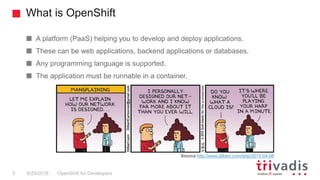
A platform (PaaS) helping you to develop and deploy applications.
These can be web applications, backend applications or databases.
Any programming language is supported.
The application must be runnable in a container.
Source:http://www.dilbert.com/strip/2015-04-08
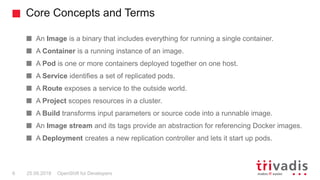
An Image is a binary that includes everything for running a single container.
A Container is a running instance of an image.
A Pod is one or more containers deployed together on one host.
A Service identifies a set of replicated pods.
A Route exposes a service to the outside world.
A Project scopes resources in a cluster.
A Build transforms input parameters or source code into a runnable image.
An Image stream and its tags provide an abstraction for referencing Docker images.
A Deployment creates a new replication controller and lets it start up pods.
Core Concepts and Terms
OpenShift for Developers6 25.09.2018
OpenShift for Developers7 25.09.2018
Running & Accessing OpenShift
Running OpenShift
OpenShift for Developers8 9/25/2018
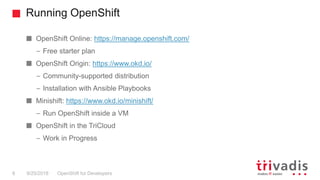
OpenShift Online: https://manage.openshift.com/
– Free starter plan
OpenShift Origin: https://www.okd.io/
– Community-supported distribution
– Installation with Ansible Playbooks
Minishift: https://www.okd.io/minishift/
– Run OpenShift inside a VM
OpenShift in the TriCloud
– Work in Progress
Accessing OpenShift
OpenShift for Developers9 9/25/2018
OpenShift web console
OpenShift command line tool: oc
OpenShift REST API
OpenShift for Developers10 25.09.2018
Building & Deploying an Image
Building an Image
OpenShift for Developers11 25.09.2018
OpenShift provides the ability to build images for you.
OpenShift provides four different build strategies
– Docker
– Source (S2I)
– Pipeline
– Custom
Building and Deploying an Image - Example
OpenShift for Developers12 9/25/2018
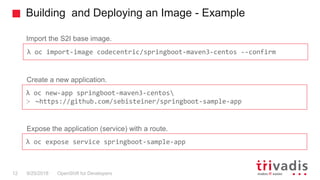
λ oc import-image codecentric/springboot-maven3-centos --confirm
λ oc new-app springboot-maven3-centos
> ~https://github.com/sebisteiner/springboot-sample-app
λ oc expose service springboot-sample-app
Import the S2I base image.
Create a new application.
Expose the application (service) with a route.
OpenShift for Developers13 25.09.2018
Persistent Storage
Persistent Storage
OpenShift for Developers14 9/25/2018
The application can write to any part of the filesystem it has permission to.
But when the container is stopped, any changes made will be lost!
Persistent volumes can be mounted to persist data.
Persistent storage must be configured by the OpenShift cluster administrator.
– The application developer doesn’t has to care about the underlying storage
technology.
OpenShift for Developers15 25.09.2018
Problem Analysis
Debugging
OpenShift for Developers16 25.09.2018
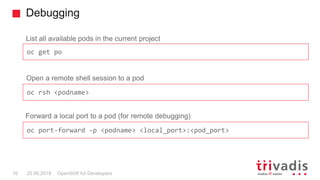
Open a remote shell session to a pod
List all available pods in the current project
oc get po
oc rsh <podname>
Forward a local port to a pod (for remote debugging)
oc port-forward -p <podname> <local_port>:<pod_port>
Health Checks
OpenShift for Developers17 25.09.2018
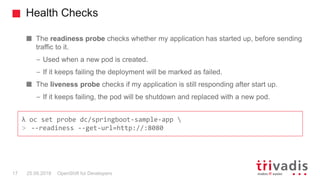
The readiness probe checks whether my application has started up, before sending
traffic to it.
– Used when a new pod is created.
– If it keeps failing the deployment will be marked as failed.
The liveness probe checks if my application is still responding after start up.
– If it keeps failing, the pod will be shutdown and replaced with a new pod.
λ oc set probe dc/springboot-sample-app 
> --readiness --get-url=http://:8080
OpenShift for Developers18 25.09.2018
Application Lifecycle Management
Deployment Strategies
OpenShift for Developers19 9/25/2018
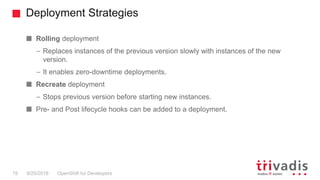
Rolling deployment
– Replaces instances of the previous version slowly with instances of the new
version.
– It enables zero-downtime deployments.
Recreate deployment
– Stops previous version before starting new instances.
Pre- and Post lifecycle hooks can be added to a deployment.
Advanced Deployment Strategies
OpenShift for Developers20 25.09.2018
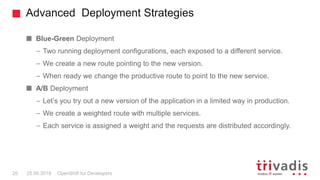
Blue-Green Deployment
– Two running deployment configurations, each exposed to a different service.
– We create a new route pointing to the new version.
– When ready we change the productive route to point to the new service.
A/B Deployment
– Let’s you try out a new version of the application in a limited way in production.
– We create a weighted route with multiple services.
– Each service is assigned a weight and the requests are distributed accordingly.
Thank you – Any Questions?
Sebastian Steiner
Sebastian.Steiner@Trivadis.com
25.09.2018 OpenShift for Developers21
@sebisteiner

TechEvent OpenShift for Developers

  • 1.
    BASLE BERN BRUGGDÜSSELDORF FRANKFURT A.M. FREIBURG I.BR. GENEVA HAMBURG COPENHAGEN LAUSANNE MUNICH STUTTGART VIENNA ZURICH OpenShift for Developers An Introduction Sebastian Steiner @sebisteiner
  • 2.
    Sebastian Steiner OpenShift forDevelopers2 9/25/2018 Senior Consultant Project Service Delivery Bern (BE-PSD) Working for Trivadis since 2010 Full Stack Java Developer Current Project: «Sanierung Vertriebssysteme» at SBB – Lead developer Webshop (https://www.sbb.ch/de/kaufen) – Developer «Zentrales Vertriebssystem»
  • 3.
    Agenda OpenShift for Developers325.09.2018 1. What is OpenShift 2. Running & Accessing OpenShift 3. Building & Deploying an Image 4. Persistent Storage 5. Problem Analysis 6. Application Lifecycle Management
  • 4.
    OpenShift for Developers425.09.2018 What is OpenShift
  • 5.
    What is OpenShift OpenShiftfor Developers5 9/25/2018 A platform (PaaS) helping you to develop and deploy applications. These can be web applications, backend applications or databases. Any programming language is supported. The application must be runnable in a container. Source:http://www.dilbert.com/strip/2015-04-08
  • 6.
    An Image isa binary that includes everything for running a single container. A Container is a running instance of an image. A Pod is one or more containers deployed together on one host. A Service identifies a set of replicated pods. A Route exposes a service to the outside world. A Project scopes resources in a cluster. A Build transforms input parameters or source code into a runnable image. An Image stream and its tags provide an abstraction for referencing Docker images. A Deployment creates a new replication controller and lets it start up pods. Core Concepts and Terms OpenShift for Developers6 25.09.2018
  • 7.
    OpenShift for Developers725.09.2018 Running & Accessing OpenShift
  • 8.
    Running OpenShift OpenShift forDevelopers8 9/25/2018 OpenShift Online: https://manage.openshift.com/ – Free starter plan OpenShift Origin: https://www.okd.io/ – Community-supported distribution – Installation with Ansible Playbooks Minishift: https://www.okd.io/minishift/ – Run OpenShift inside a VM OpenShift in the TriCloud – Work in Progress
  • 9.
    Accessing OpenShift OpenShift forDevelopers9 9/25/2018 OpenShift web console OpenShift command line tool: oc OpenShift REST API
  • 10.
    OpenShift for Developers1025.09.2018 Building & Deploying an Image
  • 11.
    Building an Image OpenShiftfor Developers11 25.09.2018 OpenShift provides the ability to build images for you. OpenShift provides four different build strategies – Docker – Source (S2I) – Pipeline – Custom
  • 12.
    Building and Deployingan Image - Example OpenShift for Developers12 9/25/2018 λ oc import-image codecentric/springboot-maven3-centos --confirm λ oc new-app springboot-maven3-centos > ~https://github.com/sebisteiner/springboot-sample-app λ oc expose service springboot-sample-app Import the S2I base image. Create a new application. Expose the application (service) with a route.
  • 13.
    OpenShift for Developers1325.09.2018 Persistent Storage
  • 14.
    Persistent Storage OpenShift forDevelopers14 9/25/2018 The application can write to any part of the filesystem it has permission to. But when the container is stopped, any changes made will be lost! Persistent volumes can be mounted to persist data. Persistent storage must be configured by the OpenShift cluster administrator. – The application developer doesn’t has to care about the underlying storage technology.
  • 15.
    OpenShift for Developers1525.09.2018 Problem Analysis
  • 16.
    Debugging OpenShift for Developers1625.09.2018 Open a remote shell session to a pod List all available pods in the current project oc get po oc rsh <podname> Forward a local port to a pod (for remote debugging) oc port-forward -p <podname> <local_port>:<pod_port>
  • 17.
    Health Checks OpenShift forDevelopers17 25.09.2018 The readiness probe checks whether my application has started up, before sending traffic to it. – Used when a new pod is created. – If it keeps failing the deployment will be marked as failed. The liveness probe checks if my application is still responding after start up. – If it keeps failing, the pod will be shutdown and replaced with a new pod. λ oc set probe dc/springboot-sample-app > --readiness --get-url=http://:8080
  • 18.
    OpenShift for Developers1825.09.2018 Application Lifecycle Management
  • 19.
    Deployment Strategies OpenShift forDevelopers19 9/25/2018 Rolling deployment – Replaces instances of the previous version slowly with instances of the new version. – It enables zero-downtime deployments. Recreate deployment – Stops previous version before starting new instances. Pre- and Post lifecycle hooks can be added to a deployment.
  • 20.
    Advanced Deployment Strategies OpenShiftfor Developers20 25.09.2018 Blue-Green Deployment – Two running deployment configurations, each exposed to a different service. – We create a new route pointing to the new version. – When ready we change the productive route to point to the new service. A/B Deployment – Let’s you try out a new version of the application in a limited way in production. – We create a weighted route with multiple services. – Each service is assigned a weight and the requests are distributed accordingly.
  • 21.
    Thank you –Any Questions? Sebastian Steiner Sebastian.Steiner@Trivadis.com 25.09.2018 OpenShift for Developers21 @sebisteiner