TYPOSCRIPT
CRASH COURSE
 Your driver today will be Zach Davis
     from Cast Iron Coding Inc.
Overview
• What is Typoscript, really, and
 how does it generally work?

• Overview of Typoscript Syntax
• Overview of how pages are
 rendered through Typoscript

• Typoscript and PHP
• Navigating Typoscript
 documentation

• Overriding core content
 rendering

• Typoscript best practices
Where is Typoscript Used?
•   Typoscript is used to tell TYPO3 how to render pages.
    Every TYPO3 site requires a root-level Typoscript
    template.

•   Typoscript is (over) used in extension templates to
    control the behavior of individual pages or branches of
    a site.

•   Typoscript is used in static templates, which are part
    of TYPO3 extensions, to provide default configuration
    that can be overridden on individual sites.
Typoscript is
Idiosyncratic,
 which can be
  confusing.

   For better or for worse,
extension authors are free to
   implement Typoscript
    however they please.
Take tt_news, for example
•   Like most extensions,
    tt_news contains
    Typoscript properties
    that are only used in
    tt_news.

•   To undestand tt_news’
    Typoscript, you would
    need to look at the
    tt_news documentation.

•   Look for TS in EXT/pi1/
    static or EXT/static.
What is
Typoscript?
Typoscript is a
    configuration language

•   In this sense, it’s similar to YAML or XML.

•   Typoscript is not a programming language—it doesn’t
    really do anything programmatic, although it sometimes
    seems like it does.

•   Typoscript is interpreted by PHP scripts, which use it to
    determine what to render on the front-end.
Typoscript is a
multi-
dimensional
associative
array
Arrays are pairs of keys and
values, kind of like these
mailboxes.
Typoscript is a
multi-
dimensional
associative
array
If one or more of these
mailboxes contained another
wall of mailboxes inside of
them, you’d have a multi-
dimensional array.
Typoscript is a
multi-
dimensional
associative
array
If we debug Typoscript, it looks
like a series of nested tables.
In code,
extension
authors access
Typoscript as
an array.
<?php
$wrap = $conf[‘1.’][‘wrap’];
?>
It’s all just
strings and
arrays.
entryLevel = 0
wrap = <ul id=”primaryNav...
1 = TMENU
2 {
    expAll = 1
    noBlue = 1
    NO {
       WrapItemAndSub = <li>|...
    }
    ACT = 1
    ACT {
       wrapItemAndSub = <li>|...
       ATagParams = class=...
    }
}
Typoscript
Syntax is Easy.
     really!
Key = Value

Value is a string (or an integer).
Key { Value }

The confinements tell us that
     value is an array.
Key < Value
  Value is another Typoscript
path, which is copied and pasted
             to key.
For Example:
myObj.wrap = before|after
myOtherObj.wrap < myObj.wrap

 In this case, myOtherObj.wrap
       equals before|after.
Key < Value
 When assigning values in this
 way, you can assign an entire
chunk of Typoscript or a single
  value of a given property.
Key >
The greater than sign unsets the
 value of a Typoscript property.
Key = 1,2,3
Key := addToList(4,5)
Key := removeFromList(1)

The := operator is used to modify
 an existing Typoscript value.
Key = 1,2,3
Key := addToList(4,5)
Key := removeFromList(1)

In this case, the final value for
    Key would be “2,3,4,5”
Key = 1,2,3
Key := addToList(4,5)
Key := removeFromList(1)

   Other := options include
prependString, appendString,
     removeString, and
       replaceString.
Comments
// A comment
/ Another comment
# Yet one more comment
/*
   No end to the comments
*/
Key (
Value...
Even more value
)

Parentheses allow for multi-line
           values.
[globalVar = TSFE:id = 1]
key.value = true
[else]
key.value = false
[end]
  Typoscript conditions are
 awesome. In most cases, use
  them instead of extension
         templates.
A TYPO3 page
 is a set of TS
cObjs mapped
 to an HTML
   template.
In TYPO3, all things come
     from Typoscript.


Pages                  Navigation        Plugins
and content elements   and page titles   and dynamic content
PAGE.10                                                                  lib.auxNav
                    lib.logo
                                                            lib.search                   lib.header


                                lib.primaryNav

lib.breadcrumb
                                                                                         lib.share
                                                    lib.tagline


 lib.secondaryNav


                                                                         lib.heroImage


                                                                         plugin.tx_ccnygrants_pi1
                                              styles.content.getRight


                               styles.content.get
How a page is rendered
      from Typoscript

•   TYPO3 looks for a PAGE typoscript object, which is
    similar to a COA (content object array).

•   According to convention, we put the majority of the
    output for a page into PAGE.10.

•   PAGE.10 is typically a USER object (eg, templavoila) or
    a TEMPLATE object.
Anatomy of a
 TemplaVoila Page                         TS Obj


        USER SCRIPT:              Page.   Page.
tx_templavoila_pi1->main_page      10      20

                                    PAGE
         HTML Template            TypeNum=0

TS Obj
          Content Area   TS Obj      Output
TS Obj                                 to
                                    Browser
Anatomy of a
  TEMPLATE Page                           TS Obj

    TS TEMPLATE OBJECT

TS Obj                            Page.   Page.
                                   10      20
          Content Area   TS Obj
TS Obj                              PAGE
                                  TypeNum=0

  HTML TMPL WITH MARKERS
                                     Output
     AUTOMAKETEMPLATE
                                       to
         HTML TEMPLATE              Browser
Behind the
  Scenes
Let’s look at how PHP code
interacts with Typoscript.
class.tslib_content.php
 This is where individual TS content objects are rendered.
tslib_content contains the class definition for the tslib_cObj
  object, which is used to render HTML from Typoscript.
It’s really not that
             complicated.


Many of the tslib_cObj methods are pretty straight forward.
 The code for rendering a TEXT object, for example, is one
 line. Most of the functionality is located in stdWrap or in
                other Typoscript “functions.”
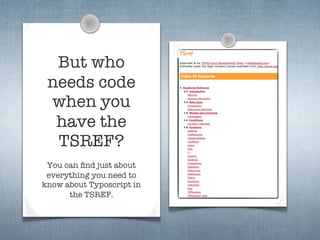
But who
 needs code
 when you
  have the
  TSREF?
 You can find just about
 everything you need to
know about Typoscript in
      the TSREF.
Data Types
 You just
  have to               Functions


know how
to read it...
The TSREF is divided
into a few key parts:
                          Setup
•Data Types
•Functions
•Setup
•Content Objects         cObjects
Typoscript Content Objects

•   Typoscript Content Objects are chunks of content that
    are rendered from Typoscript. Eg. a menu, or a plugin, or
    a logo in a header.

•   The main ones are: HTML, TEXT, COA, IMAGE,
    IMG_RESOURCE, HMENU, CASE, FORM, TEMPLATE,
    IMGTEXT, RECORDS, CONTENT.
PAGE                                      COA
         TEXT
                                 HTML                COA


                HMENU

HMENU
                                                 HTML
                          HTML


 HMENU


                                        PLUGIN


                                            PLUGIN
                          CONTENT


                CONTENT
Typoscript Content Objects
•    CSS Styled Content is used to render content from
     individual tt_content records.

•    It is essentially a library of Typoscript objects (and some
     associated PHP scripts) that transform tt_content
     records into HTML.

       tt_content:10                         <!-- COMMENT... -->
                                             <h1>My Record</h1>
     Field       Value
    header     My Record
                           tt_content.text   <p class=”bodytext”>
                                             Test
                                             </p>
    bodytext     Test
CSS Styled Content: Text
TS Object Browser
Typoscript
 Data Types
•Every Typoscript
 property has a data
 type. Most are strings
 or integers.

•Some properties are of
 a certain data type,
 which often means that
 there are additional
 properties available.
The TSREF is
sometimes
self-
referential.
Remember the common
   types. Look up the rest.
•<tag>            •int            •wrap
•align            •string         •linkWrap
•valign           •boolean        •case
•VHalign          •rotation       •space
•resource         •x,y,w,h        •date-conf
•imgResource      •HTML-color     •strftime-conf
•HTML-code        •GraphicColor   •UNIX-time
•target           •page_id        •path
•imageExtension   •pixels         •getText
•degree           •list           •dir
•posint           •margins        •function-name
Typoscript Functions
•   We might think of Typoscript functions as small
    content objects.

•   For example, the typolink function turns a chunk of TS
    into text wrapped with an A tag or, in some cases, a
    URL.

•   You will see references to these functions throughout
    the TSREF. They are generally prefaced with -> (eg. -
    >stdWrap). If the value in the data type column begins
    with ->, it’s a function. Otherwise, it’s a data type.
As with datatypes,
  remember the common
functions, look up the rest.
•stdWrap         •typolink      •parseFunc
•imgResource     •textStyle     •makeLinks
•imageLinkWrap   •encapsLines   •tags
•numRows         •tableStyles   •HTMLparser
•select          •references    •HTMLparser_tags
•split           •addParams
•if              •filelink
stdWrap
•   Use stdWrap to manipulate strings: trim, parseFunc,
    strftime, case, stripHtml, cropHtml, crop, wrap,
    innerWrap, etc.

•   Use stdWrap to insert data into output: data, field

•   Use stdWrap to wrap other content objects around a
    value: preCObject, postCObject.

•   Use stdWrap to pass values through PHP functions:
    preUserFunc, postUserFunc, postUserFuncInt.

•   Use stdWrap to implement simple conditional logic: if,
    fieldRequired, required, ifEmpty, ifBlank, override.
typolink
•   It is essential that you use typolink to render links from
    typoscript. Doing so will make your site more portable
    and less prone to broken links.
•   use the .parameter property to designate the href of the
    link.
•   use the .returnLast property to return a URL instead of
    a full A tag.
•   you have access to stdWrap on parameter, which means
    you can do things like this:
    parameter.field = uid
    parameter.additionalParams = &L=1
ParseFunc is a session in
and of itself. For now, we’ll
 just focus on what it does
    (not how it does it).
You should at least know that any field that is rendered on
the front-end that could contain HTML should probably be
passed through parseFunc.

ParseFunc is also responsible for transforming RTE content
on the frontend, and for parsing TYPO3-specific tags.
Typoscript Setup: Config
•   So far we’ve been looking at Typoscript in the context
    of content objects. Eg, using Typoscript to render an
    HMENU content object.

•   To make matters more confusing, Typoscript is also
    used for front-end configuration (much like how
    TSConfig is used for backend configuration).

•   Mostly, you don’t need to worry about the contents of
    the setup section of the TSREF, except for...
Typoscript Setup: Config
•   ...except for the “config” section.

•   “config” contains properties that are generally
    applicable to every page that is governed by a given
    Typoscript template.

•   TYPO3 site builders should familiarize themselves with
    the config section, as there are lots of important
    properties contained within.
Typical Config on a CIC site
       config {
       
    # Miscellaneous
       
    noPageTitle = 1
       
    typolinkCheckRootline = 1
       
    typolinkEnableLinksAcrossDomains = 1
       
    spamProtectEmailAddresses = -7
       
    disablePrefixComment = 1

       
    # Enable indexing
       
    index_enable = 1
       
    admPanel = 1

       
    # Set doc type
       
    doctype = xhtml_trans

       
    # Setup realURL
       
    simulateStaticDocuments = 0
       
    baseURL = http://{$const.baseUrl}/
       
    tx_realurl_enable = 1
       }
Use page.config to manage JS
   and CSS files for specific pages.
[globalVar = TSFE:id = {$pid.timeline}]

     page.includeJS {

     
    5 = fileadmin/templates/js/contrib/jQuery/fancybox/jquery.fancybox-1.2.6.pack.js

     
    6 = fileadmin/templates/js/usr/timeline.js

     
    6.allWrap =

     }

     page.includeCSS {

     
    7 = fileadmin/templates/js/contrib/jQuery/fancybox/jquery.fancybox-1.2.6.css

     }
[end]

[globalVar = TSFE:id = {$pid.photoGallery}]

     page.includeJS {

     
    8 = fileadmin/templates/js/contrib/jQuery/fancybox/jquery.fancybox-1.2.6.pack.js

     
    9 = fileadmin/templates/js/usr/photoGallery.js

     }

     page.includeCSS {

     
    10 = fileadmin/templates/js/contrib/jQuery/fancybox/jquery.fancybox-1.2.6.css

     }
[end]
Typoscript
Best Practices
(Well, perhaps not best, but
  these tips work for us.)
Typoscript Best Practices
•   Store your Typoscript in the filesystem, not in the
    database. If it’s in the database, it can’t be versioned
    with SVN, Git, etc.
•   Avoid using extension templates. Instead, make a new
    page template (reusable) or use a Typoscript condition.
•   Comment Typoscript carefully. Use object names (eg.
    lib.X) as a sort of Typoscript namespace.
•   Keep extension configuration and page template
    configuration separate.
Typoscript Best Practices
•   Organize your Typoscript in such a way that you’re
    able to avoid redundancy. Don’t declare properties
    twice if you an avoid it!

•   Use constants constantly. Always abstract the baseUrl
    to a constant, as well as any page ID values.

•   Never directly modify the Typoscript in an extension
    directory. If you do, you will regret it later.

•   Avoid using too many extension templates. Try to keep
    things in one place.
Typoscript Best Practices
•   Typolinks! Typolinks! Typolinks! Use wraps and COAs
    so that you don’t have to hard code URLs in your
    Typoscript (or, even worse, in your templates).

•   Keep Typoscript lightweight and modular. Instead of
    making a giant COA with 4 complex entries, make 4 TS
    objects and copy them into the COA.

•   Remember that order matters in Typoscript. You can’t
    reference another object unless that object has been
    included above the spot where you reference it.
How we
organize our
 Typoscript
•Extension TS goes in
 conf_ext, global site TS
 goes in conf_general and
 tsconfig goes in, well,
 tsconfig.

•We store environment-
 specific constants in
 global_constants_context.
 txt.
How we
organize our
 Typoscript
•Put an .htaccess file in
 fileadmin/templates/conf
 so that you prevent
 spiders and users from
 viewing the contents of
 your Typoscript. That
 said, if it’s secret, try not
 to store it in Typoscript.
PID and URL abstraction
  simplifies distributed
     development
 Development                 Staging            Production

carnegie.lucas.cic.com   staging.carnegie.org    carnegie.org


carnegie.zach.cic.com


 carnegie.gabe.local
PIDs and Domain Names
    change in each
     environment.
 Development                 Staging            Production

carnegie.lucas.cic.com   staging.carnegie.org    carnegie.org


carnegie.zach.cic.com


 carnegie.gabe.local
global_constants_context
does not get checked into
 Git—it’s context specific.
 Development                 Staging            Production

carnegie.lucas.cic.com   staging.carnegie.org    carnegie.org


carnegie.zach.cic.com


 carnegie.gabe.local
All other Typoscript DOES
   get checked into Git.
 Development                 Staging            Production

carnegie.lucas.cic.com   staging.carnegie.org    carnegie.org


carnegie.zach.cic.com


 carnegie.gabe.local
Wake up; it’s over!
   Thanks for listening and good luck with
    your future adventures in Typoscript.

T3dallas typoscript

  • 1.
    TYPOSCRIPT CRASH COURSE Yourdriver today will be Zach Davis from Cast Iron Coding Inc.
  • 2.
    Overview • What isTyposcript, really, and how does it generally work? • Overview of Typoscript Syntax • Overview of how pages are rendered through Typoscript • Typoscript and PHP • Navigating Typoscript documentation • Overriding core content rendering • Typoscript best practices
  • 3.
    Where is TyposcriptUsed? • Typoscript is used to tell TYPO3 how to render pages. Every TYPO3 site requires a root-level Typoscript template. • Typoscript is (over) used in extension templates to control the behavior of individual pages or branches of a site. • Typoscript is used in static templates, which are part of TYPO3 extensions, to provide default configuration that can be overridden on individual sites.
  • 4.
    Typoscript is Idiosyncratic, whichcan be confusing. For better or for worse, extension authors are free to implement Typoscript however they please.
  • 5.
    Take tt_news, forexample • Like most extensions, tt_news contains Typoscript properties that are only used in tt_news. • To undestand tt_news’ Typoscript, you would need to look at the tt_news documentation. • Look for TS in EXT/pi1/ static or EXT/static.
  • 6.
  • 7.
    Typoscript is a configuration language • In this sense, it’s similar to YAML or XML. • Typoscript is not a programming language—it doesn’t really do anything programmatic, although it sometimes seems like it does. • Typoscript is interpreted by PHP scripts, which use it to determine what to render on the front-end.
  • 8.
    Typoscript is a multi- dimensional associative array Arraysare pairs of keys and values, kind of like these mailboxes.
  • 9.
    Typoscript is a multi- dimensional associative array Ifone or more of these mailboxes contained another wall of mailboxes inside of them, you’d have a multi- dimensional array.
  • 10.
    Typoscript is a multi- dimensional associative array Ifwe debug Typoscript, it looks like a series of nested tables.
  • 11.
    In code, extension authors access Typoscriptas an array. <?php $wrap = $conf[‘1.’][‘wrap’]; ?>
  • 12.
    It’s all just stringsand arrays. entryLevel = 0 wrap = <ul id=”primaryNav... 1 = TMENU 2 { expAll = 1 noBlue = 1 NO { WrapItemAndSub = <li>|... } ACT = 1 ACT { wrapItemAndSub = <li>|... ATagParams = class=... } }
  • 13.
  • 14.
    Key = Value Valueis a string (or an integer).
  • 15.
    Key { Value} The confinements tell us that value is an array.
  • 16.
    Key < Value Value is another Typoscript path, which is copied and pasted to key.
  • 17.
    For Example: myObj.wrap =before|after myOtherObj.wrap < myObj.wrap In this case, myOtherObj.wrap equals before|after.
  • 18.
    Key < Value When assigning values in this way, you can assign an entire chunk of Typoscript or a single value of a given property.
  • 19.
    Key > The greaterthan sign unsets the value of a Typoscript property.
  • 20.
    Key = 1,2,3 Key:= addToList(4,5) Key := removeFromList(1) The := operator is used to modify an existing Typoscript value.
  • 21.
    Key = 1,2,3 Key:= addToList(4,5) Key := removeFromList(1) In this case, the final value for Key would be “2,3,4,5”
  • 22.
    Key = 1,2,3 Key:= addToList(4,5) Key := removeFromList(1) Other := options include prependString, appendString, removeString, and replaceString.
  • 23.
    Comments // A comment /Another comment # Yet one more comment /* No end to the comments */
  • 24.
    Key ( Value... Even morevalue ) Parentheses allow for multi-line values.
  • 25.
    [globalVar = TSFE:id= 1] key.value = true [else] key.value = false [end] Typoscript conditions are awesome. In most cases, use them instead of extension templates.
  • 26.
    A TYPO3 page is a set of TS cObjs mapped to an HTML template.
  • 27.
    In TYPO3, allthings come from Typoscript. Pages Navigation Plugins and content elements and page titles and dynamic content
  • 28.
    PAGE.10 lib.auxNav lib.logo lib.search lib.header lib.primaryNav lib.breadcrumb lib.share lib.tagline lib.secondaryNav lib.heroImage plugin.tx_ccnygrants_pi1 styles.content.getRight styles.content.get
  • 29.
    How a pageis rendered from Typoscript • TYPO3 looks for a PAGE typoscript object, which is similar to a COA (content object array). • According to convention, we put the majority of the output for a page into PAGE.10. • PAGE.10 is typically a USER object (eg, templavoila) or a TEMPLATE object.
  • 30.
    Anatomy of a TemplaVoila Page TS Obj USER SCRIPT: Page. Page. tx_templavoila_pi1->main_page 10 20 PAGE HTML Template TypeNum=0 TS Obj Content Area TS Obj Output TS Obj to Browser
  • 31.
    Anatomy of a TEMPLATE Page TS Obj TS TEMPLATE OBJECT TS Obj Page. Page. 10 20 Content Area TS Obj TS Obj PAGE TypeNum=0 HTML TMPL WITH MARKERS Output AUTOMAKETEMPLATE to HTML TEMPLATE Browser
  • 32.
    Behind the Scenes Let’s look at how PHP code interacts with Typoscript.
  • 33.
    class.tslib_content.php This iswhere individual TS content objects are rendered. tslib_content contains the class definition for the tslib_cObj object, which is used to render HTML from Typoscript.
  • 34.
    It’s really notthat complicated. Many of the tslib_cObj methods are pretty straight forward. The code for rendering a TEXT object, for example, is one line. Most of the functionality is located in stdWrap or in other Typoscript “functions.”
  • 36.
    But who needscode when you have the TSREF? You can find just about everything you need to know about Typoscript in the TSREF.
  • 37.
    Data Types Youjust have to Functions know how to read it... The TSREF is divided into a few key parts: Setup •Data Types •Functions •Setup •Content Objects cObjects
  • 38.
    Typoscript Content Objects • Typoscript Content Objects are chunks of content that are rendered from Typoscript. Eg. a menu, or a plugin, or a logo in a header. • The main ones are: HTML, TEXT, COA, IMAGE, IMG_RESOURCE, HMENU, CASE, FORM, TEMPLATE, IMGTEXT, RECORDS, CONTENT.
  • 39.
    PAGE COA TEXT HTML COA HMENU HMENU HTML HTML HMENU PLUGIN PLUGIN CONTENT CONTENT
  • 40.
    Typoscript Content Objects • CSS Styled Content is used to render content from individual tt_content records. • It is essentially a library of Typoscript objects (and some associated PHP scripts) that transform tt_content records into HTML. tt_content:10 <!-- COMMENT... --> <h1>My Record</h1> Field Value header My Record tt_content.text <p class=”bodytext”> Test </p> bodytext Test
  • 41.
  • 42.
  • 43.
    Typoscript Data Types •EveryTyposcript property has a data type. Most are strings or integers. •Some properties are of a certain data type, which often means that there are additional properties available.
  • 44.
  • 45.
    Remember the common types. Look up the rest. •<tag> •int •wrap •align •string •linkWrap •valign •boolean •case •VHalign •rotation •space •resource •x,y,w,h •date-conf •imgResource •HTML-color •strftime-conf •HTML-code •GraphicColor •UNIX-time •target •page_id •path •imageExtension •pixels •getText •degree •list •dir •posint •margins •function-name
  • 46.
    Typoscript Functions • We might think of Typoscript functions as small content objects. • For example, the typolink function turns a chunk of TS into text wrapped with an A tag or, in some cases, a URL. • You will see references to these functions throughout the TSREF. They are generally prefaced with -> (eg. - >stdWrap). If the value in the data type column begins with ->, it’s a function. Otherwise, it’s a data type.
  • 47.
    As with datatypes, remember the common functions, look up the rest. •stdWrap •typolink •parseFunc •imgResource •textStyle •makeLinks •imageLinkWrap •encapsLines •tags •numRows •tableStyles •HTMLparser •select •references •HTMLparser_tags •split •addParams •if •filelink
  • 48.
    stdWrap • Use stdWrap to manipulate strings: trim, parseFunc, strftime, case, stripHtml, cropHtml, crop, wrap, innerWrap, etc. • Use stdWrap to insert data into output: data, field • Use stdWrap to wrap other content objects around a value: preCObject, postCObject. • Use stdWrap to pass values through PHP functions: preUserFunc, postUserFunc, postUserFuncInt. • Use stdWrap to implement simple conditional logic: if, fieldRequired, required, ifEmpty, ifBlank, override.
  • 49.
    typolink • It is essential that you use typolink to render links from typoscript. Doing so will make your site more portable and less prone to broken links. • use the .parameter property to designate the href of the link. • use the .returnLast property to return a URL instead of a full A tag. • you have access to stdWrap on parameter, which means you can do things like this: parameter.field = uid parameter.additionalParams = &L=1
  • 50.
    ParseFunc is asession in and of itself. For now, we’ll just focus on what it does (not how it does it). You should at least know that any field that is rendered on the front-end that could contain HTML should probably be passed through parseFunc. ParseFunc is also responsible for transforming RTE content on the frontend, and for parsing TYPO3-specific tags.
  • 51.
    Typoscript Setup: Config • So far we’ve been looking at Typoscript in the context of content objects. Eg, using Typoscript to render an HMENU content object. • To make matters more confusing, Typoscript is also used for front-end configuration (much like how TSConfig is used for backend configuration). • Mostly, you don’t need to worry about the contents of the setup section of the TSREF, except for...
  • 52.
    Typoscript Setup: Config • ...except for the “config” section. • “config” contains properties that are generally applicable to every page that is governed by a given Typoscript template. • TYPO3 site builders should familiarize themselves with the config section, as there are lots of important properties contained within.
  • 53.
    Typical Config ona CIC site config { # Miscellaneous noPageTitle = 1 typolinkCheckRootline = 1 typolinkEnableLinksAcrossDomains = 1 spamProtectEmailAddresses = -7 disablePrefixComment = 1 # Enable indexing index_enable = 1 admPanel = 1 # Set doc type doctype = xhtml_trans # Setup realURL simulateStaticDocuments = 0 baseURL = http://{$const.baseUrl}/ tx_realurl_enable = 1 }
  • 54.
    Use page.config tomanage JS and CSS files for specific pages. [globalVar = TSFE:id = {$pid.timeline}] page.includeJS { 5 = fileadmin/templates/js/contrib/jQuery/fancybox/jquery.fancybox-1.2.6.pack.js 6 = fileadmin/templates/js/usr/timeline.js 6.allWrap = } page.includeCSS { 7 = fileadmin/templates/js/contrib/jQuery/fancybox/jquery.fancybox-1.2.6.css } [end] [globalVar = TSFE:id = {$pid.photoGallery}] page.includeJS { 8 = fileadmin/templates/js/contrib/jQuery/fancybox/jquery.fancybox-1.2.6.pack.js 9 = fileadmin/templates/js/usr/photoGallery.js } page.includeCSS { 10 = fileadmin/templates/js/contrib/jQuery/fancybox/jquery.fancybox-1.2.6.css } [end]
  • 55.
    Typoscript Best Practices (Well, perhapsnot best, but these tips work for us.)
  • 56.
    Typoscript Best Practices • Store your Typoscript in the filesystem, not in the database. If it’s in the database, it can’t be versioned with SVN, Git, etc. • Avoid using extension templates. Instead, make a new page template (reusable) or use a Typoscript condition. • Comment Typoscript carefully. Use object names (eg. lib.X) as a sort of Typoscript namespace. • Keep extension configuration and page template configuration separate.
  • 57.
    Typoscript Best Practices • Organize your Typoscript in such a way that you’re able to avoid redundancy. Don’t declare properties twice if you an avoid it! • Use constants constantly. Always abstract the baseUrl to a constant, as well as any page ID values. • Never directly modify the Typoscript in an extension directory. If you do, you will regret it later. • Avoid using too many extension templates. Try to keep things in one place.
  • 58.
    Typoscript Best Practices • Typolinks! Typolinks! Typolinks! Use wraps and COAs so that you don’t have to hard code URLs in your Typoscript (or, even worse, in your templates). • Keep Typoscript lightweight and modular. Instead of making a giant COA with 4 complex entries, make 4 TS objects and copy them into the COA. • Remember that order matters in Typoscript. You can’t reference another object unless that object has been included above the spot where you reference it.
  • 59.
    How we organize our Typoscript •Extension TS goes in conf_ext, global site TS goes in conf_general and tsconfig goes in, well, tsconfig. •We store environment- specific constants in global_constants_context. txt.
  • 60.
    How we organize our Typoscript •Put an .htaccess file in fileadmin/templates/conf so that you prevent spiders and users from viewing the contents of your Typoscript. That said, if it’s secret, try not to store it in Typoscript.
  • 61.
    PID and URLabstraction simplifies distributed development Development Staging Production carnegie.lucas.cic.com staging.carnegie.org carnegie.org carnegie.zach.cic.com carnegie.gabe.local
  • 62.
    PIDs and DomainNames change in each environment. Development Staging Production carnegie.lucas.cic.com staging.carnegie.org carnegie.org carnegie.zach.cic.com carnegie.gabe.local
  • 63.
    global_constants_context does not getchecked into Git—it’s context specific. Development Staging Production carnegie.lucas.cic.com staging.carnegie.org carnegie.org carnegie.zach.cic.com carnegie.gabe.local
  • 64.
    All other TyposcriptDOES get checked into Git. Development Staging Production carnegie.lucas.cic.com staging.carnegie.org carnegie.org carnegie.zach.cic.com carnegie.gabe.local
  • 65.
    Wake up; it’sover! Thanks for listening and good luck with your future adventures in Typoscript.