YOUR profile and
information you
are sharing
Dashboard with latest
posts from your friends
and pages you follow
messages and chat
centre
Notifications (brief
list of posts)
List of your
contacts
currently
online and
active on
facebook
(tap on one
of the to start
chatting)
tap to seen all your messages
and conversations
tap on any contact to
open chat window
tap start a new
conversation
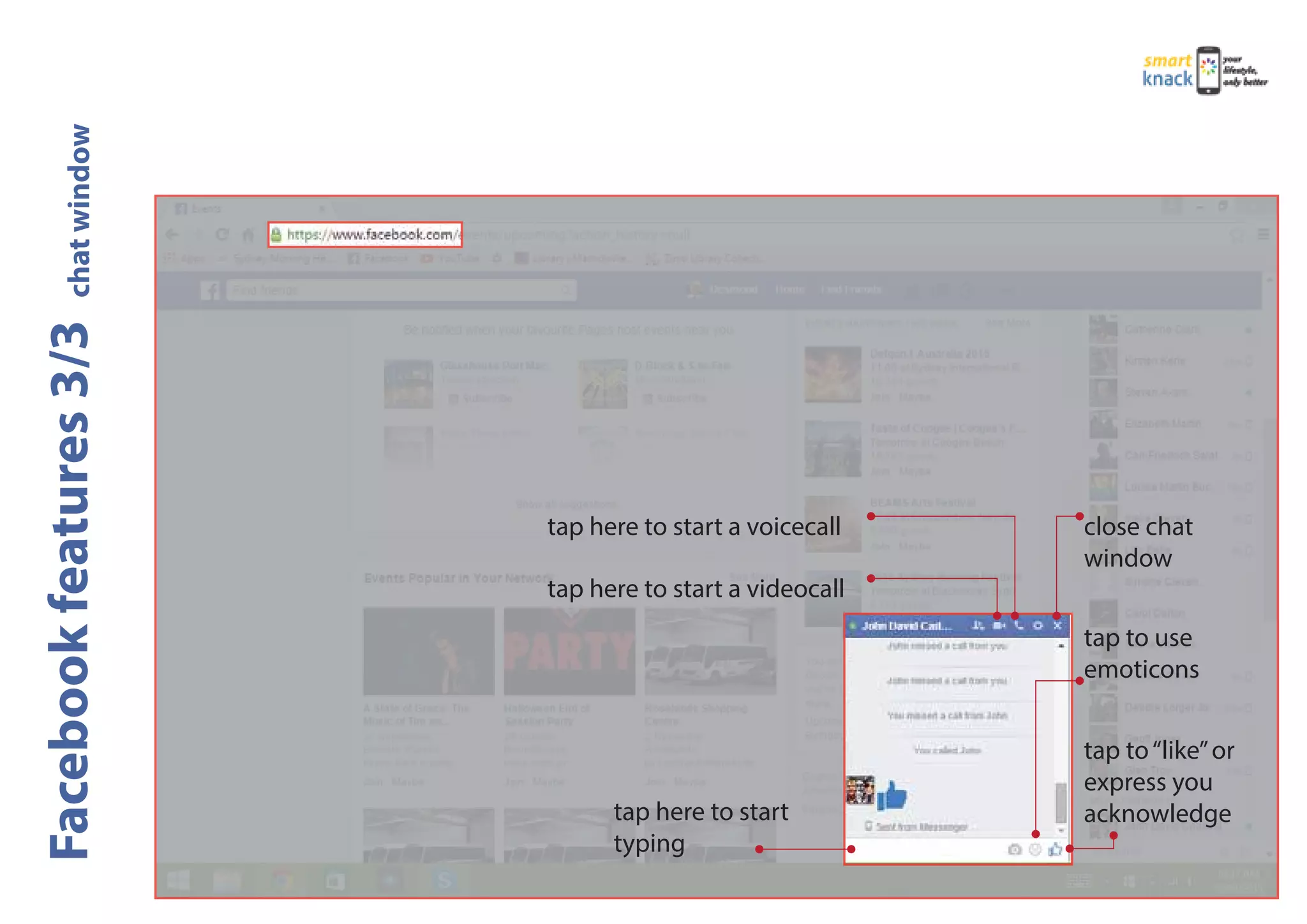
tap here to start
typing
tap here to start a videocall
close chat
window
tap to use
emoticons
tap to“like”or
express you
acknowledge
tap here to start a voicecall
Your profile and status (tap to see or modify)
tap to search by name or nickname
contacts access area
contacts list and status
Green: ONLINE
yellow: AWAY
red: BUSY
white: OFFLINE
tap on contact to open chat window
tap here to start a videocall
tap here to start a voicecall
tap here to start
typing
selected contact
tap to send
message
chat history
(YOU are speech
bubble to the left)
tap to use
emoticons
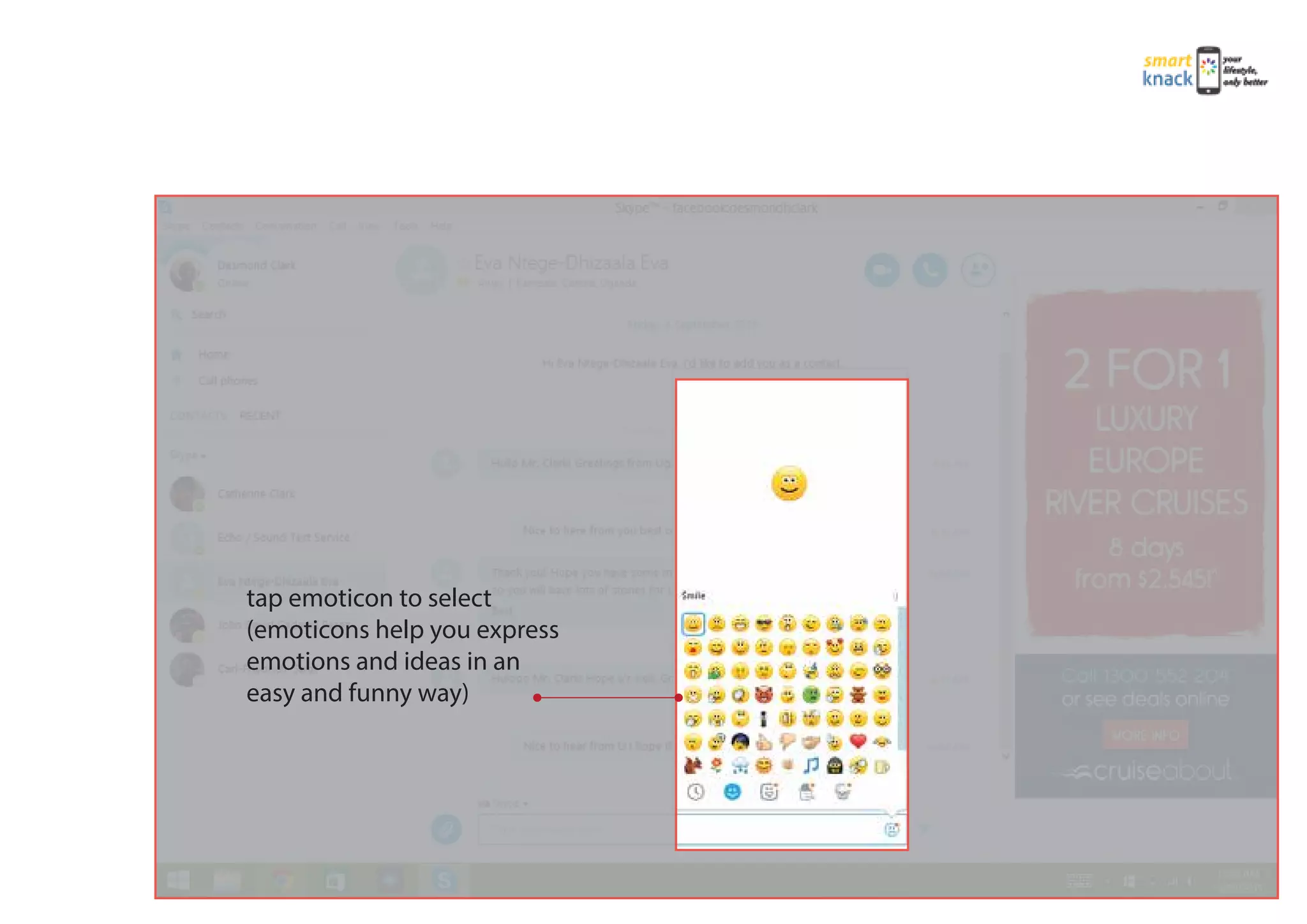
tap emoticon to select
(emoticons help you express
emotions and ideas in an
easy and funny way)
tap to START
Videocall tap to END call
YOUR profile pic or front
camera broadcasting
tap to MUTE
microphone on/off
tap to add more contacts
to conversation
contact in call
and duration
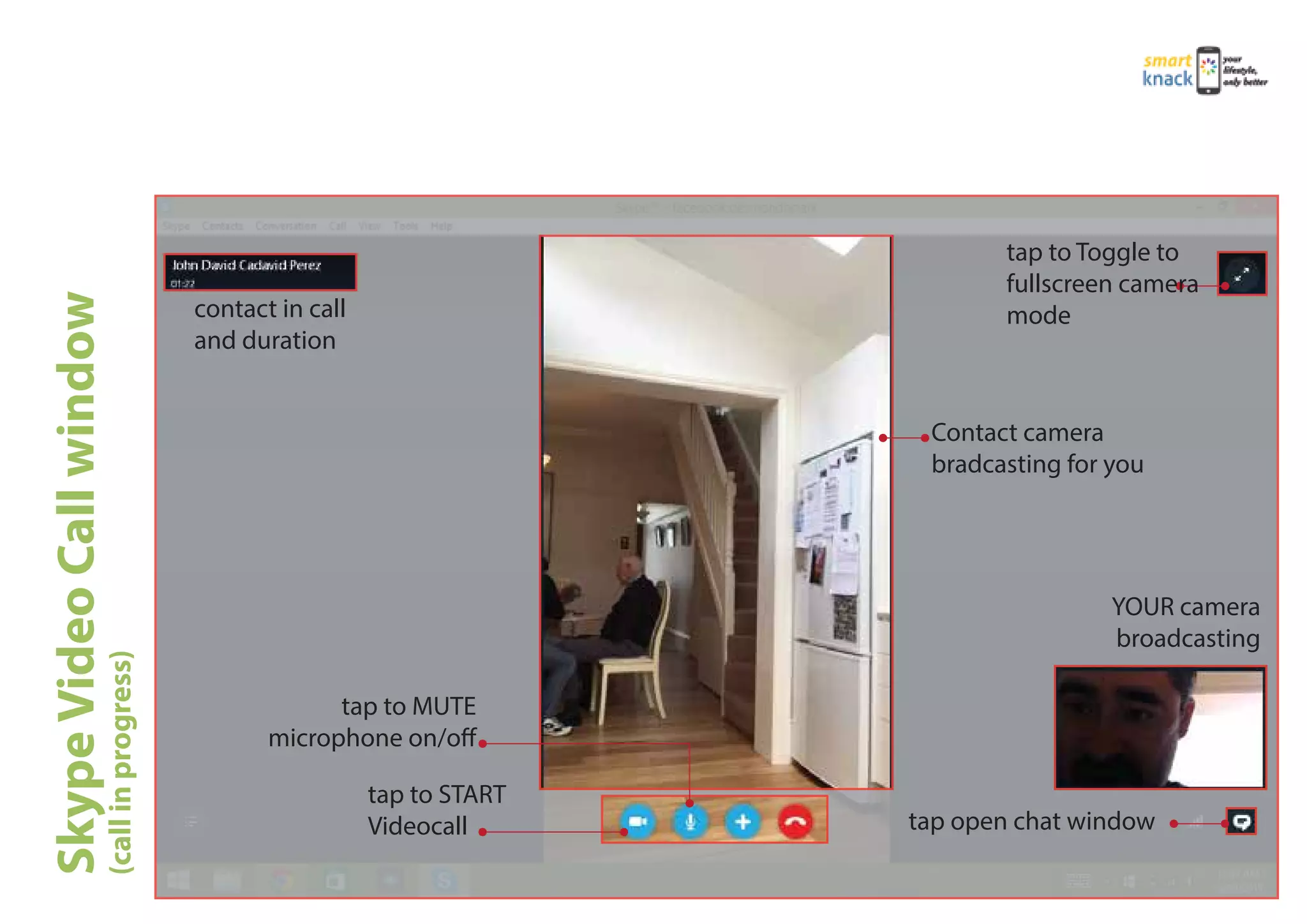
tap to START
Videocall tap open chat window
tap to MUTE
microphone on/off
YOUR camera
broadcasting
contact in call
and duration
Contact camera
bradcasting for you
tap to Toggle to
fullscreen camera
mode
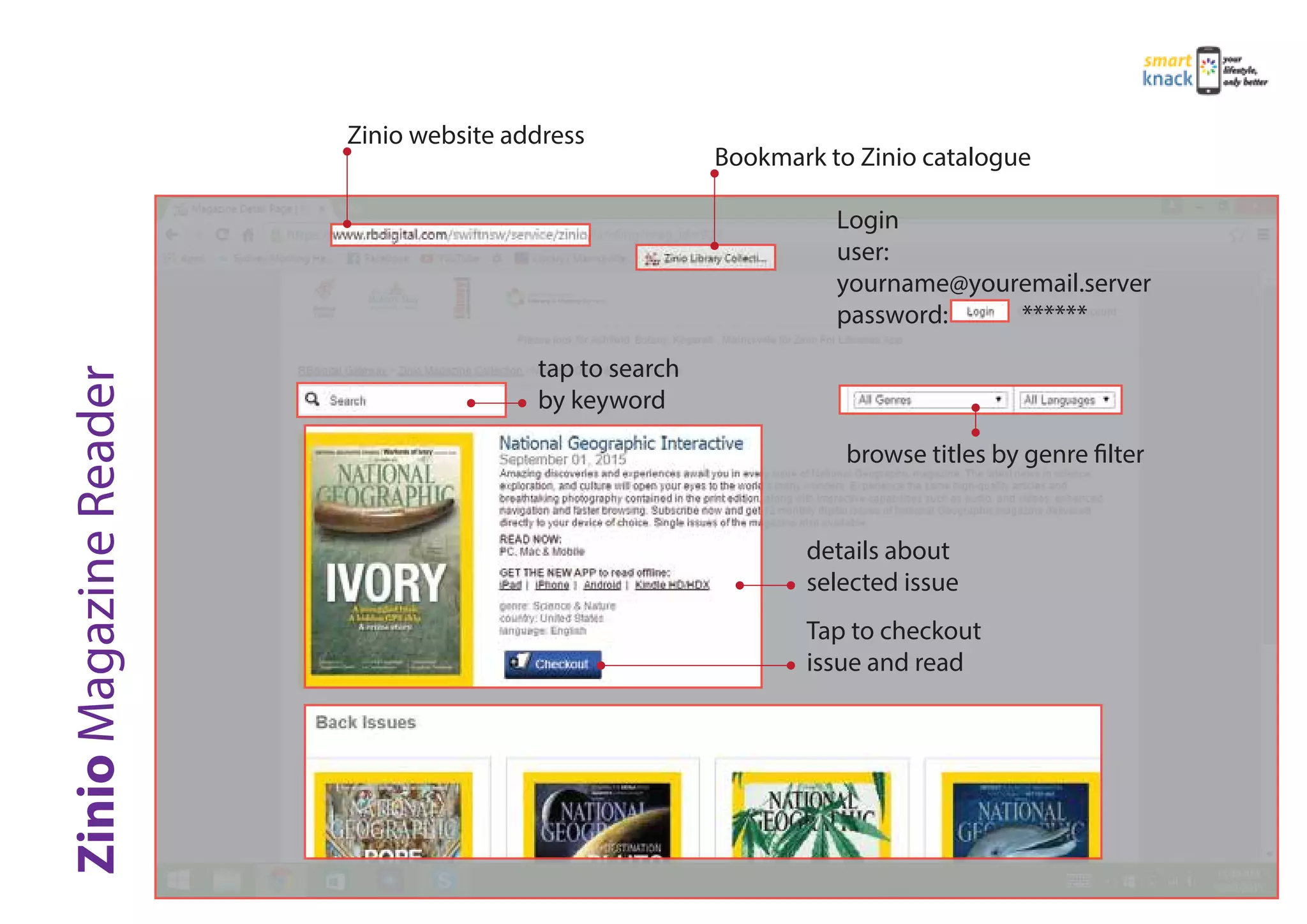
Bookmark to Zinio catalogue
Login
user:
yourname@youremail.server
password: ******
browse titles by genre filter
Zinio website address
tap to search
by keyword
details about
selected issue
Tap to checkout
issue and read

Supporting Guides example

  • 1.
    YOUR profile and informationyou are sharing Dashboard with latest posts from your friends and pages you follow messages and chat centre Notifications (brief list of posts) List of your contacts currently online and active on facebook (tap on one of the to start chatting)
  • 2.
    tap to seenall your messages and conversations tap on any contact to open chat window tap start a new conversation
  • 3.
    tap here tostart typing tap here to start a videocall close chat window tap to use emoticons tap to“like”or express you acknowledge tap here to start a voicecall
  • 4.
    Your profile andstatus (tap to see or modify) tap to search by name or nickname contacts access area contacts list and status Green: ONLINE yellow: AWAY red: BUSY white: OFFLINE tap on contact to open chat window
  • 5.
    tap here tostart a videocall tap here to start a voicecall tap here to start typing selected contact tap to send message chat history (YOU are speech bubble to the left) tap to use emoticons
  • 6.
    tap emoticon toselect (emoticons help you express emotions and ideas in an easy and funny way)
  • 7.
    tap to START Videocalltap to END call YOUR profile pic or front camera broadcasting tap to MUTE microphone on/off tap to add more contacts to conversation contact in call and duration
  • 8.
    tap to START Videocalltap open chat window tap to MUTE microphone on/off YOUR camera broadcasting contact in call and duration Contact camera bradcasting for you tap to Toggle to fullscreen camera mode
  • 9.
    Bookmark to Ziniocatalogue Login user: yourname@youremail.server password: ****** browse titles by genre filter Zinio website address tap to search by keyword details about selected issue Tap to checkout issue and read