C++ Structs
Sesi 1
1
structures
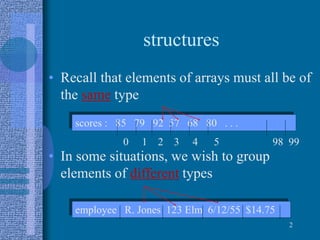
• Recall that elements of arrays must all be of
the same type
• In some situations, we wish to group
elements of different types
2
scores : 85 79 92 57 68 80 . . .
0 1 2 3 4 5 98 99
employee R. Jones 123 Elm 6/12/55 $14.75
structures
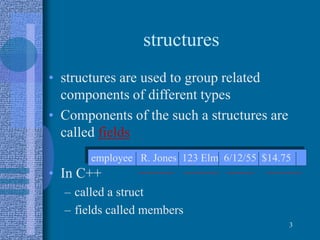
• structures are used to group related
components of different types
• Components of the such a structures are
called fields
• In C++
– called a struct
– fields called members
3
employee R. Jones 123 Elm 6/12/55 $14.75
Records
• C++ struct
– structured data type
– fixed number of components
– elements accessed by name, not by index
– components may be of different types
4
struct PartStruct{
char descrip [31], part_num [11];
float unit_price;
int qty; };
Declaring struct Variables
• Given
• Declare :
5
struct PartStruct {
char descrip [31], part_num [11];
float unit_price;
int qty; };
PartStruct new_part, old_part;
Use struct name as a type.
Accessing Components
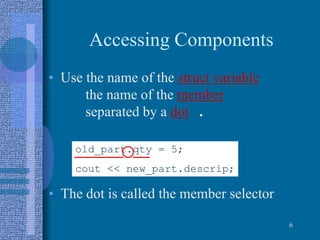
• Use the name of the struct variable
the name of the member
separated by a dot .
• The dot is called the member selector
6
old_part.qty = 5;
cout << new_part.descrip;
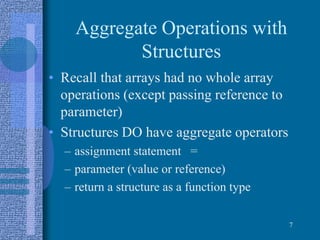
Aggregate Operations with
Structures
• Recall that arrays had no whole array
operations (except passing reference to
parameter)
• Structures DO have aggregate operators
– assignment statement =
– parameter (value or reference)
– return a structure as a function type
7
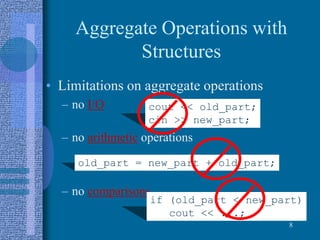
Aggregate Operations with
Structures
• Limitations on aggregate operations
– no I/O
– no arithmetic operations
– no comparisons
8
cout << old_part;
cin >> new_part;
old_part = new_part + old_part;
if (old_part < new_part)
cout << ...;
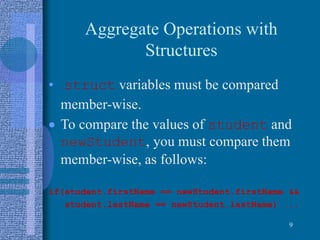
Aggregate Operations with
Structures
• struct variables must be compared
member-wise.
 To compare the values of student and
newStudent, you must compare them
member-wise, as follows:
if(student.firstName == newStudent.firstName &&
student.lastName == newStudent.lastName) ...
9
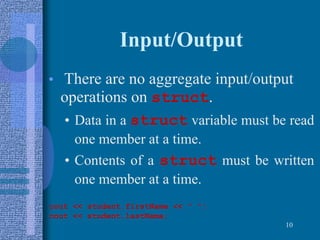
Input/Output
• There are no aggregate input/output
operations on struct.
• Data in a struct variable must be read
one member at a time.
• Contents of a struct must be written
one member at a time.
10
cout << student.firstName << “ “;
cout << student.lastName;
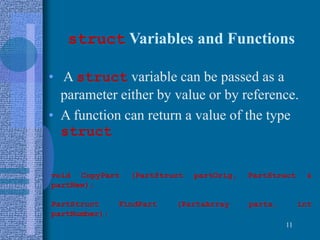
struct Variables and Functions
• A struct variable can be passed as a
parameter either by value or by reference.
• A function can return a value of the type
struct
11
void CopyPart (PartStruct partOrig, PartStruct &
partNew);
PartStruct FindPart (PartsArray parts, int
partNumber);
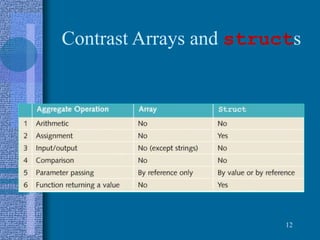
Contrast Arrays and structs
12
Arrays of structs
• First declare a struct (such as
PartStruct)
• Then specify an array of that type
• Access elements of the array, elements of
the struct
13
typedef PartStruct PartsArray [50];
for (x = 0; x <50; x++)
cout << _______________________;
How do we
print all the
descrip fields?
parts [x].descrip
structs with Arrays
• Example
const ARRAYSIZE = 1000;
struct LISTTYPE
{
int list [ARRAYSIZE]; //array containing the
list
int listLength; //length of the list
}
14
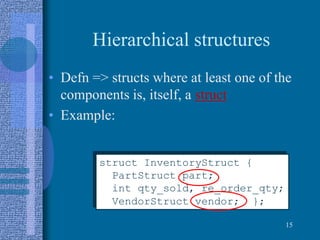
Hierarchical structures
• Defn => structs where at least one of the
components is, itself, a struct
• Example:
15
struct InventoryStruct {
PartStruct part;
int qty_sold, re_order_qty;
VendorStruct vendor; };
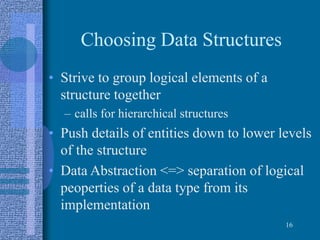
Choosing Data Structures
• Strive to group logical elements of a
structure together
– calls for hierarchical structures
• Push details of entities down to lower levels
of the structure
• Data Abstraction <=> separation of logical
peoperties of a data type from its
implementation
16
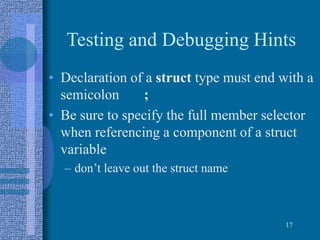
Testing and Debugging Hints
• Declaration of a struct type must end with a
semicolon ;
• Be sure to specify the full member selector
when referencing a component of a struct
variable
– don’t leave out the struct name
17
Testing and Debugging
• When using an array in a struct, the index
goes at the end
studentRecord.scores[x]
• When using an array of struct, the index
goes after the struct name
parts[x].qty
18
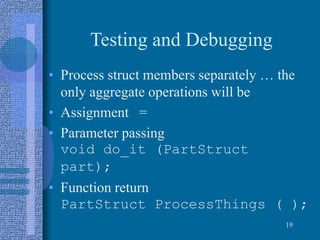
Testing and Debugging
• Process struct members separately … the
only aggregate operations will be
• Assignment =
• Parameter passing
void do_it (PartStruct
part);
• Function return
PartStruct ProcessThings ( );
19
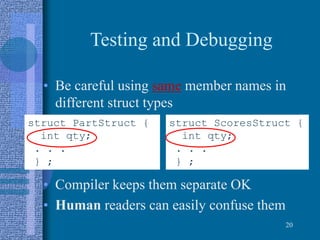
Testing and Debugging
• Be careful using same member names in
different struct types
• Compiler keeps them separate OK
• Human readers can easily confuse them
20
struct PartStruct {
int qty;
. . .
} ;
struct ScoresStruct {
int qty;
. . .
} ;

Struct

  • 1.
  • 2.
    structures • Recall thatelements of arrays must all be of the same type • In some situations, we wish to group elements of different types 2 scores : 85 79 92 57 68 80 . . . 0 1 2 3 4 5 98 99 employee R. Jones 123 Elm 6/12/55 $14.75
  • 3.
    structures • structures areused to group related components of different types • Components of the such a structures are called fields • In C++ – called a struct – fields called members 3 employee R. Jones 123 Elm 6/12/55 $14.75
  • 4.
    Records • C++ struct –structured data type – fixed number of components – elements accessed by name, not by index – components may be of different types 4 struct PartStruct{ char descrip [31], part_num [11]; float unit_price; int qty; };
  • 5.
    Declaring struct Variables •Given • Declare : 5 struct PartStruct { char descrip [31], part_num [11]; float unit_price; int qty; }; PartStruct new_part, old_part; Use struct name as a type.
  • 6.
    Accessing Components • Usethe name of the struct variable the name of the member separated by a dot . • The dot is called the member selector 6 old_part.qty = 5; cout << new_part.descrip;
  • 7.
    Aggregate Operations with Structures •Recall that arrays had no whole array operations (except passing reference to parameter) • Structures DO have aggregate operators – assignment statement = – parameter (value or reference) – return a structure as a function type 7
  • 8.
    Aggregate Operations with Structures •Limitations on aggregate operations – no I/O – no arithmetic operations – no comparisons 8 cout << old_part; cin >> new_part; old_part = new_part + old_part; if (old_part < new_part) cout << ...;
  • 9.
    Aggregate Operations with Structures •struct variables must be compared member-wise.  To compare the values of student and newStudent, you must compare them member-wise, as follows: if(student.firstName == newStudent.firstName && student.lastName == newStudent.lastName) ... 9
  • 10.
    Input/Output • There areno aggregate input/output operations on struct. • Data in a struct variable must be read one member at a time. • Contents of a struct must be written one member at a time. 10 cout << student.firstName << “ “; cout << student.lastName;
  • 11.
    struct Variables andFunctions • A struct variable can be passed as a parameter either by value or by reference. • A function can return a value of the type struct 11 void CopyPart (PartStruct partOrig, PartStruct & partNew); PartStruct FindPart (PartsArray parts, int partNumber);
  • 12.
  • 13.
    Arrays of structs •First declare a struct (such as PartStruct) • Then specify an array of that type • Access elements of the array, elements of the struct 13 typedef PartStruct PartsArray [50]; for (x = 0; x <50; x++) cout << _______________________; How do we print all the descrip fields? parts [x].descrip
  • 14.
    structs with Arrays •Example const ARRAYSIZE = 1000; struct LISTTYPE { int list [ARRAYSIZE]; //array containing the list int listLength; //length of the list } 14
  • 15.
    Hierarchical structures • Defn=> structs where at least one of the components is, itself, a struct • Example: 15 struct InventoryStruct { PartStruct part; int qty_sold, re_order_qty; VendorStruct vendor; };
  • 16.
    Choosing Data Structures •Strive to group logical elements of a structure together – calls for hierarchical structures • Push details of entities down to lower levels of the structure • Data Abstraction <=> separation of logical peoperties of a data type from its implementation 16
  • 17.
    Testing and DebuggingHints • Declaration of a struct type must end with a semicolon ; • Be sure to specify the full member selector when referencing a component of a struct variable – don’t leave out the struct name 17
  • 18.
    Testing and Debugging •When using an array in a struct, the index goes at the end studentRecord.scores[x] • When using an array of struct, the index goes after the struct name parts[x].qty 18
  • 19.
    Testing and Debugging •Process struct members separately … the only aggregate operations will be • Assignment = • Parameter passing void do_it (PartStruct part); • Function return PartStruct ProcessThings ( ); 19
  • 20.
    Testing and Debugging •Be careful using same member names in different struct types • Compiler keeps them separate OK • Human readers can easily confuse them 20 struct PartStruct { int qty; . . . } ; struct ScoresStruct { int qty; . . . } ;