Introduction
• Real worlddata doesn’t usually deal with information like int,
float etc.
• we have entities that are collections of items, having its own
attributes.
Example:
– a ‘book’ is a collection of attributes such as title, author,
call number, publisher, number of pages, date of
publication, etc.
– All data items are not similar for example author is a string,
whereas number of pages is an integer.
– For dealing with such collections, C provides a data type
called ‘structure’.
– A structure combines different data types that constitutes
an entity.
3
4.
Introduction: Why UseStructures
• If data about say 3 such books is to be stored, then we
can follow two approaches:
– Construct individual arrays, one for storing names,
another for storing prices and still another for storing
number of pages.
– Use a structure variable.
• For the sake of convenience assume that the names of
books would be single character long. Let us begin with
a program that uses arrays.
4
5.
void main( )
{
charname[3] ;
float price[3] ;
int pages[3], i ;
cout<< "nEnter names, prices and no. of pages of 3 booksn" ;
for ( i = 0 ; i <= 2 ; i++ )
cin>>name[i]>>price[i]>>pages[i];
cout<< "n”<<“Your entered information”<< “n";
for ( i = 0 ; i <= 2 ; i++ )
cout<< name[i]<<“n”<<price[i]<<“n”<<pages[i];
}
Introduction: Old Approach
5
6.
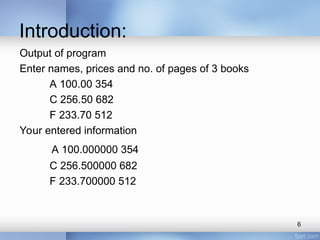
Introduction:
Output of program
Enternames, prices and no. of pages of 3 books
A 100.00 354
C 256.50 682
F 233.70 512
Your entered information
A 100.000000 354
C 256.500000 682
F 233.700000 512
6
7.
• This approachallows you to store names, prices and
number of pages.
• However, this approach obscures the fact that you are
dealing with a group of characteristics related to a single
entity—” The book”
• The program becomes more difficult to handle as the
number of items relating to the book go on increasing. For
example, we would be required to use a number of arrays, if
we also decide to store name of the publisher, date of
purchase of book, etc. To solve this problem, C provides a
special data type—the structure.
7
8.
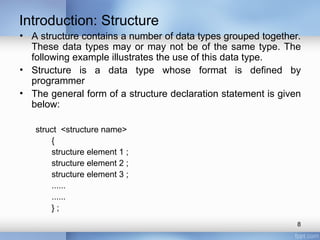
• A structurecontains a number of data types grouped together.
These data types may or may not be of the same type. The
following example illustrates the use of this data type.
• Structure is a data type whose format is defined by
programmer
• The general form of a structure declaration statement is given
below:
struct <structure name>
{
structure element 1 ;
structure element 2 ;
structure element 3 ;
......
......
} ;
Introduction: Structure
8
9.
Structures: Introduction
• Structuresare collections of related variables (aggregates)
under one name
• Can contain variables of different data types.
9
10.
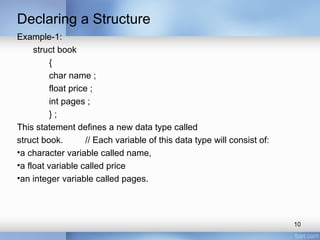
Declaring a Structure
Example-1:
structbook
{
char name ;
float price ;
int pages ;
} ;
This statement defines a new data type called
struct book. // Each variable of this data type will consist of:
•a character variable called name,
•a float variable called price
•an integer variable called pages.
10
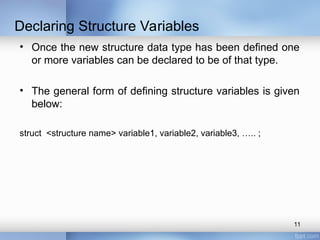
11.
• Once thenew structure data type has been defined one
or more variables can be declared to be of that type.
• The general form of defining structure variables is given
below:
struct <structure name> variable1, variable2, variable3, ….. ;
Declaring Structure Variables
11
12.
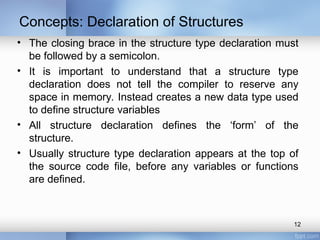
Concepts: Declaration ofStructures
• The closing brace in the structure type declaration must
be followed by a semicolon.
• It is important to understand that a structure type
declaration does not tell the compiler to reserve any
space in memory. Instead creates a new data type used
to define structure variables
• All structure declaration defines the ‘form’ of the
structure.
• Usually structure type declaration appears at the top of
the source code file, before any variables or functions
are defined.
12
13.
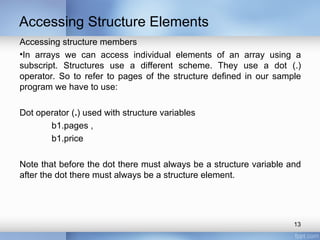
Accessing Structure Elements
Accessingstructure members
•In arrays we can access individual elements of an array using a
subscript. Structures use a different scheme. They use a dot (.)
operator. So to refer to pages of the structure defined in our sample
program we have to use:
Dot operator (.) used with structure variables
b1.pages ,
b1.price
Note that before the dot there must always be a structure variable and
after the dot there must always be a structure element.
13
14.
Like primary variablesand arrays, structure variables can also be
initialized where they are declared. The format used is quite similar to
that used to initiate arrays.
Example
struct book
{
char name[10] ;
float price ;
int pages ;
} ;
struct book b1 = { "Basic", 130.00, 550 } ;
struct book b2 = { "Physics", 150.80, 800 } ;
14
Initializing Structures
15.
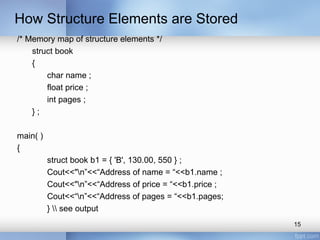
How Structure Elementsare Stored
/* Memory map of structure elements */
struct book
{
char name ;
float price ;
int pages ;
} ;
main( )
{
struct book b1 = { 'B', 130.00, 550 } ;
Cout<<"n”<<“Address of name = “<<b1.name ;
Cout<<"n”<<“Address of price = “<<b1.price ;
Cout<<“n”<<“Address of pages = “<<b1.pages;
} see output
15
16.
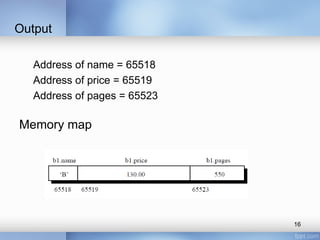
Output
Address of name= 65518
Address of price = 65519
Address of pages = 65523
Memory map
16
17.
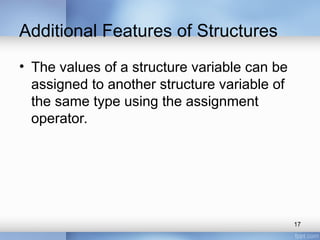
Additional Features ofStructures
• The values of a structure variable can be
assigned to another structure variable of
the same type using the assignment
operator.
17
18.
main( ) {
structemployee
{
char name[10] ;
int age ;
float salary ;
} ;
struct employee e1 = { " Ahmed ", 30, 15500.50 } ;
struct employee e2, e3 ;
/* piece-meal copying */
strcpy ( e2.name, e1.name ) ;
e2.age = e1.age ;
e2.salary = e1.salary ;
/* copying all elements at one go */
e3 = e2 ;
Cout<< “n”<<e1.name<<e1.age<<e1.salary ;
Cout<<“n”<<e2.name<<e2.age<<e2.salary ;
Cout<<“n”<<e3.name<<e3.age<<e3.salary ;
}
18
19.
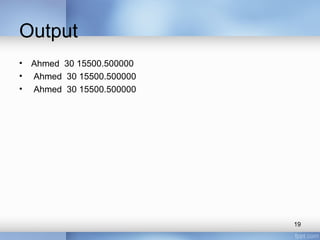
Output
• Ahmed 3015500.500000
• Ahmed 30 15500.500000
• Ahmed 30 15500.500000
19
20.
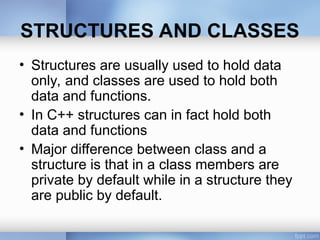
STRUCTURES AND CLASSES
•Structures are usually used to hold data
only, and classes are used to hold both
data and functions.
• In C++ structures can in fact hold both
data and functions
• Major difference between class and a
structure is that in a class members are
private by default while in a structure they
are public by default.
21.
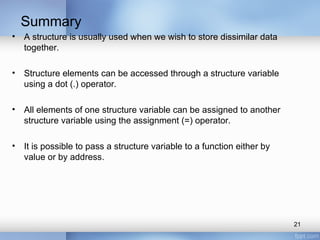
Summary
• A structureis usually used when we wish to store dissimilar data
together.
• Structure elements can be accessed through a structure variable
using a dot (.) operator.
• All elements of one structure variable can be assigned to another
structure variable using the assignment (=) operator.
• It is possible to pass a structure variable to a function either by
value or by address.
21
![void main( )
{
char name[3] ;
float price[3] ;
int pages[3], i ;
cout<< "nEnter names, prices and no. of pages of 3 booksn" ;
for ( i = 0 ; i <= 2 ; i++ )
cin>>name[i]>>price[i]>>pages[i];
cout<< "n”<<“Your entered information”<< “n";
for ( i = 0 ; i <= 2 ; i++ )
cout<< name[i]<<“n”<<price[i]<<“n”<<pages[i];
}
Introduction: Old Approach
5](https://image.slidesharecdn.com/lec03structures1-250320050939-a21f955b/85/Lecture-number-three-Structures-1-ppt-5-320.jpg)
![Like primary variables and arrays, structure variables can also be
initialized where they are declared. The format used is quite similar to
that used to initiate arrays.
Example
struct book
{
char name[10] ;
float price ;
int pages ;
} ;
struct book b1 = { "Basic", 130.00, 550 } ;
struct book b2 = { "Physics", 150.80, 800 } ;
14
Initializing Structures](https://image.slidesharecdn.com/lec03structures1-250320050939-a21f955b/85/Lecture-number-three-Structures-1-ppt-14-320.jpg)
![main( ) {
struct employee
{
char name[10] ;
int age ;
float salary ;
} ;
struct employee e1 = { " Ahmed ", 30, 15500.50 } ;
struct employee e2, e3 ;
/* piece-meal copying */
strcpy ( e2.name, e1.name ) ;
e2.age = e1.age ;
e2.salary = e1.salary ;
/* copying all elements at one go */
e3 = e2 ;
Cout<< “n”<<e1.name<<e1.age<<e1.salary ;
Cout<<“n”<<e2.name<<e2.age<<e2.salary ;
Cout<<“n”<<e3.name<<e3.age<<e3.salary ;
}
18](https://image.slidesharecdn.com/lec03structures1-250320050939-a21f955b/85/Lecture-number-three-Structures-1-ppt-18-320.jpg)


![[ITP - Lecture 16] Structures in C/C++](https://cdn.slidesharecdn.com/ss_thumbnails/lecture-2425structures-171215173534-thumbnail.jpg?width=640&height=640&fit=bounds)


