STRINGS IN C++
CREATED BY:
________________
Instructor:
_________________
_
WELCOM
E
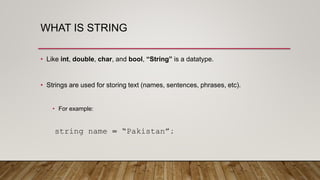
WHAT IS STRING
• Like int, double, char, and bool, “String” is a datatype.
• Strings are used for storing text (names, sentences, phrases, etc).
• For example:
string name = “Pakistan”;
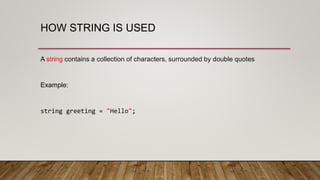
HOW STRING IS USED
A string contains a collection of characters, surrounded by double quotes
Example:
string greeting = "Hello";
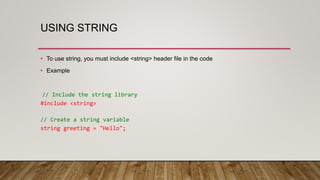
USING STRING
• To use string, you must include <string> header file in the code
• Example
// Include the string library
#include <string>
// Create a string variable
string greeting = "Hello";
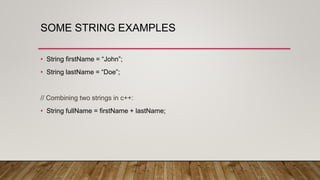
SOME STRING EXAMPLES
• String firstName = “John”;
• String lastName = “Doe”;
// Combining two strings in c++:
• String fullName = firstName + lastName;
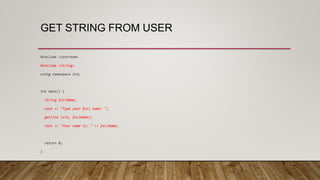
GET STRING FROM USER
#include <iostream>
#include <string>
using namespace std;
int main() {
string fullName;
cout << "Type your full name: ";
getline (cin, fullName);
cout << "Your name is: " << fullName;
return 0;
}
C++ STRING LENGTH
To check how many characters are stored in a string, we use length() function of string.
Example:
string alphabet = "ABCDEFGHIJKLMNOPQRSTUVWXYZ";
cout << "The length of the txt string is: " << alphabet.length();
//OUTPUT of code:
//The length of the txt string is: 26
THANK YOU
Created by: ___________
Instructor: _________________

Strings in c plus plus

  • 1.
    STRINGS IN C++ CREATEDBY: ________________ Instructor: _________________ _
  • 2.
  • 3.
    WHAT IS STRING •Like int, double, char, and bool, “String” is a datatype. • Strings are used for storing text (names, sentences, phrases, etc). • For example: string name = “Pakistan”;
  • 4.
    HOW STRING ISUSED A string contains a collection of characters, surrounded by double quotes Example: string greeting = "Hello";
  • 5.
    USING STRING • Touse string, you must include <string> header file in the code • Example // Include the string library #include <string> // Create a string variable string greeting = "Hello";
  • 6.
    SOME STRING EXAMPLES •String firstName = “John”; • String lastName = “Doe”; // Combining two strings in c++: • String fullName = firstName + lastName;
  • 7.
    GET STRING FROMUSER #include <iostream> #include <string> using namespace std; int main() { string fullName; cout << "Type your full name: "; getline (cin, fullName); cout << "Your name is: " << fullName; return 0; }
  • 8.
    C++ STRING LENGTH Tocheck how many characters are stored in a string, we use length() function of string. Example: string alphabet = "ABCDEFGHIJKLMNOPQRSTUVWXYZ"; cout << "The length of the txt string is: " << alphabet.length(); //OUTPUT of code: //The length of the txt string is: 26
  • 9.
    THANK YOU Created by:___________ Instructor: _________________