

WHAT'S NEW WITH THE
LEARNING RESOURCE METADATA INITIATIVE
(… & why I should care)
STATS-DC — 17 July 2013
Tim Farquer, Superintendent, Williamsfield Schools
Jim Goodall, Sr Ed Analyst, Quality Information Partners
Jason Hoekstra, Director, Developer Engagement, inBloom
Michael Jay, President, Educational Systemics, Inc.
All images used in this presentation are stock photos used with permission or created by the authors. Release for web use of all photos on file.
SESSION OUTLINE
• Context
• Use Case
• CEDS & what’s new for LRMI…more than
tagging webpages
• Reflection
• Making instructional resources available
All images used in this presentation are stock photos used with permission or created by the authors. Release for web use of all photos on file.
CONTEXT
All images used in this presentation are stock photos used with permission or created by the authors. Release for web use of all photos on file.
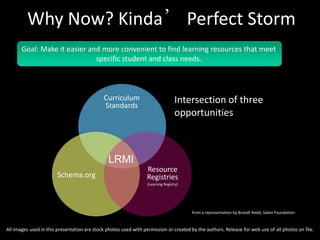
Goal: Make it easier and more convenient to find learning resources that meet
specific student and class needs.
Curriculum
Standards
Schema.org
Intersection of three
opportunities
Resource
Registries
(Learning Registry)
LRMI
Why Now? Kinda’ Perfect Storm
from a representation by Brandt Redd, Gates Foundation
All images used in this presentation are stock photos used with permission or created by the authors. Release for web use of all photos on file.
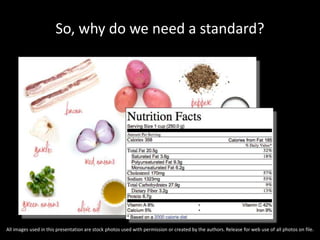
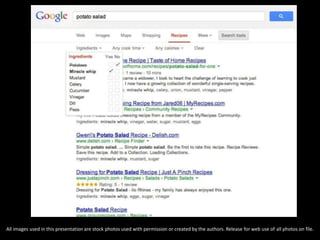
So, why do we need a standard?
All images used in this presentation are stock photos used with permission or created by the authors. Release for web use of all photos on file.
OUTLINE THE USE CASE
All images used in this presentation are stock photos used with permission or created by the authors. Release for web use of all photos on file.
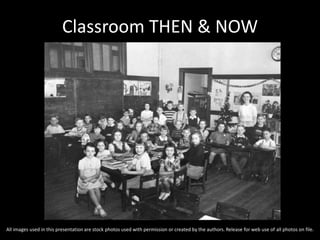
Classroom THEN & NOW
All images used in this presentation are stock photos used with permission or created by the authors. Release for web use of all photos on file.
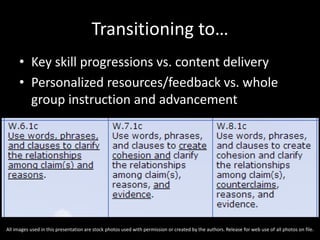
Transitioning to…
• Key skill progressions vs. content delivery
• Personalized resources/feedback vs. whole
group instruction and advancement
All images used in this presentation are stock photos used with permission or created by the authors. Release for web use of all photos on file.
Learning Resources
• Resources are structured for a content driven
classroom
• Skill-based resources are by and large
unstructured &/or difficult to discover
All images used in this presentation are stock photos used with permission or created by the authors. Release for web use of all photos on file.
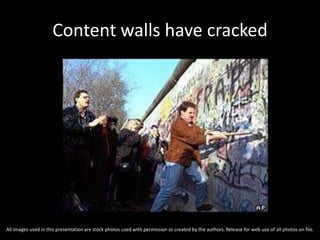
Content walls have cracked
All images used in this presentation are stock photos used with permission or created by the authors. Release for web use of all photos on file.
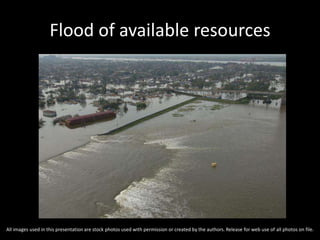
Flood of available resources
All images used in this presentation are stock photos used with permission or created by the authors. Release for web use of all photos on file.
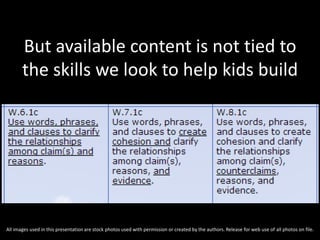
But available content is not tied to
the skills we look to help kids build
All images used in this presentation are stock photos used with permission or created by the authors. Release for web use of all photos on file.
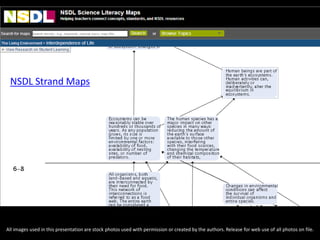
NSDL Strand Maps
All images used in this presentation are stock photos used with permission or created by the authors. Release for web use of all photos on file.
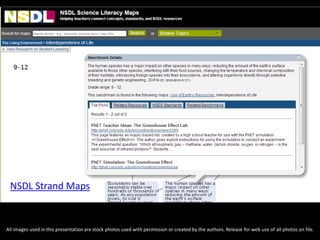
NSDL Strand Maps
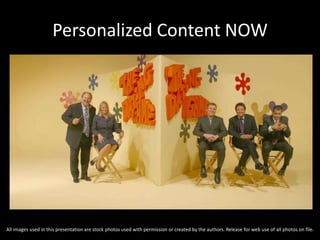
Personalized Content NOW
All images used in this presentation are stock photos used with permission or created by the authors. Release for web use of all photos on file.
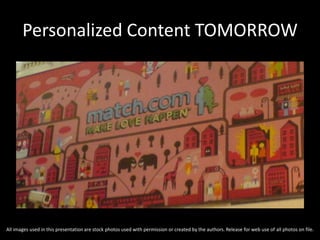
Personalized Content TOMORROW
All images used in this presentation are stock photos used with permission or created by the authors. Release for web use of all photos on file.
CEDS & WHAT'S NEW FOR LRMI
MORE THAN TAGGING WEBPAGES
All images used in this presentation are stock photos used with permission or created by the authors. Release for web use of all photos on file.
What’s new in LRMI
1. Accessibility (http://www.a11ymetadata.org)
…derived from: IMS Global Learning
Consortium’s Access for All specification
2. Implementation and vocabulary…
All images used in this presentation are stock photos used with permission or created by the authors. Release for web use of all photos on file.
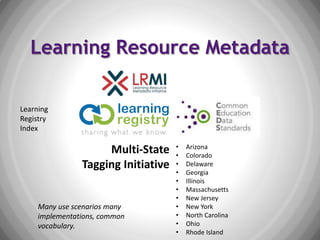
Learning Resource Metadata
Multi-State
Tagging Initiative
• Arizona
• Colorado
• Delaware
• Georgia
• Illinois
• Massachusetts
• New Jersey
• New York
• North Carolina
• Ohio
• Rhode Island
Learning
Registry
Index
Many use scenarios many
implementations, common
vocabulary.
All images used in this presentation are stock photos used with permission or created by the authors. Release for web use of all photos on file.
CEDS informed by other initiatives
• LRMI
• Multi-State Tagging Initiative
• Learning Registry
• …and many others
And in turn serves as common vocabulary across
implementations and organizations.
All images used in this presentation are stock photos used with permission or created by the authors. Release for web use of all photos on file.
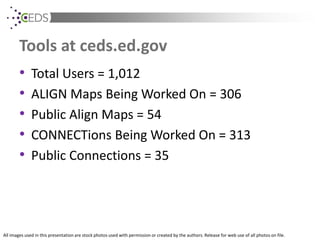
Tools at ceds.ed.gov
• Total Users = 1,012
• ALIGN Maps Being Worked On = 306
• Public Align Maps = 54
• CONNECTions Being Worked On = 313
• Public Connections = 35
All images used in this presentation are stock photos used with permission or created by the authors. Release for web use of all photos on file.
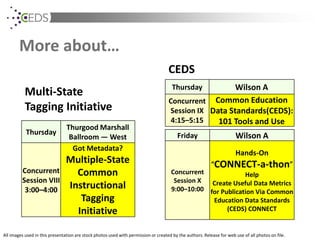
More about…
Thursday
Thurgood Marshall
Ballroom — West
Concurrent
Session VIII
3:00–4:00
Got Metadata?
Multiple-State
Common
Instructional
Tagging
Initiative
Thursday Wilson A
Concurrent
Session IX
4:15–5:15
Common Education
Data Standards(CEDS):
101 Tools and Use
Multi-State
Tagging Initiative
CEDS
Friday Wilson A
Concurrent
Session X
9:00–10:00
Hands-On
“CONNECT-a-thon”
Help
Create Useful Data Metrics
for Publication Via Common
Education Data Standards
(CEDS) CONNECT
All images used in this presentation are stock photos used with permission or created by the authors. Release for web use of all photos on file.
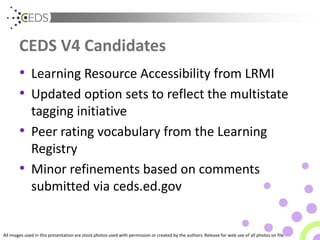
CEDS V4 Candidates
• Learning Resource Accessibility from LRMI
• Updated option sets to reflect the multistate
tagging initiative
• Peer rating vocabulary from the Learning
Registry
• Minor refinements based on comments
submitted via ceds.ed.gov
All images used in this presentation are stock photos used with permission or created by the authors. Release for web use of all photos on file.
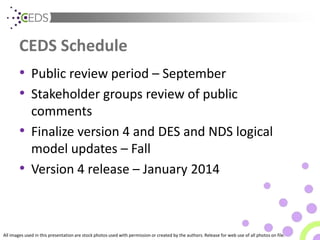
CEDS Schedule
• Public review period – September
• Stakeholder groups review of public
comments
• Finalize version 4 and DES and NDS logical
model updates – Fall
• Version 4 release – January 2014
All images used in this presentation are stock photos used with permission or created by the authors. Release for web use of all photos on file.
For more information,
visit:
http://ceds.ed.gov
All images used in this presentation are stock photos used with permission or created by the authors. Release for web use of all photos on file.
CONTACTS:
Jim Goodell
jimgoodell @ qi-partners.com
MORE LRMI UPDATES
All images used in this presentation are stock photos used with permission or created by the authors. Release for web use of all photos on file.
A few more updates on LRMI
• LRMI Properties are published as part of
Schema.org
• Governance
• Gaming
• Nearly 200,000 resources described by LRMI
• Interest by companies to produce tools
– Awareness among publishers increased from 47%
to 86% over the past year
All images used in this presentation are stock photos used with permission or created by the authors. Release for web use of all photos on file.
Hard Core Common-ers
• Major Pro:
– Ability to aggregate and compare data
• Major Con:
– Qualitative, descriptive information
The LRMI sits as a major bridge between the two
• The role of paradata
All images used in this presentation are stock photos used with permission or created by the authors. Release for web use of all photos on file.
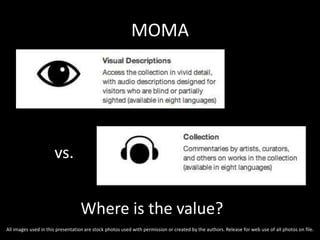
MOMA
Where is the value?
vs.
All images used in this presentation are stock photos used with permission or created by the authors. Release for web use of all photos on file.
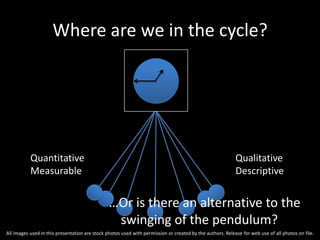
Where are we in the cycle?
…Or is there an alternative to the
swinging of the pendulum?
Quantitative
Measurable
Qualitative
Descriptive
All images used in this presentation are stock photos used with permission or created by the authors. Release for web use of all photos on file.
TECHNOLOGIES FOR MAKING
INSTRUCTIONAL RESOURCES AVAILABLE
All images used in this presentation are stock photos used with permission or created by the authors. Release for web use of all photos on file.
Pulling it All Together
• Multiple efforts + multiple years = actionable
today
• Strategies and patterns now to tie together
CCSS, LRMI, LR and LRI
• Application development underway, now is
the right time to tag and publish
All images used in this presentation are stock photos used with permission or created by the authors. Release for web use of all photos on file.
Common Core State Standards
(CCSS)
• Provides standards alignment to learning
material
• Important to digital tools:
–Shareable material across states
–Provides unique identifiers so computers
can catalog, search and relate
All images used in this presentation are stock photos used with permission or created by the authors. Release for web use of all photos on file.
Learning Resource Metadata Initiative
(LRMI)
• Common data format to describe metadata
about resources
• Title, description, educational usage,
standards alignment
• Builds on existing work; modern format
supported by major search engines
All images used in this presentation are stock photos used with permission or created by the authors. Release for web use of all photos on file.
Learning Registry
(LR)
• Technology framework to receive and store:
–Metadata for digital resources – LRMI, DC,
etc.
–Paradata for how content is used – ratings
• US Depts of Education and Defense funded;
community supported; open source
All images used in this presentation are stock photos used with permission or created by the authors. Release for web use of all photos on file.
Learning Registry Index
(LRI)
• Built on top of Learning Registry
• Provides search interface for applications
• Useful for finding both metadata and
paradata
• inBloom sponsored; Soon to be released as
open source
All images used in this presentation are stock photos used with permission or created by the authors. Release for web use of all photos on file.
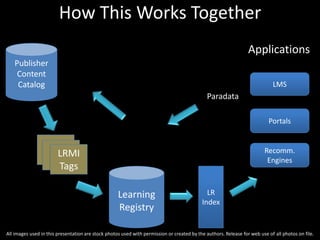
How This Works Together
LRMI
Tags
Publisher
Content
Catalog
Learning
Registry
LR
Index
LMS
Portals
Applications
Recomm.
Engines
Paradata
All images used in this presentation are stock photos used with permission or created by the authors. Release for web use of all photos on file.
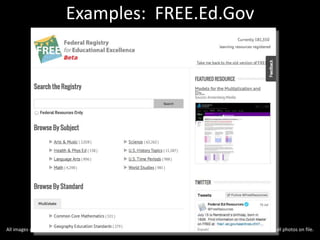
Examples: FREE.Ed.Gov
All images used in this presentation are stock photos used with permission or created by the authors. Release for web use of all photos on file.
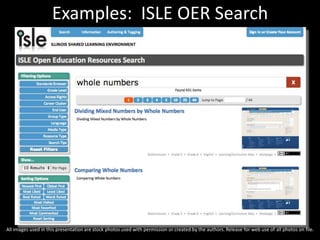
Examples: ISLE OER Search
All images used in this presentation are stock photos used with permission or created by the authors. Release for web use of all photos on file.
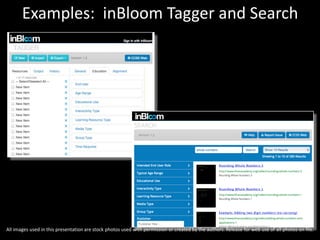
Examples: inBloom Tagger and Search
All images used in this presentation are stock photos used with permission or created by the authors. Release for web use of all photos on file.
WANTED: These Applications
• Recommendation engines
• Learning maps
• Adaptive text and assessments
• Other innovations
All images used in this presentation are stock photos used with permission or created by the authors. Release for web use of all photos on file.
Getting Involved
• LRMI.net discussion list
• LearningRegistry.org email lists + monthly calls
• LR and inBloom.org LRI source code at GitHub
• Contact us, we’ll get in touch w/ community
All images used in this presentation are stock photos used with permission or created by the authors. Release for web use of all photos on file.
Q&A & CONTACT INFO
• Jason Hoekstra
• Director of Developer Engagement, inBloom
• jason.hoekstra@inbloom.org
• 312-420-5300
• Twitter: @jasonhoekstra
NOT SQUANDERING THE OPPORTUNITY
All images used in this presentation are stock photos used with permission or created by the authors. Release for web use of all photos on file.
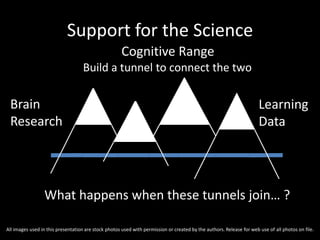
What happens when these tunnels join… ?
Brain
Research
Learning
Data
Cognitive Range
Support for the Science
Build a tunnel to connect the two
All images used in this presentation are stock photos used with permission or created by the authors. Release for web use of all photos on file.
Homage to the Art
• Support communities of practitioners
• Invite the learner to play an active role in their
learning
• Create representations of data that can inform
instruction
• Describe context to clarify
• What has traditionally been considered soft
data is actually quite hard… to codify.
All images used in this presentation are stock photos used with permission or created by the authors. Release for web use of all photos on file.
Data Gourmet or Data Gourmand
• Balance between Quantity and Quality
• Extends beyond borders…
– Classroom
– School
– State
– Country
– Culture
All images used in this presentation are stock photos used with permission or created by the authors. Release for web use of all photos on file.
Shift
Move from…
Resource to Learning
Institution to Learner
Media to Engagement
Adopted to Discovered
All images used in this presentation are stock photos used with permission or created by the authors. Release for web use of all photos on file.
Q&A & CONTACT INFO
STATS-DC — 17 July 2013
Tim Farquer, tim.farquer@billtown.org, @timfarquer
Jim Goodell, jimgoodell @ qi-partners.com
Jason Hoekstra, jason.hoekstra@inbloom.org @jasonhoekstra
Michael Jay, michael @ edusystemics.com, @EdReflector
All images used in this presentation are stock photos used with permission or created by the authors. Release for web use of all photos on file.

STATSDCLRMI

  • 1.
    WHAT'S NEW WITHTHE LEARNING RESOURCE METADATA INITIATIVE (… & why I should care) STATS-DC — 17 July 2013 Tim Farquer, Superintendent, Williamsfield Schools Jim Goodall, Sr Ed Analyst, Quality Information Partners Jason Hoekstra, Director, Developer Engagement, inBloom Michael Jay, President, Educational Systemics, Inc. All images used in this presentation are stock photos used with permission or created by the authors. Release for web use of all photos on file.
  • 2.
    SESSION OUTLINE • Context •Use Case • CEDS & what’s new for LRMI…more than tagging webpages • Reflection • Making instructional resources available All images used in this presentation are stock photos used with permission or created by the authors. Release for web use of all photos on file.
  • 3.
    CONTEXT All images usedin this presentation are stock photos used with permission or created by the authors. Release for web use of all photos on file.
  • 4.
    Goal: Make iteasier and more convenient to find learning resources that meet specific student and class needs. Curriculum Standards Schema.org Intersection of three opportunities Resource Registries (Learning Registry) LRMI Why Now? Kinda’ Perfect Storm from a representation by Brandt Redd, Gates Foundation All images used in this presentation are stock photos used with permission or created by the authors. Release for web use of all photos on file.
  • 5.
    So, why dowe need a standard? All images used in this presentation are stock photos used with permission or created by the authors. Release for web use of all photos on file.
  • 6.
    All images usedin this presentation are stock photos used with permission or created by the authors. Release for web use of all photos on file.
  • 7.
    OUTLINE THE USECASE All images used in this presentation are stock photos used with permission or created by the authors. Release for web use of all photos on file.
  • 8.
    Classroom THEN &NOW All images used in this presentation are stock photos used with permission or created by the authors. Release for web use of all photos on file.
  • 9.
    Transitioning to… • Keyskill progressions vs. content delivery • Personalized resources/feedback vs. whole group instruction and advancement All images used in this presentation are stock photos used with permission or created by the authors. Release for web use of all photos on file.
  • 10.
    Learning Resources • Resourcesare structured for a content driven classroom • Skill-based resources are by and large unstructured &/or difficult to discover All images used in this presentation are stock photos used with permission or created by the authors. Release for web use of all photos on file.
  • 11.
    Content walls havecracked All images used in this presentation are stock photos used with permission or created by the authors. Release for web use of all photos on file.
  • 12.
    Flood of availableresources All images used in this presentation are stock photos used with permission or created by the authors. Release for web use of all photos on file.
  • 13.
    But available contentis not tied to the skills we look to help kids build All images used in this presentation are stock photos used with permission or created by the authors. Release for web use of all photos on file.
  • 14.
    All images usedin this presentation are stock photos used with permission or created by the authors. Release for web use of all photos on file. NSDL Strand Maps
  • 15.
    All images usedin this presentation are stock photos used with permission or created by the authors. Release for web use of all photos on file. NSDL Strand Maps
  • 16.
    Personalized Content NOW Allimages used in this presentation are stock photos used with permission or created by the authors. Release for web use of all photos on file.
  • 17.
    Personalized Content TOMORROW Allimages used in this presentation are stock photos used with permission or created by the authors. Release for web use of all photos on file.
  • 18.
    CEDS & WHAT'SNEW FOR LRMI MORE THAN TAGGING WEBPAGES All images used in this presentation are stock photos used with permission or created by the authors. Release for web use of all photos on file.
  • 19.
    All images usedin this presentation are stock photos used with permission or created by the authors. Release for web use of all photos on file. What’s new in LRMI 1. Accessibility (http://www.a11ymetadata.org) …derived from: IMS Global Learning Consortium’s Access for All specification 2. Implementation and vocabulary…
  • 20.
    All images usedin this presentation are stock photos used with permission or created by the authors. Release for web use of all photos on file.
  • 21.
    Learning Resource Metadata Multi-State TaggingInitiative • Arizona • Colorado • Delaware • Georgia • Illinois • Massachusetts • New Jersey • New York • North Carolina • Ohio • Rhode Island Learning Registry Index Many use scenarios many implementations, common vocabulary.
  • 22.
    All images usedin this presentation are stock photos used with permission or created by the authors. Release for web use of all photos on file. CEDS informed by other initiatives • LRMI • Multi-State Tagging Initiative • Learning Registry • …and many others And in turn serves as common vocabulary across implementations and organizations.
  • 23.
    All images usedin this presentation are stock photos used with permission or created by the authors. Release for web use of all photos on file. Tools at ceds.ed.gov • Total Users = 1,012 • ALIGN Maps Being Worked On = 306 • Public Align Maps = 54 • CONNECTions Being Worked On = 313 • Public Connections = 35
  • 24.
    All images usedin this presentation are stock photos used with permission or created by the authors. Release for web use of all photos on file. More about… Thursday Thurgood Marshall Ballroom — West Concurrent Session VIII 3:00–4:00 Got Metadata? Multiple-State Common Instructional Tagging Initiative Thursday Wilson A Concurrent Session IX 4:15–5:15 Common Education Data Standards(CEDS): 101 Tools and Use Multi-State Tagging Initiative CEDS Friday Wilson A Concurrent Session X 9:00–10:00 Hands-On “CONNECT-a-thon” Help Create Useful Data Metrics for Publication Via Common Education Data Standards (CEDS) CONNECT
  • 25.
    All images usedin this presentation are stock photos used with permission or created by the authors. Release for web use of all photos on file. CEDS V4 Candidates • Learning Resource Accessibility from LRMI • Updated option sets to reflect the multistate tagging initiative • Peer rating vocabulary from the Learning Registry • Minor refinements based on comments submitted via ceds.ed.gov
  • 26.
    All images usedin this presentation are stock photos used with permission or created by the authors. Release for web use of all photos on file. CEDS Schedule • Public review period – September • Stakeholder groups review of public comments • Finalize version 4 and DES and NDS logical model updates – Fall • Version 4 release – January 2014
  • 27.
    All images usedin this presentation are stock photos used with permission or created by the authors. Release for web use of all photos on file. For more information, visit: http://ceds.ed.gov
  • 28.
    All images usedin this presentation are stock photos used with permission or created by the authors. Release for web use of all photos on file. CONTACTS: Jim Goodell jimgoodell @ qi-partners.com
  • 29.
    MORE LRMI UPDATES Allimages used in this presentation are stock photos used with permission or created by the authors. Release for web use of all photos on file.
  • 30.
    A few moreupdates on LRMI • LRMI Properties are published as part of Schema.org • Governance • Gaming • Nearly 200,000 resources described by LRMI • Interest by companies to produce tools – Awareness among publishers increased from 47% to 86% over the past year All images used in this presentation are stock photos used with permission or created by the authors. Release for web use of all photos on file.
  • 31.
    Hard Core Common-ers •Major Pro: – Ability to aggregate and compare data • Major Con: – Qualitative, descriptive information The LRMI sits as a major bridge between the two • The role of paradata All images used in this presentation are stock photos used with permission or created by the authors. Release for web use of all photos on file.
  • 32.
    MOMA Where is thevalue? vs. All images used in this presentation are stock photos used with permission or created by the authors. Release for web use of all photos on file.
  • 33.
    Where are wein the cycle? …Or is there an alternative to the swinging of the pendulum? Quantitative Measurable Qualitative Descriptive All images used in this presentation are stock photos used with permission or created by the authors. Release for web use of all photos on file.
  • 34.
    TECHNOLOGIES FOR MAKING INSTRUCTIONALRESOURCES AVAILABLE All images used in this presentation are stock photos used with permission or created by the authors. Release for web use of all photos on file.
  • 35.
    Pulling it AllTogether • Multiple efforts + multiple years = actionable today • Strategies and patterns now to tie together CCSS, LRMI, LR and LRI • Application development underway, now is the right time to tag and publish All images used in this presentation are stock photos used with permission or created by the authors. Release for web use of all photos on file.
  • 36.
    Common Core StateStandards (CCSS) • Provides standards alignment to learning material • Important to digital tools: –Shareable material across states –Provides unique identifiers so computers can catalog, search and relate All images used in this presentation are stock photos used with permission or created by the authors. Release for web use of all photos on file.
  • 37.
    Learning Resource MetadataInitiative (LRMI) • Common data format to describe metadata about resources • Title, description, educational usage, standards alignment • Builds on existing work; modern format supported by major search engines All images used in this presentation are stock photos used with permission or created by the authors. Release for web use of all photos on file.
  • 38.
    Learning Registry (LR) • Technologyframework to receive and store: –Metadata for digital resources – LRMI, DC, etc. –Paradata for how content is used – ratings • US Depts of Education and Defense funded; community supported; open source All images used in this presentation are stock photos used with permission or created by the authors. Release for web use of all photos on file.
  • 39.
    Learning Registry Index (LRI) •Built on top of Learning Registry • Provides search interface for applications • Useful for finding both metadata and paradata • inBloom sponsored; Soon to be released as open source All images used in this presentation are stock photos used with permission or created by the authors. Release for web use of all photos on file.
  • 40.
    How This WorksTogether LRMI Tags Publisher Content Catalog Learning Registry LR Index LMS Portals Applications Recomm. Engines Paradata All images used in this presentation are stock photos used with permission or created by the authors. Release for web use of all photos on file.
  • 41.
    Examples: FREE.Ed.Gov All imagesused in this presentation are stock photos used with permission or created by the authors. Release for web use of all photos on file.
  • 42.
    Examples: ISLE OERSearch All images used in this presentation are stock photos used with permission or created by the authors. Release for web use of all photos on file.
  • 43.
    Examples: inBloom Taggerand Search All images used in this presentation are stock photos used with permission or created by the authors. Release for web use of all photos on file.
  • 44.
    WANTED: These Applications •Recommendation engines • Learning maps • Adaptive text and assessments • Other innovations All images used in this presentation are stock photos used with permission or created by the authors. Release for web use of all photos on file.
  • 45.
    Getting Involved • LRMI.netdiscussion list • LearningRegistry.org email lists + monthly calls • LR and inBloom.org LRI source code at GitHub • Contact us, we’ll get in touch w/ community All images used in this presentation are stock photos used with permission or created by the authors. Release for web use of all photos on file.
  • 46.
    Q&A & CONTACTINFO • Jason Hoekstra • Director of Developer Engagement, inBloom • jason.hoekstra@inbloom.org • 312-420-5300 • Twitter: @jasonhoekstra
  • 47.
    NOT SQUANDERING THEOPPORTUNITY All images used in this presentation are stock photos used with permission or created by the authors. Release for web use of all photos on file.
  • 48.
    What happens whenthese tunnels join… ? Brain Research Learning Data Cognitive Range Support for the Science Build a tunnel to connect the two All images used in this presentation are stock photos used with permission or created by the authors. Release for web use of all photos on file.
  • 49.
    Homage to theArt • Support communities of practitioners • Invite the learner to play an active role in their learning • Create representations of data that can inform instruction • Describe context to clarify • What has traditionally been considered soft data is actually quite hard… to codify. All images used in this presentation are stock photos used with permission or created by the authors. Release for web use of all photos on file.
  • 50.
    Data Gourmet orData Gourmand • Balance between Quantity and Quality • Extends beyond borders… – Classroom – School – State – Country – Culture All images used in this presentation are stock photos used with permission or created by the authors. Release for web use of all photos on file.
  • 51.
    Shift Move from… Resource toLearning Institution to Learner Media to Engagement Adopted to Discovered All images used in this presentation are stock photos used with permission or created by the authors. Release for web use of all photos on file.
  • 52.
    Q&A & CONTACTINFO STATS-DC — 17 July 2013 Tim Farquer, tim.farquer@billtown.org, @timfarquer Jim Goodell, jimgoodell @ qi-partners.com Jason Hoekstra, jason.hoekstra@inbloom.org @jasonhoekstra Michael Jay, michael @ edusystemics.com, @EdReflector All images used in this presentation are stock photos used with permission or created by the authors. Release for web use of all photos on file.

Editor's Notes

  • #13 And floods have a tendency to be pretty unorganized. Floodwaters have formed into numerous isolated drinking holes.
  • #15 Pools of available resources are loosely aligned to the progressive skills we are working to develop.
  • #16 In Illinois, we want to embed less restrictive content search within “learning maps”. OER & proprietary. Let the best resources win.
  • #21 LRMI is not alone in the Learning Resource metadata space…
  • #29 Update names and emails