

HOW TO REGISTER TO START BLOGGING! Very easy…
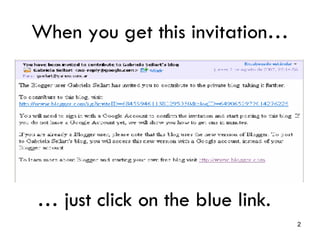
When you get this invitation… …  just click on the blue link.
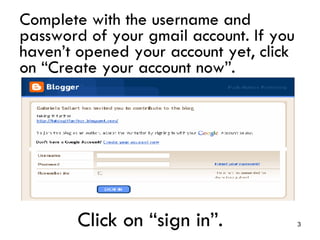
Complete with the username and password of your gmail account. If you haven’t opened your account yet, click on “Create your account now”. Click on “sign in”.
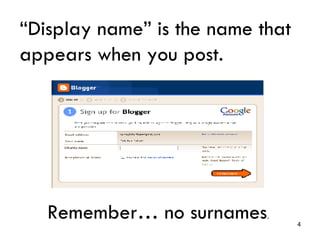
“ Display name” is the name that appears when you post. Remember… no surnames .
This is your blogger account. Click on “New Post” to start posting
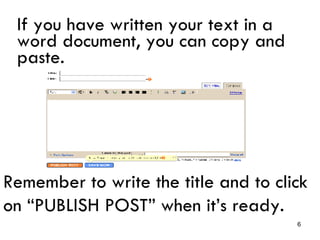
If you have written your text in a word document, you can copy and paste. Remember to write the title and to click on “PUBLISH POST” when it’s ready.
REMEMBER This is not a technology class. We are just using technology to communicate. You are not expected to become IT experts. You are just expected to get involved in conversations in English.
HAVE FUN!!!

start blogging

  • 1.
    HOW TO REGISTERTO START BLOGGING! Very easy…
  • 2.
    When you getthis invitation… … just click on the blue link.
  • 3.
    Complete with theusername and password of your gmail account. If you haven’t opened your account yet, click on “Create your account now”. Click on “sign in”.
  • 4.
    “ Display name”is the name that appears when you post. Remember… no surnames .
  • 5.
    This is yourblogger account. Click on “New Post” to start posting
  • 6.
    If you havewritten your text in a word document, you can copy and paste. Remember to write the title and to click on “PUBLISH POST” when it’s ready.
  • 7.
    REMEMBER This isnot a technology class. We are just using technology to communicate. You are not expected to become IT experts. You are just expected to get involved in conversations in English.
  • 8.