Security & Compliance


                                        Microsoft® SQL Server® 2008 R2 offers built-in
                                        security and compliance capabilities that help
                                        provide effective management of security feature
                                        configuration, strong authentication and access
                                        control, powerful encryption and key
                                        management capabilities, and enhanced auditing.


                                         PROTECT DATA
KEY FEATURES
                                         Help protect your data with a
   Use Policy-Based Management to
                                         database solution that is historically
    help manage and detect non-
                                         known for the lowest vulnerabilities*
    compliance with security polices
                                         across the major DBMS vendors.
    for data across the enterprise.
   Encrypt data without modifying       Take advantage of a built-in
    applications by using Transparent    cryptography hierarchy
    Data Encryption.
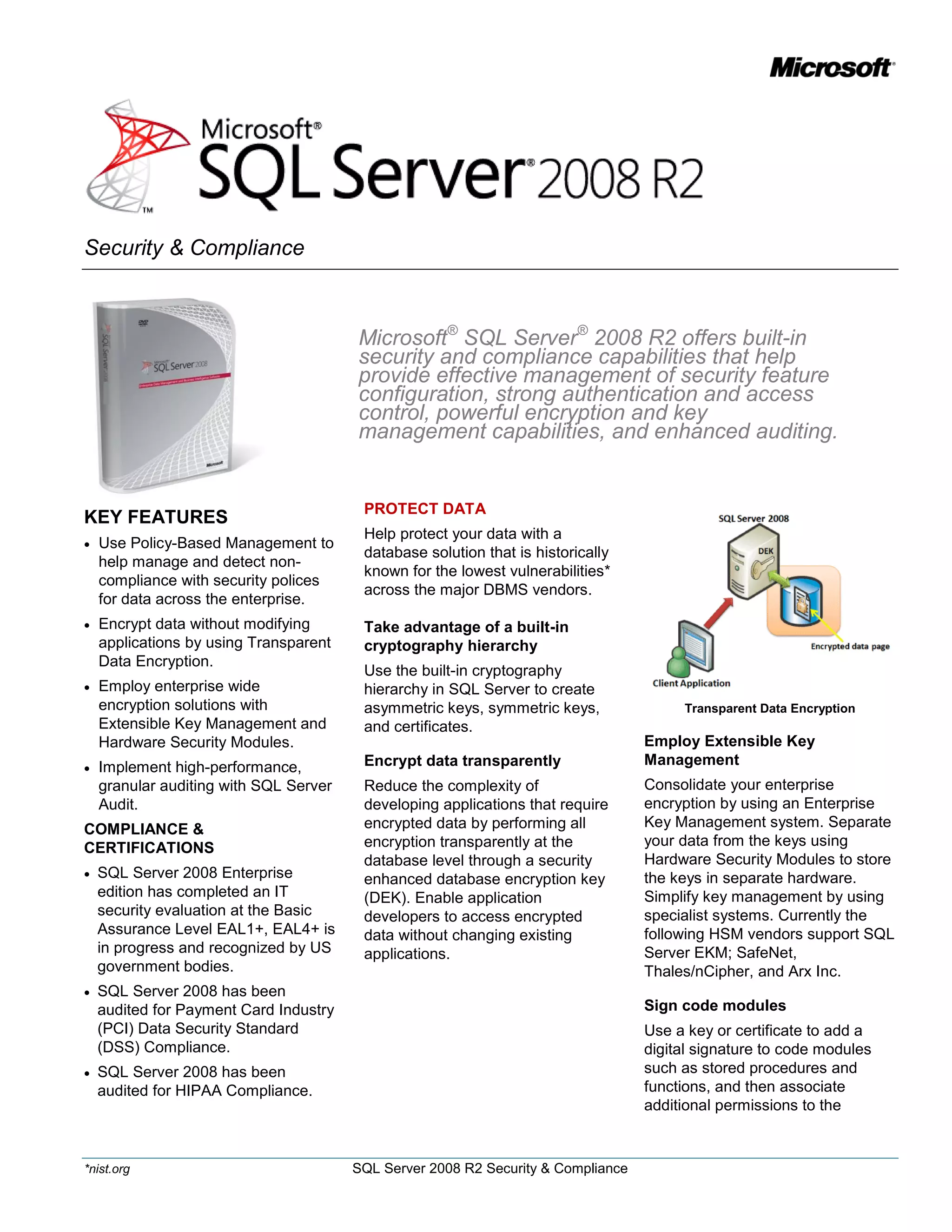
                                         Use the built-in cryptography
   Employ enterprise wide               hierarchy in SQL Server to create
    encryption solutions with            asymmetric keys, symmetric keys,               Transparent Data Encryption
    Extensible Key Management and        and certificates.
    Hardware Security Modules.                                                     Employ Extensible Key
   Implement high-performance,          Encrypt data transparently                Management
    granular auditing with SQL Server    Reduce the complexity of                  Consolidate your enterprise
    Audit.                               developing applications that require      encryption by using an Enterprise
COMPLIANCE &                             encrypted data by performing all          Key Management system. Separate
CERTIFICATIONS                           encryption transparently at the           your data from the keys using
                                         database level through a security         Hardware Security Modules to store
   SQL Server 2008 Enterprise                                                     the keys in separate hardware.
                                         enhanced database encryption key
    edition has completed an IT          (DEK). Enable application                 Simplify key management by using
    security evaluation at the Basic     developers to access encrypted            specialist systems. Currently the
    Assurance Level EAL1+, EAL4+ is      data without changing existing            following HSM vendors support SQL
    in progress and recognized by US     applications.                             Server EKM; SafeNet,
    government bodies.                                                             Thales/nCipher, and Arx Inc.
   SQL Server 2008 has been
    audited for Payment Card Industry                                              Sign code modules
    (PCI) Data Security Standard                                                   Use a key or certificate to add a
    (DSS) Compliance.                                                              digital signature to code modules
   SQL Server 2008 has been                                                       such as stored procedures and
    audited for HIPAA Compliance.                                                  functions, and then associate
                                                                                   additional permissions to the


*nist.org                               SQL Server 2008 R2 Security & Compliance
signature for the duration of the                            Simplify permission management                                           Securing the surface area
                                                                                                                                            with policies
code module execution.                                       Use schemas to simplify and                                   Automatically apply software
                                                             improve flexibility of large                                  updates
CONTROL ACCESS
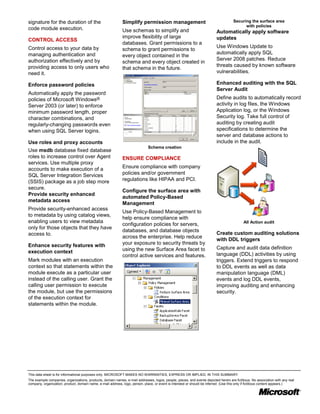
                                                             databases. Grant permissions to a
Control access to your data by                                                                                             Use Windows Update to
                                                             schema to grant permissions to
managing authentication and                                                                                                automatically apply SQL
                                                             every object contained in the
authorization effectively and by                                                                                           Server 2008 patches. Reduce
                                                             schema and every object created in
providing access to only users who                                                                                         threats caused by known software
                                                             that schema in the future.
need it.                                                                                                                   vulnerabilities.

Enforce password policies                                                                                                  Enhanced auditing with the SQL
                                                                                                                           Server Audit
Automatically apply the password
policies of Microsoft Windows®                                                                                             Define audits to automatically record
Server 2003 (or later) to enforce                                                                                          activity in log files, the Windows
minimum password length, proper                                                                                            Application log, or the Windows
character combinations, and                                                                                                Security log. Take full control of
regularly-changing passwords even                                                                                          auditing by creating audit
when using SQL Server logins.                                                                                              specifications to determine the
                                                                                                                           server and database actions to
Use roles and proxy accounts                                                                                               include in the audit.
                                                                              Schema creation
Use msdb database fixed database
roles to increase control over Agent                         ENSURE COMPLIANCE
services. Use multiple proxy
accounts to make execution of a                              Ensure compliance with company
SQL Server Integration Services                              policies and/or government
(SSIS) package as a job step more                            regulations like HIPAA and PCI.
secure.
                                                             Configure the surface area with
Provide security enhanced
                                                             automated Policy-Based
metadata access
                                                             Management
Provide security-enhanced access
                                                             Use Policy-Based Management to
to metadata by using catalog views,
                                                             help ensure compliance with
enabling users to view metadata                                                                                                             All Action audit
                                                             configuration policies for servers,
only for those objects that they have
                                                             databases, and database objects
access to.                                                                                                                 Create custom auditing solutions
                                                             across the enterprise. Help reduce
                                                                                                                           with DDL triggers
Enhance security features with                               your exposure to security threats by
                                                             using the new Surface Area facet to                           Capture and audit data definition
execution context                                                                                                          language (DDL) activities by using
                                                             control active services and features.
Mark modules with an execution                                                                                             triggers. Extend triggers to respond
context so that statements within the                                                                                      to DDL events as well as data
module execute as a particular user                                                                                        manipulation language (DML)
instead of the calling user. Grant the                                                                                     events and log DDL events,
calling user permission to execute                                                                                         improving auditing and enhancing
the module, but use the permissions                                                                                        security.
of the execution context for
statements within the module.


This data sheet is for informational purposes only. MICROSOFT MAKES NO WARRANTIES, EXPRESS OR IMPLIED, IN THIS SUMMARY.
The example companies, organizations, products, domain names, e-mail addresses, logos, people, places, and events depicted herein are fictitious. No association with any real
company, organization, product, domain name, e-mail address, logo, person, place, or event is intended or should be inferred. (Use this only if fictitious content appears.)

Sql server 2008 r2 security datasheet

  • 1.
    Security & Compliance Microsoft® SQL Server® 2008 R2 offers built-in security and compliance capabilities that help provide effective management of security feature configuration, strong authentication and access control, powerful encryption and key management capabilities, and enhanced auditing. PROTECT DATA KEY FEATURES Help protect your data with a  Use Policy-Based Management to database solution that is historically help manage and detect non- known for the lowest vulnerabilities* compliance with security polices across the major DBMS vendors. for data across the enterprise.  Encrypt data without modifying Take advantage of a built-in applications by using Transparent cryptography hierarchy Data Encryption. Use the built-in cryptography  Employ enterprise wide hierarchy in SQL Server to create encryption solutions with asymmetric keys, symmetric keys, Transparent Data Encryption Extensible Key Management and and certificates. Hardware Security Modules. Employ Extensible Key  Implement high-performance, Encrypt data transparently Management granular auditing with SQL Server Reduce the complexity of Consolidate your enterprise Audit. developing applications that require encryption by using an Enterprise COMPLIANCE & encrypted data by performing all Key Management system. Separate CERTIFICATIONS encryption transparently at the your data from the keys using database level through a security Hardware Security Modules to store  SQL Server 2008 Enterprise the keys in separate hardware. enhanced database encryption key edition has completed an IT (DEK). Enable application Simplify key management by using security evaluation at the Basic developers to access encrypted specialist systems. Currently the Assurance Level EAL1+, EAL4+ is data without changing existing following HSM vendors support SQL in progress and recognized by US applications. Server EKM; SafeNet, government bodies. Thales/nCipher, and Arx Inc.  SQL Server 2008 has been audited for Payment Card Industry Sign code modules (PCI) Data Security Standard Use a key or certificate to add a (DSS) Compliance. digital signature to code modules  SQL Server 2008 has been such as stored procedures and audited for HIPAA Compliance. functions, and then associate additional permissions to the *nist.org SQL Server 2008 R2 Security & Compliance
  • 2.
    signature for theduration of the Simplify permission management Securing the surface area with policies code module execution. Use schemas to simplify and Automatically apply software improve flexibility of large updates CONTROL ACCESS databases. Grant permissions to a Control access to your data by Use Windows Update to schema to grant permissions to managing authentication and automatically apply SQL every object contained in the authorization effectively and by Server 2008 patches. Reduce schema and every object created in providing access to only users who threats caused by known software that schema in the future. need it. vulnerabilities. Enforce password policies Enhanced auditing with the SQL Server Audit Automatically apply the password policies of Microsoft Windows® Define audits to automatically record Server 2003 (or later) to enforce activity in log files, the Windows minimum password length, proper Application log, or the Windows character combinations, and Security log. Take full control of regularly-changing passwords even auditing by creating audit when using SQL Server logins. specifications to determine the server and database actions to Use roles and proxy accounts include in the audit. Schema creation Use msdb database fixed database roles to increase control over Agent ENSURE COMPLIANCE services. Use multiple proxy accounts to make execution of a Ensure compliance with company SQL Server Integration Services policies and/or government (SSIS) package as a job step more regulations like HIPAA and PCI. secure. Configure the surface area with Provide security enhanced automated Policy-Based metadata access Management Provide security-enhanced access Use Policy-Based Management to to metadata by using catalog views, help ensure compliance with enabling users to view metadata All Action audit configuration policies for servers, only for those objects that they have databases, and database objects access to. Create custom auditing solutions across the enterprise. Help reduce with DDL triggers Enhance security features with your exposure to security threats by using the new Surface Area facet to Capture and audit data definition execution context language (DDL) activities by using control active services and features. Mark modules with an execution triggers. Extend triggers to respond context so that statements within the to DDL events as well as data module execute as a particular user manipulation language (DML) instead of the calling user. Grant the events and log DDL events, calling user permission to execute improving auditing and enhancing the module, but use the permissions security. of the execution context for statements within the module. This data sheet is for informational purposes only. MICROSOFT MAKES NO WARRANTIES, EXPRESS OR IMPLIED, IN THIS SUMMARY. The example companies, organizations, products, domain names, e-mail addresses, logos, people, places, and events depicted herein are fictitious. No association with any real company, organization, product, domain name, e-mail address, logo, person, place, or event is intended or should be inferred. (Use this only if fictitious content appears.)