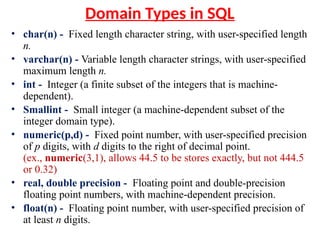
Domain Types inSQL
• char(n) - Fixed length character string, with user-specified length
n.
• varchar(n) - Variable length character strings, with user-specified
maximum length n.
• int - Integer (a finite subset of the integers that is machine-
dependent).
• Smallint - Small integer (a machine-dependent subset of the
integer domain type).
• numeric(p,d) - Fixed point number, with user-specified precision
of p digits, with d digits to the right of decimal point.
(ex., numeric(3,1), allows 44.5 to be stores exactly, but not 444.5
or 0.32)
• real, double precision - Floating point and double-precision
floating point numbers, with machine-dependent precision.
• float(n) - Floating point number, with user-specified precision of
at least n digits.
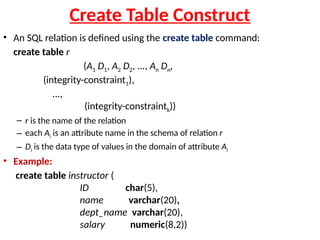
Create Table Construct
•An SQL relation is defined using the create table command:
create table r
(A1 D1, A2 D2, ..., An Dn,
(integrity-constraint1),
...,
(integrity-constraintk))
– r is the name of the relation
– each Ai is an attribute name in the schema of relation r
– Di is the data type of values in the domain of attribute Ai
• Example:
create table instructor (
ID char(5),
name varchar(20),
dept_name varchar(20),
salary numeric(8,2))
5.
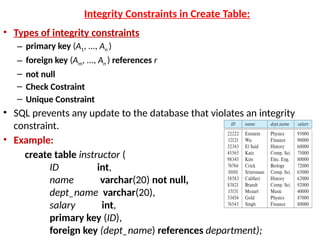
Integrity Constraints inCreate Table:
• Types of integrity constraints
– primary key (A1, ..., An )
– foreign key (Am, ..., An ) references r
– not null
– Check Costraint
– Unique Constraint
• SQL prevents any update to the database that violates an integrity
constraint.
• Example:
create table instructor (
ID int,
name varchar(20) not null,
dept_name varchar(20),
salary int,
primary key (ID),
foreign key (dept_name) references department);
6.
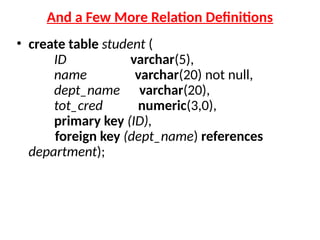
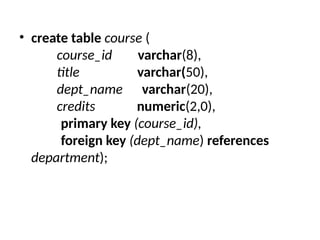
And a FewMore Relation Definitions
• create table student (
ID varchar(5),
name varchar(20) not null,
dept_name varchar(20),
tot_cred numeric(3,0),
primary key (ID),
foreign key (dept_name) references
department);
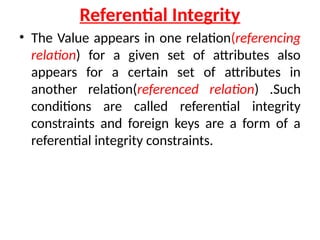
Referential Integrity
• TheValue appears in one relation(referencing
relation) for a given set of attributes also
appears for a certain set of attributes in
another relation(referenced relation) .Such
conditions are called referential integrity
constraints and foreign keys are a form of a
referential integrity constraints.
9.
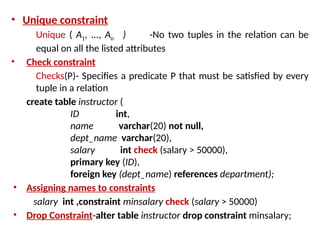
• Unique constraint
Unique( A1, ..., An ) -No two tuples in the relation can be
equal on all the listed attributes
• Check constraint
Checks(P)- Specifies a predicate P that must be satisfied by every
tuple in a relation
create table instructor (
ID int,
name varchar(20) not null,
dept_name varchar(20),
salary int check (salary > 50000),
primary key (ID),
foreign key (dept_name) references department);
• Assigning names to constraints
salary int ,constraint minsalary check (salary > 50000)
• Drop Constraint-alter table instructor drop constraint minsalary;
Basic Query Structure
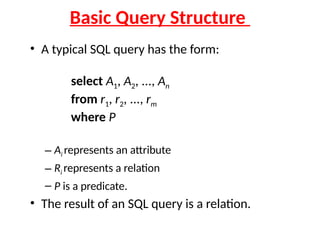
•A typical SQL query has the form:
select A1, A2, ..., An
from r1, r2, ..., rm
where P
– Ai represents an attribute
– Ri represents a relation
– P is a predicate.
• The result of an SQL query is a relation.
12.
The select Clause
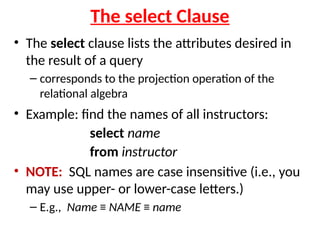
•The select clause lists the attributes desired in
the result of a query
– corresponds to the projection operation of the
relational algebra
• Example: find the names of all instructors:
select name
from instructor
• NOTE: SQL names are case insensitive (i.e., you
may use upper- or lower-case letters.)
– E.g., Name ≡ NAME ≡ name
13.
The select Clause(Cont.)
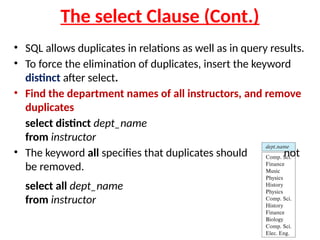
• SQL allows duplicates in relations as well as in query results.
• To force the elimination of duplicates, insert the keyword
distinct after select.
• Find the department names of all instructors, and remove
duplicates
select distinct dept_name
from instructor
• The keyword all specifies that duplicates should not
be removed.
select all dept_name
from instructor
14.
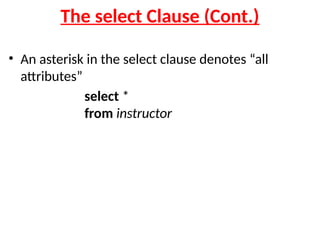
The select Clause(Cont.)
• An asterisk in the select clause denotes “all
attributes”
select *
from instructor
15.
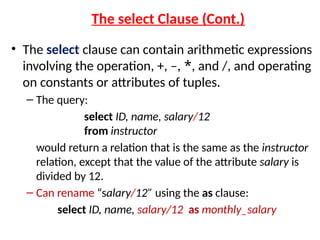
The select Clause(Cont.)
• The select clause can contain arithmetic expressions
involving the operation, +, –, *, and /, and operating
on constants or attributes of tuples.
– The query:
select ID, name, salary/12
from instructor
would return a relation that is the same as the instructor
relation, except that the value of the attribute salary is
divided by 12.
– Can rename “salary/12” using the as clause:
select ID, name, salary/12 as monthly_salary
16.
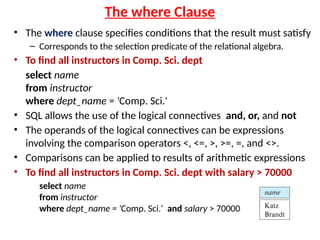
The where Clause
•The where clause specifies conditions that the result must satisfy
– Corresponds to the selection predicate of the relational algebra.
• To find all instructors in Comp. Sci. dept
select name
from instructor
where dept_name = 'Comp. Sci.'
• SQL allows the use of the logical connectives and, or, and not
• The operands of the logical connectives can be expressions
involving the comparison operators <, <=, >, >=, =, and <>.
• Comparisons can be applied to results of arithmetic expressions
• To find all instructors in Comp. Sci. dept with salary > 70000
select name
from instructor
where dept_name = 'Comp. Sci.' and salary > 70000
17.
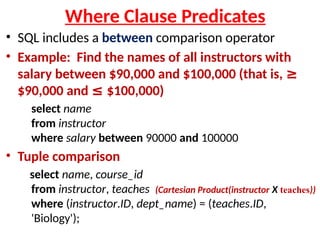
Where Clause Predicates
•SQL includes a between comparison operator
• Example: Find the names of all instructors with
salary between $90,000 and $100,000 (that is, ≥
$90,000 and ≤ $100,000)
select name
from instructor
where salary between 90000 and 100000
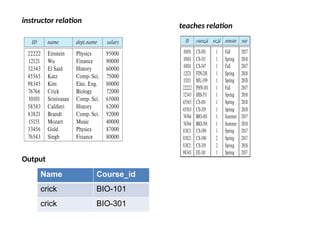
• Tuple comparison
select name, course_id
from instructor, teaches (Cartesian Product(instructor X teaches))
where (instructor.ID, dept_name) = (teaches.ID,
'Biology');
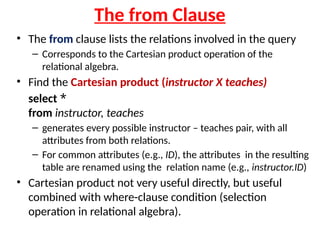
The from Clause
•The from clause lists the relations involved in the query
– Corresponds to the Cartesian product operation of the
relational algebra.
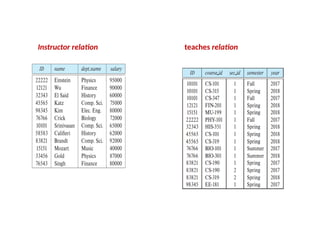
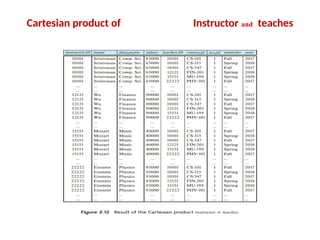
• Find the Cartesian product (instructor X teaches)
select *
from instructor, teaches
– generates every possible instructor – teaches pair, with all
attributes from both relations.
– For common attributes (e.g., ID), the attributes in the resulting
table are renamed using the relation name (e.g., instructor.ID)
• Cartesian product not very useful directly, but useful
combined with where-clause condition (selection
operation in relational algebra).
Examples
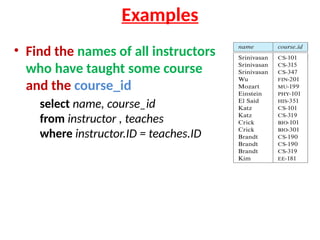
• Find thenames of all instructors
who have taught some course
and the course_id
select name, course_id
from instructor , teaches
where instructor.ID = teaches.ID
23.
•Find the namesof all instructors in the Art
department who have taught some course
and the course_id
select name, course_id
from instructor , teaches
where instructor.ID = teaches.ID
and instructor. dept_name = 'Art'
The Rename Operation
•The SQL allows renaming relations and attributes using the as
clause:
old-name as new-name
• Find the names of all instructors who have a higher salary than
some instructor in 'Comp. Sci'.
select distinct T.name
from instructor as T, instructor as S
where T.salary > S.salary and S.dept_name = 'Comp. Sci.’
T&S copies of instructor(aliases).T and S is called Correlation
name
Above Question Rewritten as “Find the name of all instructors who earn more
than the lowest paid instructor in Comp. Sci dept”
• Keyword as is optional and may be omitted
instructor as T ≡ instructor T
26.
String Operations
• SQLincludes a string-matching operator for comparisons on
character strings. The operator like uses patterns that are
described using two special characters:
– percent ( % ) The % character matches any substring
– underscore ( _ ) The _ character matches any character
• Find the names of all instructors whose name includes the
substring “dar”
select name
from instructor
where name like '%nivas%'
• Match the string “100%”
like ‘abc %' 🡪 beginning with ”abc” escape ''
like ‘abcd%’ beginning with
🡪 ”abcd”
in that above we use backslash () as the escape character
27.
String Operations (Cont.)
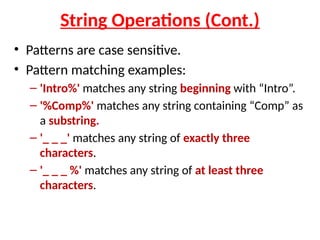
•Patterns are case sensitive.
• Pattern matching examples:
– 'Intro%' matches any string beginning with “Intro”.
– '%Comp%' matches any string containing “Comp” as
a substring.
– '_ _ _' matches any string of exactly three
characters.
– '_ _ _ %' matches any string of at least three
characters.
28.
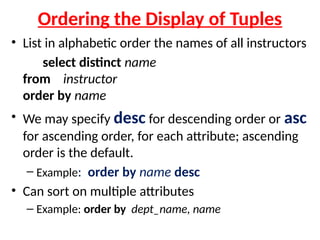
Ordering the Displayof Tuples
• List in alphabetic order the names of all instructors
select distinct name
from instructor
order by name
• We may specify desc for descending order or asc
for ascending order, for each attribute; ascending
order is the default.
– Example: order by name desc
• Can sort on multiple attributes
– Example: order by dept_name, name
29.
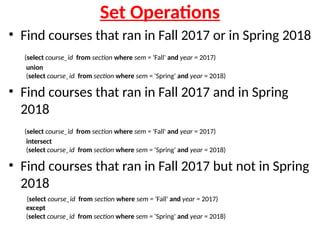
Set Operations
• Findcourses that ran in Fall 2017 or in Spring 2018
(select course_id from section where sem = 'Fall' and year = 2017)
union
(select course_id from section where sem = 'Spring' and year = 2018)
• Find courses that ran in Fall 2017 and in Spring
2018
(select course_id from section where sem = 'Fall' and year = 2017)
intersect
(select course_id from section where sem = 'Spring' and year = 2018)
• Find courses that ran in Fall 2017 but not in Spring
2018
(select course_id from section where sem = 'Fall' and year = 2017)
except
(select course_id from section where sem = 'Spring' and year = 2018)
Set Operations (Cont.)
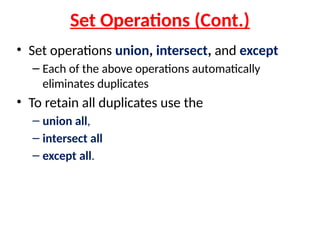
•Set operations union, intersect, and except
– Each of the above operations automatically
eliminates duplicates
• To retain all duplicates use the
– union all,
– intersect all
– except all.
32.
Null Values
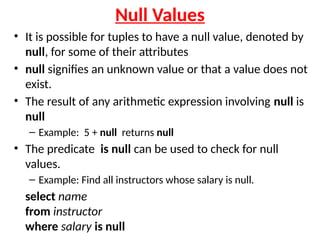
• Itis possible for tuples to have a null value, denoted by
null, for some of their attributes
• null signifies an unknown value or that a value does not
exist.
• The result of any arithmetic expression involving null is
null
– Example: 5 + null returns null
• The predicate is null can be used to check for null
values.
– Example: Find all instructors whose salary is null.
select name
from instructor
where salary is null
Aggregate Functions
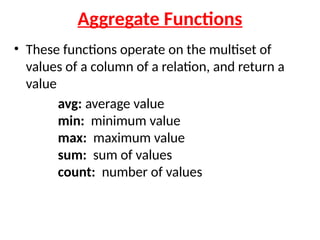
• Thesefunctions operate on the multiset of
values of a column of a relation, and return a
value
avg: average value
min: minimum value
max: maximum value
sum: sum of values
count: number of values
35.
Aggregate Functions Examples
•Find the average salary of instructors in the
Computer Science department
– select avg (salary)
from instructor
where dept_name= 'Comp. Sci.';
• Find the total number of instructors who teach a
course in the Spring 2018 semester
– select count (distinct ID)
from teaches
where semester = 'Spring' and year = 2018;
• Find the number of tuples in the course relation
– select count (*)
from course;
36.
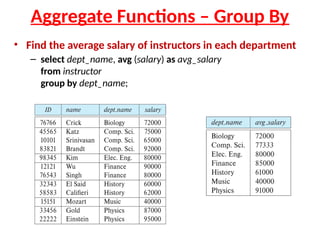
Aggregate Functions –Group By
• Find the average salary of instructors in each department
– select dept_name, avg (salary) as avg_salary
from instructor
group by dept_name;
37.
Aggregate Functions –Having Clause
• Find the names and average salaries of all
departments whose average salary is greater than
42000
• Note: predicates in the having clause are applied
after the formation of groups whereas predicates
in the where clause are applied before forming
groups
select dept_name, avg (salary) as avg_salary
from instructor
group by dept_name
having avg (salary) > 42000;