Spreadsheet Errors Name: Kimberly Trout Date: April 4, 2010
Are Spreadsheet Errors A Big Deal? Professor Ray Panko, at the University of Hawaii, pulled together the available evidence from field audits of spreadsheets.  YES! Although most spreadsheet errors occur in a few percent of cells, these errors can be quite costly for organizations
Why Are Errors So Prevalent? We work amazingly fast and don’t catch all of our errors We multitask while we work and often get distracted by other things We are overly confident of our abilities and don’t like to admit our mistakes We are afraid to ask for help for one reason or another
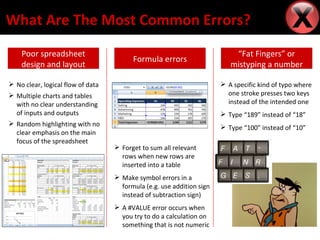
What Are The Most Common Errors? Poor spreadsheet design and layout “ Fat Fingers” or mistyping a number Formula errors A specific kind of typo where one stroke presses two keys instead of the intended one Type “189” instead of “18” Type “100” instead of “10” Forget to sum all relevant rows when new rows are inserted into a table Make symbol errors in a formula (e.g. use addition sign instead of subtraction sign) A #VALUE error occurs when you try to do a calculation on something that is not numeric No clear, logical flow of data Multiple charts and tables with no clear understanding of inputs and outputs Random highlighting with no clear emphasis on the main focus of the spreadsheet
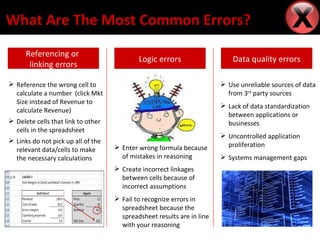
What Are The Most Common Errors? Referencing or  linking errors Data quality errors Logic errors Use unreliable sources of data from 3 rd  party sources Lack of data standardization between applications or businesses Uncontrolled application proliferation Systems management gaps Enter wrong formula because of mistakes in reasoning Create incorrect linkages between cells because of incorrect assumptions Fail to recognize errors in spreadsheet because the spreadsheet results are in line with your reasoning Reference the wrong cell to calculate a number  (click Mkt Size instead of Revenue to calculate Revenue) Delete cells that link to other cells in the spreadsheet Links do not pick up all of the relevant data/cells to make the necessary calculations
How Can These Errors Be Prevented? Train users how to use spreadsheets  Set documentation standards Establish data entry procedures Use good security measures Back data up frequently Ballpark figures to check data

Spreadsheet Errors

  • 1.
    Spreadsheet Errors Name:Kimberly Trout Date: April 4, 2010
  • 2.
    Are Spreadsheet ErrorsA Big Deal? Professor Ray Panko, at the University of Hawaii, pulled together the available evidence from field audits of spreadsheets. YES! Although most spreadsheet errors occur in a few percent of cells, these errors can be quite costly for organizations
  • 3.
    Why Are ErrorsSo Prevalent? We work amazingly fast and don’t catch all of our errors We multitask while we work and often get distracted by other things We are overly confident of our abilities and don’t like to admit our mistakes We are afraid to ask for help for one reason or another
  • 4.
    What Are TheMost Common Errors? Poor spreadsheet design and layout “ Fat Fingers” or mistyping a number Formula errors A specific kind of typo where one stroke presses two keys instead of the intended one Type “189” instead of “18” Type “100” instead of “10” Forget to sum all relevant rows when new rows are inserted into a table Make symbol errors in a formula (e.g. use addition sign instead of subtraction sign) A #VALUE error occurs when you try to do a calculation on something that is not numeric No clear, logical flow of data Multiple charts and tables with no clear understanding of inputs and outputs Random highlighting with no clear emphasis on the main focus of the spreadsheet
  • 5.
    What Are TheMost Common Errors? Referencing or linking errors Data quality errors Logic errors Use unreliable sources of data from 3 rd party sources Lack of data standardization between applications or businesses Uncontrolled application proliferation Systems management gaps Enter wrong formula because of mistakes in reasoning Create incorrect linkages between cells because of incorrect assumptions Fail to recognize errors in spreadsheet because the spreadsheet results are in line with your reasoning Reference the wrong cell to calculate a number (click Mkt Size instead of Revenue to calculate Revenue) Delete cells that link to other cells in the spreadsheet Links do not pick up all of the relevant data/cells to make the necessary calculations
  • 6.
    How Can TheseErrors Be Prevented? Train users how to use spreadsheets Set documentation standards Establish data entry procedures Use good security measures Back data up frequently Ballpark figures to check data

Editor's Notes

  • #3 Main Points Reasons for choosing Haas/Berkeley Reasons for exploring places outside Berkeley Reasons for getting to know your classmates The camping trip I organized over Thanksgiving weekend with my classmates
  • #4 Main Points Reasons for choosing Haas/Berkeley Reasons for exploring places outside Berkeley Reasons for getting to know your classmates The camping trip I organized over Thanksgiving weekend with my classmates
  • #5 Main Points Reasons for choosing Haas/Berkeley Reasons for exploring places outside Berkeley Reasons for getting to know your classmates The camping trip I organized over Thanksgiving weekend with my classmates
  • #6 Main Points Reasons for choosing Haas/Berkeley Reasons for exploring places outside Berkeley Reasons for getting to know your classmates The camping trip I organized over Thanksgiving weekend with my classmates
  • #7 Main Points Reasons for choosing Haas/Berkeley Reasons for exploring places outside Berkeley Reasons for getting to know your classmates The camping trip I organized over Thanksgiving weekend with my classmates