Yammer
deep dive
Wes Hackett
Wes Hackett
Chief Technical Officer
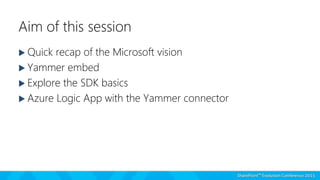
Aim of this session
 Quick recap of the Microsoft vision
 Yammer embed
 Explore the SDK basics
 Azure Logic App with the Yammer connector
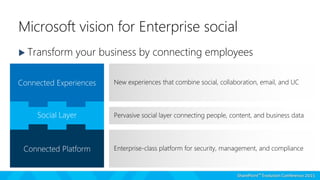
Microsoft vision for Enterprise social
 Transform your business by connecting employees
New experiences that combine social, collaboration, email, and UC
Enterprise-class platform for security, management, and compliance
Pervasive social layer connecting people, content, and business data
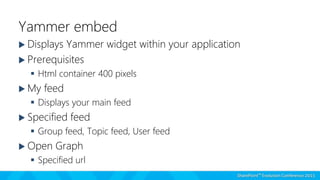
Yammer embed
 Displays Yammer widget within your application
 Prerequisites
 Html container 400 pixels
 My feed
 Displays your main feed
 Specified feed
 Group feed, Topic feed, User feed
 Open Graph
 Specified url
USING YAMMER EMBED
Let’s explore the end user experience for the Yammer Embed
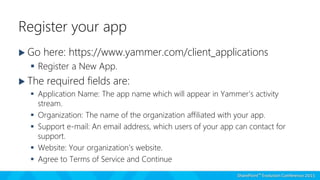
Register your app
 Go here: https://www.yammer.com/client_applications
 Register a New App.
 The required fields are:
 Application Name: The app name which will appear in Yammer’s activity
stream.
 Organization: The name of the organization affiliated with your app.
 Support e-mail: An email address, which users of your app can contact for
support.
 Website: Your organization’s website.
 Agree to Terms of Service and Continue
SDK basics
 Groups
 My Feed
 Networks
 Profile
 Search
 Topics
USING THE YAMMER SDK
Let’s explore the Yammer SDK
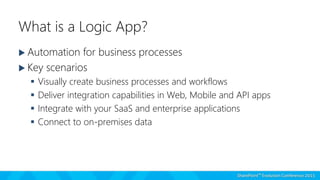
What is a Logic App?
 Automation for business processes
 Key scenarios
 Visually create business processes and workflows
 Deliver integration capabilities in Web, Mobile and API apps
 Integrate with your SaaS and enterprise applications
 Connect to on-premises data
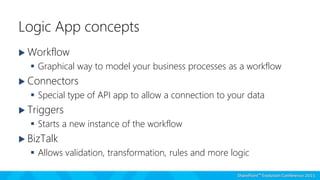
Logic App concepts
 Workflow
 Graphical way to model your business processes as a workflow
 Connectors
 Special type of API app to allow a connection to your data
 Triggers
 Starts a new instance of the workflow
 BizTalk
 Allows validation, transformation, rules and more logic
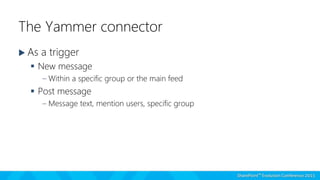
The Yammer connector
 As a trigger
 New message
– Within a specific group or the main feed
 Post message
– Message text, mention users, specific group
USING YAMMER IN A LOGIC APP
Let’s explore the experience for the new Logic App
Questions?
Thank you for attending!
Wes Hackett

SPEvo 2015 Yammer deep dive

  • 1.
  • 2.
  • 3.
    Aim of thissession  Quick recap of the Microsoft vision  Yammer embed  Explore the SDK basics  Azure Logic App with the Yammer connector
  • 4.
    Microsoft vision forEnterprise social  Transform your business by connecting employees New experiences that combine social, collaboration, email, and UC Enterprise-class platform for security, management, and compliance Pervasive social layer connecting people, content, and business data
  • 5.
    Yammer embed  DisplaysYammer widget within your application  Prerequisites  Html container 400 pixels  My feed  Displays your main feed  Specified feed  Group feed, Topic feed, User feed  Open Graph  Specified url
  • 6.
    USING YAMMER EMBED Let’sexplore the end user experience for the Yammer Embed
  • 7.
    Register your app Go here: https://www.yammer.com/client_applications  Register a New App.  The required fields are:  Application Name: The app name which will appear in Yammer’s activity stream.  Organization: The name of the organization affiliated with your app.  Support e-mail: An email address, which users of your app can contact for support.  Website: Your organization’s website.  Agree to Terms of Service and Continue
  • 8.
    SDK basics  Groups My Feed  Networks  Profile  Search  Topics
  • 9.
    USING THE YAMMERSDK Let’s explore the Yammer SDK
  • 10.
    What is aLogic App?  Automation for business processes  Key scenarios  Visually create business processes and workflows  Deliver integration capabilities in Web, Mobile and API apps  Integrate with your SaaS and enterprise applications  Connect to on-premises data
  • 11.
    Logic App concepts Workflow  Graphical way to model your business processes as a workflow  Connectors  Special type of API app to allow a connection to your data  Triggers  Starts a new instance of the workflow  BizTalk  Allows validation, transformation, rules and more logic
  • 12.
    The Yammer connector As a trigger  New message – Within a specific group or the main feed  Post message – Message text, mention users, specific group
  • 13.
    USING YAMMER INA LOGIC APP Let’s explore the experience for the new Logic App
  • 14.
  • 15.
    Thank you forattending! Wes Hackett