






Speed up your WordPress site
Alan Lok - WirelessLinx Inc.
Motivations
User experience1
Search engine optimization2
Your wallet
Less on-call issues!
1: http://www.webperformancetoday.com/2012/02/28/4-awesome-slides-showing-how-page-speed-correlates-to-business-metrics-at-walmart-com/
2: http://googlewebmastercentral.blogspot.ca/2010/04/using-site-speed-in-web-search-ranking.html
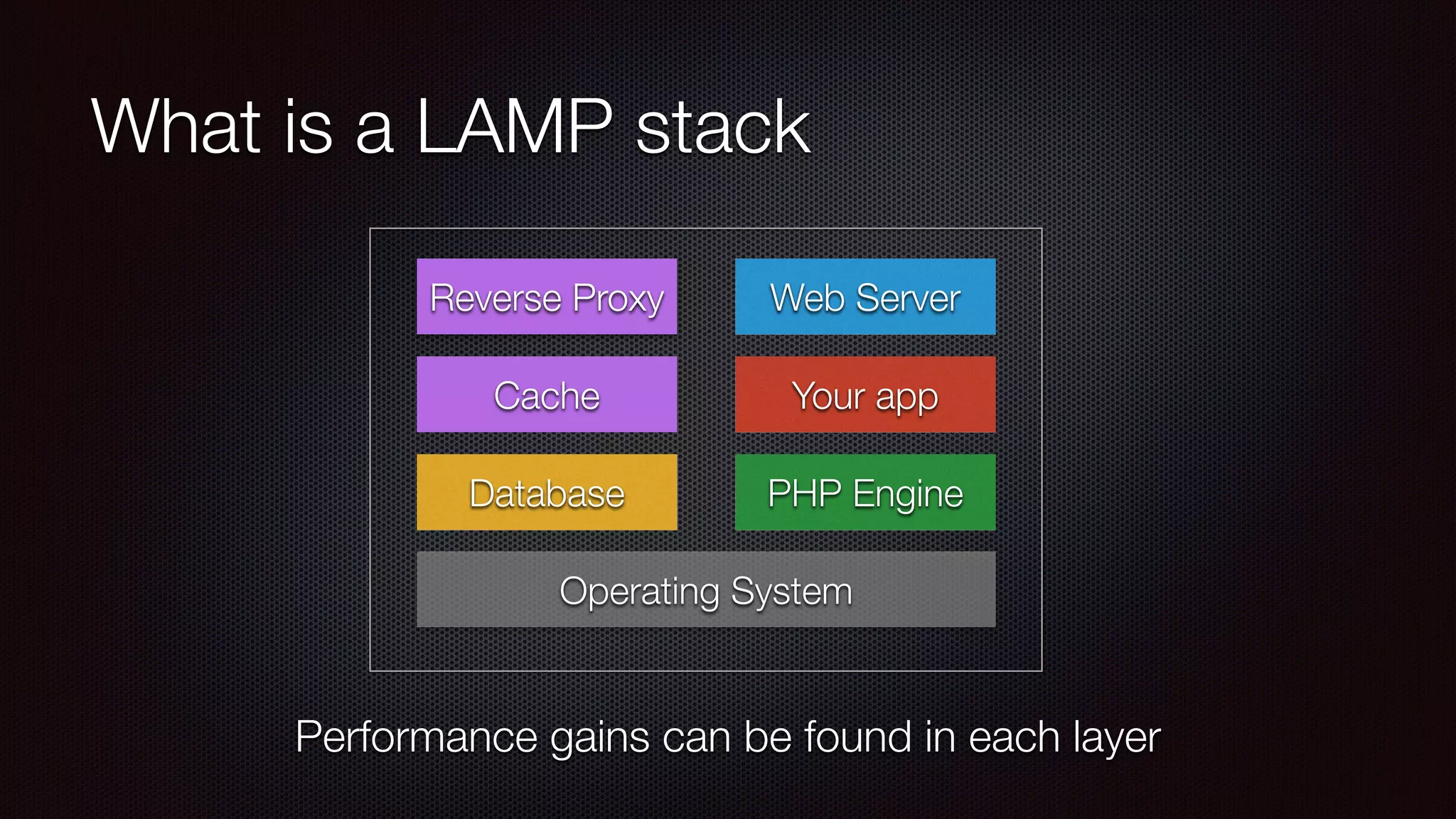
What is a LAMP stack
Database PHP Engine
Your app
Operating System
Web Server
Performance gains can be found in each layer
Reverse Proxy
Cache
Internal Tune-ups
Digging into your WordPress site to make it better
The simple stuff
Update your plugins
Remove unused themes and plugins
404 errors
WordPress plugins to speed things up
W3 Total Cache
Super Cache
Zen Cache
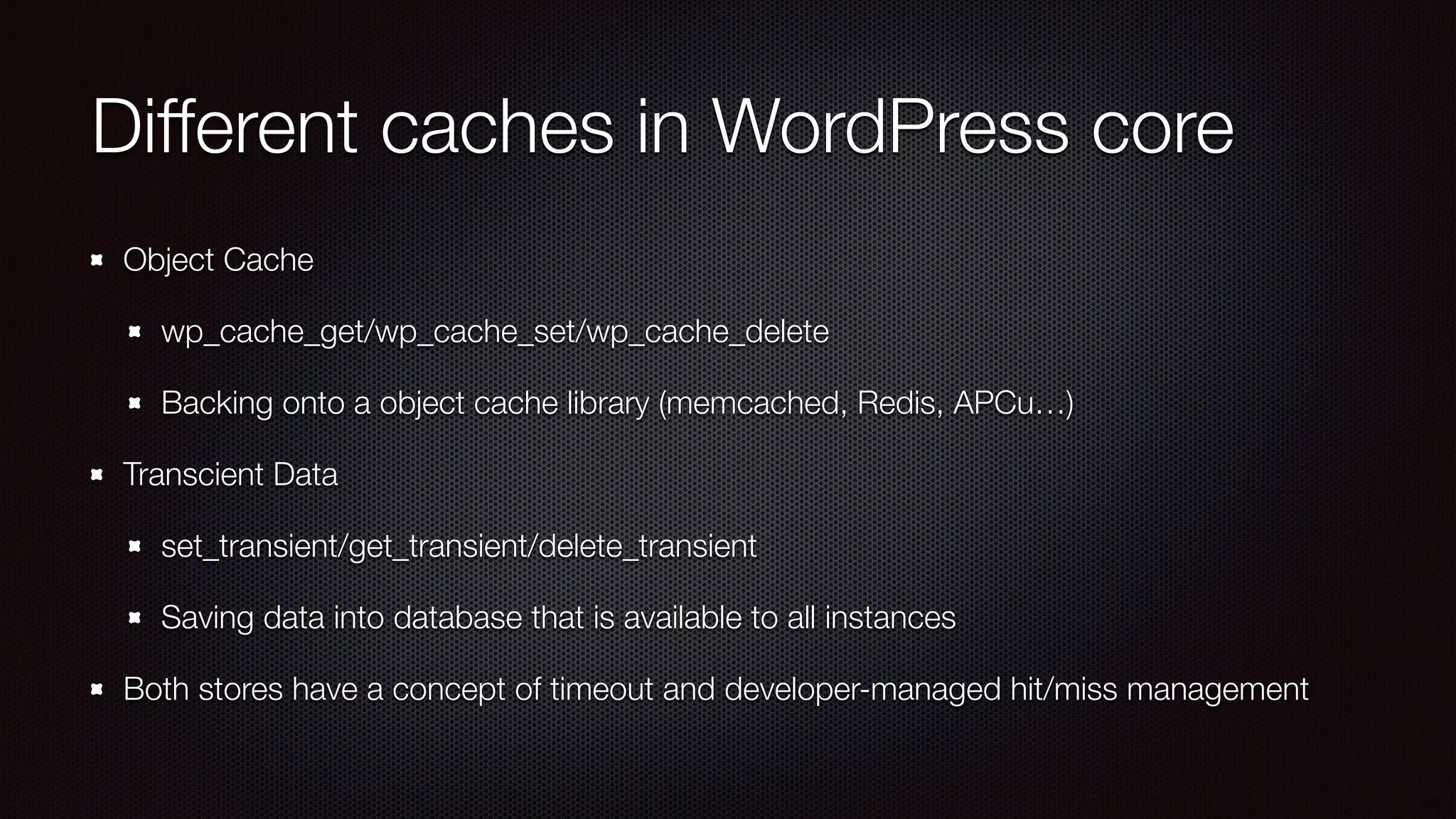
Different caches in WordPress core
Object Cache
wp_cache_get/wp_cache_set/wp_cache_delete
Backing onto a object cache library (memcached, Redis, APCu…)
Transcient Data
set_transient/get_transient/delete_transient
Saving data into database that is available to all instances
Both stores have a concept of timeout and developer-managed hit/miss management
Object Cache - Efficiency vs
Coherency
Efficiency:
reduce number of calls to your cache (or do a multi-get/set)
avoid remote cache if possible
Coherency
clustered cache allows for easier cache invalidation
Understand how cache works - cache makes debugging harder
Reduce and increase reuse
Lower number of HTTP requests
Combine CSS/JS files or inline them
Data URI
CSS sprites
Lower size of response
HTML/JS/CSS minification
Image optimization (eg. ImageOptim)
Reuse JS and CSS file for whole
site where possible
Personalization with AJAX
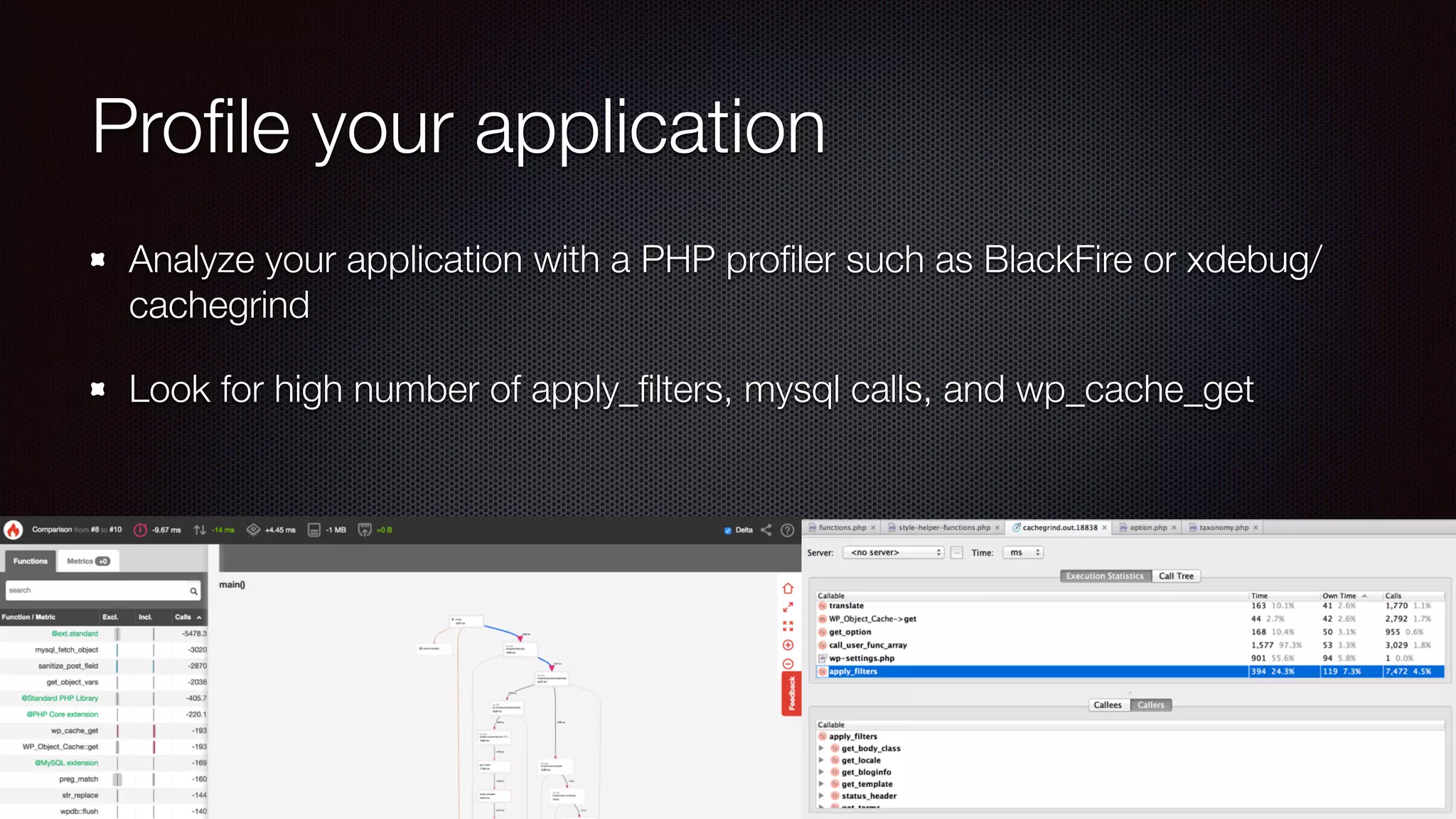
Profile your application
Analyze your application with a PHP profiler such as BlackFire or xdebug/
cachegrind
Look for high number of apply_filters, mysql calls, and wp_cache_get
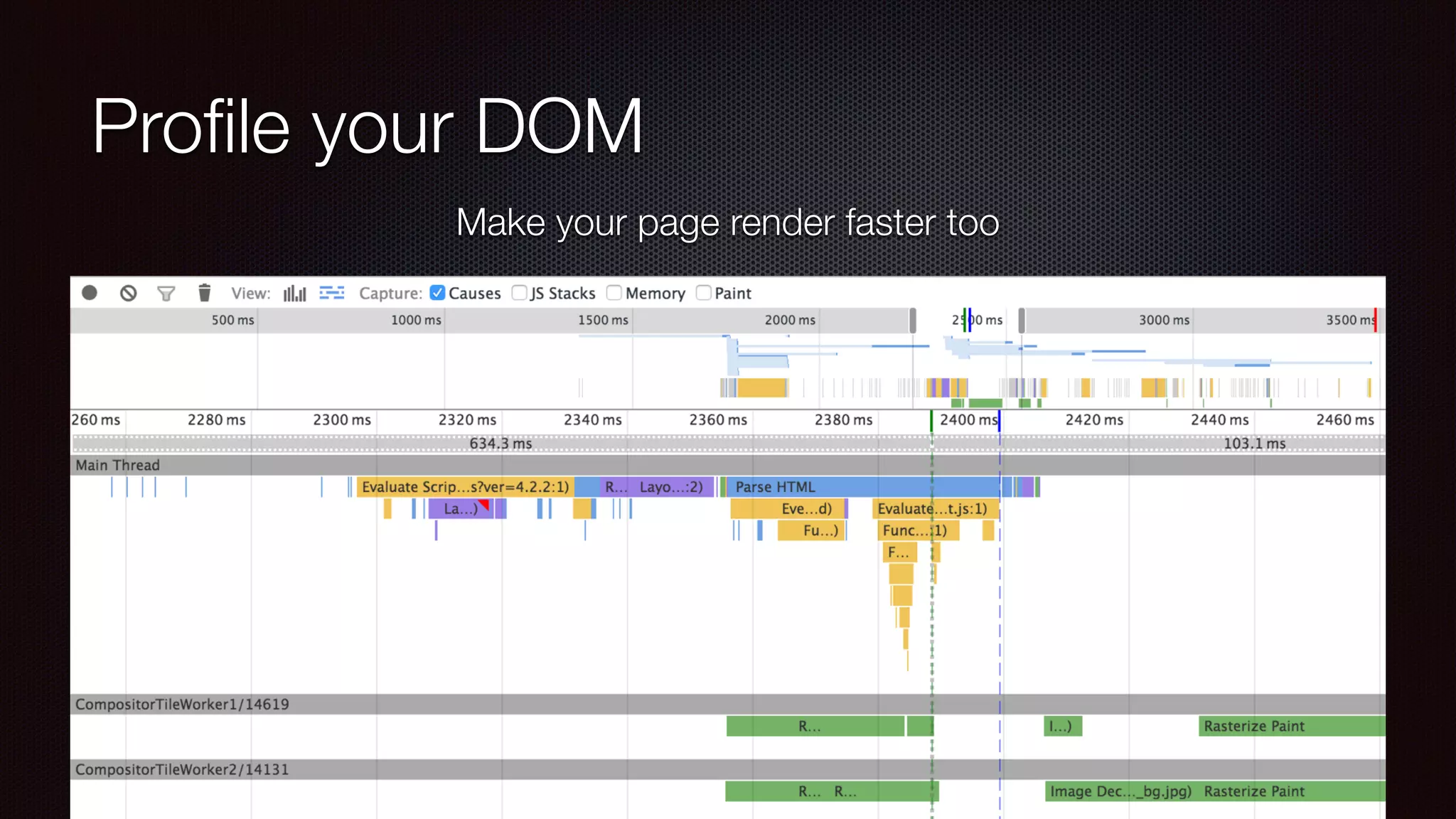
Profile your DOM
Make your page render faster too
Database
Check your slow query log
Modify my.cnf to add general-log
and start seeing all database
queries per page
Reduce plugins or modify code if
possible to reduce queries
Try to “explain” your query
PSA: Signs of hacking
Check integrity of site and your VPS with tools such as wp-cli, or findbot.pl
Profiler showing high number of file operations
Seeing pharma or other links injected in header/footer
Operational Improvements
Improvements you can make outside WordPress
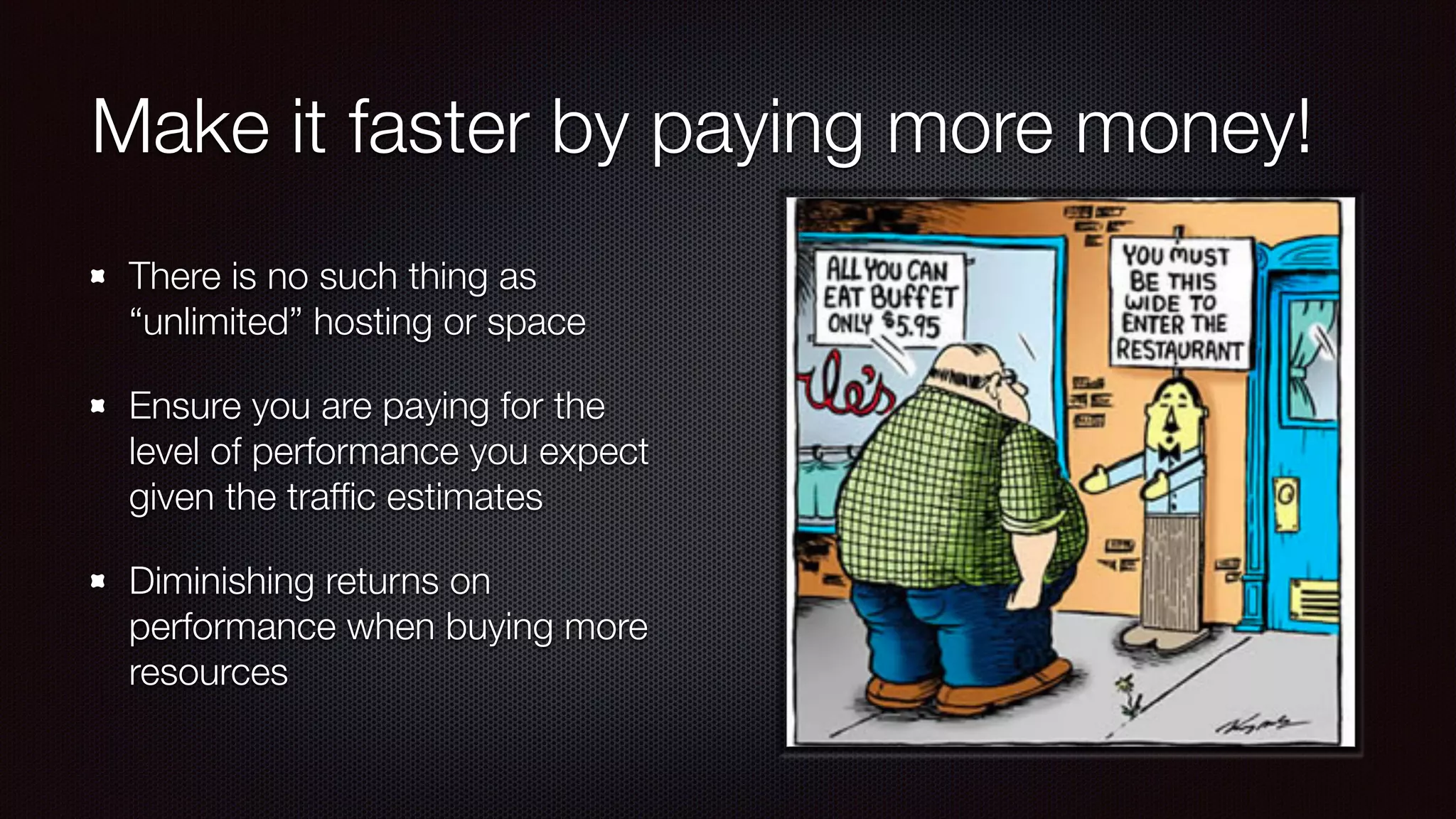
Make it faster by paying more money!
There is no such thing as
“unlimited” hosting or space
Ensure you are paying for the
level of performance you expect
given the traffic estimates
Diminishing returns on
performance when buying more
resources
Database
MySQL versions and variations
(MariaDB, Percona, Community)
DB Engine: Convert tables from
MyISAM to InnoDB
Some* my.cnf tuning
InnoDB buffer size, Query Caching
HyperDB for database splitting*
Some performance references:
http://www.liquidweb.com/kb/mysql-5-1-vs-5-5-vs-5-6-performance-comparison/
https://www.percona.com/blog/2011/10/10/mysql-versions-shootout/
http://vbtechsupport.com/657/
Web Server Technology
Web server technologies:
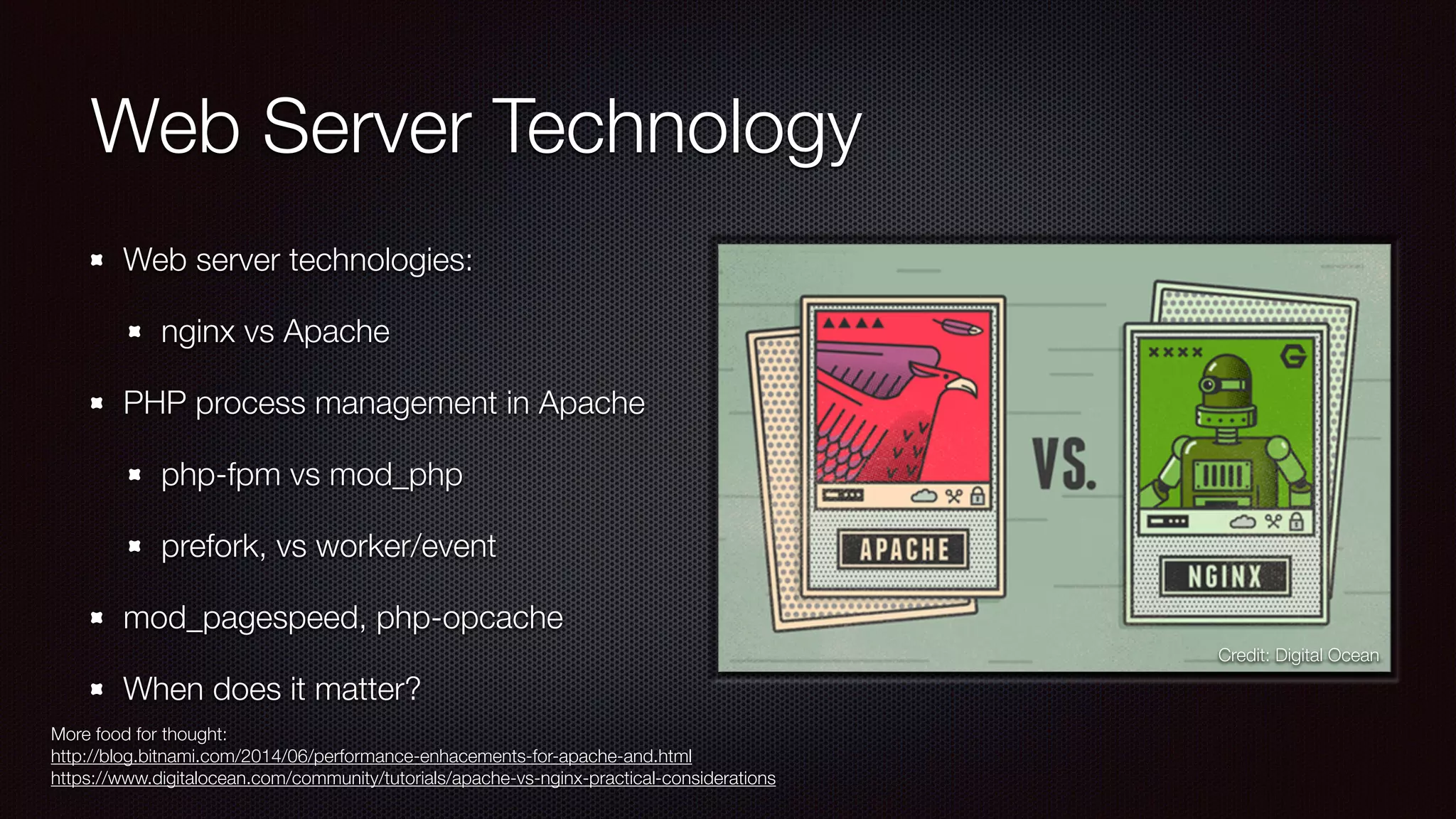
nginx vs Apache
PHP process management in Apache
php-fpm vs mod_php
prefork, vs worker/event
mod_pagespeed, php-opcache
When does it matter?
More food for thought:
http://blog.bitnami.com/2014/06/performance-enhacements-for-apache-and.html
https://www.digitalocean.com/community/tutorials/apache-vs-nginx-practical-considerations
Credit: Digital Ocean
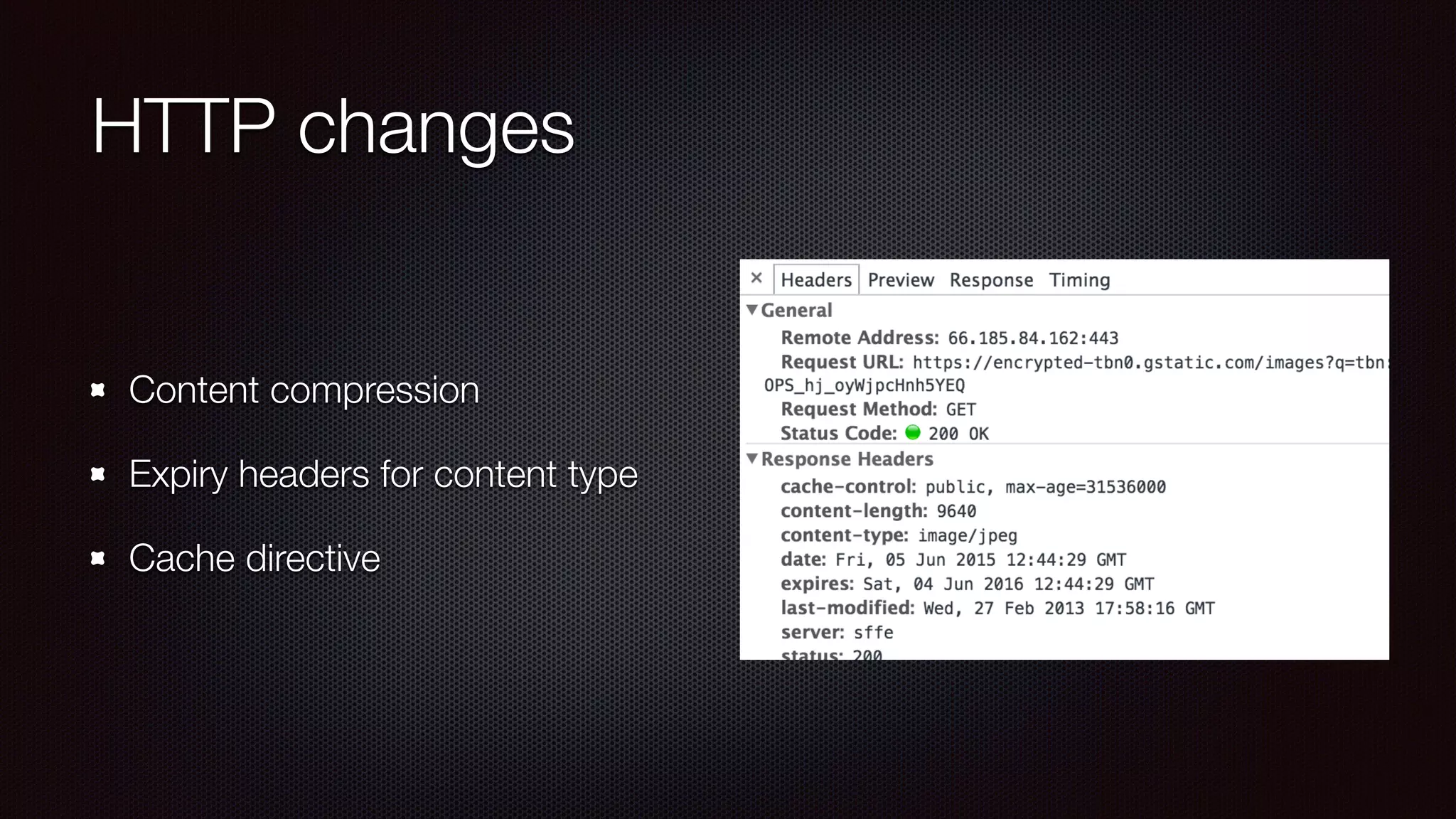
HTTP changes
Content compression
Expiry headers for content type
Cache directive
Content Delivery
Reducing number of access to
your web server will reduce your
costs (bandwidth and CPU needs)
Consider using public CDN for
shared JS/CSS
Pay for a cheap CDN and use a
plugin to rewrite your assets to
the CDN
Web Application Protection*
SaaS: Sucuri / CloudFlare
Plugins: WordFence / Better WP
Security
Spam Protection: Akismet
PHP: suhosin
Server: mod_security
*not an exhaustive list or endorsement
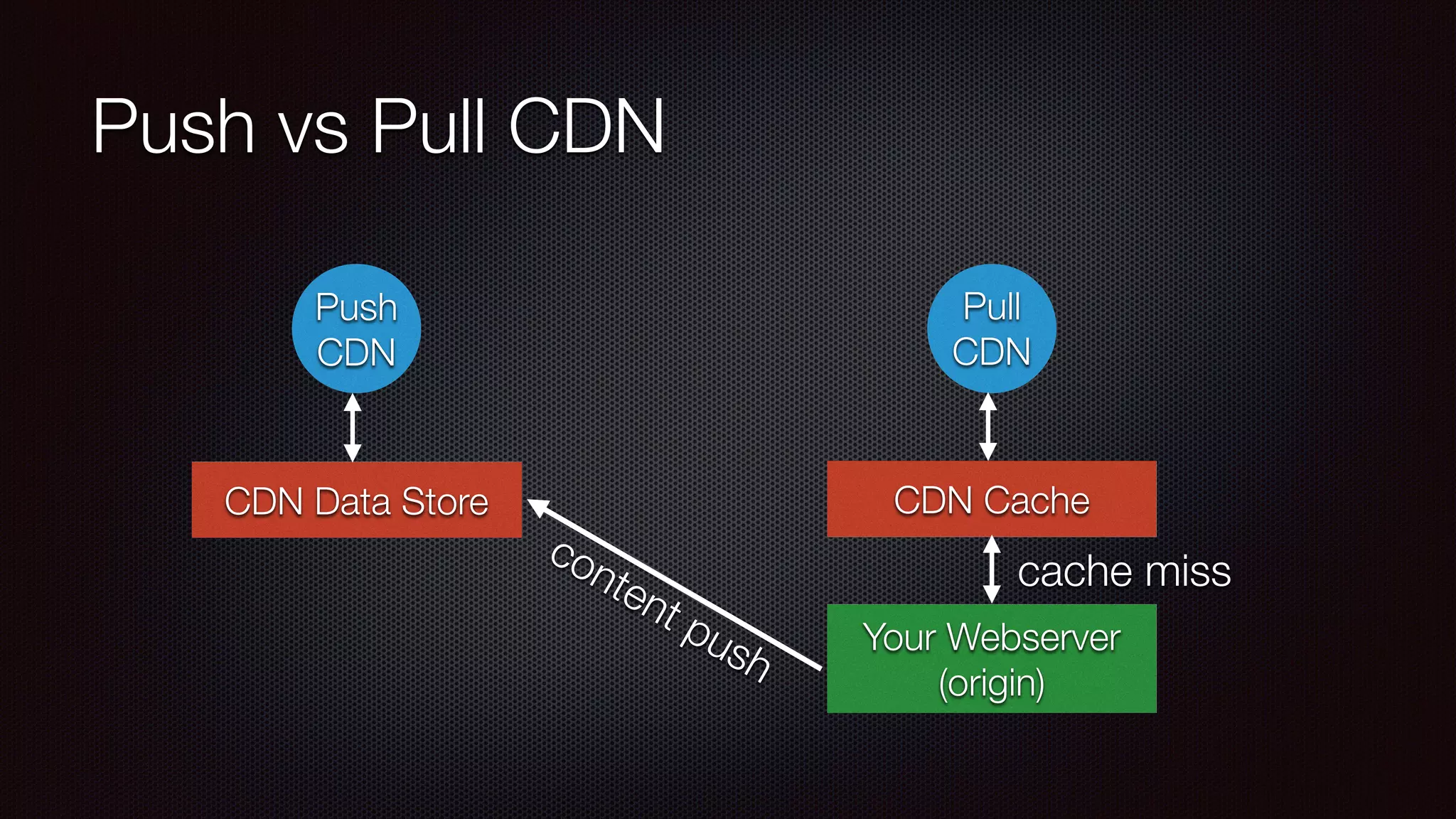
Push vs Pull CDN
Push
CDN
Pull
CDN
CDN Data Store CDN Cache
Your Webserver
(origin)
cache miss
content push
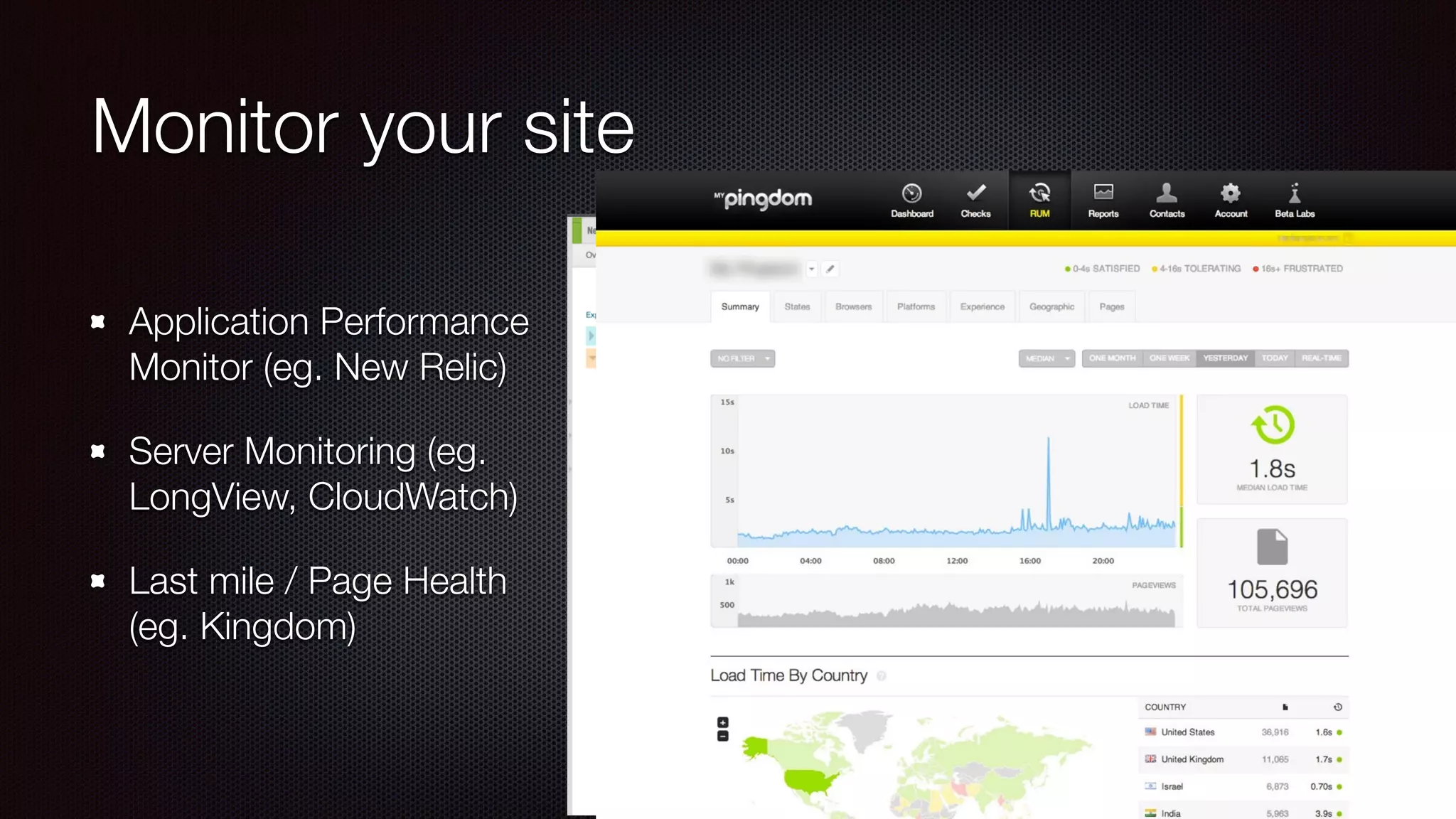
Monitor your site
Application Performance
Monitor (eg. New Relic)
Server Monitoring (eg.
LongView, CloudWatch)
Last mile / Page Health
(eg. Kingdom)
Site Audits
Let’s look at a few sites together
Thanks!
Twitter: @alan_lok
Web: http://wlx.ca

Speeding up your WordPress site - WordCamp Hamilton 2015

  • 1.
    Speed up yourWordPress site Alan Lok - WirelessLinx Inc.
  • 2.
    Motivations User experience1 Search engineoptimization2 Your wallet Less on-call issues! 1: http://www.webperformancetoday.com/2012/02/28/4-awesome-slides-showing-how-page-speed-correlates-to-business-metrics-at-walmart-com/ 2: http://googlewebmastercentral.blogspot.ca/2010/04/using-site-speed-in-web-search-ranking.html
  • 3.
    What is aLAMP stack Database PHP Engine Your app Operating System Web Server Performance gains can be found in each layer Reverse Proxy Cache
  • 4.
    Internal Tune-ups Digging intoyour WordPress site to make it better
  • 5.
    The simple stuff Updateyour plugins Remove unused themes and plugins 404 errors
  • 6.
    WordPress plugins tospeed things up W3 Total Cache Super Cache Zen Cache
  • 7.
    Different caches inWordPress core Object Cache wp_cache_get/wp_cache_set/wp_cache_delete Backing onto a object cache library (memcached, Redis, APCu…) Transcient Data set_transient/get_transient/delete_transient Saving data into database that is available to all instances Both stores have a concept of timeout and developer-managed hit/miss management
  • 8.
    Object Cache -Efficiency vs Coherency Efficiency: reduce number of calls to your cache (or do a multi-get/set) avoid remote cache if possible Coherency clustered cache allows for easier cache invalidation Understand how cache works - cache makes debugging harder
  • 9.
    Reduce and increasereuse Lower number of HTTP requests Combine CSS/JS files or inline them Data URI CSS sprites Lower size of response HTML/JS/CSS minification Image optimization (eg. ImageOptim) Reuse JS and CSS file for whole site where possible Personalization with AJAX
  • 10.
    Profile your application Analyzeyour application with a PHP profiler such as BlackFire or xdebug/ cachegrind Look for high number of apply_filters, mysql calls, and wp_cache_get
  • 11.
    Profile your DOM Makeyour page render faster too
  • 12.
    Database Check your slowquery log Modify my.cnf to add general-log and start seeing all database queries per page Reduce plugins or modify code if possible to reduce queries Try to “explain” your query
  • 13.
    PSA: Signs ofhacking Check integrity of site and your VPS with tools such as wp-cli, or findbot.pl Profiler showing high number of file operations Seeing pharma or other links injected in header/footer
  • 14.
  • 15.
    Make it fasterby paying more money! There is no such thing as “unlimited” hosting or space Ensure you are paying for the level of performance you expect given the traffic estimates Diminishing returns on performance when buying more resources
  • 16.
    Database MySQL versions andvariations (MariaDB, Percona, Community) DB Engine: Convert tables from MyISAM to InnoDB Some* my.cnf tuning InnoDB buffer size, Query Caching HyperDB for database splitting* Some performance references: http://www.liquidweb.com/kb/mysql-5-1-vs-5-5-vs-5-6-performance-comparison/ https://www.percona.com/blog/2011/10/10/mysql-versions-shootout/ http://vbtechsupport.com/657/
  • 17.
    Web Server Technology Webserver technologies: nginx vs Apache PHP process management in Apache php-fpm vs mod_php prefork, vs worker/event mod_pagespeed, php-opcache When does it matter? More food for thought: http://blog.bitnami.com/2014/06/performance-enhacements-for-apache-and.html https://www.digitalocean.com/community/tutorials/apache-vs-nginx-practical-considerations Credit: Digital Ocean
  • 18.
    HTTP changes Content compression Expiryheaders for content type Cache directive
  • 19.
    Content Delivery Reducing numberof access to your web server will reduce your costs (bandwidth and CPU needs) Consider using public CDN for shared JS/CSS Pay for a cheap CDN and use a plugin to rewrite your assets to the CDN
  • 20.
    Web Application Protection* SaaS:Sucuri / CloudFlare Plugins: WordFence / Better WP Security Spam Protection: Akismet PHP: suhosin Server: mod_security *not an exhaustive list or endorsement
  • 21.
    Push vs PullCDN Push CDN Pull CDN CDN Data Store CDN Cache Your Webserver (origin) cache miss content push
  • 22.
    Monitor your site ApplicationPerformance Monitor (eg. New Relic) Server Monitoring (eg. LongView, CloudWatch) Last mile / Page Health (eg. Kingdom)
  • 23.
    Site Audits Let’s lookat a few sites together
  • 24.