Red: Rock / Mountains
Movie / Camera
Fire
Special Lighting
Objective #1
Objective #2
Objective #3
Scene Notes
Player Start /
Checkpoint
Player Finish
Item(s)
Grey: Solid structures
Blue: Water
Green: Grass
Brown: Dirt / Sand
Primary Player Path
Other Player Paths
Two Way Door
Tree - Cover
1
LEGEND
1
2
3
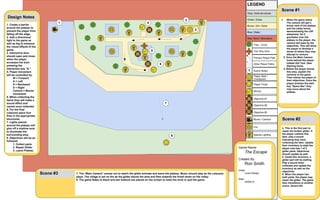
Scene #1
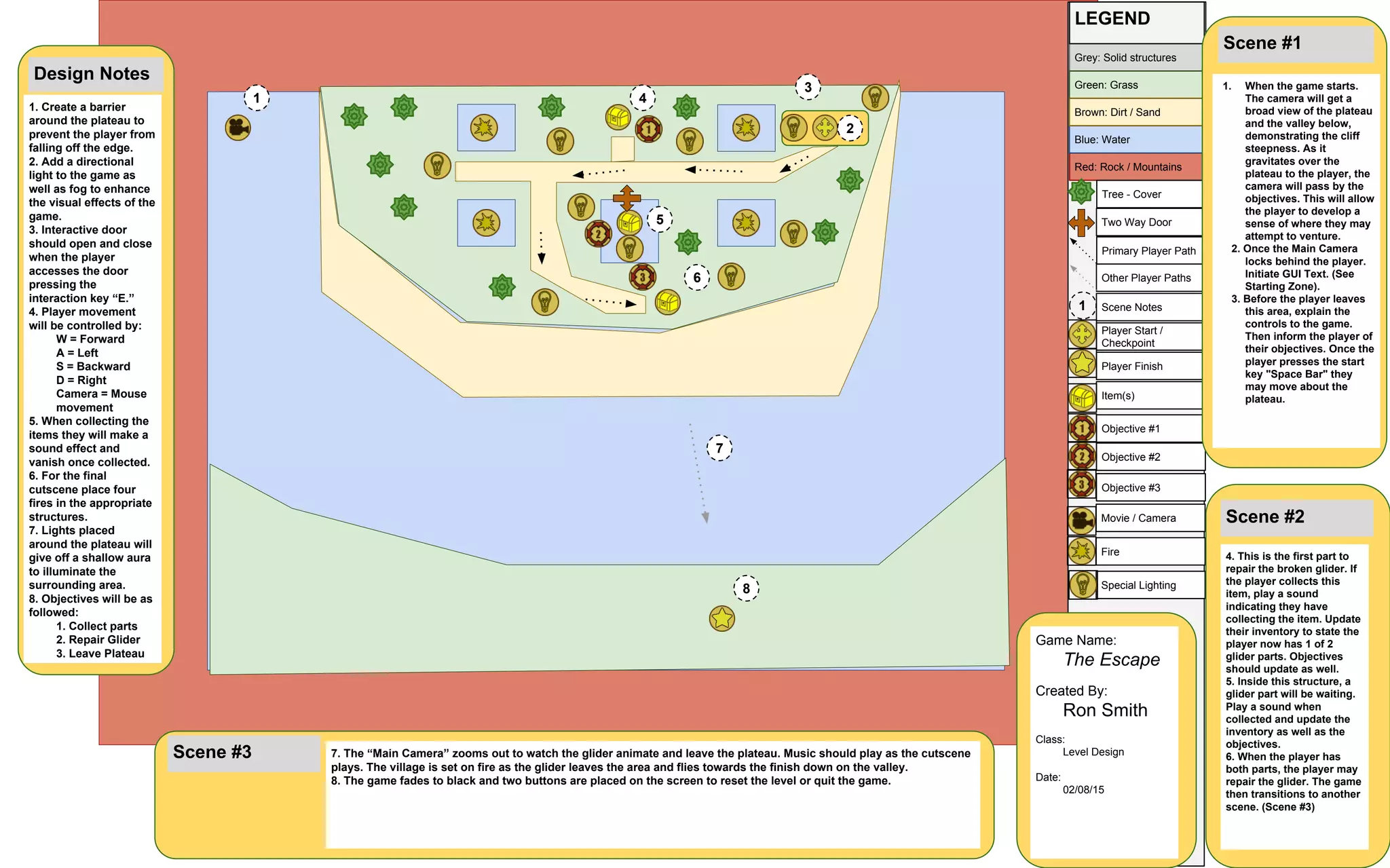
1. When the game starts.
The camera will get a
broad view of the plateau
and the valley below,
demonstrating the cliff
steepness. As it
gravitates over the
plateau to the player, the
camera will pass by the
objectives. This will allow
the player to develop a
sense of where they may
attempt to venture.
2. Once the Main Camera
locks behind the player.
Initiate GUI Text. (See
Starting Zone).
3. Before the player leaves
this area, explain the
controls to the game.
Then inform the player of
their objectives. Once the
player presses the start
key "Space Bar" they
may move about the
plateau.
Scene #2
4. This is the first part to
repair the broken glider. If
the player collects this
item, play a sound
indicating they have
collecting the item. Update
their inventory to state the
player now has 1 of 2
glider parts. Objectives
should update as well.
5. Inside this structure, a
glider part will be waiting.
Play a sound when
collected and update the
inventory as well as the
objectives.
6. When the player has
both parts, the player may
repair the glider. The game
then transitions to another
scene. (Scene #3)
4
5
6
Scene #3 7. The “Main Camera” zooms out to watch the glider animate and leave the plateau. Music should play as the cutscene
plays. The village is set on fire as the glider leaves the area and flies towards the finish down on the valley.
8. The game fades to black and two buttons are placed on the screen to reset the level or quit the game.
7
8
Design Notes
1. Create a barrier
around the plateau to
prevent the player from
falling off the edge.
2. Add a directional
light to the game as
well as fog to enhance
the visual effects of the
game.
3. Interactive door
should open and close
when the player
accesses the door
pressing the
interaction key “E.”
4. Player movement
will be controlled by:
W = Forward
A = Left
S = Backward
D = Right
Camera = Mouse
movement
5. When collecting the
items they will make a
sound effect and
vanish once collected.
6. For the final
cutscene place four
fires in the appropriate
structures.
7. Lights placed
around the plateau will
give off a shallow aura
to illuminate the
surrounding area.
8. Objectives will be as
followed:
1. Collect parts
2. Repair Glider
3. Leave Plateau
Game Name:
The Escape
Created By:
Ron Smith
Class:
Level Design
Date:
02/08/15

One page design layout

  • 1.
    Red: Rock /Mountains Movie / Camera Fire Special Lighting Objective #1 Objective #2 Objective #3 Scene Notes Player Start / Checkpoint Player Finish Item(s) Grey: Solid structures Blue: Water Green: Grass Brown: Dirt / Sand Primary Player Path Other Player Paths Two Way Door Tree - Cover 1 LEGEND 1 2 3 Scene #1 1. When the game starts. The camera will get a broad view of the plateau and the valley below, demonstrating the cliff steepness. As it gravitates over the plateau to the player, the camera will pass by the objectives. This will allow the player to develop a sense of where they may attempt to venture. 2. Once the Main Camera locks behind the player. Initiate GUI Text. (See Starting Zone). 3. Before the player leaves this area, explain the controls to the game. Then inform the player of their objectives. Once the player presses the start key "Space Bar" they may move about the plateau. Scene #2 4. This is the first part to repair the broken glider. If the player collects this item, play a sound indicating they have collecting the item. Update their inventory to state the player now has 1 of 2 glider parts. Objectives should update as well. 5. Inside this structure, a glider part will be waiting. Play a sound when collected and update the inventory as well as the objectives. 6. When the player has both parts, the player may repair the glider. The game then transitions to another scene. (Scene #3) 4 5 6 Scene #3 7. The “Main Camera” zooms out to watch the glider animate and leave the plateau. Music should play as the cutscene plays. The village is set on fire as the glider leaves the area and flies towards the finish down on the valley. 8. The game fades to black and two buttons are placed on the screen to reset the level or quit the game. 7 8 Design Notes 1. Create a barrier around the plateau to prevent the player from falling off the edge. 2. Add a directional light to the game as well as fog to enhance the visual effects of the game. 3. Interactive door should open and close when the player accesses the door pressing the interaction key “E.” 4. Player movement will be controlled by: W = Forward A = Left S = Backward D = Right Camera = Mouse movement 5. When collecting the items they will make a sound effect and vanish once collected. 6. For the final cutscene place four fires in the appropriate structures. 7. Lights placed around the plateau will give off a shallow aura to illuminate the surrounding area. 8. Objectives will be as followed: 1. Collect parts 2. Repair Glider 3. Leave Plateau Game Name: The Escape Created By: Ron Smith Class: Level Design Date: 02/08/15