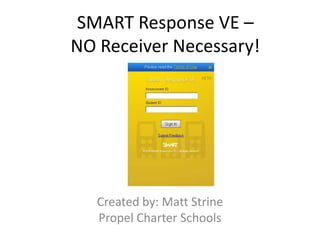
SMART Response VE – NO Receiver Necessary!Created by: Matt StrinePropel Charter Schools
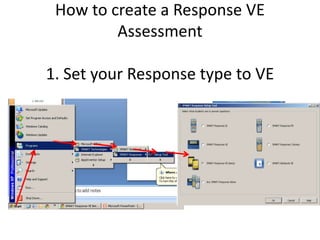
How to create a Response VE Assessment1. Set your Response type to VE
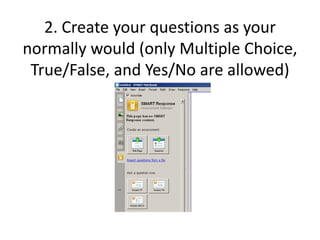
2. Create your questions as your normally would (only Multiple Choice, True/False, and Yes/No are allowed)
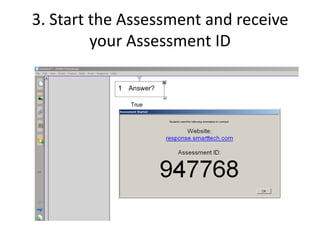
3. Start the Assessment and receive your Assessment ID
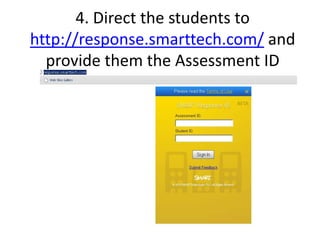
4. Direct the students to http://response.smarttech.com/ and provide them the Assessment ID
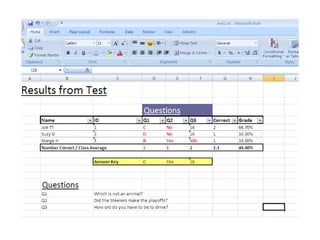
5. You can always use a teacher created class rather than Anonymous mode, if you want to track the assessment results of specific students and highlight strengths and weaknesses
6. ANY QUESTIONS???

Smart Response VE

  • 1.
    SMART Response VE– NO Receiver Necessary!Created by: Matt StrinePropel Charter Schools
  • 2.
    How to createa Response VE Assessment1. Set your Response type to VE
  • 3.
    2. Create yourquestions as your normally would (only Multiple Choice, True/False, and Yes/No are allowed)
  • 4.
    3. Start theAssessment and receive your Assessment ID
  • 5.
    4. Direct thestudents to http://response.smarttech.com/ and provide them the Assessment ID
  • 6.
    5. You canalways use a teacher created class rather than Anonymous mode, if you want to track the assessment results of specific students and highlight strengths and weaknesses
  • 8.