SCHOOL OF HUMANITIES ARTS AND
        SOCIAL SCIENCES
BACHELOR OF ENGLISH AS A FOREIGN
            LANGUAGE


         MATERIALS DESIGN FOR
         VIRTUAL ENVIRONMENTS

                SLIDESHARE

           DIANA PAOLA MONCALEANO
                  RODRIGUEZ
                    551021
TYPE OF TOOL: PRESENTATION
 SHARING
If you create presentations using Keynote
or PowerPoint you can store
them, tag them and share them on-line.
You can make them availably
publicly, privately, downloadable or not and
can synchronize them with an
audio file.
Example of software: Slideshare
Slideshar
    e
 TYPE OF TOOL
is a free space where users can
send presentations Power point
or Open Office, which are then
stored in Flash format for
viewing online. It is an
interesting option for sharing
presentations on the web.
Supports files up to 20 Mb of
weight, no transitions between
slides.


  tutorial to create a Slideshare, follow
  the link:
  http://www.youtube.com/watch?v
  =gFv1xlFi7ig
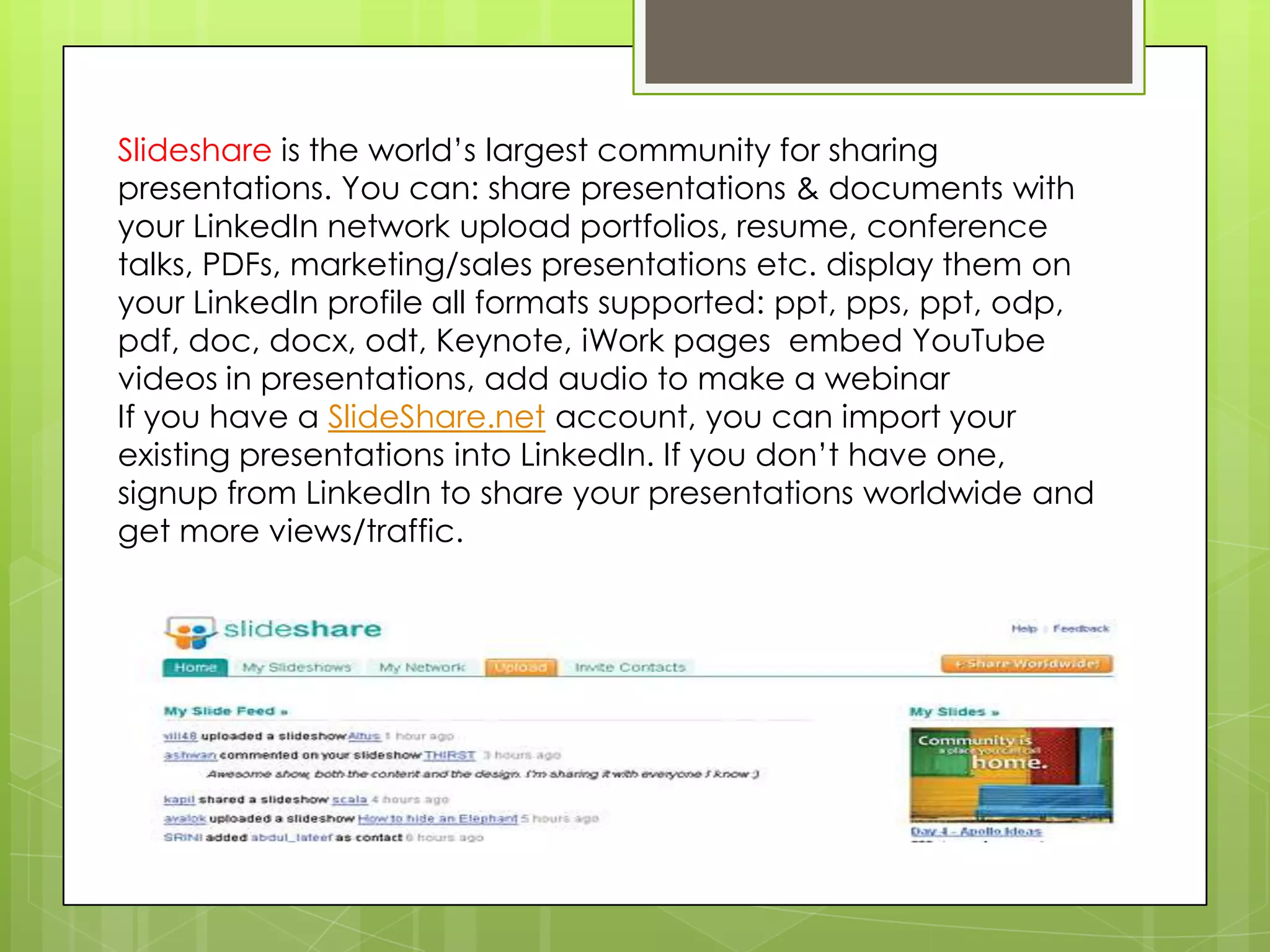
Slideshare is the world’s largest community for sharing
presentations. You can: share presentations & documents with
your LinkedIn network upload portfolios, resume, conference
talks, PDFs, marketing/sales presentations etc. display them on
your LinkedIn profile all formats supported: ppt, pps, ppt, odp,
pdf, doc, docx, odt, Keynote, iWork pages embed YouTube
videos in presentations, add audio to make a webinar
If you have a SlideShare.net account, you can import your
existing presentations into LinkedIn. If you don’t have one,
signup from LinkedIn to share your presentations worldwide and
get more views/traffic.
How can I delete my
     uploaded files?
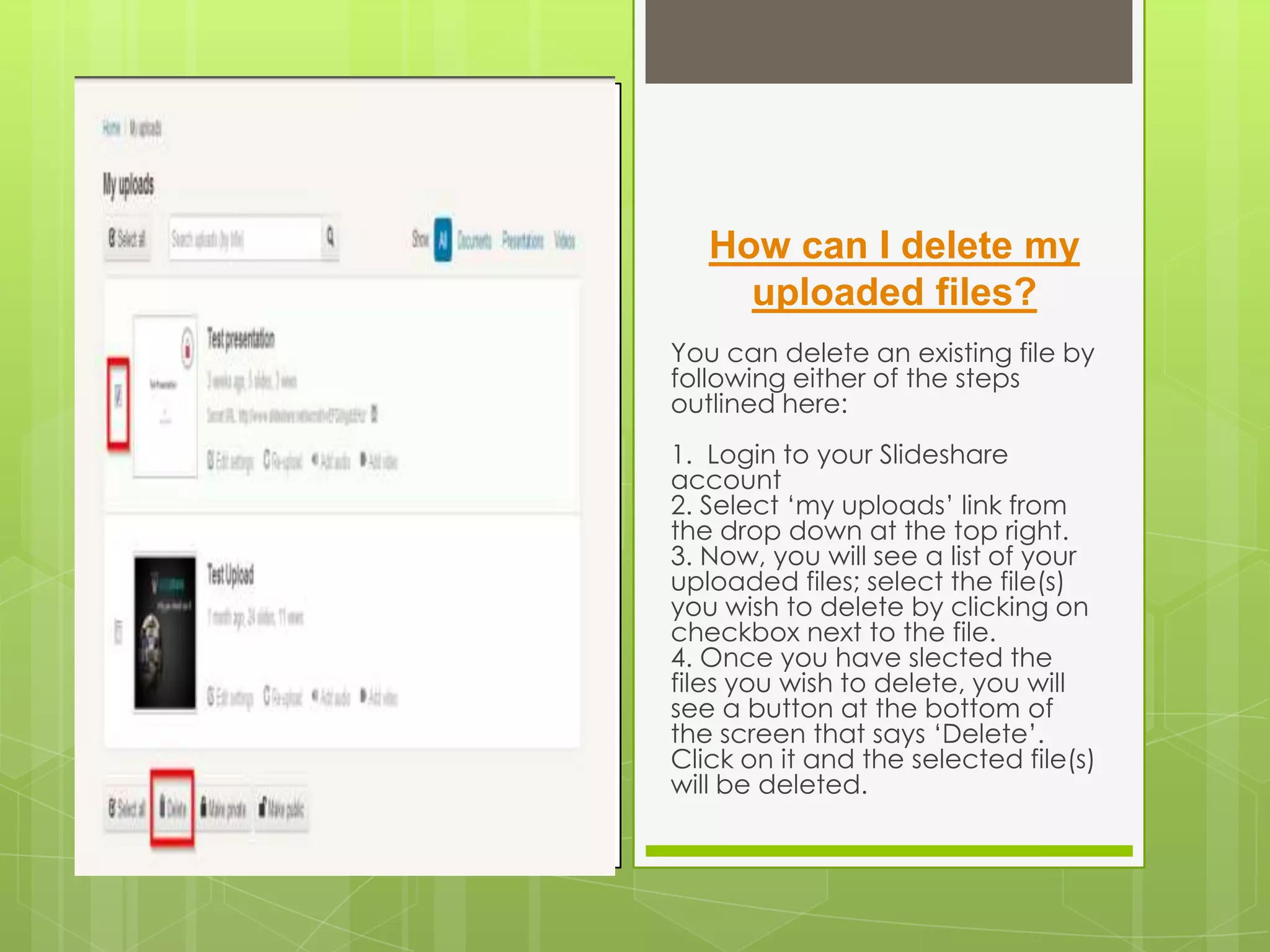
You can delete an existing file by
following either of the steps
outlined here:
1. Login to your Slideshare
account
2. Select ‘my uploads’ link from
the drop down at the top right.
3. Now, you will see a list of your
uploaded files; select the file(s)
you wish to delete by clicking on
checkbox next to the file.
4. Once you have slected the
files you wish to delete, you will
see a button at the bottom of
the screen that says ‘Delete’.
Click on it and the selected file(s)
will be deleted.

Slideshare

  • 1.
    SCHOOL OF HUMANITIESARTS AND SOCIAL SCIENCES BACHELOR OF ENGLISH AS A FOREIGN LANGUAGE MATERIALS DESIGN FOR VIRTUAL ENVIRONMENTS SLIDESHARE DIANA PAOLA MONCALEANO RODRIGUEZ 551021
  • 2.
    TYPE OF TOOL:PRESENTATION SHARING If you create presentations using Keynote or PowerPoint you can store them, tag them and share them on-line. You can make them availably publicly, privately, downloadable or not and can synchronize them with an audio file. Example of software: Slideshare
  • 3.
    Slideshar e TYPE OF TOOL
  • 4.
    is a freespace where users can send presentations Power point or Open Office, which are then stored in Flash format for viewing online. It is an interesting option for sharing presentations on the web. Supports files up to 20 Mb of weight, no transitions between slides. tutorial to create a Slideshare, follow the link: http://www.youtube.com/watch?v =gFv1xlFi7ig
  • 5.
    Slideshare is theworld’s largest community for sharing presentations. You can: share presentations & documents with your LinkedIn network upload portfolios, resume, conference talks, PDFs, marketing/sales presentations etc. display them on your LinkedIn profile all formats supported: ppt, pps, ppt, odp, pdf, doc, docx, odt, Keynote, iWork pages embed YouTube videos in presentations, add audio to make a webinar If you have a SlideShare.net account, you can import your existing presentations into LinkedIn. If you don’t have one, signup from LinkedIn to share your presentations worldwide and get more views/traffic.
  • 6.
    How can Idelete my uploaded files? You can delete an existing file by following either of the steps outlined here: 1. Login to your Slideshare account 2. Select ‘my uploads’ link from the drop down at the top right. 3. Now, you will see a list of your uploaded files; select the file(s) you wish to delete by clicking on checkbox next to the file. 4. Once you have slected the files you wish to delete, you will see a button at the bottom of the screen that says ‘Delete’. Click on it and the selected file(s) will be deleted.