What HTML5
Means for Web
Accessibility
Kevin Lamping
   All logos, trade marks and brand names used belong to the respective owners
@klamping
My Start
2007
A Favor
?.com
Just Imagine
WCAG 2.0
Your Job
Acce$$ibility
Good News

Bad News
Accessibility
  is easy
HTML
is mostly
accessible
✓ Alt Text
✓ Labels
✓ Semantics
Let’s skip
that and
talk HTML5!
Accessibility
 is hard...
for
 non-trivial
       stuff
Even simple
 non-trivial
   stuff
WCAG 2.0
Support
Accessibility
is Frustrating
We forget
about it
    We make
      excuses
We all need
forgiveness
Bless me
father, for I
have sinned
It has been
     days since
I last used a
screen reader
I am sorry for this
and all the sins of
my past life,
especially for
                  .
Amen
What’s the
 point?
You have a
  choice
They don’t
We’re Zuul
Accessibility
 is good for
     you
Accessibility
   Usability
“For my 1 year old
daughter a magazine is an
iPad that doesn’t work”
           - YouTube Video
“...people aren’t
talking about
how he made his
[tech] accessible”
“a 15-year-old kid
can be playing
with Garage Band
and come up with
unbelievable ideas”
“He has leveled
the playing field.”
“His company
made it accessible
without screaming,
‘This is for the
blind, this is for
the deaf’”
“I’m just hoping
his life [will]
challenge those to
do what he has
done”
“you just make it
one of your apps.
That will create a
world accessible to
anyone”
“Thanks”
 - Stevie Wonder
All you
need is love
What does
HTML5
mean for web
accessibility?
article, aside,
footer, header,
  nav, section
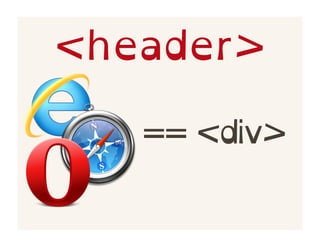
<header>
<header>

   == <div>
<header>

 == <section>
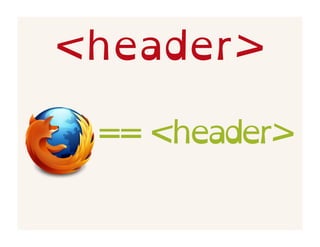
<header>

 == <header>
<header>

    == <div>
<header>

  == <header>
html5accessibility.
      com
<footer>
Unsupported


          Supported
<footer>
Unsupported


          Supported
Disclaimer
What does
“supported”
really mean?
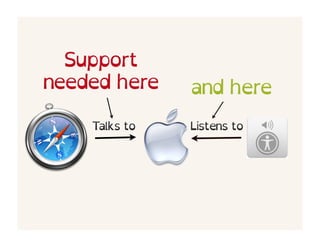
Talks to   Listens to
Support
needed here    and here
    Talks to   Listens to
Users are here
2008   2009   2010   2011   2012   2013
Support is
Users are here
2008   2009   2010   2011   2012   2013
Is there any
    hope?
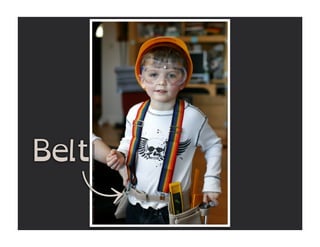
Suspenders


Belt
article, aside,
footer, header,
  nav, section
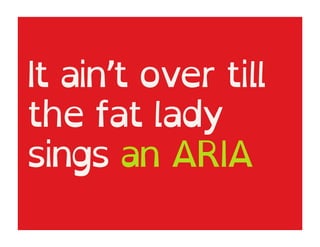
It ain’t over till
the fat lady
sings an ARIA
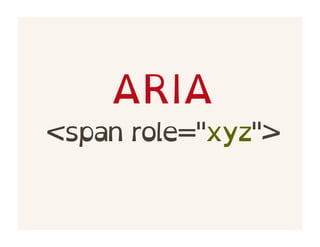
ARIA
<span role="xyz">
<header
 role="banner">
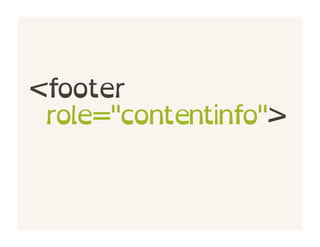
<footer
 role="contentinfo">
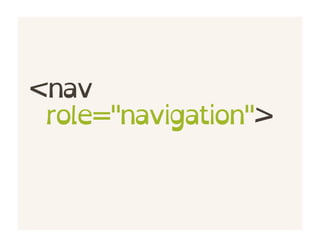
<nav
 role="navigation">
<aside
role="complementary">
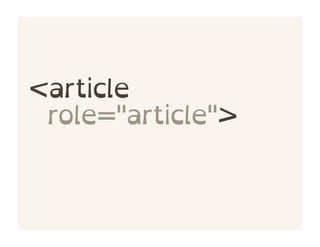
<article
 role="article">
<section role="???">
<main role="main">
Can you
improve?
<audio>
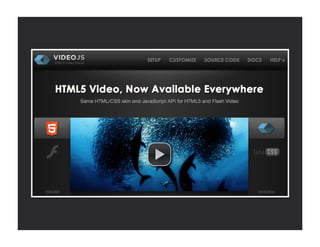
<video>
Keyboard
   Support
It’s not just for
Screen Readers
<audio src="a.ogg"
 type="audio/ogg">
<video src="v.ogg"
 type="video/ogg">
Chrome Audio Controls

Firefox Video Controls
Custom Audio Controls

<button
 class="audio-play">
<track
 kind="subtitles"
 srclang="en"
 src="track.vtt" />
<video src="v.ogv">
 <track...></track>
</video>
<figure>
<figcaption>
<figure>
 <img src="edan.jpg">
 <figcaption>My Son...
   </figcaption>
</figure>
<figure role="group">
 <img src="edan.jpg"
   aria-labelledby="c">
 <figcaption id="c">
   </figcaption>
</figure>
<figure role="group">
  <img src="edan.jpg"
   alt="photo 1">
  <figcaption>My Son...
(photo 1).</figcaption>
</figure>
<canvas>
it’s complicated
<canvas>
 <h2>Shapes</h2>
 <p>A circle and
  <a ...>box</a>.
 </p>
</canvas>
http://is.gd/
  OTCv0x
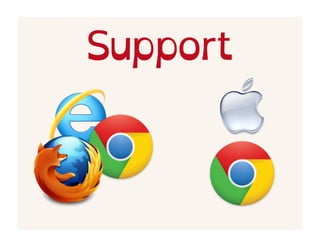
Support
Two things
about
Mobile
Accessibility
Test for it.
Use HTML5
elements
They’re natively
supported
Test   Test   Test   Test
!=   !=   !=
Does HTML5
improve web
accessibility or
make it worse?
It’s kinda
      both
How have
screen readers
adapted?
It’s getting
  better all
   the time
Does HTML5
remove the
need for
accessibility
testing?
No. Not at all.
Test your stuff
The only
constant is
change
Credits
http://www.flickr.com/photos/oakleyoriginals/
7944244598/
http://www.flickr.com/photos/seandreilinger/
2137302514/
http://www.iconarchive.com/show/scrap-icons-
by-deleket/Magnifying-Glass-2-icon.html
http://www.clarissapeterson.com/2012/11/
html5-accessibility
github.com/
klamping/
html5tx-a11y
@klamping

What HTML5 Means for Web Accessibility