
HTML5 accessibilityis it ready yet?Steve Faulkner & Hans Hillen The Paciello Group (TPG)
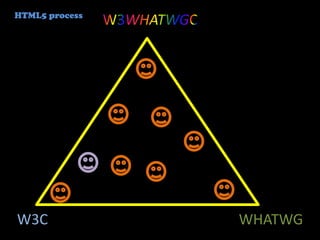
HTML5 processW3WHATWGCW3CWHATWG
and then there’s the rest who probably don’t carephoto by Joel bez
“accessibilityis about more than screen readers...”
...but in this session we are talking about assistive technology support, if you are expecting more you will be disappointed
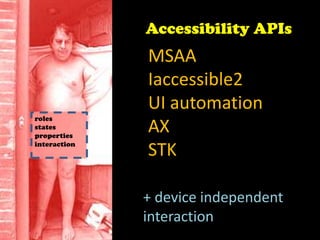
Accessibility APIsMSAAIaccessible2UI automationAXSTKrolesstatespropertiesinteraction+ device independentinteraction
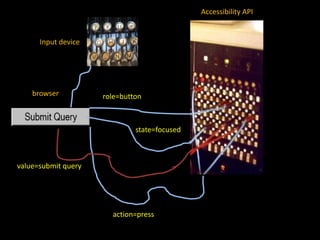
Accessibility APIInput devicebrowserrole=buttonstate=focusedvalue=submit queryaction=press
so, is it ready yet?HTML5 accessibilitythat is????
short answer:NO!
long answer is:NOT BY ALONG SHOT
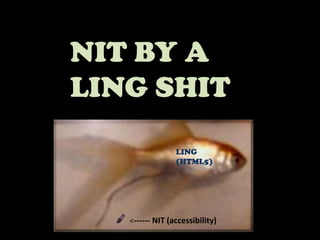
NIT BY A LING SHITLING(HTML5) <------ NIT (accessibility)
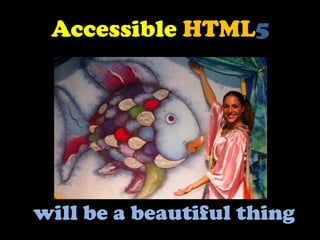
AccessibleHTML5will be a beautiful thing
HTML5 is a work in progress
form controls
structures
canvas
video
audio
ARIA
‘fallback’
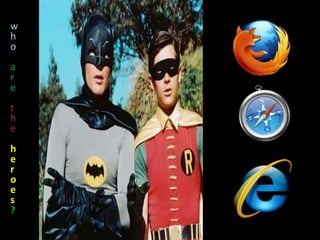
‘text alternatives’whoaretheheroes?
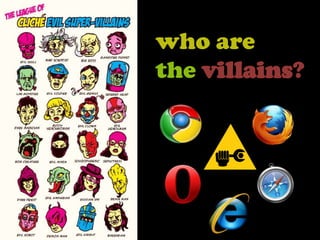
who are thevillains?
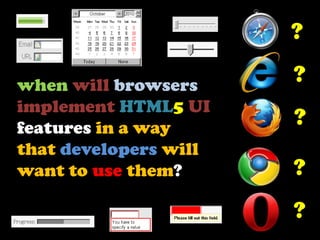
??when will browsersimplement HTML5 UI features in a way that developers will want to use them?when will browsersexpose HTML5features via accessibility APIswhen will browsersimplement HTML5 UI features????
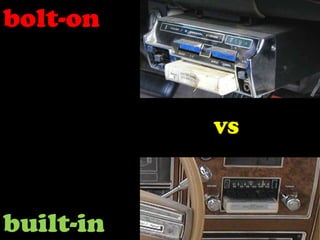
bolt-onVSbuilt-in
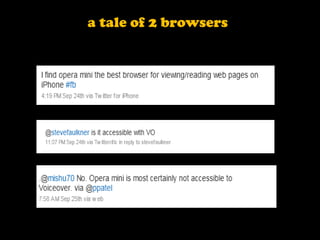
a tale of 2 browsers
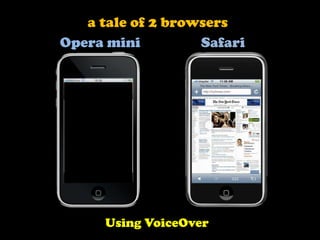
a tale of 2 browsersOpera miniSafariUsing VoiceOver
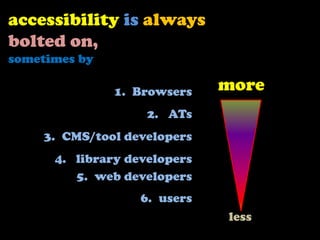
accessibilityisalwaysbolted on, sometimes byBrowsers ATsCMS/tool developers library developersweb developersusersmoreless
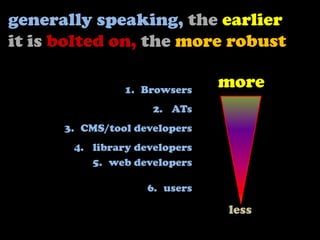
generally speaking,the earlier it is bolted on,themore robustBrowsers ATsCMS/tool developers library developersweb developersusersmoreless
but if it’s done right it makes no differenceto the end user...
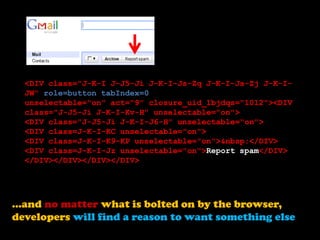
<DIV class="J-K-I J-J5-Ji J-K-I-Js-Zq J-K-I-Js-Zj J-K-I-JW" role=button tabIndex=0 unselectable="on" act="9" closure_uid_1bjdqs="1012"><DIV class="J-J5-Ji J-K-I-Kv-H" unselectable="on"><DIV class="J-J5-Ji J-K-I-J6-H" unselectable="on"><DIV class=J-K-I-KC unselectable="on"><DIV class=J-K-I-K9-KP unselectable="on">&nbsp;</DIV><DIV class=J-K-I-Jz unselectable="on">Report spam</DIV> </DIV></DIV></DIV></DIV>...and no matter what is bolted on by the browser, developers will find a reason to want something else
which is why WAI-ARIA is neededpreaching abstinence does not workaccessibility = the art of the killjoyaccessibility = the art of creative inclusivity
HTML5accessibility.com
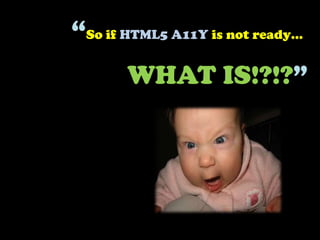
“So if HTML5 A11Y is not ready…WHAT IS!?!?”
The answer is simple really…
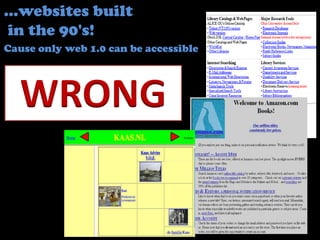
…websites built in the 90's!Cause only web 1.0 can be accessibleWRONG
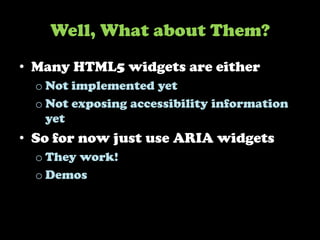
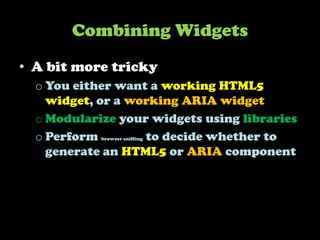
Some HTML5 works tomorrow…WAI-ARIA works today!Why not use it in the meantime?
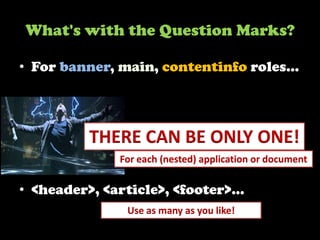
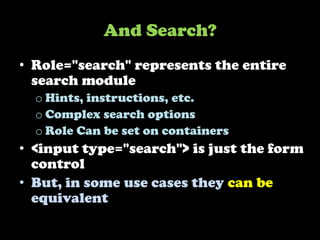
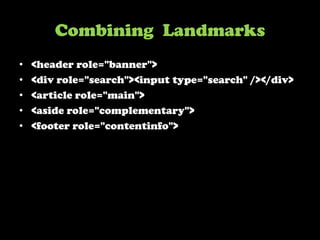
ARIA Landmark RolesIdentify and label commonly used , relevant sections on a web pageScreen readers users can quickly  locate these sections and navigate between themDemo
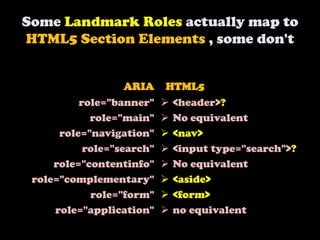
Some Landmark Roles actually map to HTML5 Section Elements , some don'tARIAHTML5role="banner"role="main"role="navigation"role="search"role="contentinfo"role="complementary"role="form"role="application"<header>?
No equivalent
<nav>
<input type="search">?
No equivalent

HTML5 Accessibility - Is it ready yet?

Editor's Notes

  • #3 The current HTML5 development process is a hybrid of the W3C and WHAT WG development processes. There are people who prefer one process over the other, but the mixture of these processes makes for better specification outcomes.
  • #4 Most people who are interested and excited by HTML5 are not interested in the politics behind its development.
  • #5 Accessibility covers a range of issues for people with varying impairments including vision, mobility, cognitive and aging.
  • #6 The implementation of new HTML5 element features in browsers affects in particular users who rely assistive technology, such as screen readers, to access web content.
  • #7 For users of assistive technology to be able to access and interact with web content, browser developers need to expose HTML5 features through accessibility applications interfaces and make interactive features operable without the use of a mouse.
  • #8 Each HTML feature has a role, name, state and other property values that need to be hooked into the accessibility APIs by the browser. Assistive technology can then use this information to convey a representation of the feature to users.
  • #9 The big questions are is HTML5 accessibility ready? If not when will it be?
  • #10 HTML5 features are currently either not implemented or not implemented with accessibility support.
  • #11 There is still much work to be done by browser vendors to include accessibility support in their products.
  • #12 Without accessibility support HTML5 is like a fairly ordinary fish with a parasite close by.
  • #13 With accessibility support HTML5 will become a powerful, useful, interoperable, versatile language for the world wide web.
  • #14 HTML5 is not yet a standard, work continues on the standardisation process at the W3C.
  • #15 The developmentof the W3C HTML5 specification and its implementation is a work in progress. While the specification is at an advanced stage of development, there are still issues to be worked out and much implementation work to be done.
  • #16 Which browsers provide good accessibility support for HTML content? In other words which browsers can be used by people with screen readers to surf the web? On Windows Firefox and Internet Explorer. On Mac only Safari.
  • #17 There are not really any villains;Google chrome is not yet accessible on any platform, but they are working hard on providing accessibility support. Firefox works great on windows and Linux, but not on Mac OSX, Safari works well on Mac OSX and iOS 4 but not on Windows. Opera does not have accessibility support on any platform, but provides features that other browser do not, which are useful to a range of people with disabilities who do not use assistive technology. It is also rumoured that Opera are working on AT support, but that has been a rumour for years...
  • #18 One question is, when will browser vendors implement the HTML5 interface elements? Another is when will they implement accessibility support? And yet another is When will they implement in particular the new HTMl5 form controls in a way that developers want to use them and are able to style them as desired. Which ff the major browsers Safari, Internet Explorer, Firefox, Chrome and Opera, will provide useful and accessible support for the new HTML5 user interface features?
  • #19 There is an ongoing debate about bolt on versus built in accessibility. For example adding an alt attribute is considered as ‘bolt on’ because it requires the author to do work to make an image accessible. While a standard HTML button has some accessibility information ‘built in’, but this is not the case in all browsers as this accessibility information has to be bolted on by the browser developer.
  • #20 3 tweets about Opera mini on the iPhone: I tweeted about my like of Opera mini: “I find Opera mini the best browser for viewing/reading web pages on iPhone.”@mishu70 asks: “@stevefaulkner is it accessible with VO?” @ppatel replies: “@mishu70 No. Opera mini is most certainly not accessible to VoiceOver.”
  • #21 When using VoiceOver, Opera mini is akin to a black screen as it is unusable. The opera developers have not bolted on the accessibility support in Opera mini.
  • #22 Generally more accessibility is bolted on by browser vendors than by other participants in the process.
  • #23 Generally, the earlier accessibility is bolted on the more robust it is.
  • #24 Whoever provides the accessibility information, if its done right the end user is provided with a better experience.
  • #25 The buttons in the Gmail interface look like standard buttons, but are actually coded using a load of nested divs. It is assumed this is done because the Gmail developers could not get the look and feel cross browser, that they desired, from a standard HTML button. It is ALWAYS recommended that standard HTML controls be used over custom controls, but if custom controls are built using HTML elements, it is recommended that the semantics of the control are provided using a technology such as ARIA.
  • #26 ARIA is the Web Accessibility Initiative Accessible Rich Internet Applications specification. With technologies such as ARIA we can move from a mindset that views accessibility as the art of the killjoy, always telling developers what they cannot do, to one of creative inclusivity.
  • #27 This site is a resource to provide information about which HTML5user interface features are accessibility supported in browsers, making them usable by people who rely upon assistive technology (AT) to use the web.It is not intended to dissuade developers from using HTML5 features. Sometimes there are better choices, sometimes developers have to add a little extra to make the feature useful or usable, and other times features have simply not been implemented by any browser or only by browsers that do not yet support assistive technologies. As a consequence it may not yet be practical to use a particular HTML5 feature. Example work around for lack of implementation or lack of accessible implementation are are provided.